Inventory Reports in OpManager
Inventory Reports in OpManager provide a detailed overview of all managed devices, helping IT teams maintain visibility and control over their infrastructure. These reports include information on servers, desktops, SNMP-enabled and non-SNMP devices, and more. Users can leverage these reports to simplify asset management, assist with audit readiness, and help ensure complete infrastructure coverage. You can find it under Reports → Inventory.
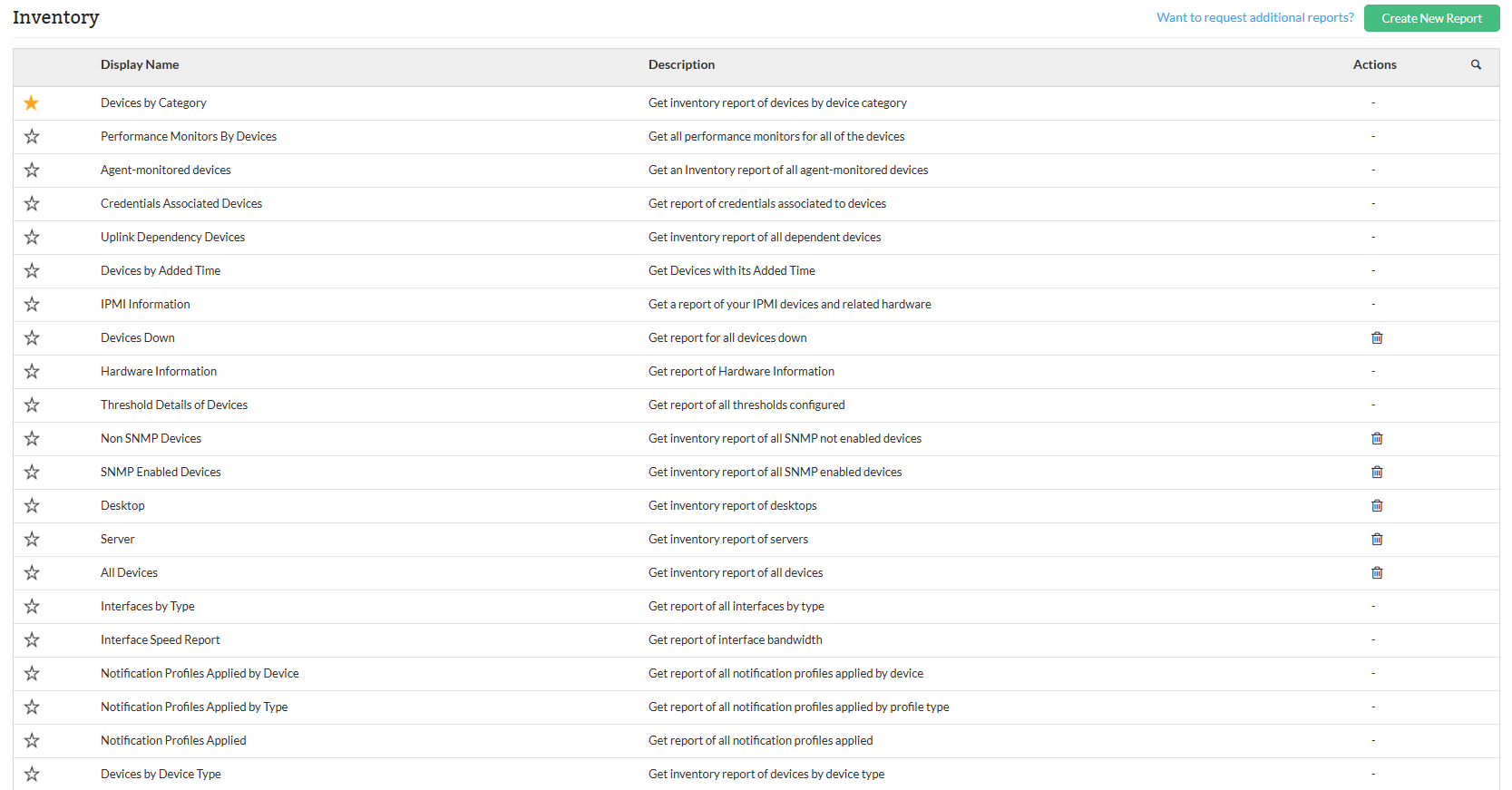
Types of Inventory reports
| Report Name | Description | Available Columns | Available Filters |
|---|---|---|---|
| Devices by Category | This report summarizes the number of devices categorized by type. It's significant for providing a quick overview of the device inventory, allowing for efficient management and resource allocation. | Category, Total | Category, Filter by |
| Performance Monitors By Devices | This report captures performance metrics of various devices, highlighting key parameters such as monitor name, protocol, and poll intervals. It is significant for assessing network health and identifying areas needing attention. | Device Name, Monitor Name, Protocol, Poll Interval, Threshold Type, Attention, Trouble, Critical, Rearm Value | Category, Filter by |
| Agent Monitored Devices | Provides insights into the details of devices monitored using agents instead of SNMP or WMI. | Device Name, IP Address, Device Type, RAM (in MB), Disk (in GB) | Category, Filter by |
| Credentials Associated Devices | Provides the details of devices along with the credentials used for monitoring. | Device Name, IP Address, Credential Name, Credential Type, Device Type | Category, Filter by |
| Uplink Dependency Devices | Lists each device along with the devices it depends on. | Device Name, Dependent Devices | Category, Filter by |
| Devices by Added Time | Provides device details along with the time they were added for monitoring. | Device Name, IP Address, Added Time | Category, Filter by, Period, Time Window / Business Hour |
| IPMI Information | Provides details of IPMI devices and related hardware discovered for monitoring. | Device Name, IP Address, Manufacturer, Device Type, Service Tag, Serial Number, UUID, Managed Servers | Category, Filter by |
| Devices Down | Provides a list of devices that are currently down and since when. | Device Name, Down Since | Category, Filter by |
| Hardware Information | Lists devices with hardware details like manufacturer, OS, version, etc. | Device Name, IP Address, Manufacturer, Model, Service Tag, OS, OS Version, Serial Number, Last Updated Time | Category, Filter by |
| Threshold Details of Devices | Details threshold configurations used to set alarms for device monitors. | Device Name, Monitor Name, Threshold Type, Attention, Trouble, Critical, Rearm Value, Adaptive Thresholds | Category, Filter by |
| Non-SNMP Devices | Provides insights into devices not managed via SNMP. | Device Name, IP Address, Device Type, RAM (in MB), Disk (in GB) | Category, Filter by |
| SNMP Enabled Devices | Lists devices successfully monitored using SNMP. | Device Name, IP Address, Device Type, RAM (in MB), Disk (in GB) | Category, Filter by |
| Desktop | Summarizes key hardware details for desktop-class devices. | Device Name, IP Address, Device Type, RAM (in MB), Disk (in GB) | Category, Filter by |
| Servers | Overview of hardware details for all monitored server devices. | Device Name, IP Address, Device Type, RAM (in MB), Disk (in GB) | Category, Filter by |
| All Devices | Comprehensive summary of all monitored network devices. | Device Name, IP Address, Device Type, RAM (in MB), Disk (in GB) | Category, Filter by |
| Interfaces by Type Report | Detailed view of network interfaces categorized by type. | Interface Type, Name, Description, Total | Category, Filter by |
| Interface Speed Report | Insights into data transfer speeds of network interfaces. | Interface Name, Out Speed, In Speed | Category, Filter by |
| Notification Profiles Applied by Device | Displays devices and their associated alert notification profiles. | Device Name, Profile Name, Profile Type, Criteria | Category, Filter by |
| Notification Profiles Applied by Type | Provides a categorized overview of devices with specific notification profiles. | Device Name, IP Address, Type, Category | Category, Filter by |
| Notification Profiles Applied | Summary of how many devices are associated with each notification profile. | Profile Name, Total | Category, Filter by |
| Devices by Device Type | Grouped summary of devices based on their type. | Device Type, Total | Category, Filter by |
To know more about the Available Filters in various reports of OpManager, Click here.
Users can export reports to PDF or Excel, schedule them for automated generation within defined business hours or time windows. Click here to know more about other report types in OpManager.