Privacy Settings - OpManager
What is PII?
In organizations where OpManager is used for monitoring infrastructure, administrators often configure email addresses, contact information, and other personally identifiable information (PII) for sending alerts, notifications, or reports to users and stakeholders.In OpManager, PII is stored across various modules, and users can search and find PII data within these modules. The handling of PII is subject to strict privacy and security regulations to prevent unauthorized access and ensure data integrity and confidentiality.
Sometimes, administrators may want to remove or anonymize specific PII data due to reasons that include :
- For compliance purpose
- When offboarding users
- When handing over server instances to other teams
- Minimize sensitive data retention within the system
The PII settings module allows admins to view, manage, and purge all personally identifiable information stored across OpManager, including:
- Email addresses in Notifcation Profiles
- User information
- Mail server configurations
Why do you need to configure Privacy Settings in OpManager?
For instance, When an employee or administrator who had access to OpManager is offboarded from the organization, their PII such as email addresses, phone numbers, or notification settings may still be stored in OpManager's alerts, reports and other configurations. To maintain data privacy, compliance, and security best practices, administrators must ensure PII is updated at regular intervals.
By using the Privacy Settings feature in OpManager, admins can search for and update/remove PII entries associated with the user, helping prevent misuse and maintaining a clean, compliant monitoring environment.
There are two ways where Privacy Settings are configured in OpManager:
PII Search:
To search PII in OpManager,
- Go to Settings -> General Settings -> Privacy Settings ->PII Search.
- Click on Select Type to select PII data type ( Email IDs, Name, Phone Number)
- Enter the data.
- Click on the Search icon.
- Select ? icon to view all the modules that can be searched for PII data.
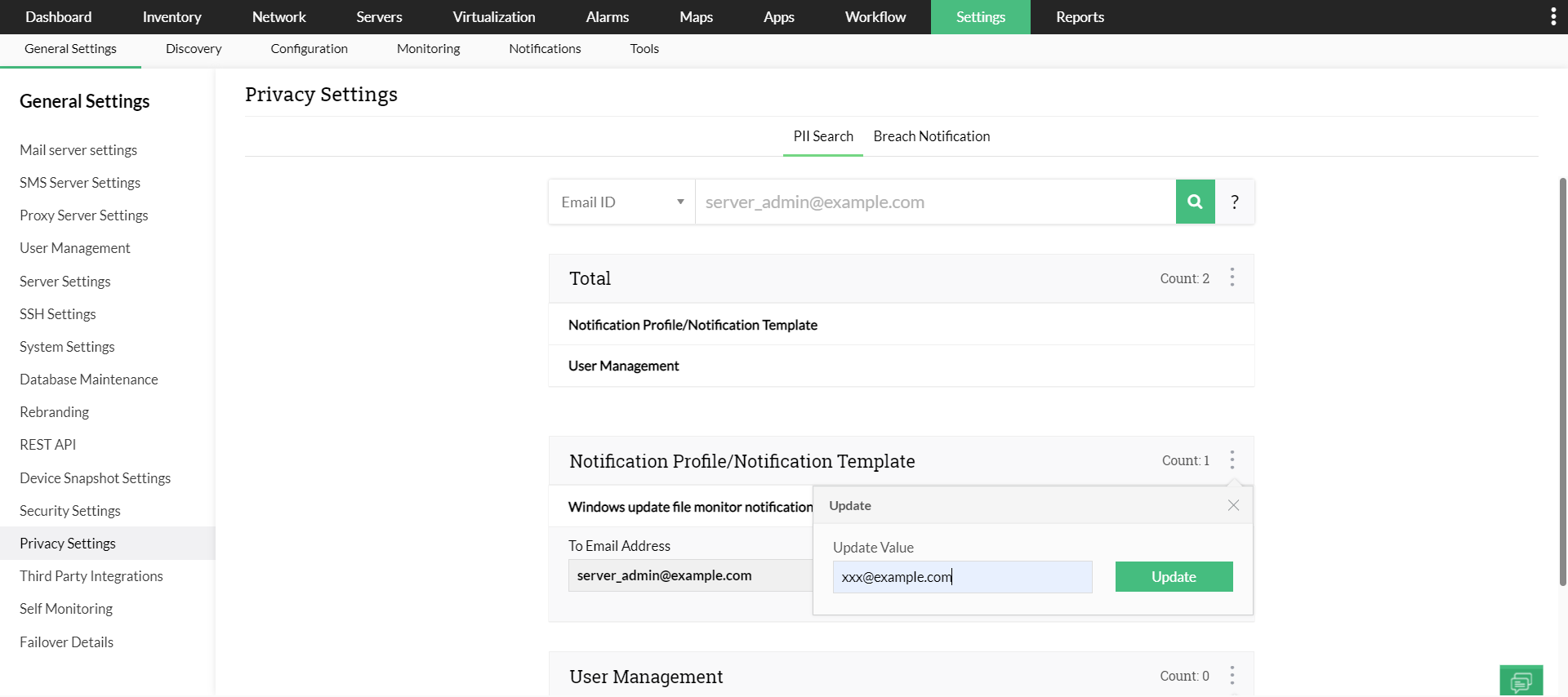
PII Update:
To update PII data,
- Search PII in OpManager.
- When the results are displayed, click on the three dots icon on the top right corner of the table.
- Enter a new data and click on Update.
- You can also update the data for individual modules by clicking on the specific module.