Rack Views
The Rack Views feature in OpManager provides a visual representation of your data center racks, showing devices as they are physically arranged. This allows you to easily identify the status and location of each device within the rack. In addition to the visual representation, any changes in device health are automatically reflected in the rack view, updating the health status of the devices.
Devices can be placed in each rack based on the available units, anywhere from 1 to 100 units depending on the rack's capacity.
Creating a Rack View
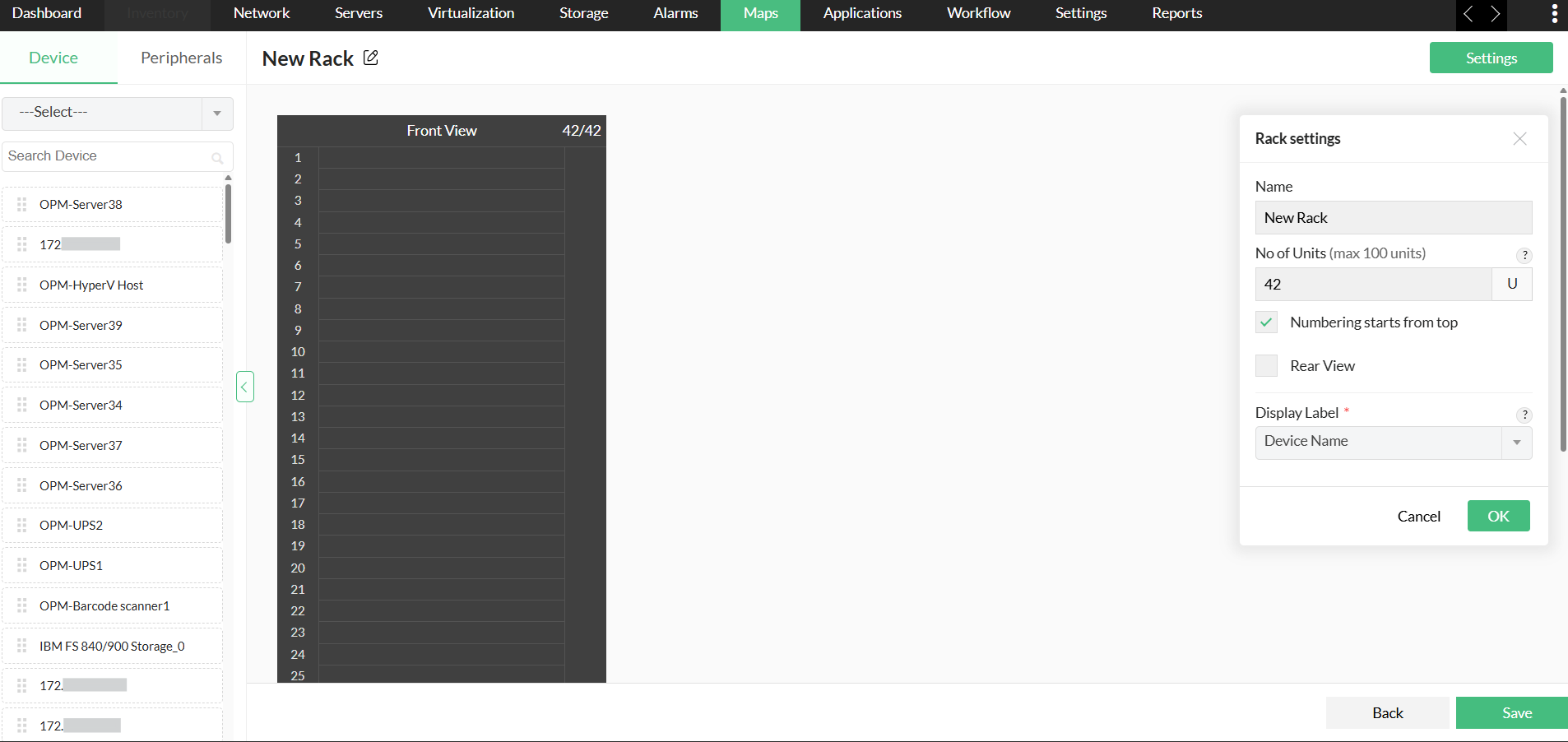
- Navigate to Maps- > Rack Views -> Create New
- Go to Settings -> Rack settings
- Add Name, No.of Units
- Enable/Disable Numbering starts from top.
- Click on the Rear View option to have the front and back view of the racks.
- Select the Display Label (Device Name, Serial Number, DNS Name).
- Click OK
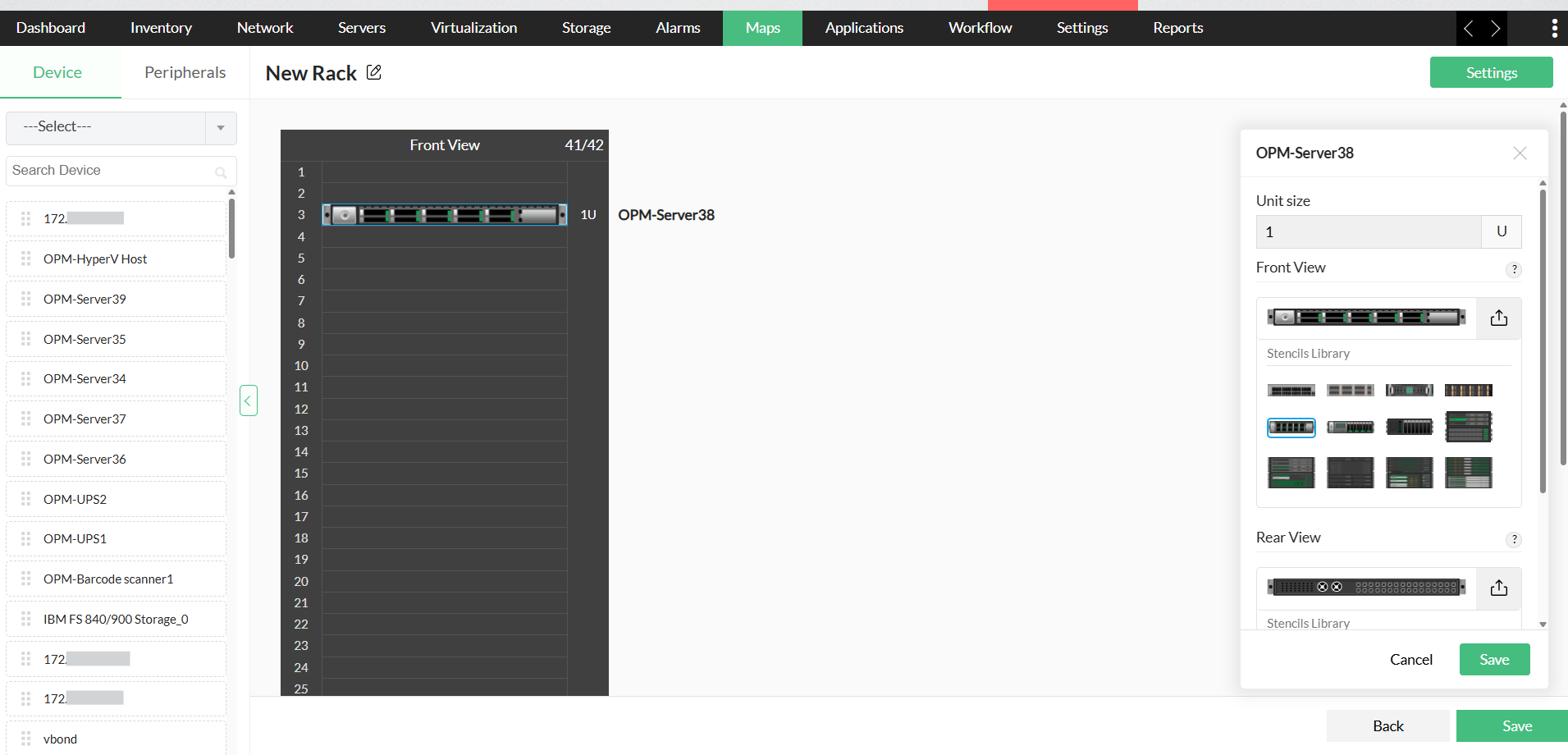
Adding devices to the rack
- Drag and drop the devices onto the Rack.
- From the dialogue box, add the Unit size for the device.
- Under stencil library, select the image for the device, both front view and rear view (users can customise the images using Upload Image).
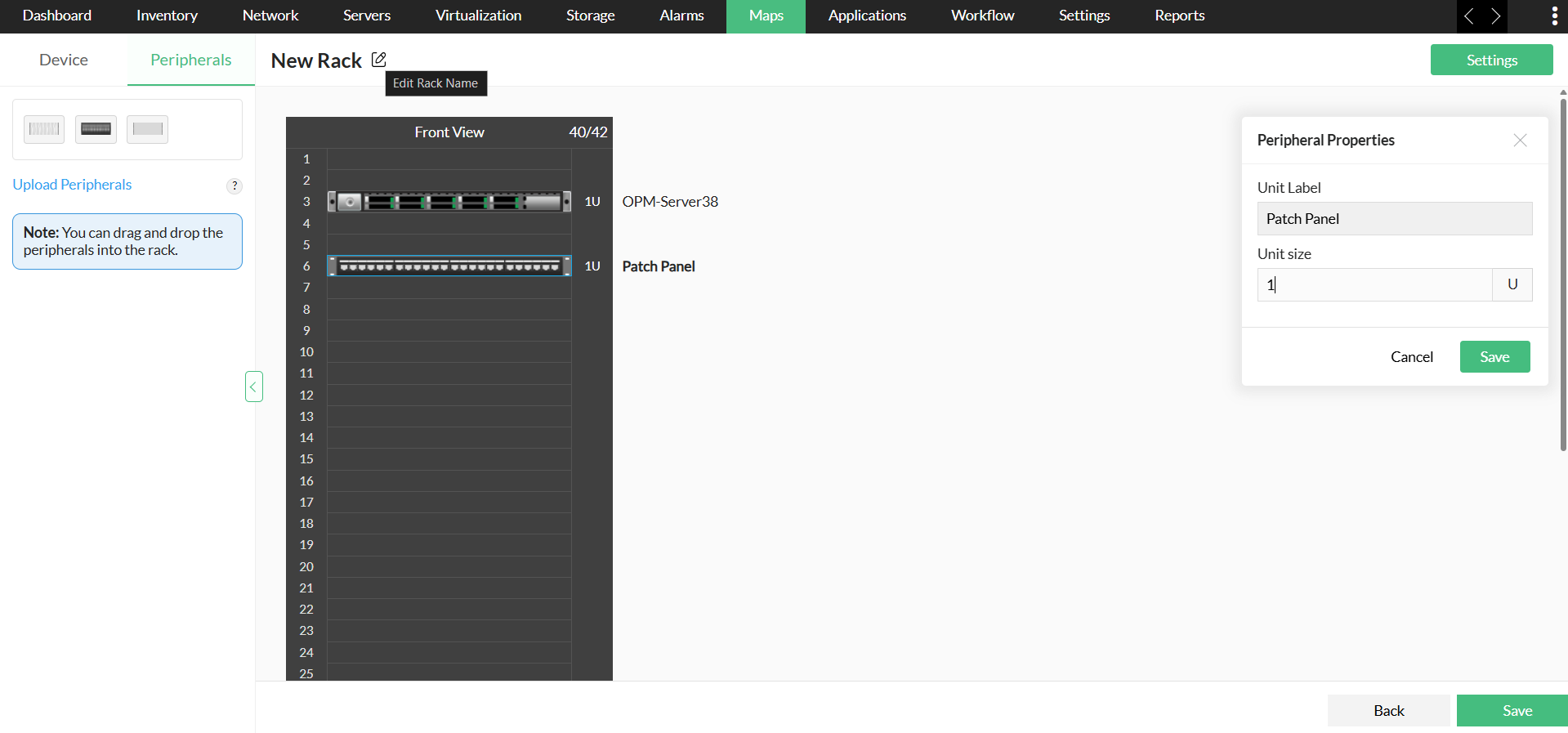
Adding peripherals to the rack
OpManager allows you to add peripherals such as fan, cooling units, power units, temperature sensors, etc., to the rack. These peripherals are only for visual representation, giving a real-time rack view. Hence, no hardware monitors are associated to the peripherals, This helps you to have the exact visual representation of the physical data center.
In the rack view page,
- Click on the Peripherals tab (next to the Devices tab)
- Choose from the default peripheral images, or Upload a custom image.
- Drag and drop the peripheral to the rack.
- Under peripheral properties-> Unit size (choose size from 1 unit to 100 unit)
- Click on Save.
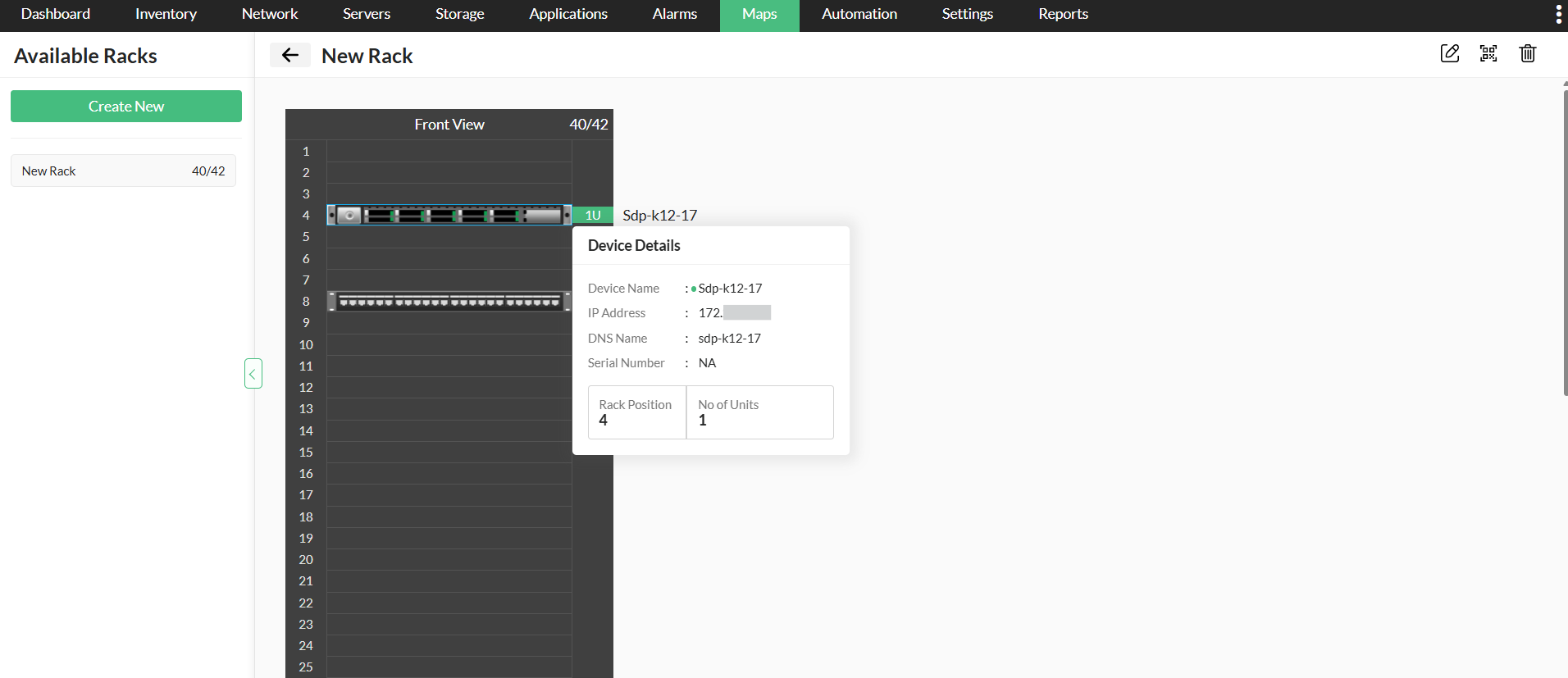
OpManager's 3D floor view feature lets you visualize your data center with racks displayed in both 2D and 3D models.