FAQs on REST API Variables
1. How to get the Device MO Name?
Device MO Name is a unique identifier assigned to a device in OpManager. It is required while invoking REST APIs that fetch device-level details such as monitors, metrics, availability, and performance data.
- Open the browser developer tools and check the Network tab.
- Navigate to Inventory → Devices.
- Identify the
listDevicesAPI call triggered while loading the Devices list. - The value returned in the
deviceNamefield represents the Device MO Name. - This MO Name is required for APIs that retrieve device-related metrics, monitors, and performance data.
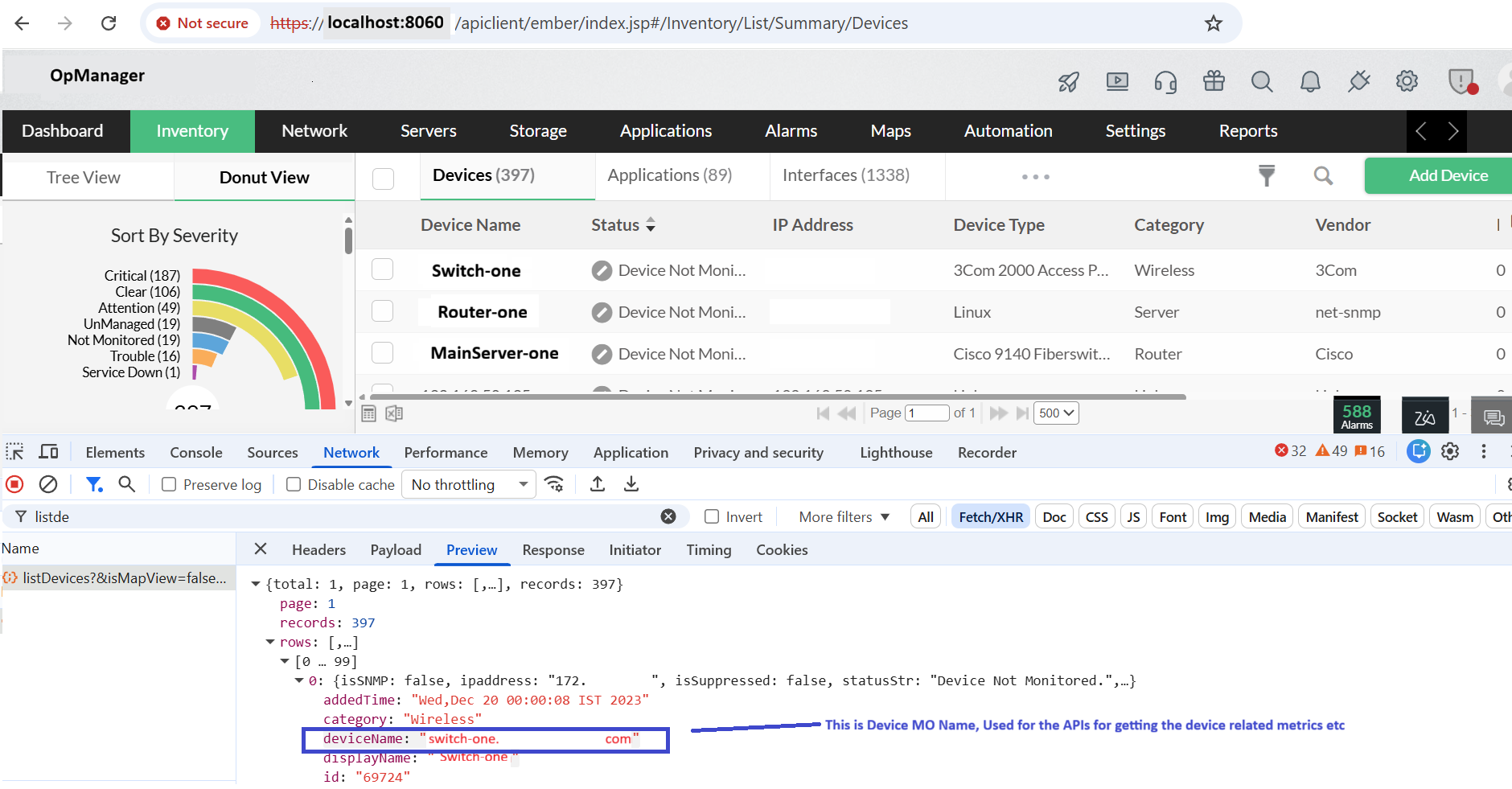
Note: The Device MO Name can also be retrieved programmatically using the v2/listDevices API.
2. How to get the vCenter MO Name?
vCenter MO Name is the unique identifier assigned to a monitored vCenter server. It is used in REST APIs to fetch vCenter-specific entities such as virtual machines, ESXi hosts, and datastores.
- Open the Network tab in the browser developer tools.
- Navigate to Servers → Virtualization → VMware.
- Select the vCenter tab from the left panel.
- Identify the API call that lists virtual devices.
- The value returned in the
deviceNamefield represents the vCenter MO Name.
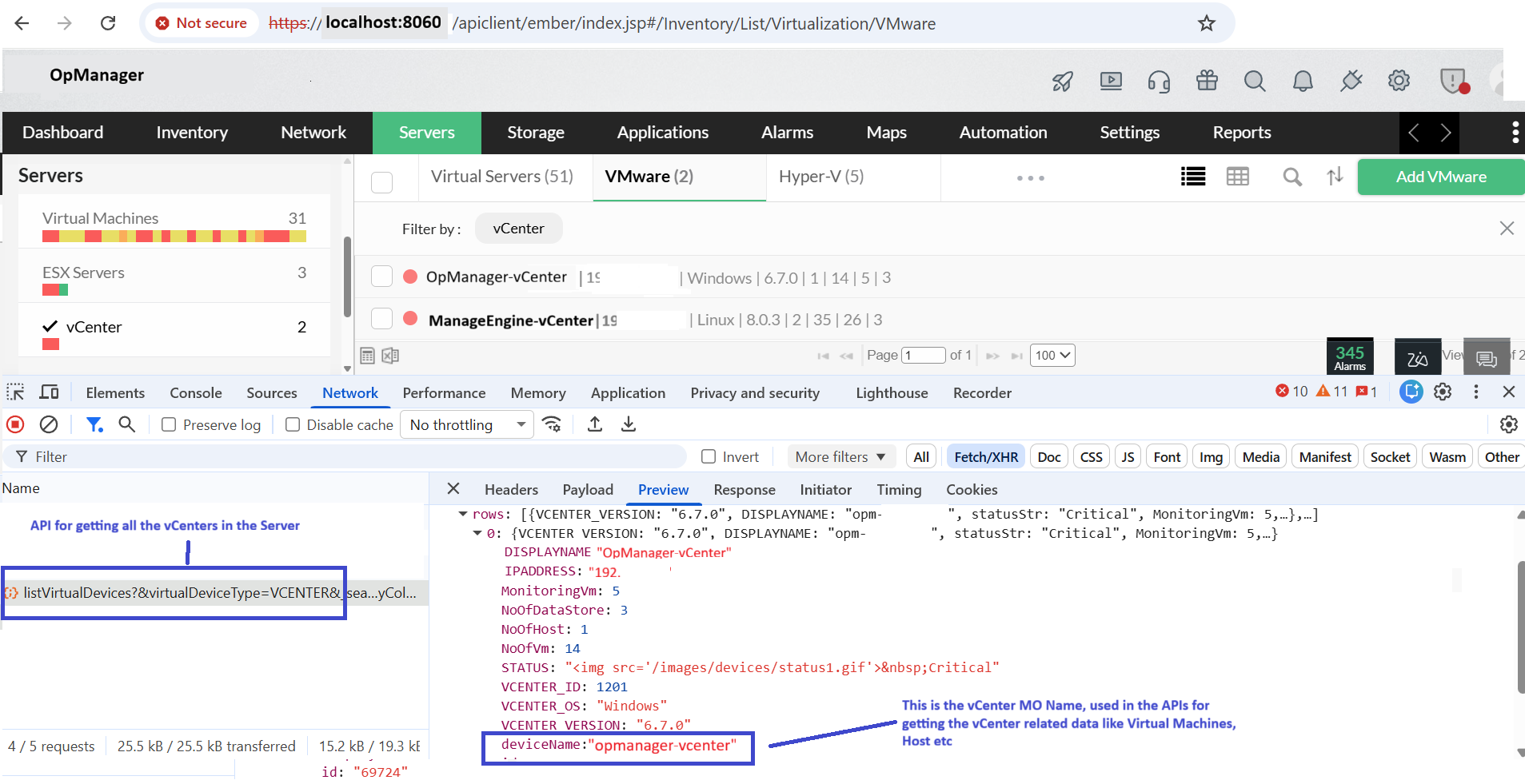
Note: The vCenter MO Name can also be retrieved using the listVirtualDevices API.
3. How to get the Group MOID?
Group MOID is the unique identifier assigned to a logical group in OpManager. It is required for APIs that retrieve group-related devices, monitors, and availability information.
- Open the Network tab in the browser developer tools.
- Navigate to Settings → Configuration → Groups.
- Identify the API call used to list logical groups.
- The value returned in the
groupIDfield represents the Group MOID.
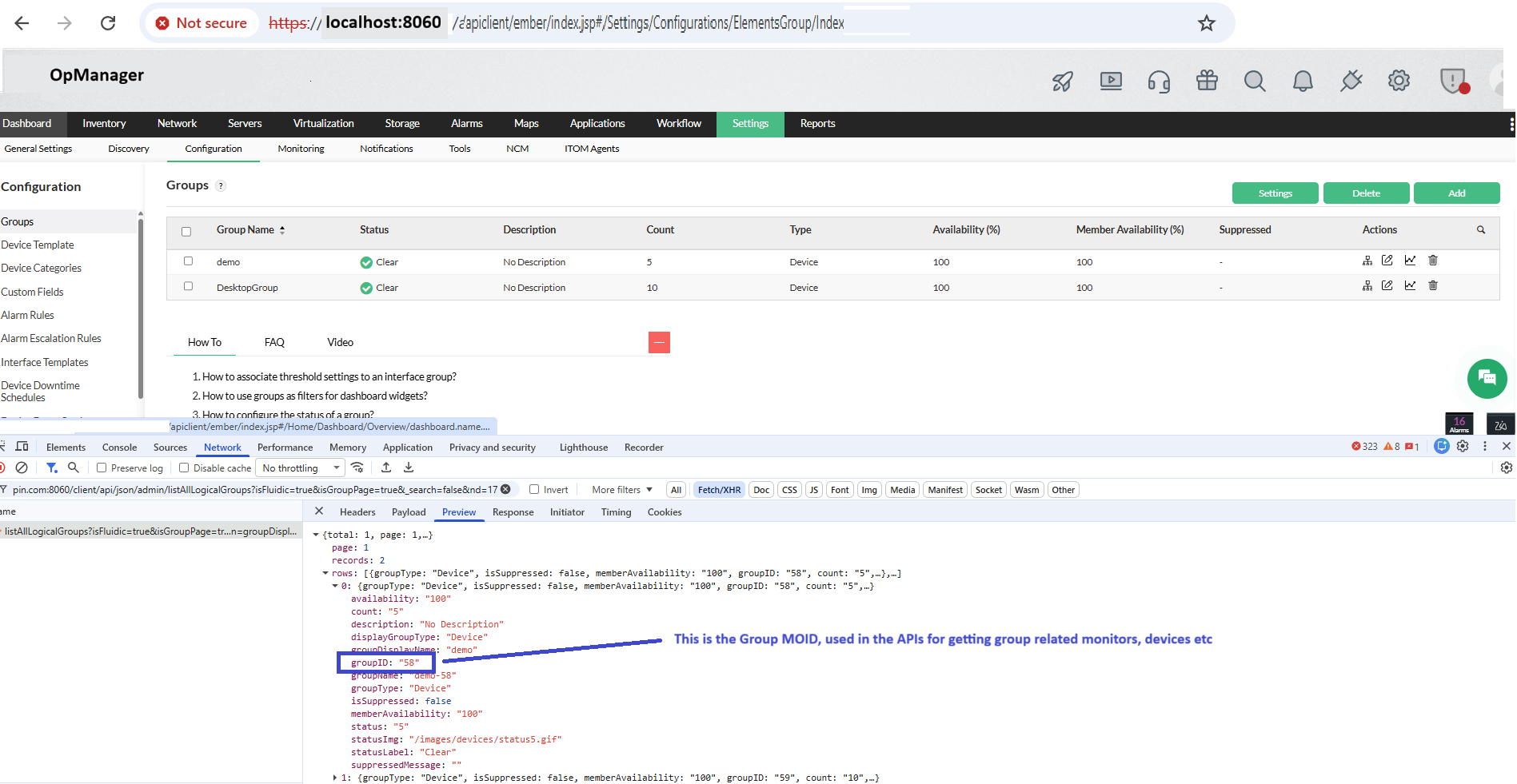
Note: The Group MOID can also be retrieved using the listAllLogicalGroups API.
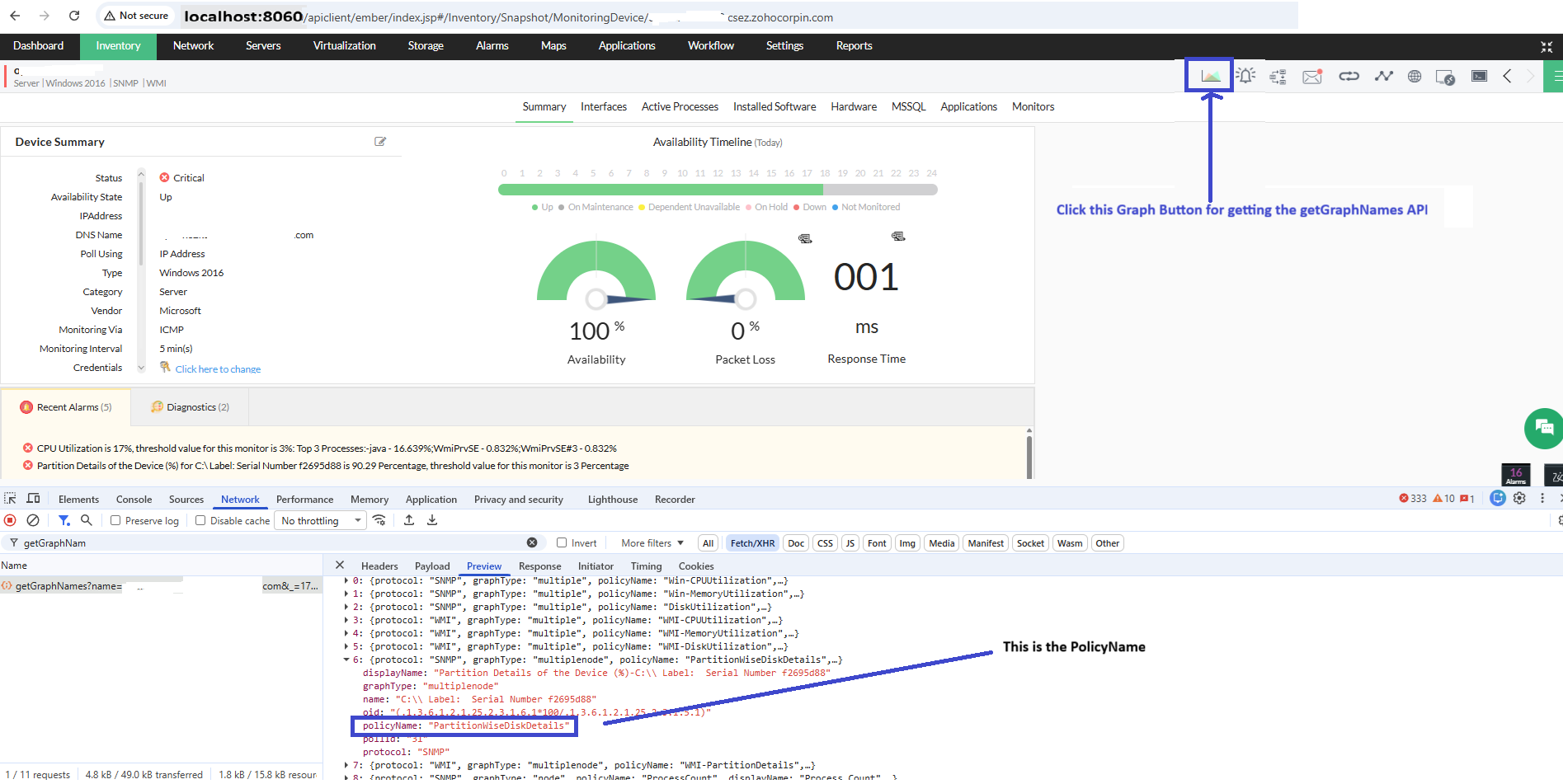
4. How to get the Policy Name?
Policy Name is a unique identifier for performance monitors. It helps uniquely identify each monitor and is required when fetching monitor-level graphs and performance data.
- Open the Network tab in the browser developer tools.
- Navigate to Inventory and select a monitored device.
- Click the Graph icon available on the device's snapshot page.
- Identify the response from the getGraphNames API.
- The value returned in the
policyNamefield represents the Policy Name.
5. How to get the Graph Name?
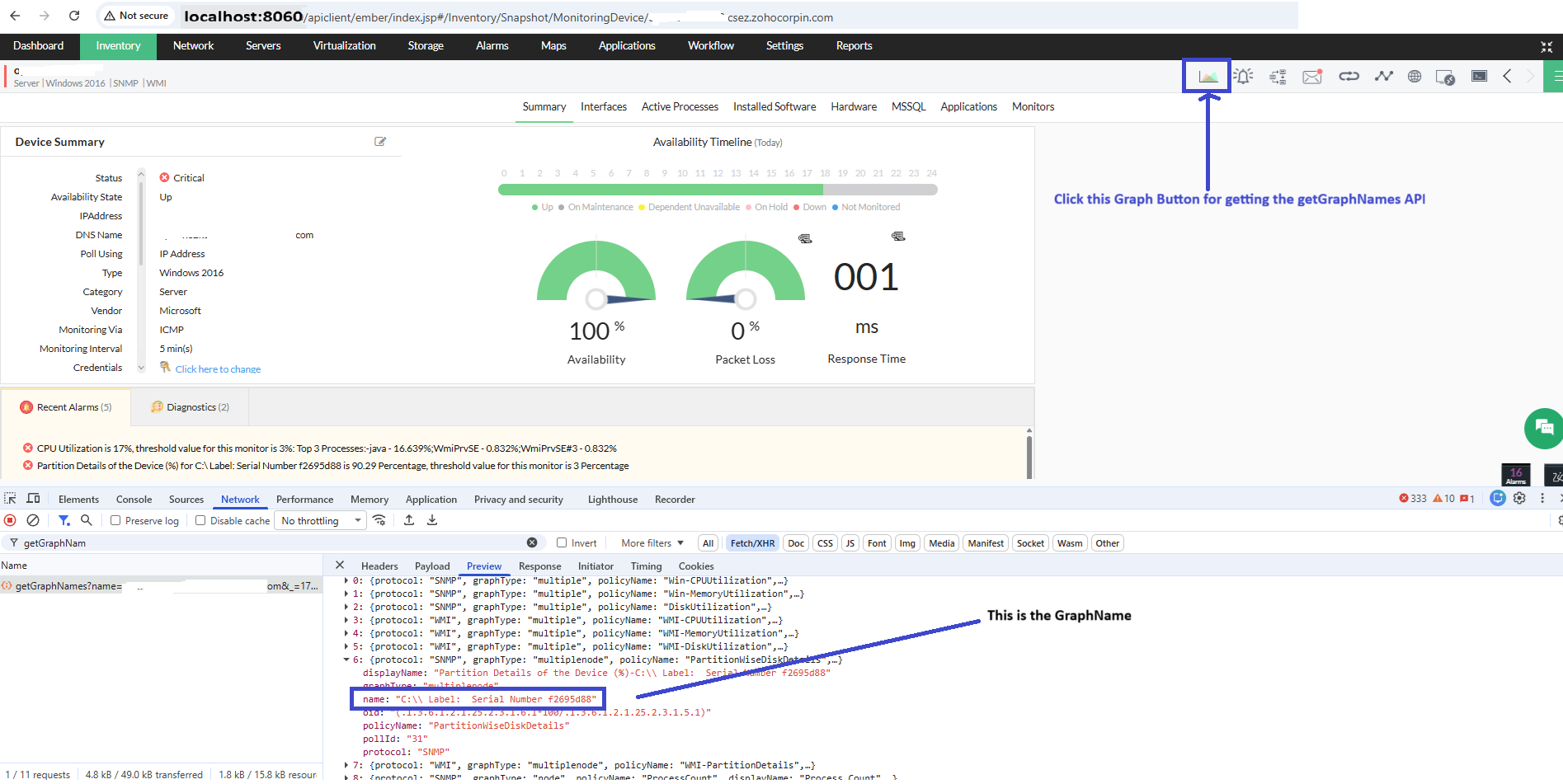
Graph Name is the unique identifier used to identify the performance monitor associated with the device. This parameter must be passed for instance-based monitors (C:, D:, CPU0, CPU1, etc.), such as partition or database instance monitors, along with the corresponding instance name.
- Open the Network tab in the browser developer tools.
- Navigate to Inventory -> Devices, and select a monitored device.
- Click the Graph icon available on the device snapshot page.
- Identify the API call triggered for fetching graph details.
- The value returned in the
namefield represents the Graph Name. - The Graph Name can also be retrieved using the getGraphNames API.
6. How to get the Poll ID of a monitor?
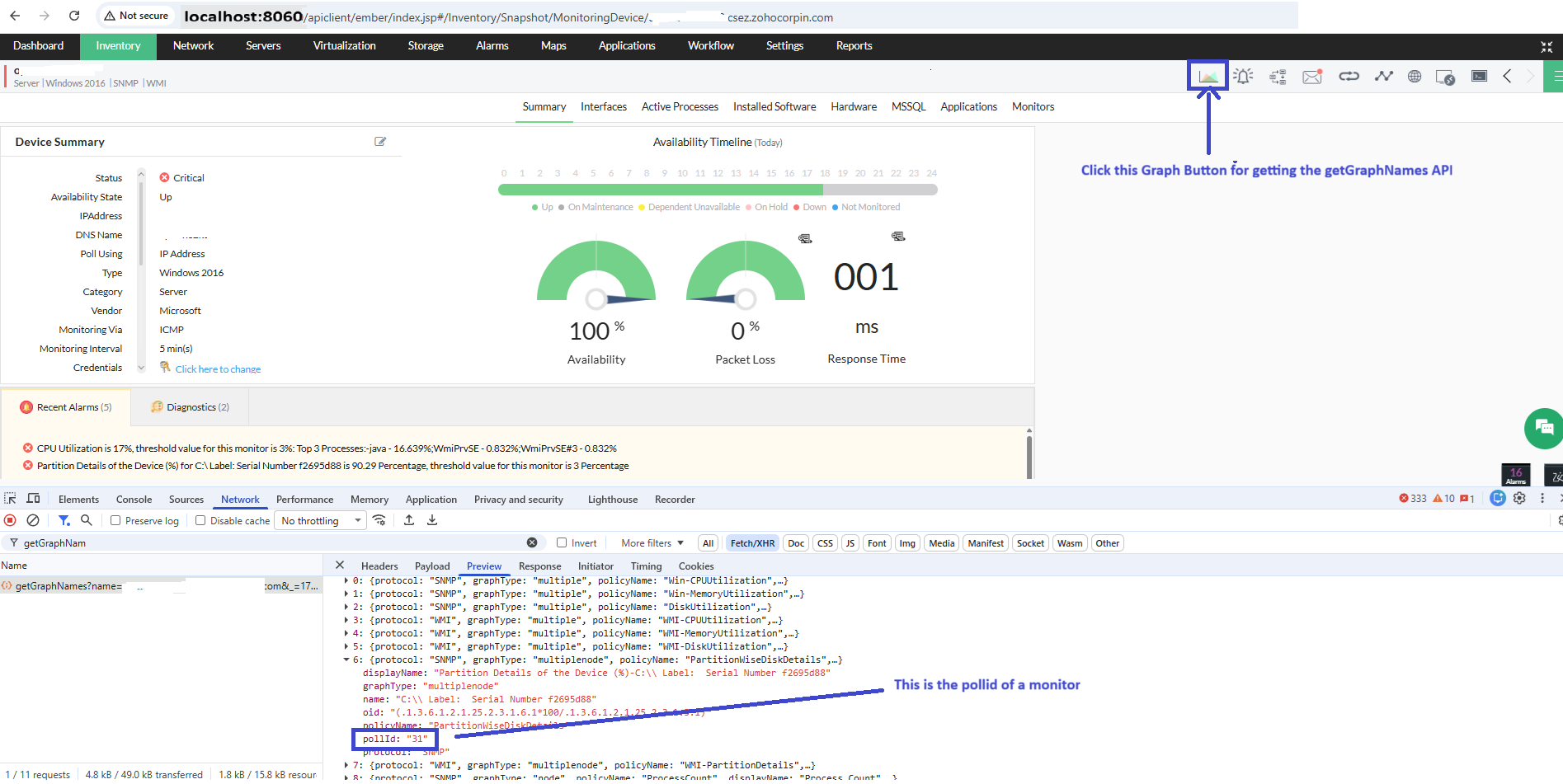
Poll ID is a unique identifier for performance monitors associated with devices. It is required when fetching monitor-level graphs and performance data.
- Open the Network tab in the browser developer tools.
- Navigate to Inventory -> Devices and select a monitored device.
- Click the Graph icon on the device snapshot page.
- Identify the response from the getGraphNames API.
- The value returned in the
pollIdfield represents the Poll ID of the monitor.
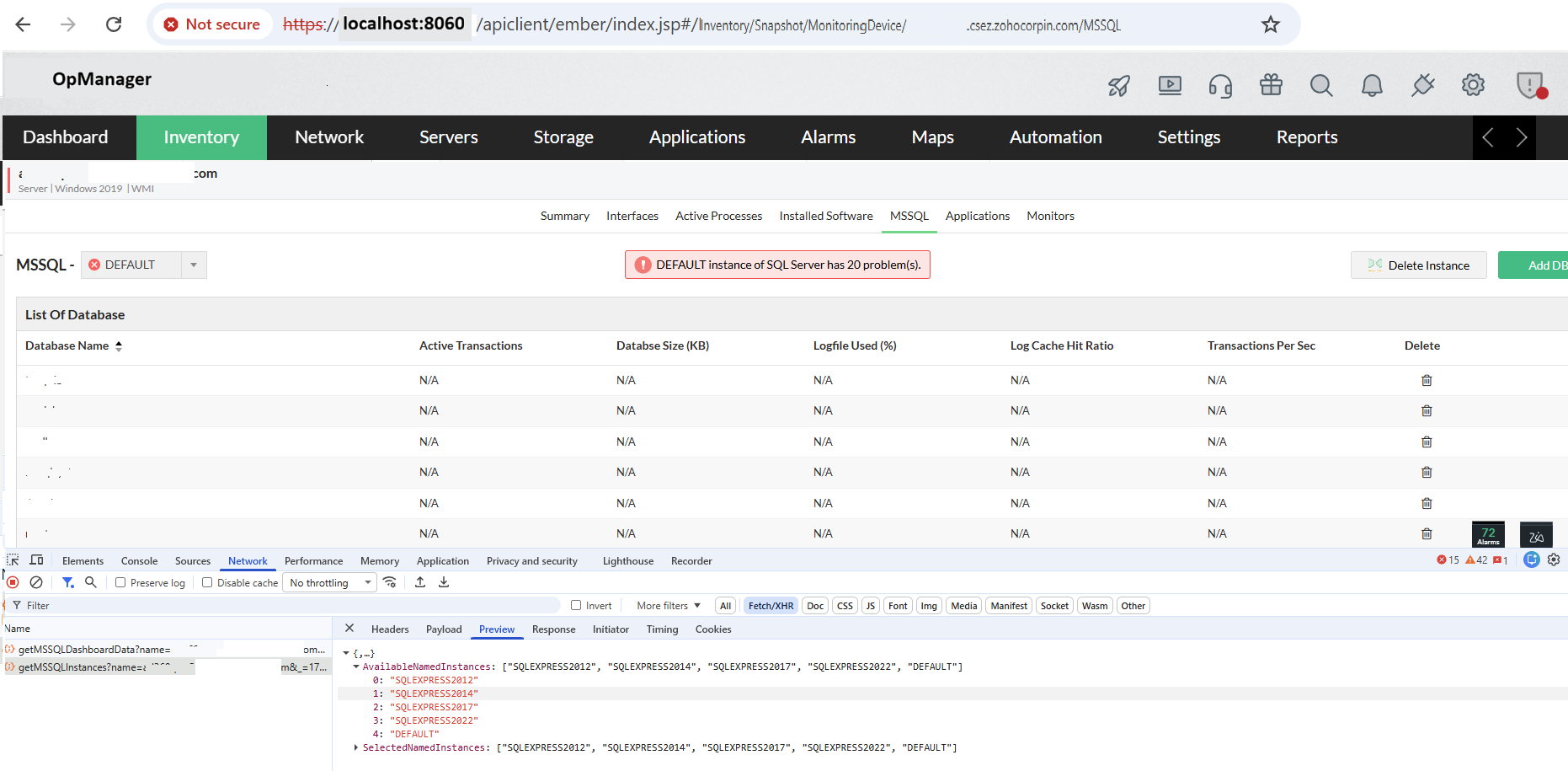
7. How to get the instance name of an MSSQL monitor?
MSSQL Instance Name identifies the SQL Server instance being monitored (for example, DEFAULT or SQLEXPRESS). It is required when invoking MSSQL-specific monitoring APIs.
- Open the Network tab in the browser developer tools.
- Navigate to Inventory -> Devices and select a monitored device.
- Open the MSSQL tab on the device snapshot page.
- Identify the API call used to retrieve MSSQL instance information.
- The response lists available and selected SQL instances.