VMware VM snapshot monitoring in OpManager
Snapshots maintain a change log for virtual disks and let you restore a VM to a point in time after a failure or configuration error. OpManager’s VMware VM snapshot monitoring gives you visibility and control over snapshot growth and age so you can prevent datastore exhaustion, stop performance degradation, and get proactive alerts before snapshots become a problem.
Why is VMware snapshot monitoring important?
VMware snapshots are often forgotten after troubleshooting or patching, causing hidden datastore growth and performance degradation. OpManager’s VMware VM snapshot monitoring helps virtualization and infrastructure teams track snapshot age, size, and growth in real time. Snapshots are a critical component of VM management and short-term recovery, but they are not a substitute for backups—and when left unmanaged, they can quickly cause storage and performance problems. With OpManager’s VMware snapshot monitoring, you can:
- Prevent datastore space exhaustion: Snapshots consume datastore space and can grow rapidly. Left unchecked, they can fill datastores and cause VM or host failures. Monitoring snapshots also helps with datastore capacity monitoring.
- Avoid performance degradation: Large or long-running snapshots increase disk I/O and slow VM performance.
- Reduce operational risk: Detect orphaned or zombie snapshots and take corrective action before they affect availability.
- Enable proactive alerting: Get early warnings so you can clean up snapshots or take alternate actions.
How OpManager’s VMware snapshot monitoring works
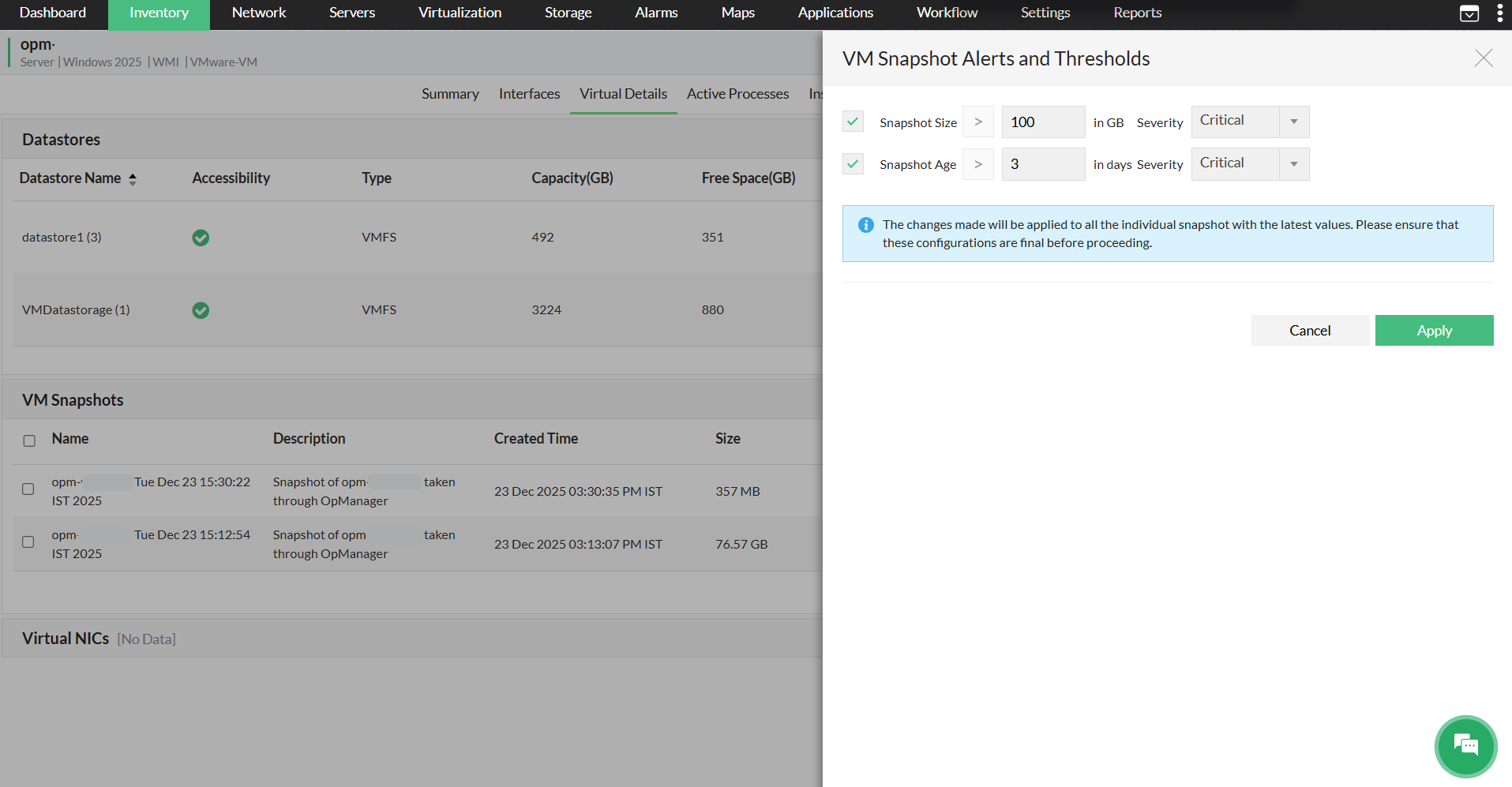
OpManager polls your vCenter or ESXi to collect snapshot metadata and delta sizes. Metrics such as snapshot age, size, datastore, and associated VM are stored and evaluated against the thresholds you configure (per VM or at the vCenter level). When a threshold is breached, OpManager raises an alarm and routes it through the configured notification profile so the right teams or automation process are notified.
You can use the Snapshot Details widget to view snapshot lists and metrics, suppress or unsuppress alerts for specific snapshots, and create snapshots directly from OpManager while monitoring and reporting continue uninterrupted.
Key features
With OpManager’s VMware snapshot monitoring, you can manage the full VM snapshot life cycle, including creating snapshots directly from OpManager. It also provides immediate, actionable visibility into VM snapshots via targeted monitoring, proactive alerts, and easy suppression, helping you prevent datastore issues, prioritize remediation, and enforce snapshot policies across your VMware environment.
Instant visibility and faster remediation
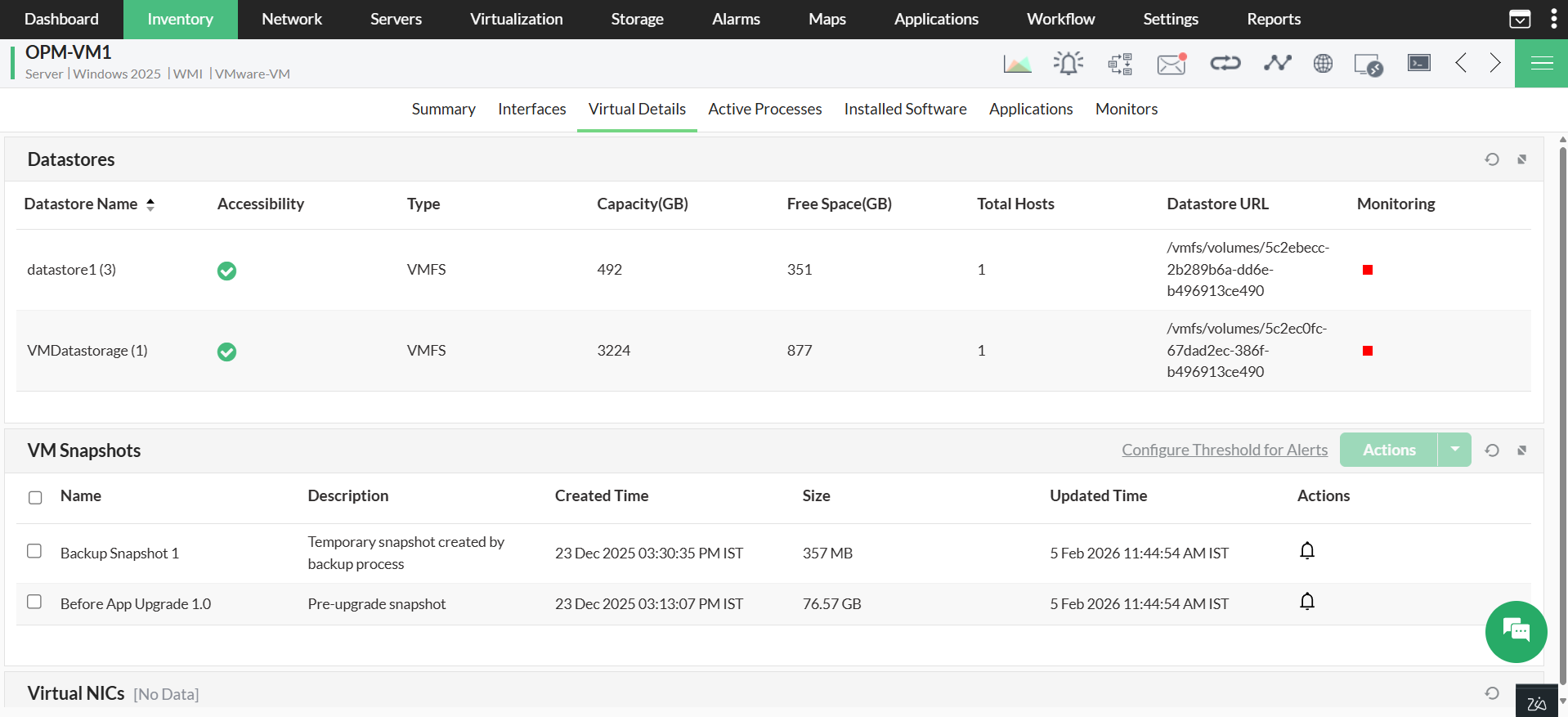
- View and manage snapshots at a glance with dedicated widgets that show snapshot name, creation timestamp, age, size, and counts.
- The overall snapshot count of all VMs in a particular ESX is shown in the ESX Info widget. The same information can also be found in the vCenter and VM Info widgets on their respective snapshot pages.
Minimize unnecessary alerts with alarm suppression
- Silence noise from intentionally retained snapshots so teams focus only on unexpected issues.
- Suppression keeps monitoring running for all other snapshots and lets you re-enable alerts instantly when cleanup is scheduled.
Deliver alerts to the right people and automate response
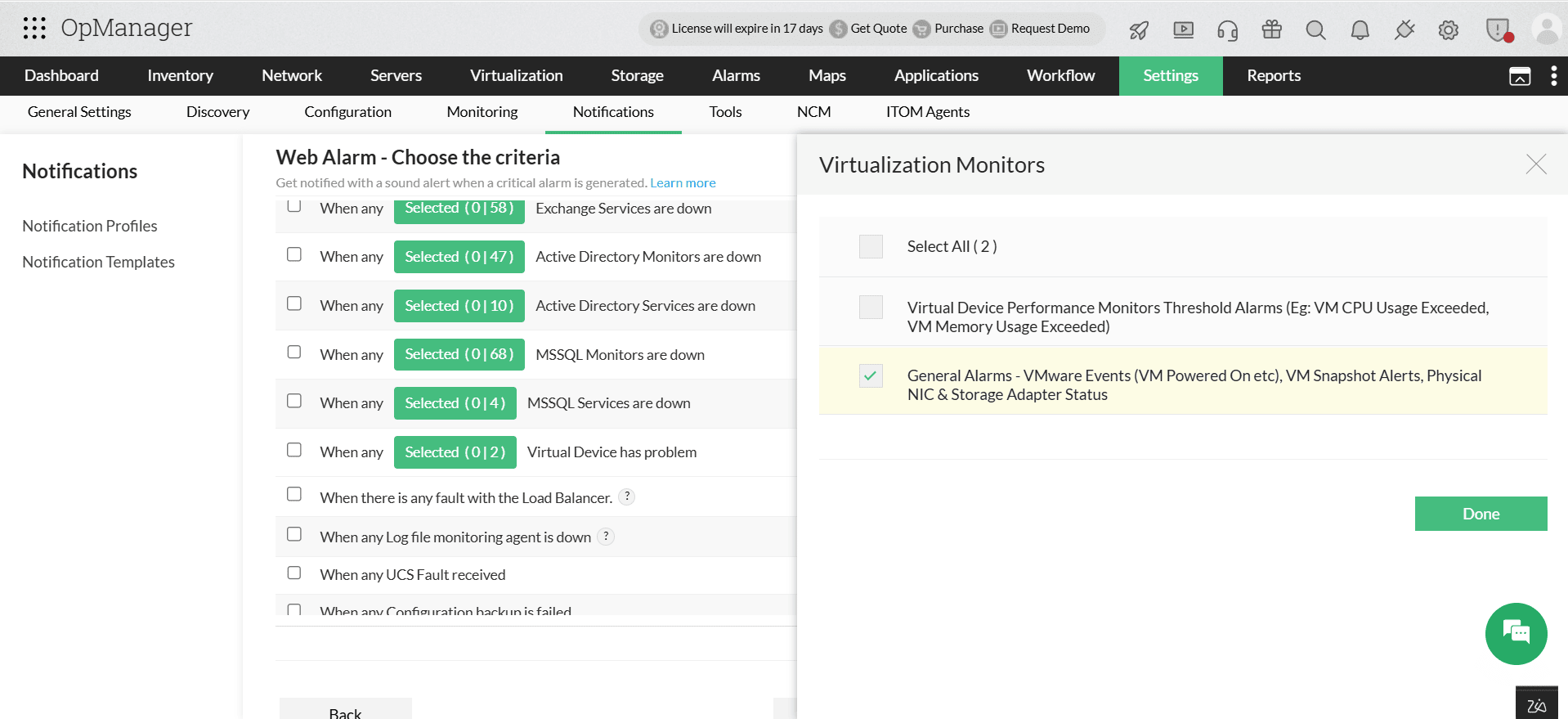
You can configure a notification profile to deliver snapshot alerts to the right teams and systems. You can configure OpManager to:
- Notify VM admins by email for minor or medium snapshot issues so they can schedule cleanup.
- Send critical snapshot alerts via SMS or push to on-call staff for immediate remediation.
- Post webhook or Slack messages or create tickets in your ITSM tool when thresholds breach to trigger automated workflows or runbooks.
Unlock complete control over your virtual infrastructure with ManageEngine OpManager’s VMware VM snapshot monitoring. Download ManageEngine OpManager today to start your free, 30-day trial, or request a personalized demo to see how VMware snapshot monitoring can be tailored to your virtualization strategy and operational policies.