Systeemeigen controle
Active Directory-gebeurtenislogboeken kunnen worden weergegeven via het Logboek, een systeemeigen hulpprogramma dat door Microsoft wordt aangeboden. Het controlebeleid van uw domein moet eerst worden ingeschakeld.
- Stap 1: Ga hiervoor naar uw Console Groepsbeleidsbeheer → Domeinbeleid → Computerconfiguratie → Beleid → Windows-instellingen → Beveiligingsinstellingen → Lokaal beleid → Controlebeleid/Geavanceerde configuratie van controlebeleid.
- Stap 2: Selecteer de gebeurtenissen die u wilt controleren.
- Stap 3: Om de AD-gebeurtenissen hiervoor weer te geven, gaat u naar Systeembeheer → Logboeken.
- Stap 4: Selecteer het type AD-controlelogboeken dat u wilt weergeven (bijv.: Toepassing, Systeem enz.).
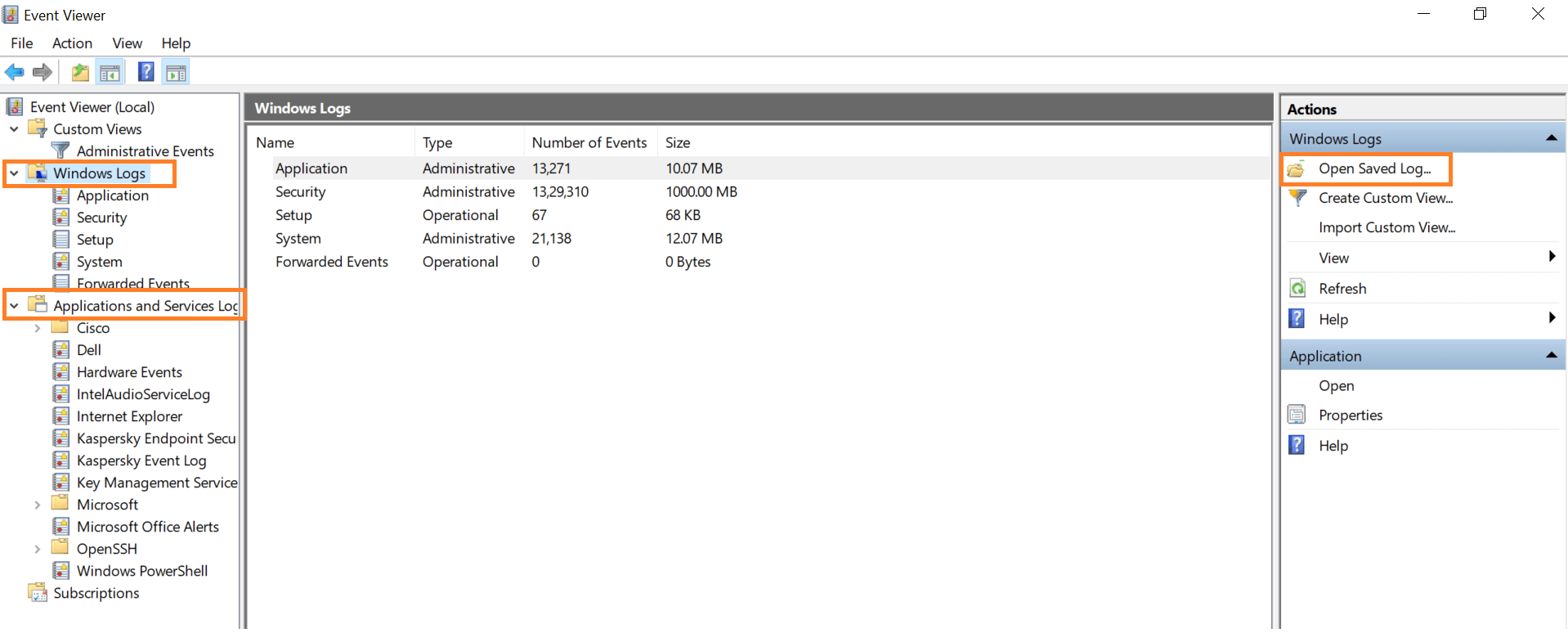
U kunt deze logboeken filteren om alleen te zien wat u nodig hebt.
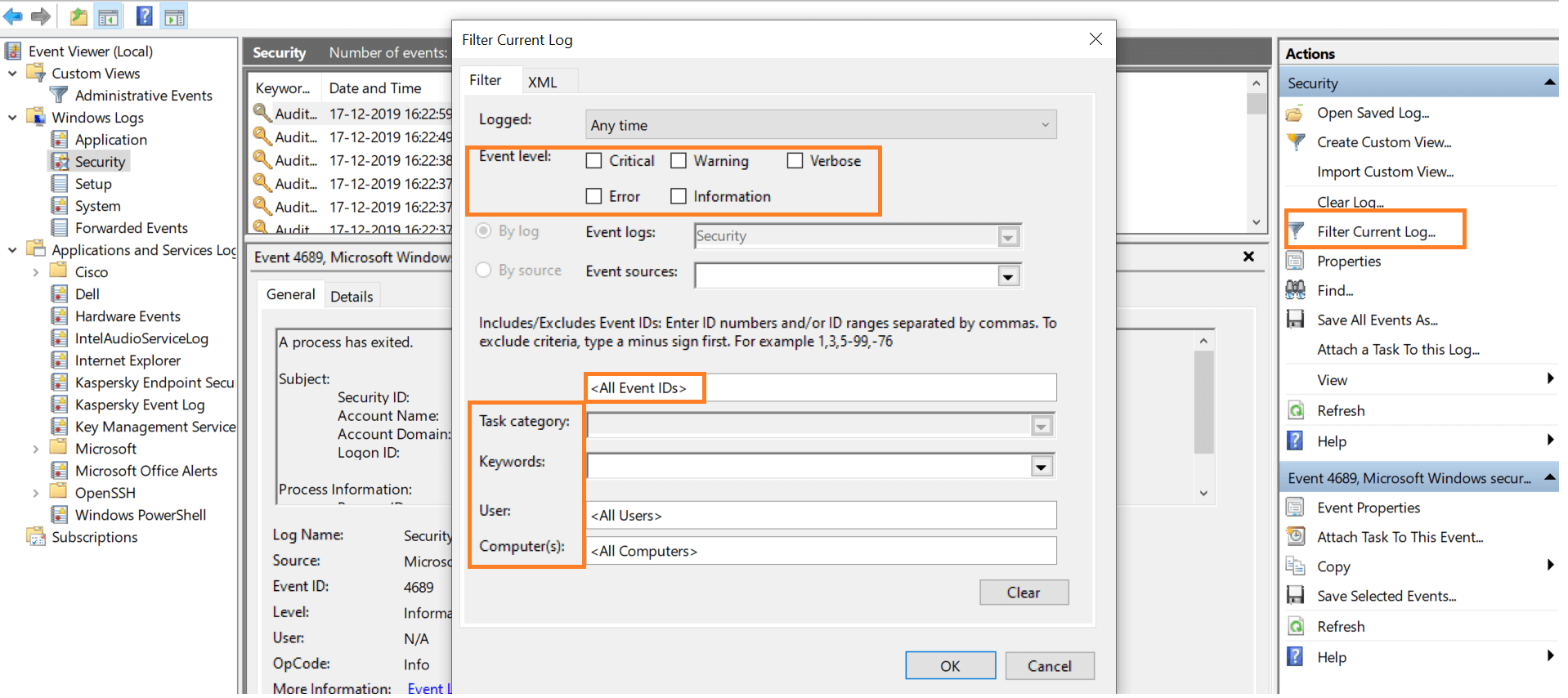
Helaas heeft Logboeken een opslagcapaciteit van 4 GB en de logboeken worden overschreven zoals nodig. De rommel in deze logboeken maken het voor u moeilijk u een duidelijk beeld te vormen van gebeurtenissen die zich voordoen in het domein. Deze beperkingen maken van Logboeken een substandaard hulpprogramma voor Active Directory.
Viewing Active Directory security logs using ADAudit Plus
ADAudit Plus lets you view AD event logs in the form of neat, categorized reports. This way, you don't need to scroll endlessly through a jumble of security logs, spend hours filtering out events, or worry about events being overwritten due to limited storage. ADAudit Plus does all the work for you. Here is a sample report of group modification events.
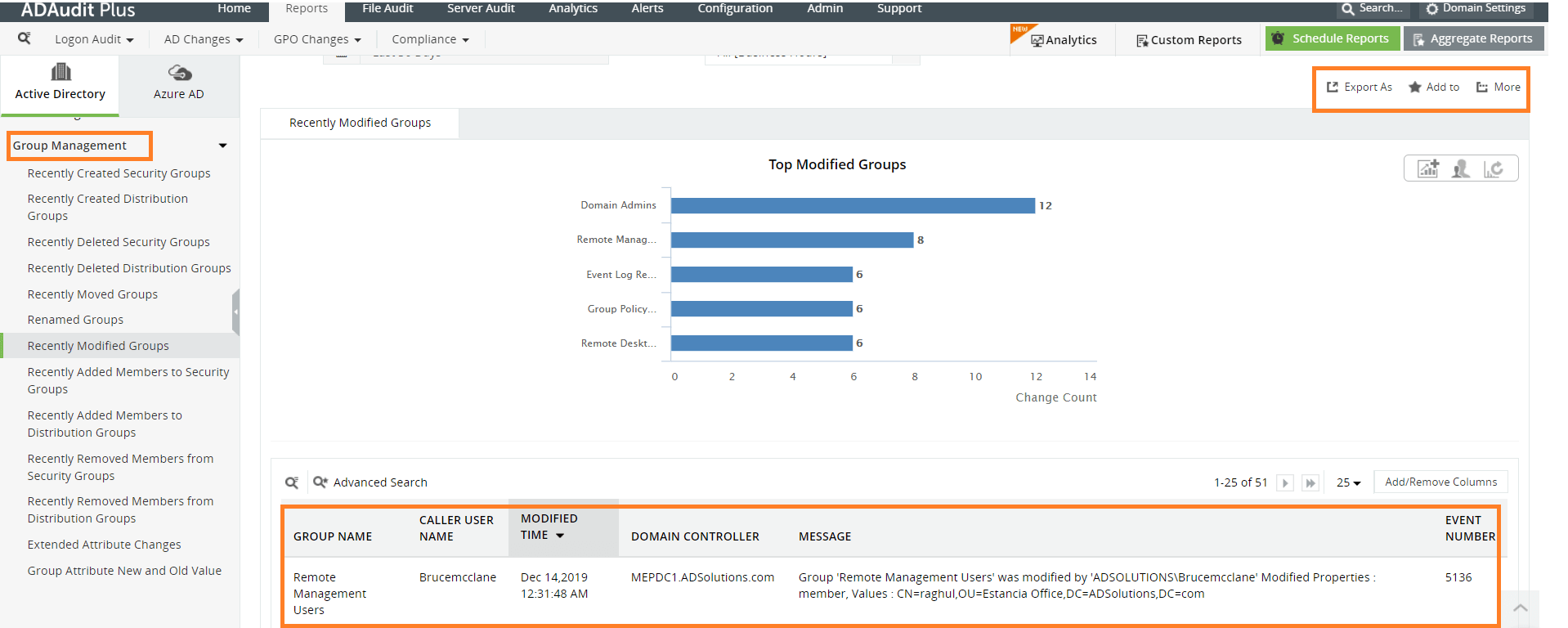
ADAudit Plus lets you export these logs to any SIEM tool and even import EVT/EVTX logs from an external source. These reports can be exported as a CSV, PDF, XLS, or HTML file, and scheduled to be sent to you at a time of your choice. They can be archived and saved anywhere locally, so administrators don't need to worry about limitations in storage like with native tools.
This way, logs from past events can be stored for as long as needed to be used for forensics and compliance. The alerting module of ADAudit Plus sends you real-time notifications in case of any critical event.
ADAudit Plus has real-time audit reports for:
- User logon auditing
- File server auditing
- AD objects auditing
- Windows Server auditing
- Removable storage auditing
And more!
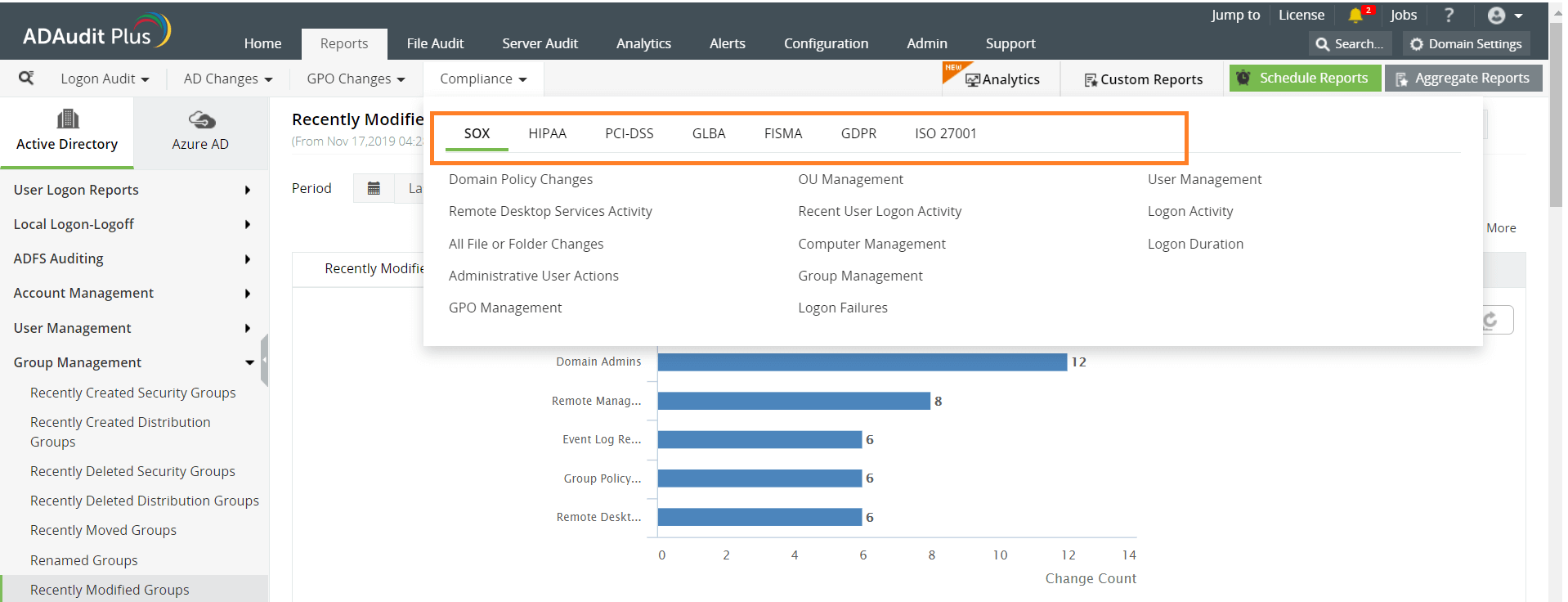
Your AD logs are also compiled into preconfigured compliance reports to help you satisfy industry regulations.
Learn more about how ADAudit Plus can help you audit your AD.