.....
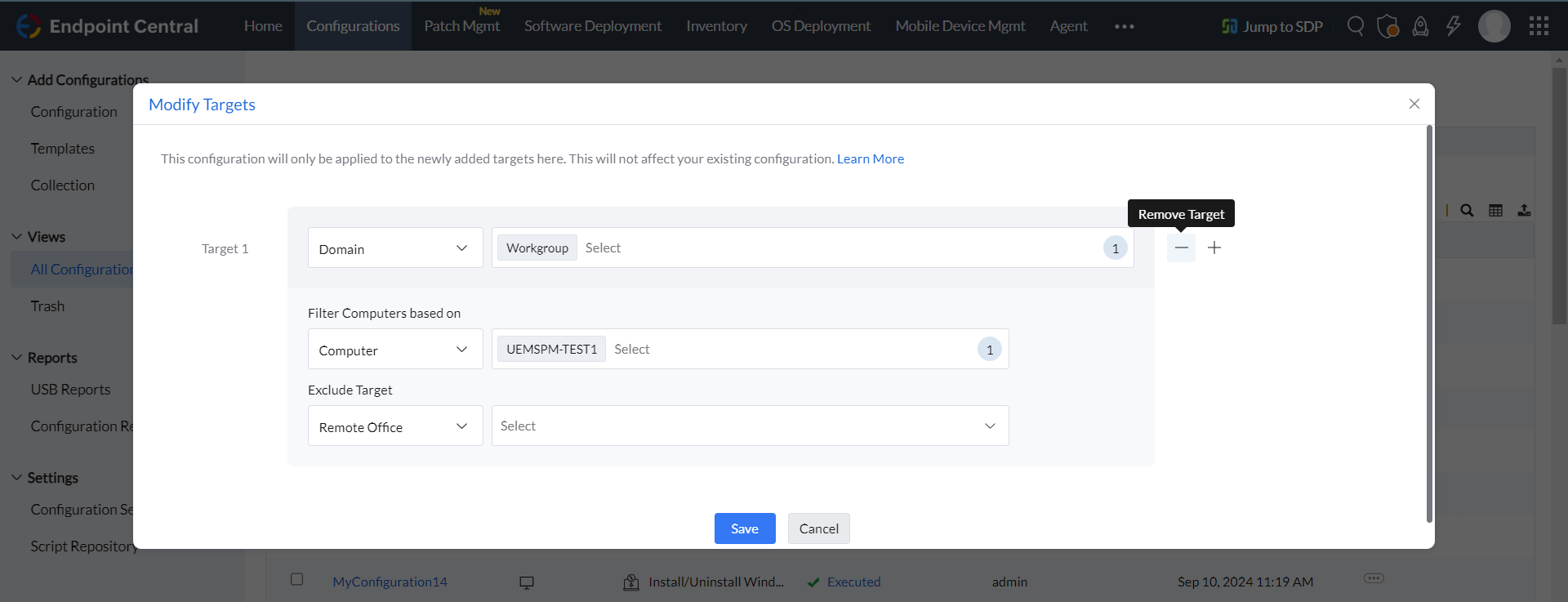
Modify a Target
To modify targets in a configuration follow the steps given below:
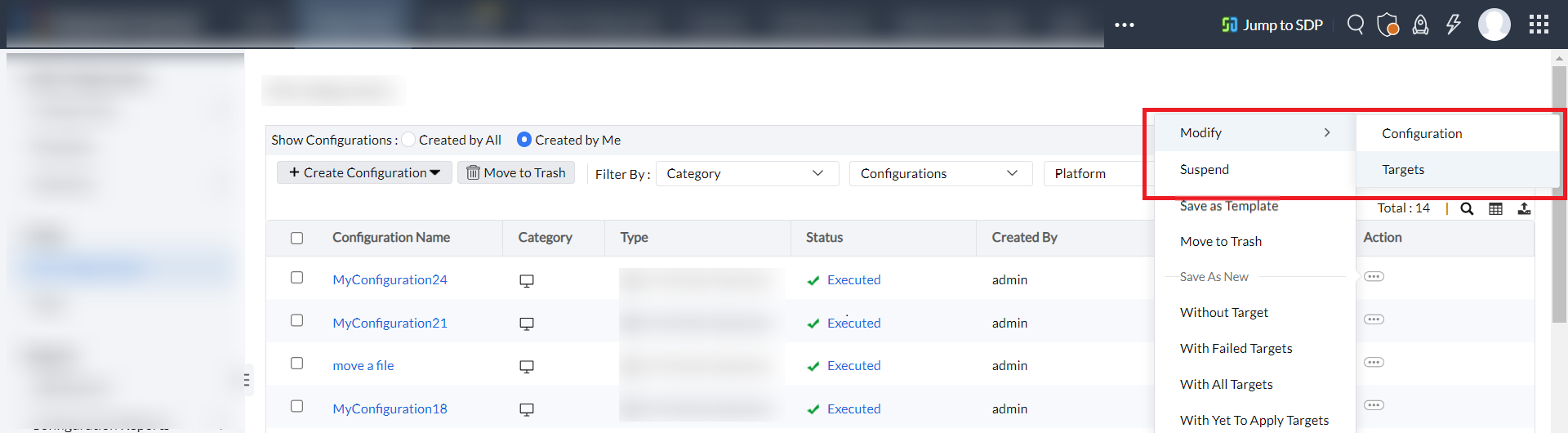
- Select the Actions button in the Configuration that you wish to modify the Targets.
- Select Modify > Targets and do the necessary changes as required and click Save to modify the Target.
Remove a Target
To remove targets in a configuration follow the steps given below:
- Select the Actions button in the Configuration that you wish to remove certain Targets.
- Select Modify > Targets and click the "-" minus sign button near the Target tab to remove the target.