Integrating with AssetExplorer
Table of contents
- What are the benefits of integrating Patch Manager Plus with Asset Explorer?
- How to integrate Patch Manager Plus with Asset Explorer?
- Resources to aid the integration
What are the benefits of integrating Patch Manager Plus with AssetExplorer?
AssetExplorer aids you with complete lifecycle management of IT assets and Patch Manager Plus is a threat detection and management solution for securing endpoints.
Upon successful integration, AssetExplorer leverages the unified agent installed in the managed endpoints to fetch in-depth asset scan results in real-time.
The unified agent collects complete hardware details via advanced scanning mechanisms across Windows, macOS, and Linux endpoints. The data is then collated and reported on the user console, while maintaining uniformity across the various endpoints and OSs.
By utilizing the enhanced data, users can further strategize asset management, thereby gaining an all-around perspective of the assets in the network.
How to integrate Patch Manager Plus with AssetExplorer?
- Login to Patch Manager Plus console, and navigate to Admin > Integrations > AssetExplorer settings and choose AssetExplorer.
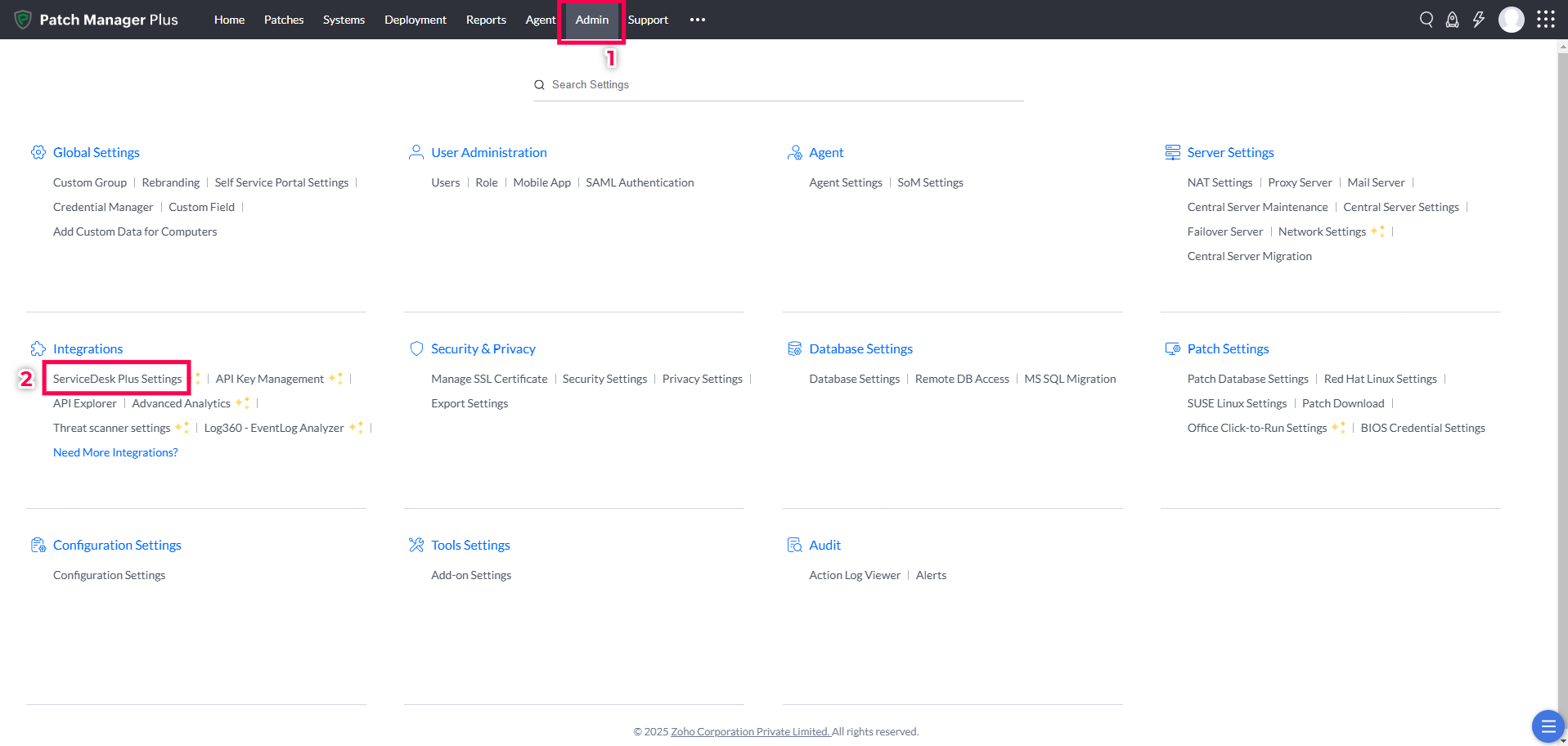

- Enter the AssetExplorer Server URL.
- Generate and enter API Key with Administrator privileges in AssetExplorer, and click on Save to finish the integration.

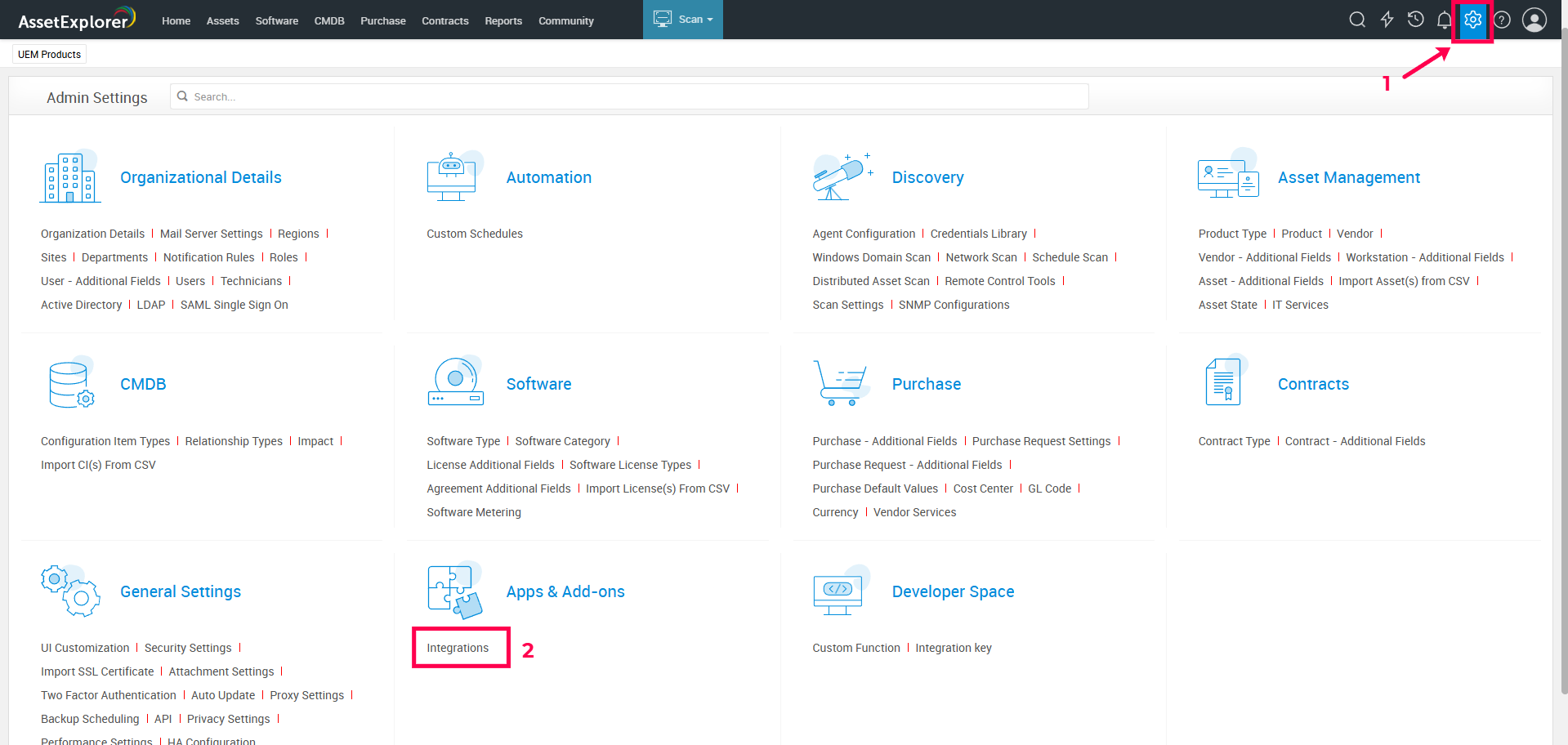
- Now, open the AssetExplorer console and click the gear icon.
- Navigate to Apps & Add-ons > Integrations.
- Select UEM products settings under ManageEngine.
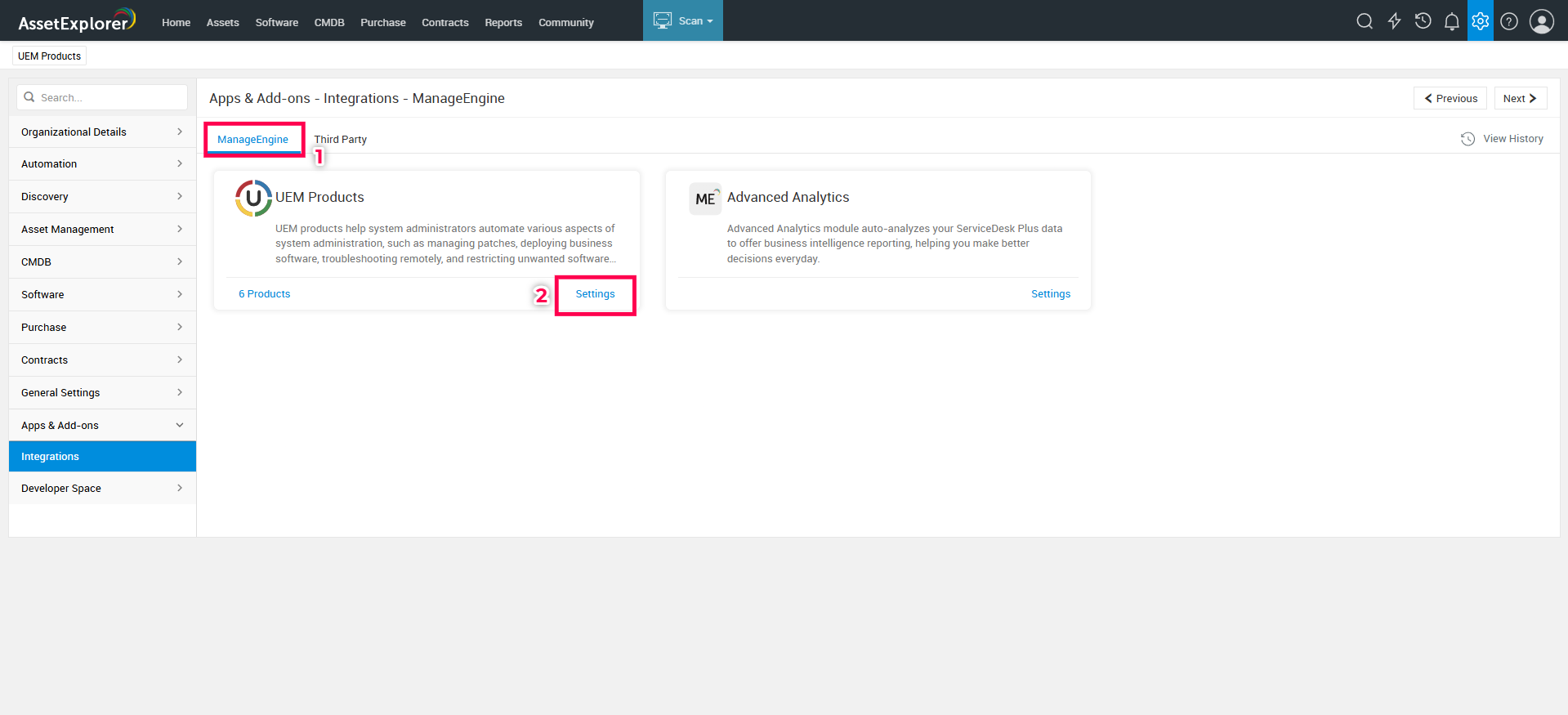
- Select the Application Name as Patch Manager Plus.
- Furnish the Patch Manager Plus server URL.
- Generate and enter an API key with Administrator privileges in Patch Manager Plus, and click Test Connection and Save.

You have successfully integrated Patch Manager Plus with AssetExplorer.
Resources to aid the integration: