Comprehensive FTP monitoring with ManageEngine Applications Manager
FTP might seem old-school, but it still powers critical data exchange across many organizations, from internal file sharing to partner integrations. Despite its importance, FTP is often left to run on autopilot. Slow uploads, failed transfers, or server downtime usually aren’t noticed until something breaks. And by then, business operations may already be feeling the impact.
That’s where comprehensive FTP monitoring steps in—not just to check if your server is up but to ensure it’s running smoothly, handling load efficiently, and transferring data as expected.
Why monitoring your FTP servers actually matters
Without proper monitoring, issues like longer-than-usual transfer times or failed uploads can pile up in the dark. Before long, employees are waiting on files, compliance audits become stressful, and IT teams are stuck playing catch-up.
- Identify transfer slowdowns before users notice.
- Locate recurring login failures that could signal misconfigurations and security threats.
- Understand how system resources like CPU or memory are affecting performance.
- Plan for capacity based on usage trends, not guesswork.
It's not just about keeping the lights on. It's about making sure everything behind the scenes is working exactly the way it should.
Key metrics that keep your FTP operations healthy
With ManageEngine Applications Manager, you get real-time visibility into how your FTP servers are performing—not just whether they’re online. Some of the key metrics it tracks include:
- Connection time: How long it takes users to connect to the server
- Transfer speeds: Upload and download rates—crucial for the user experience and meeting SLAs
- Active sessions: A live view into server load and usage patterns
- Error rates: Including failed transfers and login issues, which could flag performance or security concerns
- Resource utilization: CPU, memory, and disk usage on the host machine
- File integrity checks: Ensuring that transferred files are complete and accurate
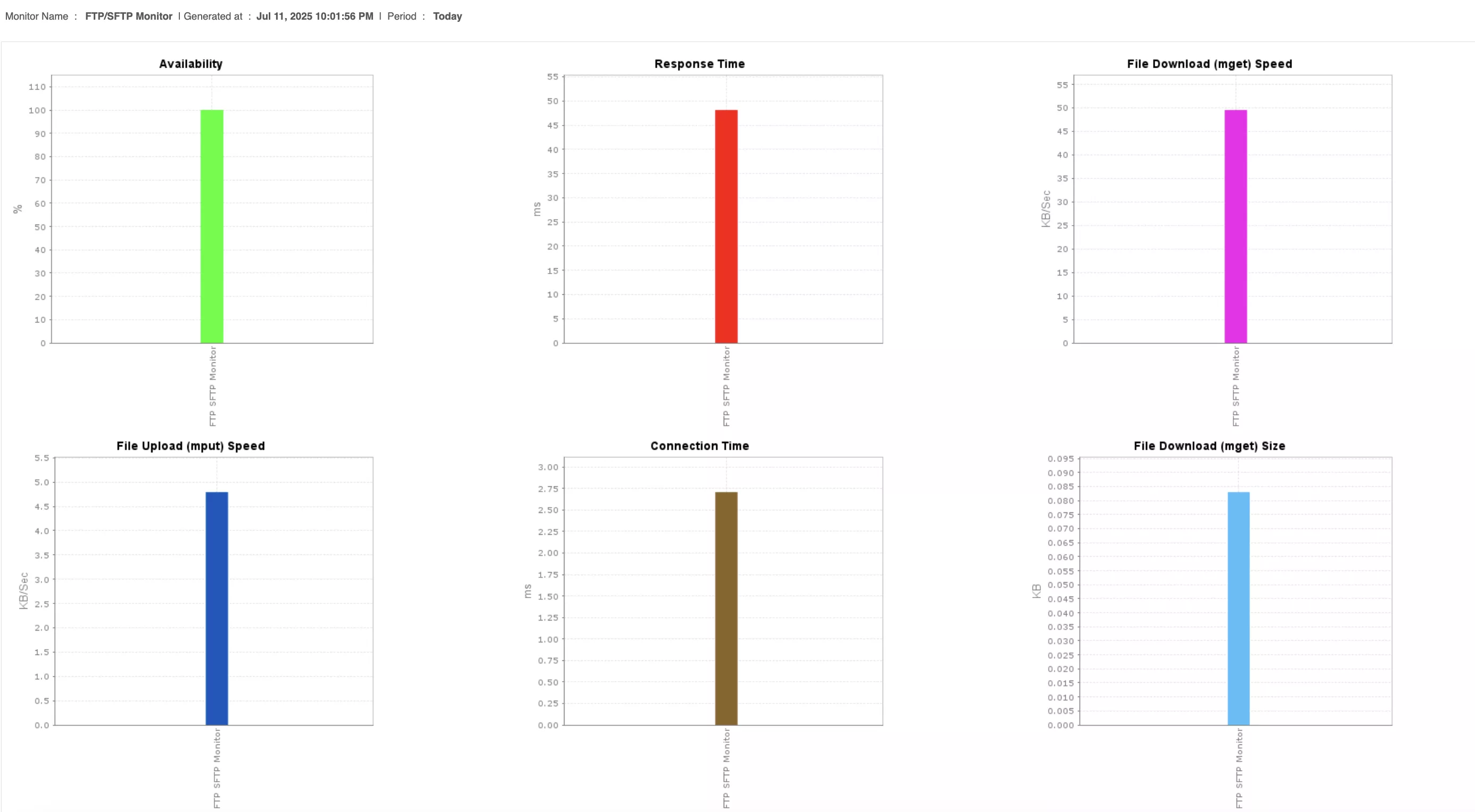
These metrics offer a clear picture of your server’s health, so you’re not left guessing when something slows down or fails.
Smarter alerts and automated responses
Seeing issues is one thing. Acting on them quickly is another. Applications Manager lets you set specific thresholds for your FTP metrics and alerts you when something’s off—via email, SMS, or integrations with your incident response tools.
You can even automate actions like restarting a service or executing a script when a condition is met. That means fewer manual interventions, less downtime, and faster resolution.
Beyond the real-time view, Applications Manager keeps a historical record of performance. This helps you:
- Plan for the future (and stay ahead of issues).
- Identify patterns (like usage spikes at month-end).
- Track performance degradation over time.
- Plan upgrades based on data, not gut instinct.
Addressing real-world FTP challenges
Here’s how Applications Manager helps IT teams deal with everyday FTP headaches:
- Slow transfers: Check whether it’s a network issue, high server load, or a spike in active sessions.
- Server down: Get alerted immediately—not just when the server’s unreachable but also when it’s under strain.
- Security concerns: Identify suspicious behavior, like repeated failed logins or unusual error patterns.
- Overloaded servers: Monitor session counts and system resource usage to know when it’s time to scale.
With Applications Manager, you get the visibility, control, and automation needed to keep your FTP servers resilient and responsive—without needing to babysit them.