LDAP monitoring software: Keep your directory services responsive, secure, and always available
Directory services like LDAP and Active Directory (AD) quietly power so much of your everyday IT operations—user logins, access control, application authentication, and more. They're foundational. But because they run behind the scenes, it's easy to forget how fragile things can get when they slow down or fail altogether.
One unmonitored issue can snowball into sluggish login times, failed access requests, or even a security loophole that no one notices until it’s too late. And when your authentication layer goes down, your entire environment can come to a standstill. That's why monitoring LDAP and AD performance isn’t just good to have—it's how you keep your IT backbone stable, secure, and compliant. Without visibility, you’re left reacting to problems that have already disrupted users. With the right LDAP monitoring strategy, though, you can spot the red flags early, prevent downtime, and move from reactive firefighting to proactive control.
What to monitor: The metrics that actually matter
Effective LDAP monitoring starts with keeping an eye on metrics that directly impact the end-user experience and system health. Here are the ones you can't afford to ignore:
- LDAP bind time: A direct indicator of how long authentication takes. If this goes up, your users will feel it first.
- Query response times: How fast are your directory servers answering requests? Slowness here can cascade across applications.
- Connection rates and counts: Useful for spotting overload situations or usage spikes.
- Availability: Beyond asking, “Is it up?”, you need to know how consistently accessible the service is.
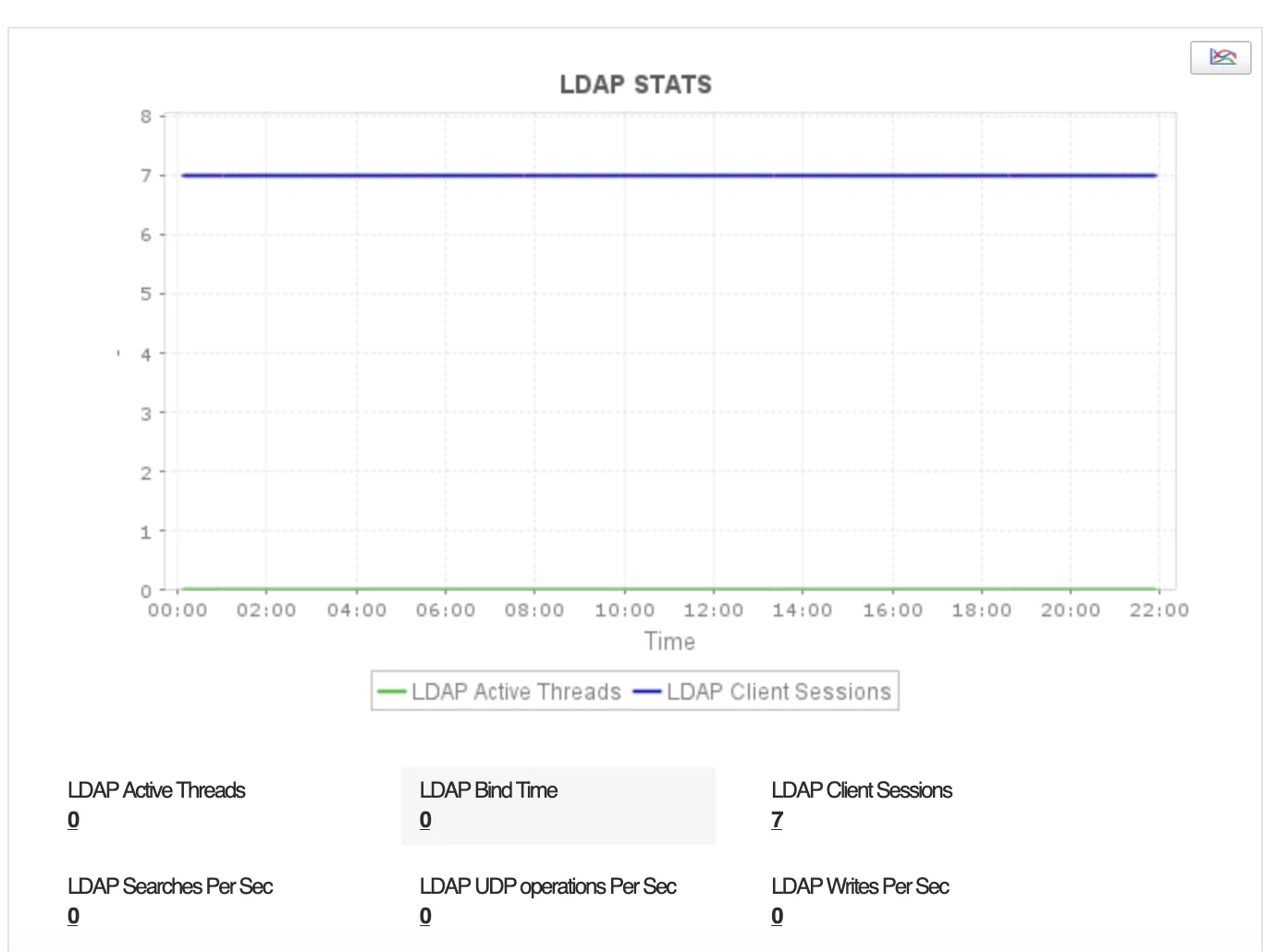
For deeper insights, monitor:
- Search and read/write operations
- Database cache hit ratios
- Replication health (especially if you’re managing multiple domain controllers)
These give you a better idea about usage patterns, data flow, and where performance might dip under pressure.
Don’t just collect data — act on it
Monitoring should give you more than just charts; it should buy you time. With proactive alerting, you can define thresholds for key LDAP and AD metrics and get notified the moment something starts drifting out of bounds. Whether it’s via email, SMS, or your preferred IT alerting stack, fast detection means faster fixes before your help desk gets flooded.
And when something does go wrong? Historical performance data becomes your best ally. It helps you troubleshoot login delays or access failures with confidence, zeroing in on whether the issue stems from load, query lags, or something deeper in the stack. Over time, that same data also helps with capacity planning. You’ll be able to forecast usage, prepare for growth, and scale smartly instead of reactively.
Keep an eye on security, replication, and compliance
Performance aside, LDAP monitoring also plays a key role in security and governance. Things like failed bind attempts, policy changes, and access denials—these need constant monitoring. If your environment spans multiple LDAP servers or AD controllers, replication status becomes critical too. A failed sync can quietly introduce inconsistent data that throws off authentication or delays updates.
Good LDAP monitoring tools also support audit readiness. They keep logs of access, server activity, and security events, so you’re not fumbling during compliance checks. That kind of visibility builds trust, internally and externally.
How Applications Manager makes it simple
ManageEngine Applications Manager streamlines LDAP and AD monitoring so you’re not stuck dealing with endless manual configurations. With built-in support for key directory services, setup is quick, and dashboards offer immediate clarity into bind times, query performance, connection load, replication status, and more.
It gives you what you need to run a tight ship: intelligent alerts, detailed reports, historical trends, and even security insights. And it fits neatly into your broader monitoring ecosystem, making it easier to track what matters and act before issues escalate.
LDAP and AD monitoring shouldn’t feel like overhead—it should feel like insurance. With the right tool in place, you can ensure seamless authentication, secure access, and resilient IT operations from the ground up.