Real-time vs. historical Database monitoring: When and why to use each
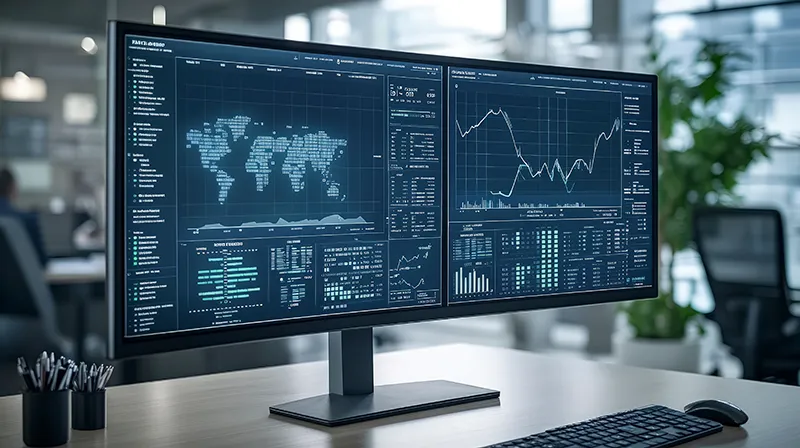
Effective database management is non-negotiable for business success. Poor performance can lead to a degraded user experience, lost revenue, and damage to your brand's reputation. To prevent this, you need a robust monitoring strategy that addresses both immediate performance issues and long-term trends. This requires understanding two distinct but complementary approaches: real-time and historical monitoring.
They aren't mutually exclusive. In fact, the most effective database monitoring strategies combine them to provide a complete, 360-degree view of database health. This allows you to maintain peak performance, make smarter decisions, and shift from a reactive to a proactive operational model.
What real-time monitoring is for
Real-time monitoring, also called live monitoring, focuses on capturing and analyzing performance metrics the moment an event occurs; typically within milliseconds to seconds. This provides immediate operational awareness, which is essential for tactical, in-the-moment responses that protect system stability and user experience.
Use real-time monitoring for:
- Incident detection and response: This is the most common use case. By setting thresholds on key performance indicators (KPIs), you can instantly spot a deviation that could signal a problem. Critical real-time metrics include CPU and memory usage, active user connections, query latency, disk I/O wait times, and buffer cache hit ratio. An immediate alert on these allows your team to intervene before a minor issue becomes a major outage.
- Operational control and orchestration: Modern applications often have fluctuating workloads. Real-time data allows you to make quick, automated adjustments to handle them. For example, seeing a sudden traffic surge can trigger a script to scale up cloud resources or divert traffic via a load balancer, ensuring smooth performance without manual intervention.
- Security and anomaly detection: Your database is a prime target for security threats. Real-time monitoring can act as a vigilant guard by tracking activity like failed login attempts, unusual query patterns from specific IP addresses, or unexpected privilege escalations. This allows you to identify and block a potential breach as it's happening.
When to use historical monitoring
Historical monitoring involves aggregating and storing past operational data to analyze performance over longer periods: hours, days, weeks, or even months. This provides the broader business and technical context needed for strategic planning, root-cause analysis of recurring problems, and continuous improvement.
Use historical monitoring for:
- Capacity planning and forecasting: By analyzing growth trends, you can make accurate, data-driven decisions about future needs. For example, plotting storage consumption over the past year can predict exactly when you'll need to provision more disk space, preventing last-minute emergencies and allowing you to budget effectively. The same principle applies to forecasting user load and network bandwidth.
- Performance tuning and optimization: Some of the most challenging database issues are "slow-burn" problems that aren't obvious in real-time. Historical data can reveal recurring slowdowns that correlate with specific batch jobs, or it can help identify gradual performance degradation caused by issues like index fragmentation or table bloat.
- Making strategic, data-driven decisions: Should you invest in faster storage? Is it time to refactor a legacy application? Solid historical patterns provide the evidence needed to justify major expenditures and architectural changes. This data is also invaluable for Service Level Agreement (SLA) reporting and demonstrating compliance over time.
Why using both is the best strategy
Instead of choosing one, the best practice is to deploy both in a tightly integrated fashion. Consider this common business scenario, expanded with more detail:
A retail platform experiences intermittent checkout slowdowns during its flash sales.
- Real-time monitoring immediately fires a P1 (critical) alert for "Query Latency Exceeds 3000ms" on the payments database. The on-call team is notified and begins investigating to mitigate the immediate impact, perhaps by clearing locks or restarting a service to provide temporary relief to frustrated customers.
- Historical monitoring, however, provides the crucial context. By analyzing performance trends in Applications Manager, the team sees this isn’t random. The latency spikes consistently occur on Friday evenings during peak traffic. Further investigation into historical query performance reports reveals that a set of long-running queries related to promotional offers are responsible for the slowdown.
- The solution: Armed with this insight, the team optimizes those queries and adds indexing, eliminating the recurring performance issue without overprovisioning additional hardware.
How to build a unified monitoring strategy
The goal is to integrate both monitoring modes so they work together. A comprehensive platform like Applications Manager is designed for this, allowing you to correlate real-time events with historical data in a single interface.
Here’s how to put it into practice:
- Layer your monitoring for "Defense-in-depth": Use a tool for real-time alerts on critical, immediate thresholds. At the same time, use historical dashboards for your weekly and monthly performance review meetings. This creates a multi-layered strategy that catches both sudden failures and gradual degradation.
- Combine alerting criteria with dynamic baselines: The most advanced systems go beyond static thresholds (e.g., "CPU > 90%"). They use historical data to create a dynamic baseline of what's normal for a specific time of day. An alert then triggers only when a real-time spike also represents a significant deviation from that established norm, dramatically reducing alert fatigue from false positives.
- Correlate data to find the true root cause: When an alert fires, the first question is always "What changed?" A unified platform allows you to instantly overlay a real-time incident (like high CPU) on top of historical trends and change logs. This helps you immediately differentiate between a symptom (the high CPU) and the root cause (a new, inefficient query that was deployed the day before).
Fix your monitoring strategy now
Both real-time and historical monitoring are essential for a mature database monitoring practice. Real-time data gives you immediate operational awareness, while historical data provides the strategic insight to plan for the future. By combining them, you move from fighting fires to preventing them entirely.
To align your monitoring strategy with your database ecosystem:
- Ensure you have complete real-time visibility and intelligent alerting with a platform like Applications Manager for database monitoring. Download a 30-day, free trial now!
- Establish a process for archiving and regularly reviewing historical data to guide forecasting, ensure compliance, and drive performance tuning initiatives.
- Review our guide on the key features to look for in a database monitoring tool to ensure your chosen solution can support this unified approach.