APM Insight .NET agent bulk installation using ManageEngine Endpoint Central
You can install the APM Insight .NET agent on multiple machines at once by following the steps given below:
- Download the APM Insight .NET agent from the Applications Manager.
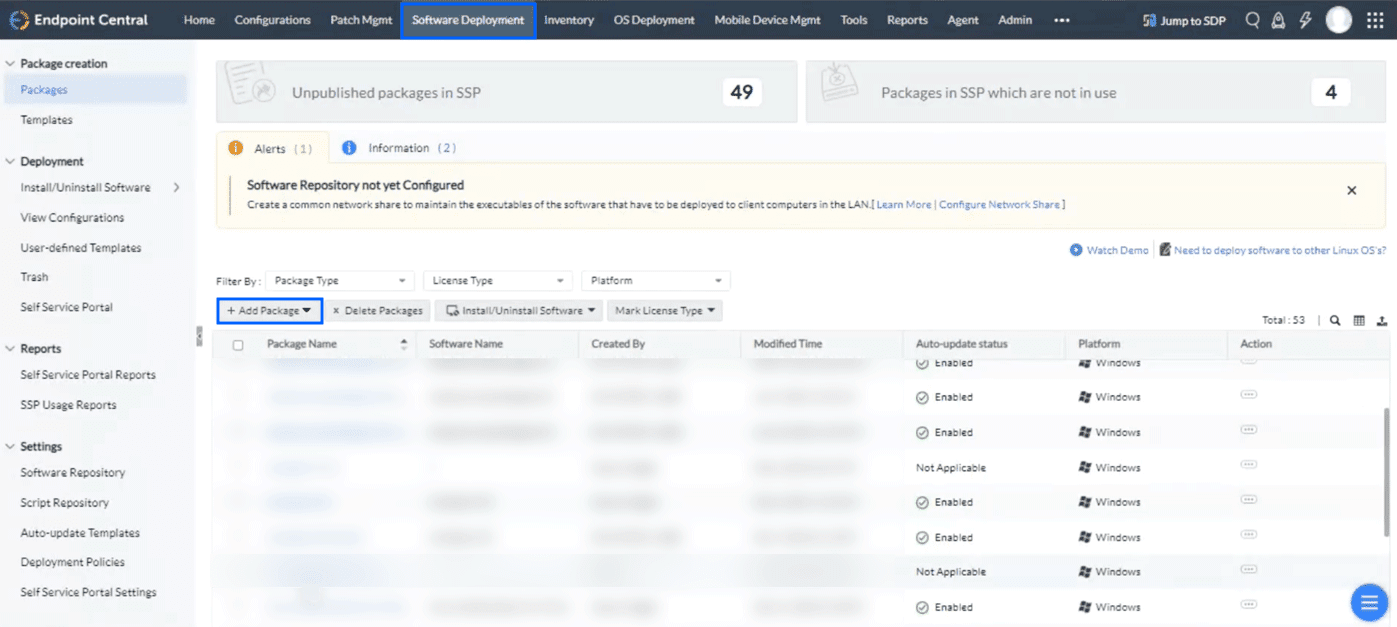
- Log in to the ManageEngine Endpoint Central portal and click the Software Deployment tab.
- Click Add Packages (Windows).
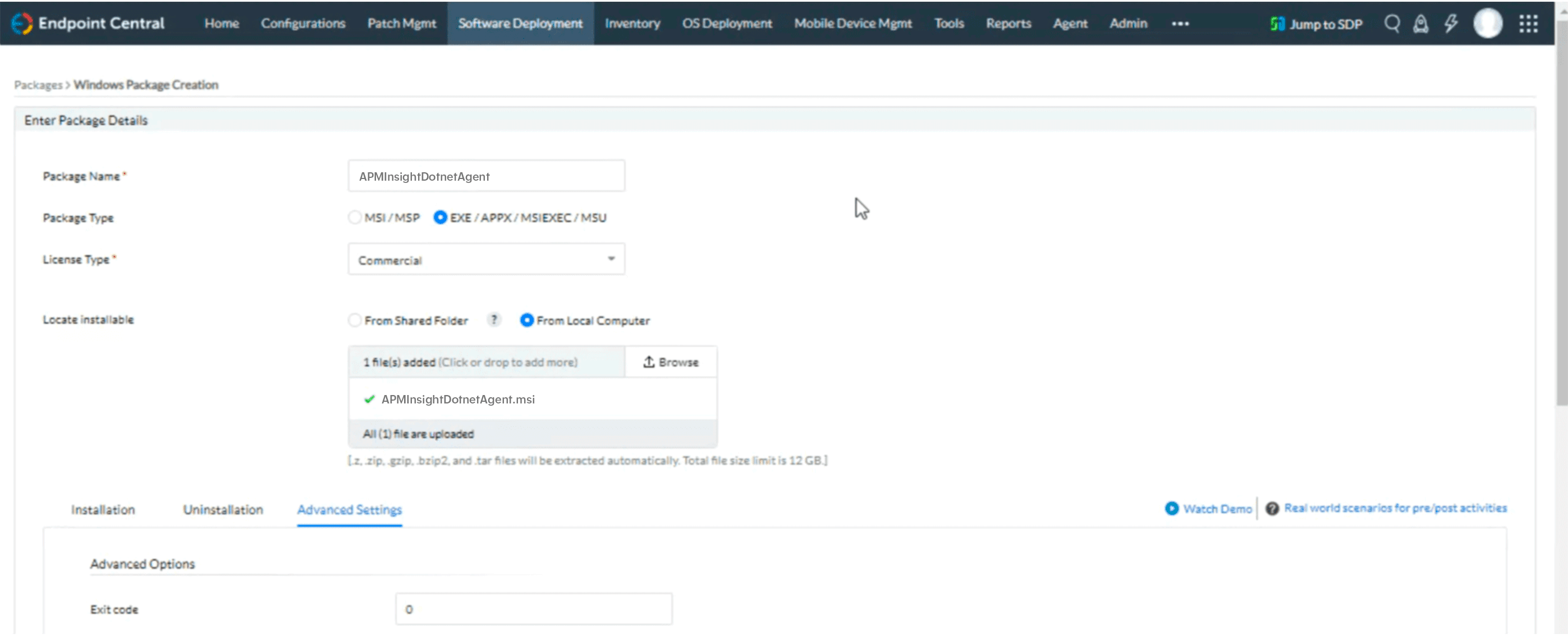
- Provide the package details as given below.
- Package Name: APMInsightDotnetAgent
- Package Type: EXE/APPX/MSIEXEC/MSU
- License Type: Commercial
- Locate installable: Select Local Computer and upload the downloaded MSI file.
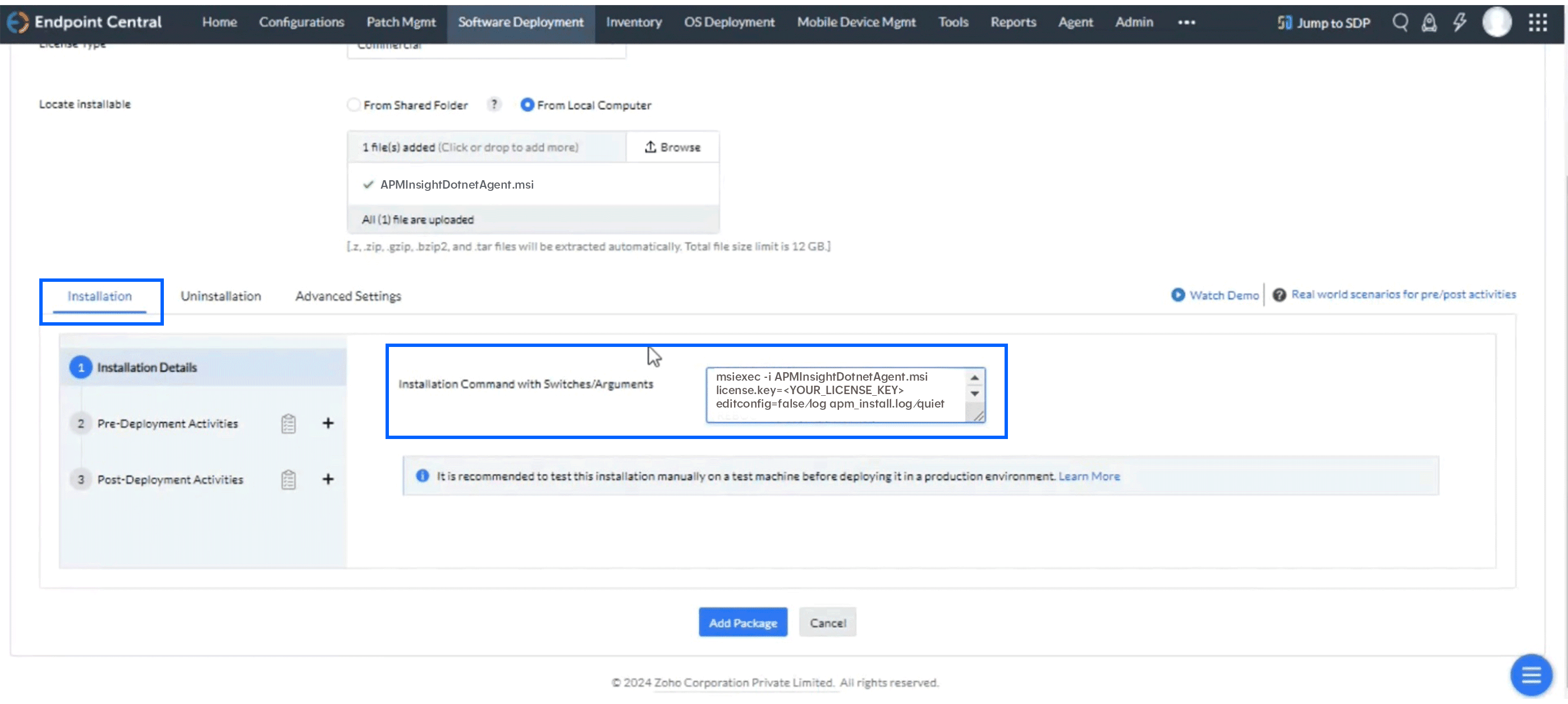
- Navigate to the Installation tab and enter the following command in the Installation Command with Switches/Arguments box:
Note: The command can be customized as per your requirement by modifying the parameters.
msiexec -i apminsight-dotnetagent.msi license.key=<Your_License_Key> apm.host=<https/http>://<APM_HOST>:<APM_PORT> apm_exporter_host=<DATA_EXPORTER_HOST> apm_exporter_status_port=<DATA_EXPORTER_STATUS_PORT> apm_exporter_data_port=<DATA_EXPORTER_DATA_PORT> editconfig=false iisreset=true /log apm_install.log /quiet
In the above command, following configurations are optional:
- apm_exporter_host
By default, DATA_EXPORTER_HOST=localhost - apm_exporter_status_port
By default, DATA_EXPORTER_STATUS_PORT=20021 - apm_exporter_data_port
By default, DATA_EXPORTER_DATA_PORT=20022
- apm_exporter_host
- Click Add Packages.
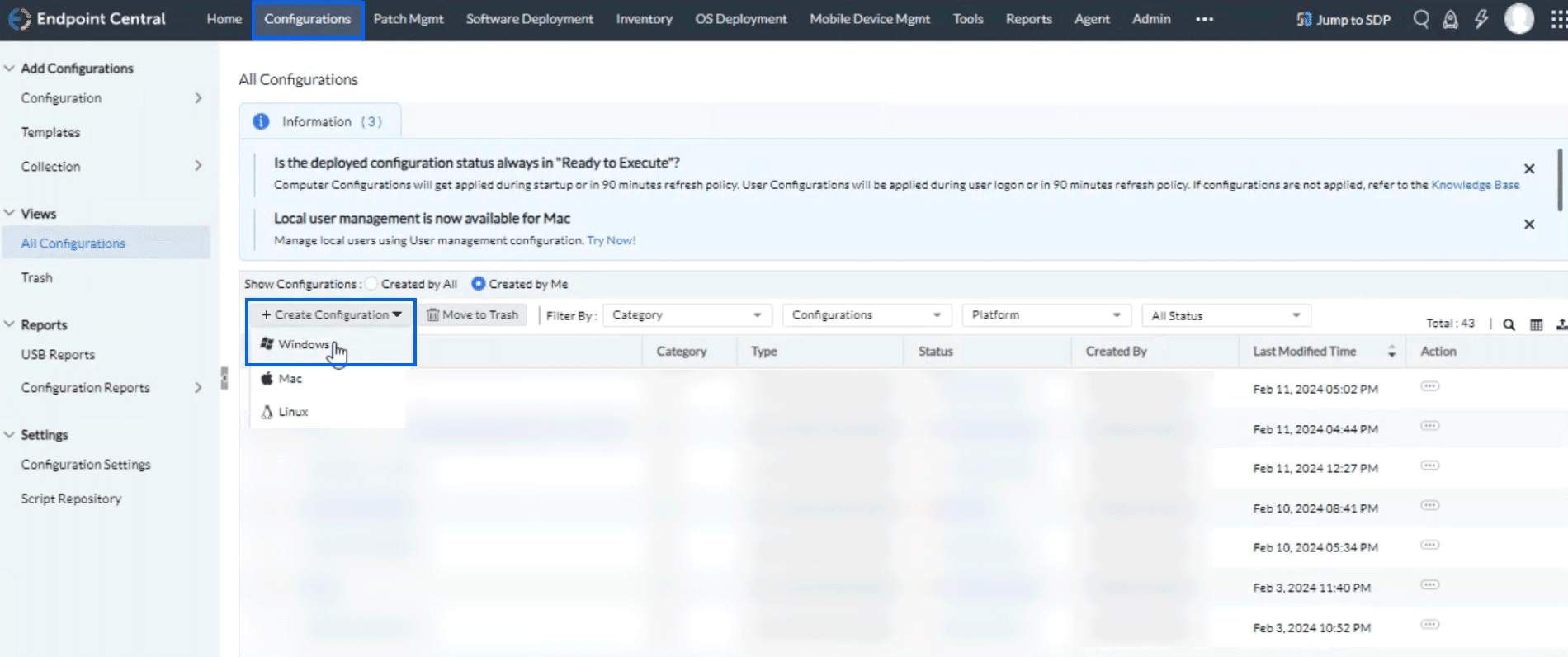
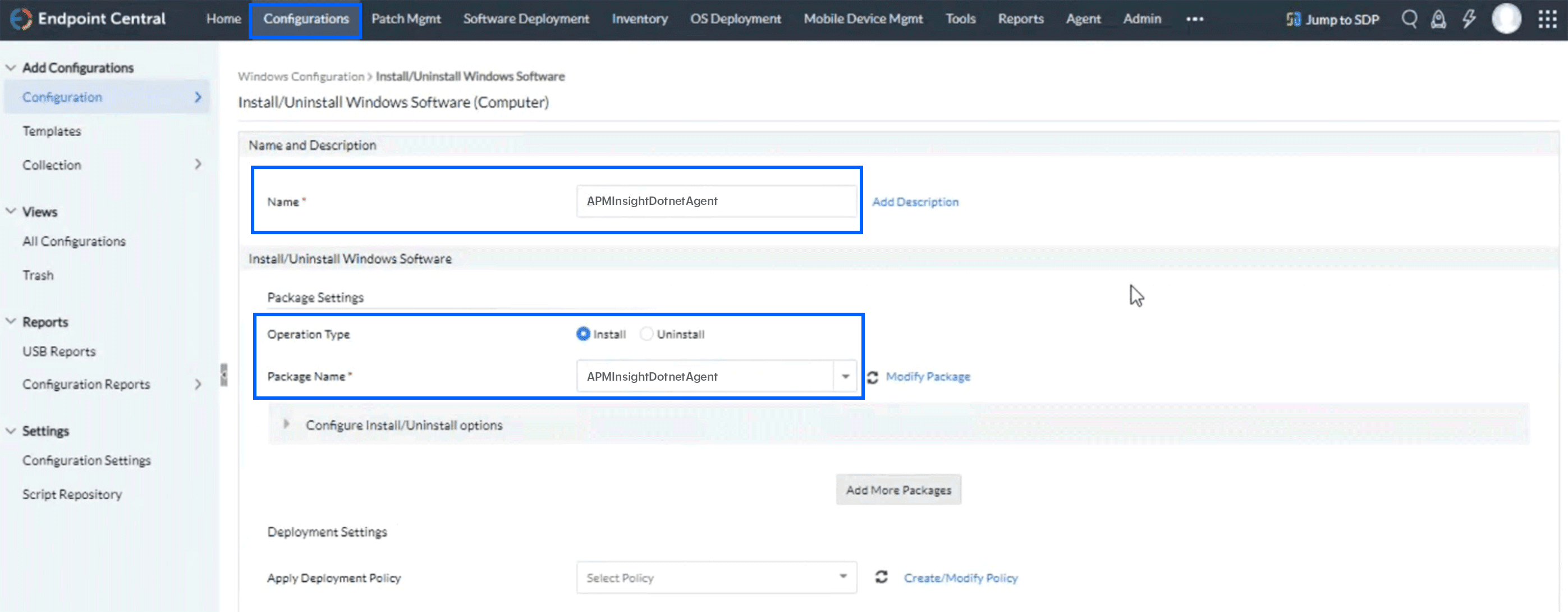
- Now, navigate to the Configurations tab and click + Create Configuration (Windows).
- Provide the necessary information as given below.
- Name: Provide the configuration name as per your convenience.
- Operation Type: Install
- Package Name: Select the created package from the drop-down menu.
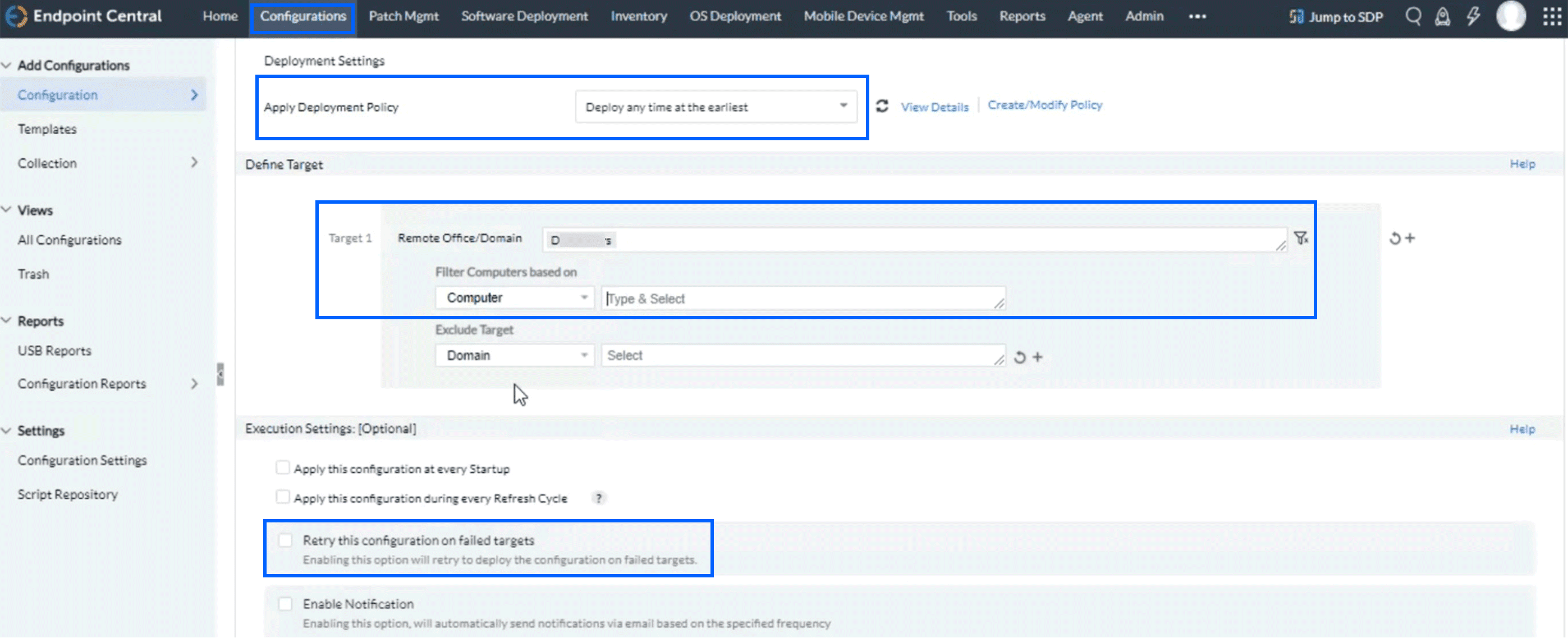
- In the Deployment Settings, enter the following details as given below:
- Apply Deployment Policy: Deploy any time at the earliest.
- Remote Office/Domain: As per your configuration in the infrastructure
- Filter Computers based on: Computer as <hostname>.
Note: Please remember to uncheck the Retry this configuration on failed targets box.
- Click Deploy Immediately.