Uninstall APM Insight .NET Agent
- Stop APM Insight .NET Agent from Windows Services (Control Panel → All Control Panel Items → Administrative Tools → Services).
- You can uninstall the agent from the Start menu. Click on 'Uninstall APM Insight .NET Agent' from the APM Insight .NET Agent folder in the Start Menu to uninstall the agent.
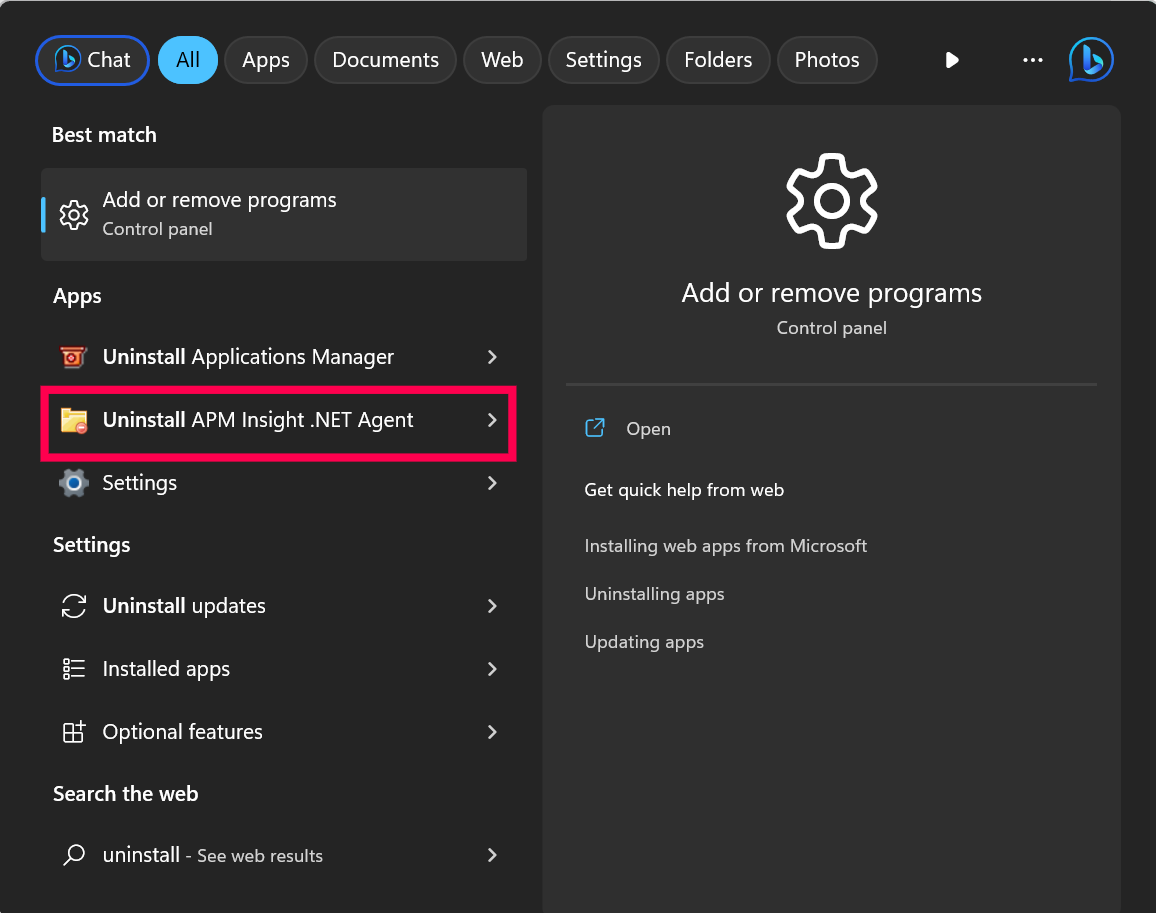
- You can also Uninstall from Control Panel → Programs and Features, right click on APM Insight .NET Agent and select Uninstall.
Note:
- Uninstalling agent requires Administrator rights in your Windows admin group.
- Uninstalling the agent will reset the IIS automatically to unload the agents from the application processes.
- Agent-related configuration files and logs will be deleted automatically.
Uninstalling the .NET agent in Linux
Follow the steps below to uninstall the .NET agent from your Linux system:
Navigate to the agent installation directory:
/opt/manageengine/ApmInsightDotNetCoreAgentor
<destination>/ApmInsightDotNetCoreAgent- Locate the
UninstallAgent.shbash script. Run the following command to execute the uninstall script:
sudo ./UninstallAgent.sh- Once the script finishes, the .NET agent will be successfully removed from your system.
Note: After uninstalling the agent, restart your application to ensure the agent is entirely detached from the runtime.

