Export OpenTelemetry data to Applications Manager
Use the following topics to export your OpenTelemetry data to APM Insight in Applications Manager:
- Applications Manager OpenTelemetry Collector - Guided Installation
- Install Applications Manager OpenTelemetry Collector for Linux
- Install Applications Manager OpenTelemetry Collector for Windows
Applications Manager OpenTelemetry Collector - Guided Installation
You can install the Applications Manager OTEL Collector directly from the Applications Manager UI using the guided installation wizard.
Download and install APM OTel Collector
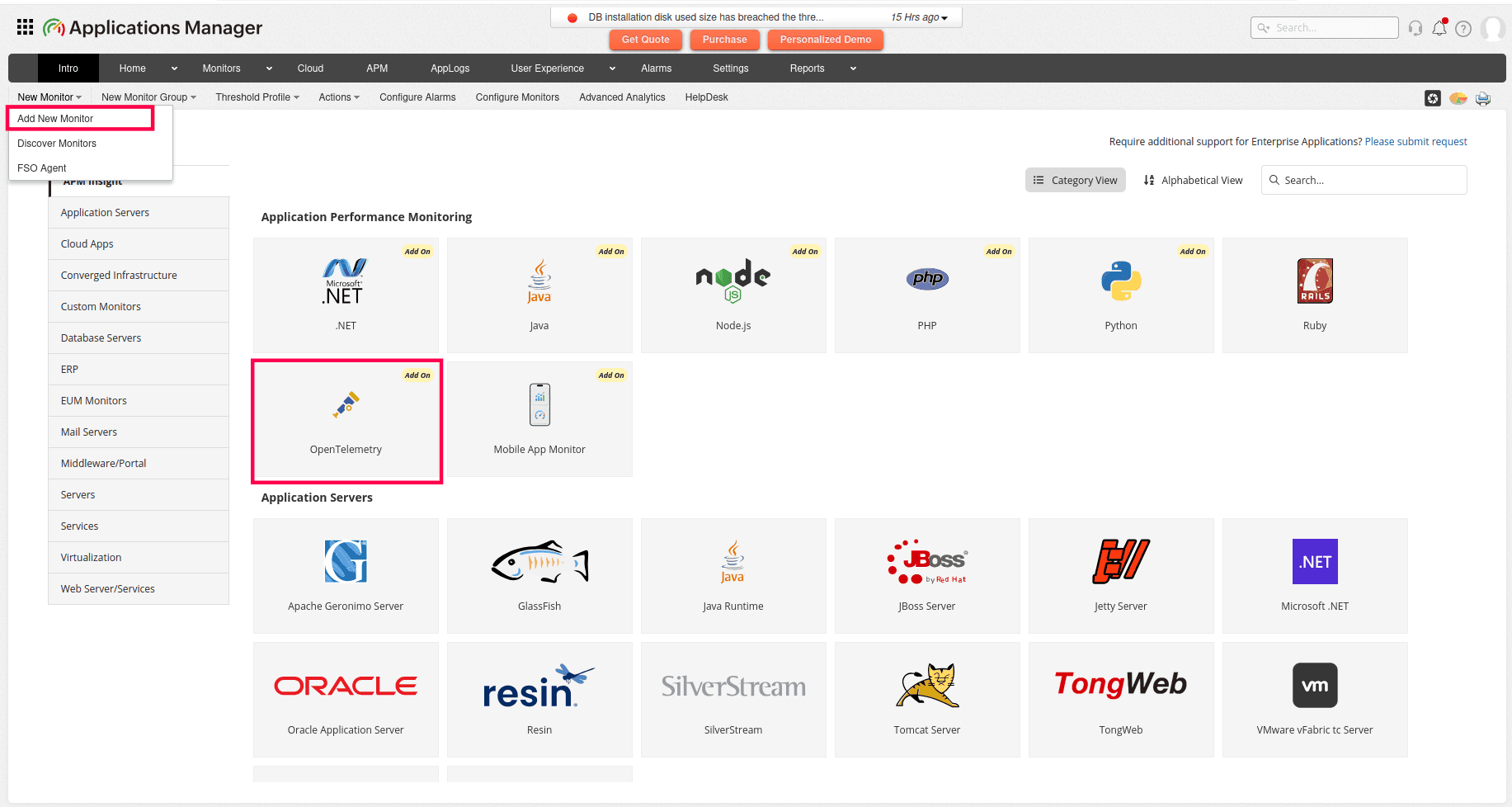
- In Applications Manager, navigate to New Monitor > Add New Monitor > APM Insight > OpenTelemetry.
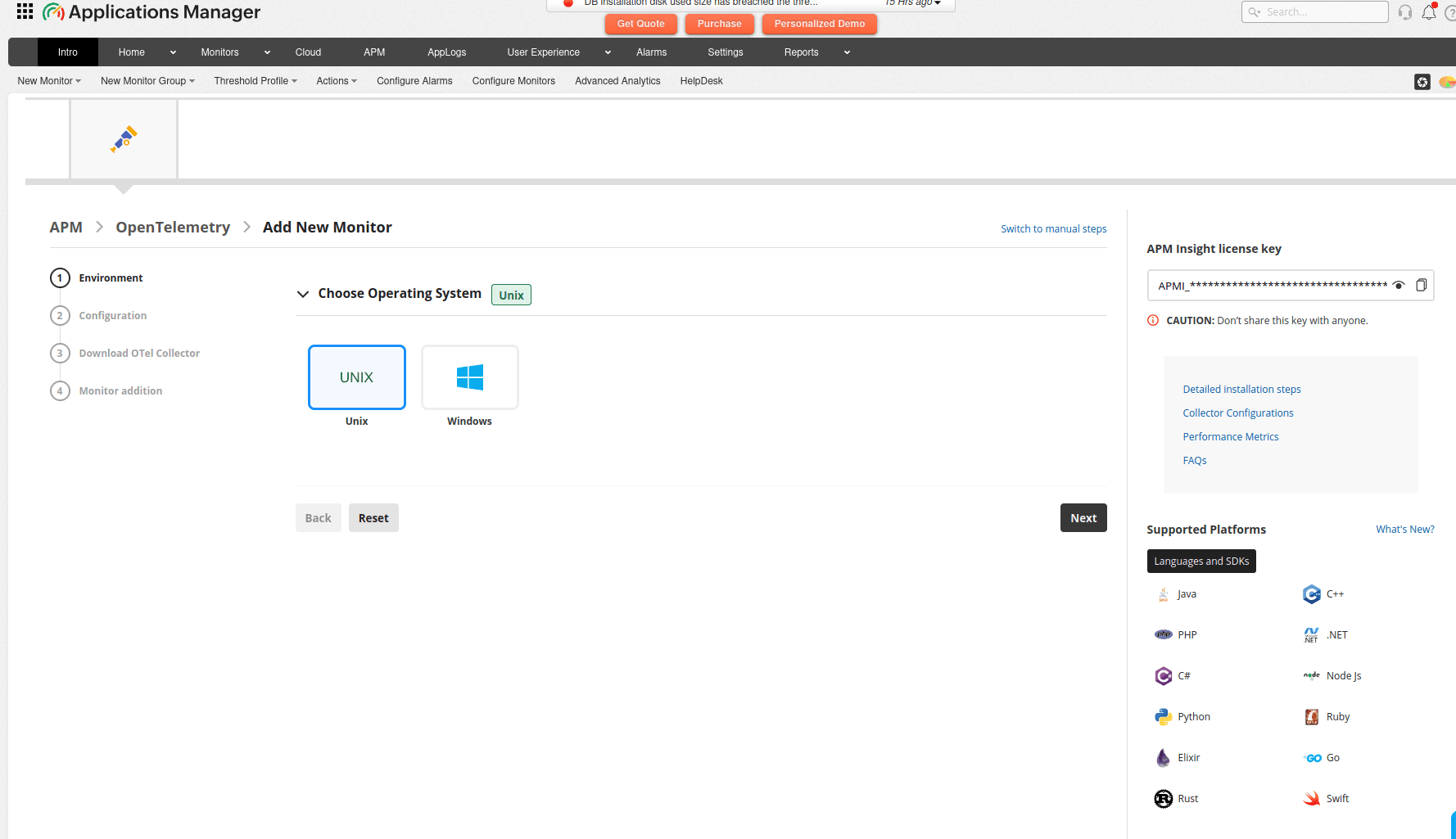
- Select the operating system (Linux or Windows) and click Next.
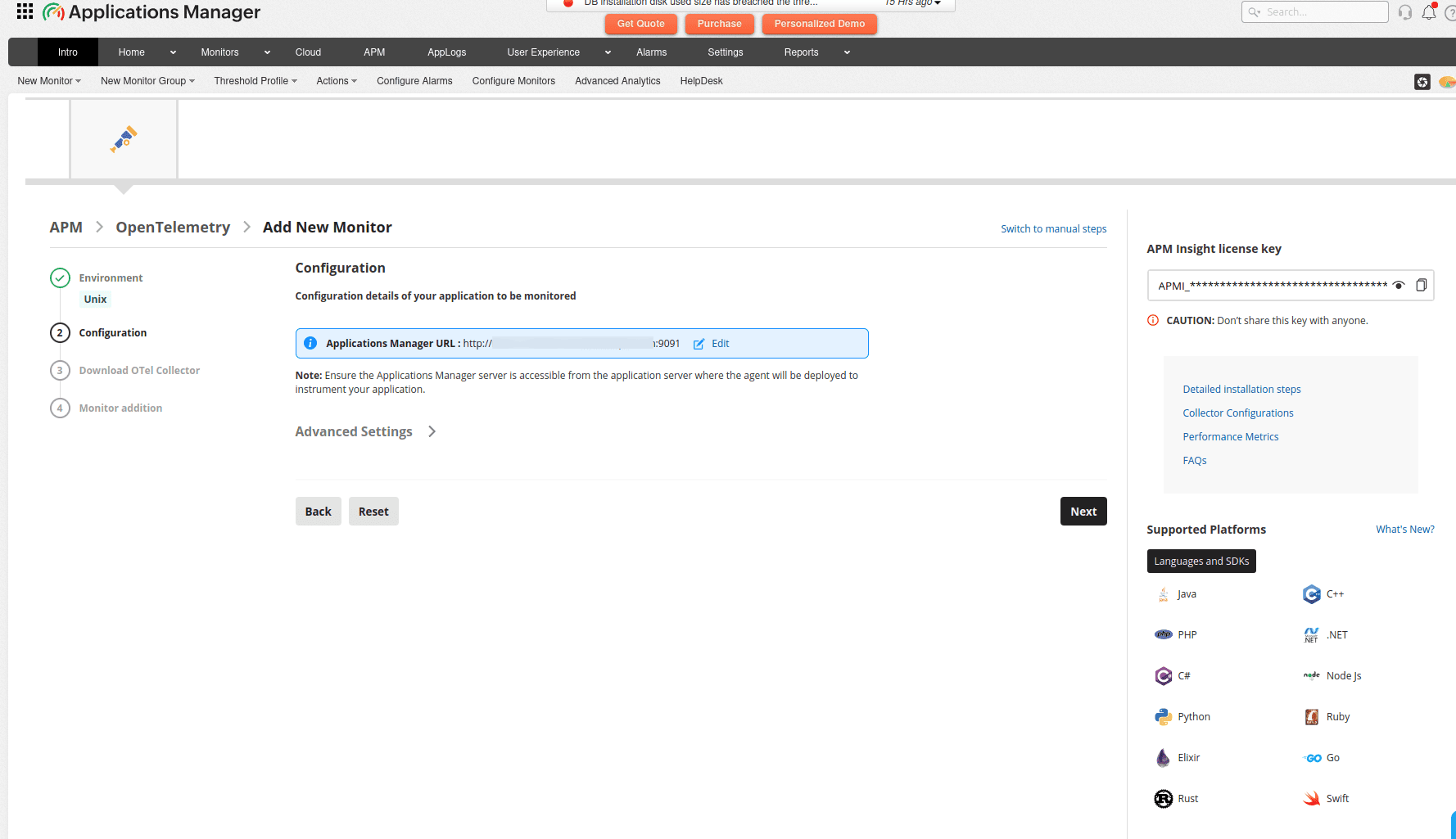
- The Advanced Settings dropdown displays Applications Manager details such as the protocol, host, port, and APM Insight license key. Click Next to proceed.
Note: Ensure that the Applications Manager URL is reachable from the application server. If the URL is not accessible, use the EDIT option to configure the accessible IP address or hostname for the agent to communicate with Applications Manager.
- Before installing the OpenTelemetry (OTEL) agent, select your preferred download method: Auto Download (Applications Manager automatically downloads the required binaries; requires internet connectivity) or Manual Download (you manually download the required binaries; use this option if your Applications Manager instance does not have internet access). Click Next to proceed.
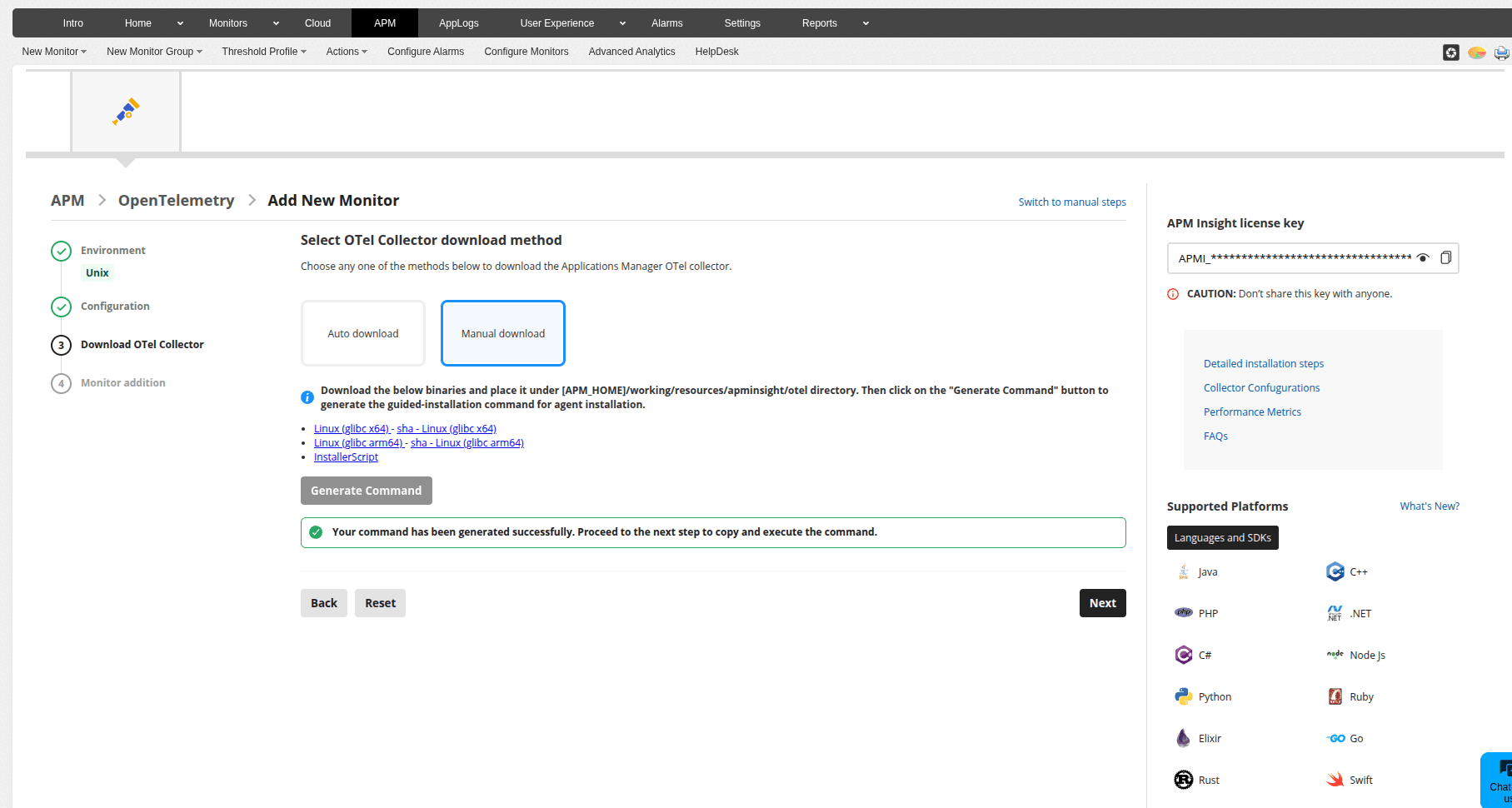
Follow the given steps as displayed in the Monitor addition tab to complete the process:
Navigate to the application-installed server → Application installed directory.
Open Windows PowerShell / Terminal based on OS type (with administrator privileges).
Execute the command displayed in the 'Monitor Addition' view to complete the agent installation.
Note: The installation command automatically downloads the guided-installation script (which extracts the agent and configures your Applications Manager host and license details) and the JAVA Agent from Applications Manager. This ensures the agent installation is completed successfully.
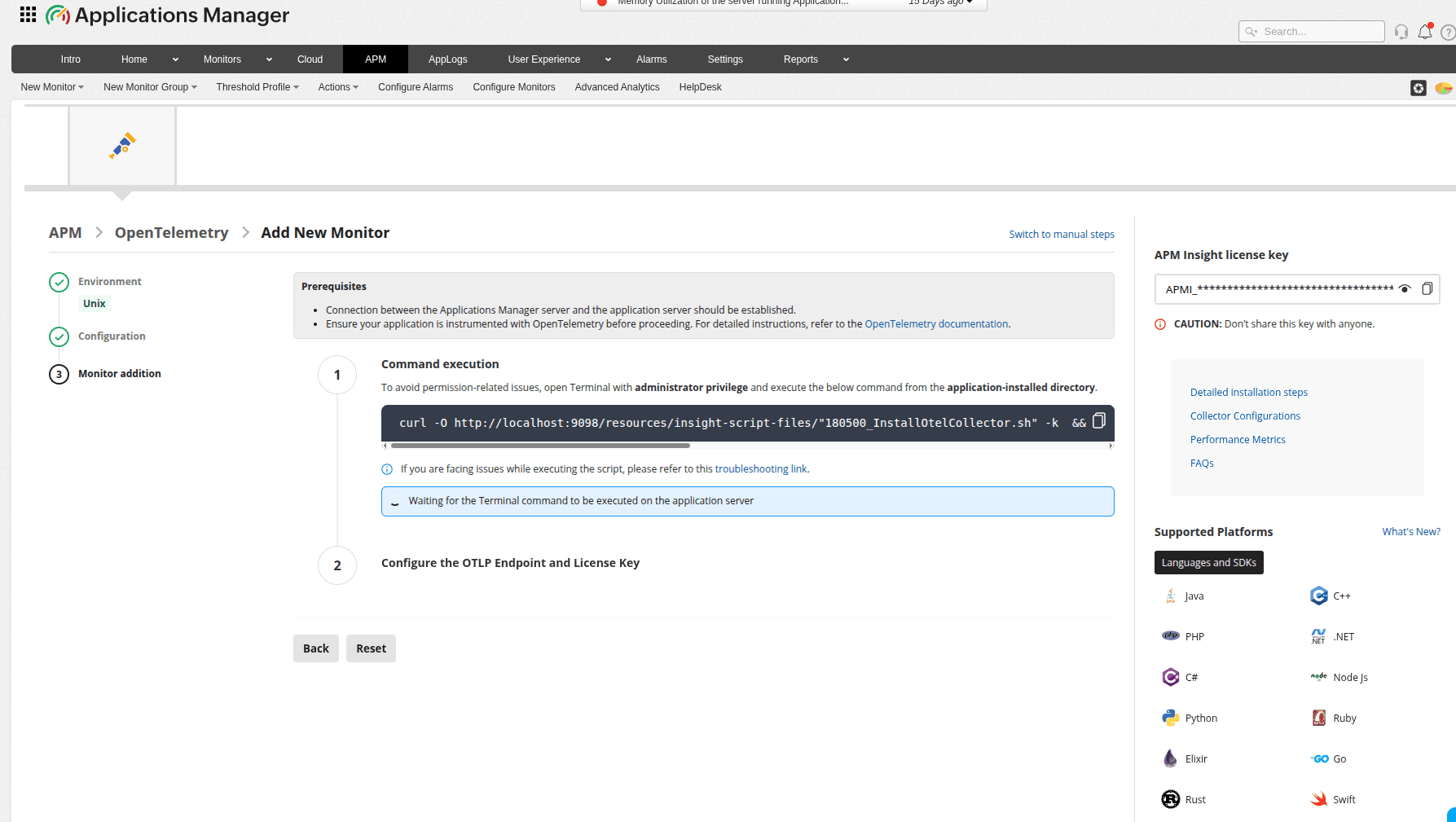
Note: If environmental issues prevent successful command execution, use the Switch to manual steps option in the Applications Manager UI to follow the manual installation procedure instead.
- After the OTEL Collector installation is complete, configure the OTEL Collector Endpoint and Applications Manager License key in your application. Modify your application's SDK, agent configuration, or the otel-config.yaml file as appropriate. Refer to the steps displayed in the Applications Manager UI for your specific configuration requirements.
Note: Restarting your application is required to complete the monitoring setup. The restart ensures Applications Manager can instrument your application with the agent.
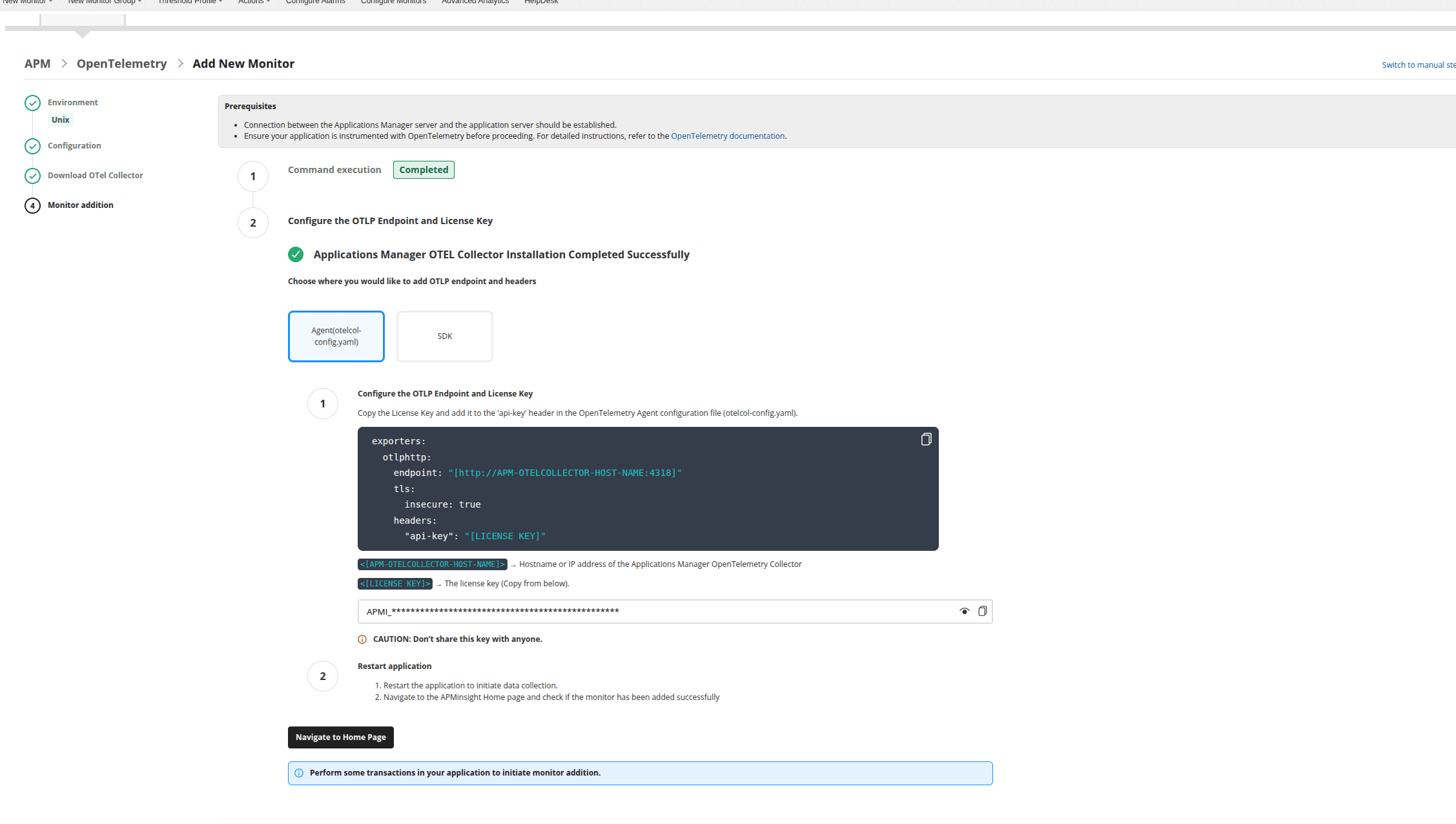
- Execute sample transactions in your application to generate performance data. This data will appear in the Applications Manager dashboard after the monitor addition is confirmed successful.
Configure the OTLP Endpoint and APM License Key
After installation, configure your application's OTLP exporter to send telemetry data to the Applications Manager OTEL Collector. The guided installation wizard provides the endpoint URL and license key required for this configuration.
Restart application
Restart your application to enable data collection.
Install Applications Manager OpenTelemetry Collector for Linux
Download and install APM OTel Collector
Download and install the Applications Manager OpenTelemetry Collector by executing the following commands. Perform checksum verification to validate the integrity of the downloaded file.
wget -O InstallOtelCollector.zip https://www.manageengine.com/products/applications_manager/54974026/InstallOtelCollector.zip && unzip InstallOtelCollector.zipexport ME_SERVER_ENDPOINT="https://[HOST-NAME]:[SSL-PORT]" sudo -E sh InstallOtelCollector.shwhere,
[HOST-NAME]→ Host of Applications Manager[SSL-PORT]→ SSL Port of Applications Manager- Example:https://apm-prod-server:8443
Configure the OTLP Endpoint and APM License Key
Configure your OTLP Exporter to export data to this endpoint with the api-key header set.
Generally, the OTLP exporter endpoint and headers in OpenTelemetry SDKs can be set via the
OTEL_EXPORTER_OTLP_ENDPOINTandOTEL_EXPORTER_OTLP_HEADERSenvironment variables, respectively.export OTEL_EXPORTER_OTLP_ENDPOINT="http://[APM-OTELCOLLECTOR-HOST-NAME]:4318"export OTEL_EXPORTER_OTLP_HEADERS="api-key=[APM-LICENSE-KEY]"

If you are using an OpenTelemetry collector, follow the syntax below:
exporters:
  otlphttp:
    endpoint: "http://[APM-OTELCOLLECTOR-HOST-NAME]:4318"
    tls:
      insecure: true
    headers:
      "api-key": "[APM-LICENSE-KEY]"
where,
[APM-LICENSE-KEY]→ Applications Manager license key, which is to be added in the OpenTelemetry Agent configuration (otelcol-config.yaml) file. To obtain the license key, navigate to New Monitor > Add New Monitor > APM Insight > OpenTelemetry and copy the license key from the right panel.[APM-OTELCOLLECTOR-HOST-NAME]→ Hostname or IP address of the Applications Manager OpenTelemetry Collector.- Example:http://otel-collector:4318

Restart application
Restart the application to initiate data collection.
Install Applications Manager OpenTelemetry Collector for Windows
Download and install APM OTel Collector
- Download the APM Insight OpenTelemetry Collector (.msi) file.
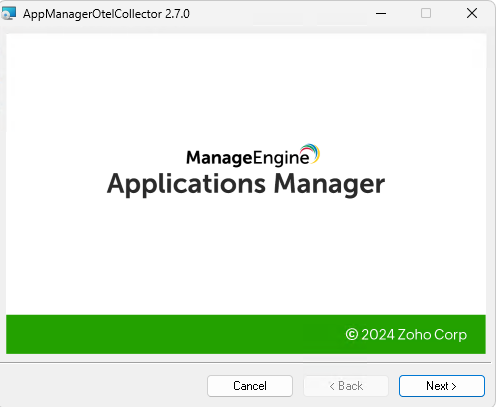
Launch the installer and follow the steps given in the installation wizard.
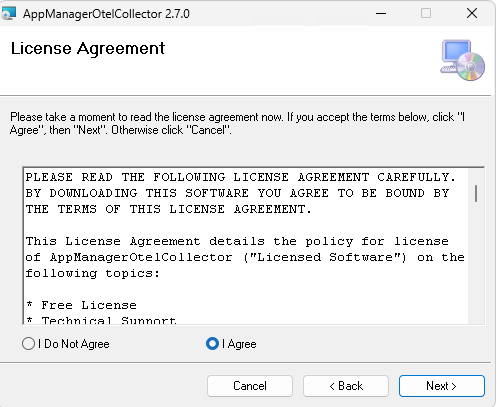
Please read the license agreement, select I Agree, and click Next to continue.
Select the installation folder and click Next to continue.
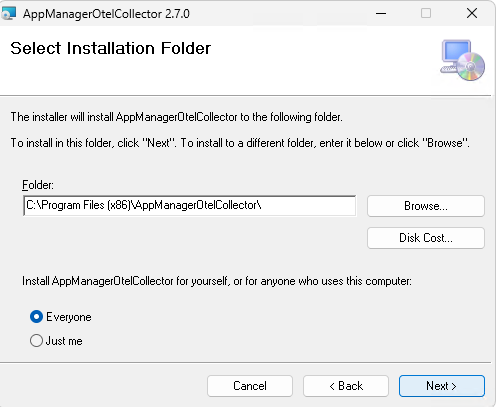
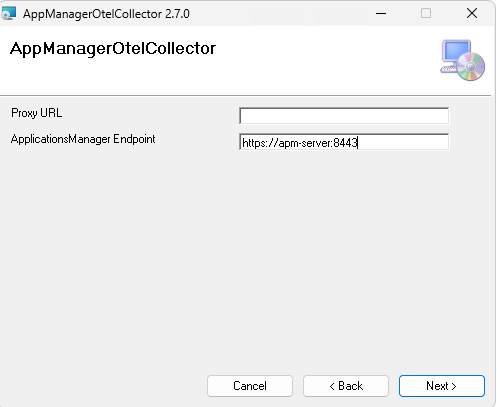
Enter the required details such as Applications Manager Endpoint as well as Proxy URL (optional) and click Next.
Click Next to confirm the installation.
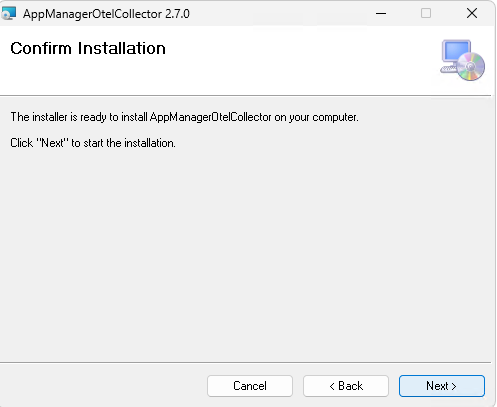
- After the installation is complete, click Close.
Configure the OTLP Endpoint and APM License Key
Configure your OTLP Exporter to export data to this endpoint with the api-key header set.
Generally, the OTLP exporter endpoint and headers in OpenTelemetry SDKs can be set via the
OTEL_EXPORTER_OTLP_ENDPOINTandOTEL_EXPORTER_OTLP_HEADERSenvironment variables, respectively.SET OTEL_EXPORTER_OTLP_ENDPOINT=http://[APM-OTELCOLLECTOR-HOST-NAME]:4318SET OTEL_EXPORTER_OTLP_HEADERS=api-key=[APM-LICENSE-KEY]If you are using an OpenTelemetry collector, follow the syntax below:
exporters:
  otlphttp:
    endpoint: "http://[APM-OTELCOLLECTOR-HOST-NAME]:4318"
    tls:
      insecure: true
    headers:
      "api-key": "[APM-LICENSE-KEY]"
where,
[APM-LICENSE-KEY]→ Applications Manager license key, which is to be added in the OpenTelemetry Agent configuration (otelcol-config.yaml) file. To obtain the license key, navigate to New Monitor > Add New Monitor > APM Insight > OpenTelemetry and copy the license key from the right panel.[APM-OTELCOLLECTOR-HOST-NAME]→ Hostname or IP address of the Applications Manager OpenTelemetry Collector.- Example:http://otel-collector:4318
Restart application
Restart the application to initiate data collection.

