Global Search in Applications Manager
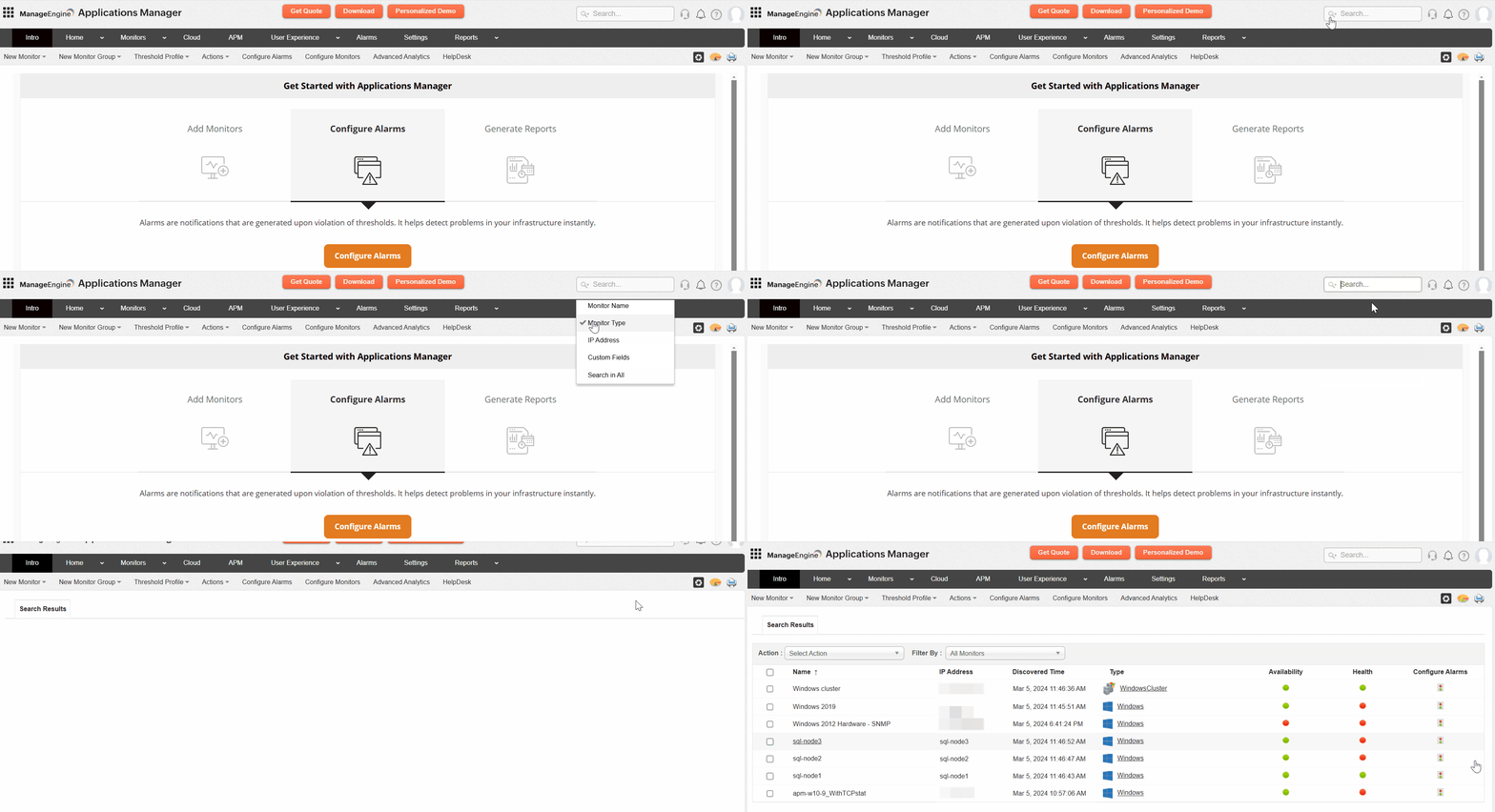
The Global Search option in Applications Manager enables users to search across various attributes and monitor types within the product. This feature is designed to help users efficiently locate monitors or configuration details within their setup. Accessible via the top-right corner of the UI (as shown in the image), it includes a dropdown menu for refining searches based on specific criteria such as:
- Monitor Name: Search for monitors by their display names
- Monitor Type: Search based on the type of monitor (e.g: Windows, Postgres, Kubernetes)
- IP Address: Search for monitors using their IP addresses
- Custom Fields: Search by custom field values associated with monitors/monitor groups
- Search in All: Perform a broad search across all the above fields
- Alarm Severity: Search for monitors based on alarm severity levels by using the following keywords:
- Critical - Locate monitors that have critical issues, such as a server being down or an application experiencing a major outage.
- Warning - Identify monitors showing early warning signs, like high memory usage or nearing threshold limits.
- Clear - Find monitors that are functioning normally without any current alarms.
Note: The search ensures that only primary monitors are included in the results, excluding sub-monitors.

