Milestone Marker
The Milestone Tab in APM Insight allows you to create, manage, and analyze performance milestones for your applications. Milestones act as reference points to measure how your application’s performance has evolved over time, especially before and after significant deployments or events. This helps you easily detect performance deviations, regressions, or improvements.
Note: The Milestone tab is supported from Applications Manager version 178100 and above.
Creating Milestones
You can create milestones to capture and compare application performance data on specific dates (for example, around key events or releases). This helps you evaluate the impact of recent deployments or configuration changes on application behavior.
- Log in to the Applications Manager console.
- Navigate to the APM tab and select the desired application.
- Open the Milestone Tab.
- Click Create Milestone to add a new milestone record. By default, the milestone time is set to one hour prior to the current time.
- Provide a descriptive Milestone Name and click Save.
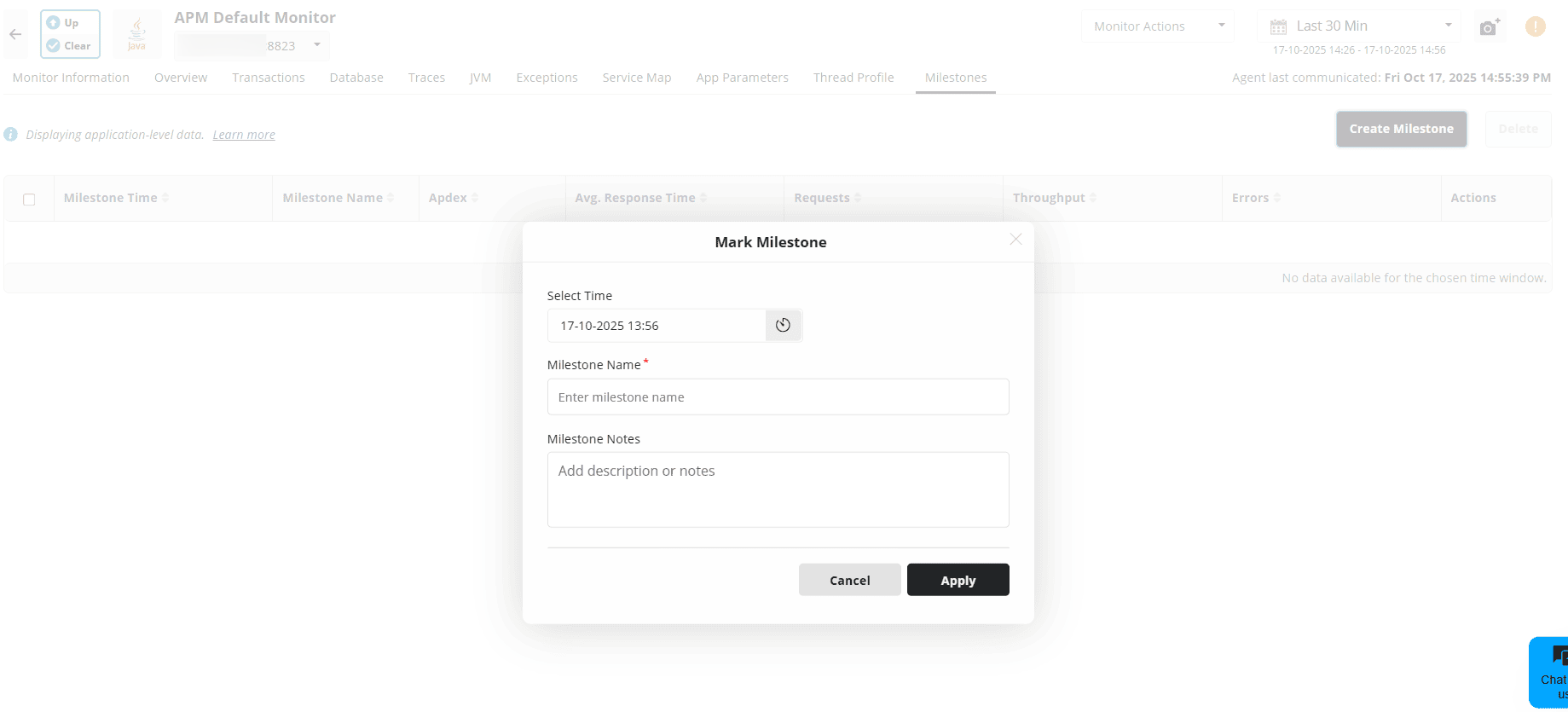
Note: By default, up to 50 milestones can be created per application.
Understanding Milestone metrics
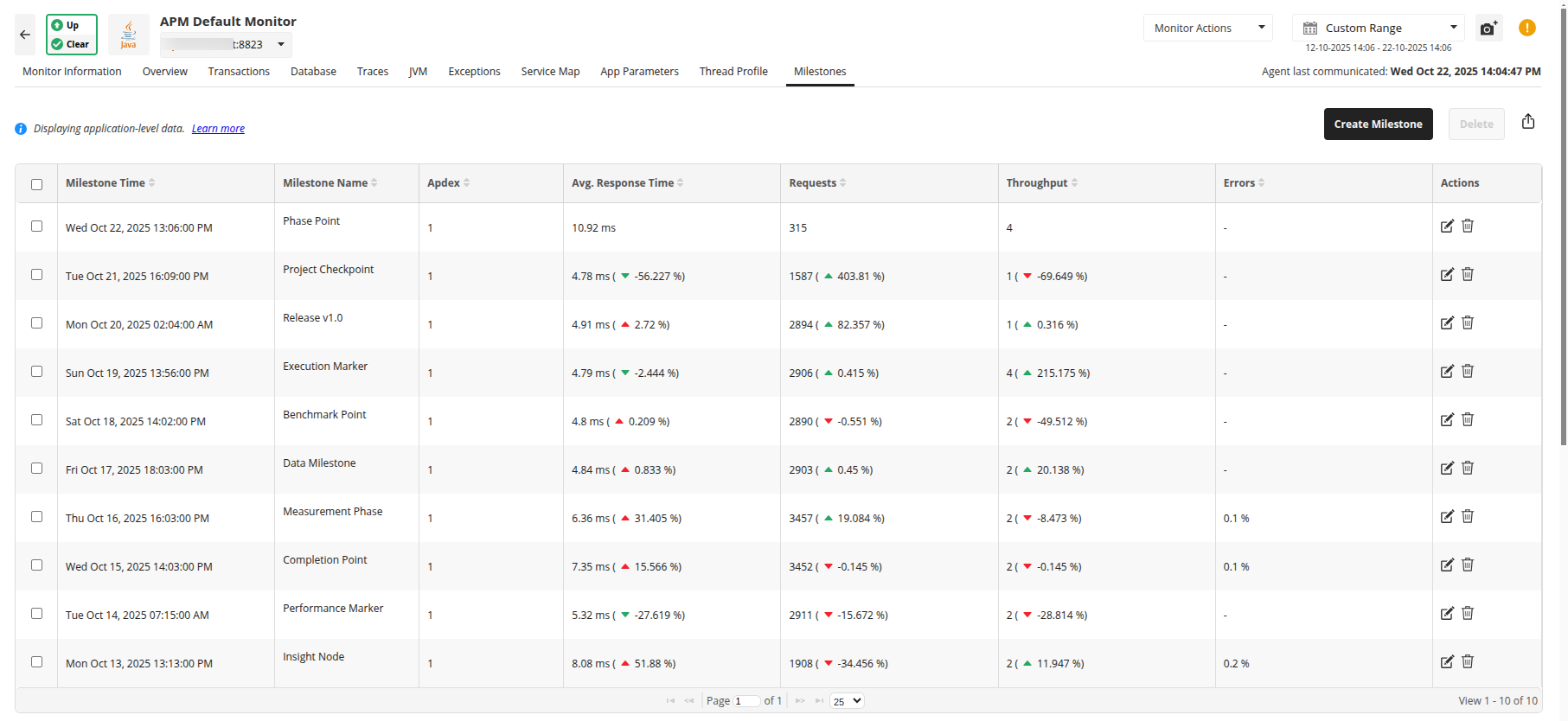
Each milestone displays key performance metrics such as Apdex, Average Response Time, Requests, Throughput, and Errors. These metrics represent application performance during the selected milestone period, allowing you to track changes across different milestones.
Deviation between Milestones
The deviation percentage between milestones indicates how performance metrics have changed across time intervals.
- For the most recent milestone, deviation is calculated between the milestone timestamp and the current time period.
- For all subsequent milestones, deviation is determined between the milestone timestamp and the next (more recent) milestone timestamp.

