Integrate Applications Manager with Zendesk
By integrating Zendesk with Applications Manager, your IT team gains a powerful advantage in handling operations and incident response. Zendesk provides a complete suite of cloud solution that equips organizations to handle customer inquiries, create automated processes, and improve team collaboration. By combining these strengths, you can automatically convert critical alerts into support tickets for timely resolution.
Applications Manager can be integrated with Zendesk using the Custom Integration option.
- Configuring Zendesk
- Configuring Applications Manager
Configuring Zendesk
- Login to Zendesk
- Navigate to Admin → Apps and Integrations → API → API Configuration.
- Select "Allow API token access" and click Save.
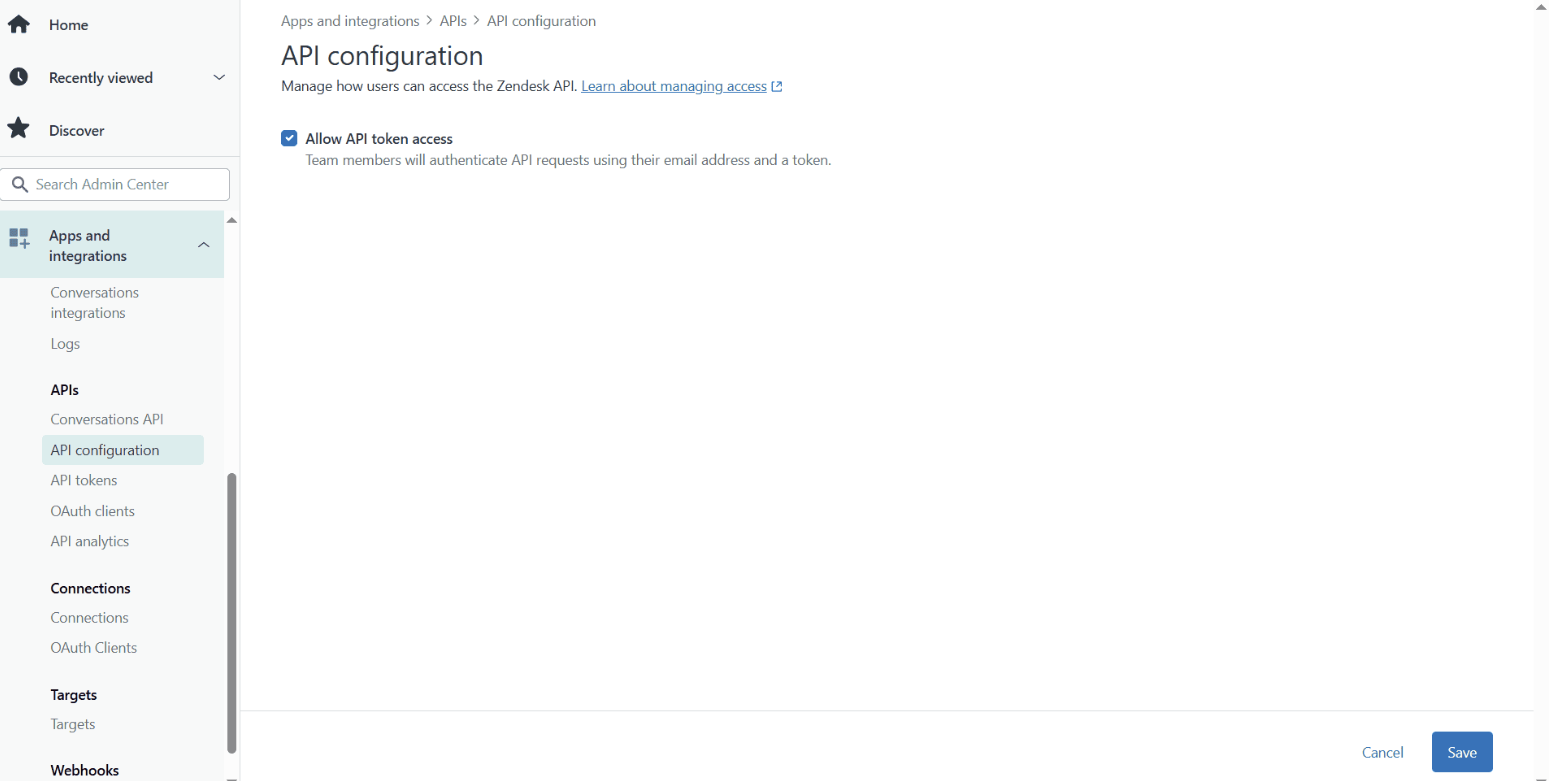
- In the same page (on the left side pane) click on API tokens -> Add. Copy the Token before closing the tab.
Configuring Applications Manager
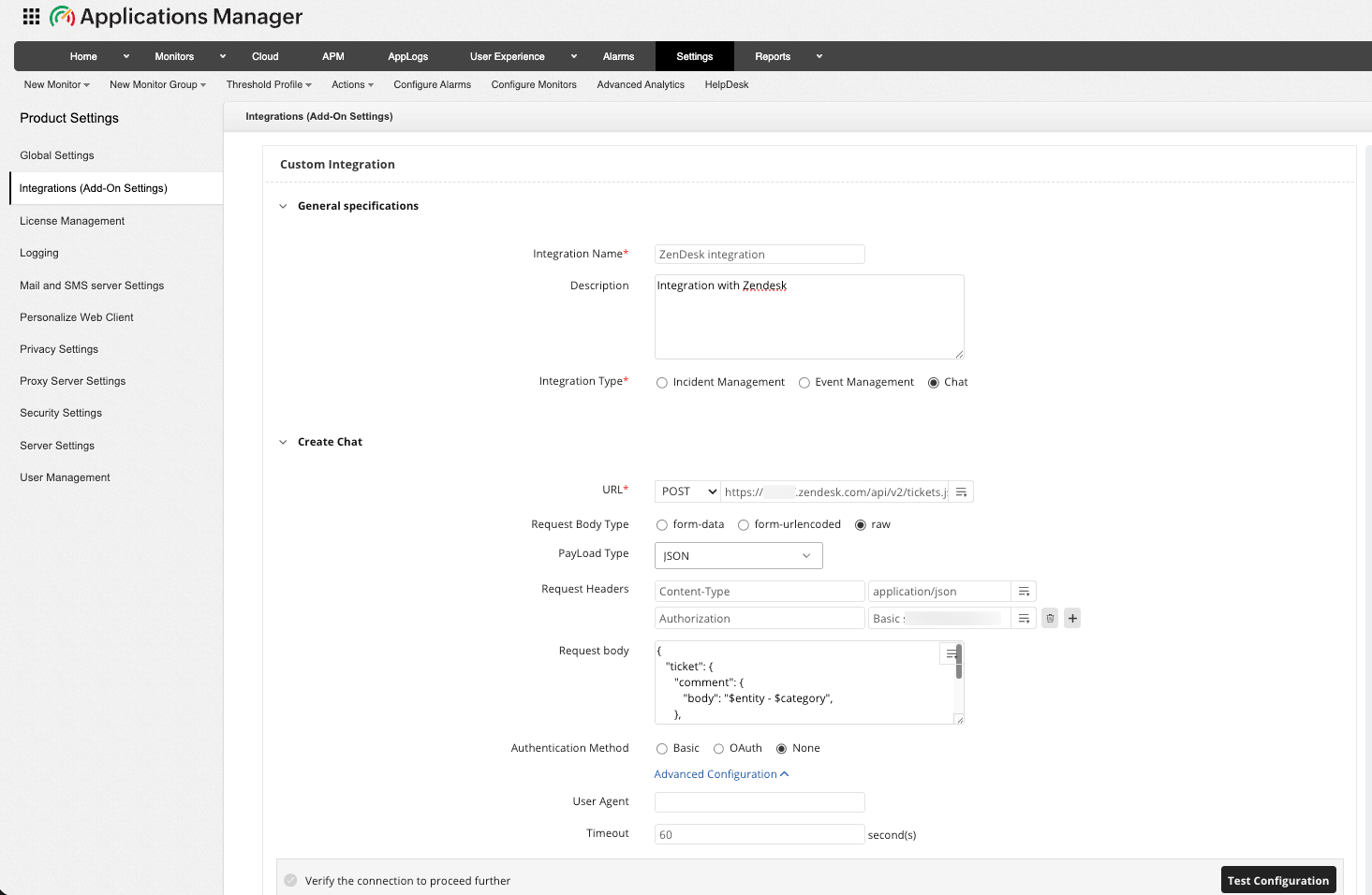
Navigate to Settings → Product Settings → Integrations (Add-on Settings) → New Custom Integration.
Create an Incident
- Fill in the integration details as follows:
- API : https://{subdomain}.zendesk.com/api/v2/tickets.jsonwhere, subdomain - Replace this with your Zendesk unique identifier
- Integration Type : Incident Management
- Method Type : POST
- Headers : 'Content-Type' : application/json, 'Authorization' : Basic {Base64 encoded value of "login_email/token:{APIKEY}"}
- login_email : Your Zendesk Admin E-mail
- {APIKEY} : Your Zendesk API token
- token : Do not change this literal
- Payload Type : JSON
- Data Type : Raw
- API Key : Paste the API copied from Zendesk
- Body Content :
{
   "ticket": {
      "comment": {
         "body": "$entity - $category",
      },
      "priority": "Urgent",
      "subject": "$message"
   }
}
- API : https://{subdomain}.zendesk.com/api/v2/tickets.json
- To verify your setup, click Test Configuration to confirm the configuration is correct. After a successful test, go to 'Manage Incidents' to retrieve the Incident ID. This will generate a ticket_id, which you can use to update or close the corresponding incident in Zendesk
Update an Incident
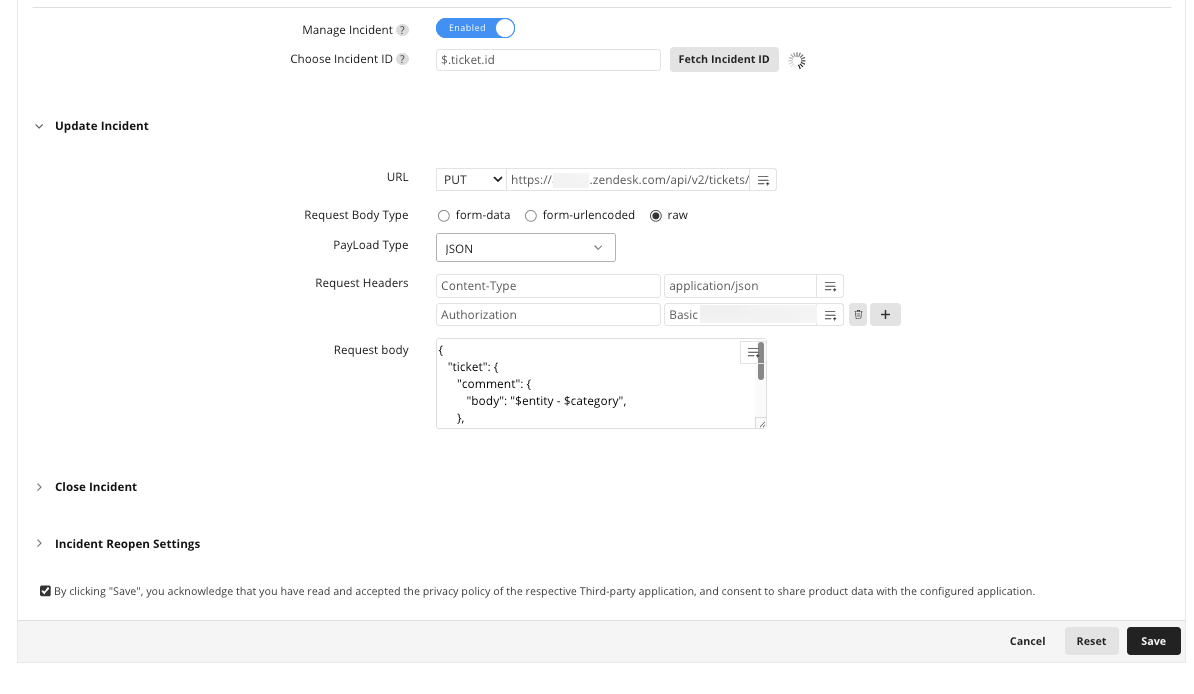
- Fill in the integration details as follows:
- API : https://{subdomain}.zendesk.com/api/v2/tickets/$.ticket.id.jsonwhere, subdomain - Replace this with your Zendesk unique identifier
- Method Type : PUT
- Headers : 'Content-Type' : application/json, 'Authorization' :Basic {Base64 encoded value of "login_email/token:{APIKEY}"}
- Payload Type : JSON
- Data Type : Raw
- Body Content :
{
   "ticket": {
      "comment": {
         "body": "$entity - $category",
      },
      "priority": "Urgent",
      "subject": "$message"
   }
}
- API : https://{subdomain}.zendesk.com/api/v2/tickets/$.ticket.id.json
Close an Incident
- Fill in the integration details as follows:
- API : https://{subdomain}.zendesk.com/api/v2/tickets/$.ticket.id.jsonwhere, subdomain - Replace this with your Zendesk unique identifier
- Method Type : DELETE
- Headers : 'Content-Type' : application/json, 'Authorization' : Basic {Base64 encoded value of "login_email/token:{APIKEY}"}
- API : https://{subdomain}.zendesk.com/api/v2/tickets/$.ticket.id.json
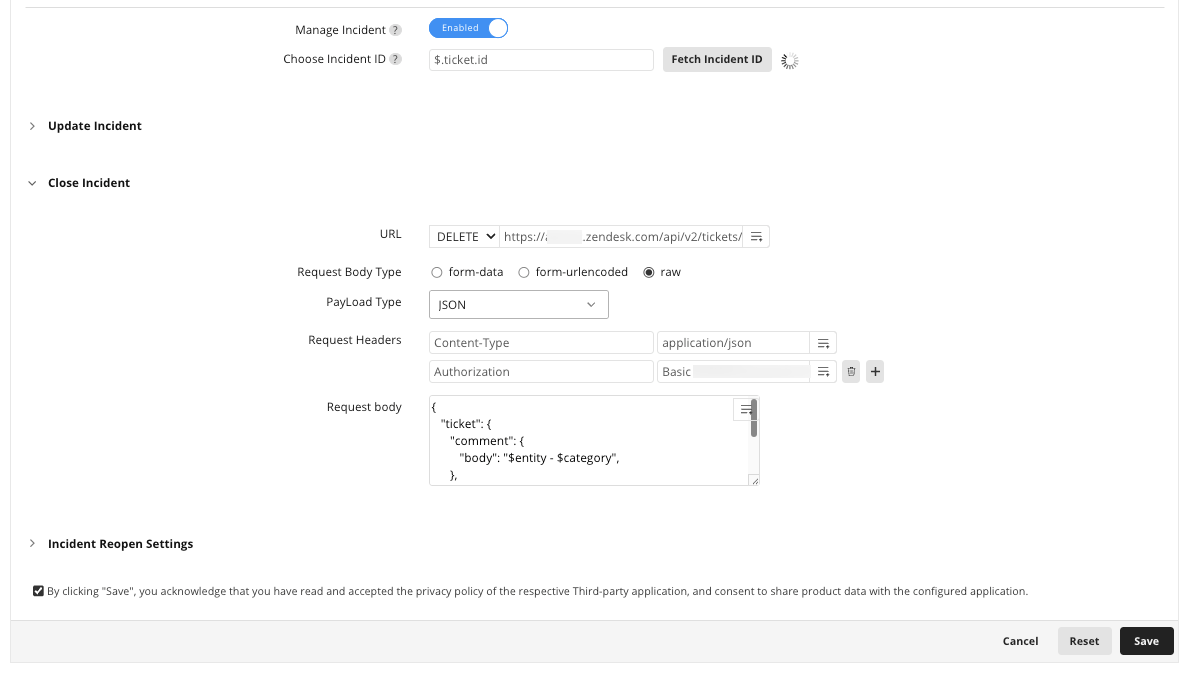
- Click Save to finalize the configuration.
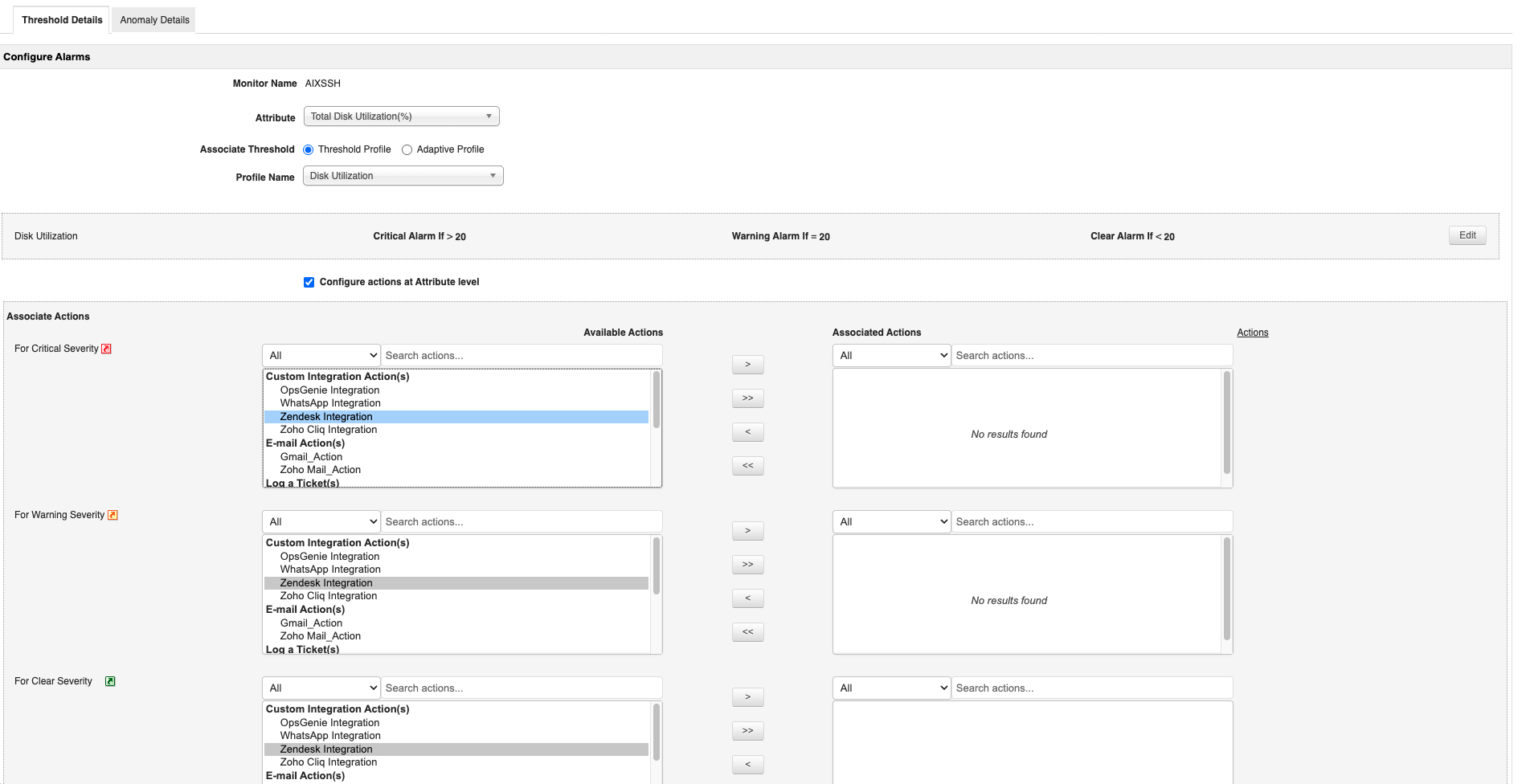
Now that Applications Manager has been integrated with Zendesk, we have to associate actions for the same. Learn how to associate Custom integration actions

Verifying the Integration
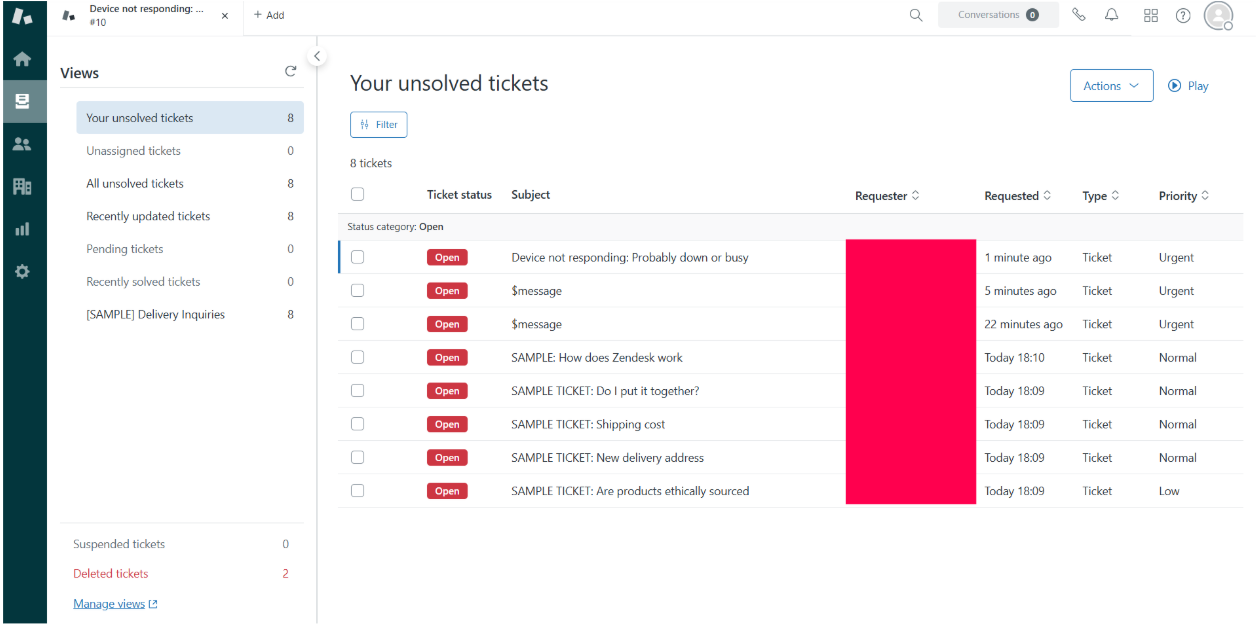
Trigger a test alert from Applications Manager and check your Zendesk dashboard to confirm that a ticket has been created successfully.