Integrate Applications Manager with Zoho Cliq
Applications Manager alerts can now be delivered to Zoho Cliq channels, allowing teams to collaborate on critical incidents. This integration ensures that alerts are shared where your teams communicate most, enhancing coordination and reducing response time. By allowing alert delivery through Cliq, organizations can act instantly, minimize downtime, and maintain high service availability.
Applications Manager can be integrated with Zoho Cliq using the custom integration option.
- Configuring Zoho Cliq
- Configuring Applications Manager
Configuring Zoho Cliq
Create a New Channel
- Login to Zoho Cliq
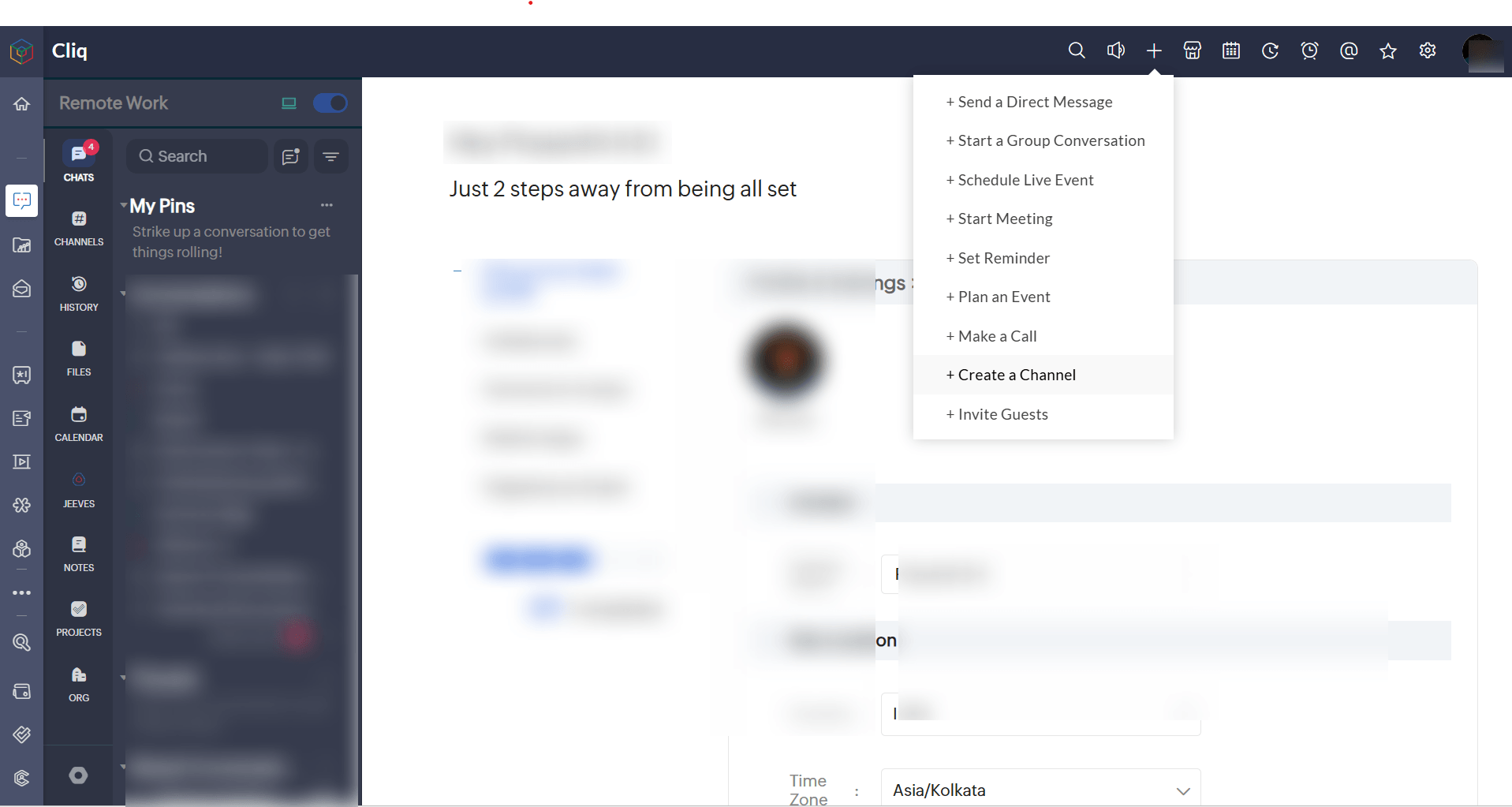
- Click the '+' icon and then click on Create a Channel. (You can also use Channels that you have created already)
- Enter Channel details and save it.
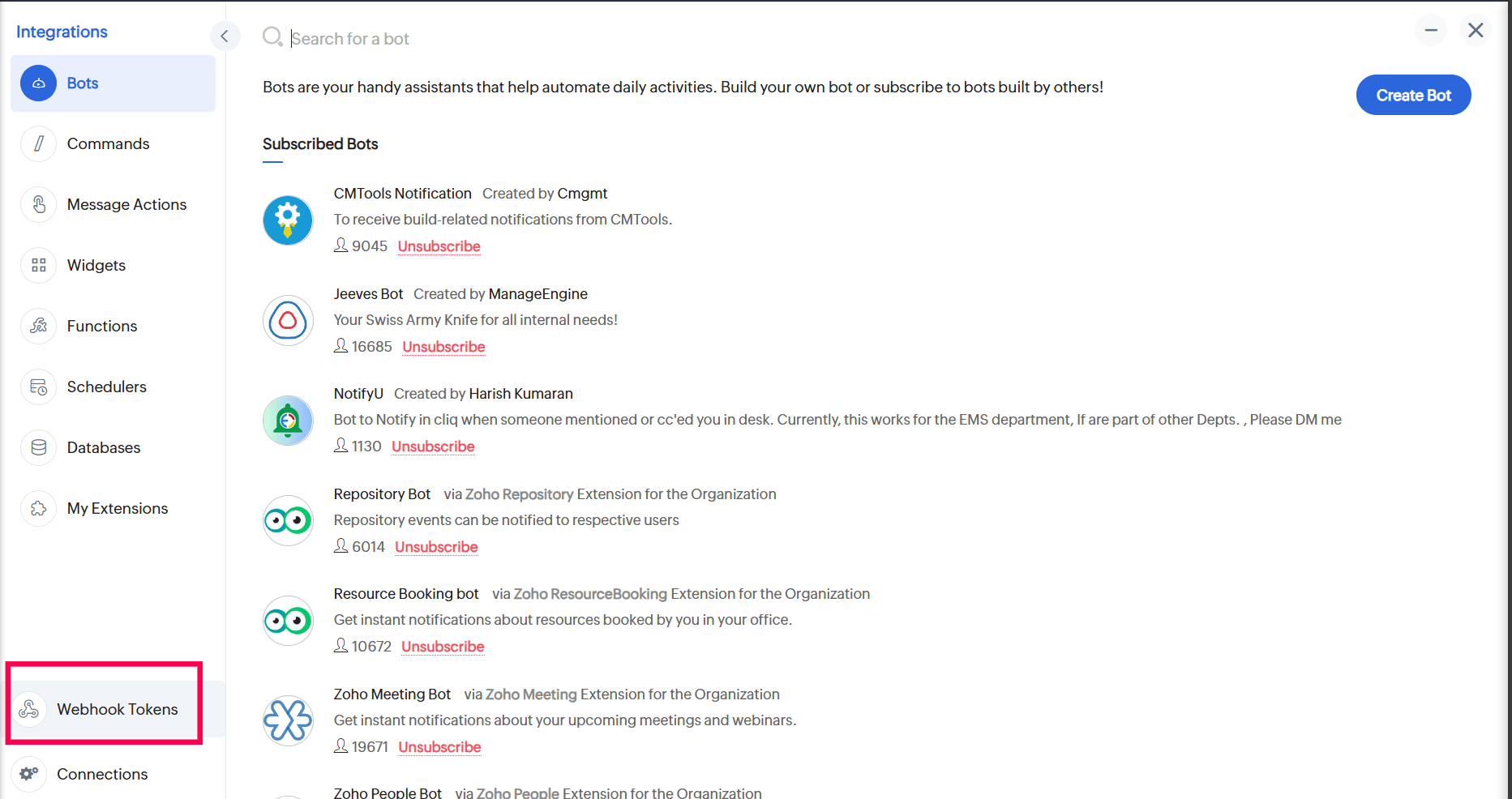
Generate Webhook token
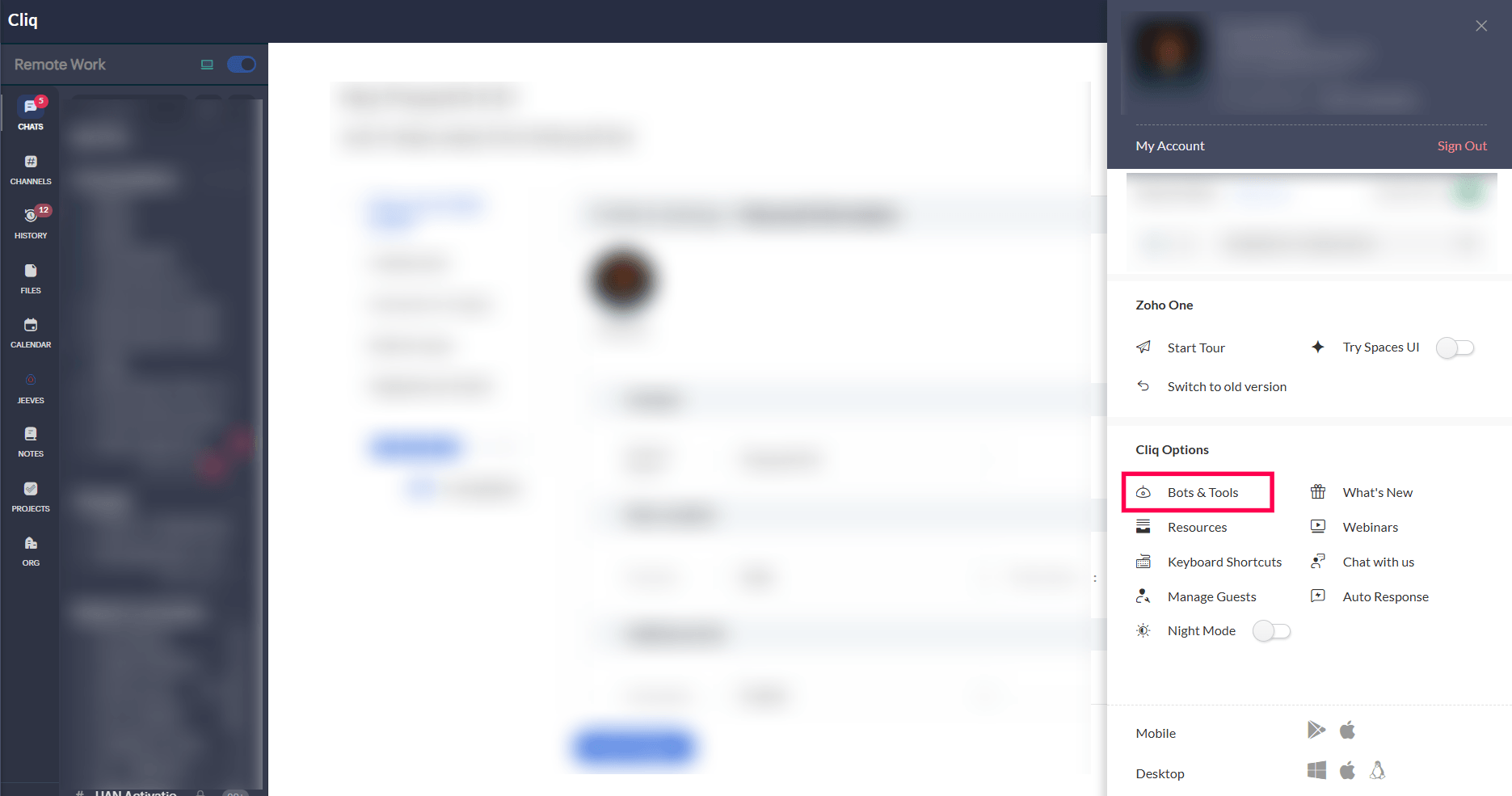
- Click on the Profile icon on the top right
- Select Bots and Tools
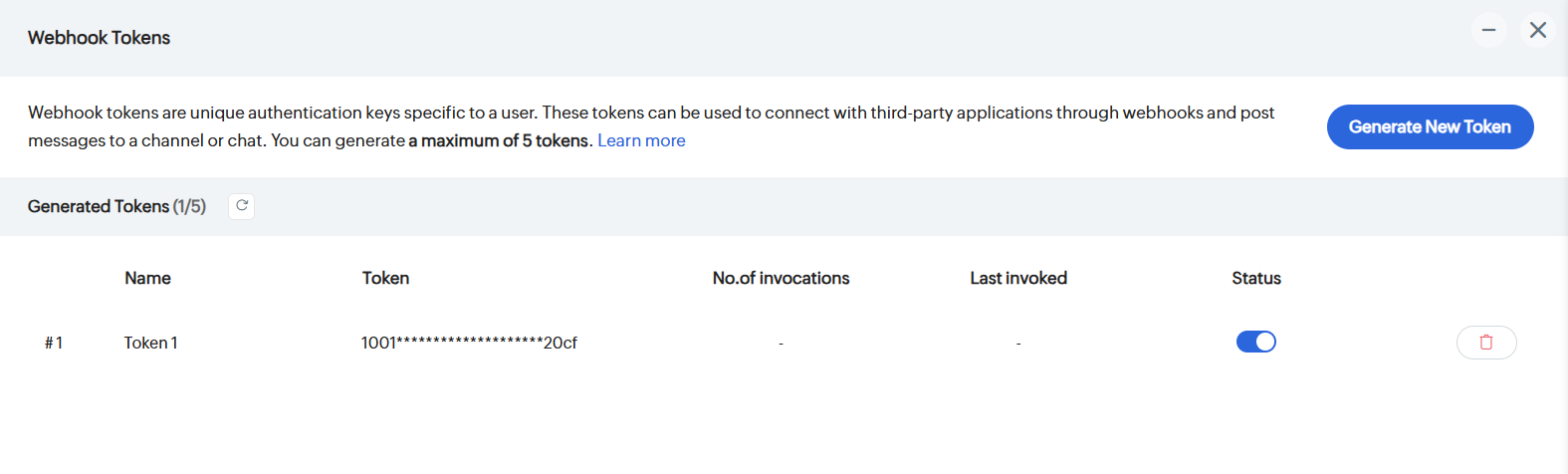
- Click on Webhook Tokens
- Click on Generate New Token and select one (e.g., Token1)
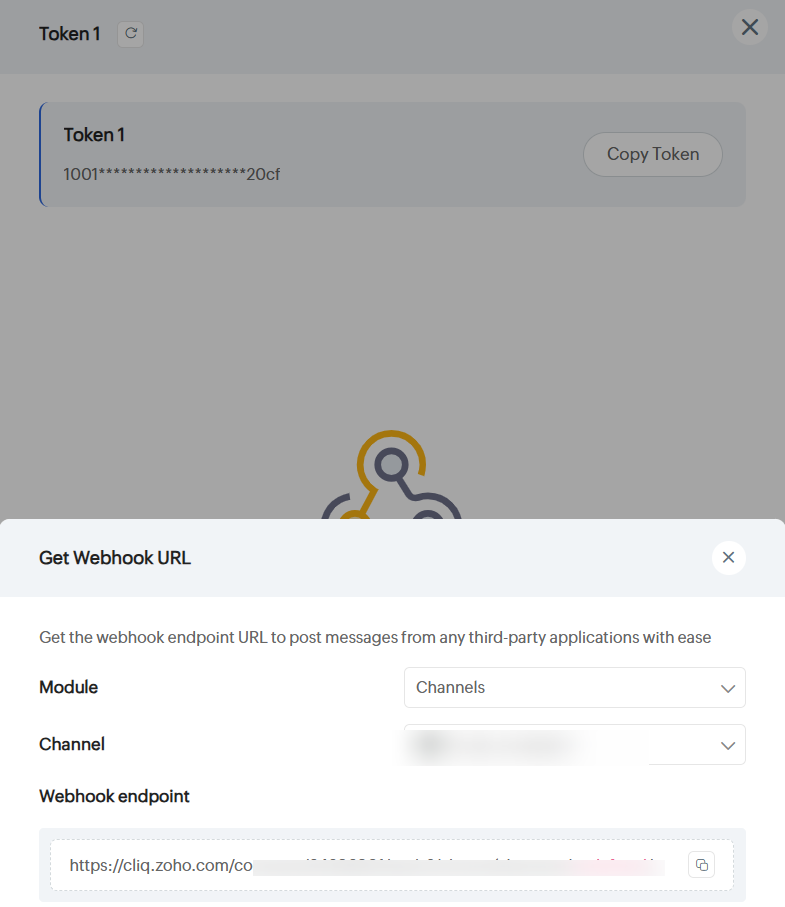
Obtain the Webhook URL
- Click Get Webhook URL
- Choose the Channel that you had created earlier/an existing Channel to receive alerts
- Copy the generated Webhook Endpoint
Configuring Applications Manager
- Go to Settings → Product Settings → Integrations (Add-on Settings) → New Custom Integration
- Fill in the following:
- Integration Type: Chat
- Method Type: POST
- URL: (Paste the copied Webhook Endpoint URL)
- Data Type: Raw
- Payload Type: JSON
- Timeout: 25
- Body Content:
{
"text": "Applications Manager Alert- $message"
}
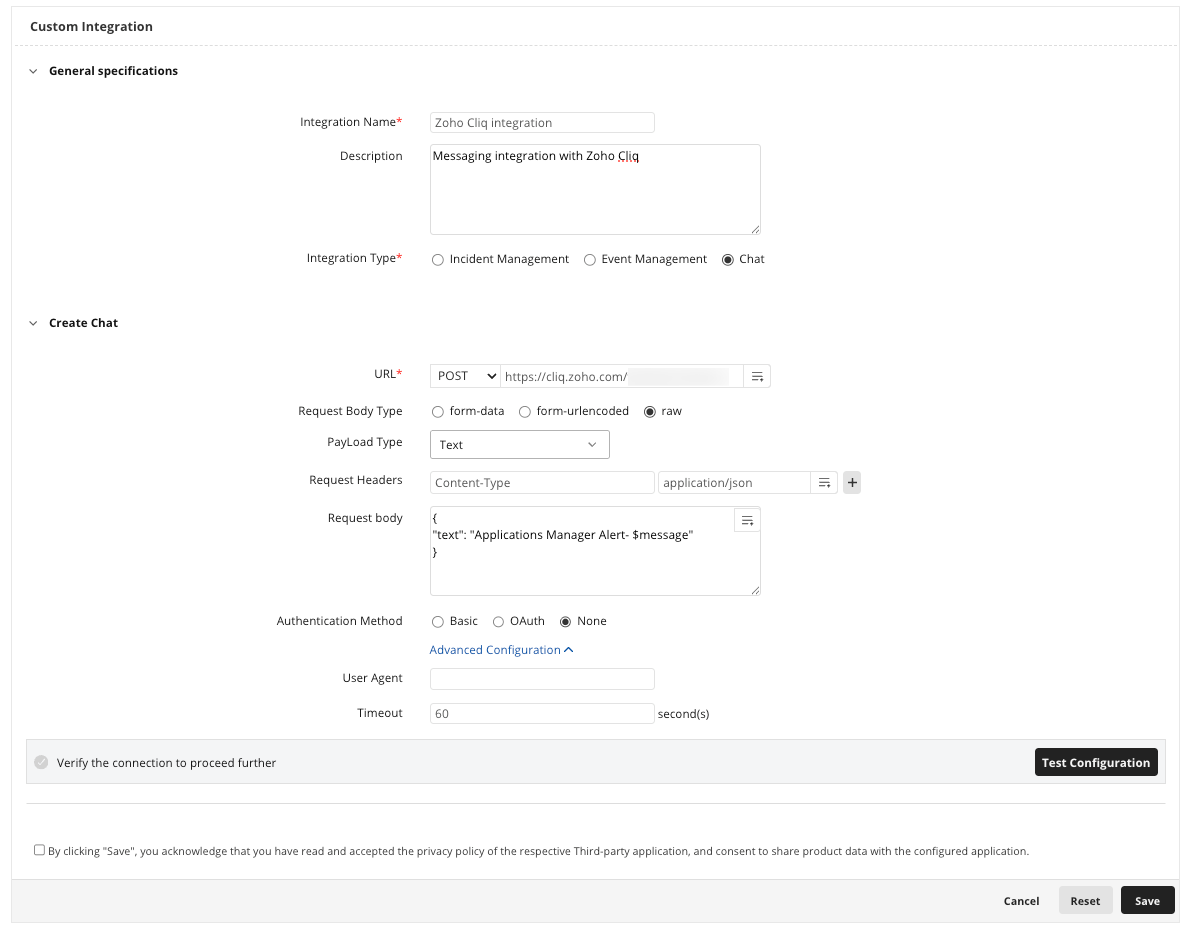
- Click Save.
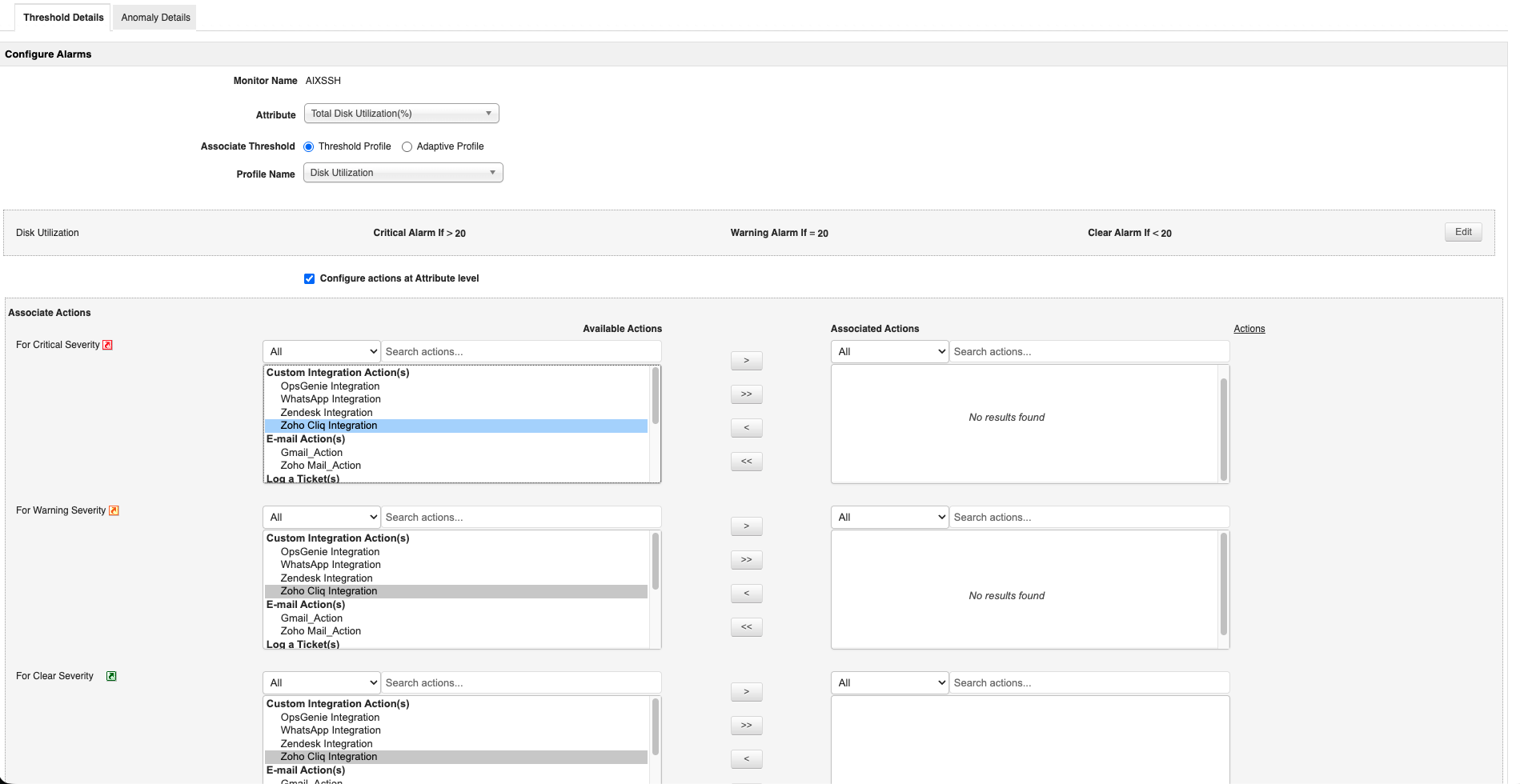
Now that Applications Manager has been integrated with Zoho Cliq, we have to associate actions for the same. Learn how to associate Custom integration actions

Verifying the Integration
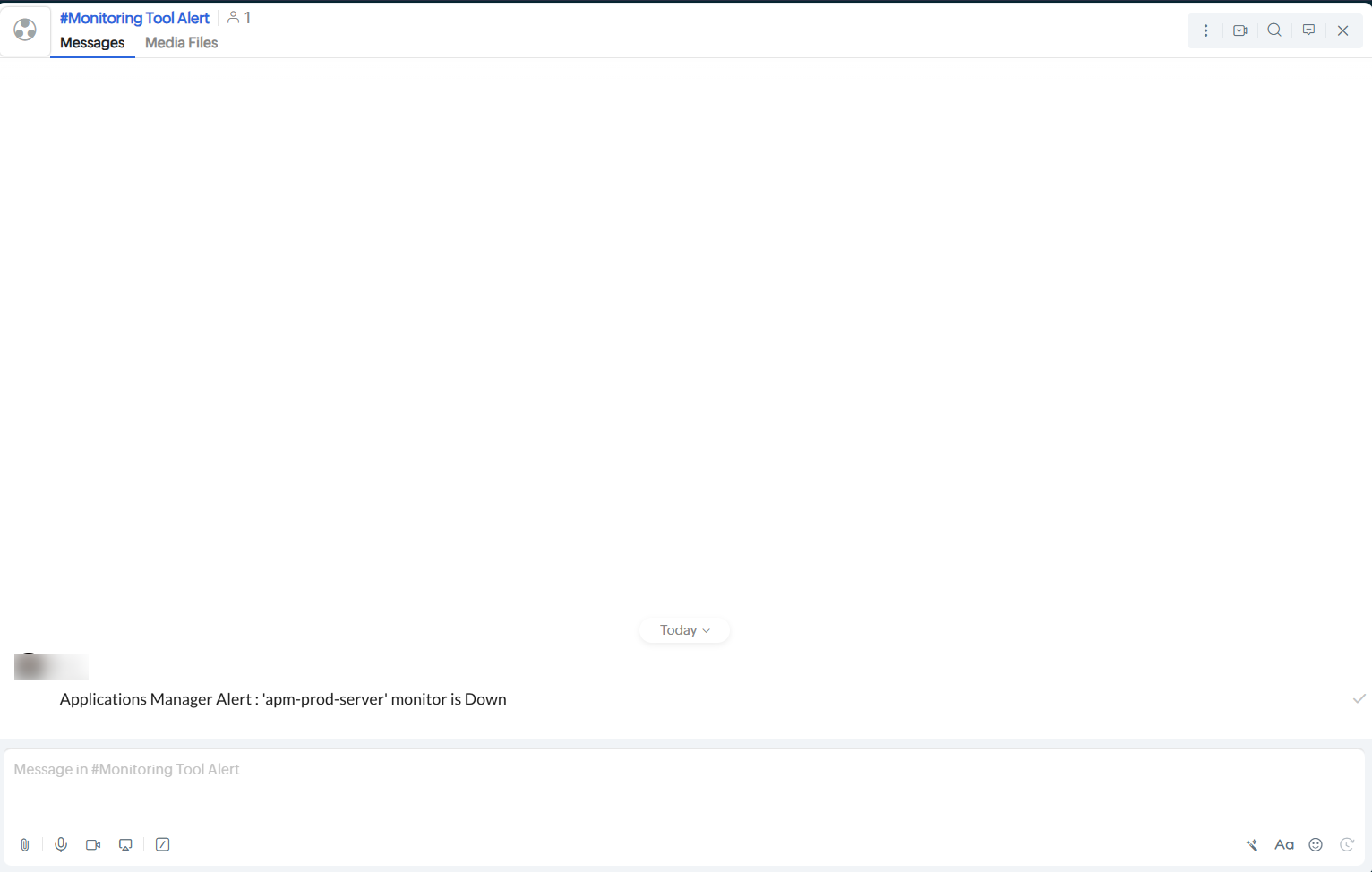
Trigger a real-time alert in Applications Manager, then log in to your Cliq interface to verify that the triggered alert has been posted in your Cliq channel.