Ollama Integration
Ollama is an open-source tool that lets you run AI models on your own infrastructure. With Ollama, you can generate AI-assisted summaries and insights in Applications Manager using models running on your own servers, instead of sending Generative AI (GenAI) requests to a third-party cloud provider.
- Prerequisites
- How to configure Ollama in Applications Manager
- Configuration fields
- Pulling models in Ollama
- Useful links
Prerequisites
- Install and run Ollama on a server that is reachable from the Applications Manager server.
- Pull the models you want to use before configuring the integration.
- Ensure that the Ollama base URL is reachable from Applications Manager. The default local URL is usually
http://192.168.12.5:11434. - Choose models that match the CPU, memory, and GPU capacity of the Ollama host.
How to configure Ollama in Applications Manager
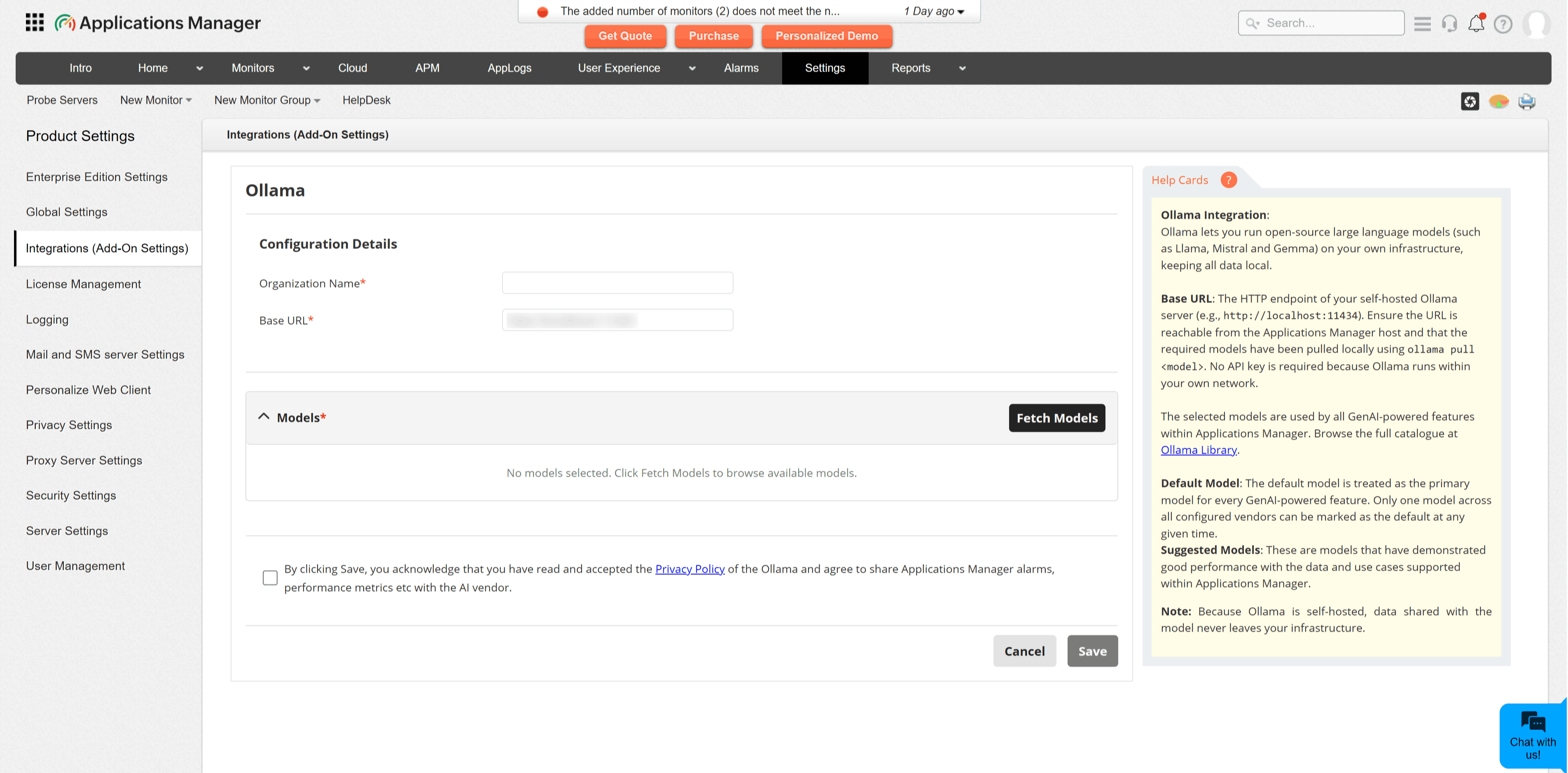
- Go to Settings → Product Settings → Integrations (Add-On Settings).
- Under the AIOps category, select Ollama. This opens the Ollama integration configuration page.
- Enter the Organization Name. This is a display name used to identify the integration in Applications Manager.
- Enter the Base URL of the Ollama server. Example:
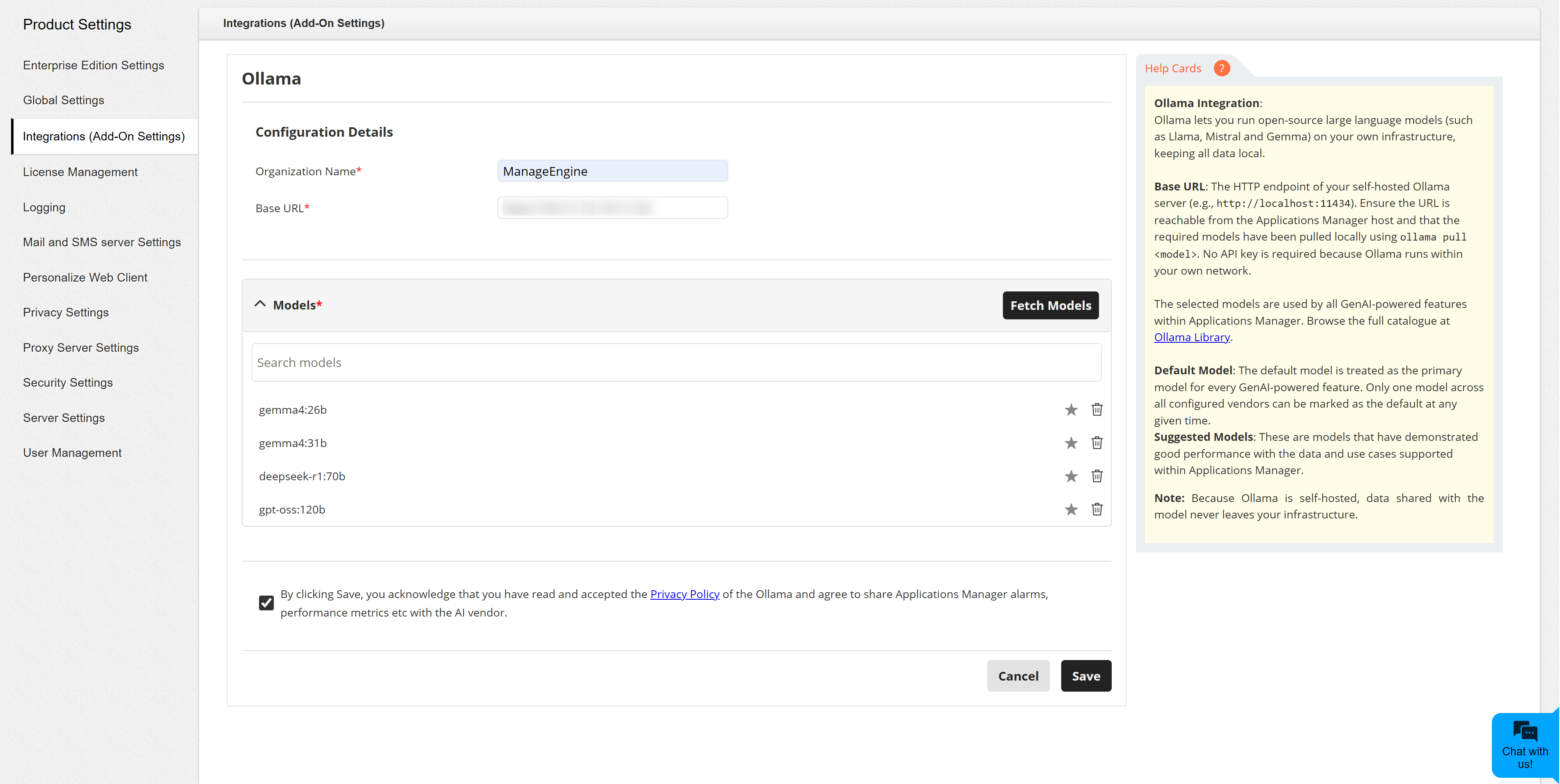
http://192.168.12.5:11434. Refer to Ollama API documentation for the default local API endpoint. - Click Fetch Models to retrieve the models available on the configured Ollama server. You can refer to the Ollama model library before selecting models.
- Select the locally available models you want to make available for GenAI-powered features.
- Click Add Models to add the selected models to the integration.
- Click the star (⭐) icon to set a model as the default, if required. Only one model across all configured GenAI providers should be treated as the default.
- Review and accept the privacy consent statement, then click Save.
Configuration fields
| Field | Description |
|---|---|
| Organization Name | A friendly name for identifying this Ollama integration in Applications Manager. |
| Base URL | The HTTP or HTTPS endpoint of the Ollama server. Example: http://192.168.12.5:11434. |
| Models | The models available on the configured Ollama server. Applications Manager lists models that have already been pulled into Ollama. |
| Default Model | The primary model used when a GenAI-powered feature does not require a specific model selection. |
Note:
- Ollama does not require an API key in Applications Manager.
- The Base URL should not contain a trailing slash (/) or trailing spaces. For example, use
http://192.168.12.5:11434instead ofhttp://192.168.12.5:11434/. - For locally hosted models, GenAI requests are processed by the Ollama server configured in the Base URL field.
- If you expose Ollama over the network, secure the endpoint according to your organization's network and access-control policies.
- If Fetch Models fails, verify that Ollama is running, the base URL is reachable from the Applications Manager server, and at least one model has been pulled locally.
Pulling models in Ollama
Before selecting a model in Applications Manager, pull it on the Ollama server. For example:
ollama pull llama3.1:8bAfter pulling the model, return to Applications Manager and click Fetch Models to refresh the model list.