May 13, 2026
Removal of Site Column from Contract and Purchase List View
The Sites field is now removed from the column chooser and is no longer displayed in the list view of Purchases and Contracts modules. You can filter purchases and contracts by site using the advanced filter option.
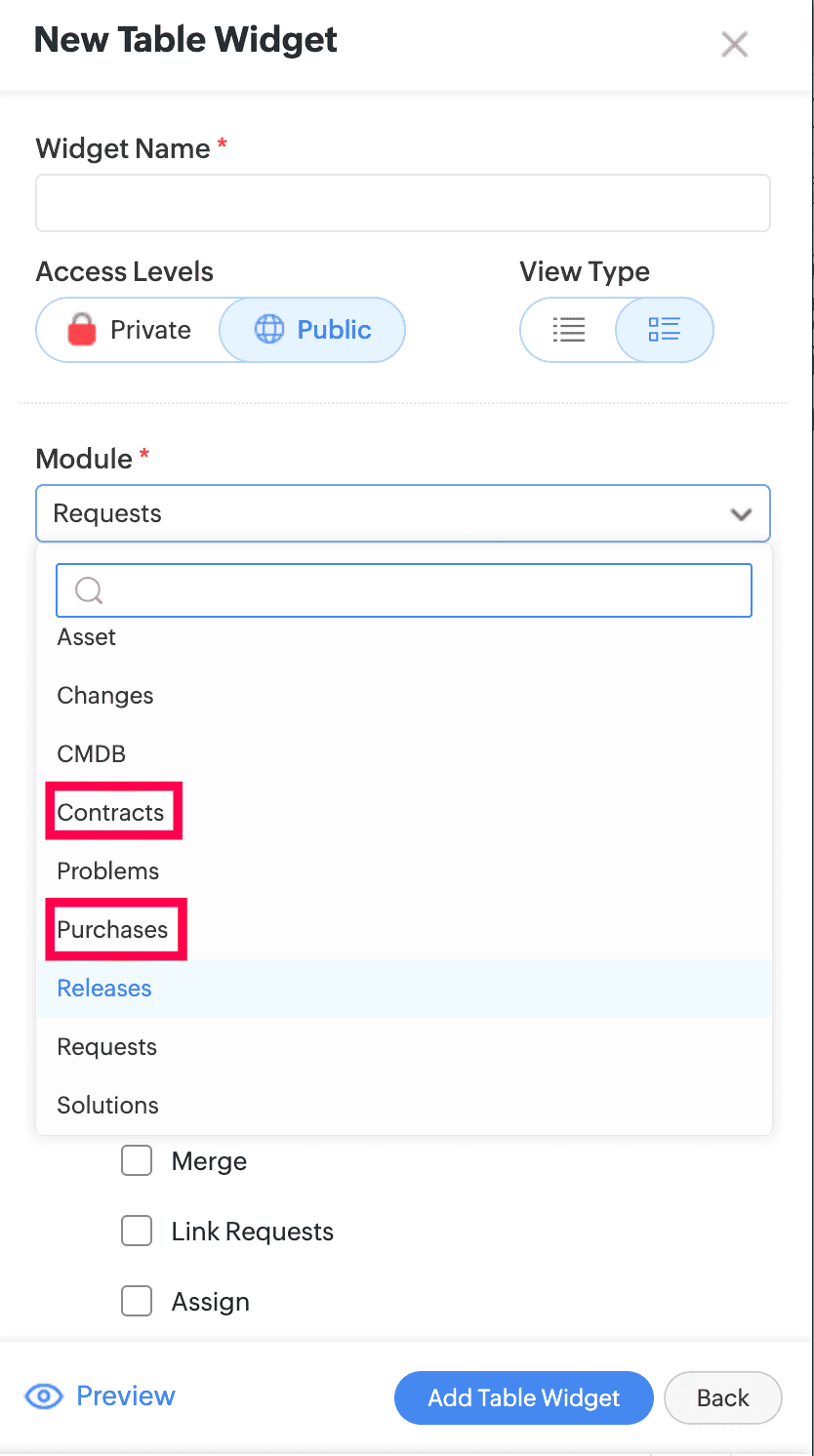
Graph/Table Widgets Enabled for Purchases and Contracts
- Graph and Table widgets are now enabled for Purchases and Contracts dashboards.
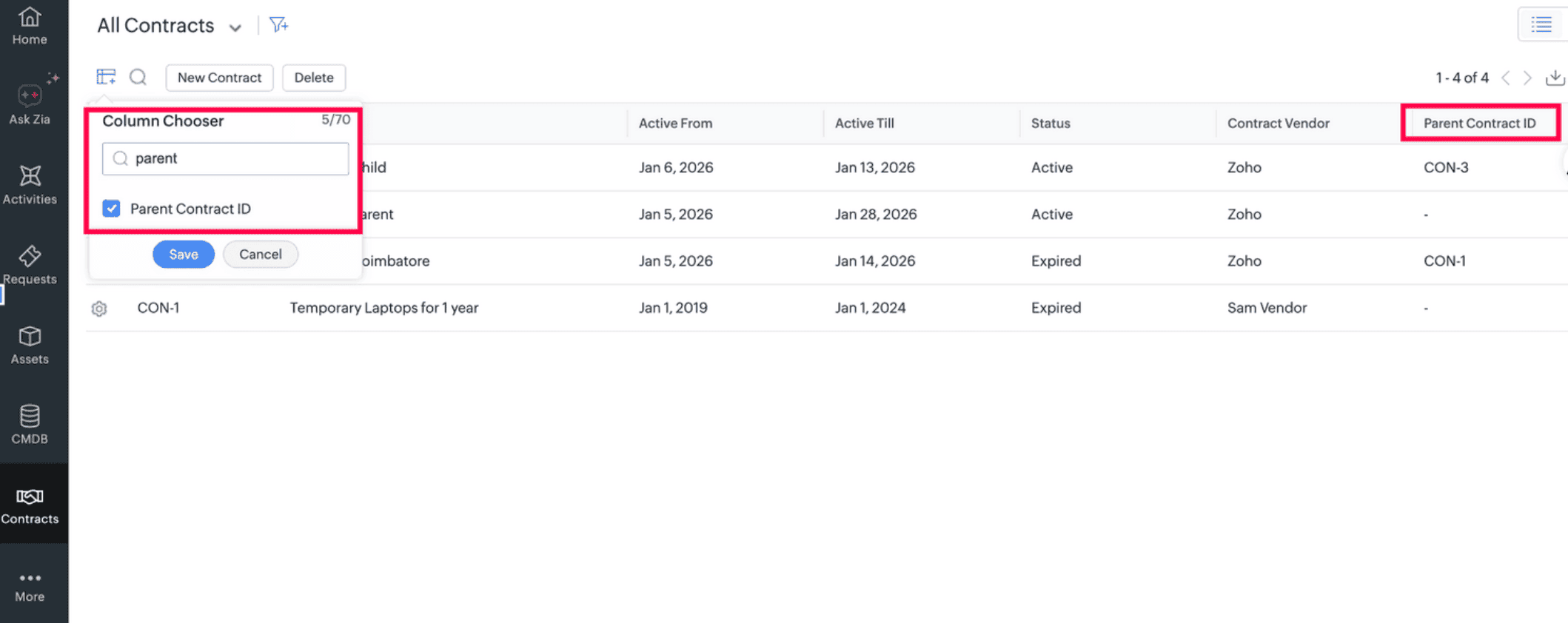
Parent Contract ID Column Added to Contract List View
- The Parent Contract ID field is now available in the column chooser of the contract list view to help identify child contracts associated with a parent contract.
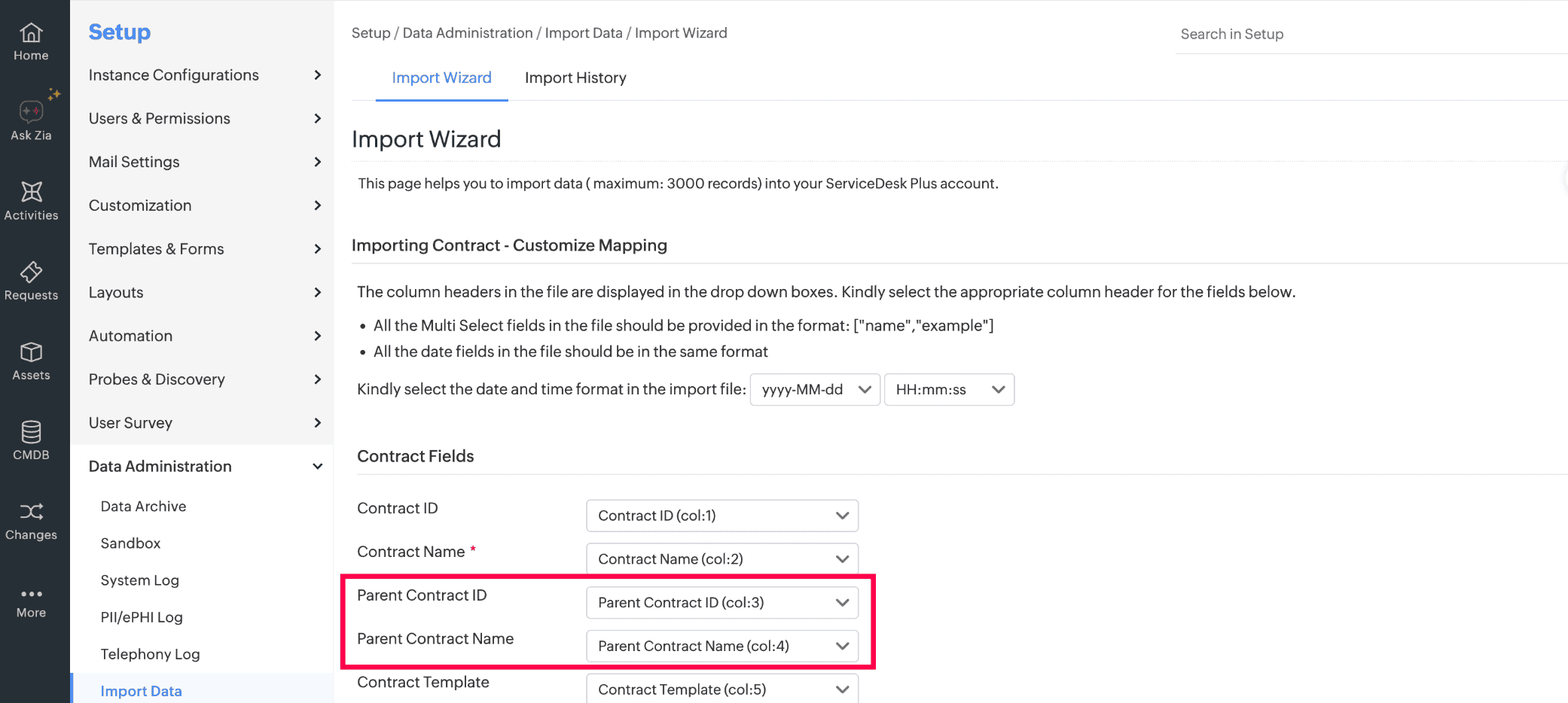
Parent Contract Support in Import and Export
- Parent Contract ID and Parent Contract Name can now be used to associate a parent contract during contract import and are now available in the contract export.
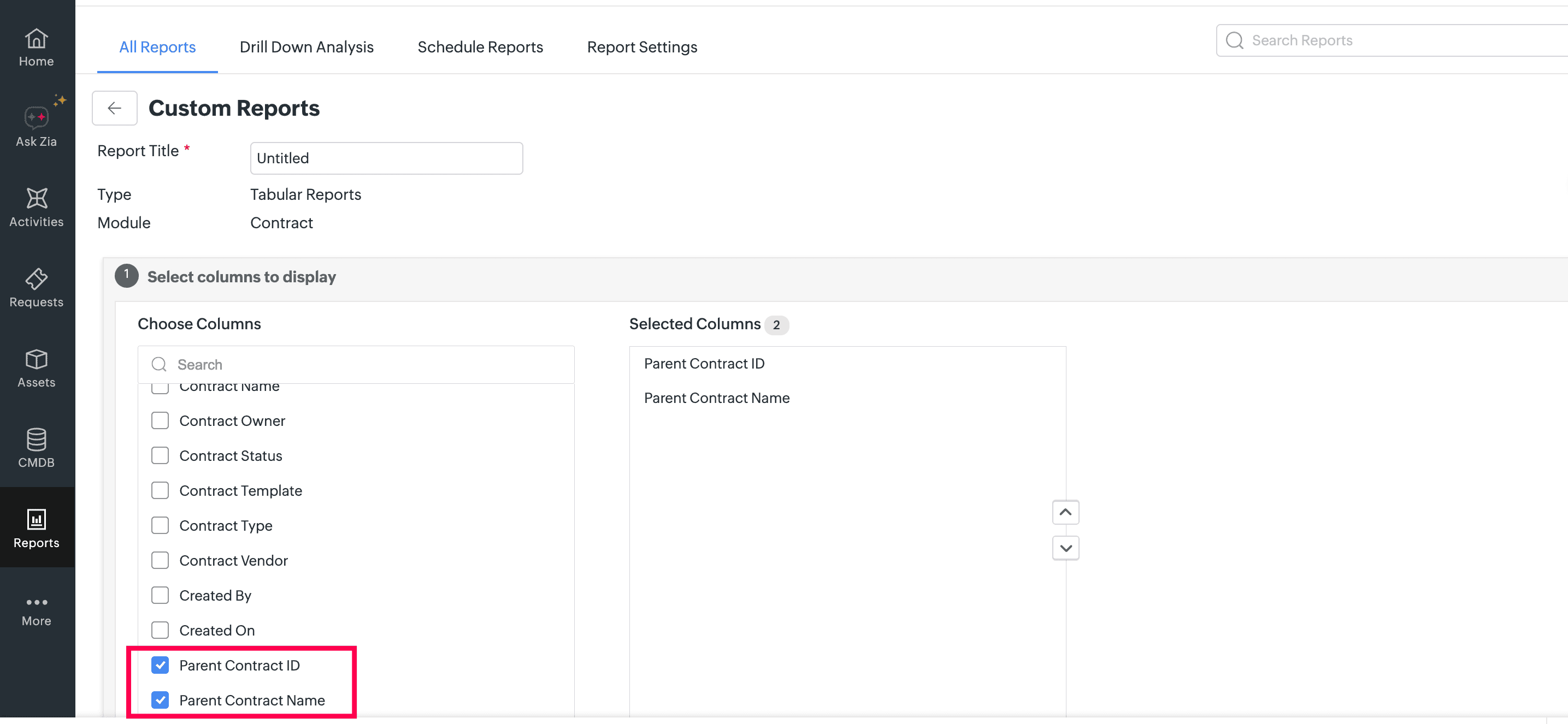
Parent Contract Fields Added to Tabular Reports
- Parent Contract ID and Parent Contract Name fields are now added to tabular reports.
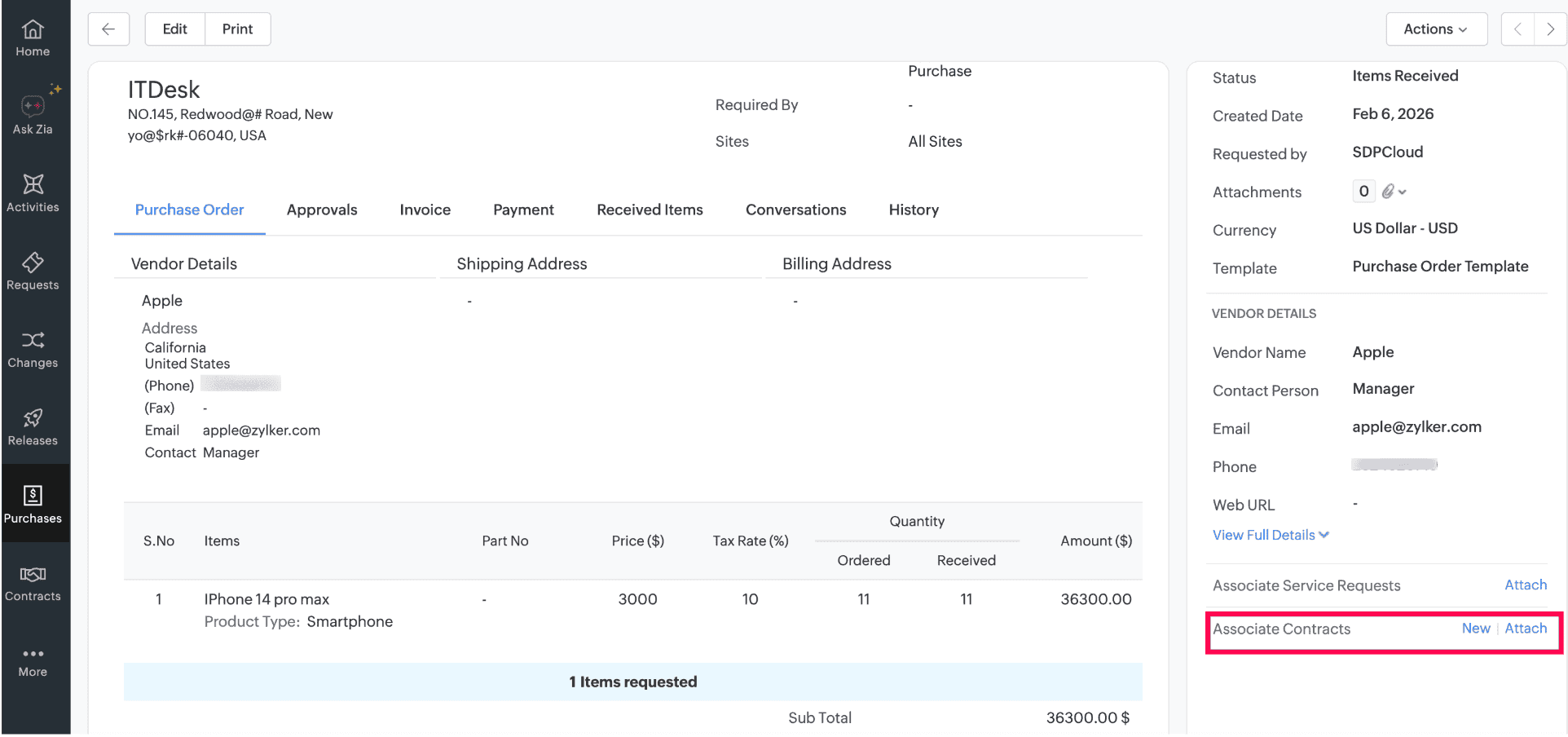
Purchase Order to Contract Association
- From the purchase details page, users can now associate an existing or new contract with the purchase order.
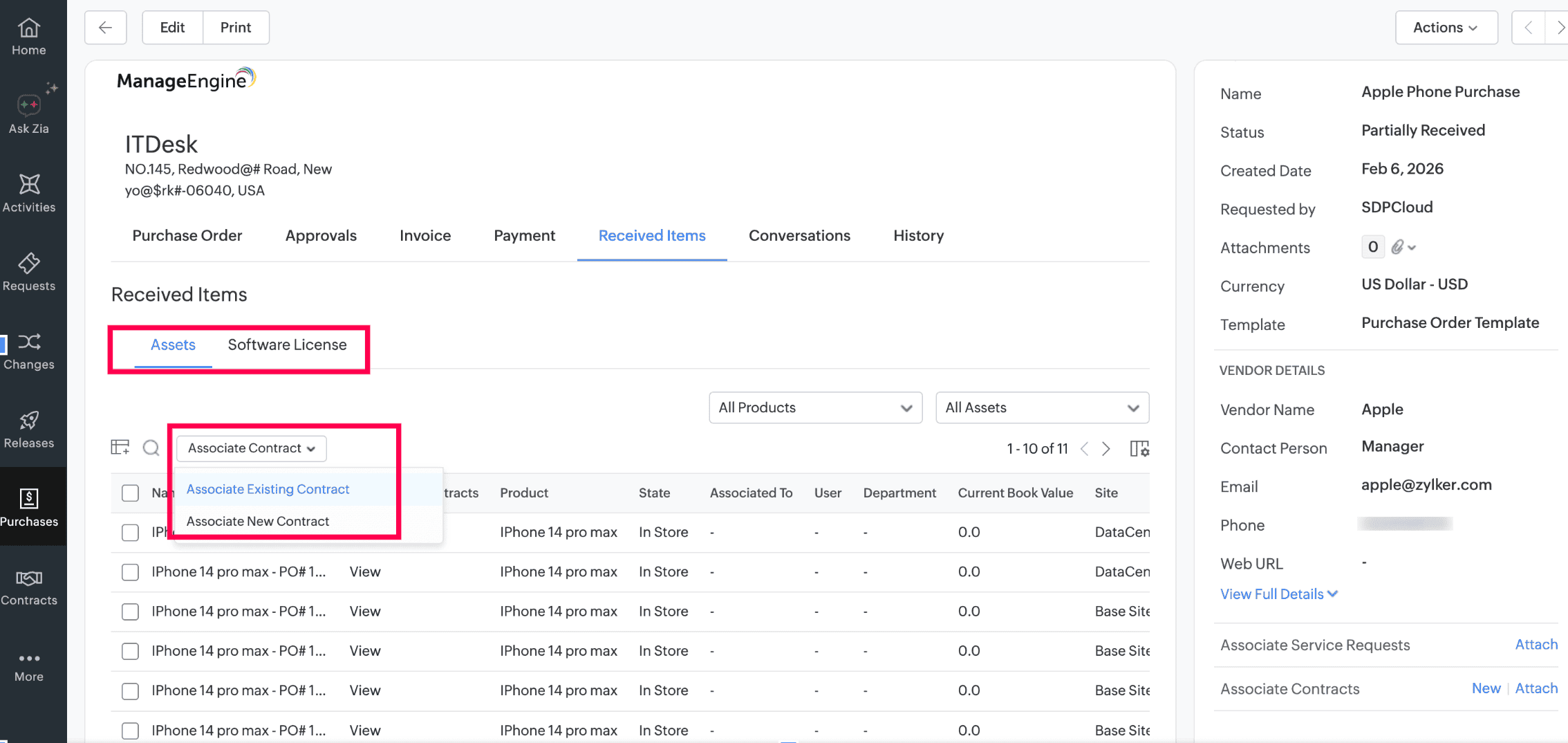
Asset and License Association with Contracts
- From the purchase order Received Items tab, users can now associate received assets and software licenses with contracts.
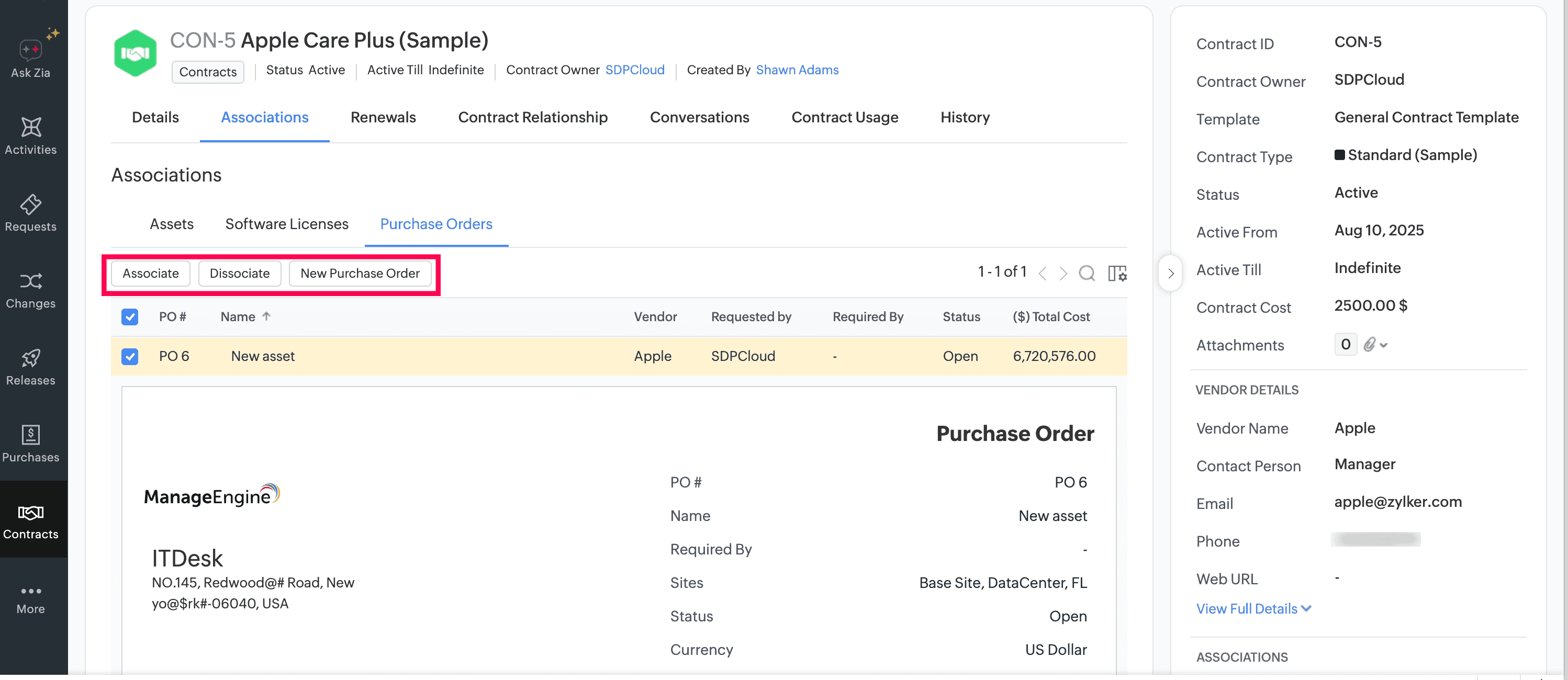
Contract to Purchase Order Association
- From the contract details page, users can now create or associate purchase orders with any vendor through the Purchase Orders tab under Associations.
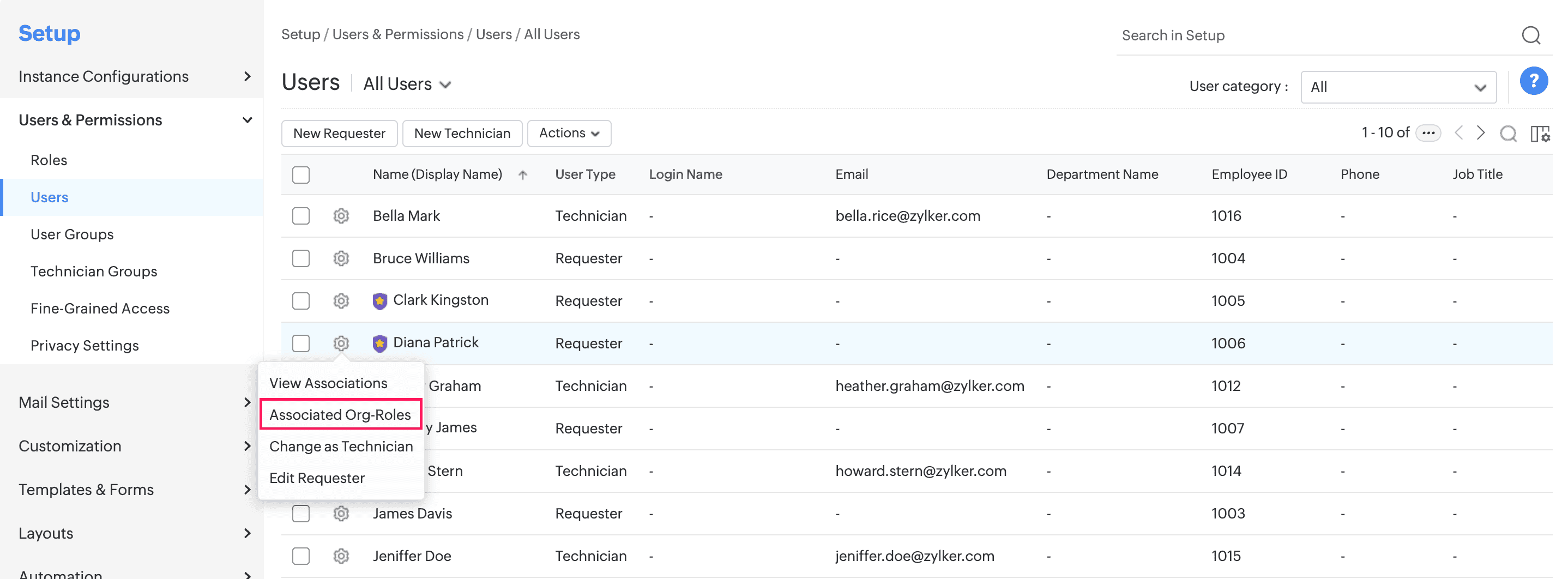
Associated Organization Roles
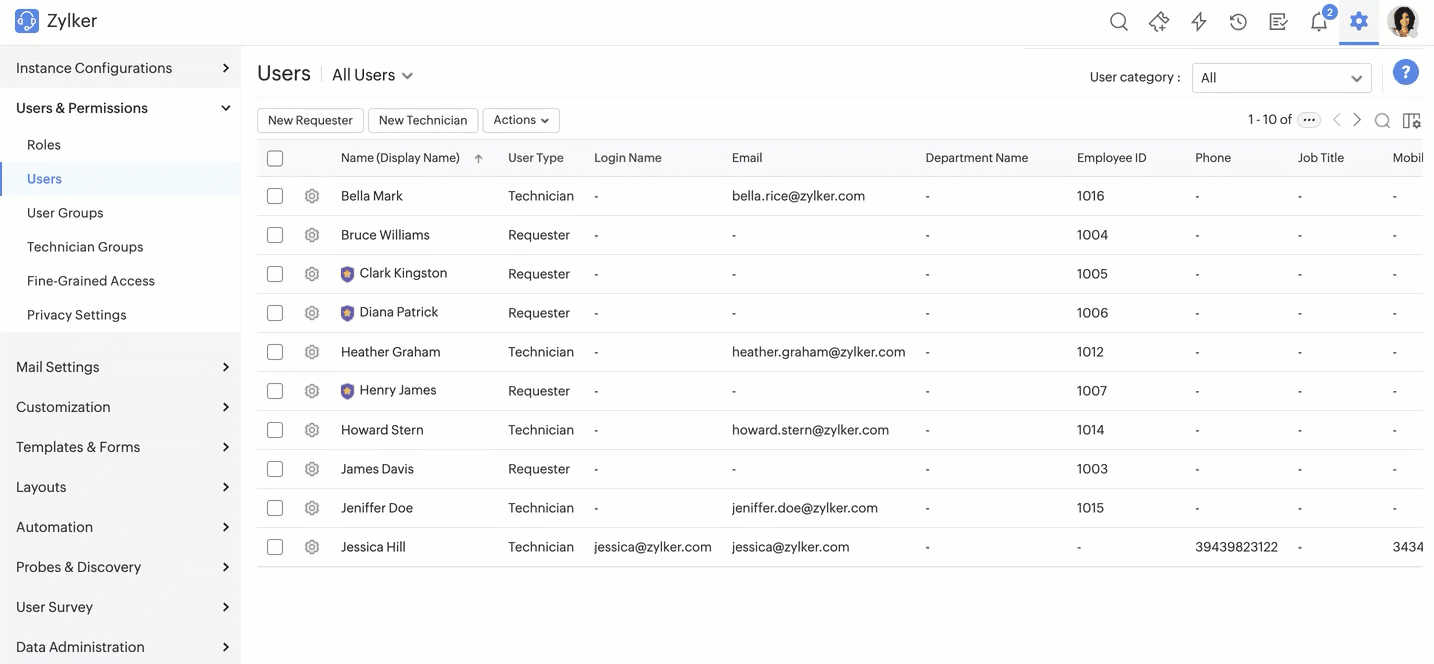
- SDAdmins can now assign and manage organization roles for users from the Users list view.
- To do this, go to Setup > Users & Permissions > Users. Click
 >Associated Org-Roles.
 - To assign roles to users, click Associate Role.
- To add/remove role-based entities or delete roles, hover over the role and click

- The Organization Roles UI is enhanced for better usability.
April 22, 2026
Enhancements
Assets
- You can now add up to 100 assets through sequential barcode generation and vendor barcode scanning.
CMDB
- CMDB criteria now supports operators, such as is empty, is not empty, between, and not between, for date/time fields.
Behavior Changes
Assets
- In asset acknowledgment, the maximum allowed date/time for Received On is now set to server's current time, instead of browser time. This prevents users from selecting a future date, and avoids time mismatch errors.
Issues Fixed
Assets
- In computers' print preview, the Monitors section fails to load.
CMDB
- Japanese characters are distorted in the CMDB relationship deletion pop-up.
April 02, 2026
Issue Fixed
- Incorrect physical and virtual memory values are updated after an asset scan.
March 23, 2026
Issues Fixed
Assets
- In the asset audit details page, the total count of in-scope, pending, audited, and missing assets are not displayed.
- Asset acknowledgment reminder notifications are not sent for all pending assets.
March 18, 2026
Asset Enhancements
- Printing asset allocation details now includes fields you select from Column Chooser under Table Settings in the details pop-up. Note that only asset fields can be customized.
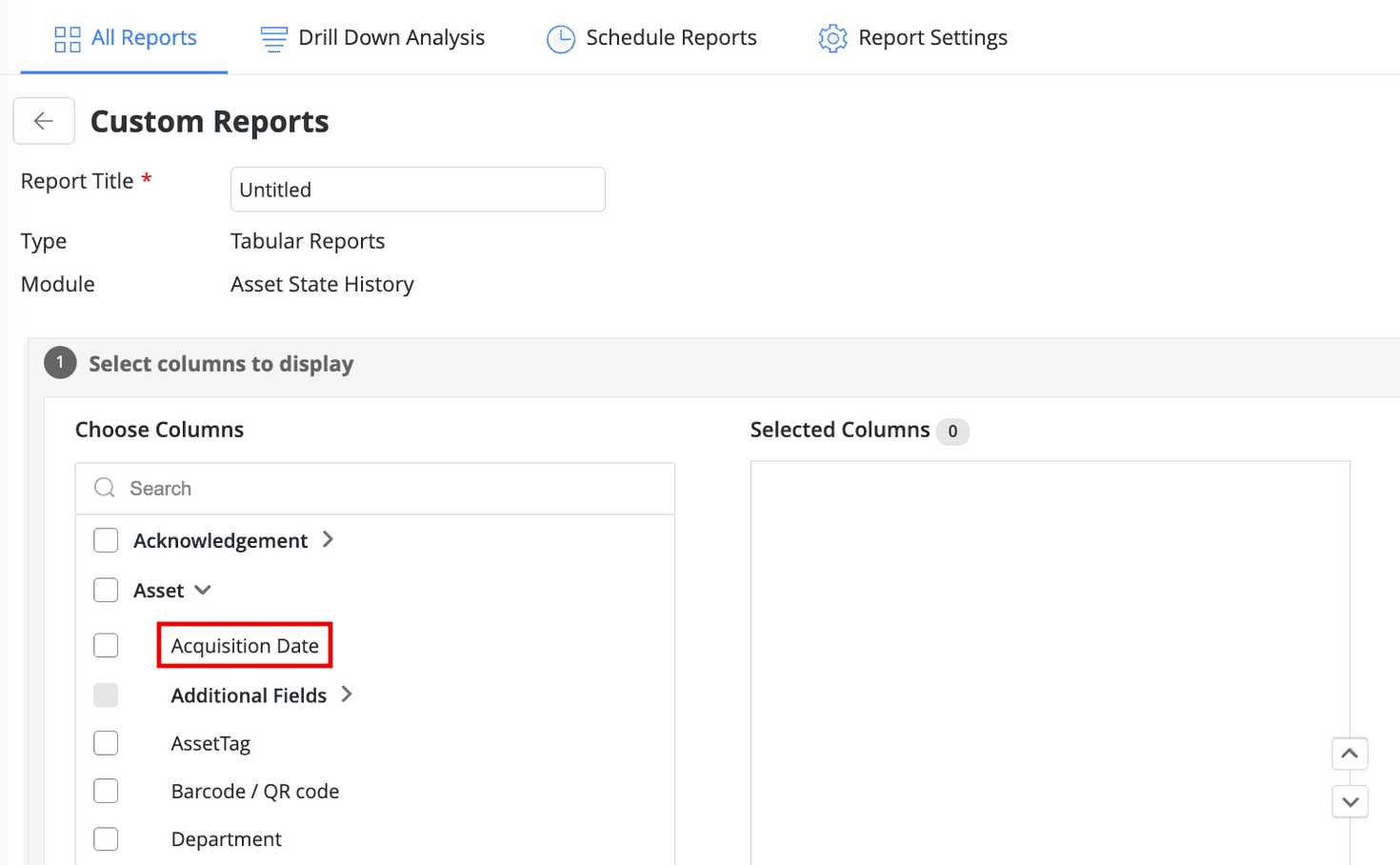
- You can now generate asset state history reports based on Acquisition Date.
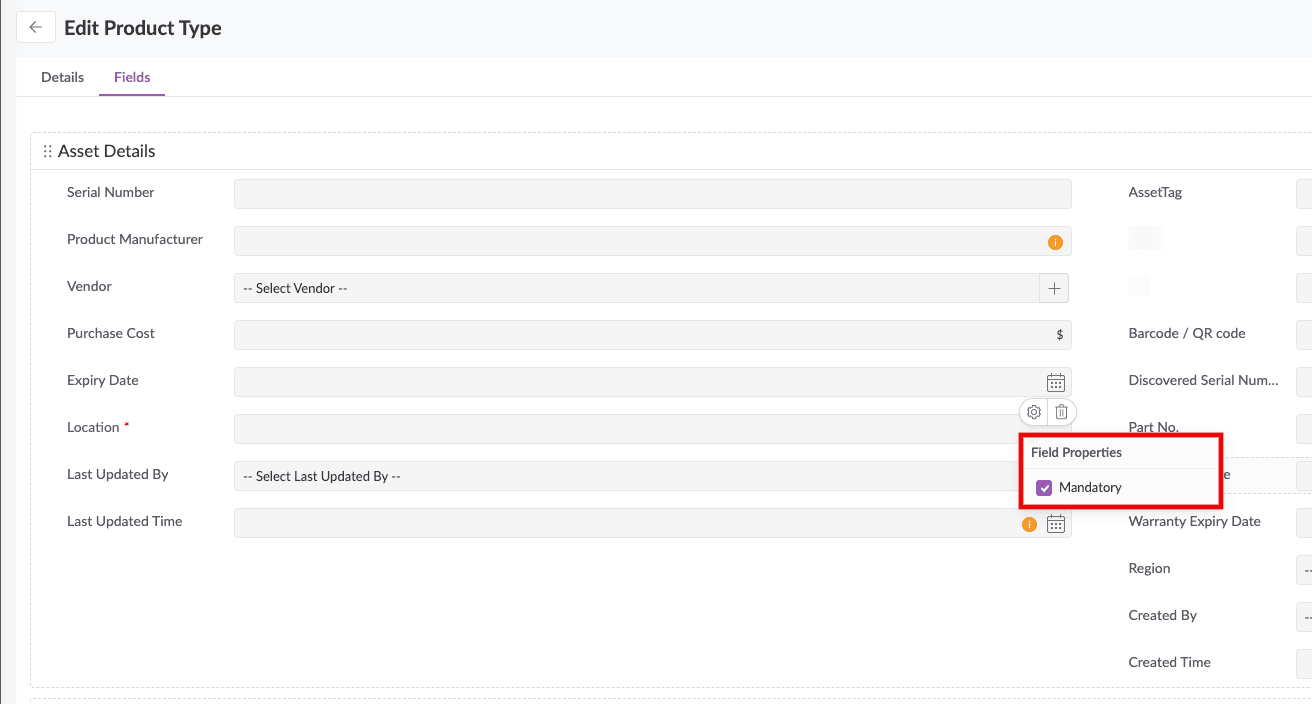
- Administrators can now mandate asset fields in product type templates.
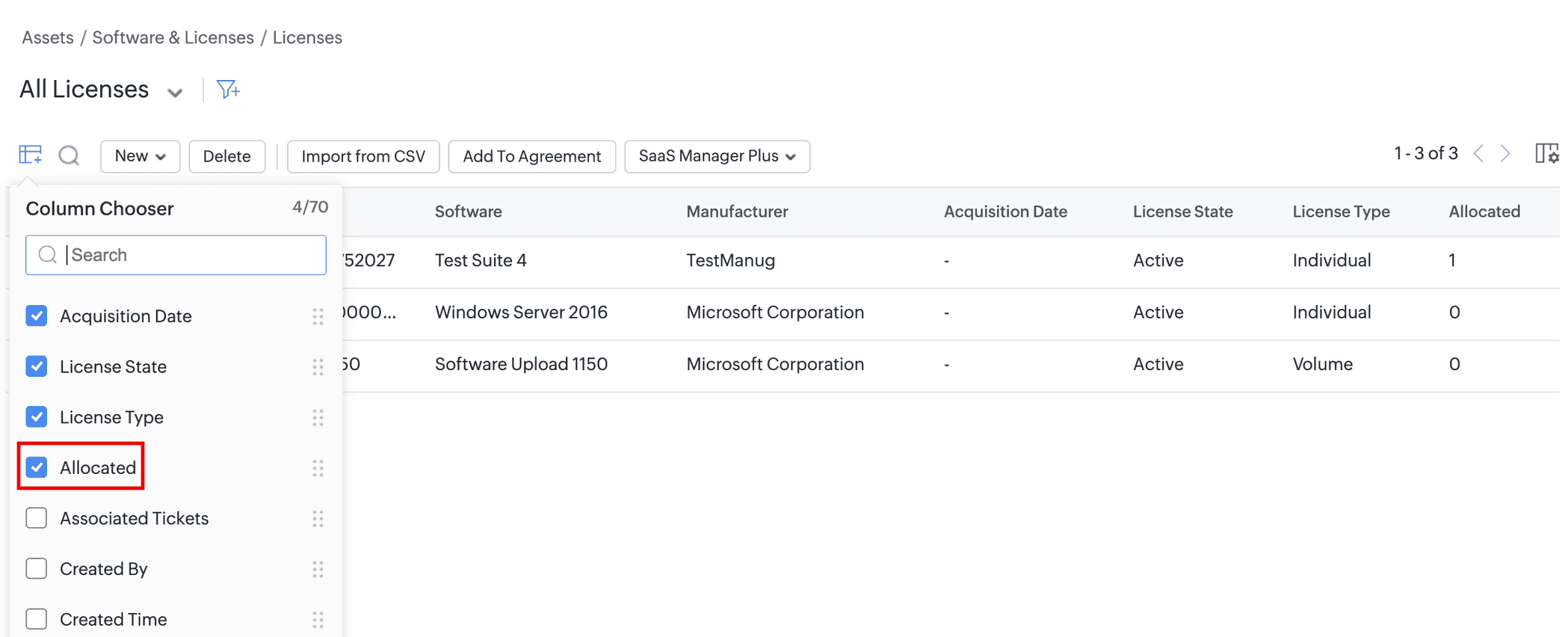
- View allocation details from the software licenses list view by adding the Allocated column via Column Chooser.
CMDB Enhancements
- CMDB multi-lookup field criteria now supports the is empty operator.
- You can now configure CMDB criteria for CIs added via OpManager, Applications Manager, and Site24x7 integrations by using the Integration Mapping entity. This entity includes the following subfields to help search for CIs and define criteria:
- Integration: Search for CIs from specific integrations.
- Source ID: Search for CIs based on their IDs in the integrated application.
- Integrated Instance: Search for CIs from specific instances of the integrated application.
- You can use these fields to set criteria in the CMDB list view, report, trigger, fine-grained access, additional field, custom menu, and custom widget.
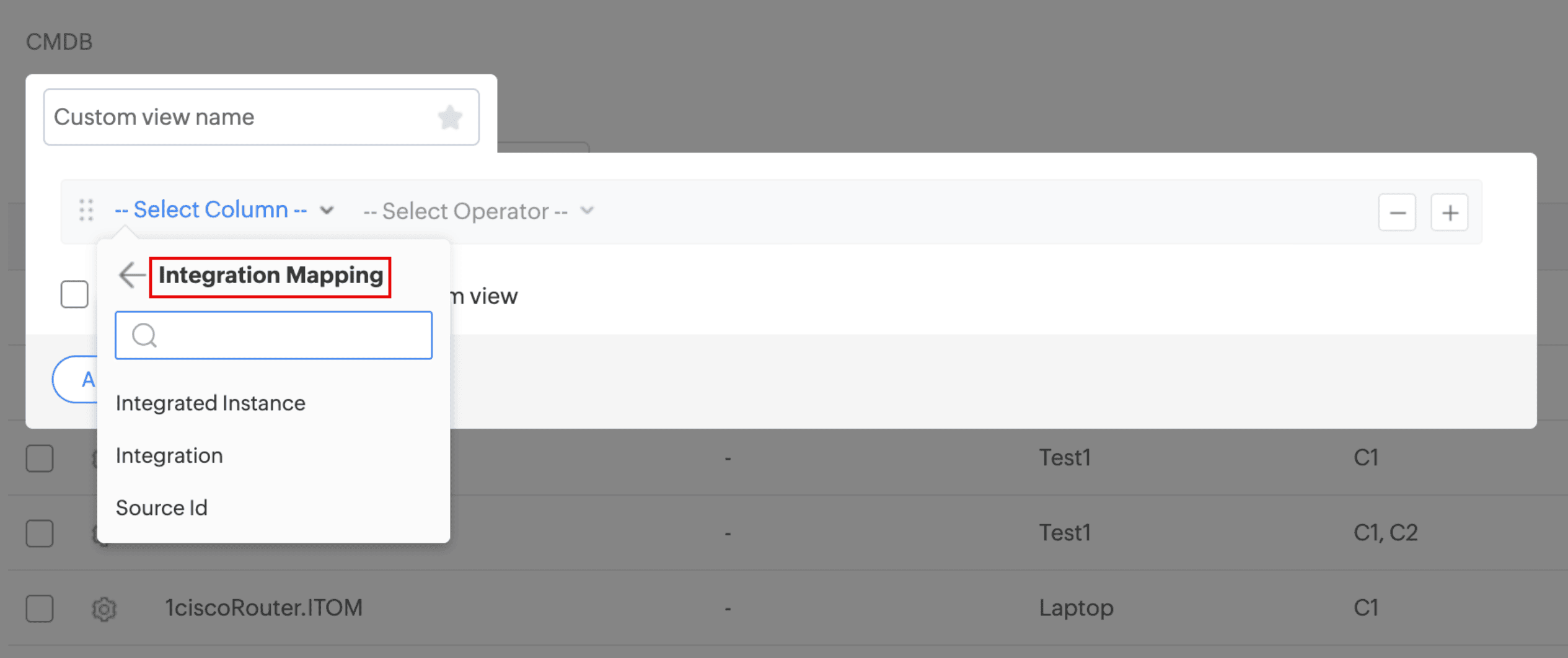
An illustration of Integration Mapping in custom list view criteria
Issue Fixed
Sandbox
- Unable to import users into the Sandbox instance.
Setup
- Unable to export system log if the time filter is modified.
Users & Permissions
- Zoho Directory user sync fails when the users have the Own Department Requests view permission and are not associated with a department.
- Unable to create or edit requesters in AssetExplorer Cloud.
Assets
- An Invalid error message is thrown when asset assignment history is exported without prior state changes.
- When an asset is marked as Disposed via life cycle transition, an error message is displayed to technicians who do not have access to the default site.
- In the Facilities instance, importing plural name of product types to the asset module creates duplicate product type entries in the module.
- Unable to import freeware software licenses.
- An incorrect error message is displayed when software licenses with invalid license key are edited.
- Unable to auto-allocate license from the Licenses tab in the software details page.
- Unable to edit or save asset names in the Computer product type even if they are left unmodified.
- In the mobile application, push notifications are not triggered in instances created after the first one.
Assets and CMDB
- Multiple scroll bars appear on the assets and CMDB list view.
Contracts
- Unable to renew contract if an additional field that contains data in that contract is removed from the template.
March 12, 2026
New Features
CMDB Baselines
- Introducing Baselines, a clean and structured view that shows how CIs have evolved.
- Each baseline you create captures the state of CI configurations (attributes and first-level relationships) at that moment. You can compare different baselines and analyze deviations from the expected behavior.
- To capture CIs, you can:
- Create baseline configurations to define the CIs you want to capture, across CI types and business views.
- Create baselines to capture up to 2,000 CIs in-scope with a baseline configuration.
- Compare baselines within a baseline configuration to identify newly-added, removed, modified, and unmodified CIs.
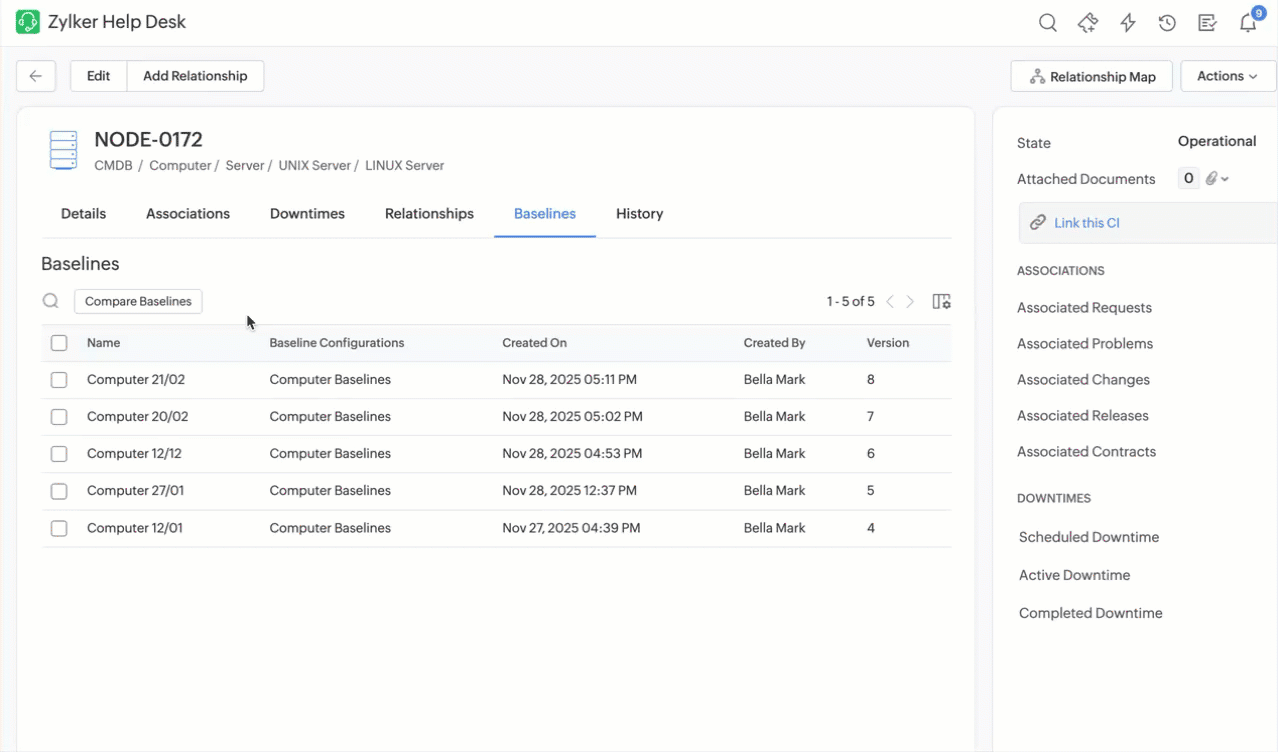
- Compare a CI's configurations across all baselines from the CI details page, business views, and baseline configuration details page.
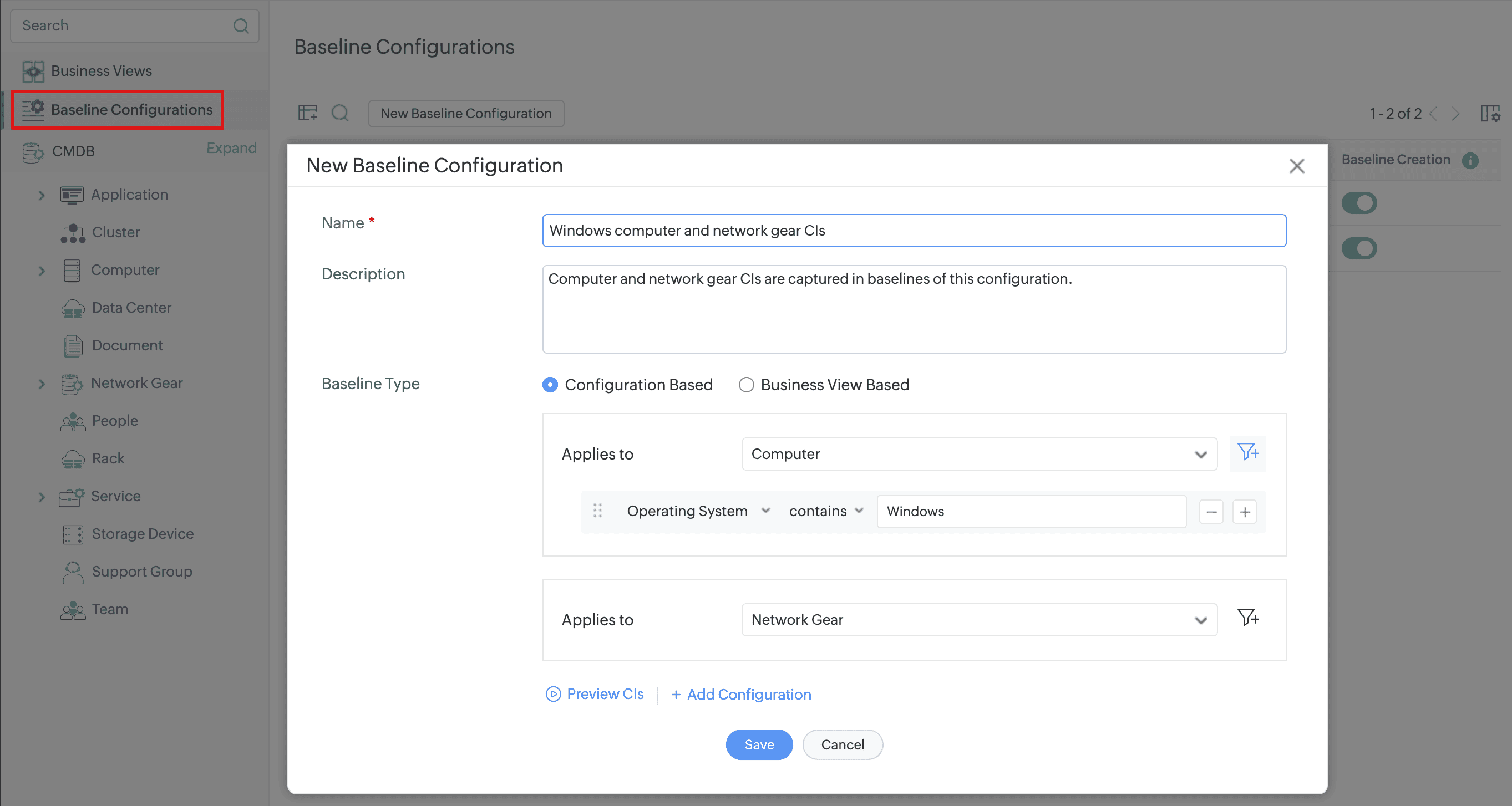
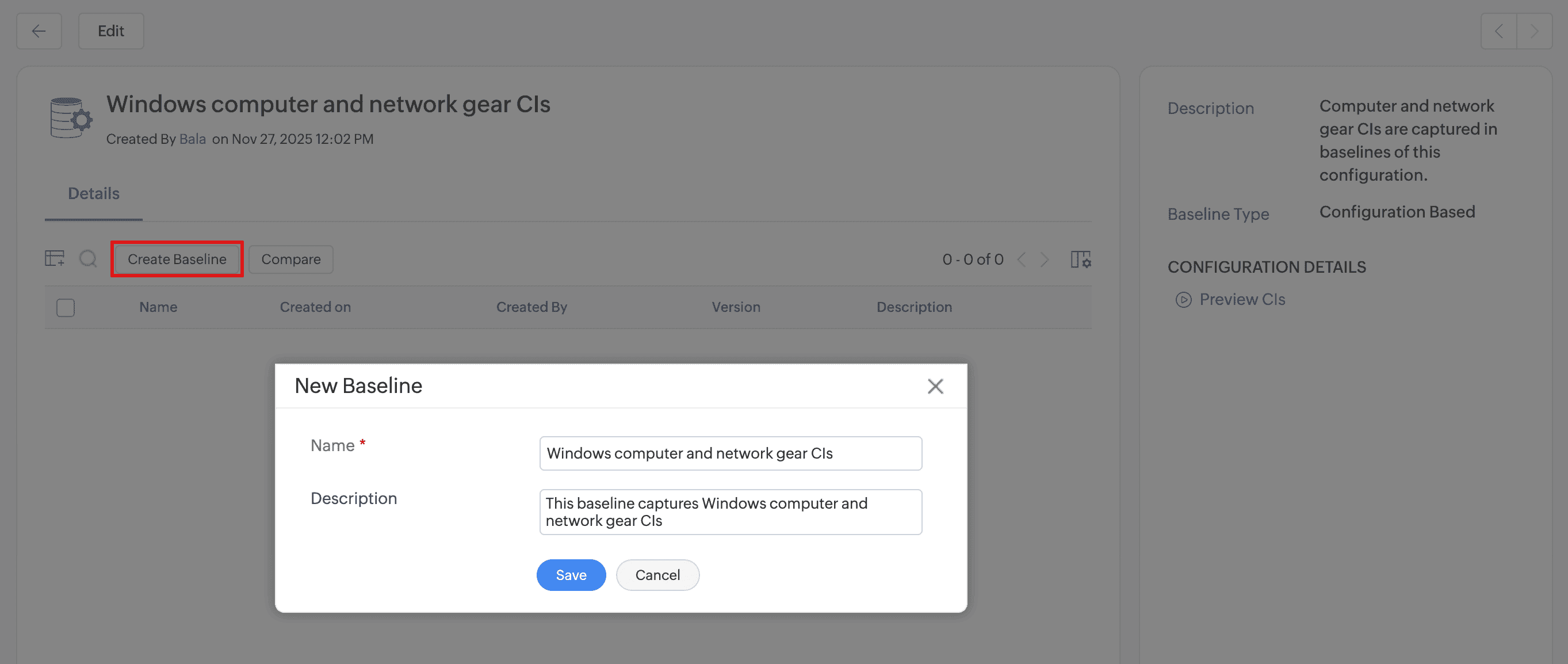
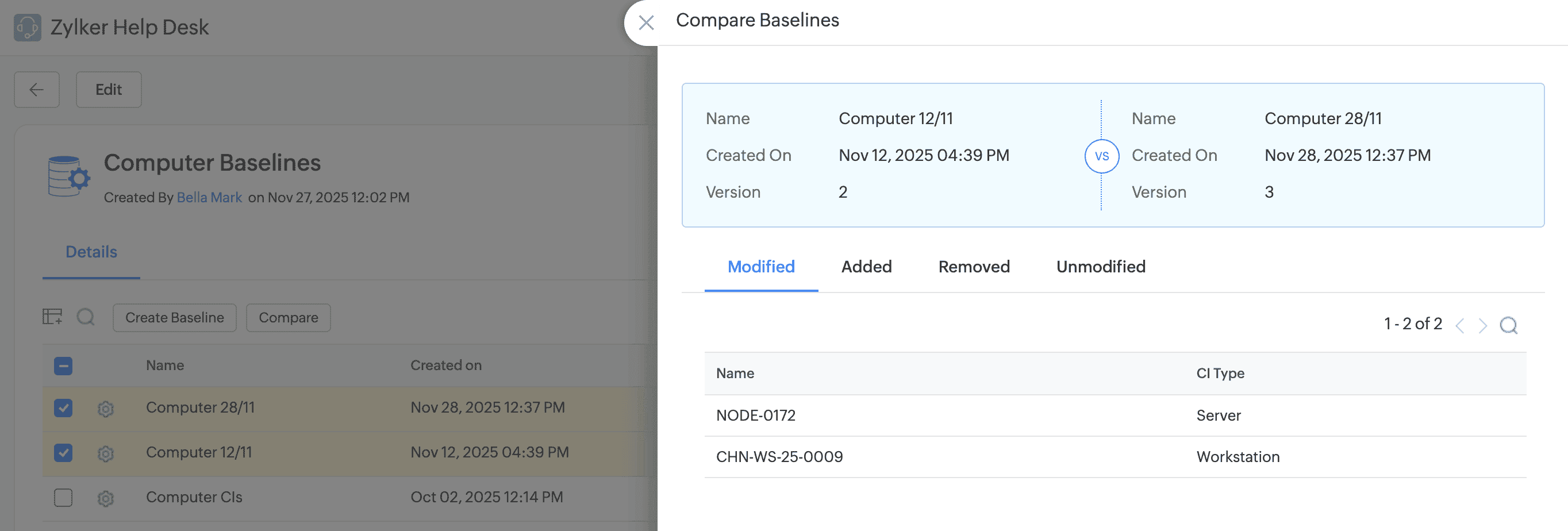
An Illustration of Comparing a CI from its Details Page
CMDB Data Quality
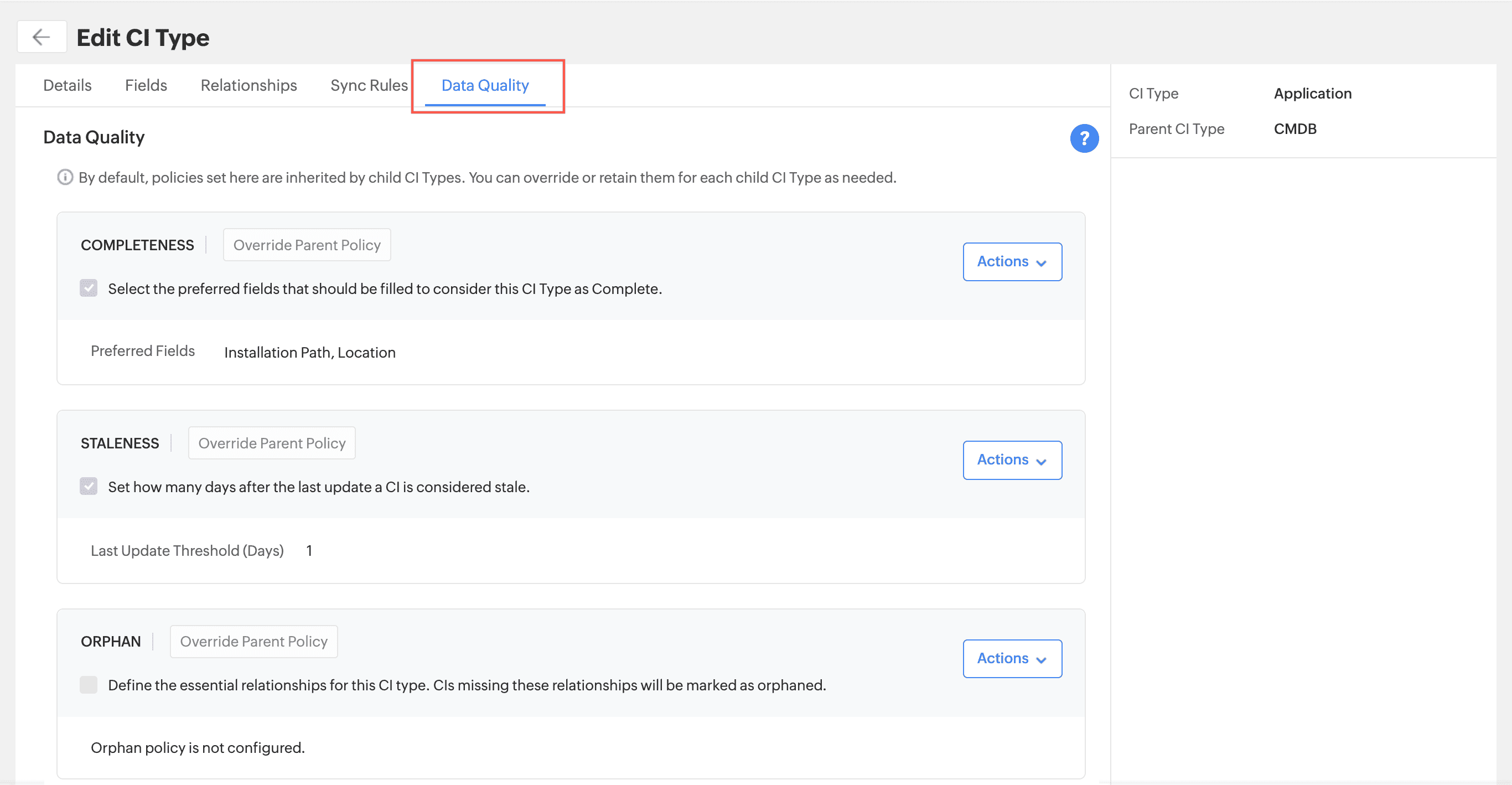
- You can now configure data quality policies such as Completeness, Staleness, and Orphan for CI types to maintain accurate and reliable CI data.
- To configure these policies go to Setup > Customization > CMDB > CI Types and edit a CI type.
- You can view the results in the CMDB Dashboard, CMDB list view, and CI details view.
Enhancements
CMDB Dashboard
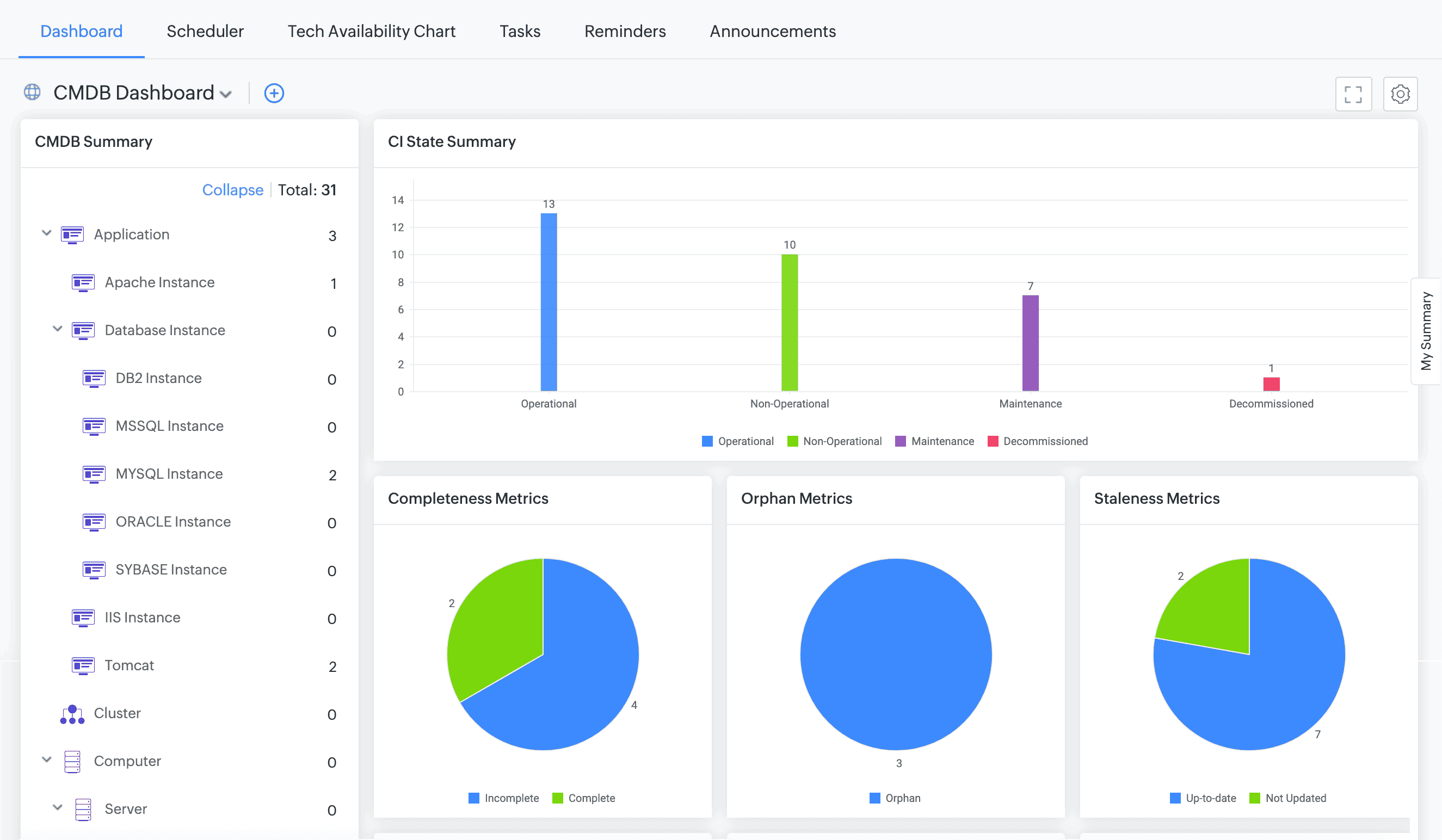
Introducing the CMDB dashboard, a centralized interface that provides a comprehensive view of all configuration items (CIs). You can track CI counts by status and monitor key data quality metrics such as completeness, orphan, and staleness and view associations of CI with other modules.
February 10, 2026
Issue Fixed
Assets
- In the asset audit details page, the total count of in-scope, pending, audited, and missing assets are not displayed.
- Asset acknowledgment reminder notifications are not sent for all pending assets.
February 06, 2026
Issue Fixed
Requests, Problems and Assets
- On the request, problem, and asset details pages, workflow/life cycle transition buttons are non-responsive. This issue occurs in older versions of Chromium browsers.
January 28, 2026
Enhancements
Purchases
- In pending approval notifications, purchase order approvers (technicians-only) can now view invoices, payment, received items, approvals, and conversations of purchase orders, besides purchase order details.
January 23, 2026
Issue Fixed
Assets and Changes
- Content copied into single-line fields during spot edits on asset and change details pages is pasted twice.
Setup
- In all modules, On Field Change form rules configured for single-line fields are not applied.
January 21, 2026
Issue Fixed
Purchases
- In purchase orders, the total cost is miscalculated when the default sales tax rate and additional services are applied.
- In purchase order PDF files, multi-line field values are misaligned.
- In purchase orders, content copied into text fields is pasted twice.
January 08, 2026
Enhancements
Template Optimization
- Optimized performance of template configurations.
Issue Fixed
Reports
- The release, asset, and CMDB report exports show no data if Sort Order is applied.
December 24, 2025
Enhancements
Probes & Discovery
- The SNMP V3 credential type now supports authentication protocols, such as SHA-256, SHA-384, and SHA-512, and encryption protocols, such as TRIPLE-DES, AES-192, and AES-256.
Contracts
- You can now perform a global search for contracts by user-defined fields.
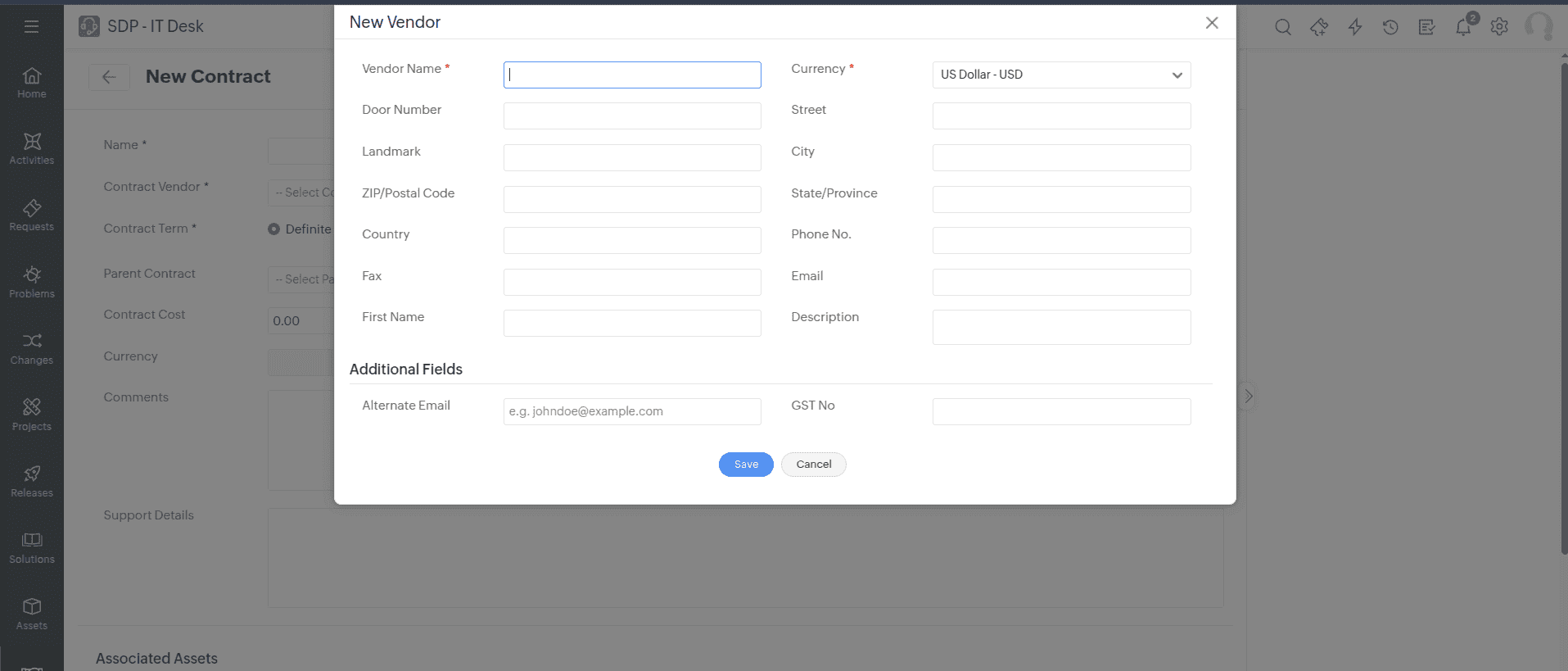
Vendor Additional Fields
Under Setup > Customization > Additional Fields > Vendor, SDAdmin and technicians with vendor configuration privileges can now add or edit additional fields for Vendor.
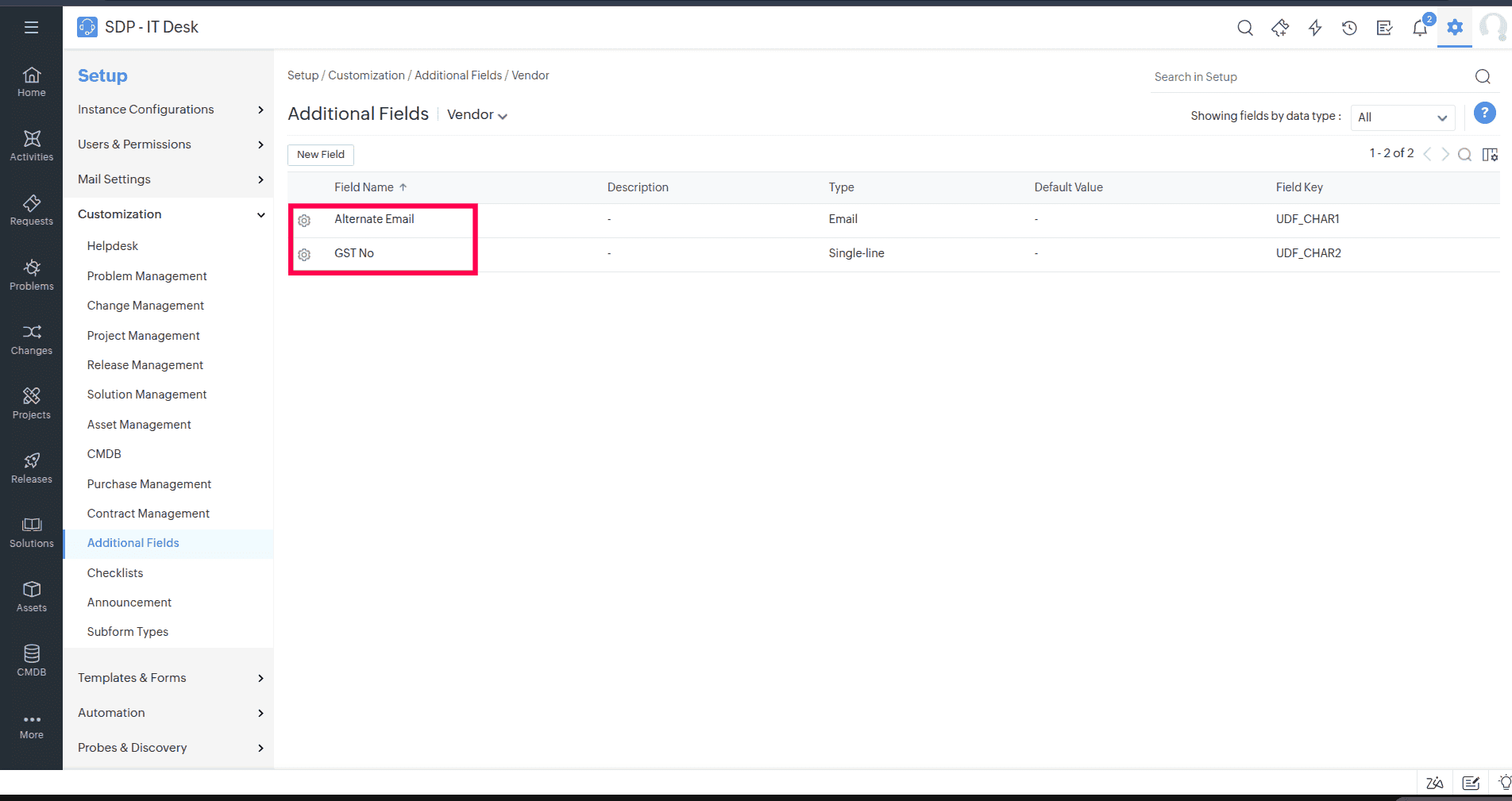
- Supported Field Types: Single-line, Multi-line, Numeric, Pick List, Multi-Select, Date/Time, Email, Phone, Currency, Decimal, Percent, Web URL, Check Box, Radio Button, and Decision Box.
- These additional fields will be displayed in the vendor add or edit form and in the right pane of purchase and contract details pages.
- You can now import or export additional vendor fields through Setup > Data Administration > Import/Export Data.
In Purchases, Contracts, and Assets, the vendor pop-up is displayed in a two-column format.
Enable/Disable Product
SDAdmin and technicians with product configuration privileges can now restrict the visibility of products in purchase orders via the Product Visibility option under Setup > Customization > Asset Management > Product.
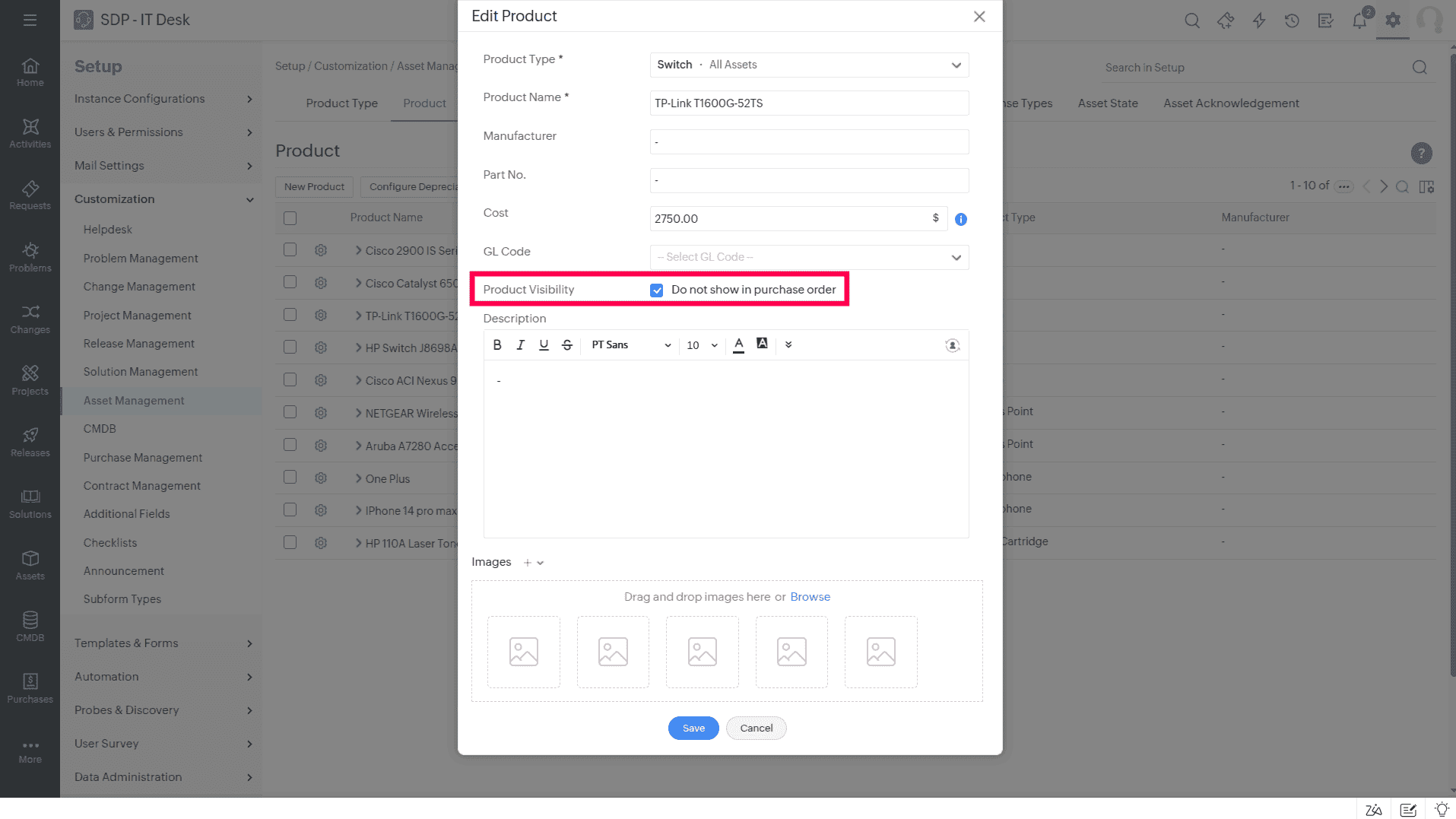
Products marked as Do not show in purchase order will not be listed under the Products drop-down on the New Purchase Order page.
Enable/Disable Vendor
SDAdmin and technicians with vendor configuration privileges can now enable or disable vendors under Setup > Customization > Asset Management > Vendor.
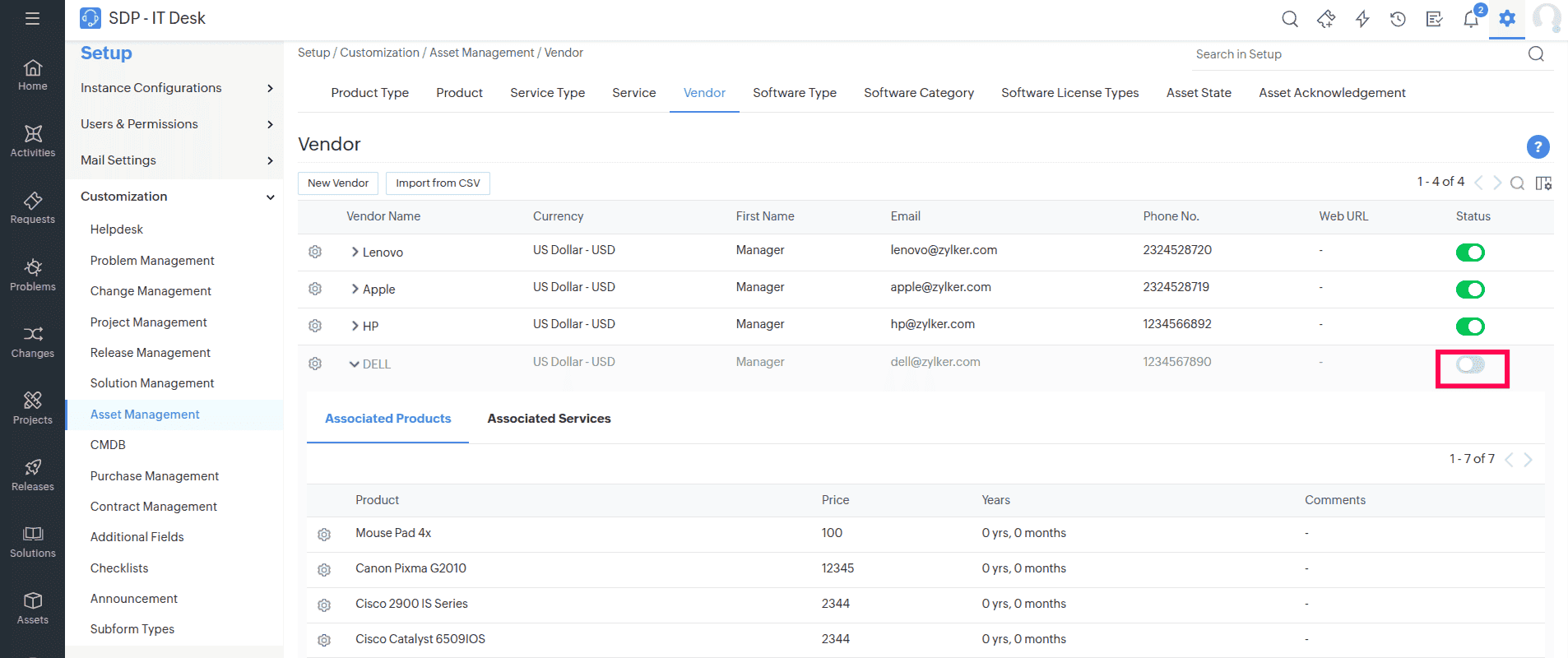
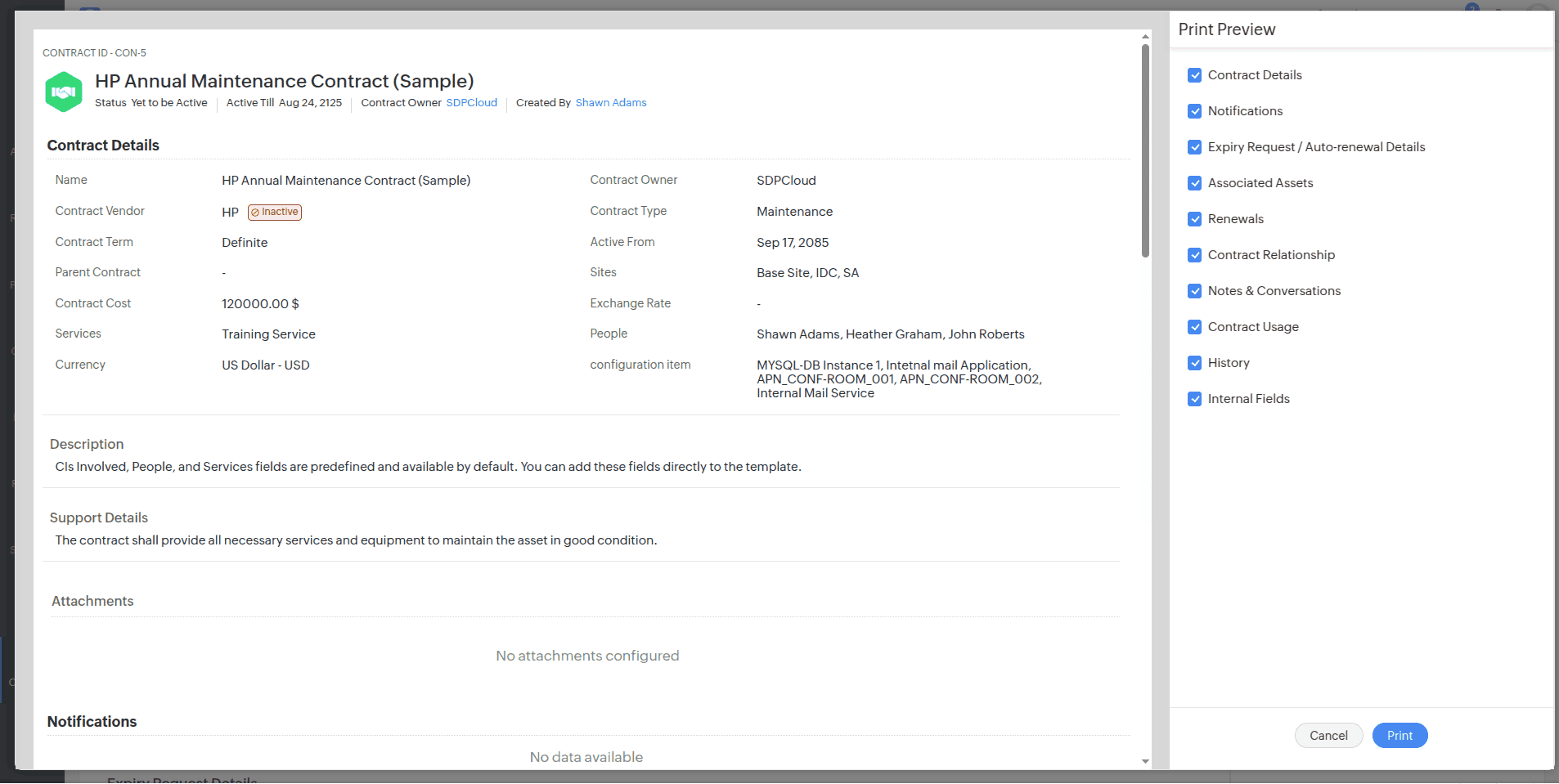
Disabled vendors will be marked as Inactive in Purchases, Contracts, and Assets.
Limitations
Vendor
Inactive vendors cannot be associated with products and services and will not be listed in the vendor drop-down when creating a new purchase order, contract, or asset.
Purchases
- For purchases associated with inactive vendors, the Duplicate Purchase Order option will not appear in the Actions drop-down on the purchase order details page.
- Products and services associated with an inactive vendor cannot be received in purchase orders.
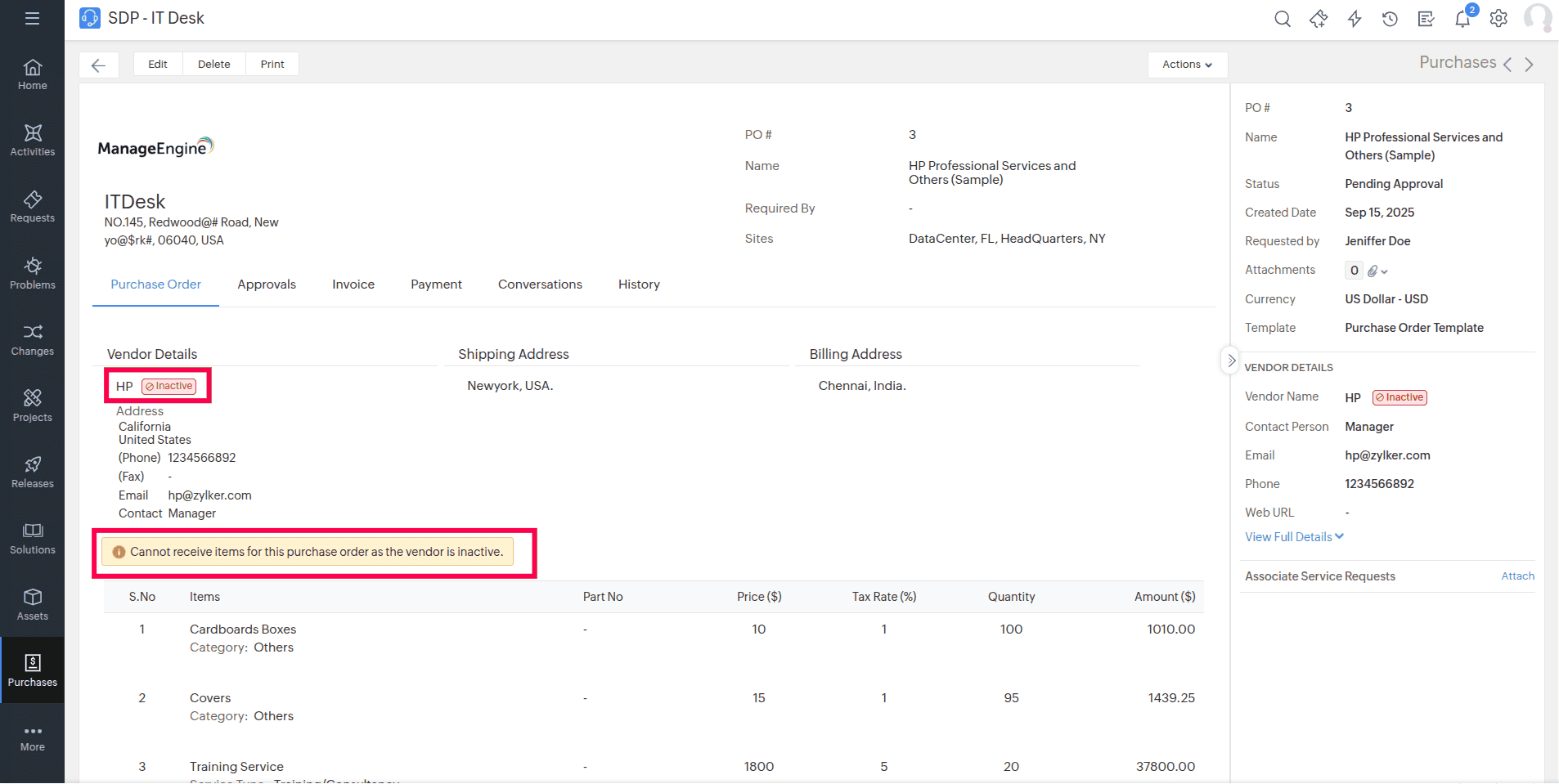
Contracts
Contracts linked to inactive vendors cannot be auto-renewed or manually renewed.
Assets
- For consumables associated with inactive vendors, adding or modifying the Received Quantity and Purchase Cost is now restricted.
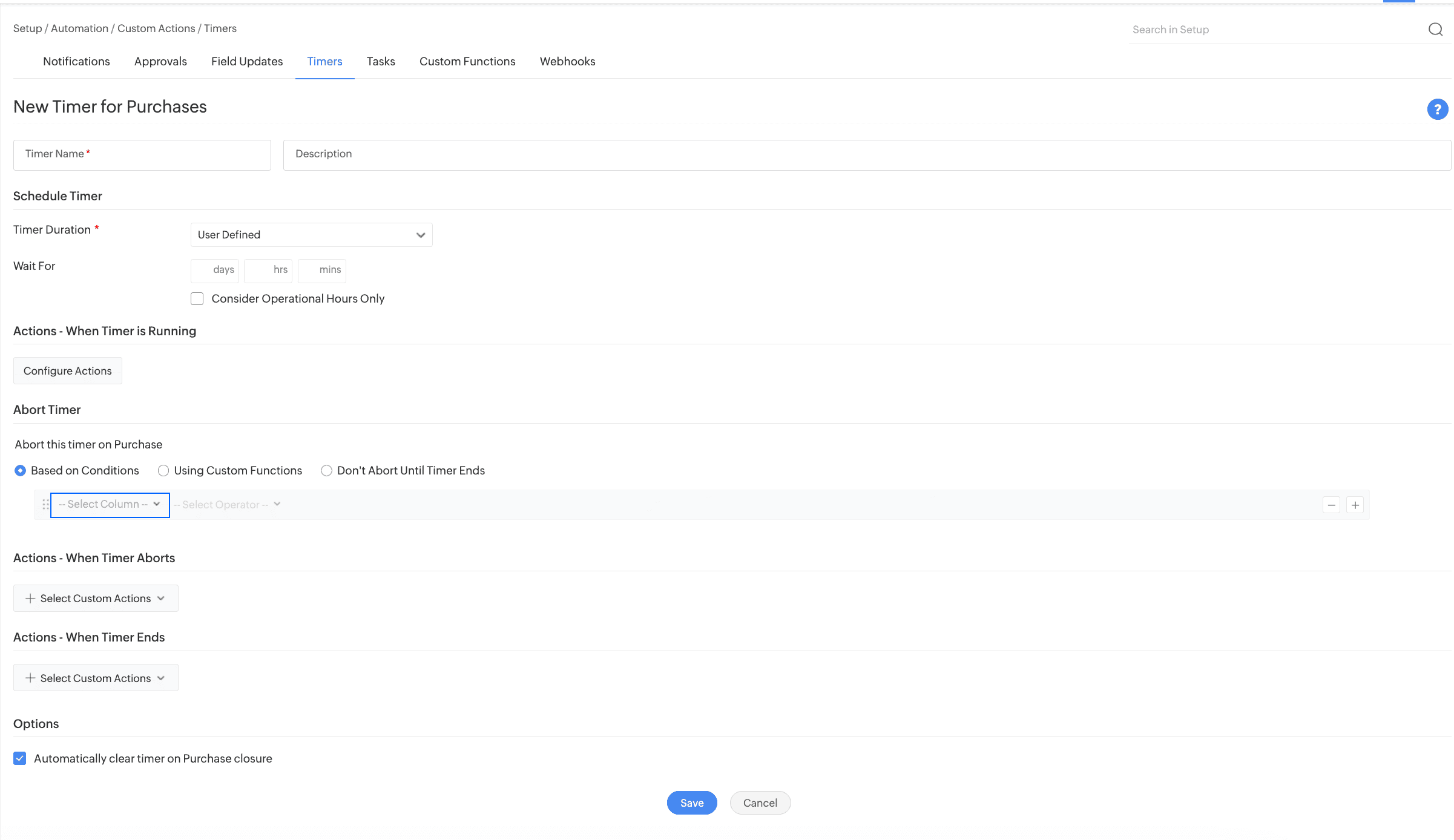
Purchase Timer Action for Trigger
Use Purchase Timer Action to plan automated actions in purchases within a specific time frame and execute time-delayed actions through custom triggers.
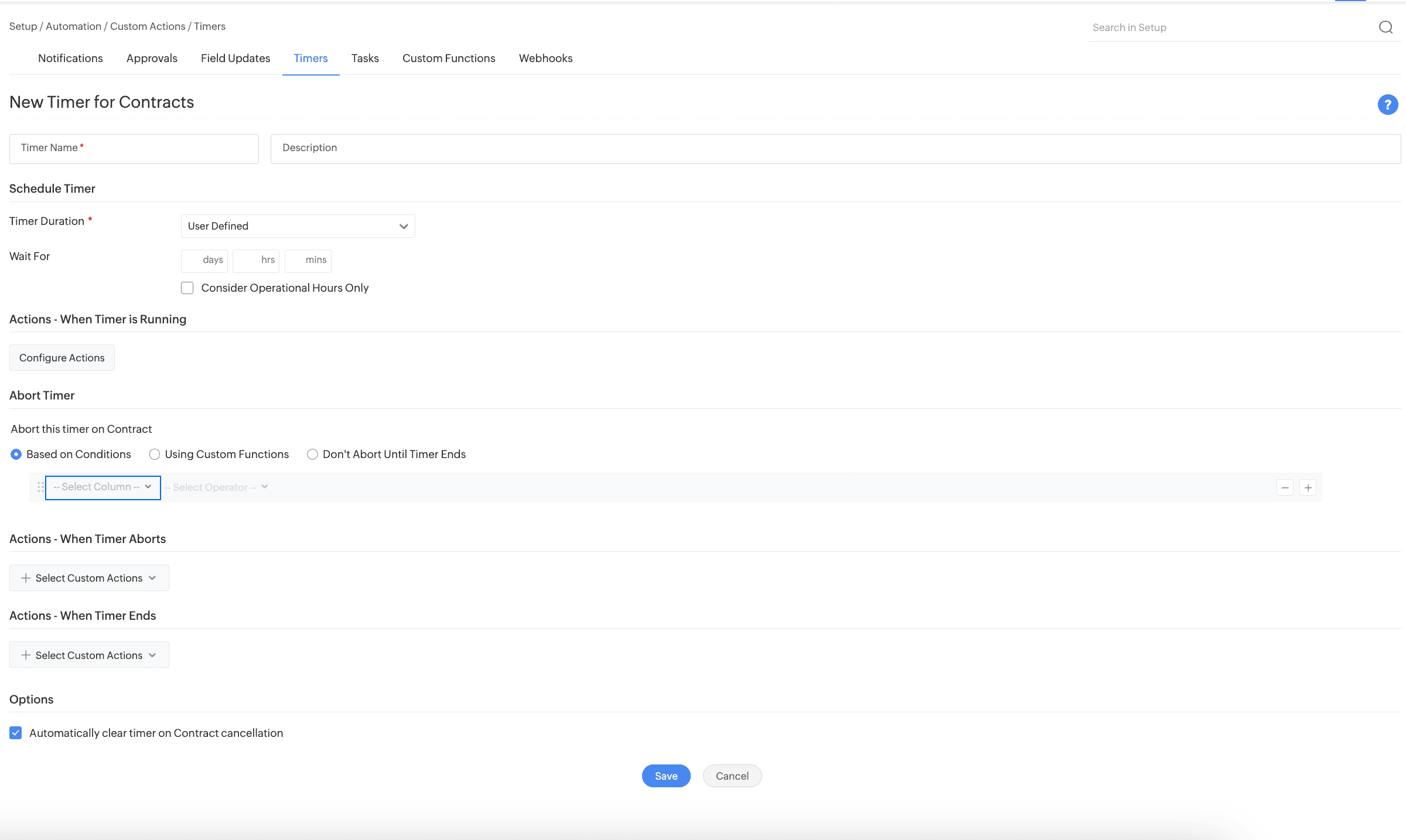
Contract Timer Action for Trigger
Use Contract Timer Action to plan automated actions in contracts within a specific time frame and execute time-delayed actions through custom triggers.
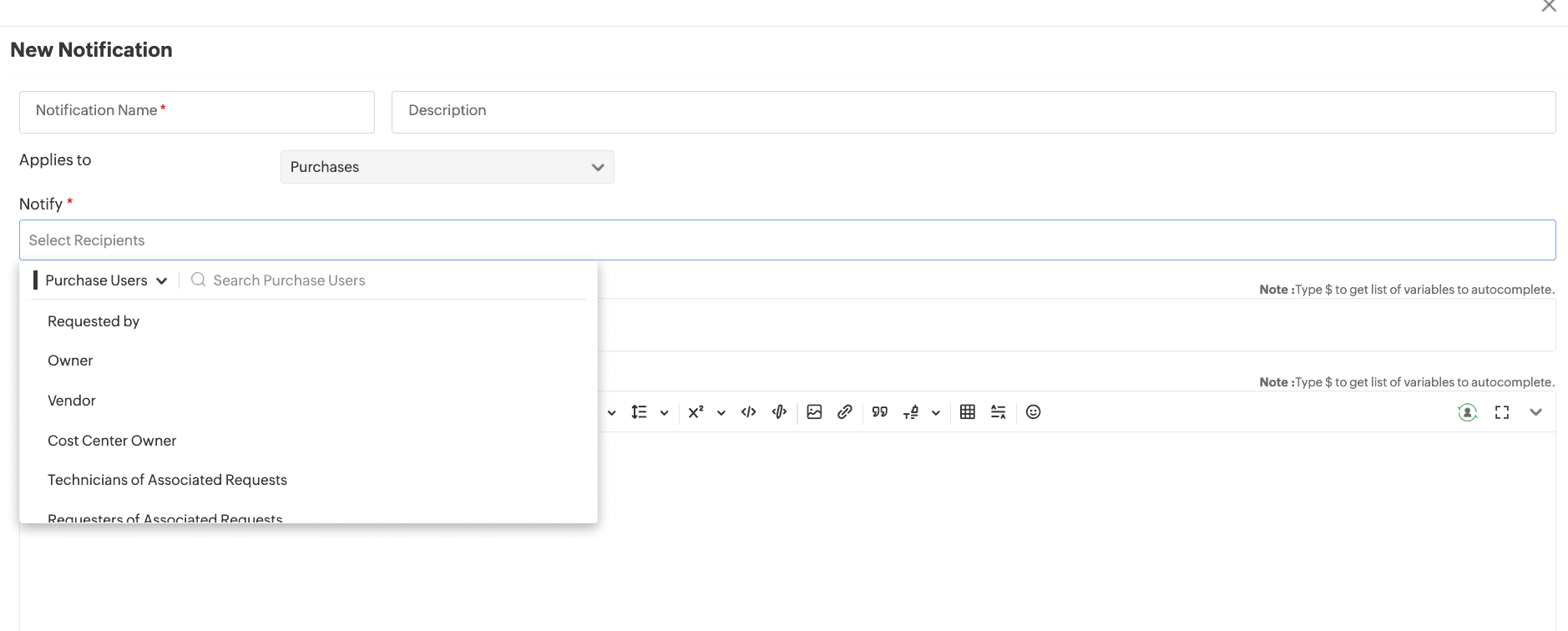
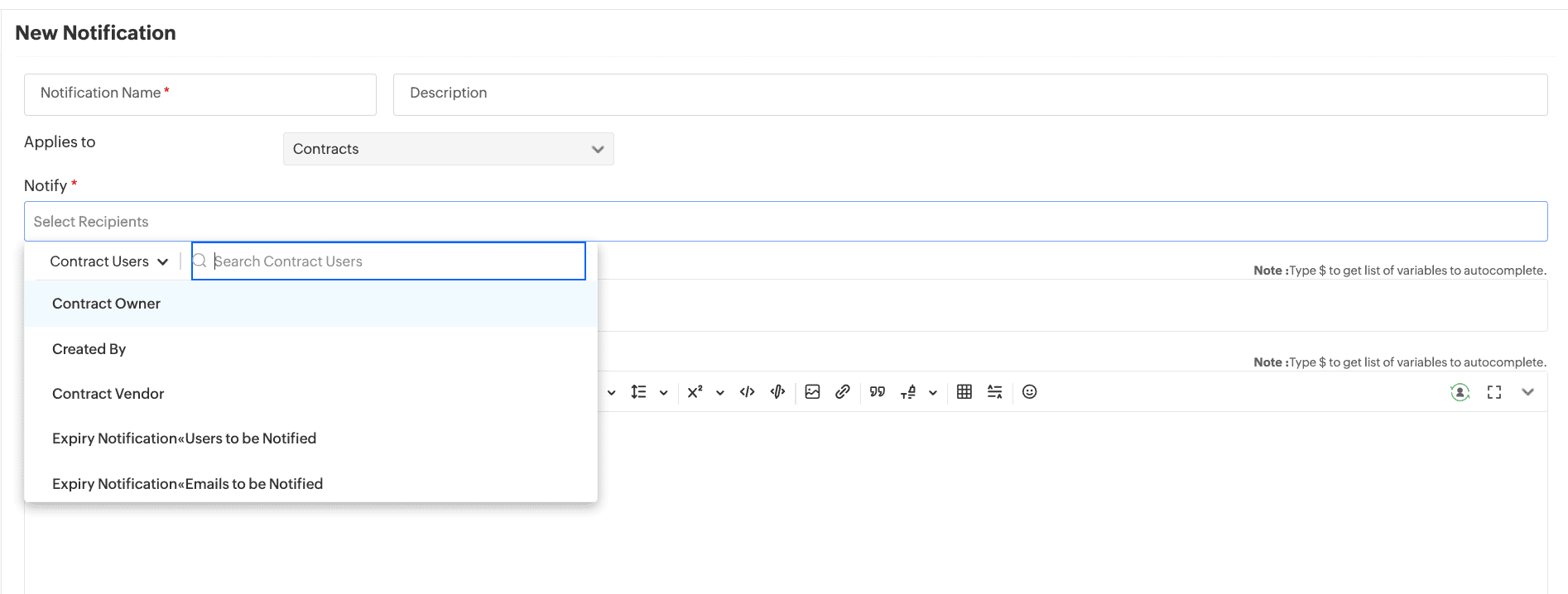
Purchase/Contract Users in Notifications
You can now select and notify purchase/contract users directly in the Notifications.
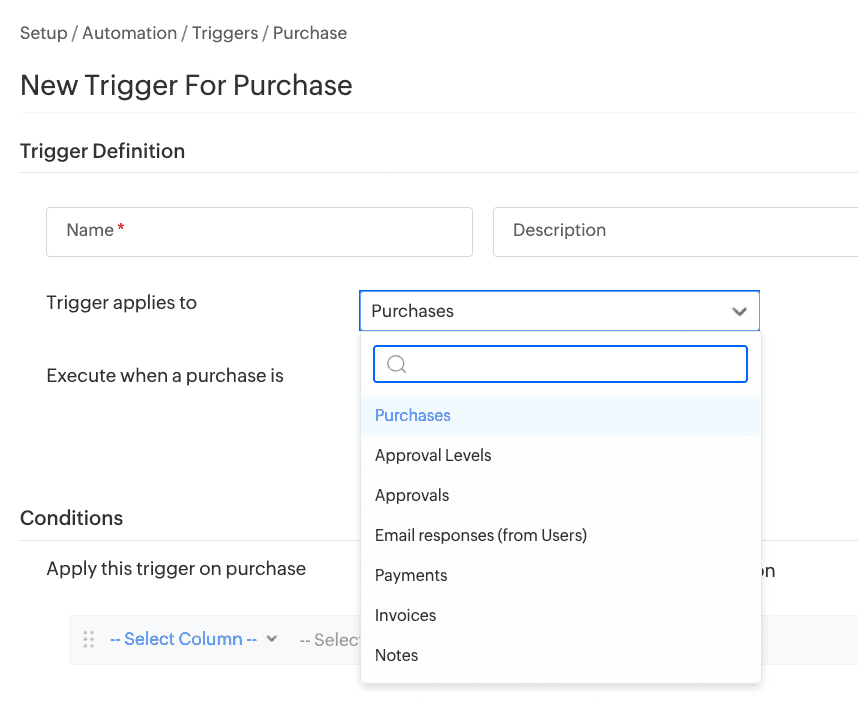
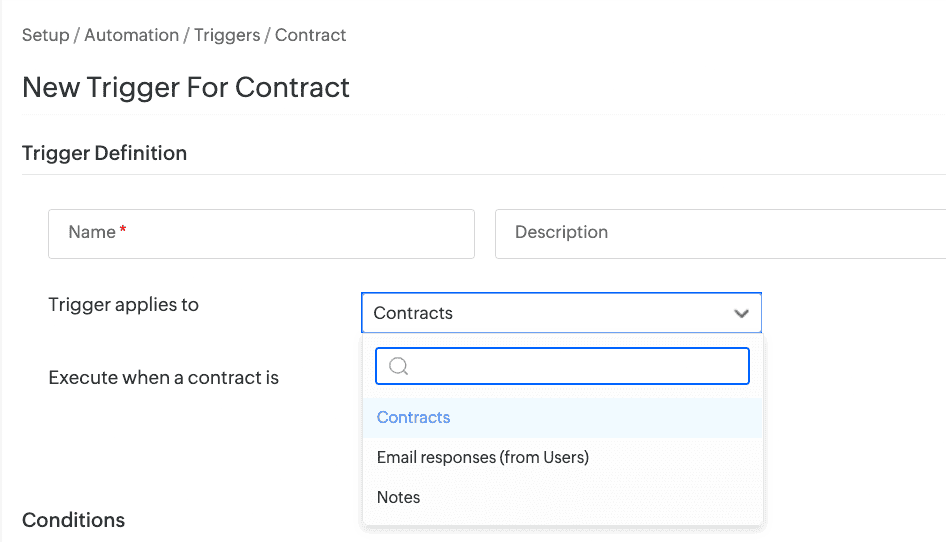
Triggers for Subentities of Purchases and Contracts
You can now apply triggers to sub entities of purchases and contracts.
Assets
Asset Attributes
- The value field for asset attributes (Asset Tag, Serial Number, more) in criteria now supports up to 2000 characters.
Asset Age Tracking
- A new Age field has been introduced to display how long an asset has been in use within your organization.
- This field, when added to the template, will appear on the asset details page and edit forms.
- By default, the field will appear on the right pane of the asset details page, even if the field is not added to the template.
- To add the field to the template,
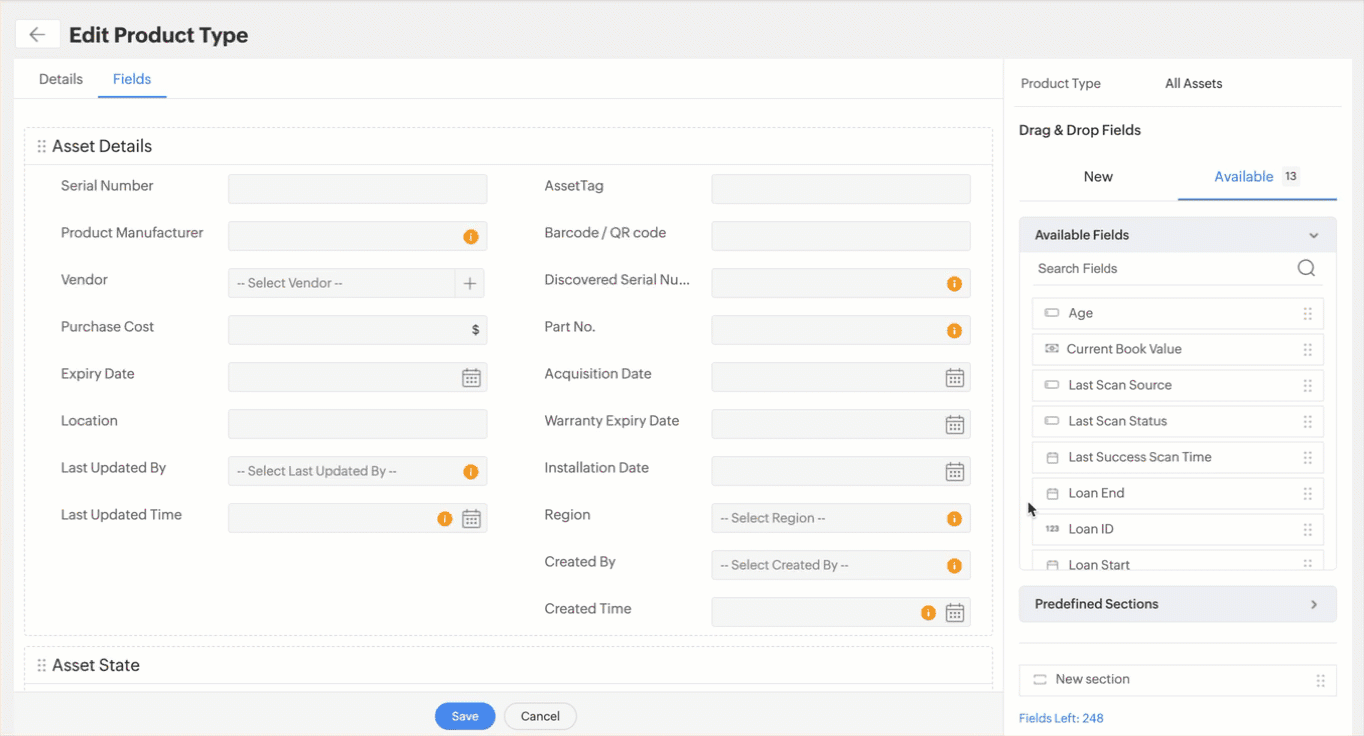
- Open the All Assets product type template under Setup > Customization > Asset Management > Product Type and go to Fields.
- From the Available tab on the right pane, drag the Age field onto the canvas and save the template.
Note: You cannot add the age field to consumable templates.
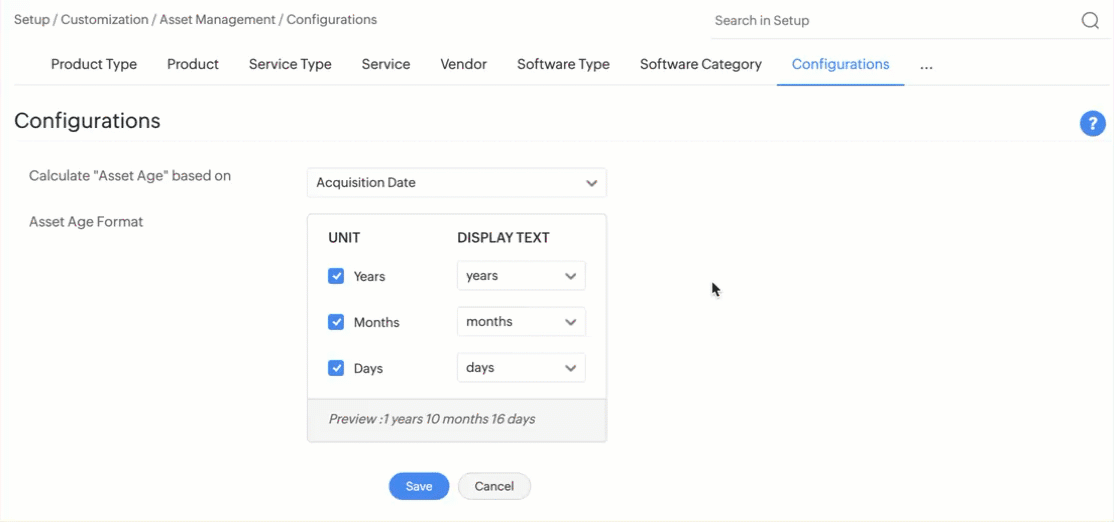
- A new Configurations tab has been introduced under Setup > Customization > Asset Management where technicians with SDAdmin or AssetConfig role can configure how asset age must be calculated and displayed.
- Asset age can be calculated from acquisition date, asset record created date, or relevant Date/Time additional field in asset forms.
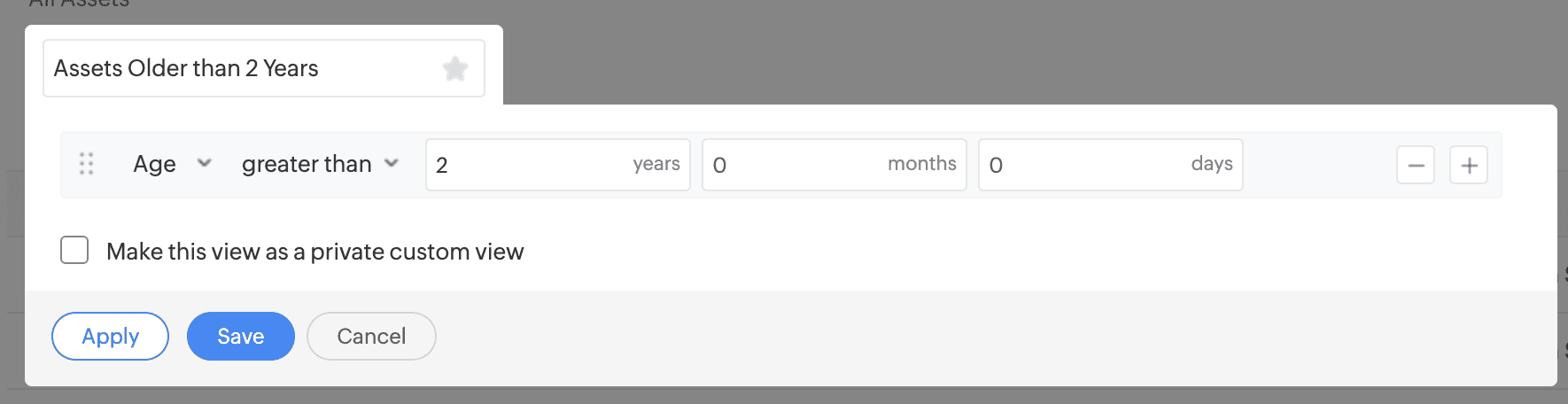
- Create a custom assets list view that filters and displays only assets of a specific age.
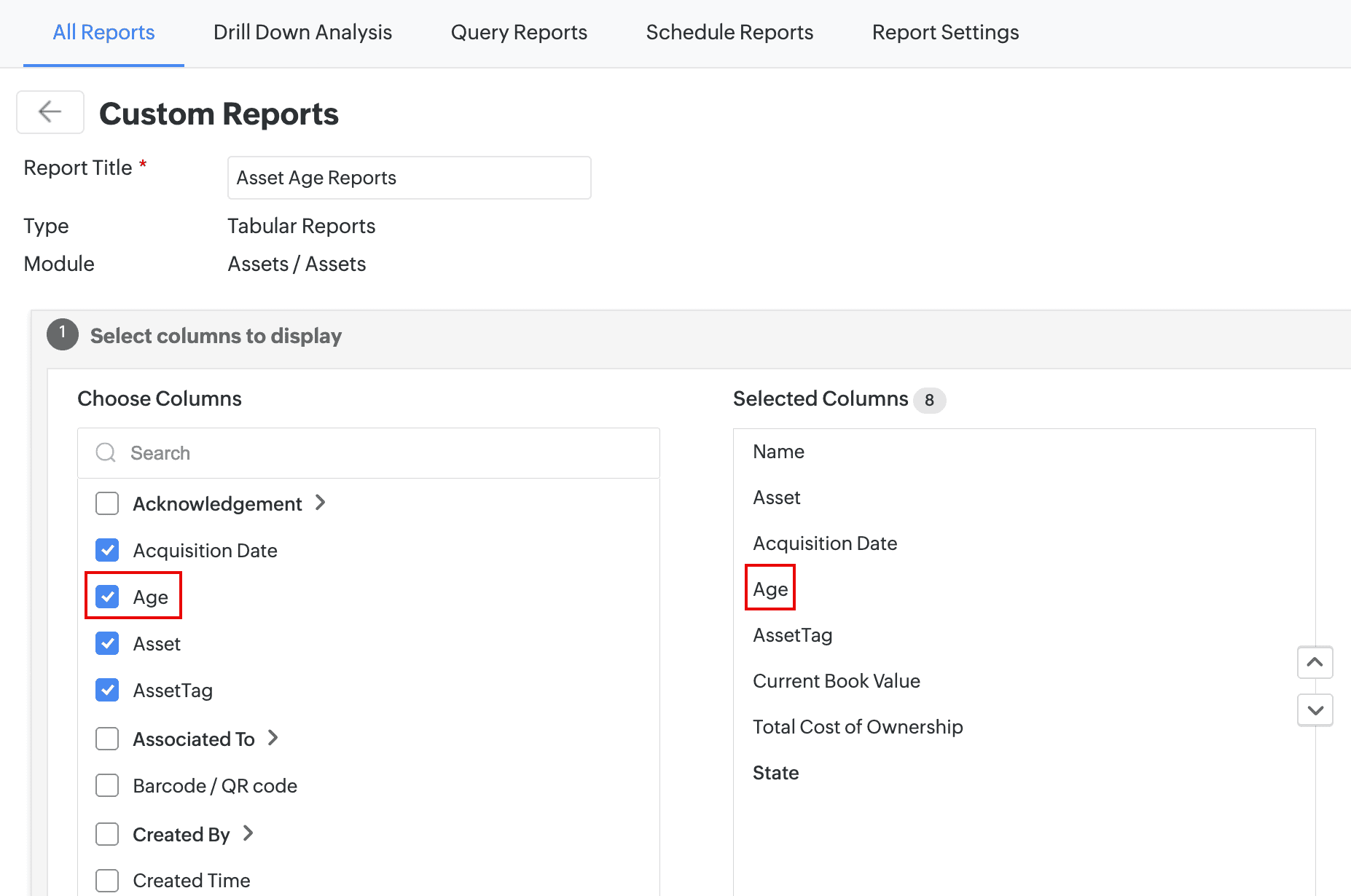
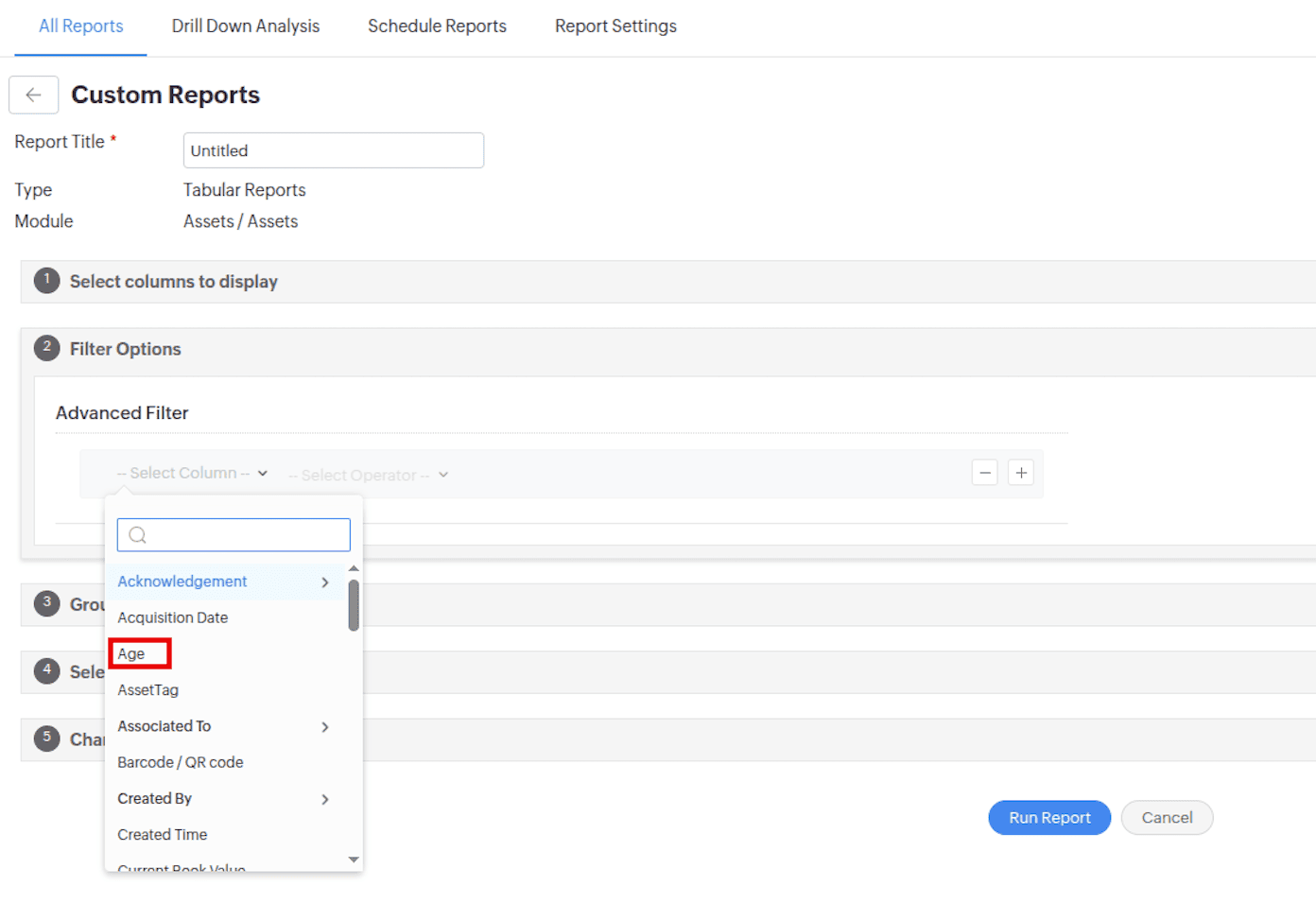
- Generate age-based asset reports by including the Age column and applying age criteria.
- Track assets in all product types across different age groups and monitor their life cycle trends by adding asset age widget to the dashboard.
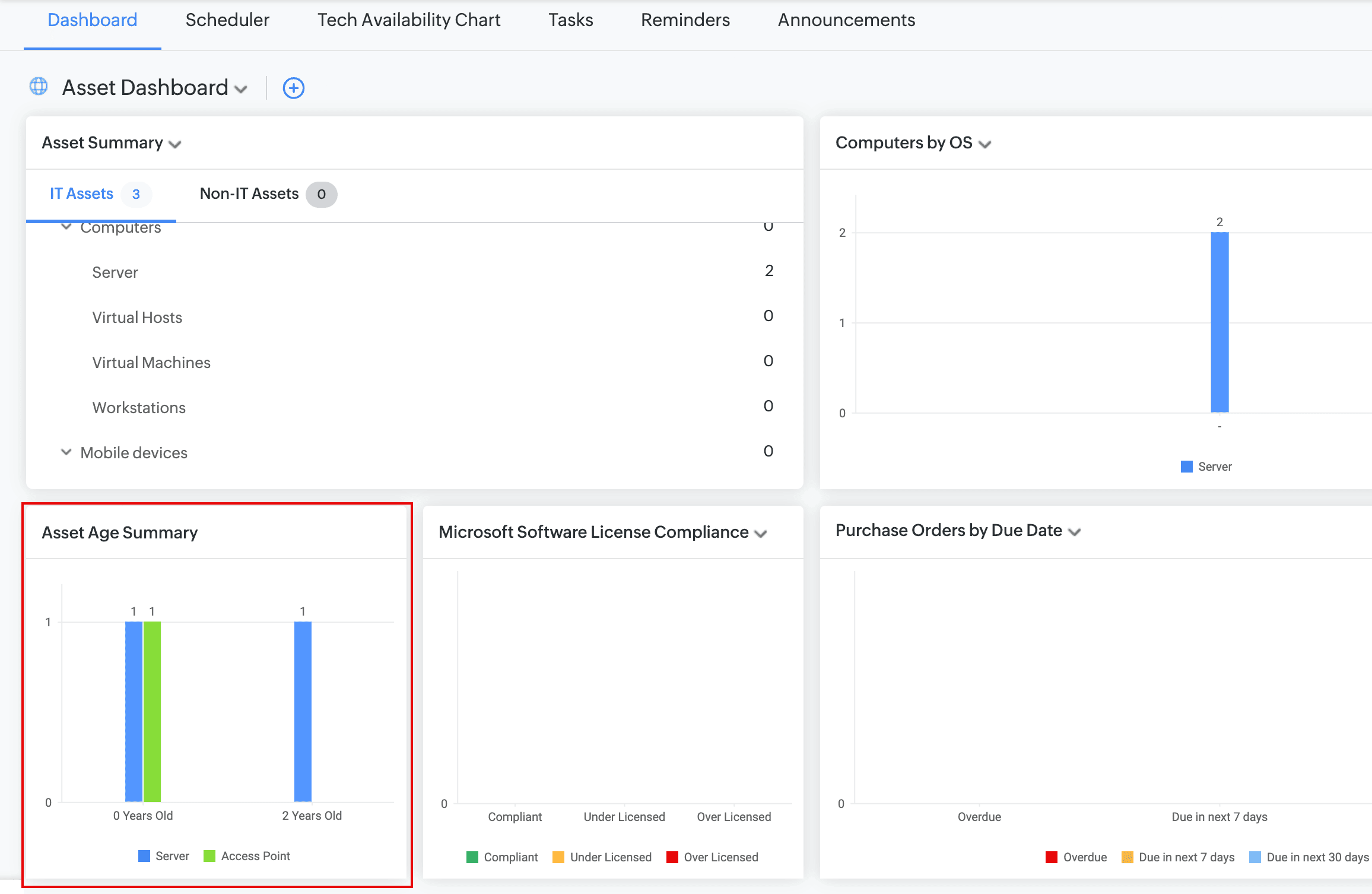
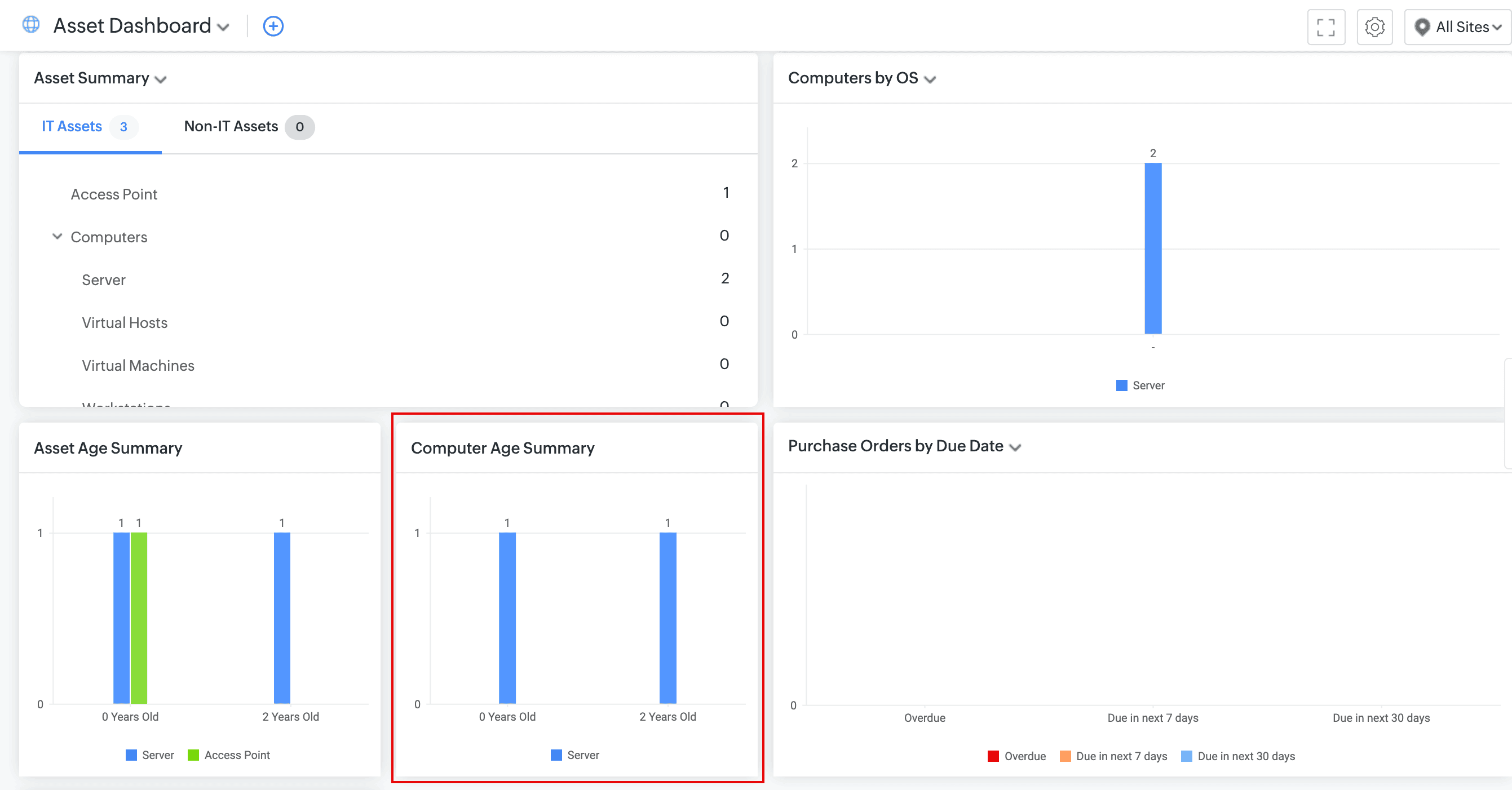
- For a computer product type-focussed summary, add the Computer Age Summary widget to the dashboard.
Behavior Changes
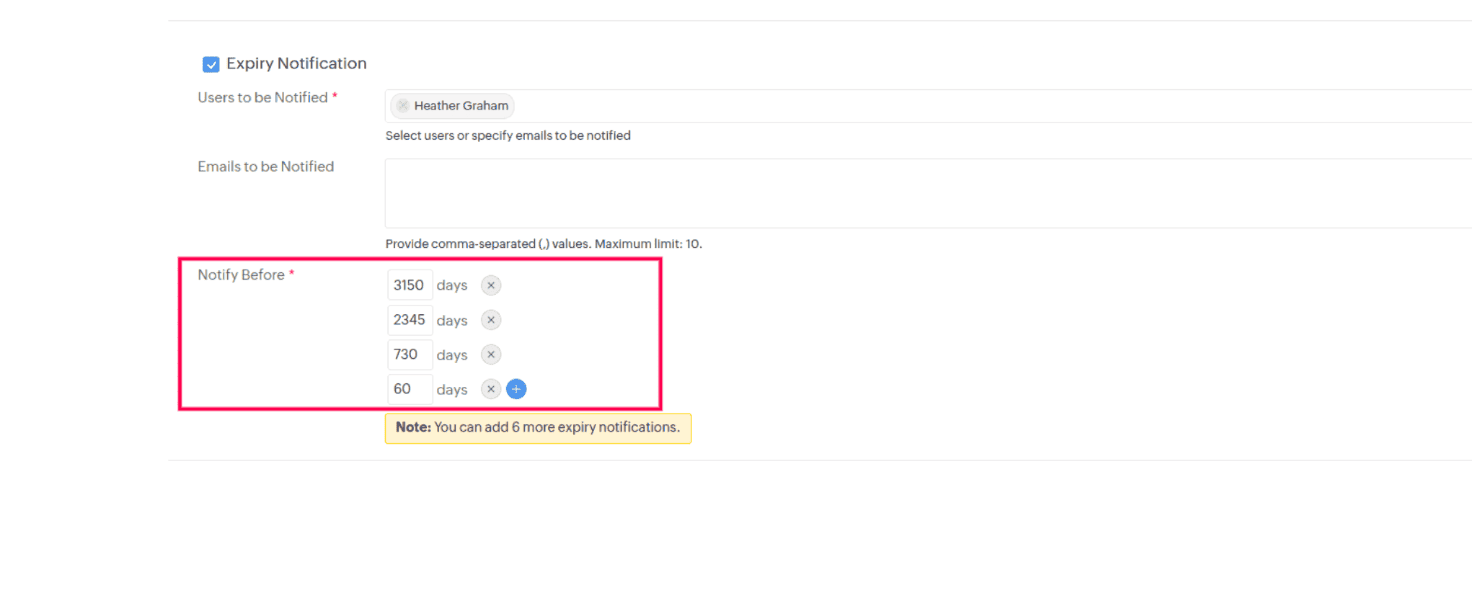
Contract Expiry Notification
The Notify Before range in the Expiry Notification section of the Contract page has been increased from 365 days to 3,650 days, allowing for earlier contract expiry alerts.
Issues Fixed
Assets
- After a discovery/scan, the virtual machine is not associated with its virtual host.
- In the Asset Acknowledgement form, the Received On field cannot be set to a date later than the current date.
- In non-English setups, the product type count in the asset summary widget is displayed as 0, instead of the actual value.
- Unable to print asset details if the product type name contains the ‘ character.
- Users assigned to life cycle-configured assets remain associated even after the assets move to Expired or Disposed states.
- In the assets list view, when the In Use asset state is changed to In Store via the State column, the Associate To, Select User, and Select Department fields are displayed in the Modify State pop-up. This issue occurs only for assets not associated with any life cycle.
December 15, 2025
Probe Updates
- We have upgraded the probe architecture to strengthen security:
- The probe now requires.NET Framework 4.8. Support for .NET Framework 4.5 is discontinued; existing installations will be upgraded automatically.
- On-premises integration keys are now encrypted and stored securely. You can access them from the new Developer Options option in the probe tray.
- The device-based encryption is strengthened with installation-specific keys.
- Log handling has been refined to reduce noise and provide clearer insights.
December 04, 2025
Enhancements
Assets
You can now select Asset State as a reference entity for lookup additional fields.

Service Pack column is now available in the list views of Computer and its child product types.

The Name column in the asset report now includes a link to the asset details page.

Asset notifications (default and custom) now include a link variable to the asset details page.

You can now select Asset as a reference entity for lookup fields in custom subforms.

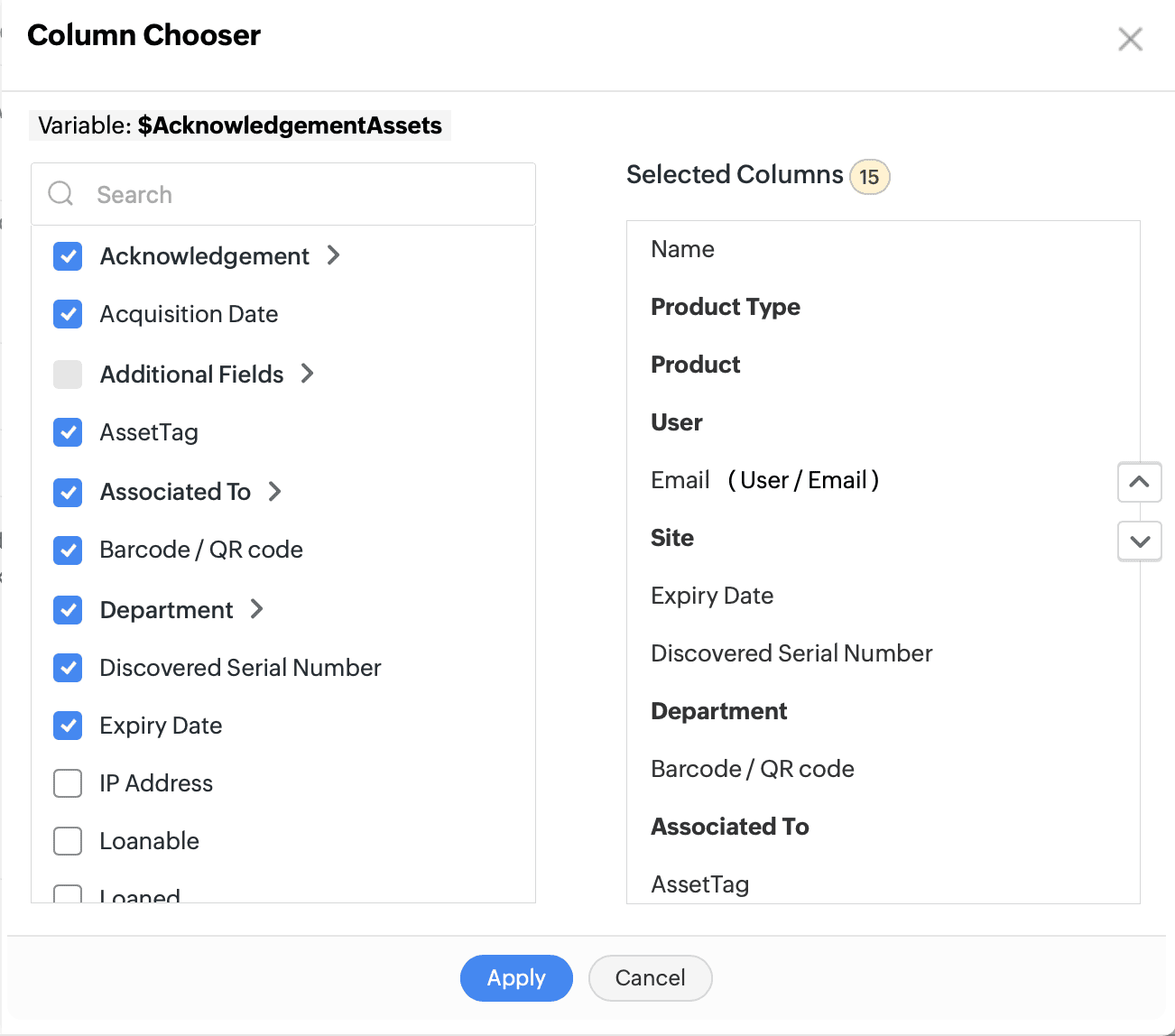
Asset acknowledgment notifications now include more asset fields.
Issues Fixed
Assets
- Unable to edit custom notifications for certain product types if global variables are available under Setup > Developer Space > Global Variables.
- Unable to send plain-text asset notifications if any asset field value contains the $ character.
- An error occurs during Microsoft Intune scan if a product type was renamed before the scan.
- In some cases, during a scan, asset names of Computer product type update from the FQDN format to hostname and vice versa.
November 28, 2025
New Features
Software Manufacturers
- Technicians with SDAdmin or AssetConfig roles can now manage software manufacturers of all IT assets under Setup > Customization > Asset Management > Software Manufacturers.
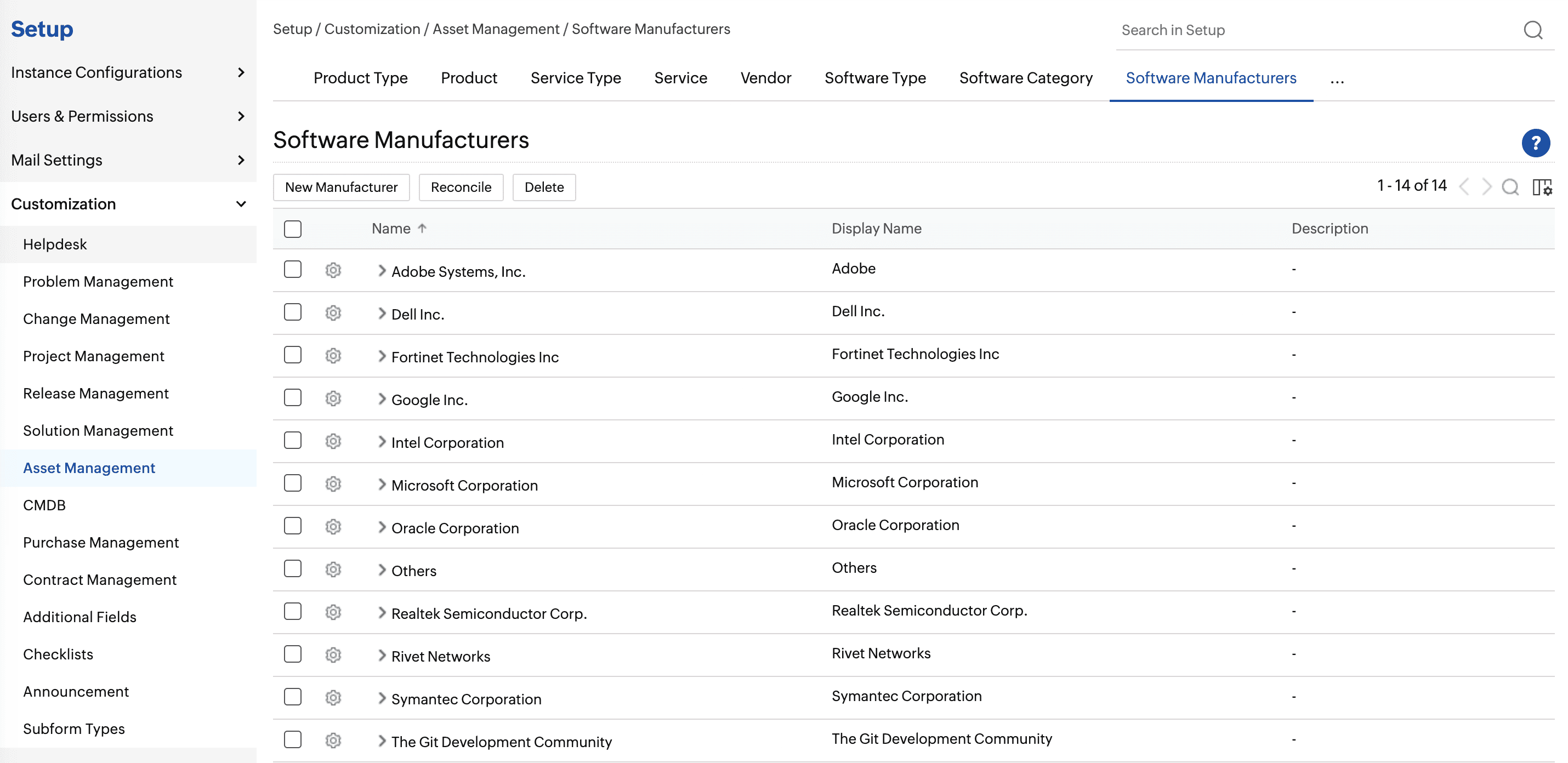
- Merge redundant software manufacturers to a parent manufacturer by clicking Reconcile on the list view toolbar.
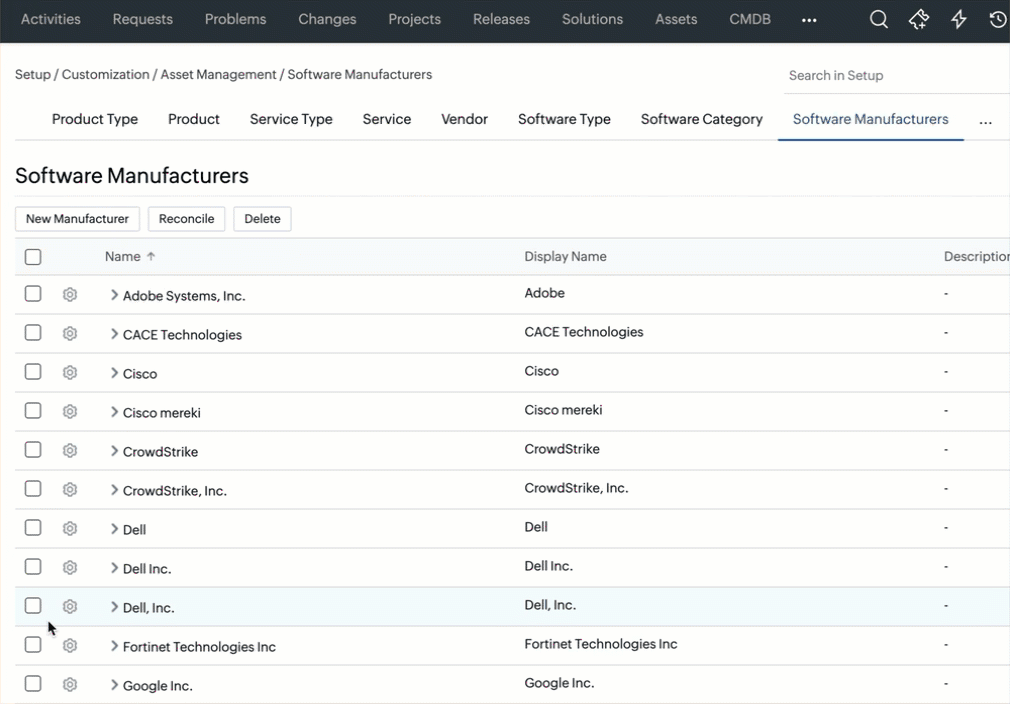
Note: After merging, all associated software, licenses, license types, and license agreements will be moved to the parent manufacturer.
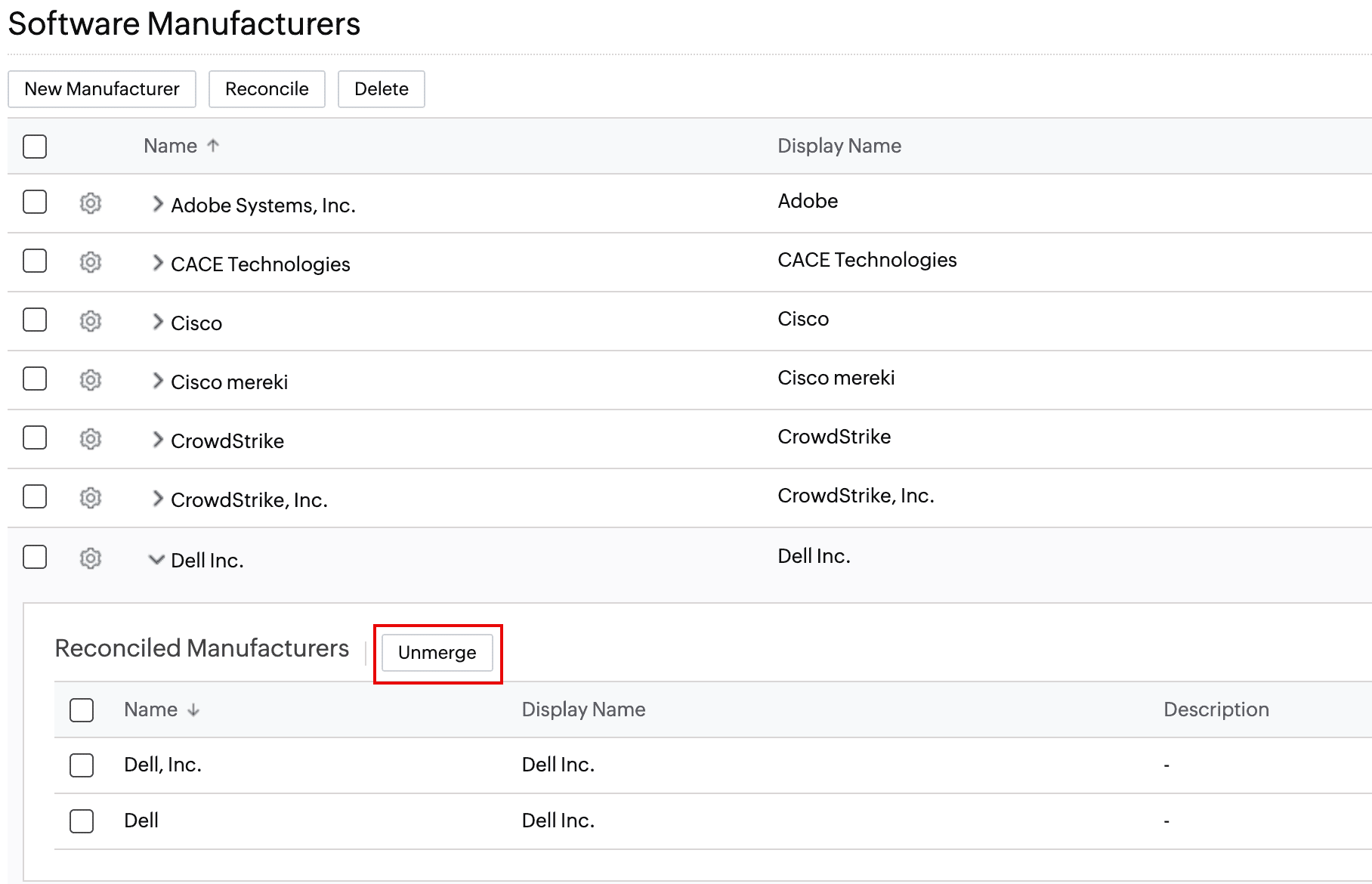
- Unmerge all or specific child software manufacturers by clicking Unmerge under the parent manufacturer.
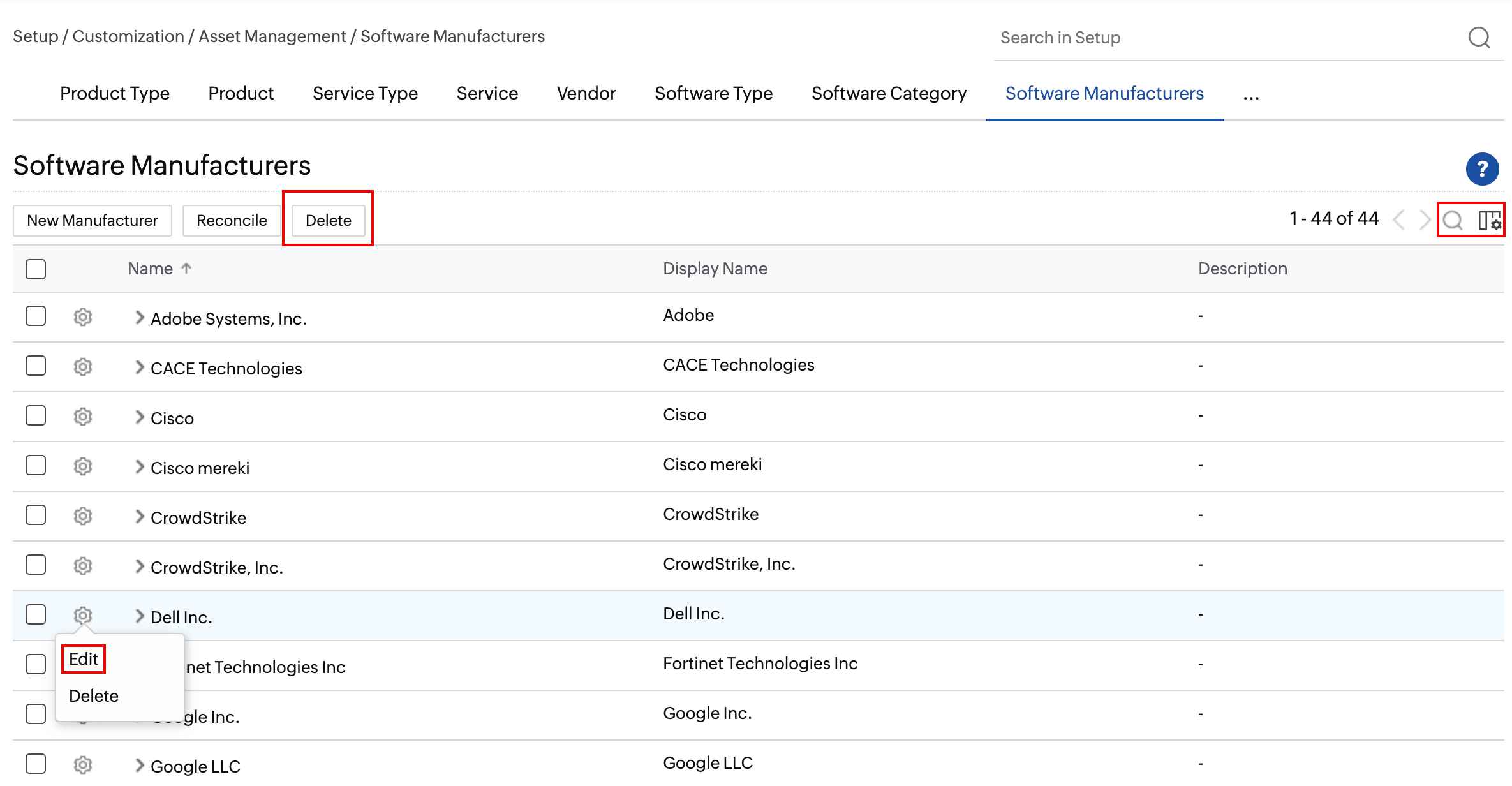
- Edit, search, sort, and delete software manufacturers from the list view.
CI States
- Track and manage the life cycle of configuration items (CIs) by using CI states. Create CI states under Setup > Customization > CMDB > CI States.
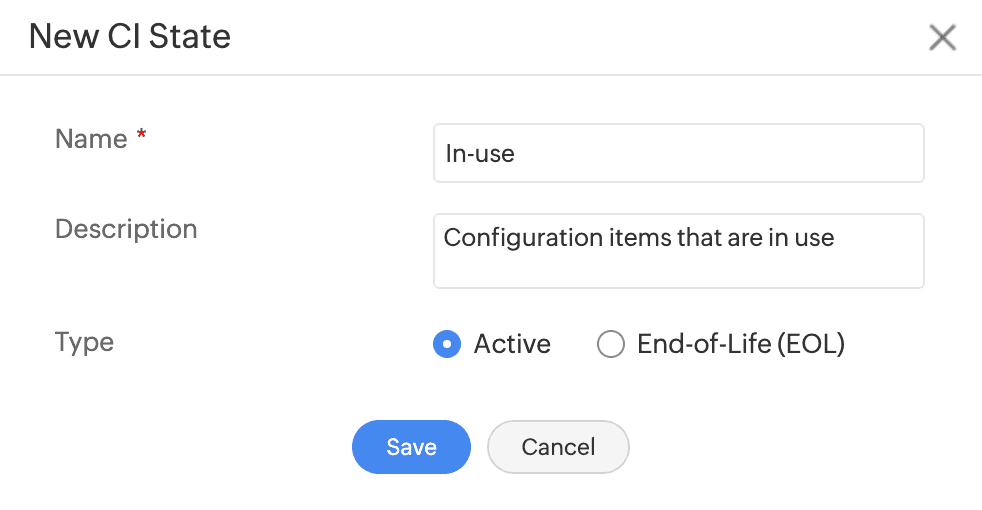
- CI states can be grouped into Active type or End-of-Life (EOL) type.
- Use the settings under Setup > Customization > CMDB > Configurations to hide EOL marked CIs across all modules. EOL marked CIs will not be listed in the CIs field across all modules.
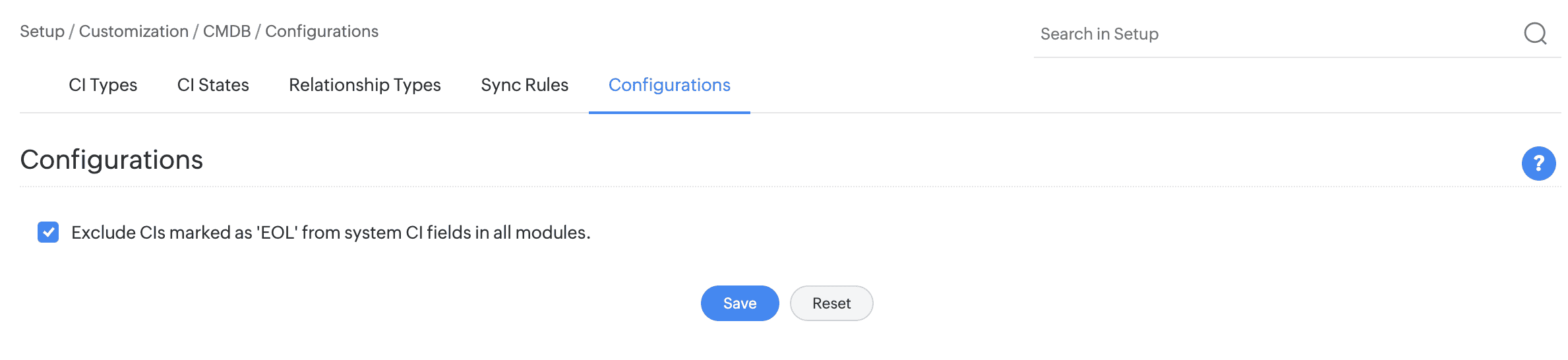
- New relationships cannot be created for EOL marked CIs.
CMDB List View
- Filter CIs based on its states: Active CIs or End-of-Life CIs.
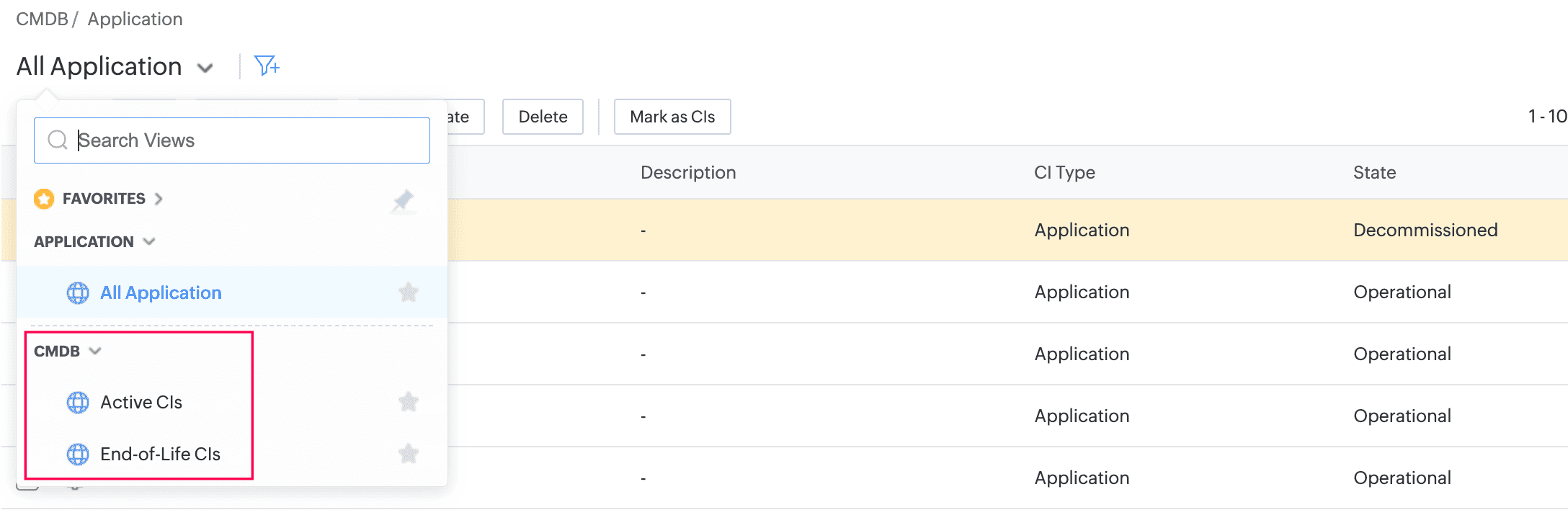
- Display CI states in the CMDB list view by selecting the State field from the column chooser.
- Change CI status from the list view or details page. Bulk change CI status by using the Modify State option in the CMDB list view.
SaaS Manager Plus Integrations
- Integrate ServiceDesk Plus Cloud with SaaS Manager Plus to manage SaaS licenses, track application usage, and optimize SaaS costs.
- Enable integration under Setup > Apps & Add-ons > Integrations > ManageEngine Integrations > SaaS Manager Plus.
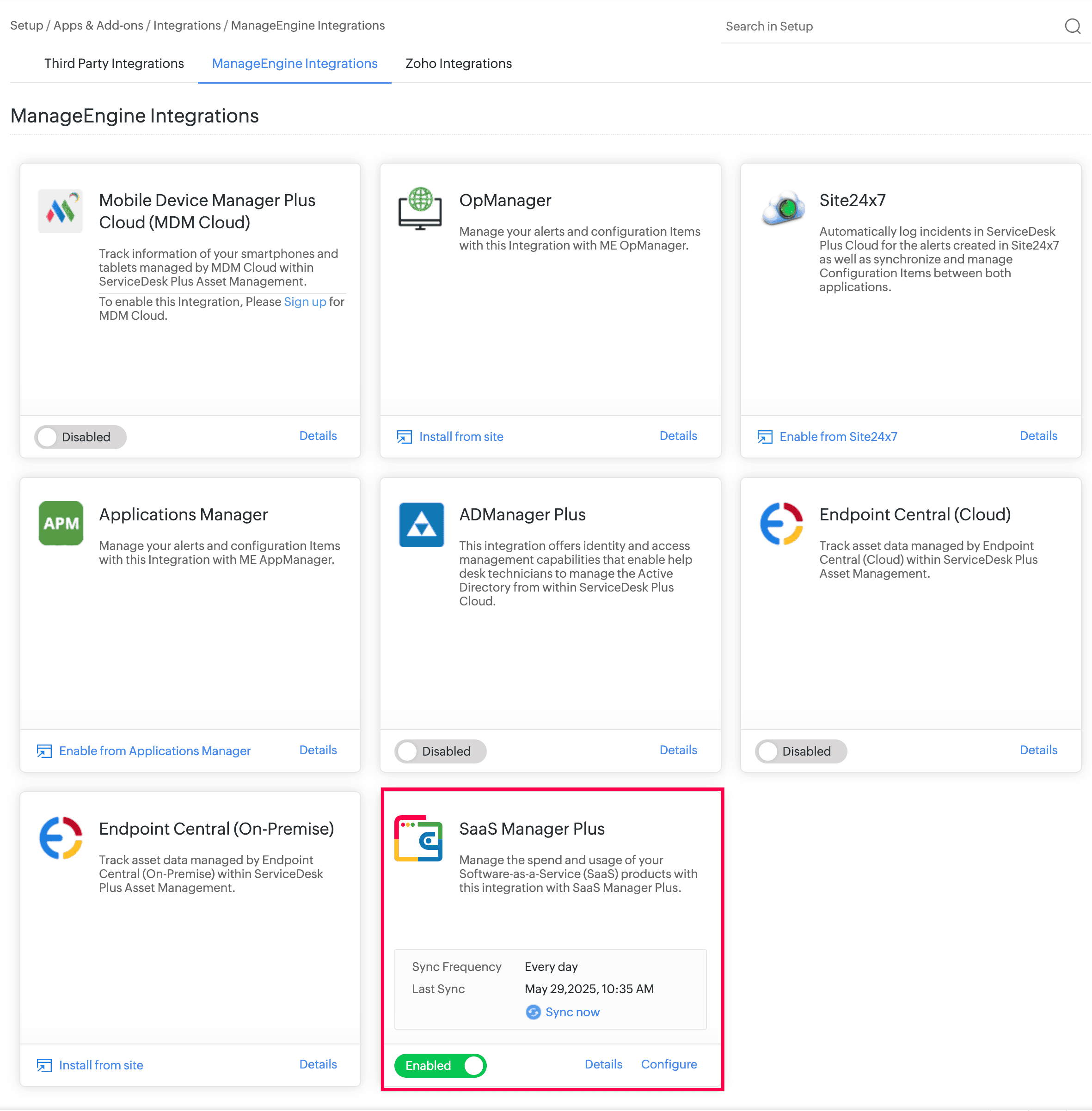
- After integration, licenses are synced and stored under Assets > Software & Licenses > Licenses.
Software & License Enhancements
- The license type Subscription is introduced for Software & Licenses. Licenses synced from SaaS Manager Plus are added under the Subscription license type.
- Customize the list view of Software, Agreements, and Licenses by applying custom filters based on criteria. Mark the frequently used filters as Favorites.
- User-tracked license types now include more than one installation per license.
Behavior Changes
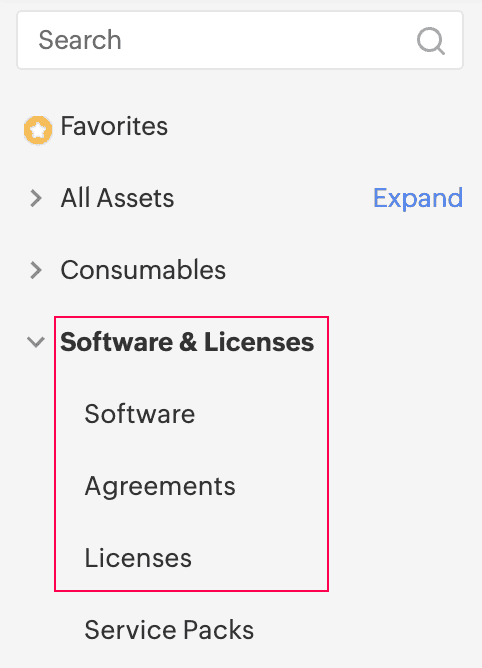
In the Assets module, Software and its sub-entities are renamed as follows:
Existing Behavior Behavior Change Software Software & Licenses Scanned Software Software License Agreements Agreements Software Licenses Licenses 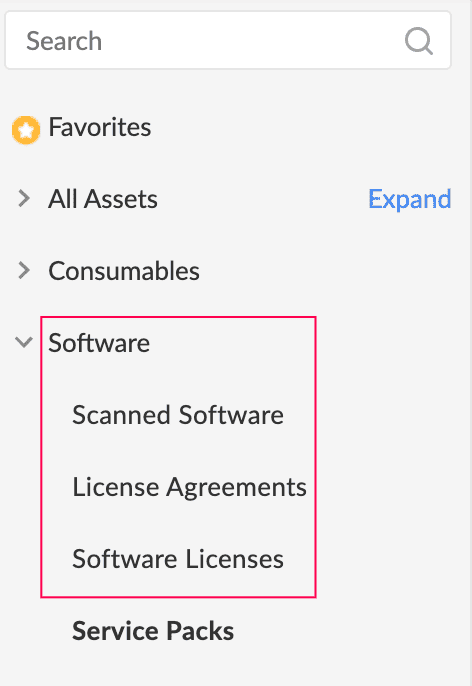
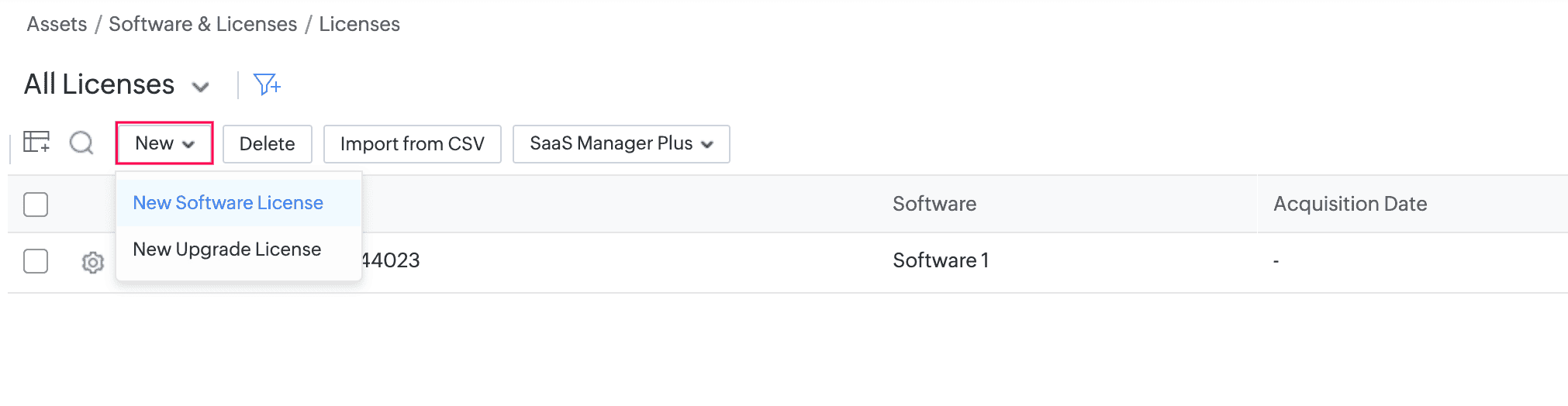
On the licenses list view, New Software License and New Upgrade License are accommodated within the New button.
November 12, 2025
Change in SAML Single Sign-On Behavior
- SAML redirection for single sign-on will be disabled for service domain URLs, effective from mid of November. To continue with SAML authentication, users must enter their email address on the account login page.
- The login flow for custom domains will remain unchanged.
November 7, 2025
Issues Fixed
Assets
In the asset card view, only 10 cards are displayed even when more cards and space are available to load.
November 4, 2025
Issues Fixed
Assets
In the mobile app, the Submit button is not visible when responding to asset acknowledgment approvals via email.
October 25, 2025
Issues Fixed
Change in Accessing Our Application
We are updating the way you sign in to our application to improve security and provide a more consistent sign-in experience. These changes include:
- Adding or editing custom service URLs based on the ServiceDesk Plus Cloud domain (e.g., helpdesk.sdpondemand.manageengine.com) will no longer be allowed. You can use the existing domain.
- You can delete existing subdomains.
- We recommend moving to an organization-owned custom domain for long-term use.
September 10, 2025
Issues Fixed
Assets
In Loanable Assets, all assets are displayed instead of loanable assets only.
August 29, 2025
Enhancements
External users can now access the ServiceDesk portal via a custom domain (e.g., helpdesk.zylker.com). The custom service URL must be mapped only to a single portal to enable this access.
Intranet Webhook
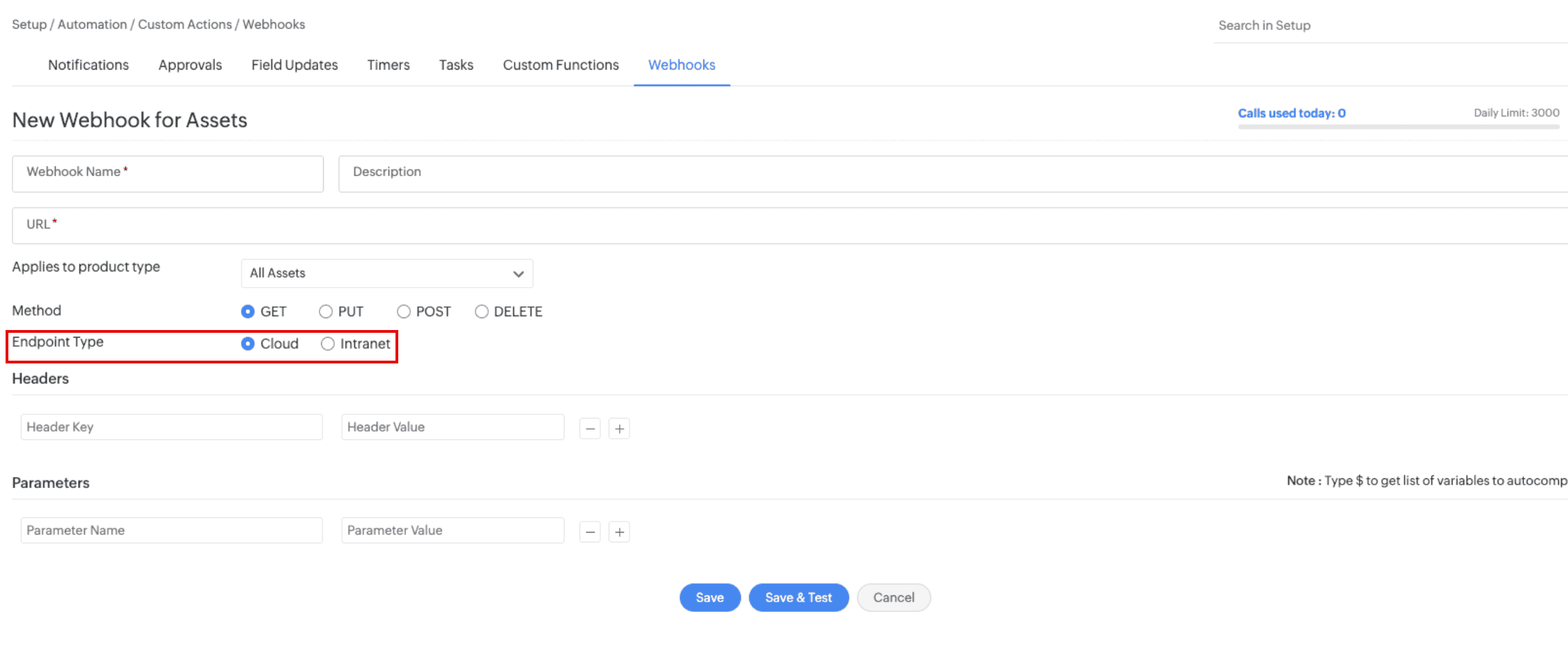
- Intranet Webhook, previously announced as beta, is now enabled for all users by default.
- Technicians can now enable/disable Intranet Webhook via the Endpoint Type option in the webhook form.
CMDB
- Via import, you can now set null values for CMDB fields, overriding any existing values.
- You can now set dynamic values in custom view criteria.
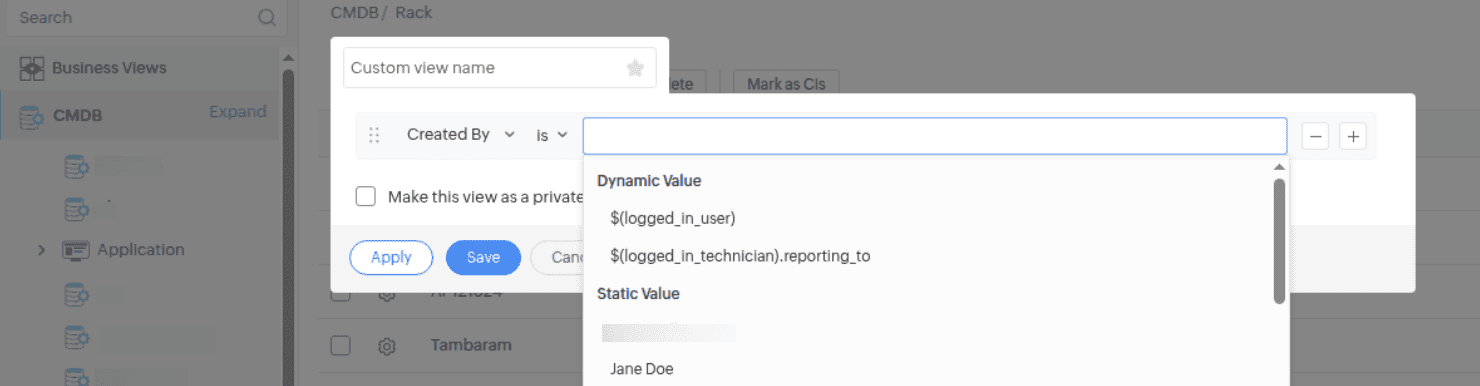
- In the Network Details section, you can now specify multiple IP addresses for a network interface card by separating them with commas.
Asset
- In the Network Details section, you can now specify multiple IP addresses for a network interface card by separating them with commas.
Provisioning Tool
- The mailto argument is now optional when scheduling sync in the provisioning tool's task scheduler.
Issues Fixed
Assets
- The list view fails to load at certain screen resolutions and zoom levels.
- Unable to delete disposed software licenses.
- Assets added to child product types of Virtual Hosts and Virtual Machines are not scanned and synced from Endpoint Central as expected.
- In the loanable assets list view, assets associated with an asset life cycle are not displayed.
- Unable to export Discovered Serial Number and asset users' Employee ID from the list view.
- The video card details are not transferred to the copied asset.
- In barcodes generated under Configure and Print Labels, the leading zeros in Starting From are not displayed.
- The product type deleted during an asset audit does not display under Newly Identified Assets.
- In Dark mode, the section header text on the asset details page is not displayed distinct from the background.
August 25, 2025
Issues Fixed
Assets
The list view fails to load at certain screen resolutions and zoom levels.
August 21, 2025
Issues Fixed
Assets
An internal error occurs when a technician with a site-restricted role allocates consumables tracked by batch/lot details.
August 06, 2025
Issues Fixed
Assets
- In the asset audit details page, the attachment icon under the Audited tab is not displayed even if an attachment is available.
- The life cycle transition panel renders multiple times while switching between tabs such as Hardware, Software, etc., on the asset details page.
July 29, 2025
Issues Fixed
Assets
Users with non-SDAdmin roles are not able to edit the consumable allocations.
July 08, 2025
Issue Fixed
Assets
When a workflow transition is executed from the asset details page, an internal error occurs if the Department is associated under Mandatory Fields and a custom function is used in the Pre-Action Rule Set. Additionally, the workflow transition button is updated with the changed state only after page refresh.
July 07, 2025
Issue Fixed
Unable to edit the name of the third from last section in a product type template.
March 26, 2025
Enhancements
Asset Acknowledgement sync to Zoho Analytics
- The following columns are now added to the Assets table in Zoho Analytics.
- Last Scan Source
- Acknowledgement ID
- Acknowledgement Status
- Acknowledgement Reminded On
- Acknowledgement Responded On
- Asset Received On
March 07, 2025
Enhancements
General
- Users with both SDCMDBAdmin and SDAssetManager roles can now add, edit, and delete sync rules. They can also execute the Run Through option for a sync rule.
Assets
- You can now add more than 100 component software while editing a new software suite under Assets > Software > Scanned Software
Issues Fixed
Assets
- When editing service-packs, the Selected Software and Available Software headers are incorrectly displayed.
- Unclear error message while attempting to send an asset acknowledgment reminder notification to users who do not have login access.
- In the asset list view, clicking Assign Users renders only the selected assets in the pop-up.
- Unable to create a software license type in non-English setups when the value of the Track By field is Computer.
- The Installation Allowed option is set to Single irrespective of the option chosen while creating a software license type.
- Asset details are not synced in ServiceDesk Plus Cloud if the product type name is changed for the Computer product type.
- During import, the hard disk capacity field is not imported if multiple values are specified as comma-separated values in the import file.
- Unable to customize Reply Back Name and Reply-To Address in native mail server settings.
CMDB
- CI relationship import fails if the CI Type and Product Type have the same name
- When sync rules are set up with field mapping, network adapter fields are not synced from CMDB to assets.
January 07, 2025
New feature
Asset Audit
- You can now audit assets in AssetExplorer Cloud under Assets > Asset Audit.
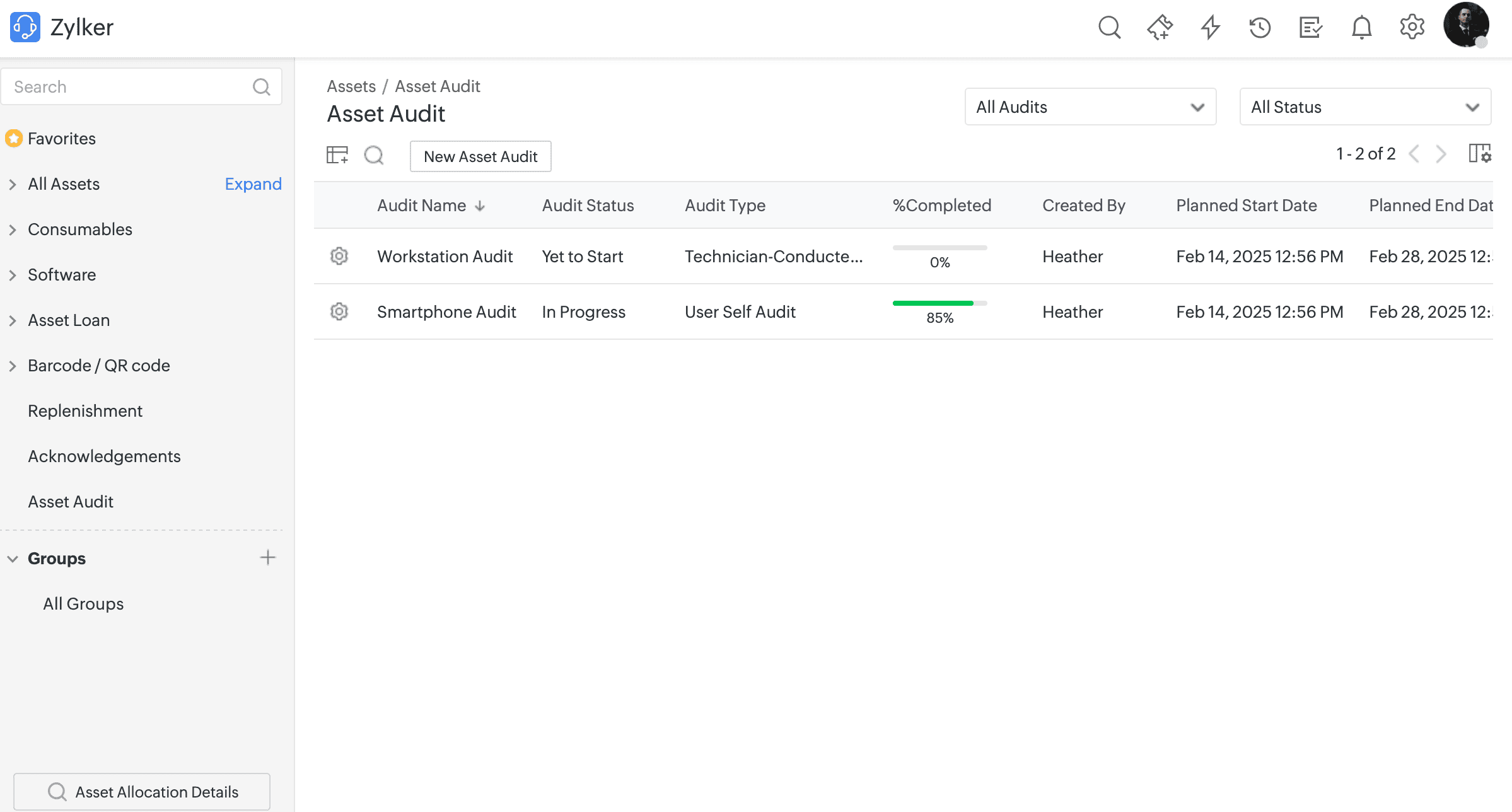
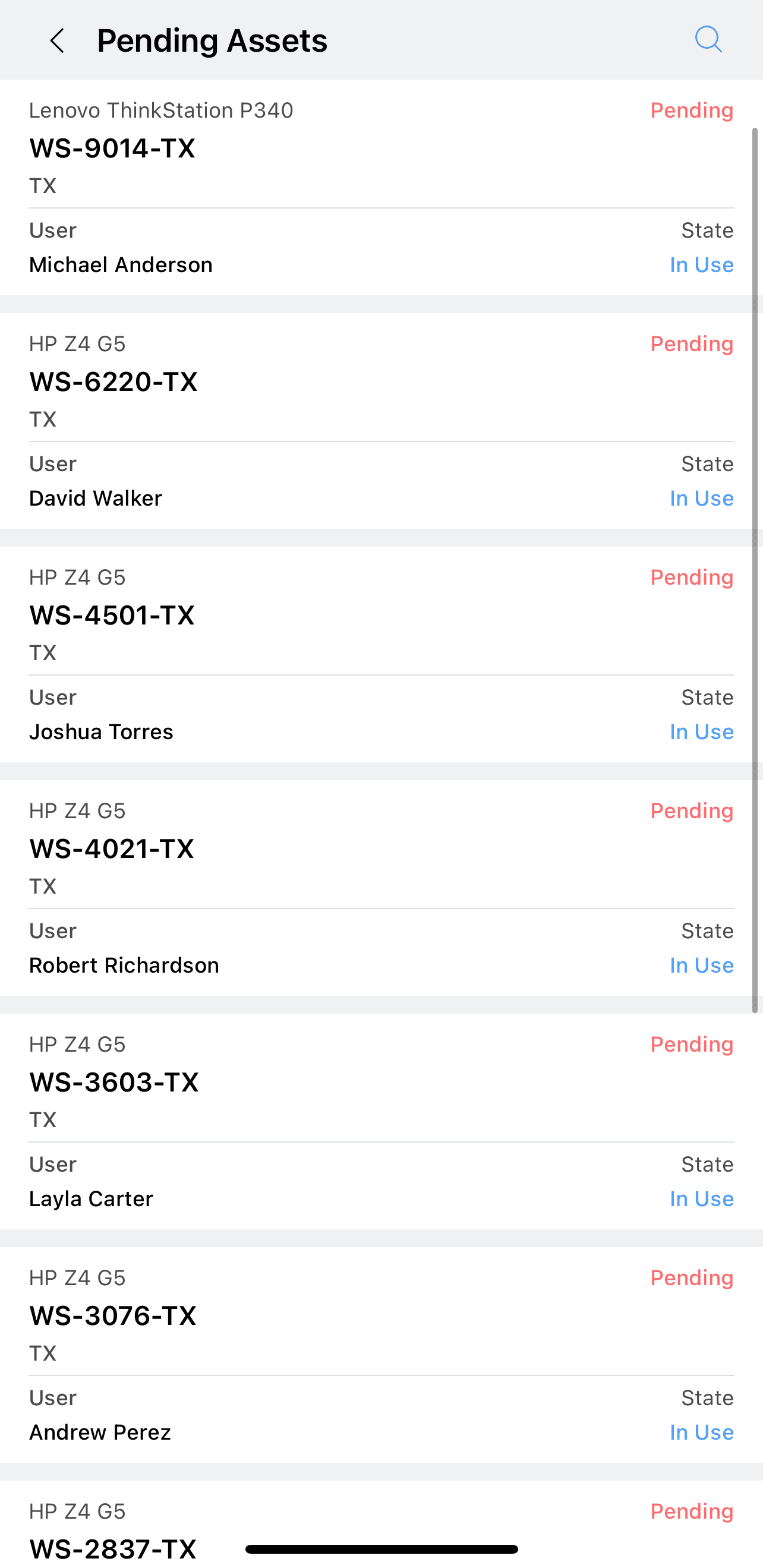
- Create a technician-conducted audit to allow technicians to physically verify users' assets by using the mobile app.
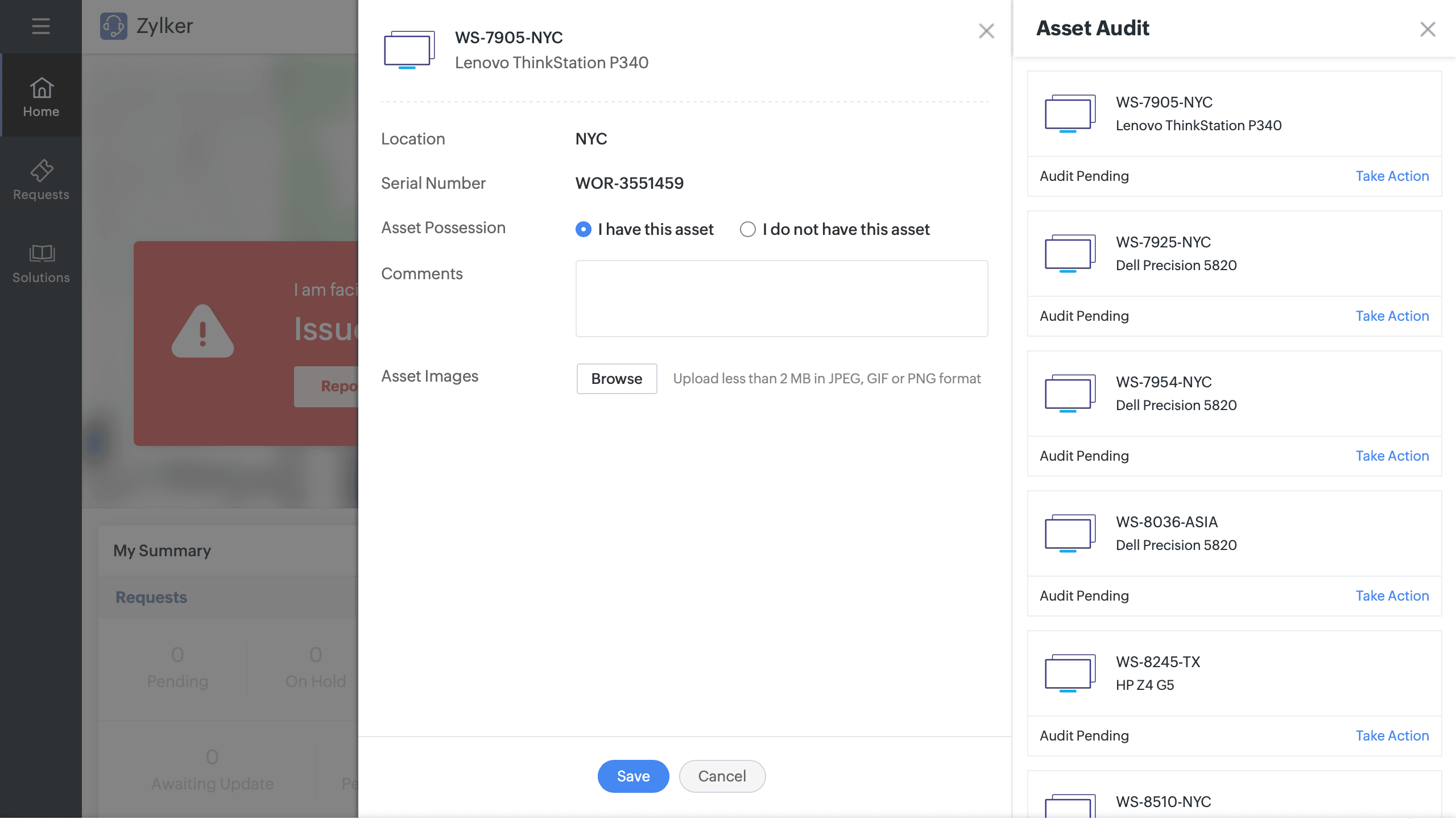
- Create a user self-audit to allow users to verify their assets through the user portal.
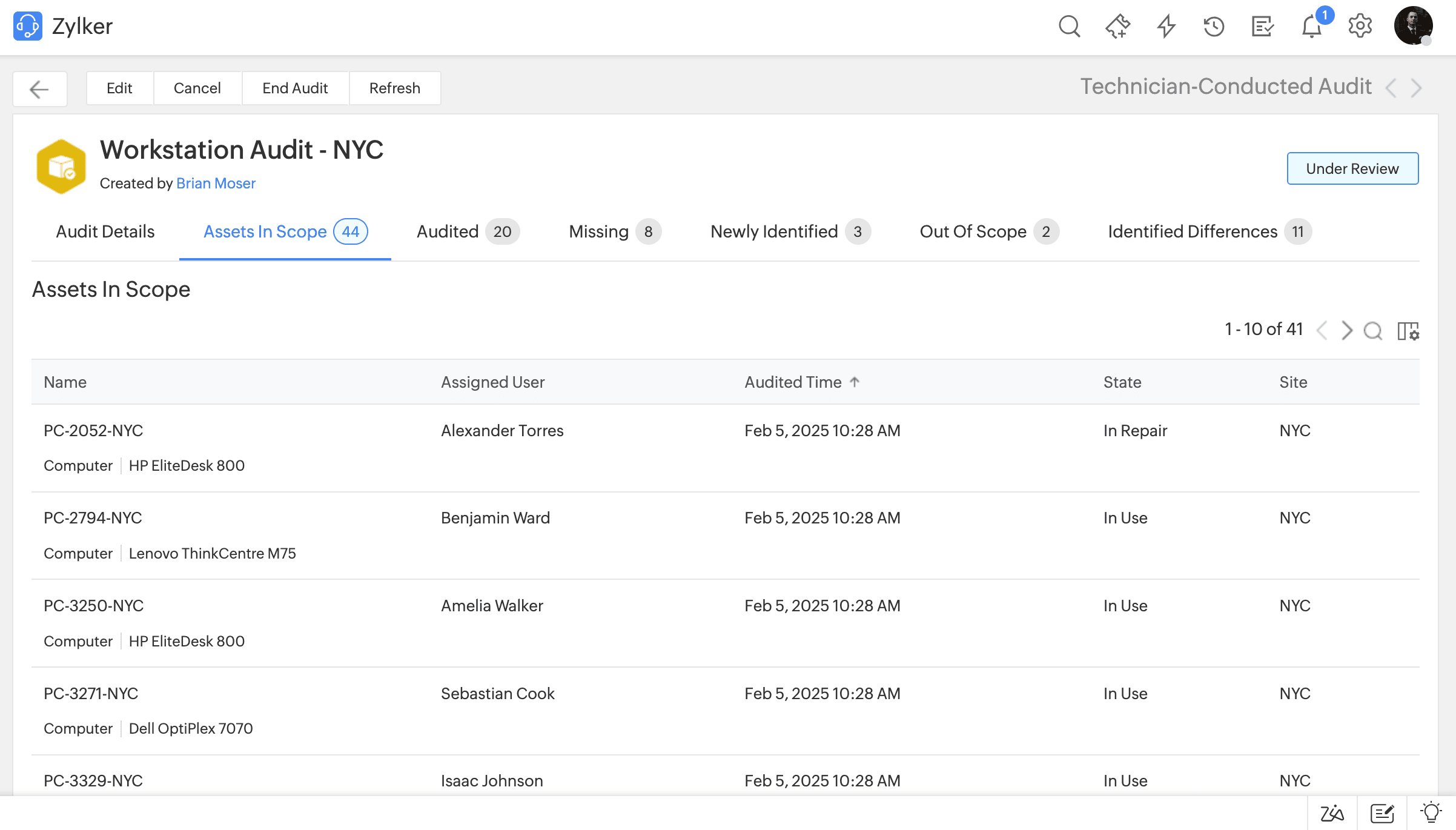
- Categorize assets as Audited, Missing, Out of Scope, Newly Identified, and Identified Differences in technician-conducted audits.
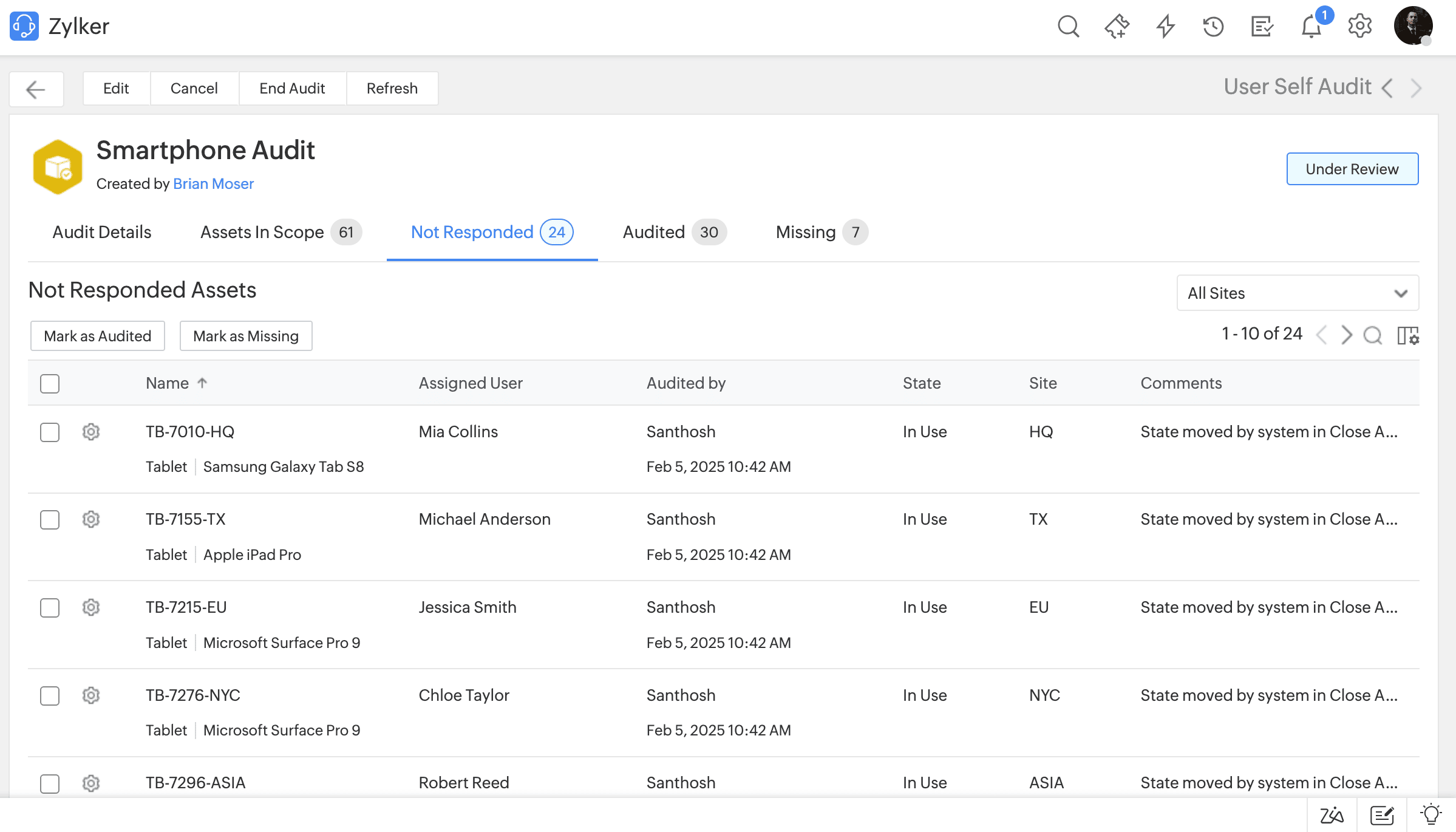
- Categorize assets as Audited, Missing, and Not Responded in user self-audit.
- Generate custom reports of audits under Reports > New Custom Report.
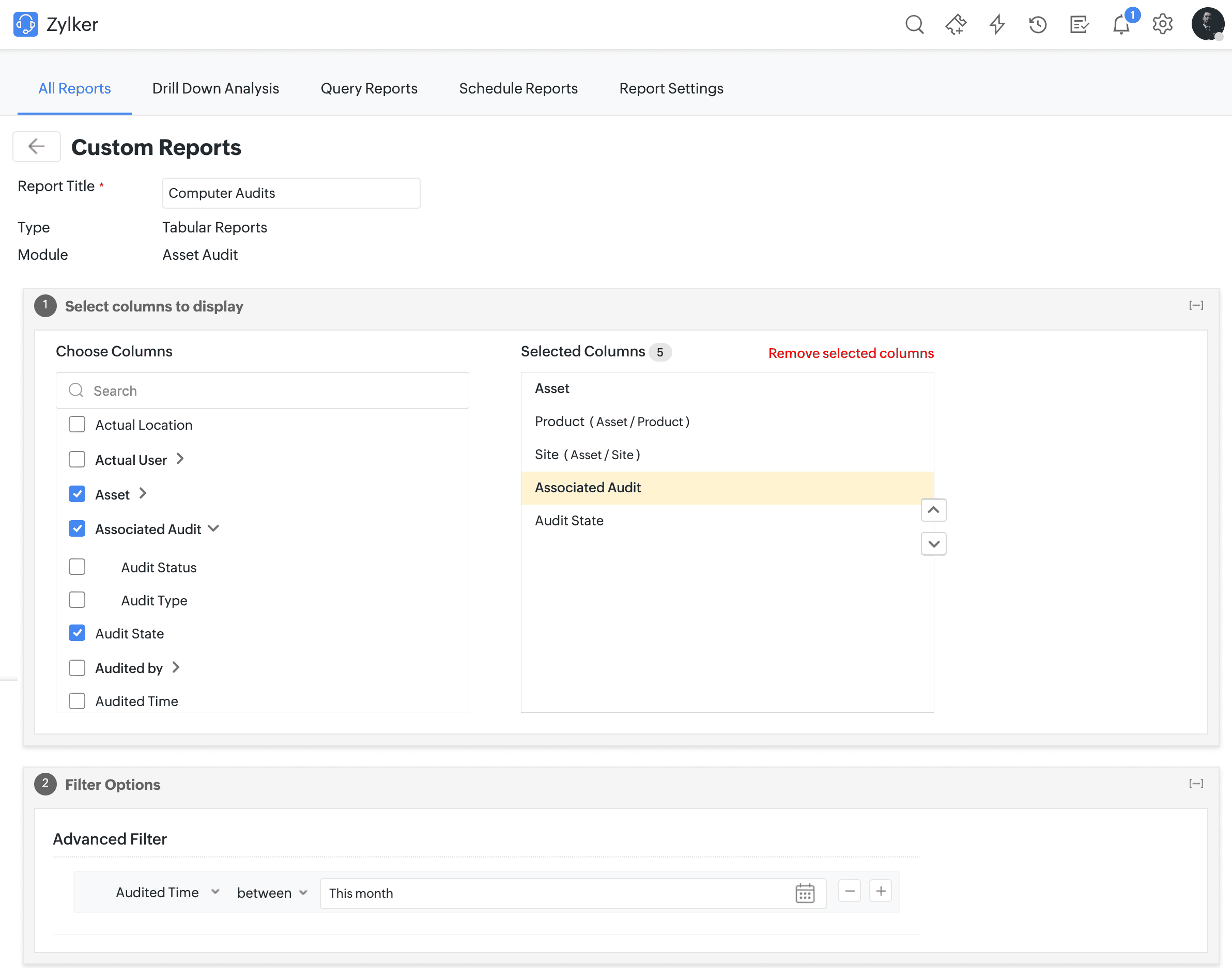
- Generate custom reports of audits under Reports > New Custom Report.
Last Scan Source
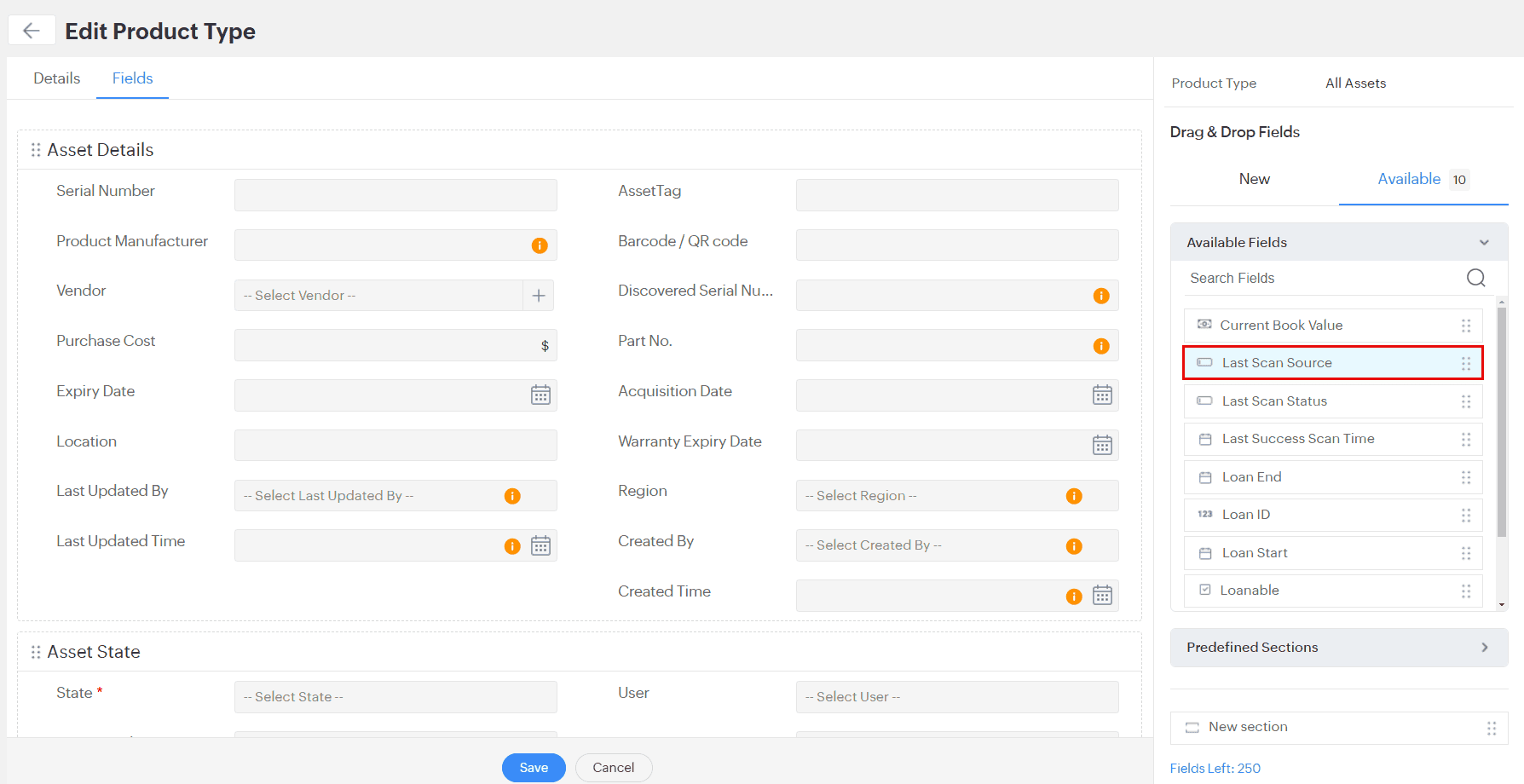
A new Last Scan Source field has now been included for assets. This field will appear on the asset details page and show the last asset sync details or scan type.
To display the field on the asset details page,
- Go to the Fields tab on the Edit Product Type page under Setup > Customization > Asset Management > Product Type.
- From the Available tab on the right pane, drag the Last Scan Source field to the canvas.
November 20, 2024
Issues Fixed
Assets
- Asset is automatically assigned to the previously assigned user even if the last "logged-in" user value is changed user during Asset Scan.
- Start tour is not available for users logging in through the Asset Acknowledgment form.
- Asset assignment notifications are sent to users when associating an asset with another asset that was already assigned to them or their department.
- Print preview does not load while manually generating codes for assets under Assets > Barcode/QR Code > Generate Code > Generate Codes For New Assets.
- Error message is not displayed when adding assets with existing service tags.
- Unable to view attachments added to assets.
- Department field does not update for assets when they are assigned to users via Microsoft Intune.
- Error while importing asset data due to space before or after the string in the memory field column during import.
- In some cases, unable to export asset-related data.
- Internal error while configuring Asset Reconciliation.
- Unable to click the Next button in Japanese setups after field mapping during asset import.
- Error while choosing Criteria for the problem life cycle.
- Error while accessing the New Asset page through the Facility portal in Professional Edition.
- Discovered serial number field values are not updated during SNMP asset scan.
CMDB
- For CIs and workstations created via CMDB sync rule, memory field values are incorrectly updated when modified.
- In the CI list view, the integration icon for CIs imported via integrations overlaps with the CI name.
- Hyperlinks in the CMDB report are broken.
October 16, 2024
Issues Fixed
- Error occurs while syncing Zoho Analytics/ManageEngine Analytics Plus in HR and Facilities help desk instances.
October 14, 2024
Issues Fixed
- ServiceDesk Plus Cloud instance created when signing up for AssetExplorer Cloud.
October 09, 2024
Issues Fixed
Requests
- The From address in the request conversation appears garbled if the sender's name in the technician group is in Japanese characters.
- In some cases, when replying to request conversations, the prefix 'Re: [Request ID: ##$RequestId##]' is appended multiple times to the subject.
- High margin pixels in the <p> tag lead to increased spacing between lines in request notifications.
- In requester login, error while mentioning users in project comments.
- In the request details page, clicking on assets in Assets Owned popup does not redirect to the asset details page.
- In Japanese personalization, Any Completed Status is garbled in the status dropdown.
- Data is not encoded in the PDF and XLS exports of archived requests.
- Request history displays the Status scheduler updated operation when the On Hold status scheduler is cancelled via approvals.
- Not required
- Inline images are not displayed in the description for requests created or edited via email commands.
General
- Online technicians popup in Tech Availability Chart displays all technicians as having the same email address.
October 07, 2024
Asset Management
- Introducing inheritance in product types. A product type can now extend a parent product type, inheriting the parent type's fields.
- Product types are categorized in a nested parent-child hierarchy.
- Introducing All Assets as a default product type. It acts as a parent for all assets and components.
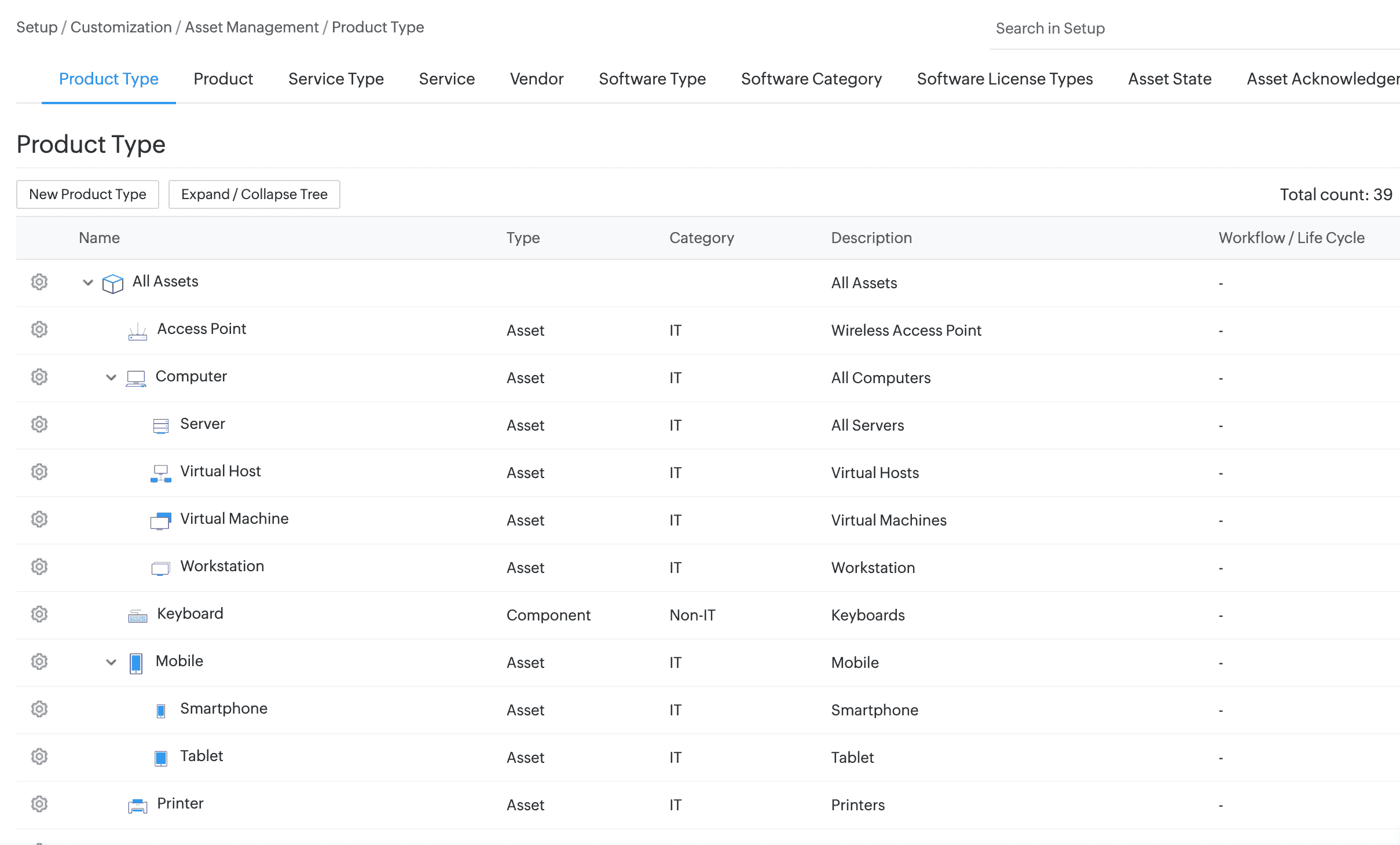
Form Customization
- Customize the layout of asset forms based on product types. Child product types inherit the layout and fields from the parent product type. To do this, go to Setup > Customization > Asset Management > Product Type.
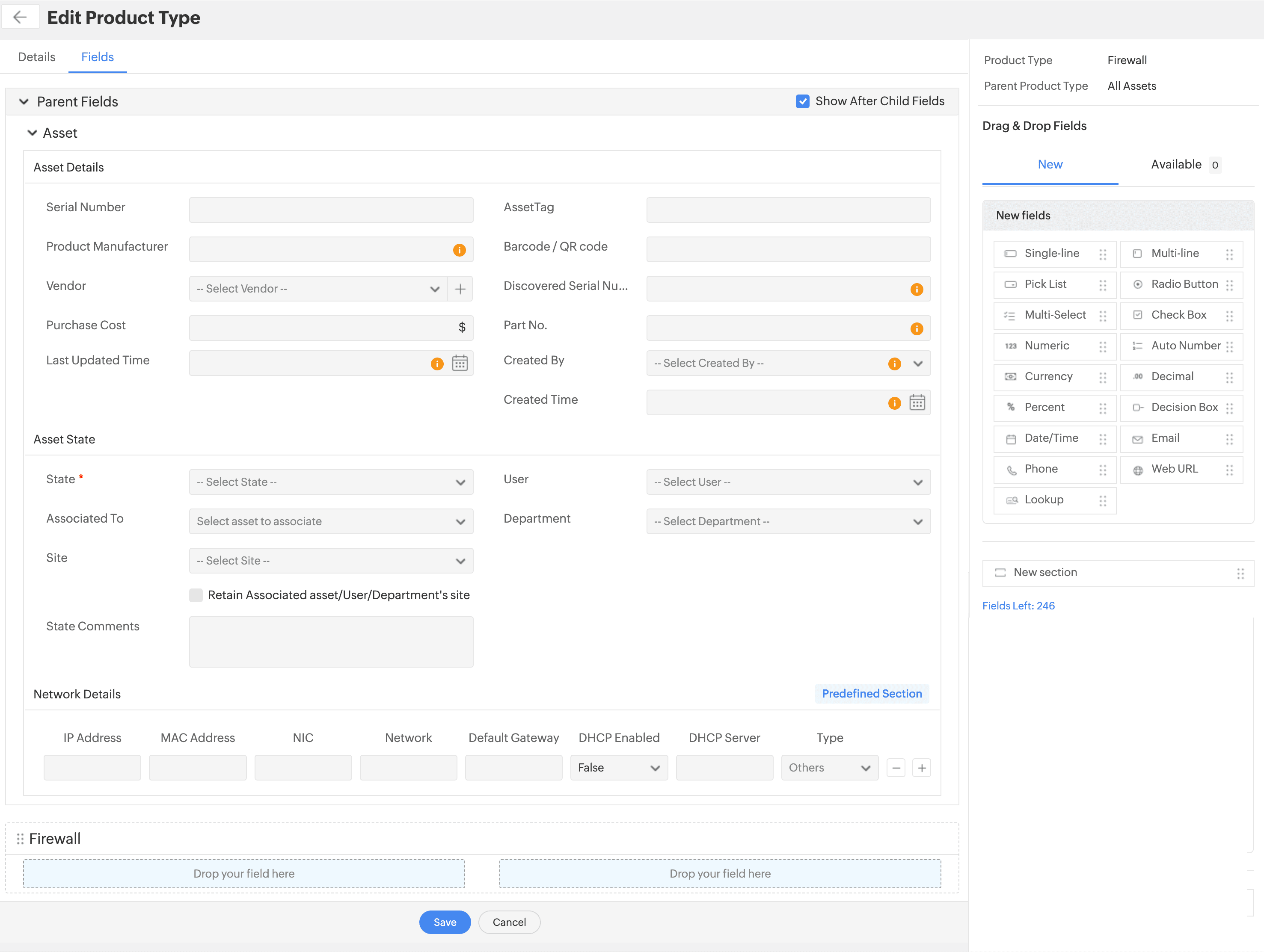
Categorize Product Types
- Default product types in the IT Help Desk are as follows:
New Product Types:
- All Assets
- Computer
- Virtual Host
- Virtual Machine
- Mobile
- Cisco Router
- Cisco Switch
- Cisco Catos Switch
- Existing product types are categorized based on their parent product type.
- Access Point, Printer, Router, and Switch are categorized under All Assets.
- Server and Workstation are categorized under Computer.
- Smartphone and Tablet are categorized under Mobile.
- If a custom created product type and a default product type have the same name, the custom created product type will be renamed with the suffix "_ old". For example, 'Computer' will be renamed as 'Computer_old'.
- Default product types cannot be deleted. You can only modify some information, such as the product type name, image, and description.
Additional Fields
- Additional fields count for Assets is increased to 250.
- View additional field metrics from product type templates. On a product type template, click Fields Left on the right pane of the Fields tab.
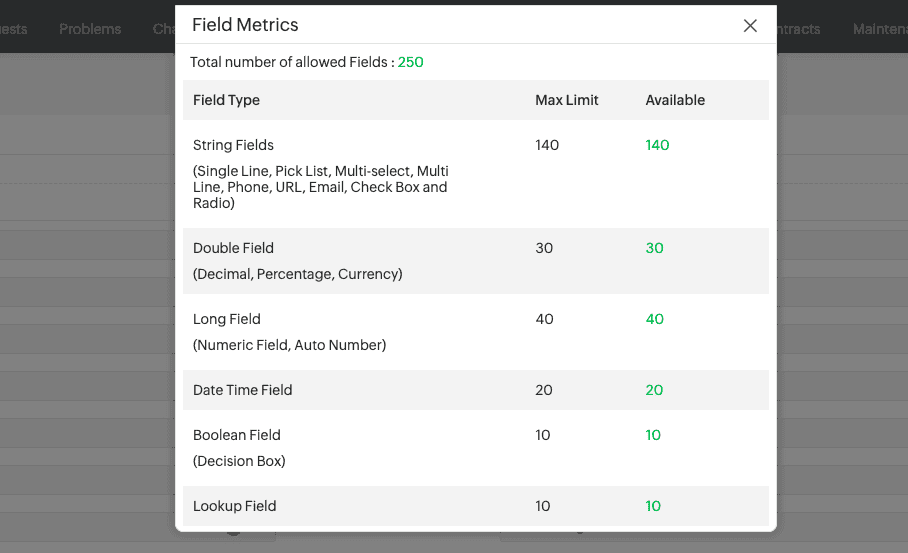
Assets
- Introducing the All Assets list view, a consolidated view that lists all assets and components.
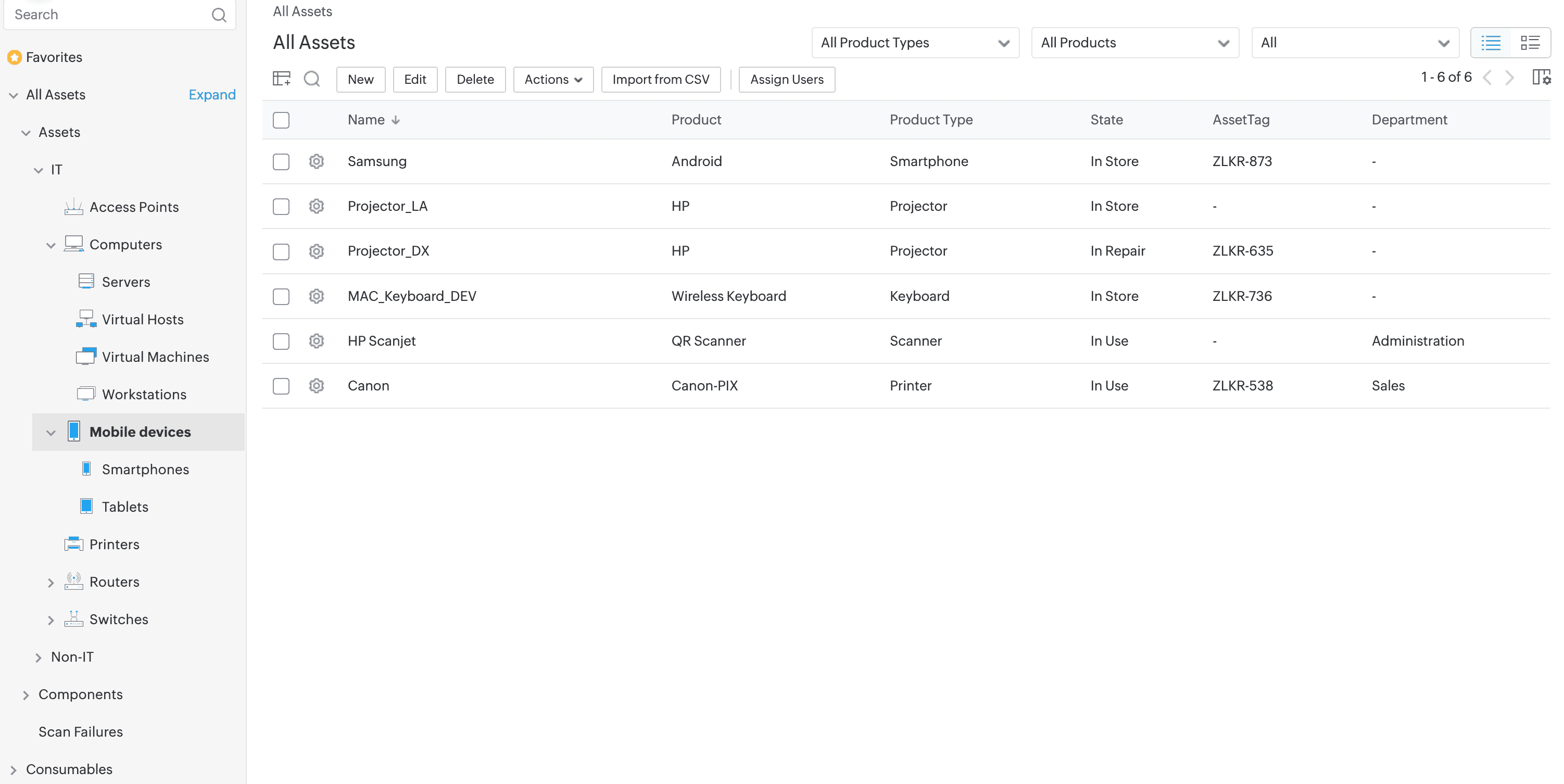
- Asset forms are dynamically rendered based on the product type.
- Search assets using product types in global search.
- Added support to search mobile devices and their child product types using IMEI, Modem Firmware Version, and OS Name.
Reports
- Generate reports for Assets including fields from reference entities and set filter conditions in the report configuration page using reference entity fields.
- Support to generate reports for hardware such as Processor, Hard Disk, Logical Drives, etc., along with computer details.
For more information on what's new, visit here.
Behavior Changes
Asset Management
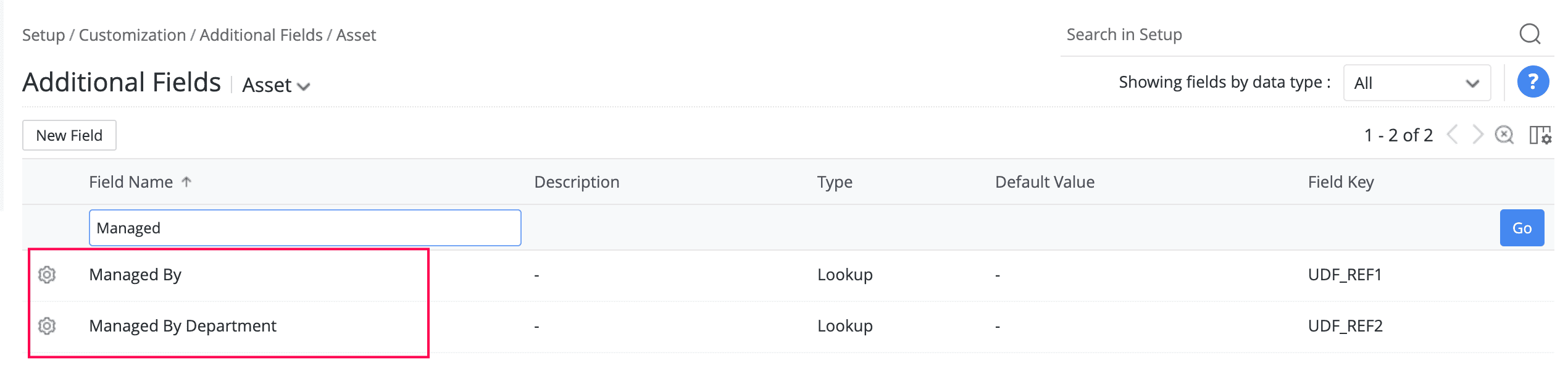
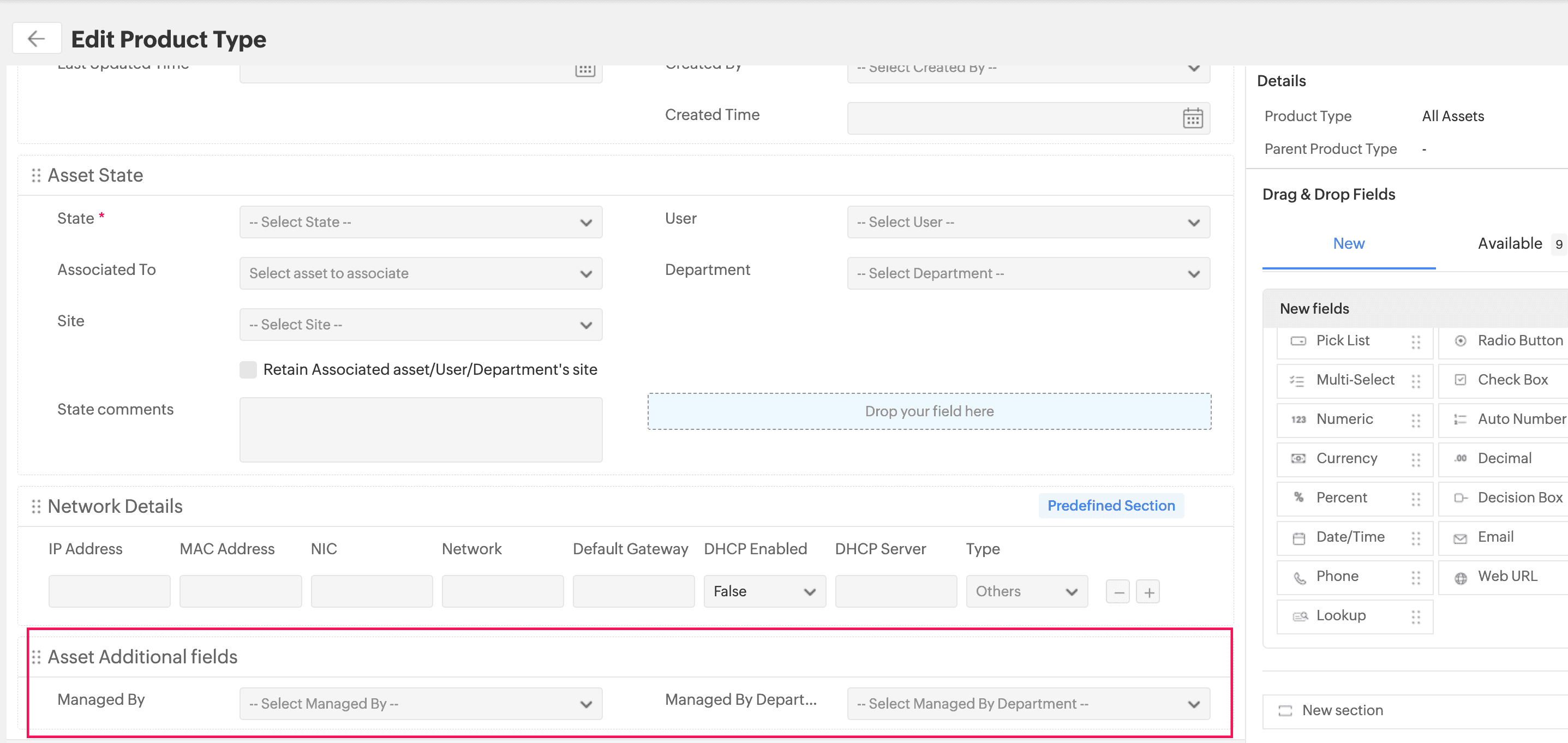
- Creating additional fields for Asset and Workstation under Setup > Customization > Additional fields is not possible anymore. Instead, you can create additional fields for assets and workstations from the Fields section in the right panel, as shown below.
Existing Behavior
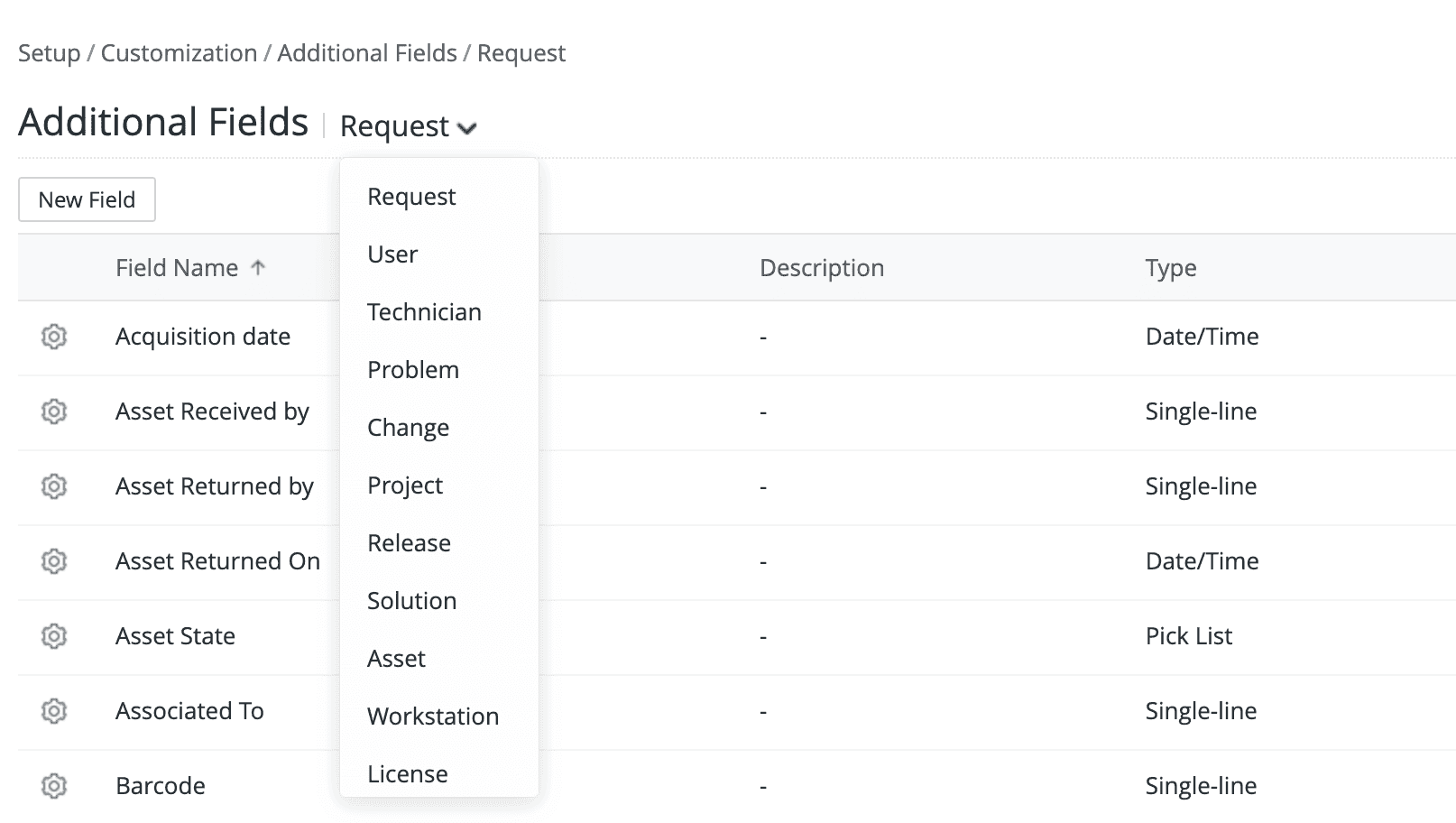
Behavior Change
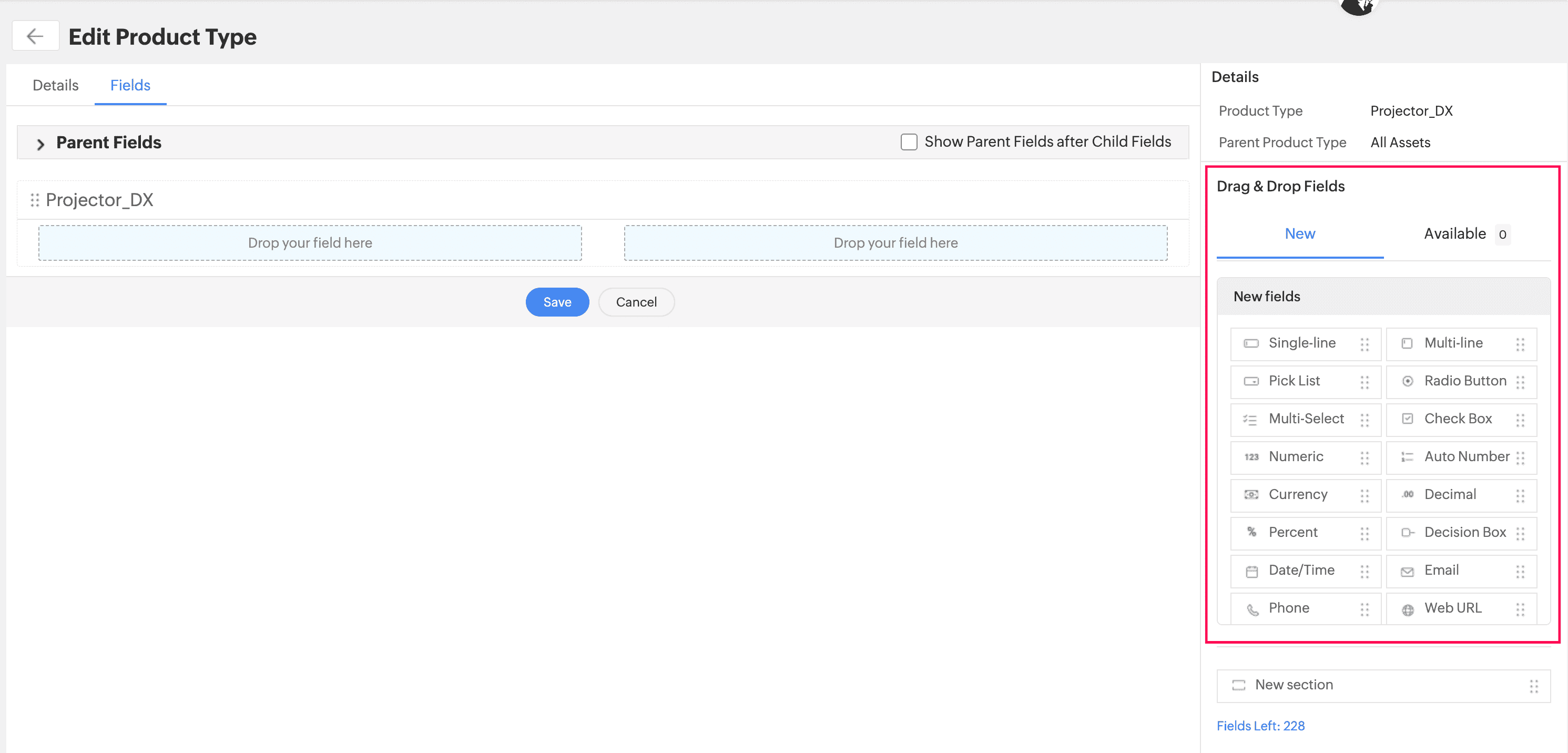
- Additional fields created for one product type cannot be used for the other product types.
- Additional fields already configured for Workstation will be moved to the Computer product type template form.
Existing Behavior
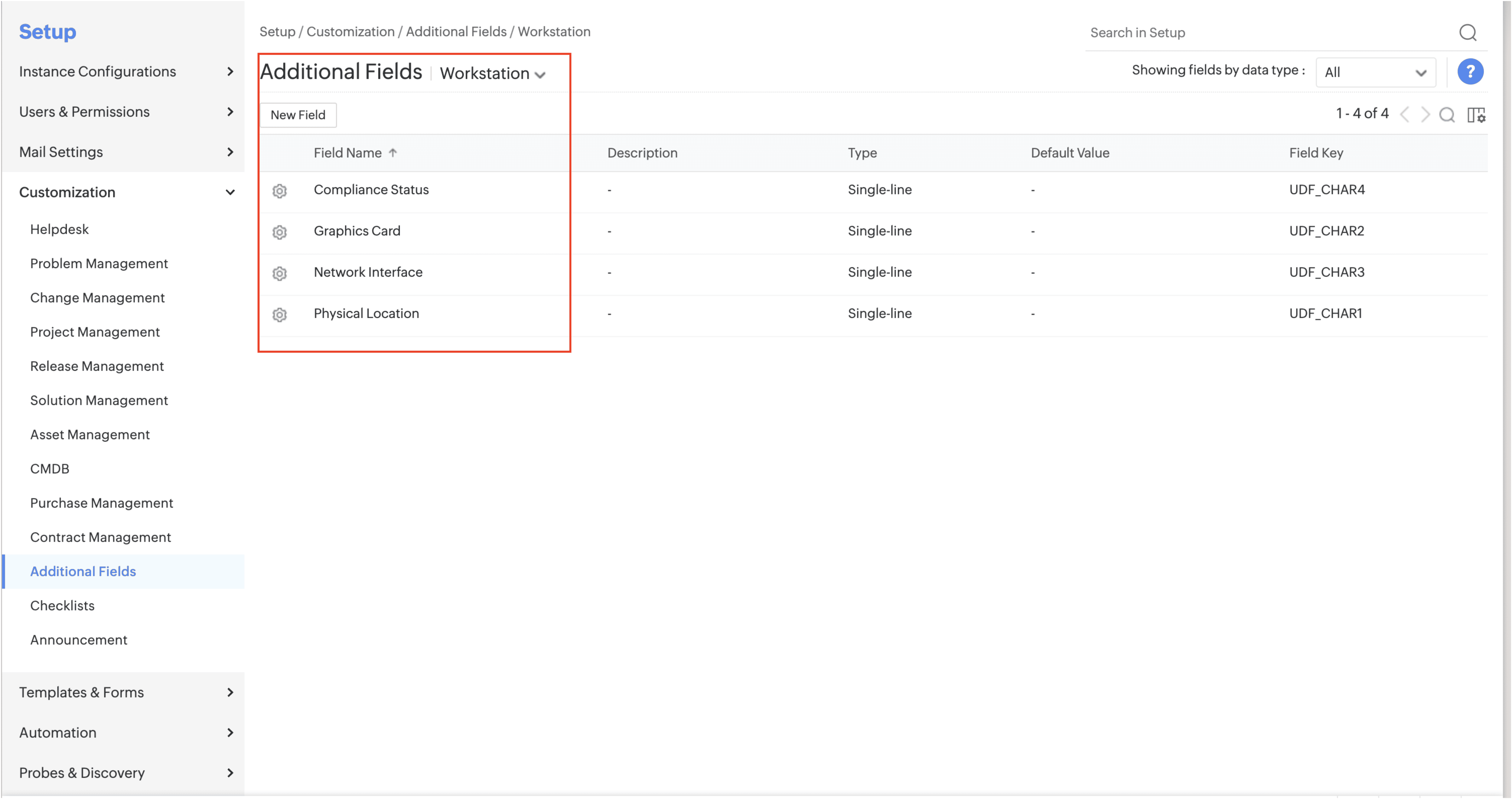
Behavior Change
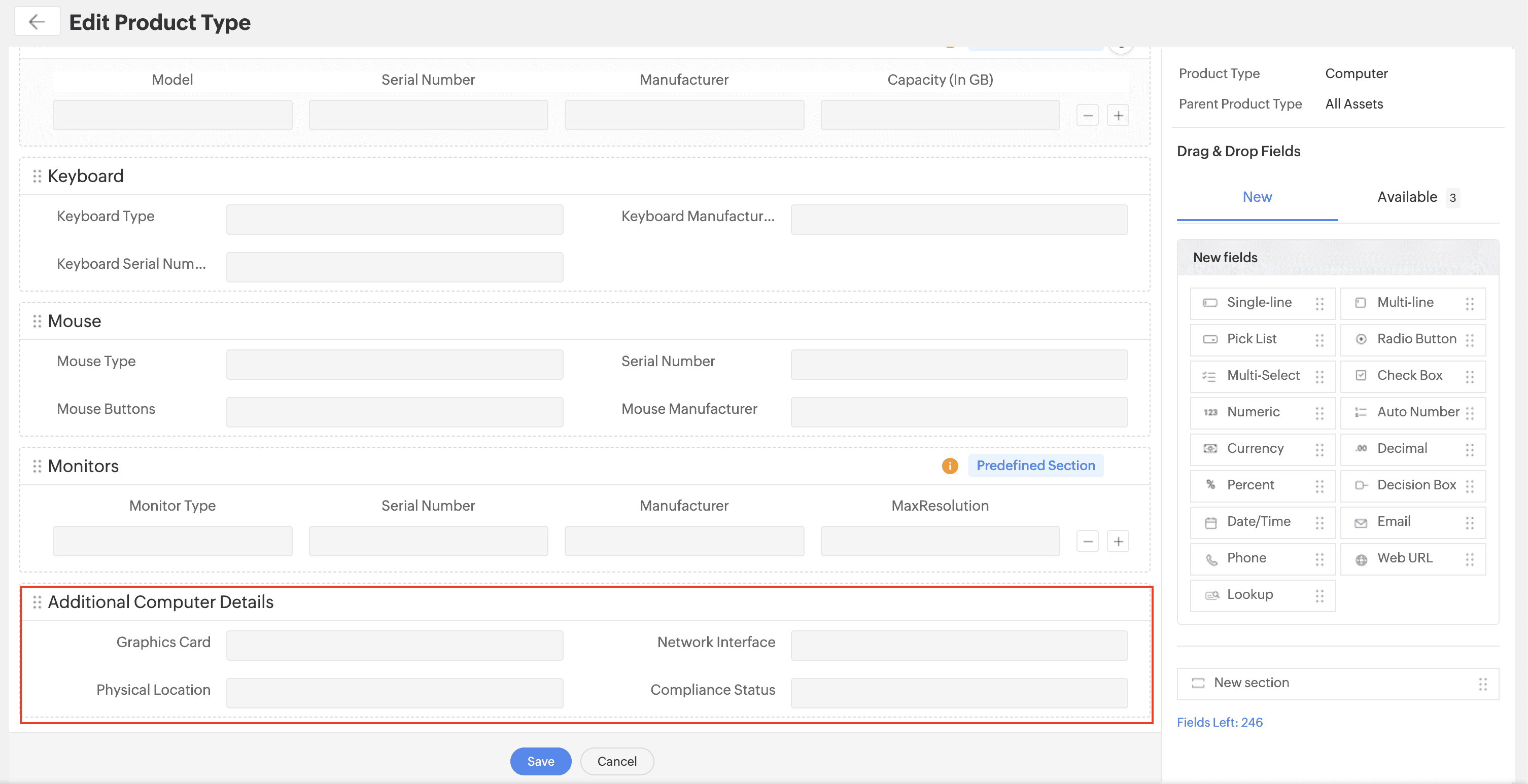
- Additional fields already configured for Assets will be moved to the All Assets product type template form.
Existing Behavior
Behavior Change
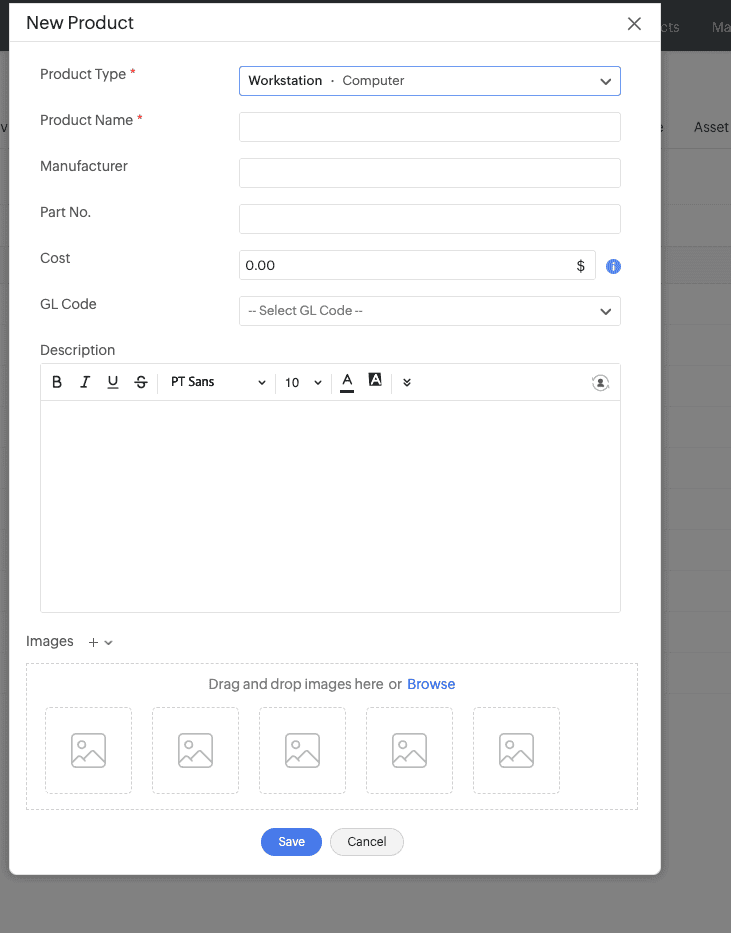
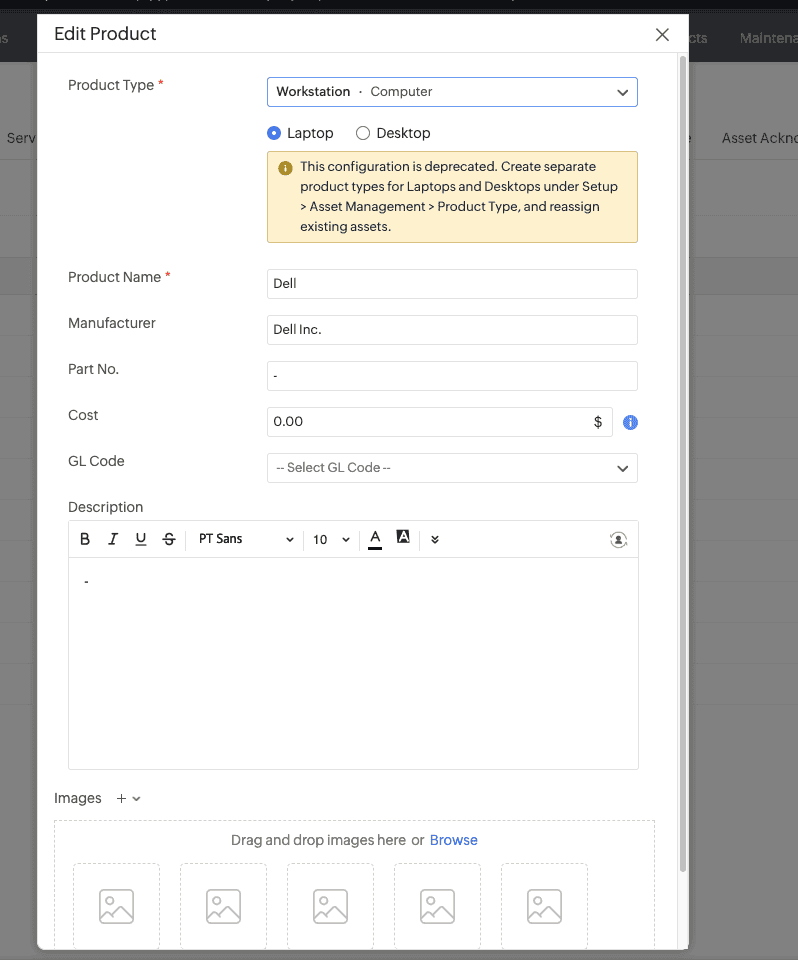
- Options to select Laptop or Desktop while configuring a new product for Workstation or Server are deprecated. Please create a product type for Laptop or Desktop under Computer and group the products accordingly.
Existing Behavior
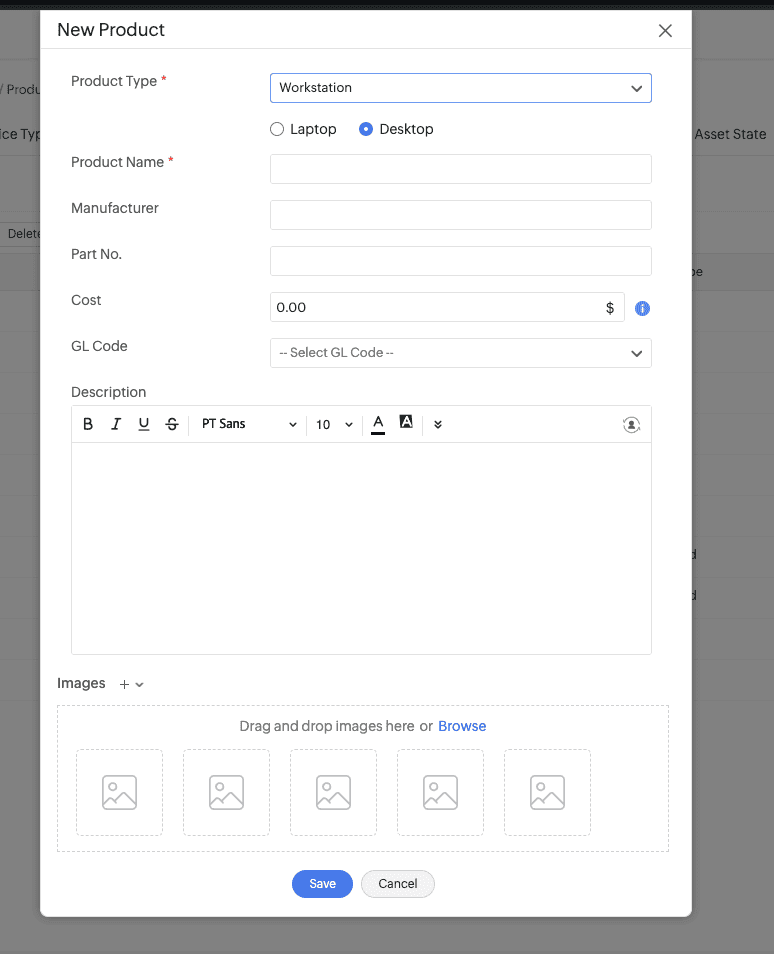
Behavior Change
New product form
Edit product form
- Fine-Grained Access (FGA) and Acknowledgement configured for a product type will be applicable to its child product types.
- The page navigation support on the product type list view is removed.
Assets Module
- Product type is not mandatory while adding assets through barcodes.
- Workstation, Server, Virtual Host, and Virtual Machine are now grouped under Computer. These product types inherit the Computer product type.
- While adding computers via scan, newly detected products will be added under the Computer product type.
- Desktop and Laptop options are deprecated from the All Workstations filter. However, you can access them from the Computer list view.
Existing Behavior

Behavior Change
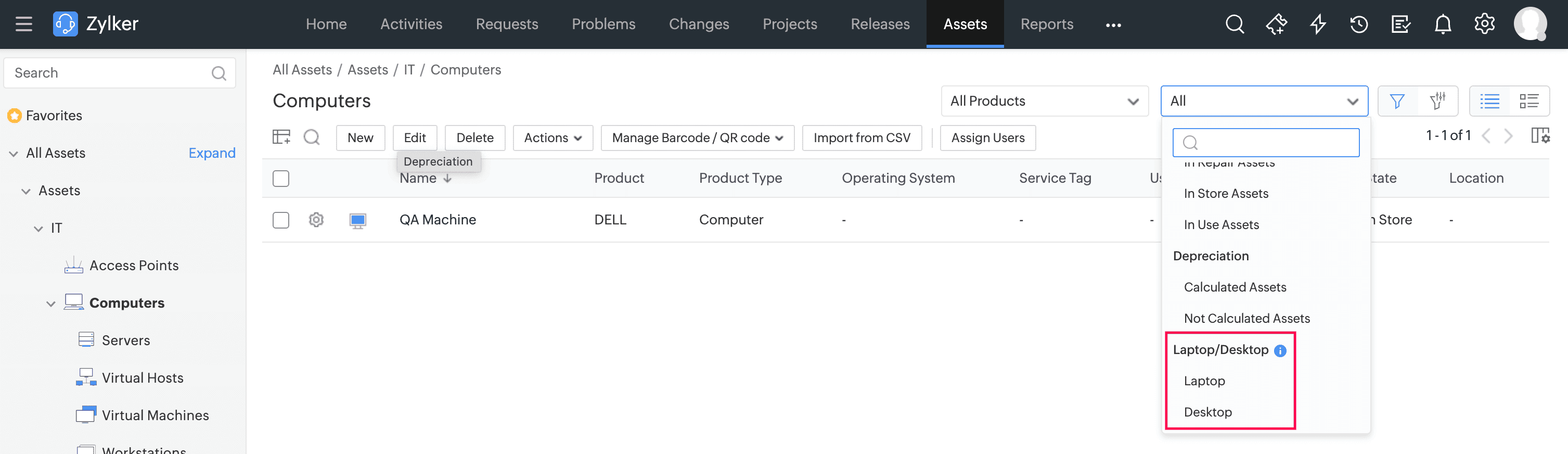
- Unaudited Workstations is renamed as Scan Failures, and the corresponding view lists only scan failed computers.
- Convert as Server and Convert as Workstation support are removed from the list view and details page of Servers and Workstations. You can use the Actions > Modify Product option to update the product or product type.
- The VM Type field is removed from the Workstations form. You can categorize virtual machines under Virtual Host or Virtual Machine product types.
Import and Export Data
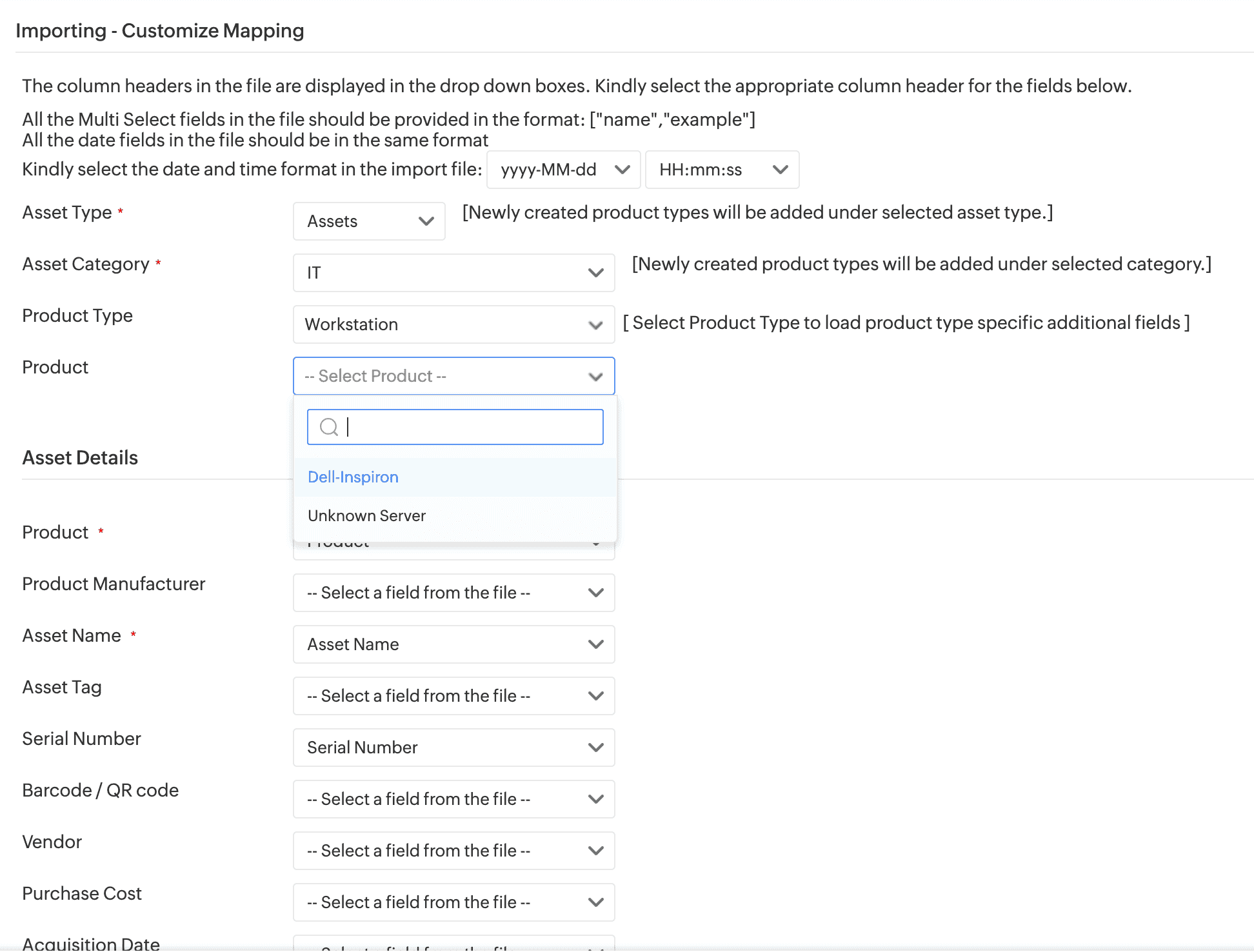
Workstations and Components options are now listed under the Product Type field in the import/export mapping section. To import workstations or mobile devices, select the required type from the Product Type field.
- Data import now supports selection of a product type and a product to add/update specific assets.
Reconcile Assets
Reconcile assets with other assets of the same product type or its child product type.
For example, a router and its child assets can be reconciled. However, you cannot reconcile a router with an access point.
General Enhancements
Automation
- Life Cycle :
- If a child product type is not associated with a life cycle, it will inherit the life cycle of its parent product type.
- A default life cycle for all assets is provided under Setup > Automation > Life Cycles > Assets. You can enable and edit it whenever required. On enabling, product types without a life cycle will inherit the default life cycle.
- Workflow : A workflow created for a product type applies to its child product types as well. Similarly, triggers, custom menus, custom notifications, custom functions, and webhooks are inherited to child product types.
CI Sync - A sync rule configured for a product type is applicable to its child product types.
Zoho Analytics - Data from Computers and their child assets will be synced to the Workstation table.
Dashboard
The Asset Summary widget shows product types in a hierarchical manner, and the count represents the assets available under that particular product type excluding its child count.
Workstations by OS, Workstations by State, and other workstation-based widgets are renamed as Computers by OS, Computers by State, etc. These widgets show the information on product types grouped by computer.
Existing Behavior
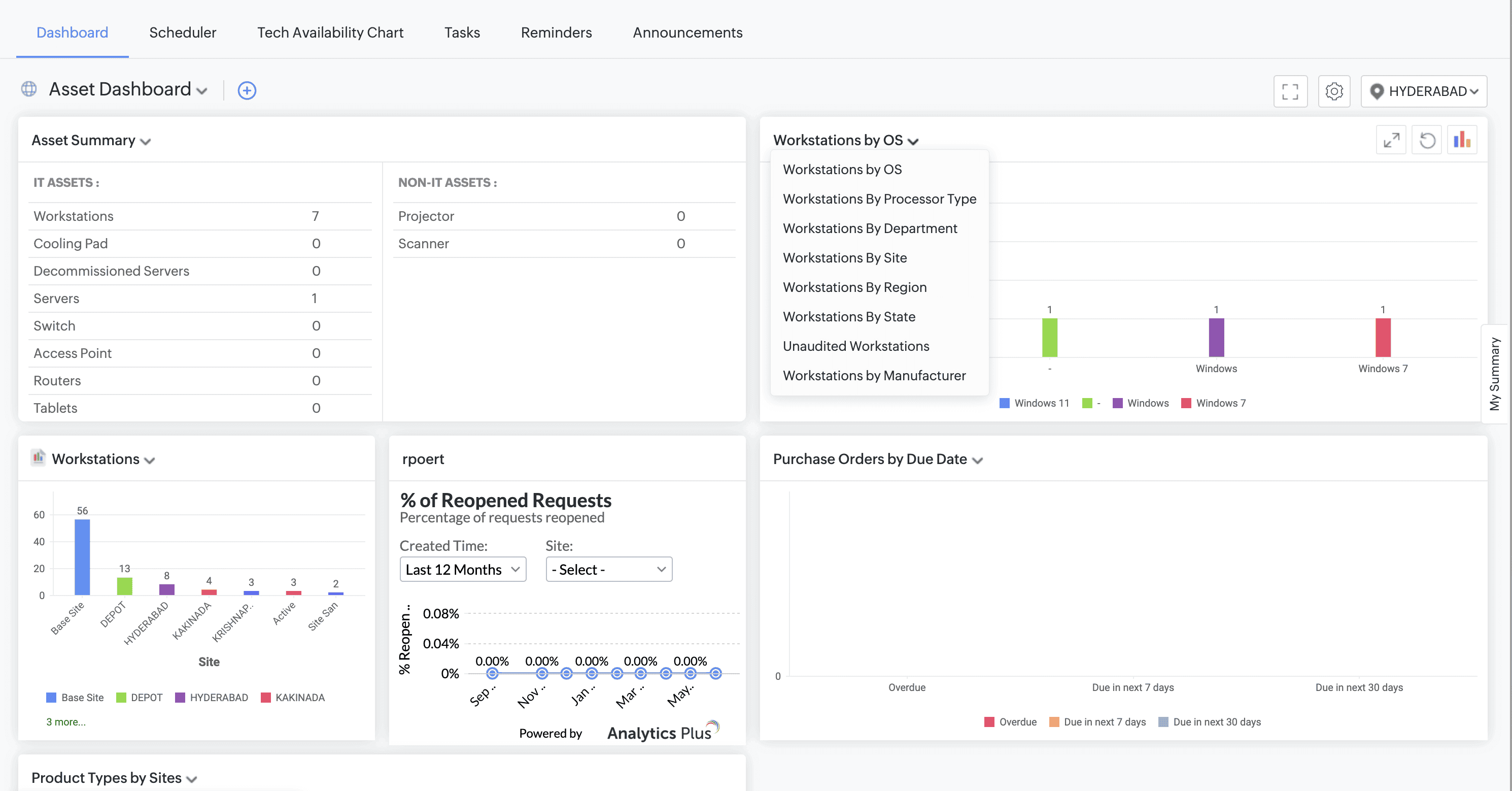
Behavior Change
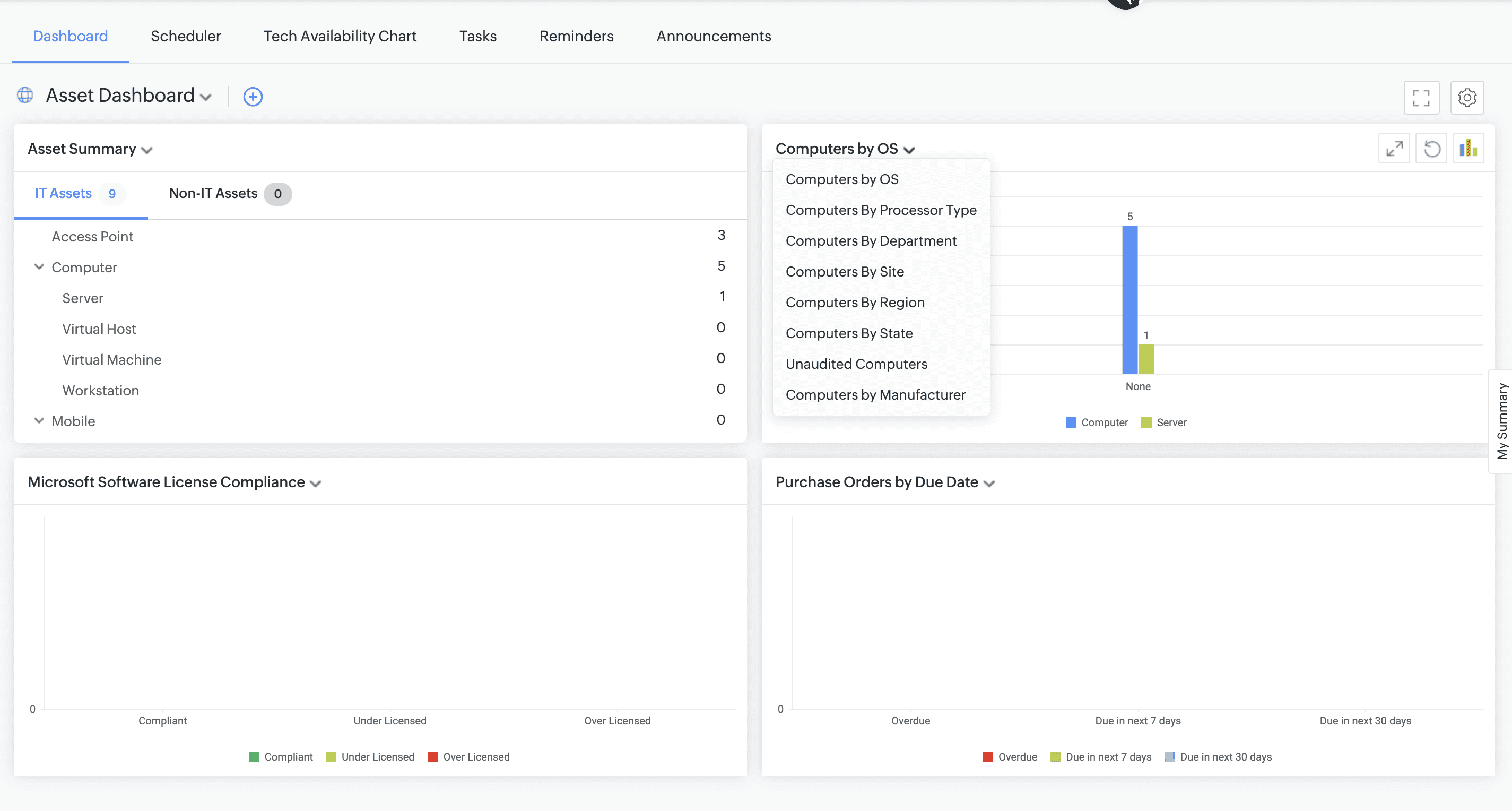
- Scan failed count in the Asset Dashboard will now show only the number of assets that are scanned and failed.
For more information on behavior changes, click here.
API Changes
- Workstation entity is deprecated. You can migrate to Computers API api/v3/asset_computers
- "workstation_udf_fields" available in the Workstation JSON object will be deprecated. We recommend to migrate to "udf_fields".
- "is_server" and "vm_type" fields are deprecated from Workstation. Alternatively, you can use the product_type field.