Zia - AI Powered Virtual Assistant for Endpoint Central
Zia is an AI-powered virtual assistant built into Endpoint Central, designed to help IT administrators automate endpoint management tasks, generate custom scripts, create new sensors from scratch to collect custom data, and streamline IT operations — all from a single console. Powered by OpenAI, Zia reduces manual workload and accelerates IT workflows for enterprises of all sizes.
Zia is currently available only in the cloud version of Endpoint Central.
How to Enable Zia in Endpoint Central
Zoho Credits are available only if the Administrator's email is verified with Zoho. If the Administrator’s email is not Zoho-verified, a verification banner will appear at the top of the console prompting the Administrator to verify their account. Zia will not be functional until the verification is completed and the page is refreshed. Refer to this link to learn more about Zoho e-mail account verification.
By default, Zia and all its AI capabilities are disabled. Zia must be enabled by an Administrator before any features become available. Follow the steps below to configure Zia:
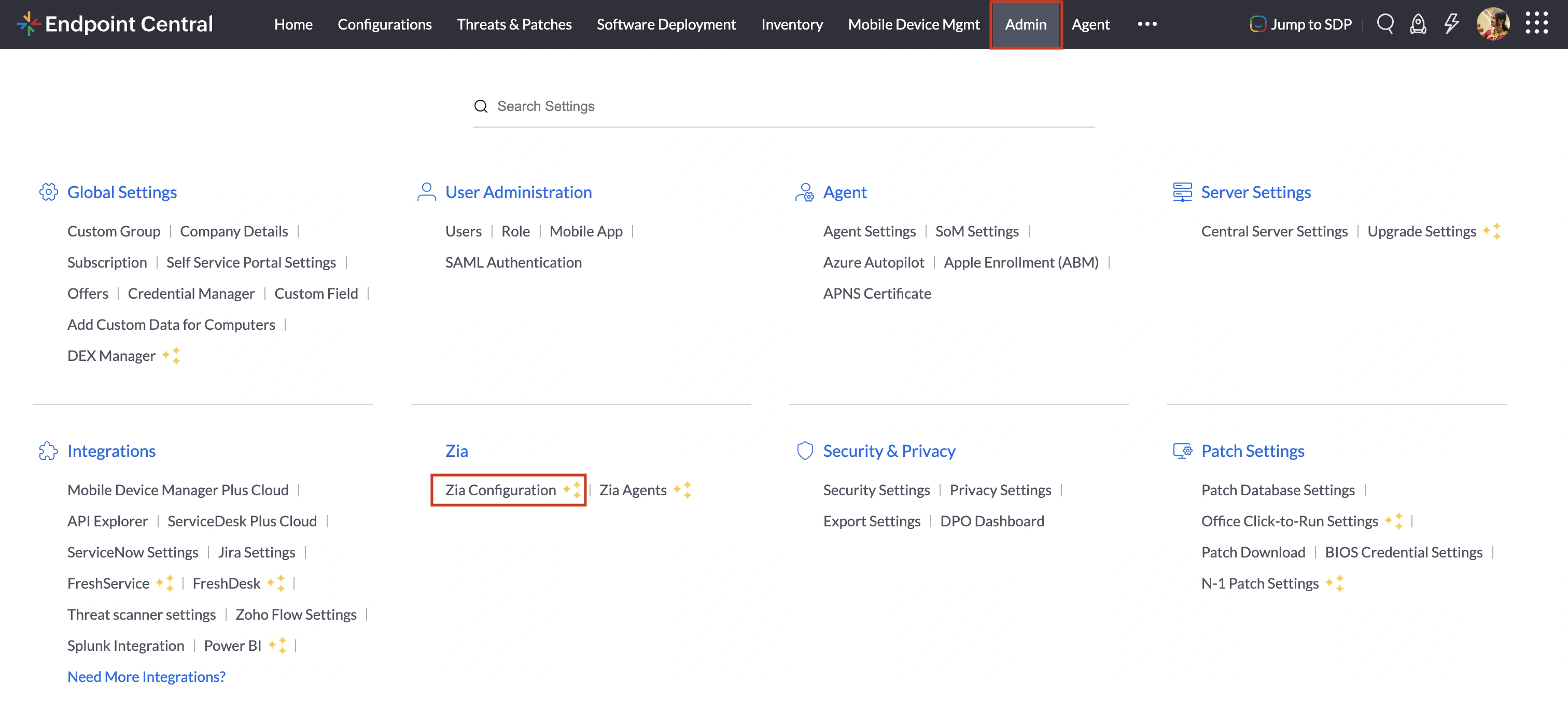
- In the Endpoint Central console, navigate to Admin > Zia > Zia Configuration
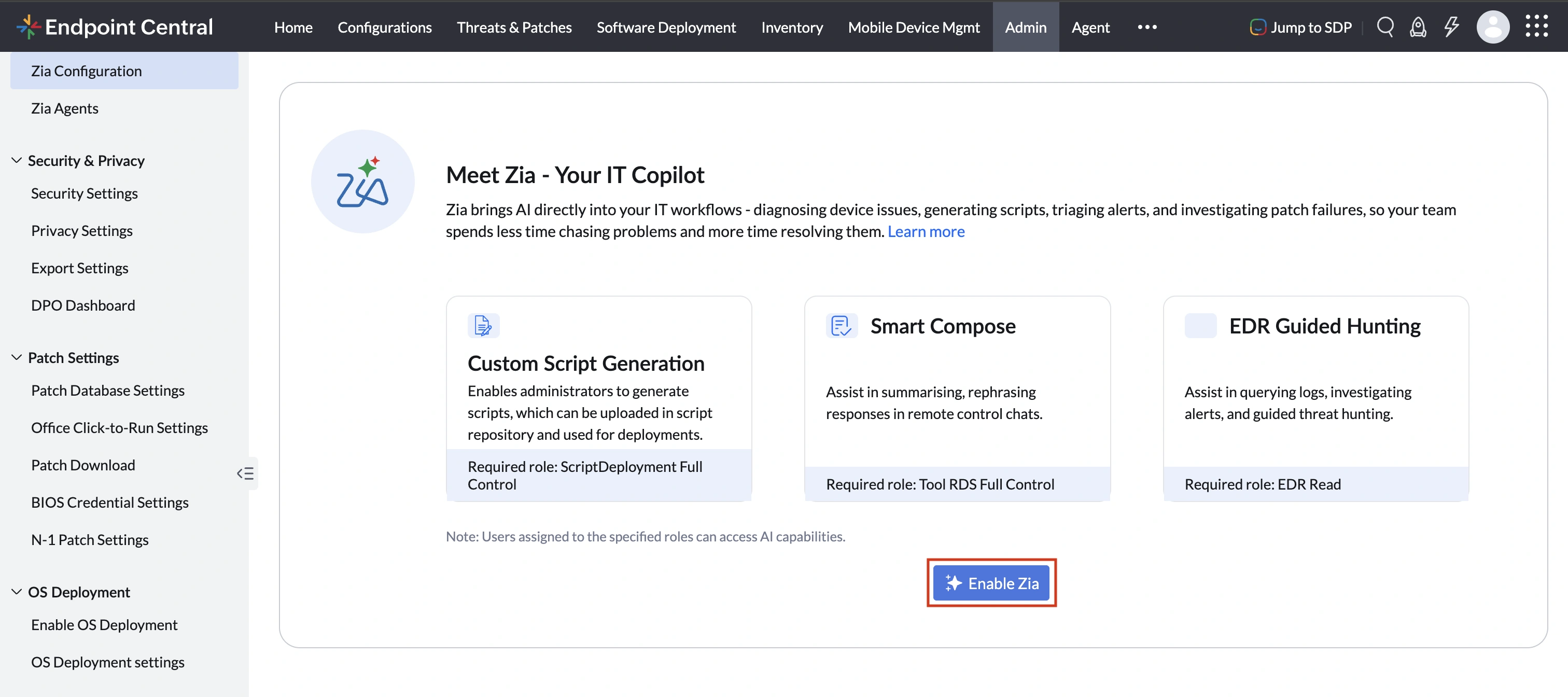
- In the Enable Zia section click on Enable Zia
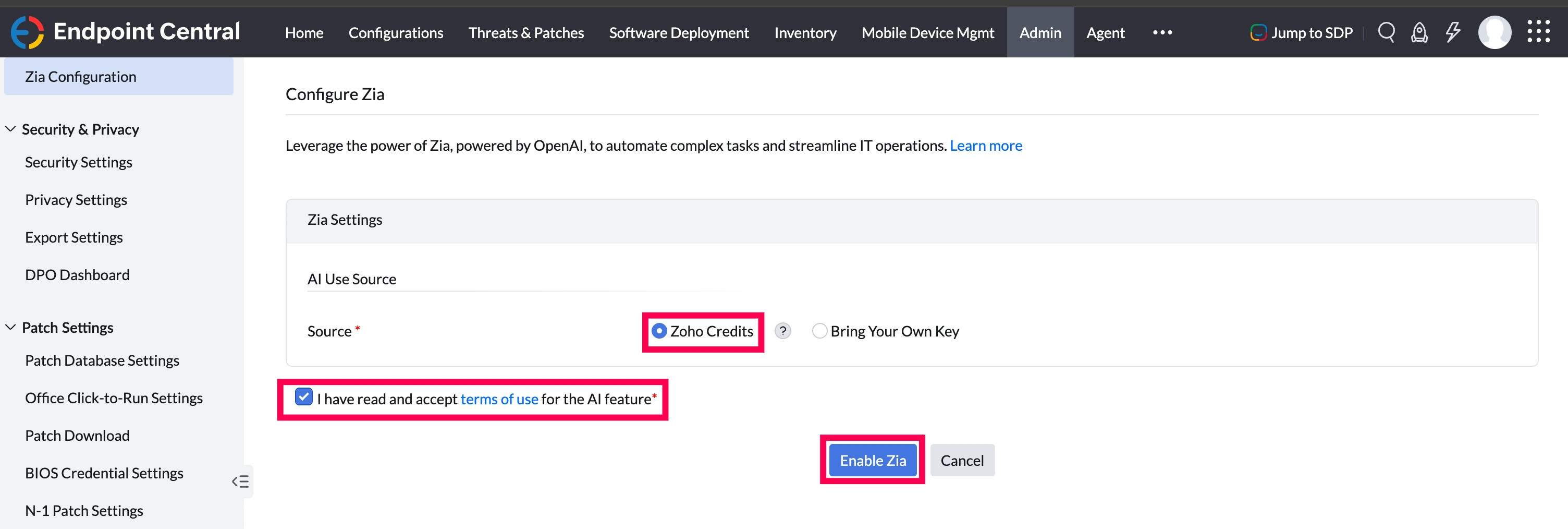
- Under Zia Settings, choose the AI Use Source:
Zoho Credits - Use the pre-allocated credits assigned to your organisation. Each organisation receives 10,000 Zoho Credits per month, provided by OpenAI. This option is available exclusively to organisations with a Zoho-verified email.
Credits are calculated based on the number of input and output tokens per query. Your 10,000 monthly credits reset on a 30-day cycle starting from the date Zia was first enabled. If your credits run out before the cycle ends, you can contact endpointcentral-support@manageengine.com to request an increase, or wait for your credits to reset at the start of your next cycle.
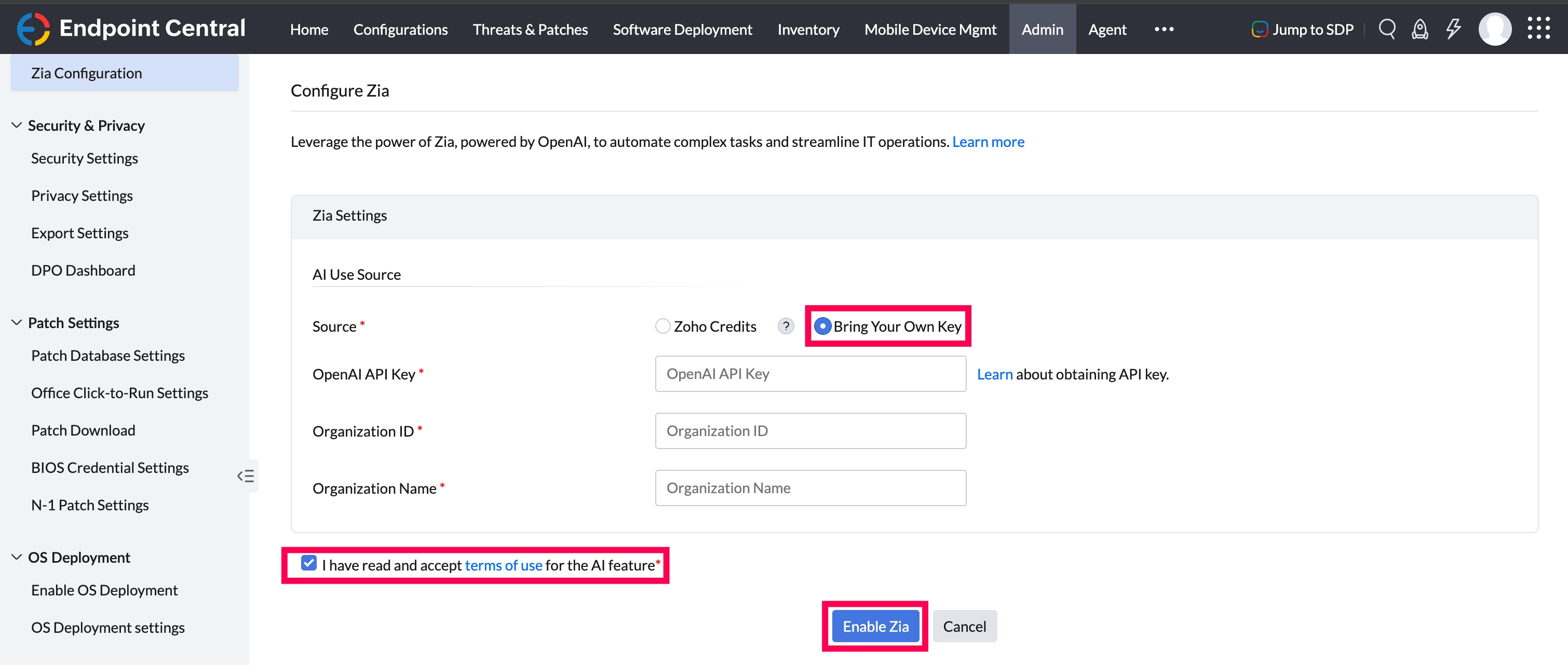
Bring Your Own Key - Provide your own OpenAI API key if you have an active OpenAI account and prefer to manage your own quota and billing independently. Follow the below steps to configure Bring Your Own Key:
- Provide the OpenAI API Key, Organization ID and Organization Name provided to your organization by OpenAI. Refer to this link to learn more about OpenAI API Keys.
- Select the checkbox to agree to the Terms of Use for AI capabilities.
- Click on Enable Zia to configure Zia.
AI Features in Endpoint Central
Managing endpoints involves navigating across multiple areas, and manual tasks can be time-consuming and error-prone. Once Zia is enabled, it provides intelligent assistance across the following areas. These Zia capabilities are accessed based on the user's roles, only users with the appropriate role permissions will be able to interact with specific AI features.
- Sensor Generator (Required Role: Sensor Write): Create new sensors from scratch using natural language prompts, eliminating the need to configure data collection parameters manually.
- Custom Script Generation (Required Role: Script Deployment Full Control): Generate ready-to-deploy custom endpoint management scripts instantly using natural language prompts, reducing manual scripting effort.
- Smart Compose (Required Role: Tools RDS Full Control): Summarize and rephrase responses in real-time during live remote control sessions, enabling clearer and more professional communication with end-users.
- Workflow Generator: IT professionals can generate custom workflows instantly by describing their automation requirements in natural language, eliminating the need to manually configure workflows from scratch.
- Timeline Analyzer: Analyze device timeline events and receive AI-generated summaries, enabling IT teams to quickly understand the sequence of events leading to an issue and make informed decisions.
- DEX Diagnostics: Get descriptions and category information for executable files shown in insight tables, helping IT teams understand the purpose of unknown applications and make informed decisions about their management.
- Zia Knowledge Assist: Ask product-related questions and get context-aware answers from Endpoint Central documentation, enabling IT teams to quickly find relevant information without searching through multiple resources.
- Remote Session Highlights (Required Role: Tools RDS Full Control): Capture and summarize key technician actions performed during remote sessions, providing a clear record of session activity.
- Remote Session Assistant (Required Role: Tools RDS Full Control): Get AI-suggested actions during remote sessions and execute them directly on remote devices, simplifying troubleshooting and resolution.
Sample Queries
Here are some example prompts you can try with Ask Zia:
- Create an alert when CPU or memory usage is high
- Create an alert when boot is slow or too many apps start up
Zia Agents
Zia Agents are autonomous AI agents built into Endpoint Central that investigate device issues, triage alerts, and surface actionable insights without requiring admins to manually query multiple tools across consoles. Zia Agents are accessed through Ask Zia, available from any page in the console. To learn more about Zia Agents refer to this document.
Frequently Asked Questions:
If the limit is exceeded, you can either contact Endpoint Central support at endpointcentral-support@manageengine.com to request a credit limit increase, or wait for your credits to reset at the start of your next 30-day cycle, which begins from the date Zia was first enabled.
- United States (US)
- Canada
- India
- Australia
- Japan
- United Kingdom (UK)
- European Union (EU)
- United Arab Emirates (UAE)
- Saudi Arabia (SA)