How IP address management works
Every device that connects to a network, whether it’s a laptop, printer, or server, relies on an IP address. As networks grow, tracking these addresses manually becomes messy and error-prone.
IP address management (IPAM) is the practice of organizing, tracking, and managing IP addresses in a structured way. It’s not just a tool but a framework that ensures every device can reliably connect and communicate within the network.
Without a system in place, duplicate addresses, conflicts, and downtime quickly become the norm. IPAM gives IT teams the visibility and control needed to prevent these issues before they escalate. More importantly, it helps businesses scale smoothly as new devices, applications, and cloud services are added to the network.
On this page, we have covered:
Why IPAM?
Beyond fixing IP conflicts, IPAM provides real advantages such as improving operational efficiency by automating routine IP tracking tasks, increasing accuracy and reliability by minimizing human errors and misconfigurations, and offering centralized visibility for IT admins to keep track of their enterprises IPv4 and IPv6 subnets and supernet.
While the benefits are plenty, IPAM is not without its challenges.
Managing IP addresses manually is like tracking every moving part in a factory without a control system. The result is predictable - IP address conflicts and overlaps, wasted or poorly utilized IP space, and entire segments of the network going unnoticed.
On top of that, the traditional IPAM process's lack of complete visibility creates audit and compliance gaps, while shadow networks and “unknown” addresses quietly grow in the background. The risks aren’t minor. They result in manual errors, downtime, and exploitable security blind spots can all add up to significant costs.
This is where IP address management steps in to bring order, visibility, and accountability.
Basics of IPAM
Before understanding how IPAM works, let's get the basics covered.
What is an IP address?
An IP address is a unique identifier assigned to every device on a network, much like a mail address ensures mail reaches the right home. Early networking relied on IPv4, a 32-bit system that provided about 4.3 billion addresses. As the internet grew, it became clear that the available addresses weren’t enough. That’s what led to the creation of IPv6, a 128-bit system designed to provide virtually unlimited addresses to solves IPv4 exhaustion issues.. IP addresses are usually written in familiar formats such as dot-decimal notation (for IPv4) or hexadecimal groups separated by colons (for IPv6). To manage address ranges more efficiently, administrators often use CIDR (Classless Inter-Domain Routing) notation, which adds a prefix length to specify the size of a network.
Types of IP addresses
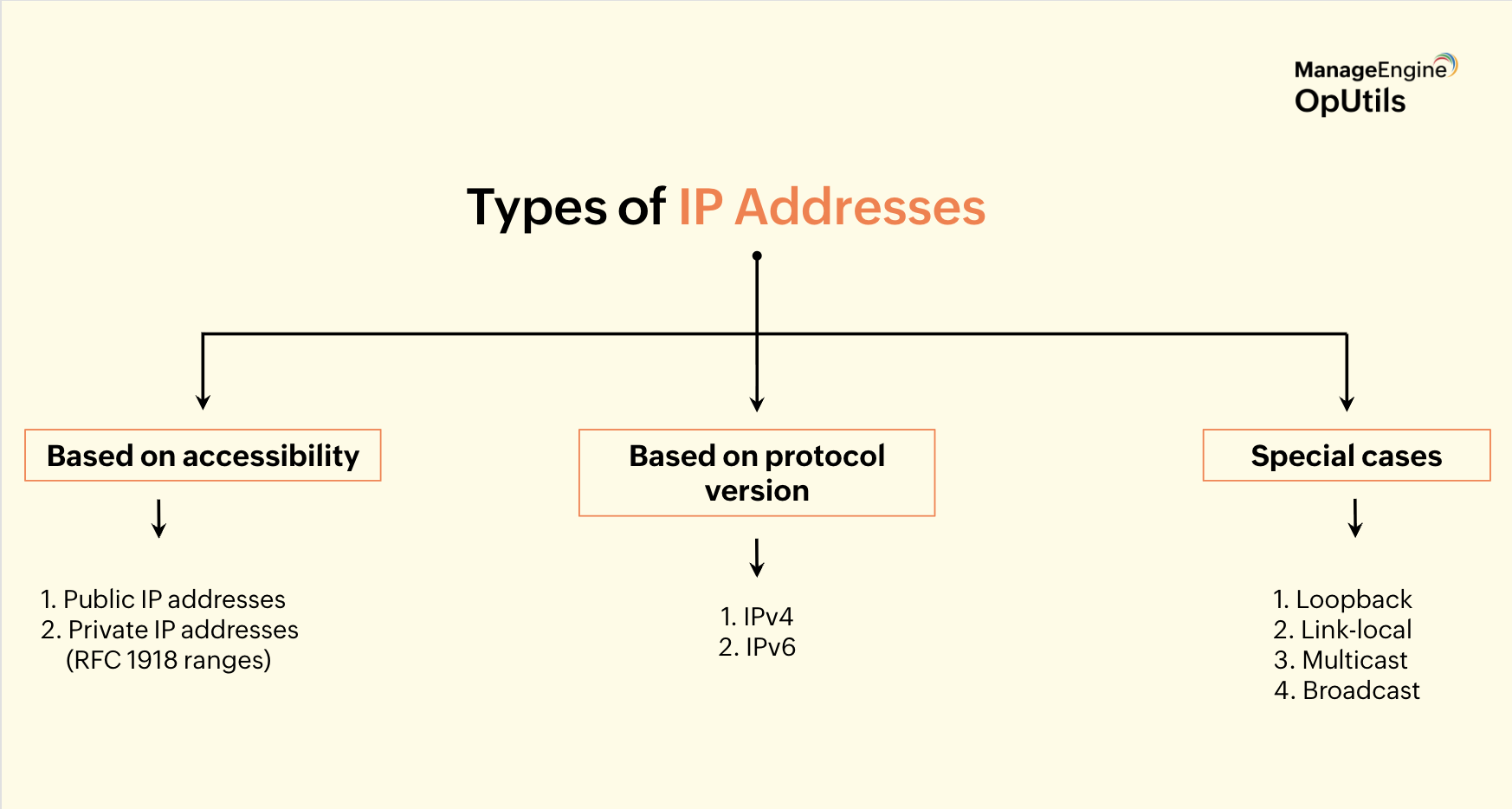
There are several ways to classify IP addresses:
- IPv4 vs IPv6: IPv4 remains widely used, but IPv6 adoption is steadily growing. For the future, both will coexist on most networks.
- Public vs. private: Public addresses are routable over the internet, while private addresses (as defined in RFC 1918) are reserved for internal use within organizations. RFC 1918 defines the private IP address ranges that organizations can use internally without conflicting with public internet addresses.
- Special ranges: Certain addresses serve special purposes: loopback addresses for testing (127.0.0.1 in IPv4), link-local addresses for communication within a local segment, multicast ranges for group communications, and broadcast addresses for sending to all hosts in a subnet.
Subnets, supernets, and aggregation
To make large networks more manageable, IP addresses are grouped into:
Subnets:
These divide a larger network into smaller, logical segments, defined by their prefix length (e.g., /24 or /16). Subnetting improves network performance and security by isolating traffic within smaller segments.
Supernets:
Multiple adjacent subnets can be combined into a supernet for routing efficiency. Supernetting simplifies routing tables and reduces the overhead on routers.
Route aggregation:
Combines multiple routes into a single advertisement to optimize routing. It conserves routing table space and improves overall network efficiency.
Subnetting, supernetting, and route aggregation are fundamental to network design, helping balance performance, scalability, and address conservation.
How IP addresses work?
Understanding how IP addresses function sets the stage for seeing their bigger role, enabling seamless communication between devices.
The role of IP in communication
The Internet Protocol (IP) makes it possible for devices to recognize each other and exchange data. Every packet that moves through a network contains two key pieces of information: the source IP address and the destination IP address.
Just like the mail system relying on return and delivery addresses, IP ensures that data knows exactly where it’s coming from and where it needs to go. Routers along the way inspect these addresses and forward packets step by step until they reach the right endpoint.
Addressing, routing, and packet delivery
IP combines three essential functions:
- Addressing: assigning unique identifiers to devices
- Routing: choosing the best path for data
- Forwarding: actually sending the packet to the next point
Together, these steps guarantee reliable data delivery across both local networks and the global internet.
Supporting protocols that make IP work
IP relies on other protocols to complete the entire process of communication. TCP keeps data ordered and reliable, ARP translates IP addresses into hardware addresses, ICMP tests connectivity and reports errors, and DNS converts easy-to-remember names into routable IP addresses.
These protocols, working alongside IP, form the foundation of modern networking and make global communication seamless.
How IP address management works: Assignment and lifecycle
Managing how addresses are given out and retired is where IP address management (IPAM) earns its keep.
Static assignment:
Static assignment involves manually configuring an IP address on a device or defining it as a fixed record in network equipment. It is commonly used for servers, network appliances, printers, and any device that requires a stable, predictable address. Static IPs are essential for critical infrastructure, management interfaces, or systems that rely on consistent DNS names.
However, in large environments, manually managing static IPs can become cumbersome and error-prone, leading to misconfigurations, conflicts, or “orphaned” addresses. IPAM helps by storing static records, tracking ownership, and linking addresses to DNS records and device metadata, ensuring that every statically assigned address is accounted for and easily managed.
Dynamic assignment:
Dynamic Host Configuration Protocol (DHCP) automates IP allocation and is the dominant method for endpoints. There are two broad approaches for IPv6: Stateful DHCPv6 (server tracks leases) and Stateless Address Autoconfiguration (SLAAC) where hosts self-generate addresses and optionally use a server for other info.
DHCP lease process (DORA):
The DHCP lease process, often called DORA, governs how devices obtain IP addresses automatically. It begins with Discover, where a client broadcasts on the network to find available DHCP servers. Next comes Offer, in which a server responds with an available IP address and lease terms. During Request, the client formally asks to use the offered address, and finally, Acknowledge is when the server confirms the lease and the address becomes active.
This process ensures that devices can quickly and reliably receive IP addresses without manual configuration, while tracking lease duration and availability.
DHCP lease lifecycle:
Once a device obtains an IP address via DHCP, the lease goes through several stages to ensure proper management. During renewal, the client requests an extension of its lease before it expires. If the original DHCP server becomes unreachable, the rebind process allows the client to contact other servers to maintain connectivity.
When a device shuts down or no longer needs the address, it performs a release, returning the IP to the pool. Finally, if a lease expires without renewal, the expiration process automatically frees the address, making it available for other devices.
Lease duration matters because it balances network stability and flexibility: shorter leases adapt quickly to dynamic environments with frequent device changes, while longer leases reduce DHCP traffic for mostly static devices. Together, these behaviors maintain efficient IP utilization and prevent conflicts on the network.
DHCP pools, reservations, and exclusions:
DHCP organizes IP addresses using pools, which are contiguous ranges that the server can assign to clients automatically. Within these pools, reservations allow a specific device (identified by its MAC address) to always receive the same IP, providing a semi-static assignment for critical devices.
Exclusions are addresses within a subnet that are intentionally withheld from DHCP to prevent conflicts or reserve them for manual assignment. Effective IPAM tools can visualize these pools, track utilization trends, and alert administrators when ranges are nearing capacity, helping maintain efficient and error-free address management.
IP address lifecycle: From allocation to reclamation
The lifecycle of an IP address defines how it is allocated, used, and eventually returned for reuse, ensuring efficient and conflict-free management:
- Allocation: A block or prefix of IP addresses is assigned to a team, site, or subnet, providing a pool for future assignments.
- Assignment: Individual addresses are allocated to devices, either statically or dynamically via DHCP.
- Usage: The address is active on the network; IPAM records important details such as the device, owner, lease information, and other metadata.
- Expiration: Temporary addresses, such as DHCP leases, are returned to the available pool when their lease period ends.
- Reclamation: Unused addresses are recovered, audited, and redeployed for new devices.
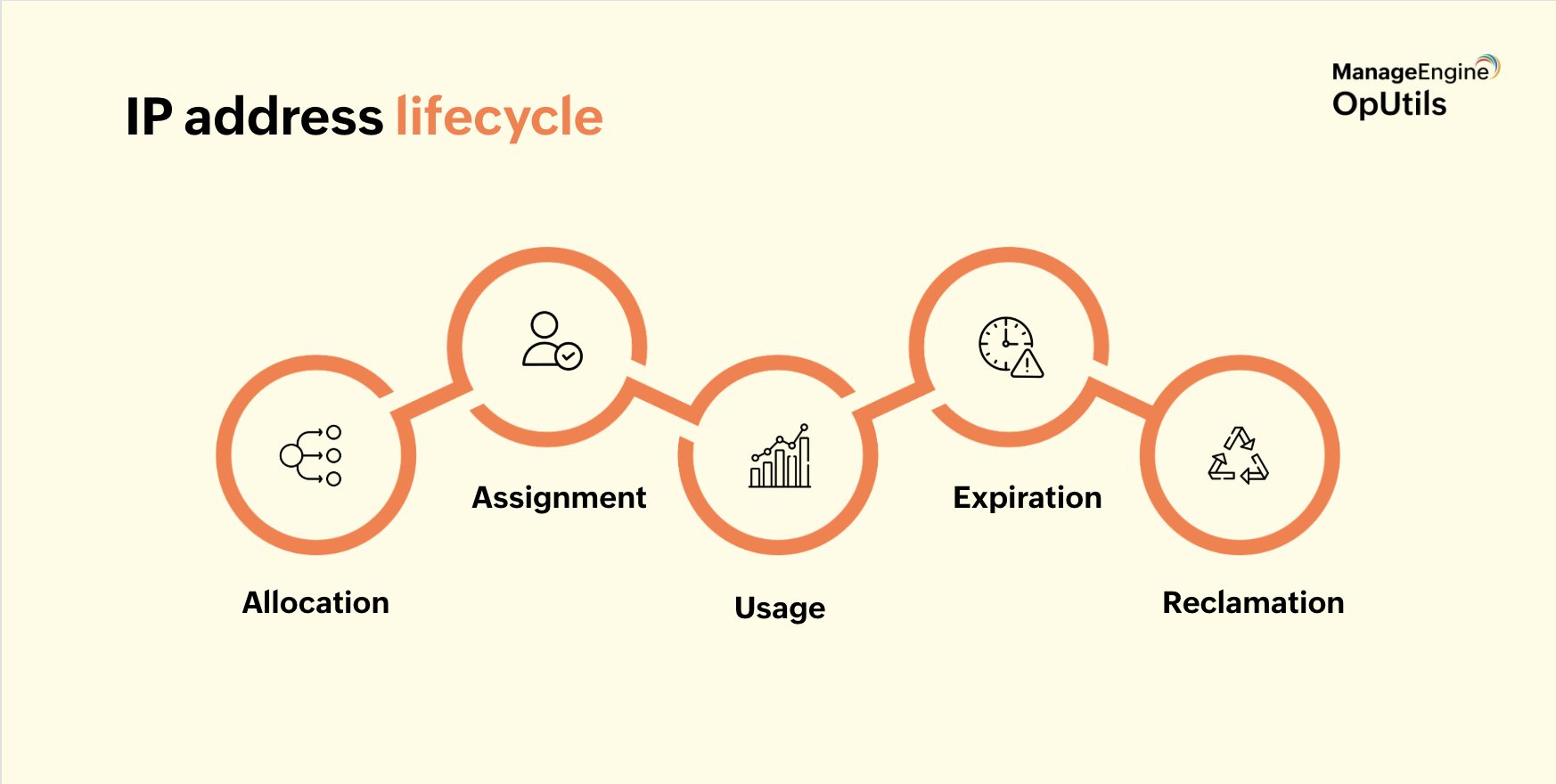
A robust IPAM system enforces lifecycle rules, automates safe reclamation, and maintains a clear, auditable trail of all IP address activities, ensuring the network remains organized and scalable.
Assignment policies, naming, tagging, and metadata
Effective policies and consistent metadata make IP addresses easier to discover, track, and reuse across the network:
- Naming conventions: Use predictable patterns like site-role-number or app-environment-region to make records searchable and intuitive.
- Tags: Capture essential attributes such as owner, environment (production or development), location, device type, and application.
- Metadata fields: Include details like MAC address, lease ID, DHCP server, last-seen timestamp, contact information, business owner, and lifecycle state.
- Automation and governance: Leverage IPAM templates and validation rules to enforce consistency, protect critical devices with reservations, require justification for large allocations, and maintain role-based access and detailed audit logs.
This structured approach ensures IP space is organized, manageable, and scalable while providing clear visibility and accountability for IT teams.
IPAM best practices
Following simple best practices helps keep your IP space organized, efficient, and error-free:
- Set appropriate lease durations: Adjust lease times based on how frequently devices join or leave the network.
- Reserve and document critical addresses: Ensure essential services and devices always have predictable, reliable IPs.
- Integrate DHCP, DNS, and IPAM: Automate updates across systems so changes propagate seamlessly.
IPAM core functionality
IP address management (IPAM) is more than just tracking addresses. It orchestrates a set of workflows and processes that keep networks organized, efficient, and conflict-free.
Key components include:
- Discovery and scanning: IPAM actively learns what addresses are in use by polling the network using protocols such as SNMP, ICMP, ARP, and DNS reverse lookups. This continuous discovery ensures the database reflects real-time network activity.
- Centralized repository: All IP address records are stored in a single, authoritative source, providing a “single source of truth” for IT teams.
- IP request, approval, and allocation: Automated streamlining of IP requests, enforce approvals, and assign addresses according to policy.
- Integration with DNS and DHCP (DDI model): IPAM works alongside DNS and DHCP to ensure consistent address assignment and automated updates across systems.
- Automated updates: Changes such as new assignments or DNS record modifications are automatically reflected in the system.
- Handling transient/dynamic addresses: IPAM manages temporary addresses common in cloud environments, containers, and mobile devices.
- Conflict detection and reconciliation: IPAM identifies duplicate or overlapping addresses and resolves conflicts before they impact services.
- Historical tracking and auditing: All changes are logged, versioned, and tracked, enabling detailed audits and troubleshooting.
Protocols that interact with IPAM
IPAM relies on and interacts with several core protocols and systems to function effectively:
- DHCP: Assigns IP addresses dynamically, tracks leases, and integrates with IPAM for centralized management.
- DNS: Manages forward and reverse lookups, zones, and PTR/A records, ensuring addresses map correctly to hostnames.
- ARP: Maps IP addresses to MAC addresses, helping detect conflicts and validate device presence on the network.
- ICMP: Performs reachability checks (ping, traceroute) to verify devices are online and responsive.
- SNMP: Monitors device interfaces and utilization, feeding IPAM with accurate network state information.
- REST APIs and automation hooks: Enable programmability, integration with other IT tools, and automation of repetitive tasks.
Comprehensive IPAM: Monitoring, conflict detection, alerts, and reporting
Effective IP address management relies on continuous oversight to maintain network health and prevent disruptions. Key practices include:
- Duplicate or overlapping IP detection: Identifies conflicting assignments that could disrupt connectivity.
- Stale IPs: Detects unused addresses and enables their reclamation to maximize utilization.
- Key metrics and KPIs: Tracks utilization, growth trends, churn, conflict rates, and scan coverage to guide planning.
- Dashboards and alerts: Provides real-time visibility, sets thresholds, and flags anomalies for proactive management.
- Reporting and audit capabilities: Generates historical views, exports data, and supports compliance and operational reviews.
Advanced IPAM considerations
Modern networks bring new challenges that IPAM must address to remain effective:
- Multi-cloud and hybrid networking: Manages IPs across VPCs, network overlays, and interconnected sites.
- Containers and serverless environments: Handles ephemeral IPs, auto-scaling workloads, and dynamic device assignments.
- Distributed, remote, and edge networks: Extends IPAM visibility to edge locations and remote offices.
- Scalability and high availability: Supports federation, segmentation, and delegated administration for large networks.
- IPv6 planning and transition: Enables dual-stack coexistence, phased IPv4 deprecation, and IPv6 adoption strategies.
- Integration with orchestration and automation tools: Works seamlessly with IaC, network automation, and orchestration frameworks.
Security, compliance, and governance
Strong IPAM practices also enforce security and regulatory compliance:
- Role-based access control (RBAC): Assigns permission tiers to enforce proper administrative boundaries.
- Audit trails and immutable logs: Maintains detailed change history for accountability and forensic analysis.
- Preventing rogue or unauthorized IP allocation: Detects and blocks shadow IT activity.
- Protocol-level security: Implements DHCP snooping, ARP inspection, and rogue DHCP detection.
- Compliance use cases: Supports GDPR, HIPAA, PCI DSS, and other audit requirements.
- Secure integration: Ensures encrypted communication, logging, and safe connections to other IT systems.
Why OpUtils will be the right IPAM tool for your network
OpUtils is a robust IP Address Management (IPAM) solution designed to streamline and automate IP address tracking, allocation, and monitoring. It provides IT administrators with a centralized platform to manage IPv4 and IPv6 addresses, ensuring efficient utilization and minimizing conflicts.
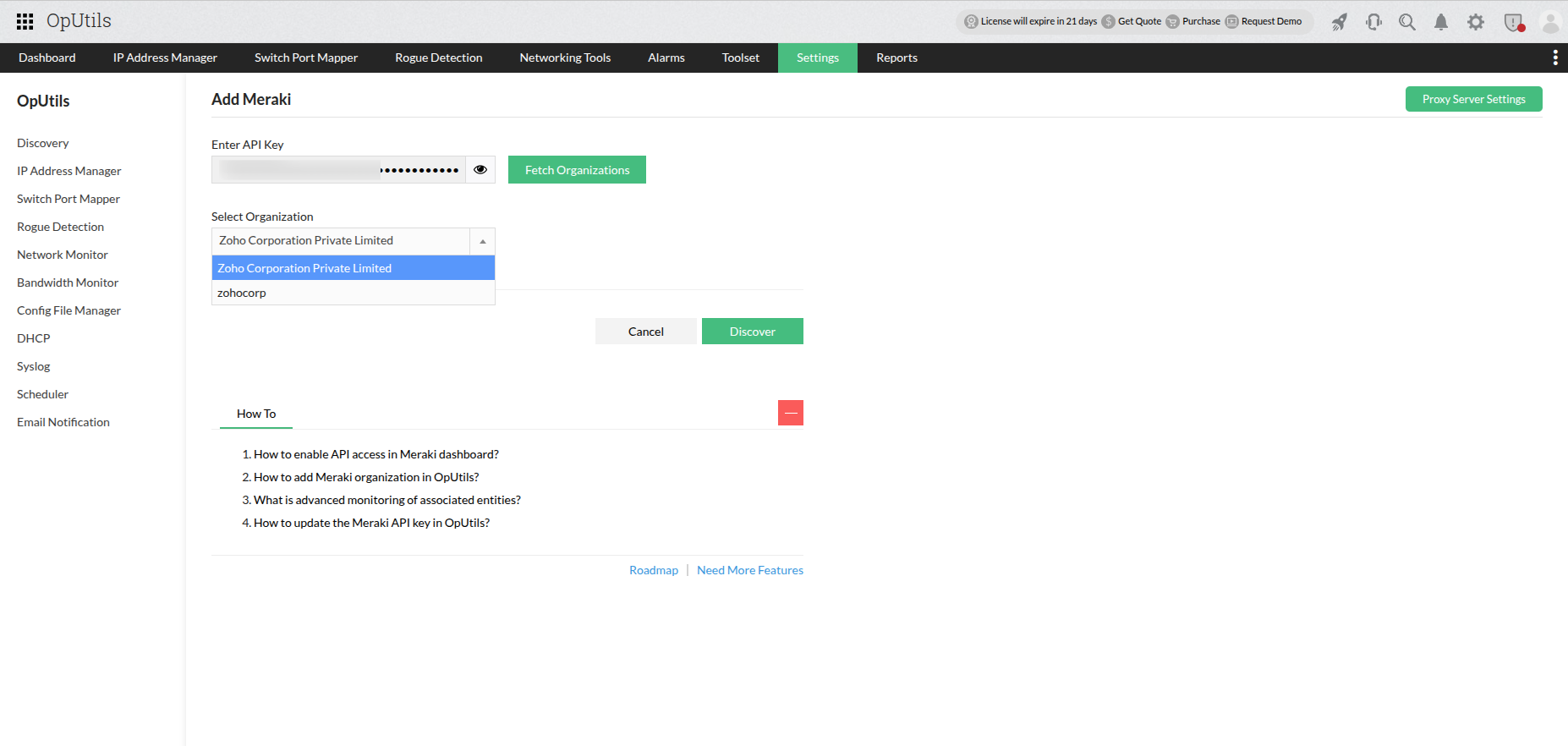
- Subnet discovery: Automatically discover subnets from the network or add them manually. Administrators can also effortlessly onboard subnets from Cisco Meraki or Cisco ACI environments.
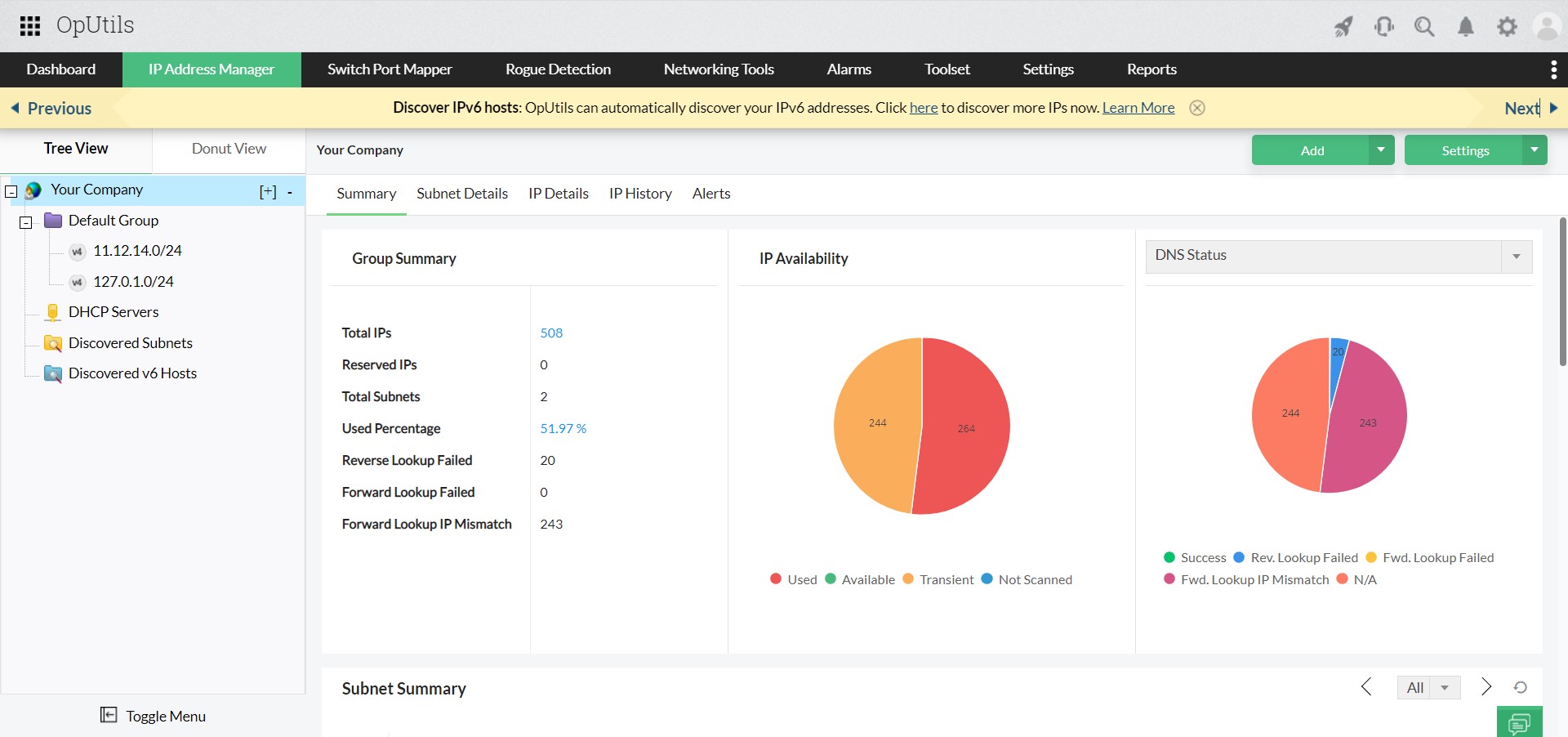
- Subnet Grouping & Hierarchical View: Organize subnets into groups based on usage or location and view them in a hierarchical tree structure for easier management and navigation.
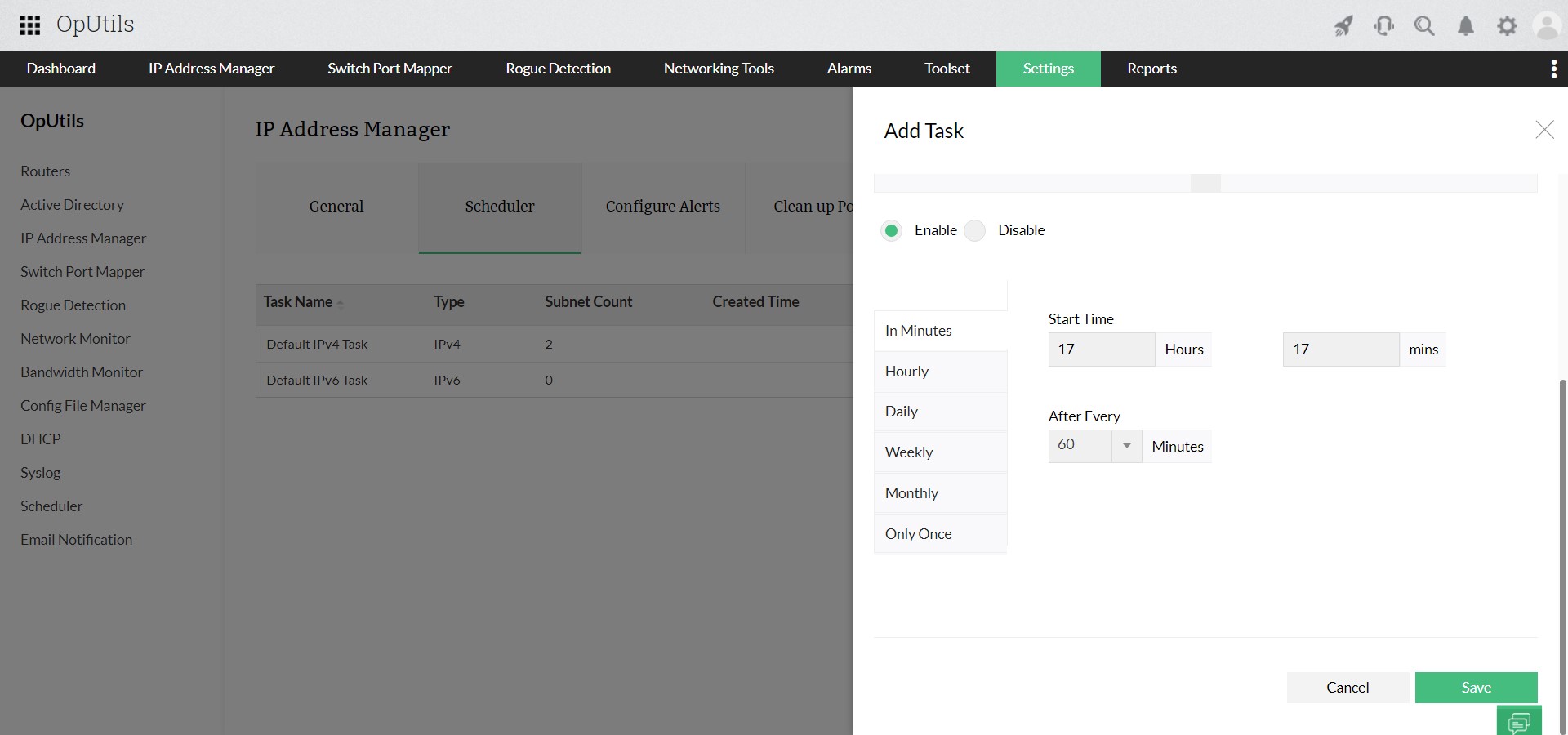
- Comprehensive IP scanning: Perform periodic or manual scans of subnets to gather real-time IP status and device details.
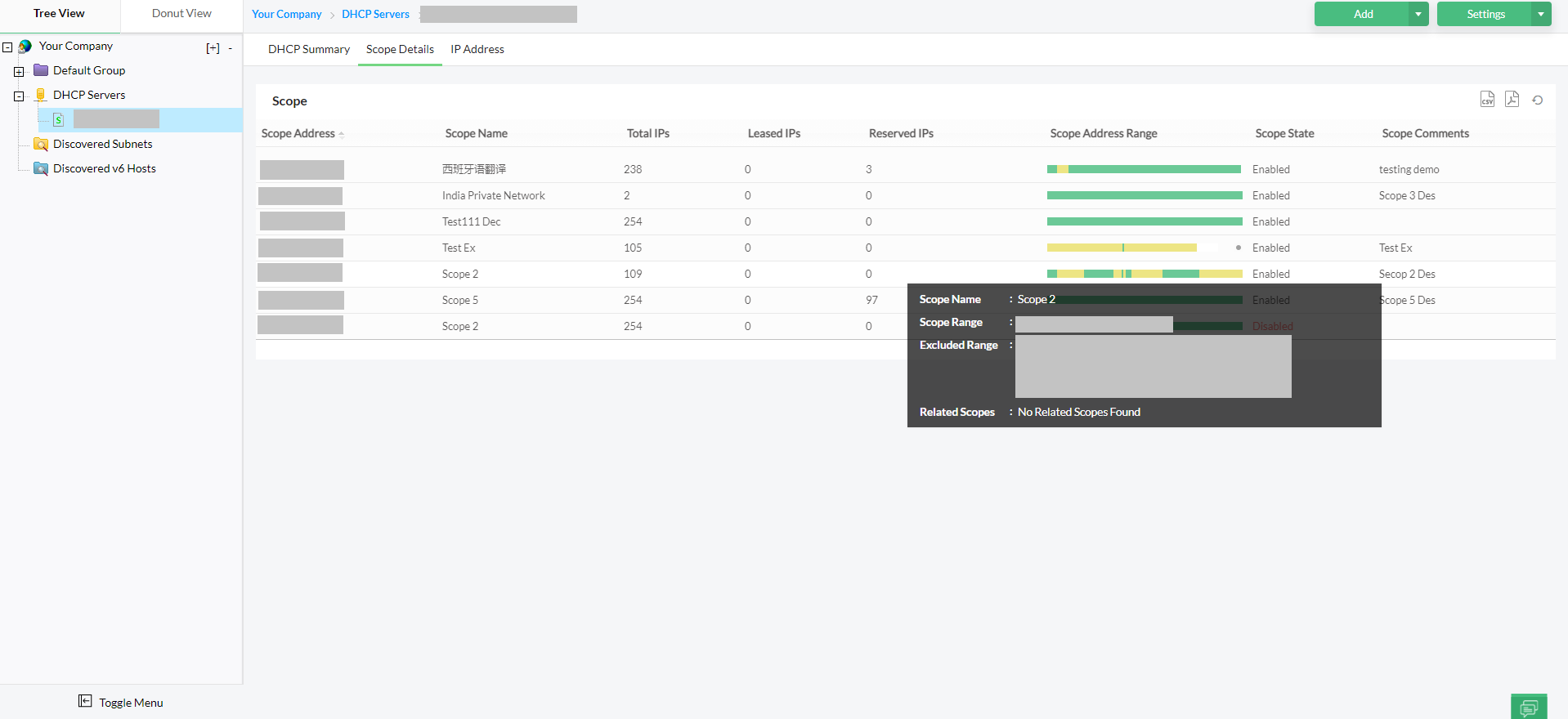
- DHCP integration: Monitor and manage DHCP server scopes, including reservations and exclusions, to prevent IP conflicts and ensure efficient IP address allocation.
- IP address history tracking: Maintain a history of IP address allocations, including changes in state and associated devices, to support auditing and troubleshooting.
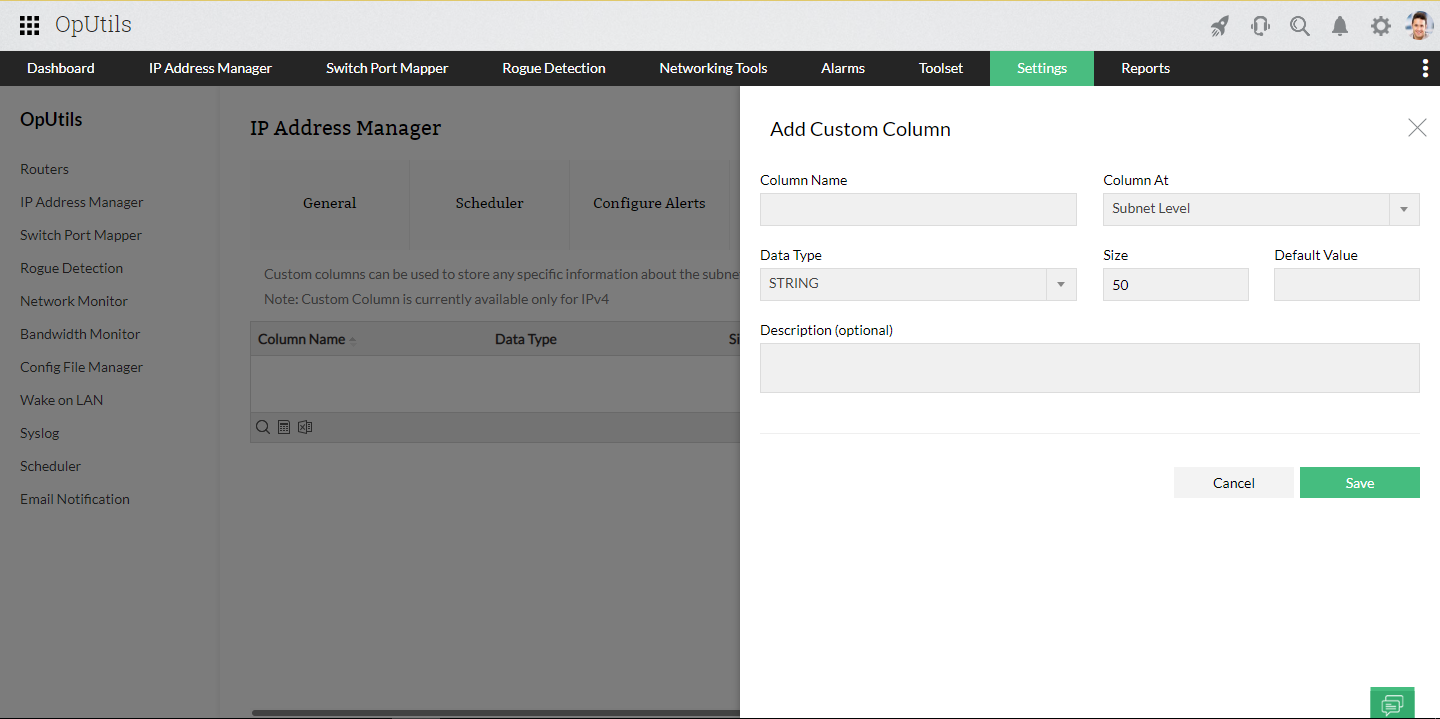
- Customizable IP metadata: Add custom columns to IP records to store additional information such as device owner, location, or purpose, enhancing IP address management flexibility.
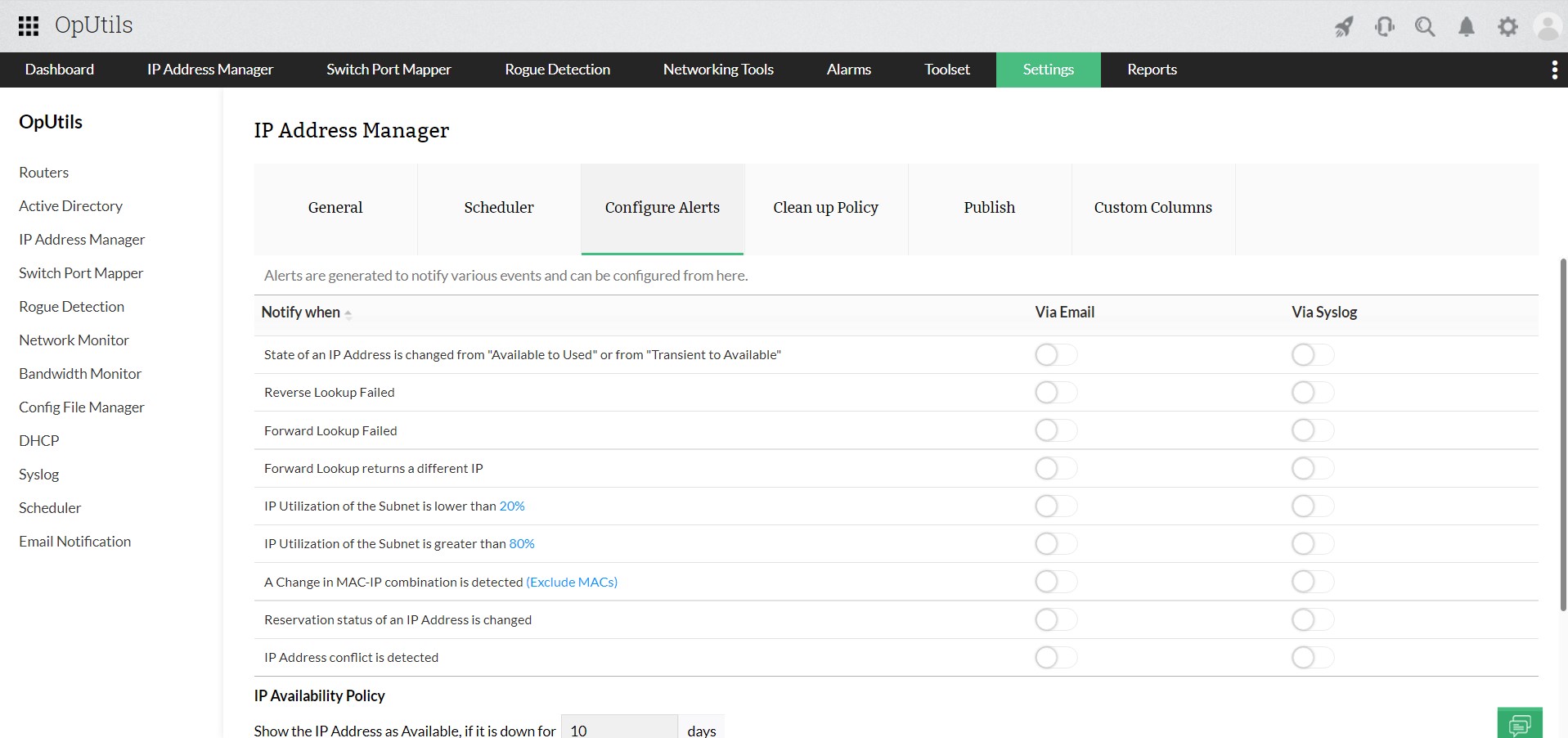
- Alerts: Configure alerts for events like IP state changes or DNS lookup failures, enabling prompt response to network issues.
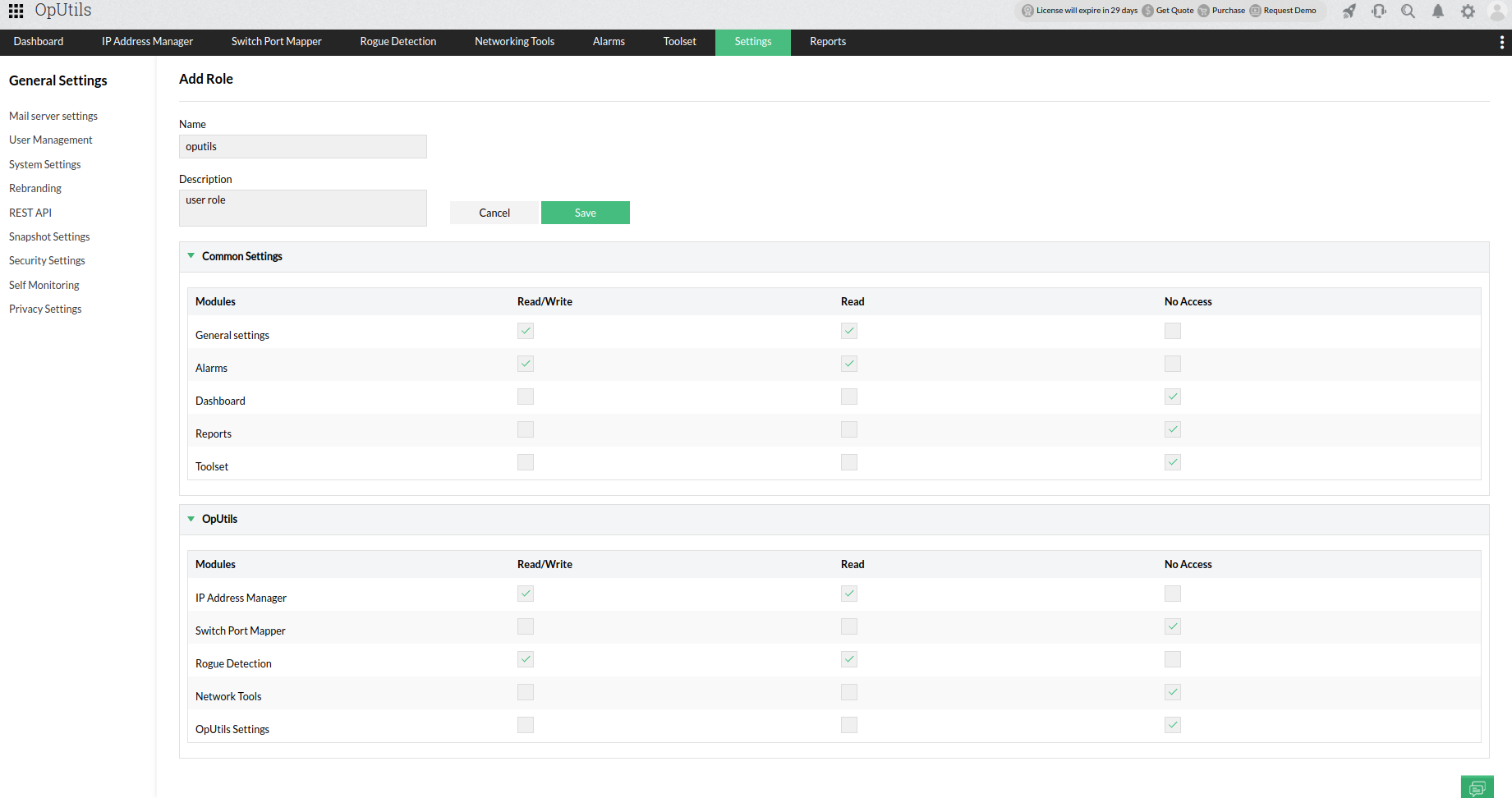
- Role-Based Access Control (RBAC): Implement user-specific roles and permissions to control access to IP address management functions, enhancing security and administrative control.
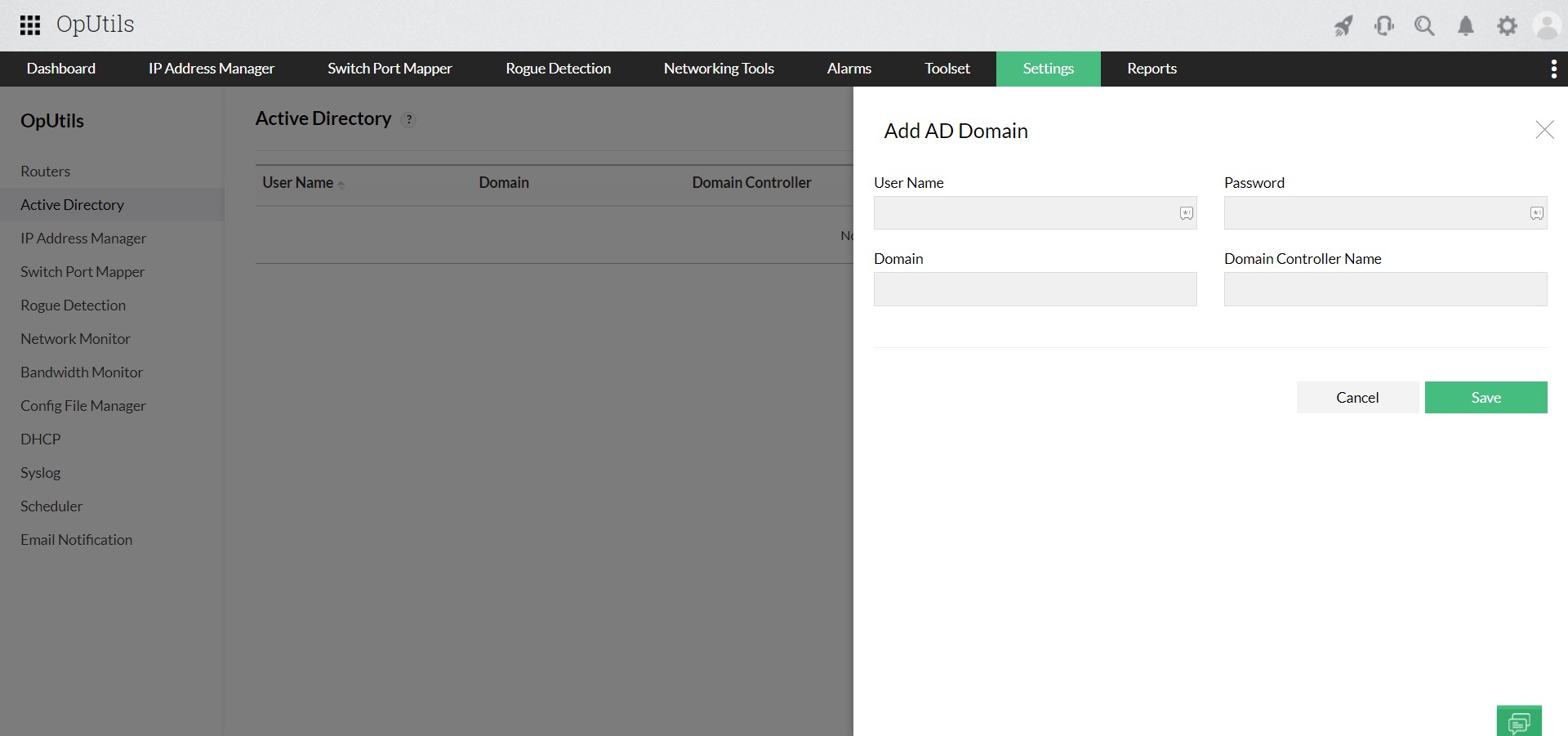
- Integration with Active Directory: Seamlessly integrate with Active Directory to identify whether an IP address is associated with a computer object, streamlining network management.
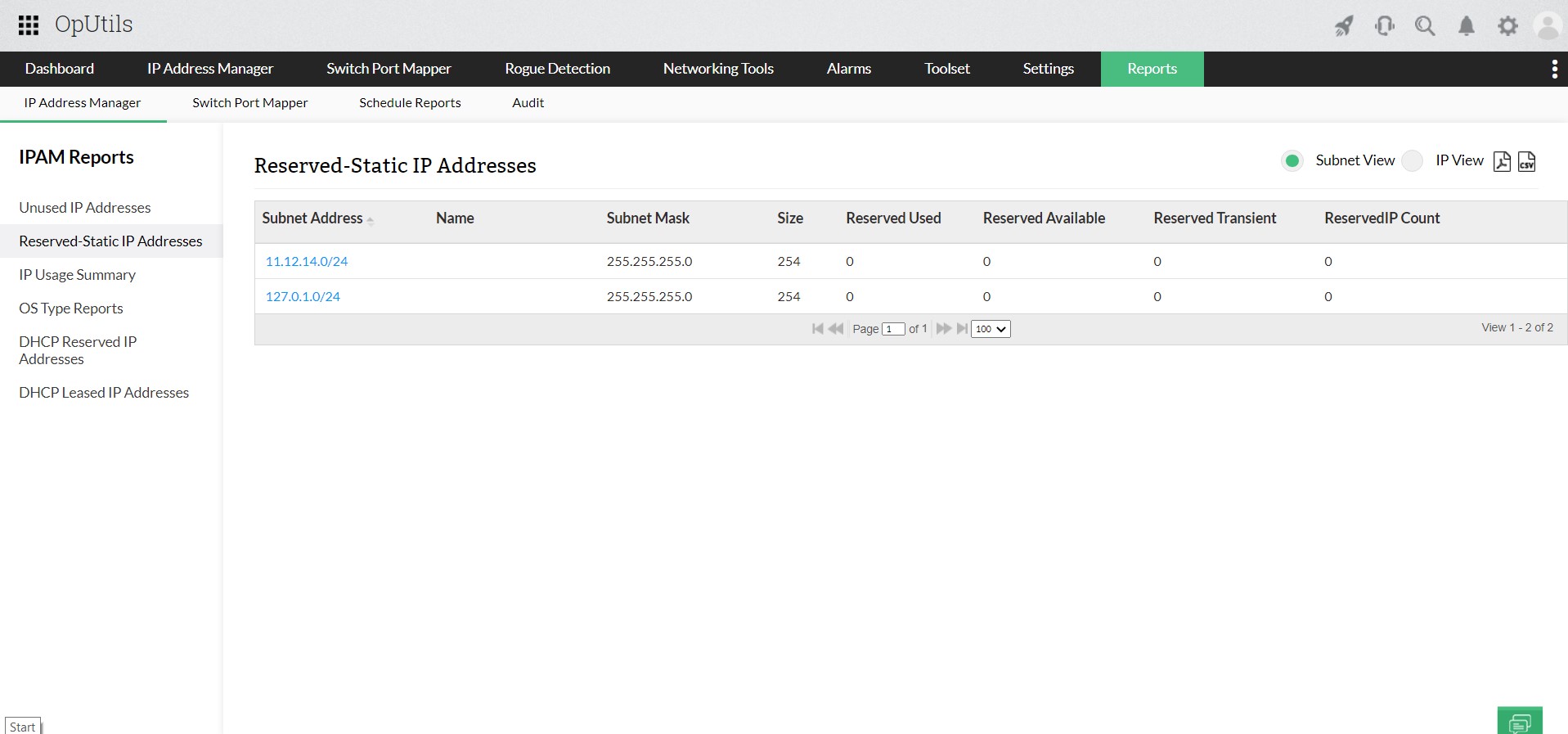
- IP address usage reports: Generate out-of-the-box reports to analyze unused or reserved IP addresses and overall IP usage statistics, aiding in capacity planning and optimization.
Try OpUtils for free for the next 30 days or schedule a free personalized demo and we will connect you with the right product expert.
Take full control of IP assignment, tracking, and lifecycle management with OpUtils today!
Try OpUtils for free today