IP address management metrics
Every device, application, or service on a network relies on an IP address to communicate. As organizations expand into cloud, hybrid, and remote-first environments, tracking these addresses becomes increasingly complex. This is where a streamlined approach to IP address management (IPAM) and monitoring IP metrics such as usage, availability, health, and performance becomes essential.
IPAM provides a structure to plan, track, and manage IP resources, ensuring that networks remain reliable, scalable, and secure.
But having an IPAM solution in place is only the beginning. To understand whether it’s truly effective, IT teams need to measure how well it’s performing in your network. This is when relying on IPAM metrics becomes crucial. They translate day-to-day network operations into measurable data.
On this page we will read:
- What are IPAM metrics and why do they matter?
- Different categories of IPAM metrics explained
- Top IPAM metrics every IT team should monitor
- How to track, collect, and monitor IPAM metrics effectively
- IPAM KPIs and metrics: How to choose the right one
- Challenges organizations face with IPAM metrics
- Best practices for building an effective IPAM strategy
- Bringing it all together with OpUtils
What are IPAM metrics and why do they matter?
IPAM metrics are measurable indicators that show how effectively an organization is managing its pool of IP addresses. They go beyond simple counts of used or free addresses, capturing patterns of allocation, utilization, and risk across the entire network.
These metrics reveal valuable insights such as:
- Usage shows how efficiently IP addresses are being consumed and allocated.
- Health indicates whether the IP space is free from conflicts, duplication, or misconfigurations.
- Growth reflects how the demand for IP addresses is evolving, helping IT teams plan for expansion.
- Risk provides early warnings of potential issues such as unauthorized devices, compliance gaps, or IPv4 exhaustion.
Apart from the above, IPAM metrics provide instant visibility into real-time allocations and conflicts, helping administrators respond quickly to incidents. Historical IPAM metrics, on the other hand, track long-term trends, making it easier to forecast capacity needs, justify infrastructure investments, and improve network resilience.
Different categories of IPAM metrics explained
Not all IPAM metrics serve the same purpose. To make them actionable, grouping them into categories that reflect different aspects of network performance helps. Broadly, IPAM metrics can be classified into four areas:
- Utilization and capacity metrics:
These metrics track how efficiently your available IP space is being used. Examples include the percentage of allocated vs. free addresses, subnet utilization levels, and IPv4 vs IPv6 adoption rates. Monitoring utilization helps avoid resource wastage, anticipate exhaustion, and plan expansions before they disrupt business operations. - Health and stability IPAM metrics:
Healthy networks depend on clean IP address assignments. Metrics in this category focus on identifying and reducing issues such as duplicate IPs, stale records, or misconfigured subnets. They also capture DHCP lease success rates and DNS resolution accuracy, two indicators that directly affect end-user connectivity and network stability. - Security and compliance metrics:
IP addresses are often the first entry point for unauthorized devices. Security-focused IPAM metrics include conflict detection rates, rogue device identification, and audit trail completeness. From a compliance standpoint, these metrics demonstrate alignment with standards like GDPR, HIPAA, and PCI DSS by ensuring every address is tracked, logged, and monitored. - Operational efficiency metrics:
These metrics reveal how effectively your IT team is managing IP resources. They measure factors like the speed of IP provisioning, the percentage of automated vs. manual allocations, and the time taken to resolve conflicts. By optimizing operational efficiency, organizations can reduce manual effort, improve SLA adherence, and enable faster service delivery.
| Metric category | Purpose | Stakeholders |
|---|---|---|
| Utilization and capacity | Track how much IP space is used vs available | Network engineers, Capacity planners |
| Health and stability | Detect conflicts, outages, misconfigurations | Operations teams, support |
| Security and compliance | Unauthorised usage, audit trails, access control | Security, Compliance officers |
| Operational efficiency | Speed of allocation, scans, lifecycle management | IT leadership |
Top IPAM metrics every IT team should monitor
In this section, we’ll break down the most important IPAM metrics - what they mean, the insights they provide, how to measure them effectively, and the thresholds or best practices to aim for.
| Metric | What it means | Why it matters | Best practice |
|---|---|---|---|
| Used vs available IPs / IP pool utilization | Count of IPs currently in use vs total in the pool or subnet. | Helps avoid IP exhaustion and plan for network expansion. | Maintain utilization below 70 to 80% to ensure future capacity. |
| Subnet utilization | Indicates how full individual subnets are. | Helps identify imbalances or wasted address space. | Review usage regularly and reorganize subnets when utilization nears 80%. |
| IP conflict rate | Number of IP conflicts occurring over a defined time period. | Conflicts cause outages and service disruptions. | Enable conflict alerts and aim to maintain a near-zero conflict rate. |
| Transient or abandoned IPs | IPs that are assigned but inactive, or previously used and left idle. | Such IPs waste resources and may cause address overlap later. | Reclaim inactive IPs and define a clear inactivity threshold. |
| DHCP lease expiry / Renewal rate | The rate or number of DHCP leases expiring or renewing over time. | Ensures address availability and indicates if lease policies are effective. | Monitor lease expiry trends and fine-tune lease durations as needed. |
| Time to conflict resolution (MTTR for IP conflicts) | Average time taken to detect and resolve an IP conflict. | Impacts overall network reliability and downtime. | Define SLAs and automate conflict detection and alerting. |
| Unauthorized or shadow allocations | IPs used without authorization or proper reservation. | Poses security risks and increases audit exposure. | Run regular scans and enforce policies through NAC integration. |
| Scan / Discovery coverage | Percentage of IP space actively monitored or scanned. | Incomplete scans create blind spots that pose risks. | Ensure full IP space coverage by scheduling frequent scans. |
| DNS/DHCP sync accuracy / Drift | Measures mismatch between DNS records, DHCP leases, and IPAM database. | Mismatches cause resolution issues and security gaps. | Automate synchronization and schedule periodic reconciliation. |
| Growth rate of IP churn | Frequency of IP reallocations, reservations, or releases. | High churn may indicate instability or inefficient address usage. | Track monthly trends and investigate causes of high churn. |
How to track, collect, and monitor IPAM metrics effectively
Collecting IPAM metrics isn’t just about counting addresses. It’s about creating visibility into how your network resources are being used, where risks are emerging, and how capacity is trending.
To achieve this, organizations rely on a combination of tools, integrations, and automation. Here are a few ways to collect metrics related to IPAM:
- IP Tools: Modern IPAM solutions provide centralized dashboards, audit logs, and API endpoints that make it easy to track utilization, conflicts, and compliance metrics in real time.
- Integration: IPAM platforms integrate with DHCP and DNS servers, network devices, and cloud providers to deliver a complete picture of IP usage across hybrid and multi-cloud environments.
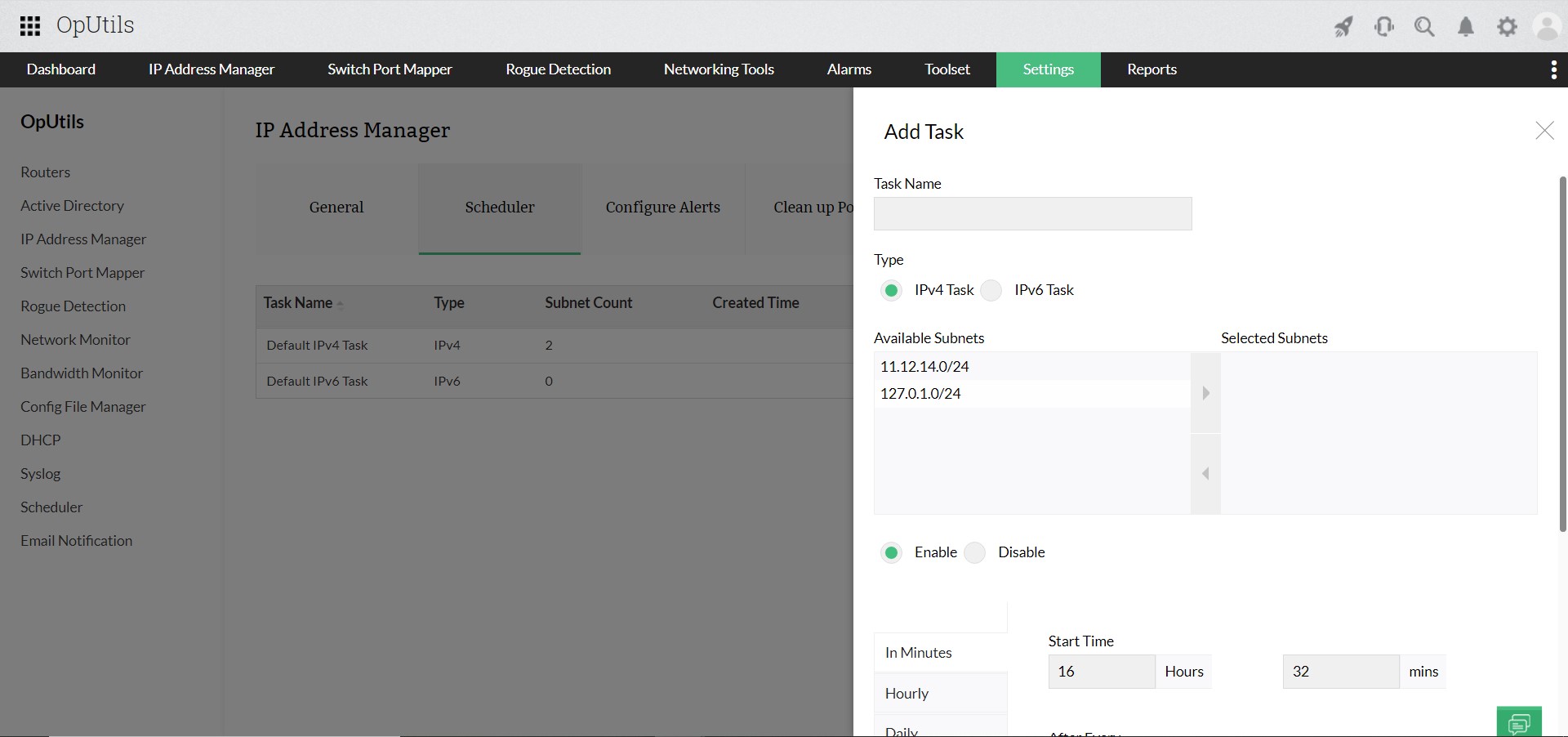
- Automation: Automated scans, alert rules, and scheduled reports ensure that metrics are continuously updated without manual intervention, reducing the risk of blind spots.
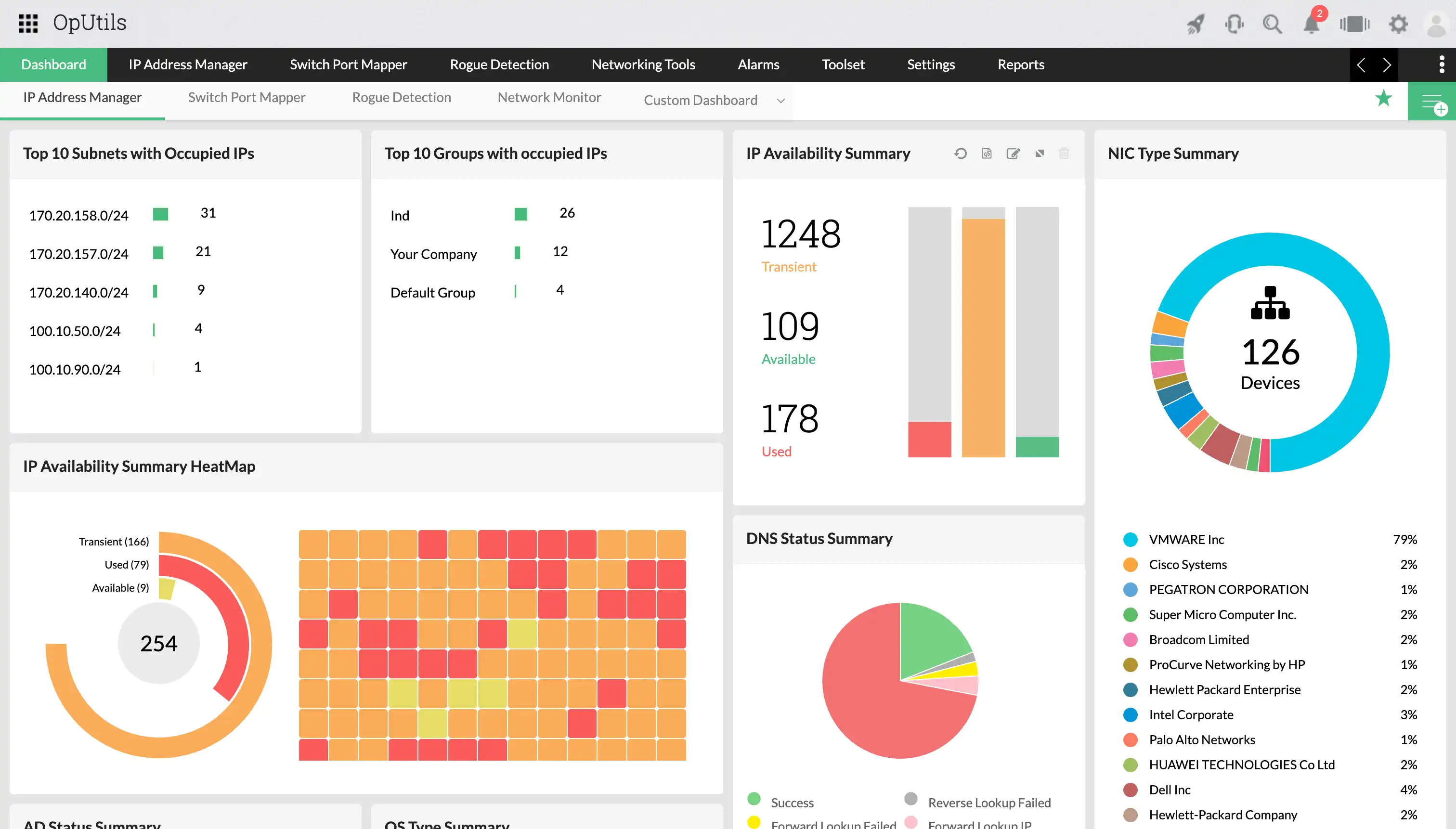
- Visualization: Heatmaps, graphs, and interactive dashboards help IT teams quickly interpret data, identify trends, and make informed decisions.
Together, these approaches turn raw IP address data into actionable insights, enabling proactive management instead of reactive troubleshooting.
IPAM KPIs and metrics: How to choose the right one
| Category | What it tells you | Why it matters |
|---|---|---|
| IPAM metrics | Raw measurements about your IP address space, such as utilization percentage, number of conflicts, or available IPs. | Provide visibility into the state of your network, helping you monitor usage, detect issues early, and establish baselines. |
| IPAM KPIs | Metrics tied to business or operational goals, such as maintaining IP utilization below 80%, resolving conflicts within a set time, or predicting IPv4 exhaustion 12 months ahead. | Show whether network performance aligns with organizational objectives, guiding decision-making for operations, security, and capacity planning. |
The value of KPIs lies in their relevance to stakeholders:
- Operations teams: Rely on KPIs such as conflict resolution time or percentage of automated IP allocations to ensure smooth day-to-day management.
- Security teams: Look for KPIs like zero unauthorized IP assignments detected or all address changes logged within compliance requirements to strengthen governance.
- Capacity planners: Use KPIs such as predicting IPv4 exhaustion 12 months in advance or ensuring 20% free address space in each subnet to support growth and scalability.
In short, metrics show what’s happening in your network. KPIs show whether those results align with your organizational goals.
Challenges organizations face with IPAM metrics
While IPAM metrics are invaluable for visibility and planning, IT teams often face hurdles in making them reliable and actionable:
- Data staleness and delays: If scans or updates don’t frequently run enough, metrics quickly become outdated, leading to blind spots in fast-changing environments.
- Incomplete coverage: Cloud workloads, edge devices, and dynamic IP assignments often fall outside traditional IP monitoring, leaving gaps in visibility.
- Fragmented sources: With multiple DHCP/DNS servers or siloed departmental systems, consolidating data into a single view can be difficult.
- Metric overload: Tracking too many measurements without prioritization creates noise and distracts teams from focusing on what actually matters.
- Threshold misconfiguration: Poorly set thresholds or rigid rules can trigger false positives, resulting in alert fatigue and missed real risks.
Addressing these challenges requires consistent data collection, integration across sources, and aligning metrics with clear operational goals.
Best practices for building an effective IPAM strategy
Building a strong IPAM metrics practice doesn’t mean tracking everything at once. Instead, it’s about focusing on what brings the most value for your network. Here are some proven practices:
- Prioritize high-impact metrics: Start small with a handful of metrics that directly influence reliability, capacity, or security. You can expand gradually as visibility improves.
- Establish baselines and thresholds: Define what “normal” looks like for your environment and set acceptable limits. This helps filter noise and ensures alerts are meaningful.
- Automate data collection and alerts: Use scheduled scans, API integrations, and automated notifications to reduce manual effort and catch issues in real time.
- Audit regularly: Periodic cleanups help remove abandoned or duplicate IPs, and ensure your addressing plan aligns with actual usage.
- Apply role-based access controls: Limit who can modify addressing rules or metric settings to reduce the risk of accidental misconfigurations.
- Make metrics part of operations: Incorporate dashboards into daily or weekly reviews, and share monthly reports with stakeholders to keep everyone aligned.
When these practices are applied consistently, IPAM metrics evolve from raw data points into a reliable decision-making framework that strengthens network performance and governance.
Bringing it all together with OpUtils
While understanding and tracking IPAM metrics is essential, doing it manually or with fragmented tools can be time-consuming and error-prone. This is where ManageEngine OpUtils simplifies the process.
OpUtils is a comprehensive IP address management and switch port mapping solution that gives IT teams:
- Centralized visibility: Real-time dashboards and graphs to track utilization, conflicts, and other metrics across your networks.
- Automated monitoring: Scheduled scans, utilization threshold-based alerts, and detailed reports that help you measure utilization, detect anomalies, and prevent IP conflicts.
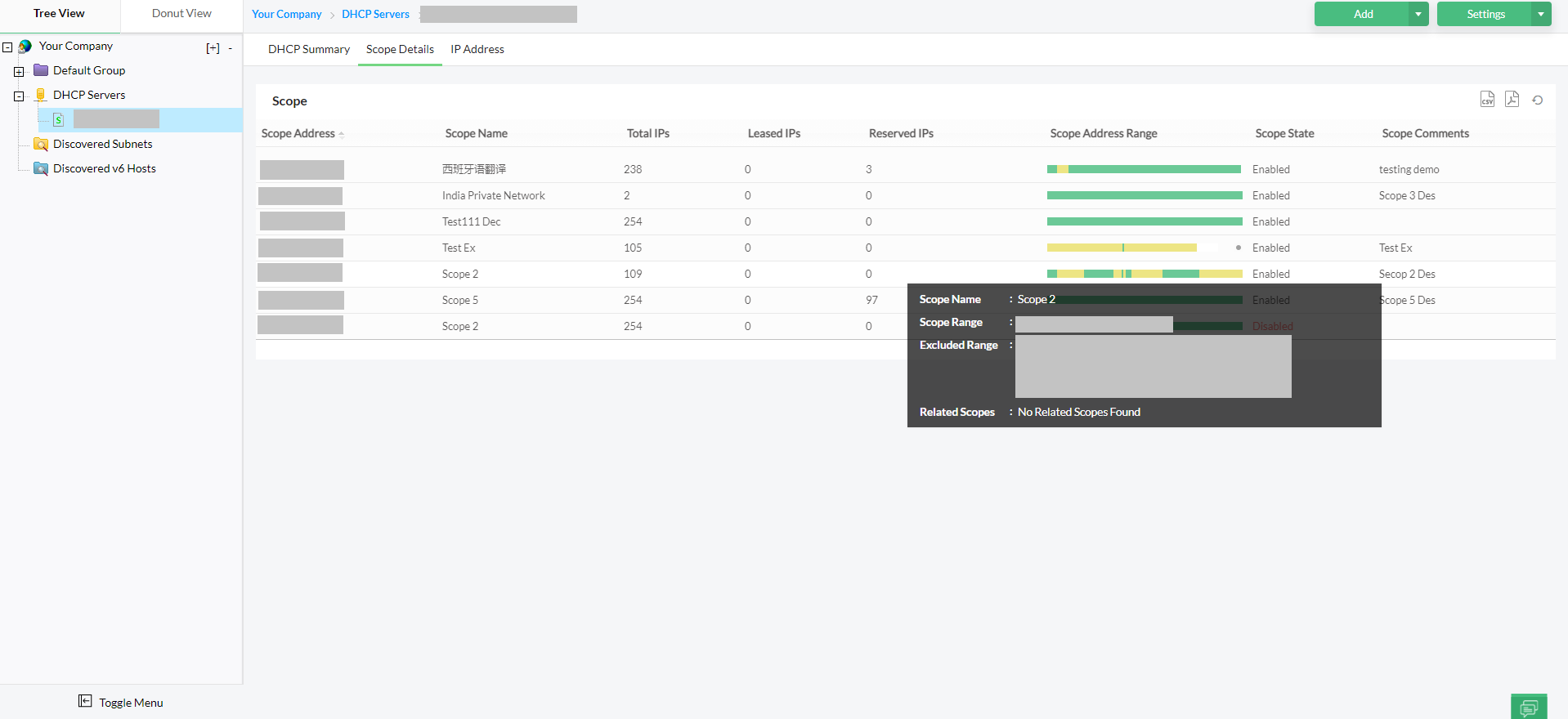
- Seamless integrations: Built-in integration with DHCP/DNS servers, AD and network devices keeps metrics accurate and real-time.
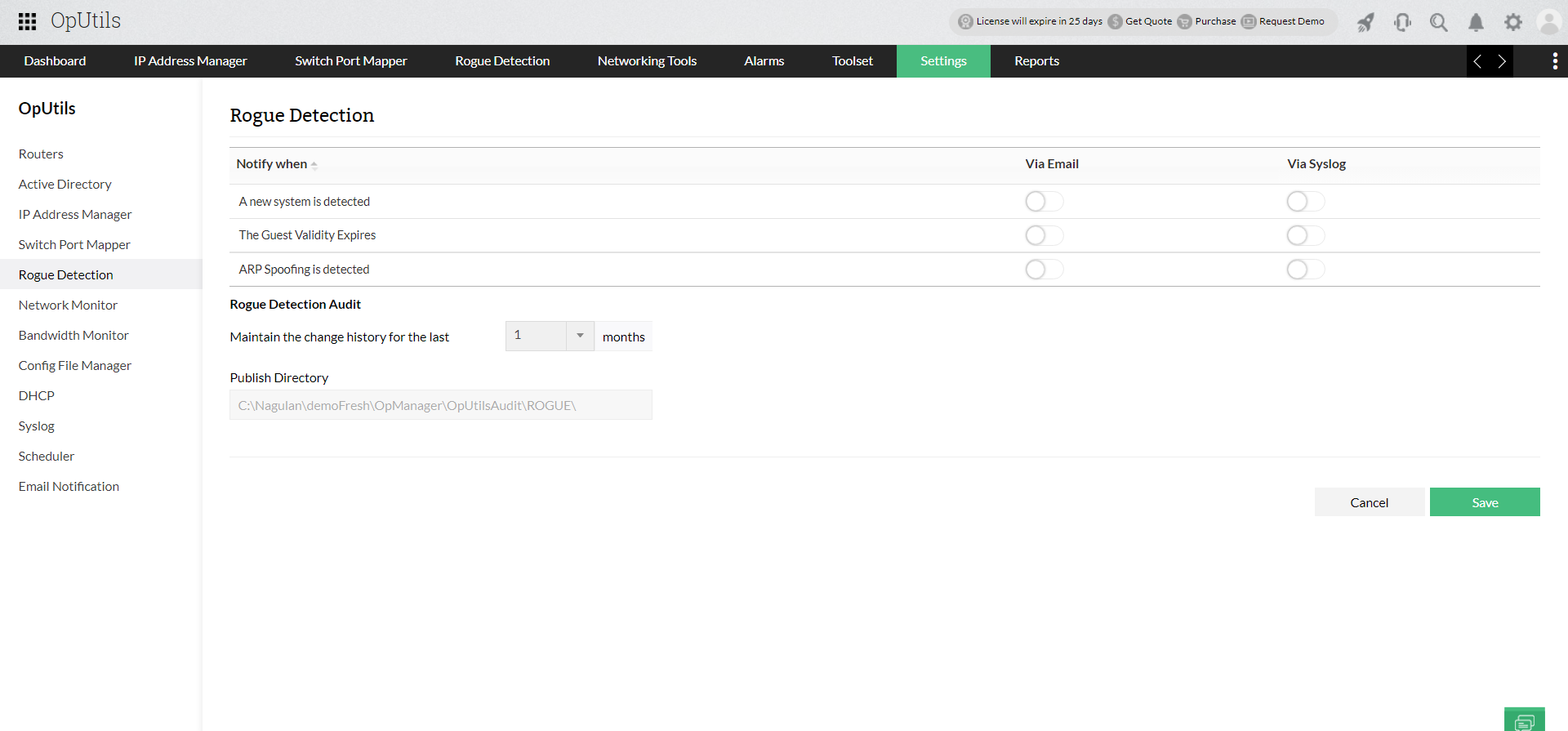
- Security and compliance support: Rogue device detection and audit trails help you stay aligned with GDPR, HIPAA, PCI DSS, and other regulations.
- Actionable insights: From forecasting IPv4 exhaustion to tracking abandoned IPs, OpUtils helps teams move from reactive troubleshooting to proactive capacity planning.
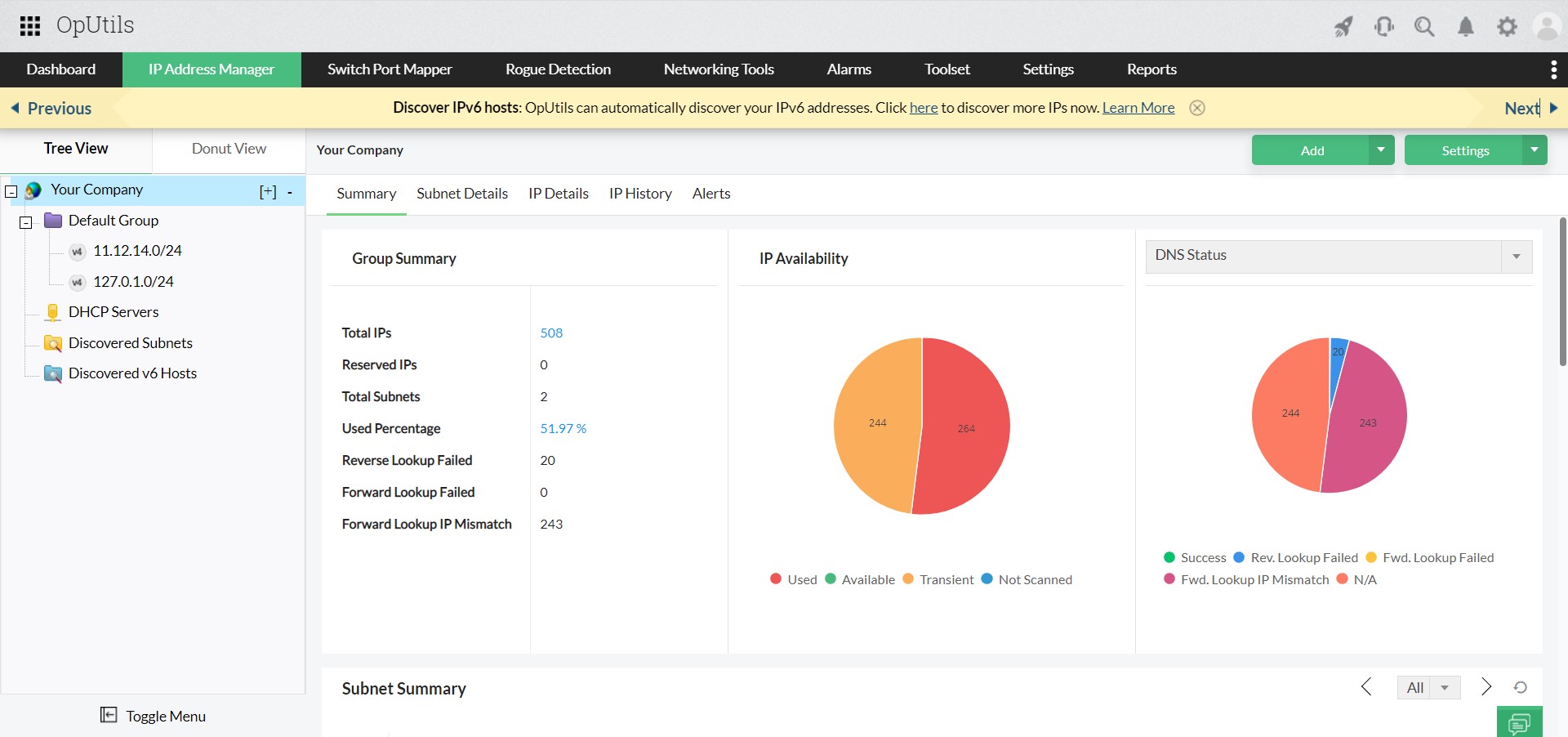
By pairing IPAM best practices with a solution like OpUtils, organizations can turn raw IP data into meaningful metrics, reduce operational overhead, and strengthen the overall reliability and security of their networks.
Try OpUtils for free for the next 30 days or schedule a free personalized demo and we will connect you with the right product expert.
Gain complete visibility into your IP space with OpUtils!
Try OpUtils for free today