
Port scanning, simplified
OpUtils is a robust solution for IP address management and switch port mapping, featuring an effective built-in Port Scanner that helps navigate the complexities of switch ports. This tool facilitates scanning, mapping, and visualizing a comprehensive overview of network switch ports, enabling the administrators to quickly comprehend switch port's status, related IPs and availability, thereby giving a clear idea of future port requirements. With real-time monitoring, an intuitive interface, and robust features, OpUtils Port Scanner simplifies switch port management tasks, enables informed decision-making, and bolsters network security by detecting blindspots and unauthorized access.
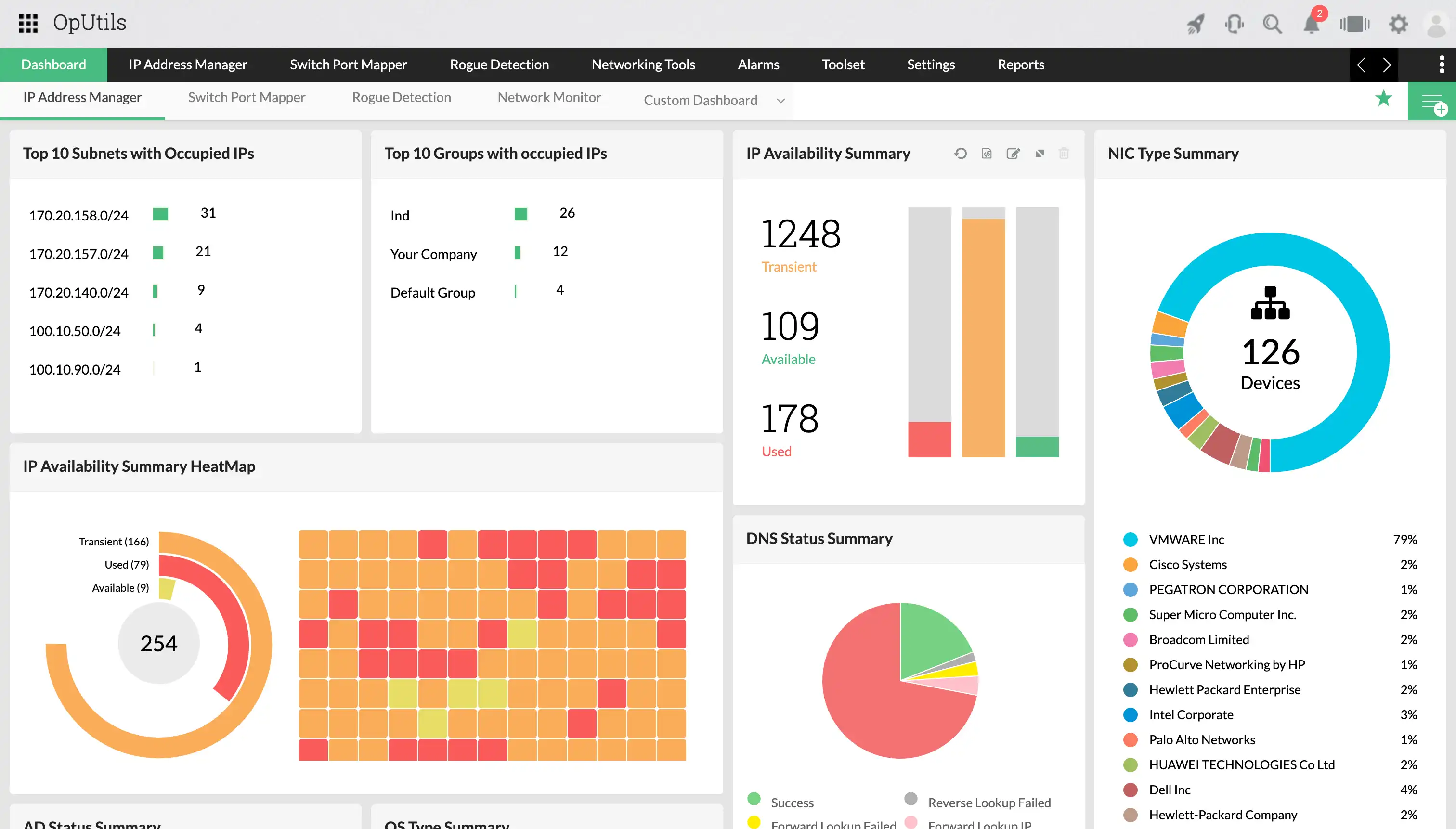
3 reasons why OpUtils is the best port scanning tool
Here's why OpUtils' Port Scanner sets itself apart in effectively managing your switch ports.
Unmatched visibility
OpUtils' Port Scanner provides administrators with a comprehensive view of their network's switch port landscape, exposing all the connected devices, unauthorized devices, and vulnerabilities in a single console. This insight empowers informed decision-making for administrators.
Proactive threat detection
With proactive monitoring, OpUtils identifies new devices and vulnerabilities, thereby keeping administrators informed of potential threats in real time.
Simplified management
OpUtils is an all-in-one solution that monitors IP addresses, manages switch ports, handles rogue devices, and offers various network utilities. Furthermore, it streamlines port scanning, improves capacity planning, and boosts ROI in just few clicks.
Essential features of OpUtils' Port Scanner
Port status, port services, port security—OpUtils doesn't just take care of these surface-level metrics. It provides much deeper insights.
Get started with port scanning
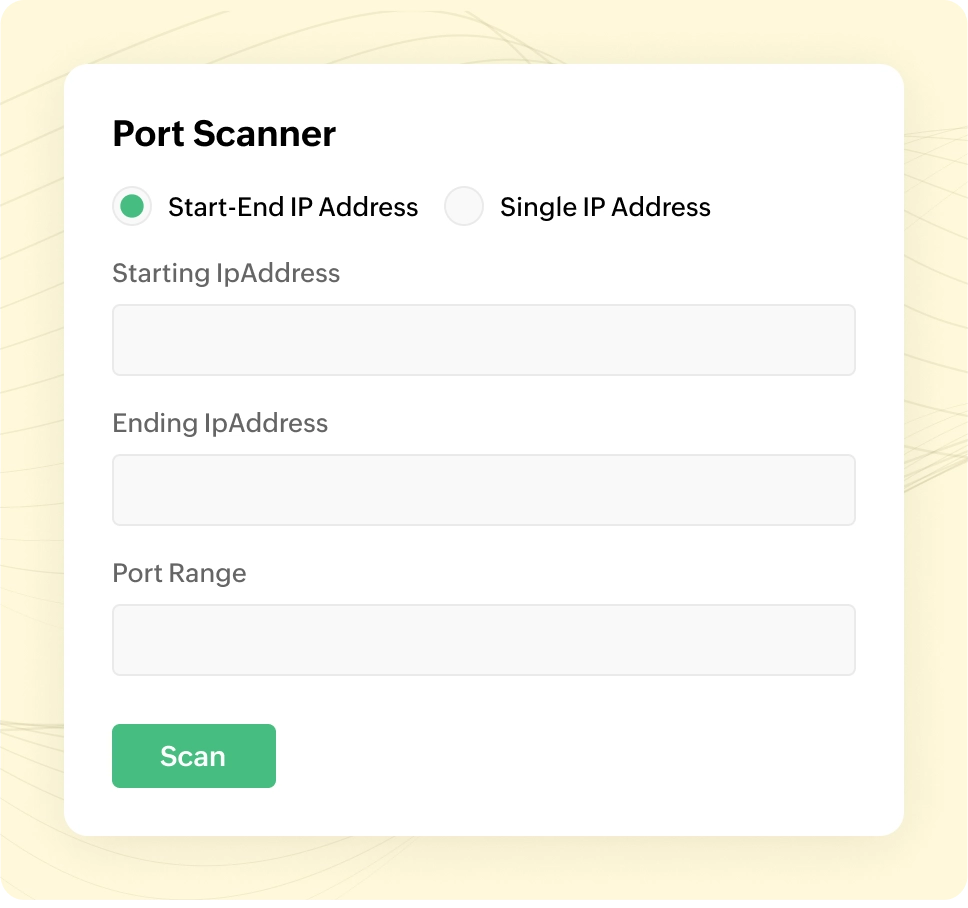
OpUtils switch ports scan option allows users to leverage network discovery, CSV import, or manual entry options, ensuring effortless monitoring of the entire network within a matter of minutes. Additionally, the Port Scanner empowers administrators with two options to seamlessly initiate port scanning. With the system ports scan feature, administrators can target specific IP addresses or ranges, revealing open ports and the services they run.
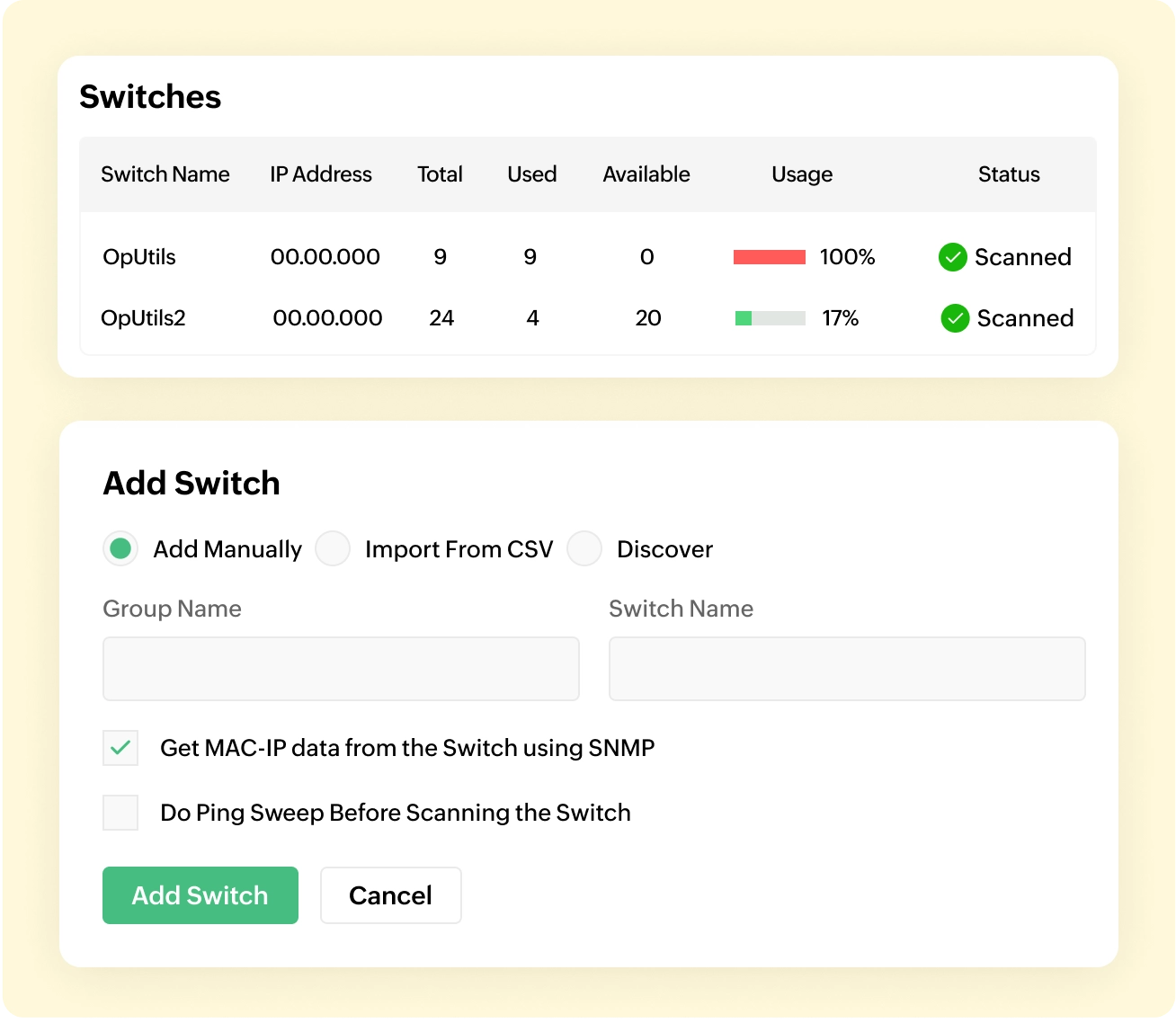
Real-time insights into switches
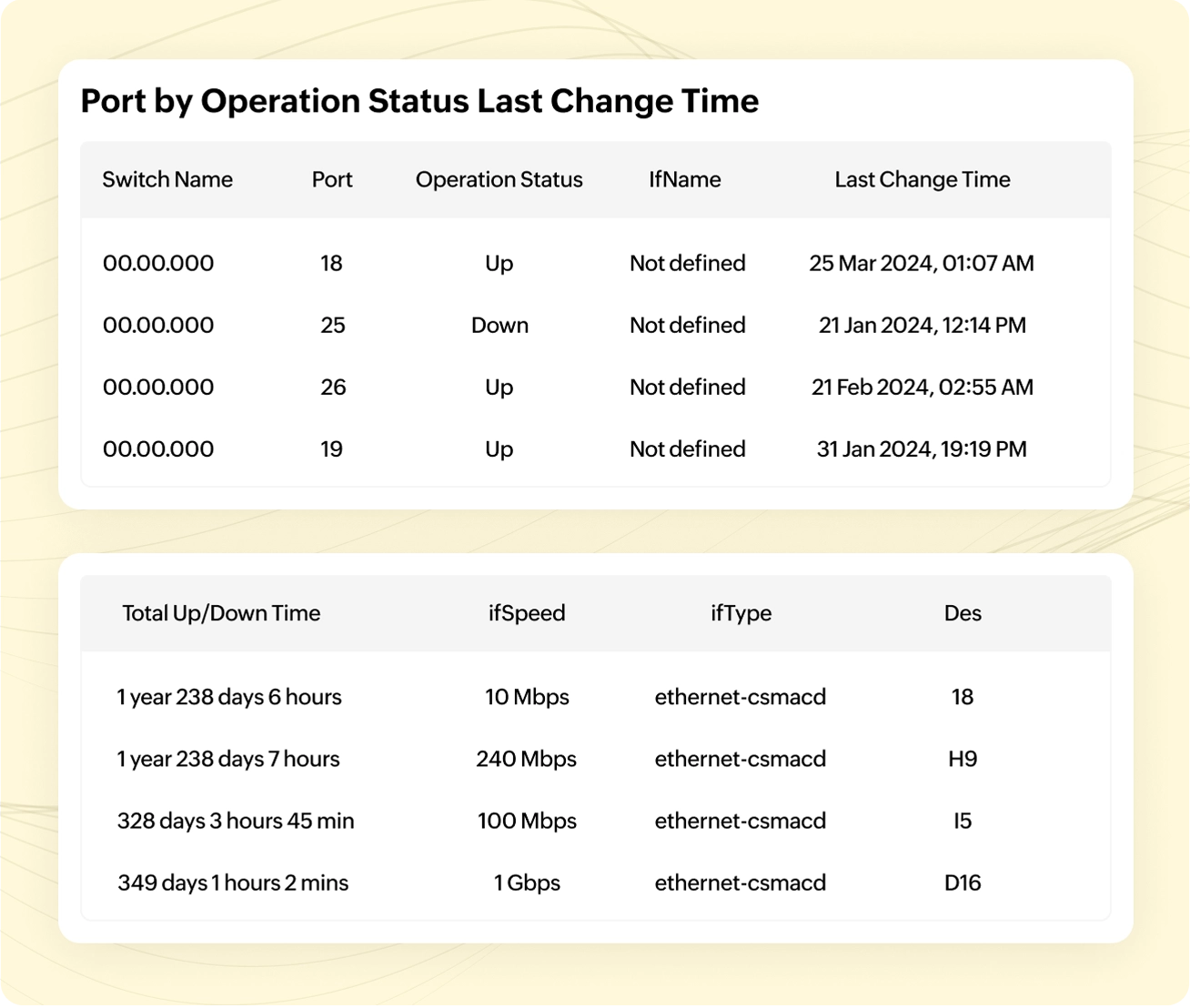
OpUtils' switch port scanner empowers network administrators with real-time insights, mapping network switches to ports and associated devices. The tool displays detailed information about managed switch ports, including switch name, interface name, port number, and status. With OpUtils' Port View feature, administrators gain a streamlined visualization of network ports, facilitating end-to-end troubleshooting.
The Port Scanner enhances troubleshooting by providing comprehensive insights into various network port connection types, including stacking, connections to multiple devices, and identification of devices with virtual IPs. This robust functionality ensures efficient issue resolution without the need to trace your cables, empowering administrators with a holistic view of network port configurations and connections.
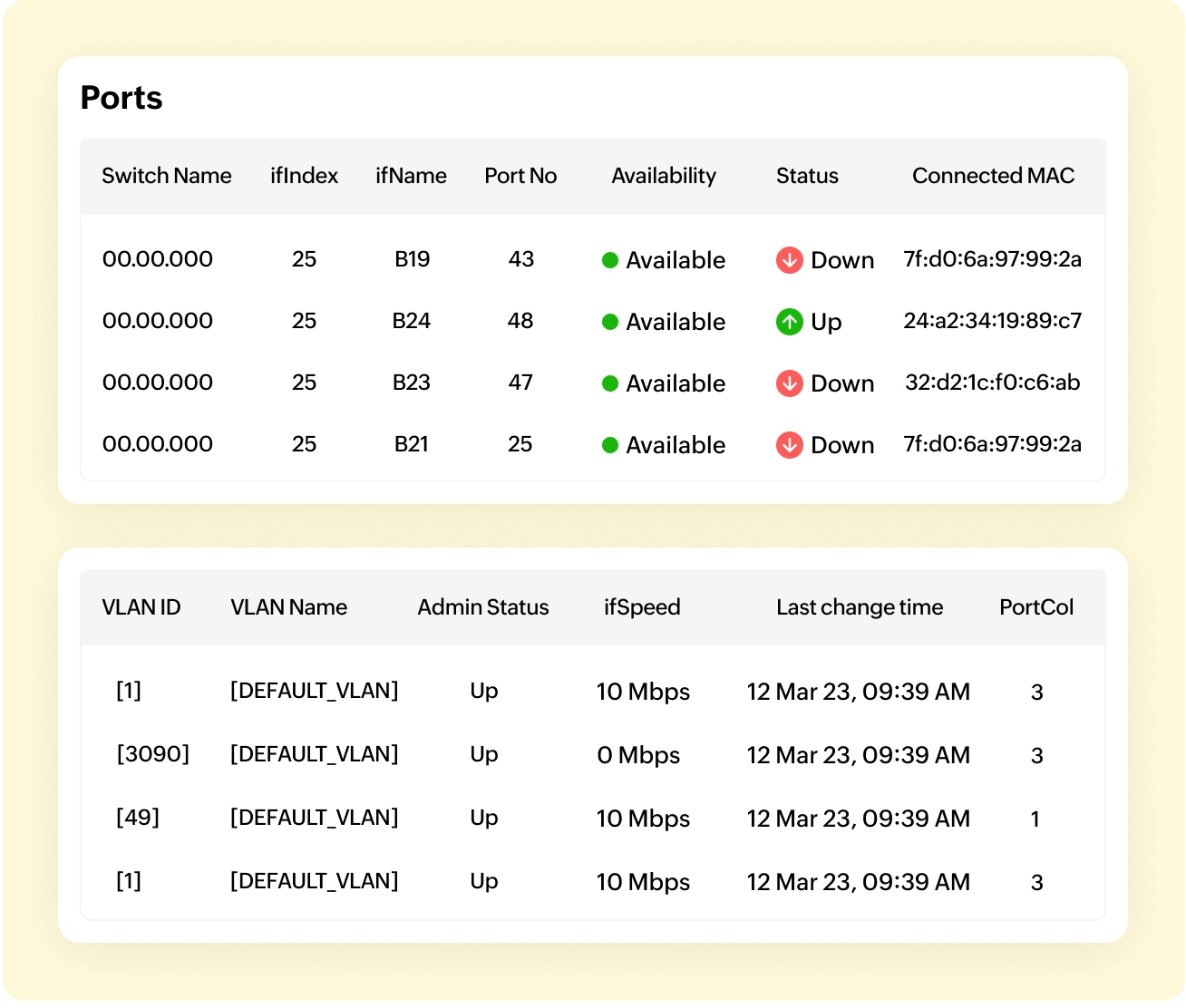
User tracking
OpUtils enables user tracking by leveraging the Switch Port Mapper tool, which identifies the switch ports connected to specific devices. By associating IP addresses with the relevant MAC addresses, the administrators can accurately trace users across the network. With real-time monitoring and detailed port information, administrators can efficiently perform user tracking and manage network resources effectively.
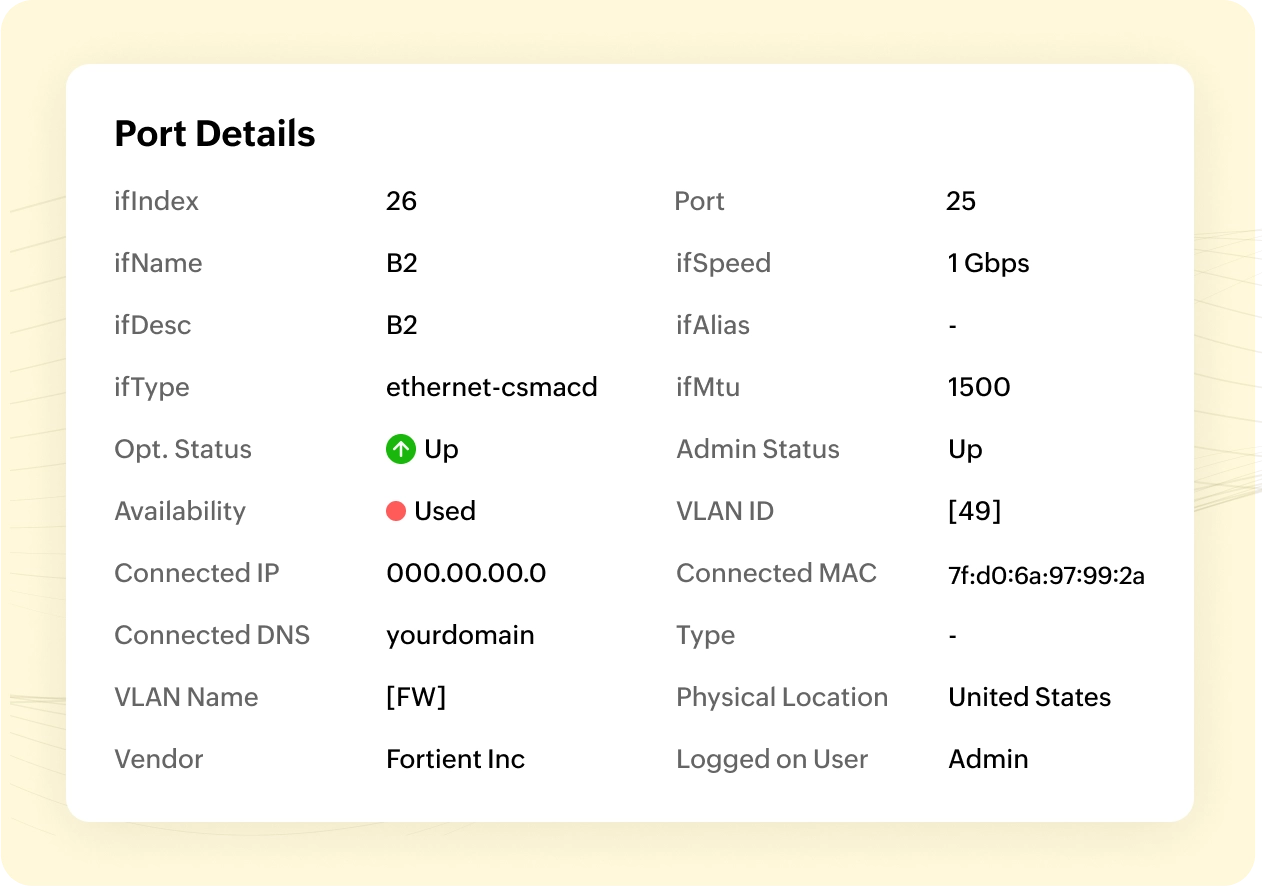
Granular reporting
OpUtils' Port Scanner features automatic report generation at specified intervals, providing in-depth insights into managed switch ports. Administrators can customize the tool to generate reports, where they can access them through direct import from the console or an email delivery, ensuring timely updates on switch port usage and associated details. This significantly improves the efficiency of network management. Here are some reports in OpUtils' Switch Port Mapper:
- Switch ports by interface speed
- Switch ports by interface type
- Devices with virtual IP
- Stacked port details
- Administratively disabled ports and much more.
Enhanced security
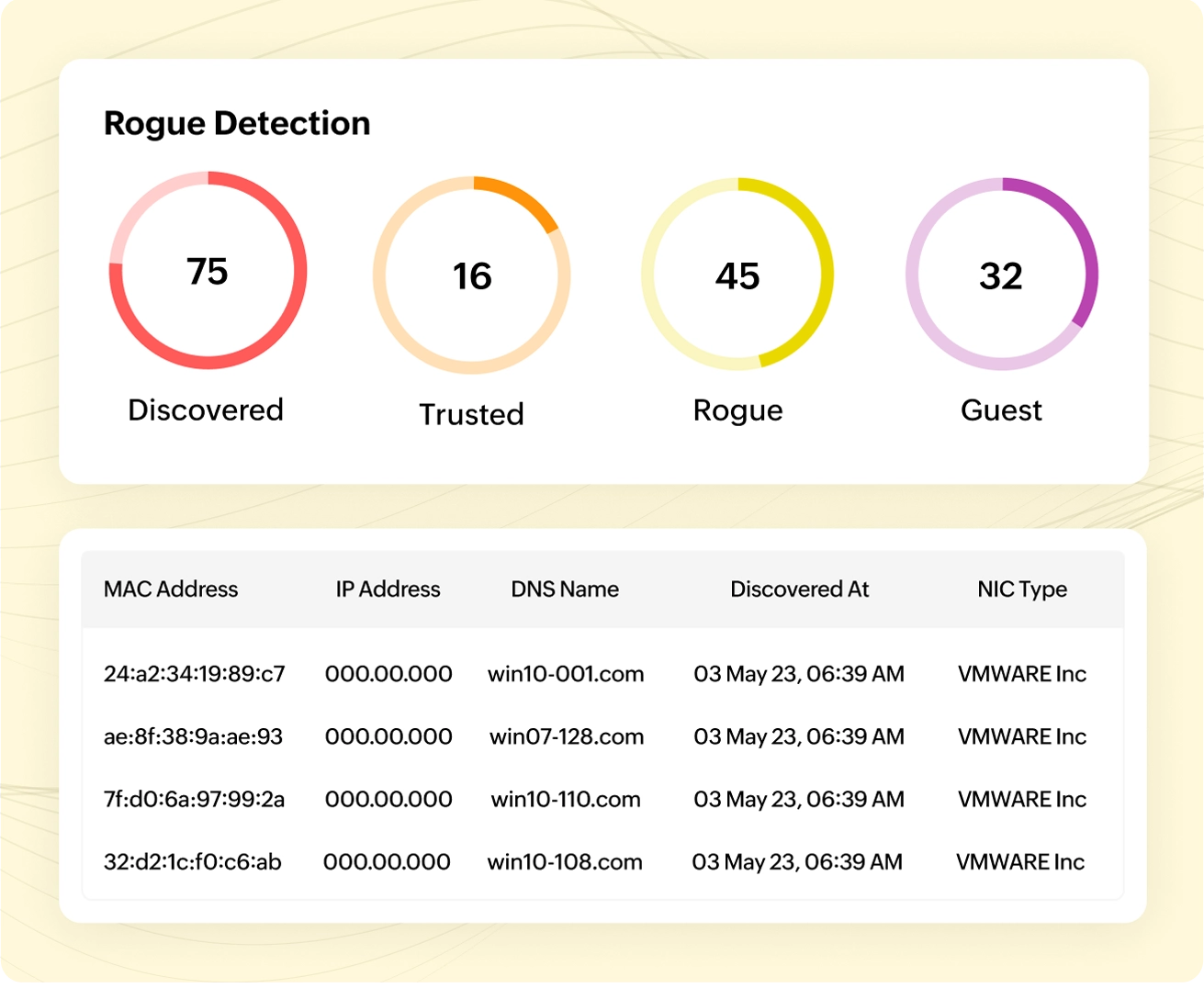
It is essential for administrators to understand resource usage patterns to prevent network issues like resource exhaustion. OpUtils' integrated Rogue Detection module identifies newly connected devices by scanning all the associated IP addresses, routers, and switch ports. This allows the administrator to promptly block or unblock ports, ensuring the network is secure from unauthorized access by intruders or rogue agents.
Monitor port services
Breaching into open ports might lead to serious network issues like service outages, impacting authorized device access. OpUtils' Port Scanner tool conducts a comprehensive open port scan, providing network administrators with in-depth insights into response times, statuses, and active services. Additionally, OpUtils routinely scans common port services such as FTP, SMTP, HTTP, ensuring a robust assessment of your network's vulnerabilities.
Switch types supported by OpUtils
Below are a few switch types supported by OpUtils.
- Cisco
- Nortel
- HP
- Foundry
- Extreme Networks
- Dell
- DLink
- Huawei 3com
- Allied Telesyn
- Alcatel
- Force 10
Apart from this, OpUtils extends its support to devices supporting bridge MIB.
Try your hands on OpUtils advanced port scanner
One of the best products to manage the environment

Great software, does everything I need, nothing I don't
Networking on the NEXT level