×![]()
×
×![]()
×
×
Installation & Setup | ManageEngine OS Deployer
Prerequisites
Before installing the Central Server, ensure that your system meets the minimum requirements.
Download the EXE and Verify Its Integrity
Steps to download the EXE:
- Navigate to the official product download page.
- Click on the Download link for the EXE version of the product.
- Save the EXE file to a location on your local machine.
Steps to verify the integrity of the downloaded file:
- On the same download page, locate the SHA256 checksum provided next to the EXE file link.
- Copy the displayed SHA256 value (a long alphanumeric string).
- Open a Command Prompt window at the location of the downloaded EXE file.
- Run the following command:
certutil -hashfile downloadedEXEfilename.exe SHA256 - Compare the generated checksum with the official checksum value.
- If they match, the file integrity is successfully verified.
Server Installation in Physical Machines
Steps to Install the Central Server:
- Navigate to the downloaded EXE file.
- Double-click the EXE to initiate installation (after confirming prerequisites).
- The InstallShield Wizard will open with a welcome screen. Click Next.
- Read and accept the End-User License Agreement (EULA). Click I Agree, then Next.
- Choose your preferred installation type:
- Default Installation (Recommended): Uses default settings.
- Custom Installation: Allows you to change installation settings.
- Choose the installation directory (a default path will be suggested, or you can browse for a custom path). Click Next.
- Set the Web Server Port. The default port
8383will be shown. Change it only if needed. Click Next. - Click Install to begin the installation process.
- Once completed, click Finish to exit the wizard.
- The Central Server is now successfully installed.
- The web service will start automatically within a few seconds after installation.
Steps to install the OS Deployer Server
- Navigate to the downloaded EXE file.
- After ensuring the pre-requisites of the system requirements are achieved, double-click the EXE file to begin the installation.
- The InstallShield Wizard will open with a welcome screen. You will be given two options to select for OS Deployer installation. If you choose the One-Click Install option, you would be able to install the OS Deployer in a single step. If you want to specify custom settings for the OS Deployer installation, you can choose the Advance Install option
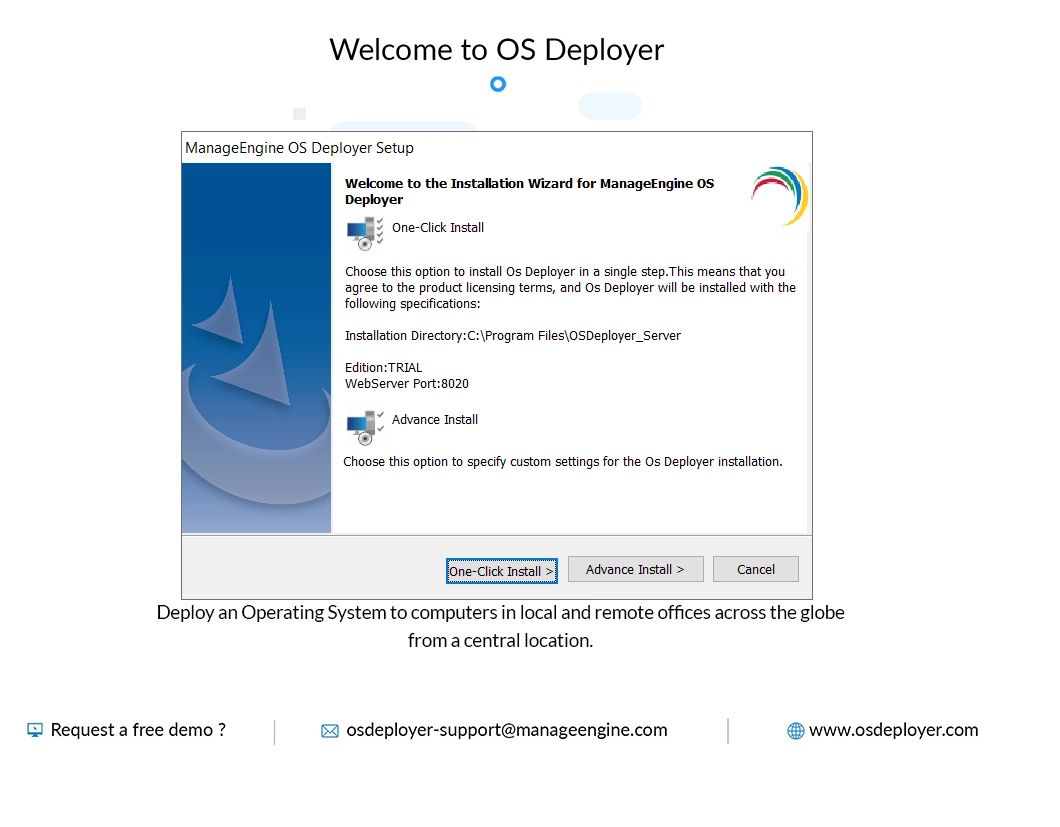
Steps for One-Click Installation
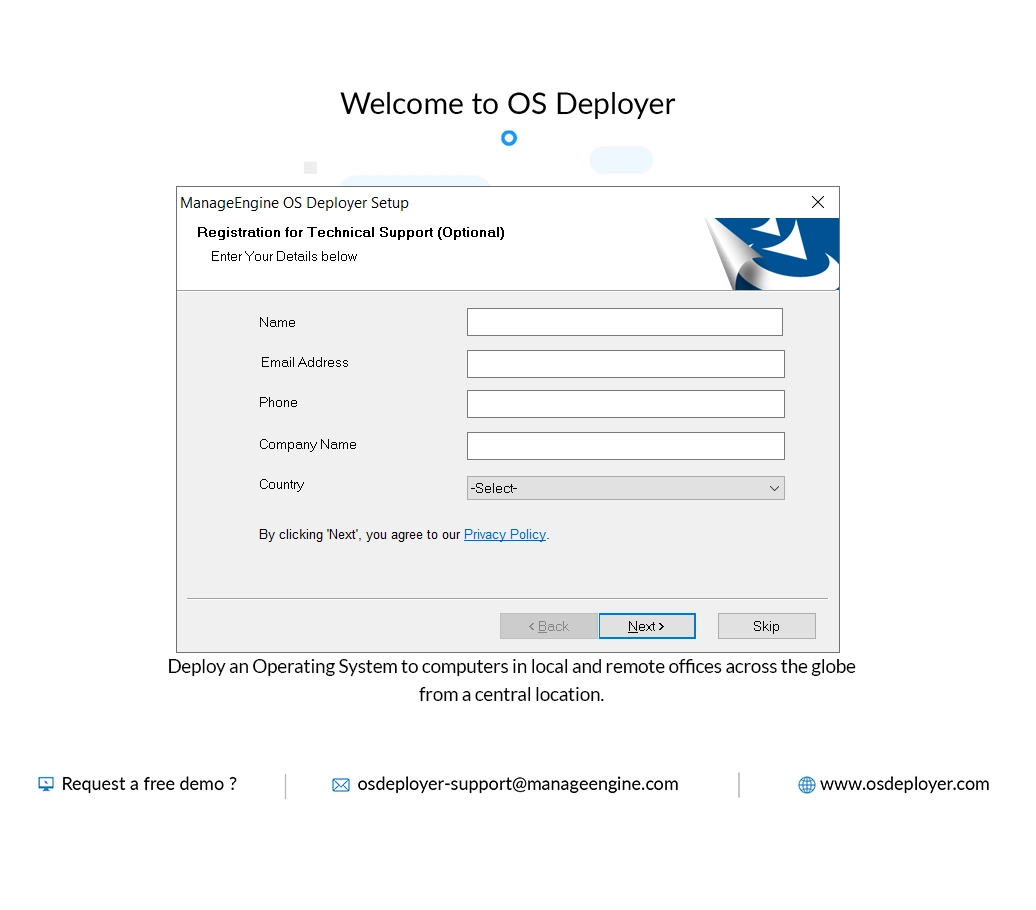
If you click the One-Click install option, the installation process will begin immediately. After a while, you would get a prompt to enter your name, email address, phone number, company name and country. Click Next by adhering to the terms of the privacy policy. The OS Deployer will be successfully installed. Click Finish to exit the wizard.
Steps for Advance-Install Installation
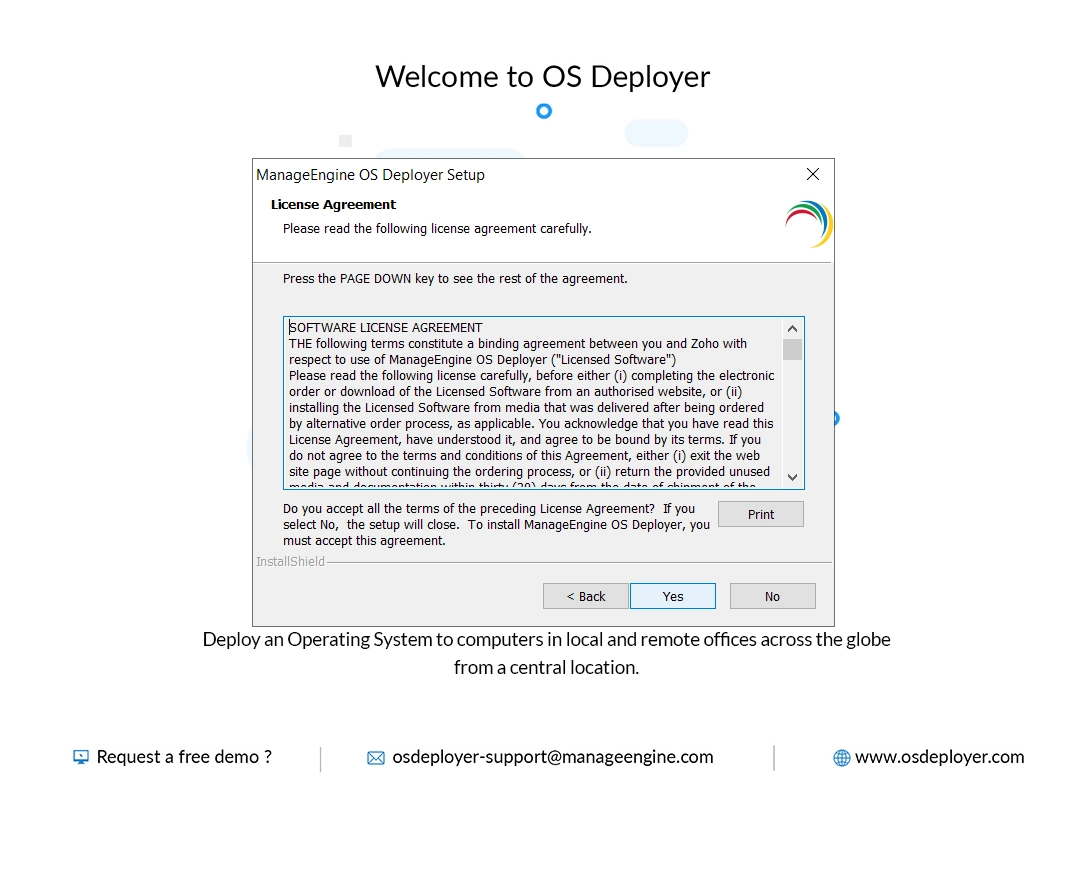
- Review the End-User License Agreement (EULA) and click Yes to accept the terms. Click Next to proceed.
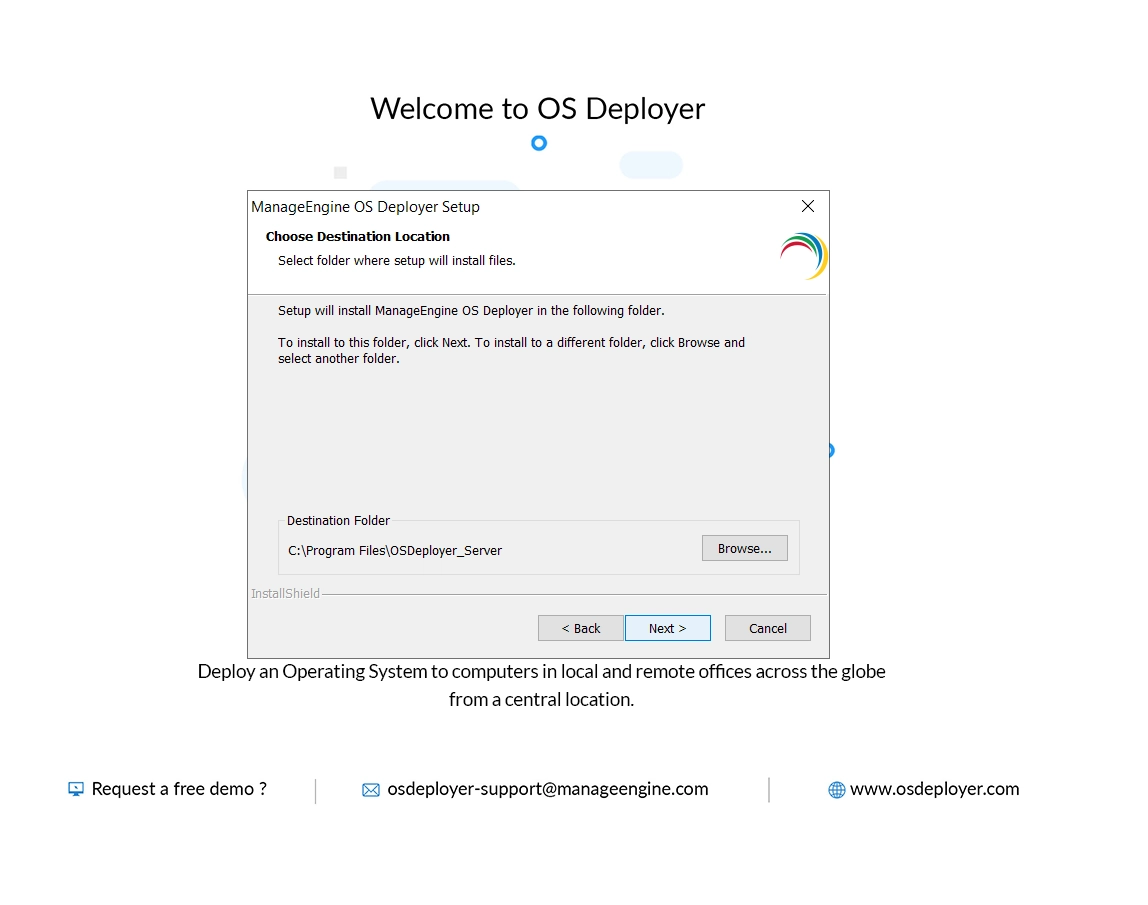
- Select the installation directory. The wizard will display the default installation location. If you are opting for a custom installation, browse and choose the desired directory. Click Next to continue.
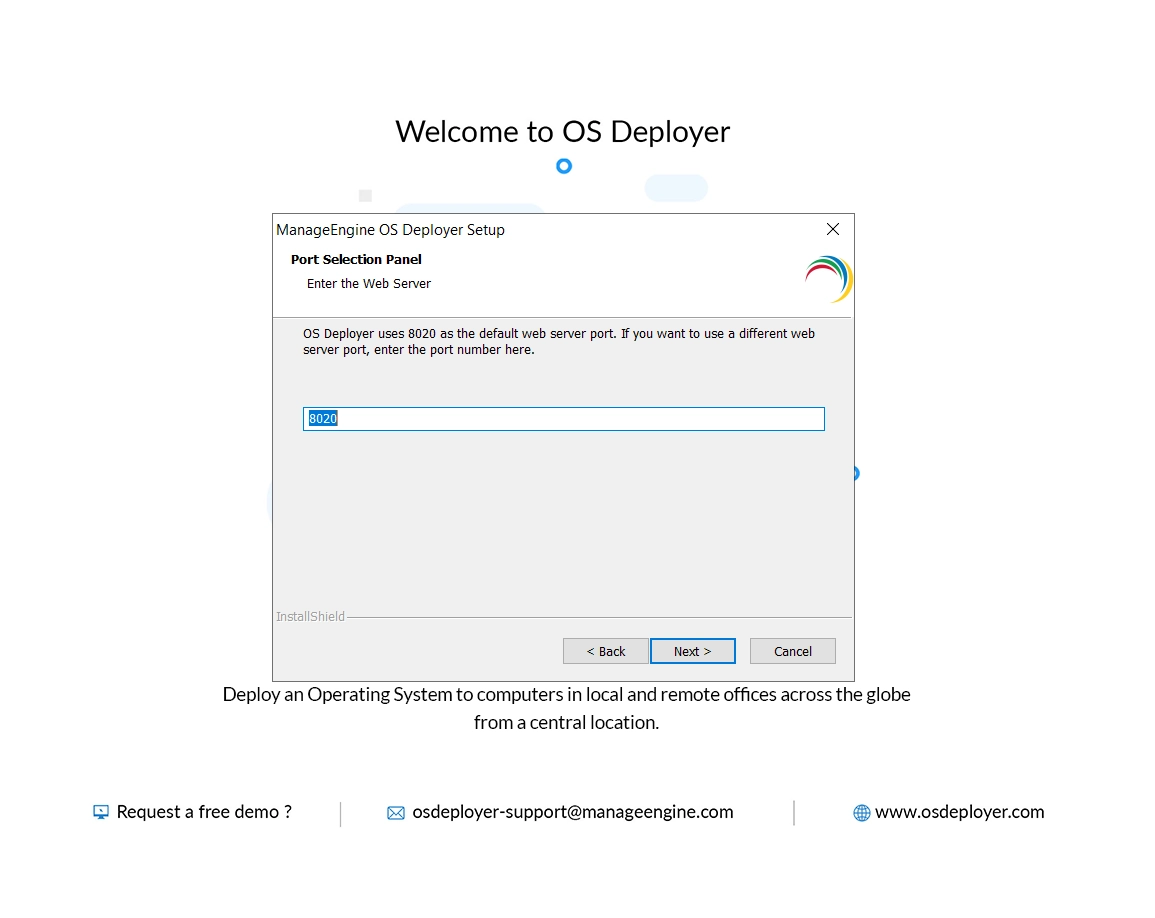
- Set the web server port. The default port 8020 is pre-filled, but it can be changed to prevent conflicts with other services. Once the desired port details are entered, click Next.
- Select the Program folder and click Next
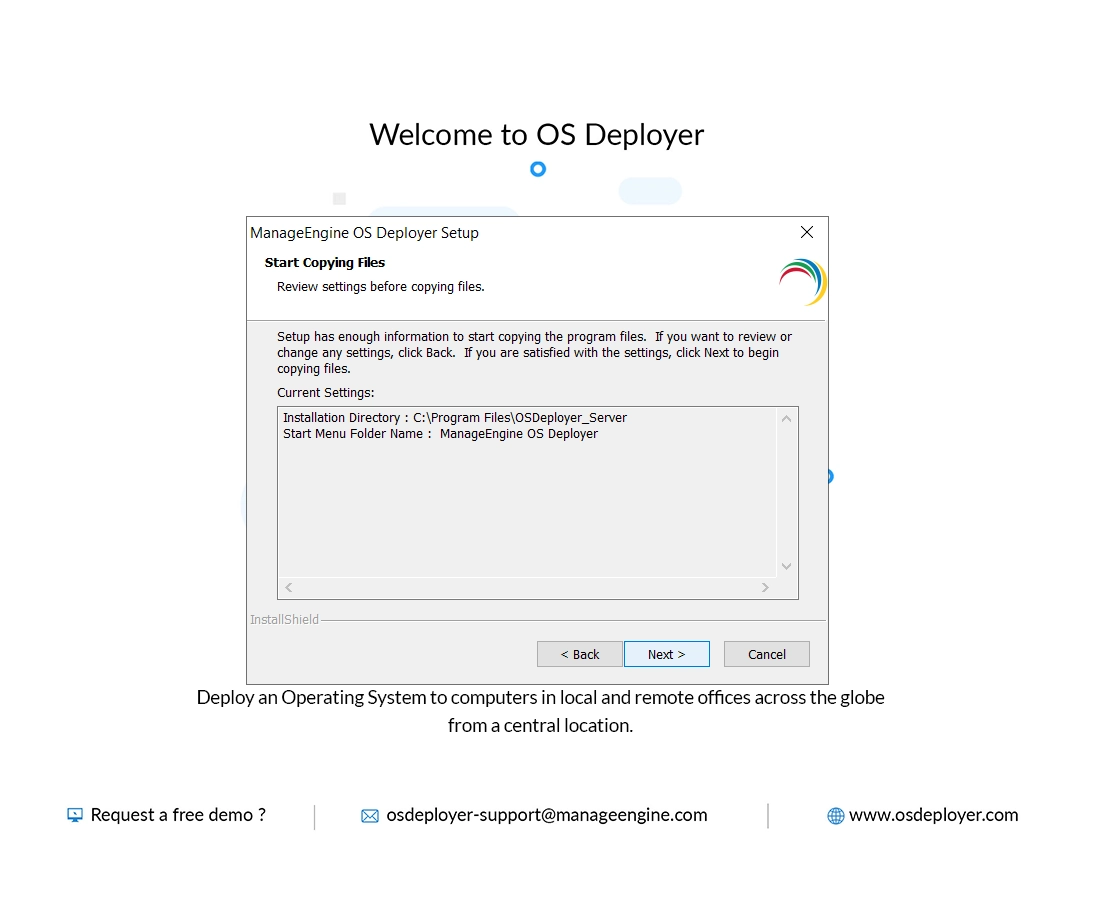
- Next, you will be given an option to review the settings before copying the files.After reviewing the settings, click Next
- The installation process will begin. Then proceed to enter your name, email address, phone number, company name and country. Click Next.
- When the installation is complete, click Finish to exit the wizard.
- The central server is now successfully installed. The web service will start automatically within a few seconds.
To know more about getting started with OS Deployer, follow the steps mentioned here.
To know more about uploading the license in OS deployer, follow the steps mentioned here.
To know more about uploading service packs, click here.