Remote password change
With ADSelfService Plus, users can change their domain passwords remotely. Usually, when a user's domain password is changed, the change is reflected in AD but not on the user's local machine. That means that the cached credentials on the user's machine need to be updated for the change to take effect, otherwise they won't be able to log in to the system.
To avoid this, ADSelfService Plus offers the login agent, which places a Reset Password/Account Unlock button right on the login screen. Users can click this button to reset their forgotten passwords right from their login screens. After a successful password reset, the cached password is updated on the users' machines.
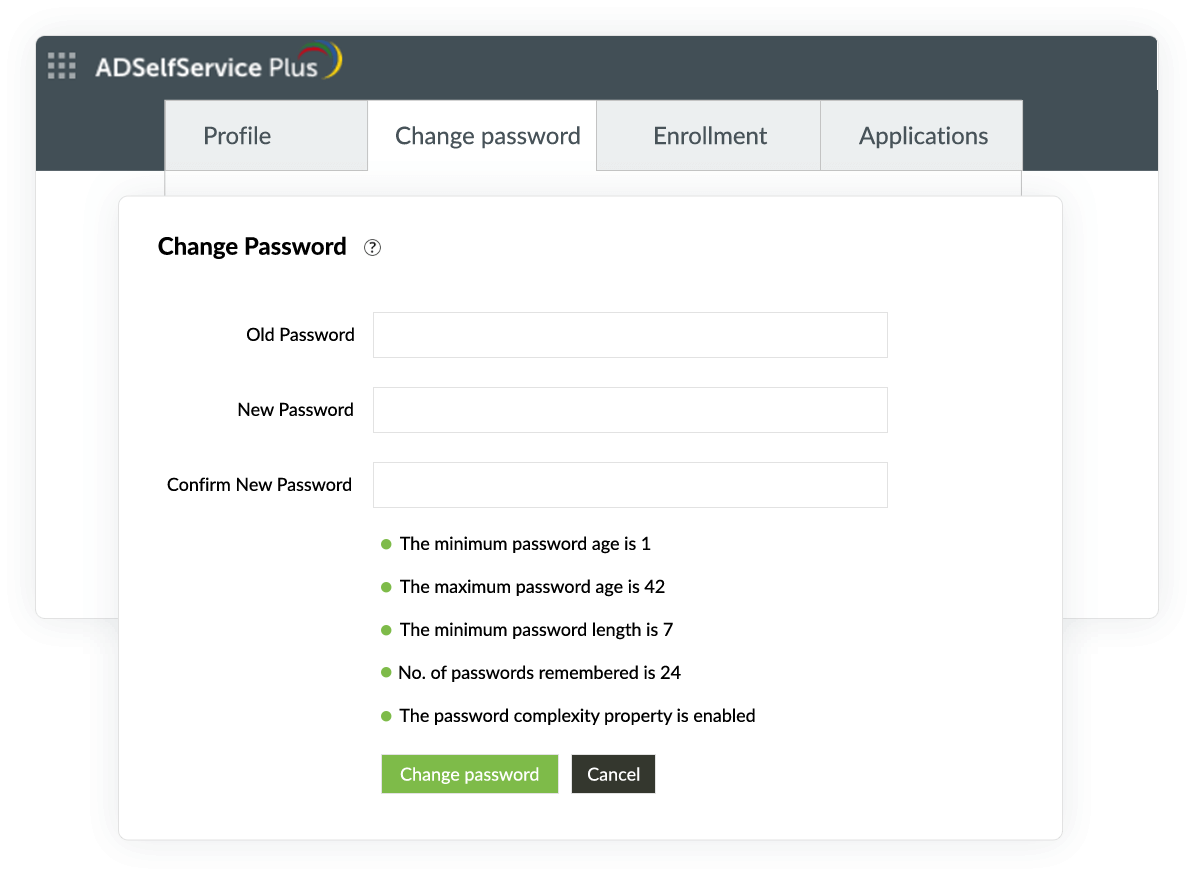
How to change your AD domain password using ADSelfService Plus:
- 1Log in to the ADSelfService Plus user portal, and go to the Change Password tab.
- 2Enter your existing Active Directory or domain password in the Old Password field.
- 3Provide a New Password, and reenter it in the Confirm New Password field. Make sure your new password meets the complexity requirements.
- 4Click Change Password.








