Multi-Factor
Authentication (MFA)
for Windows Login

Protect Windows workstation logins, Windows server logins, RDP sessions, and UAC prompts with flexible, policy-driven MFA Solution.


  • Prevent brute-force and credential theft attacks
  • Meet regulatory compliance standards (NIST, HIPAA, CJIS, etc.,)
  • Works online and offline—even without VPN
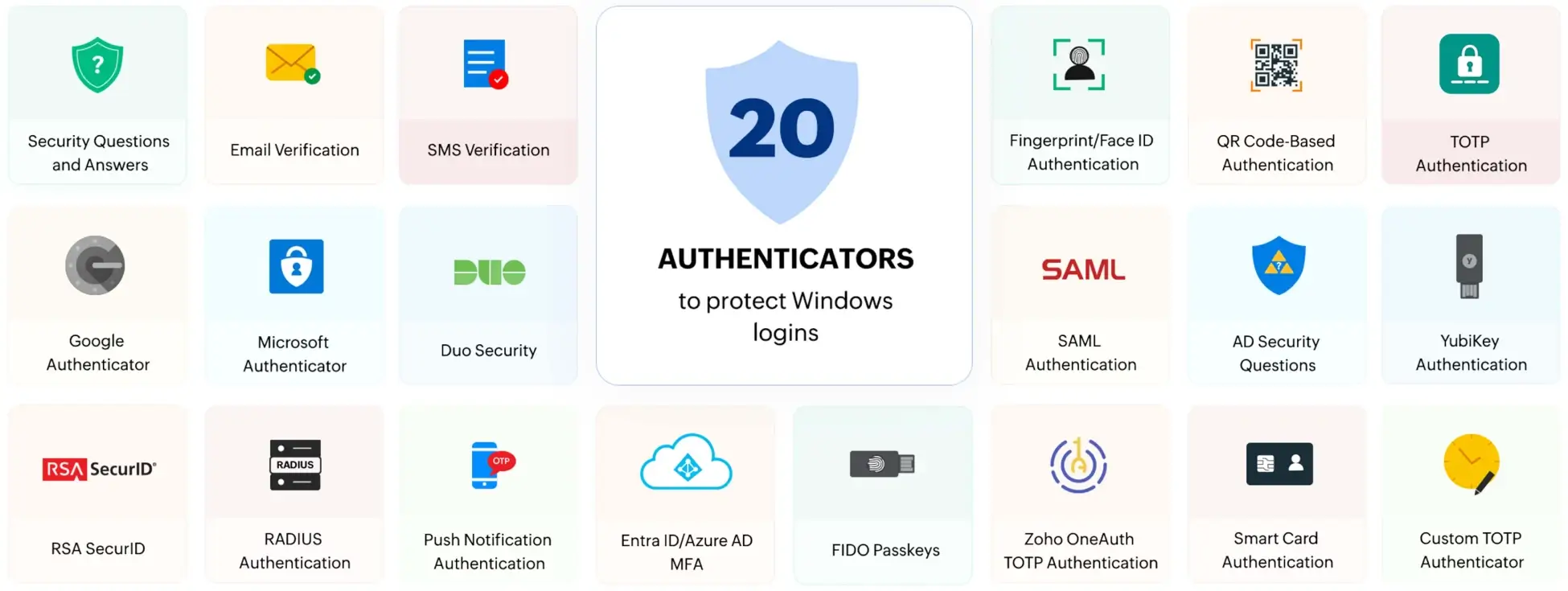
  • Supports upto 20 authenticators including biometric and smartcards
Download Now   Book a Free Demo  
Multi-Factor Authentication (MFA) for Windows Login

ADSelfService Plus is trusted by organizations worldwide

 
Why windows login MFA
WHY

Windows Login MFA?

  • The Microsoft Digital Defense Report 2024 states that 99% of identity cyberattacks are password-based. Knowledge-based authenticators like passwords are not enough.
  • Hybrid work environments, such as RDP, VPN, and even offline work environments are a common attack vector for ransomware.
  • Implementing MFA is no longer optional. Cyber insurance providers and government standards (like NIST, HIPAA, or GDPR) mandate or strongly recommend MFA.

How ADSelfService Plus secures Windows logins

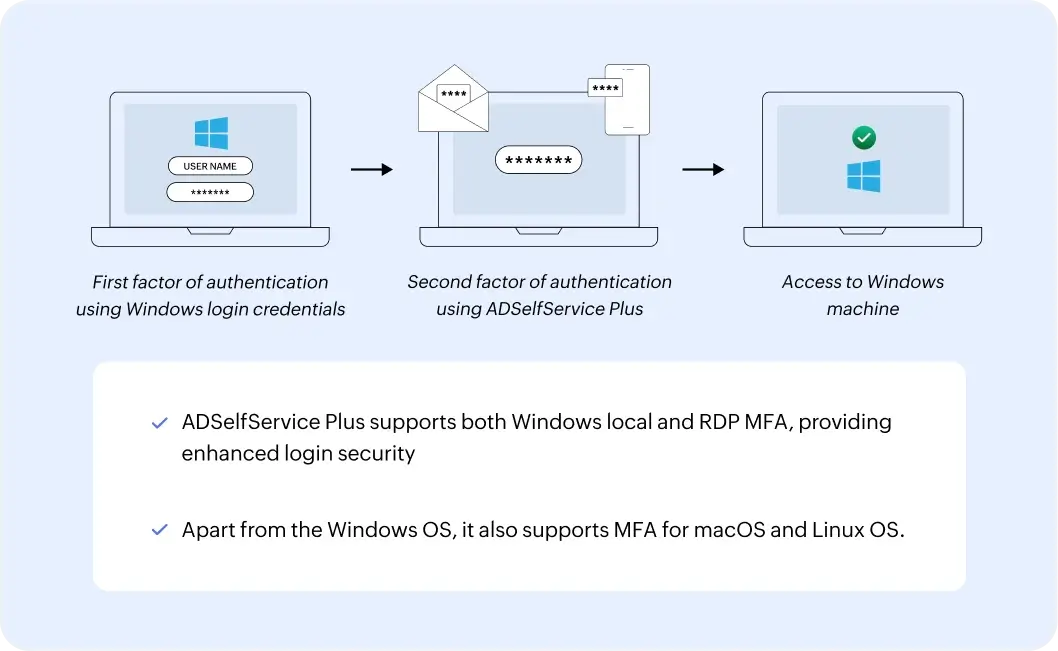
  • When MFA for Windows login is configured, users logging in to their Windows machines must first verify their identities using their AD domain credentials.
  • Next, they complete the Windows login MFA process by authenticating with additional methods such as biometrics, TOTP, or SMS verification. Depending on the configuration, users may need to verify their identities through one or more authentication methods.
  • Finally, users are logged in to their Windows machines once they have successfully verified their identities using the configured authentication methods.
How ADSelfService Plus secures Windows logins

Windows multi-factor authentication capabilities


Granular configuration

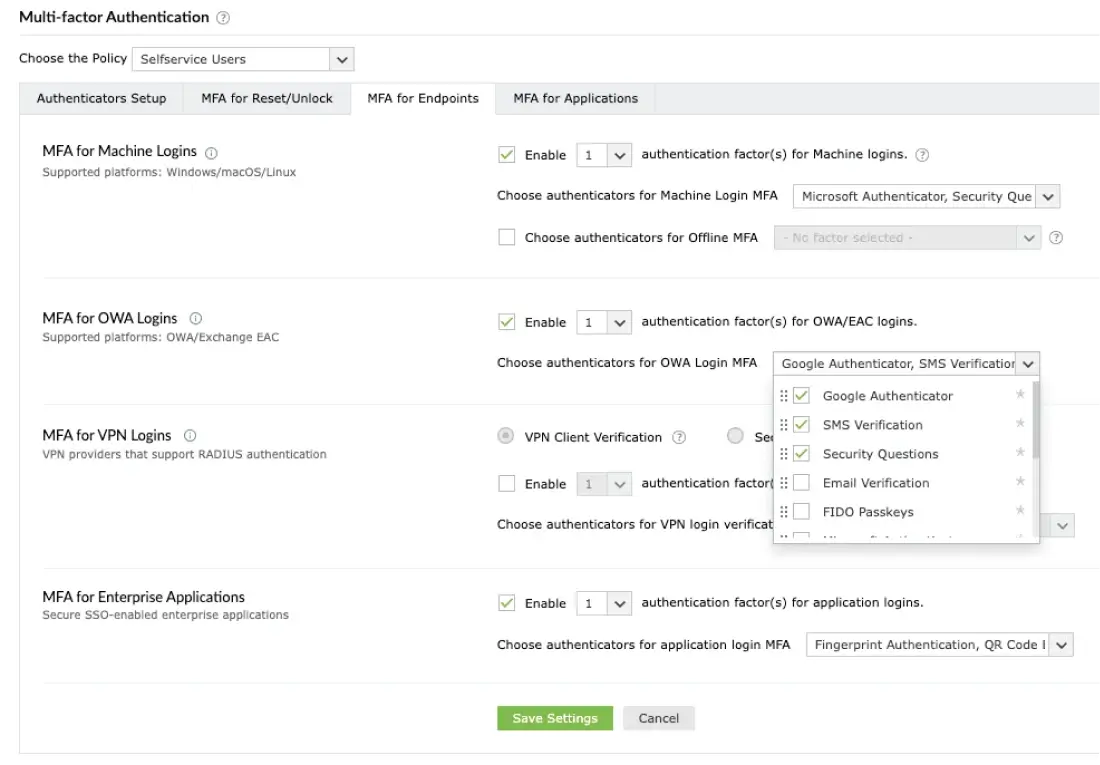
Enforce MFA policies based on Active Directory OUs, groups, roles, or even individual users. Tailor authenticator types and number of authentication steps to match different risk levels.


Multi-level authentication

Supports up to three factors of authentication. For high-privilege or sensitive accounts, go beyond MFA for Windows logins, and add an additional verification layer.


Flexible enrollment policies

Define how users enroll with ADSelfService Plus—automatically, on-demand, or during first login. Enforce mandatory enrollment for certain user groups while keeping it optional for others.


Trusted device exemption

Allow users to bypass MFA on previously authenticated devices. Streamline user experience without compromising on security.
How to setup multi-factor authentication (MFA) for Windows login

Schedule Demo   Get Quote  
Email Verification Security Questions and Answers SMS Verification Microsoft Authenticator Google Authenticator Duo Security RSA SecurID RADIUS Authentication Push Notification Authentication
 

authenticators that ADSelfService Plus
supports to protect logins

Entra ID/Azure ADMFA FIDO Passkeys
QR Code-Based Authentication Fingerprint/Face ID Authentication TOTP Authentication AD Security Questions SAML Authentication YubiKey Authentication Zoho OneAuth TOTP Authentication Smart Card Authentication Custom TOTP Authenticator
How to setup MFA for Windows login

MFA on all
connection types

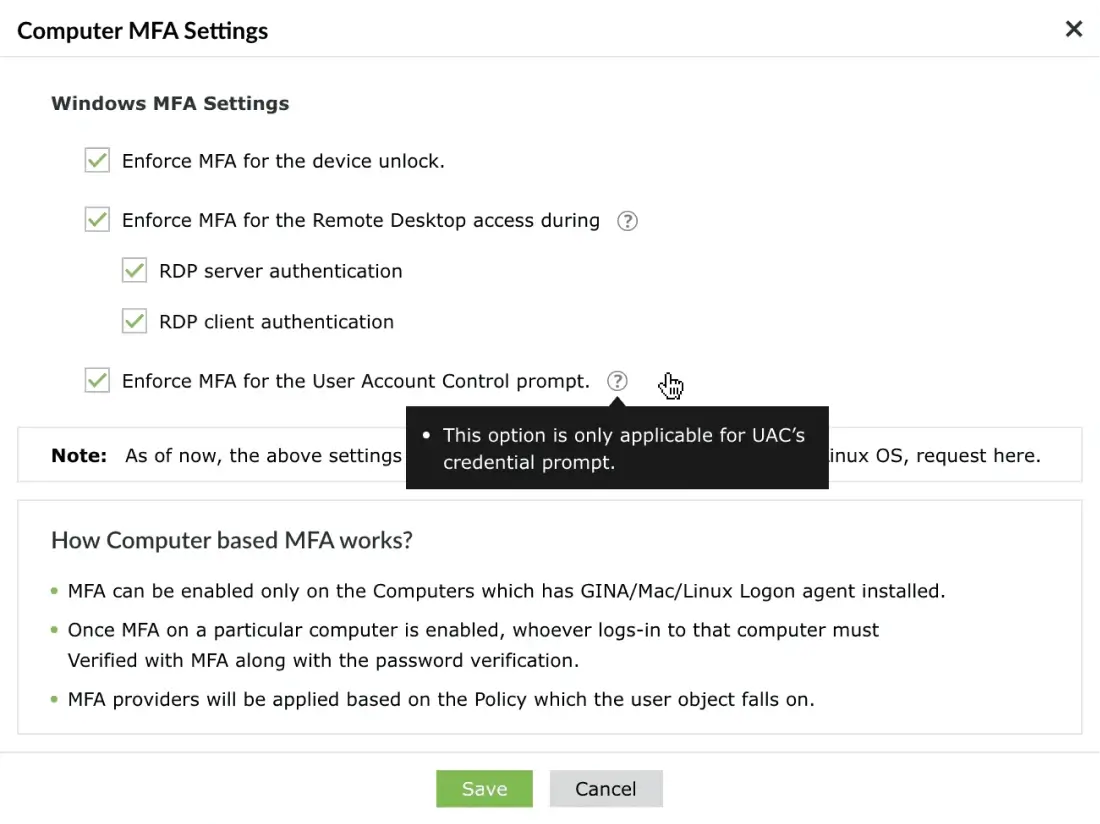
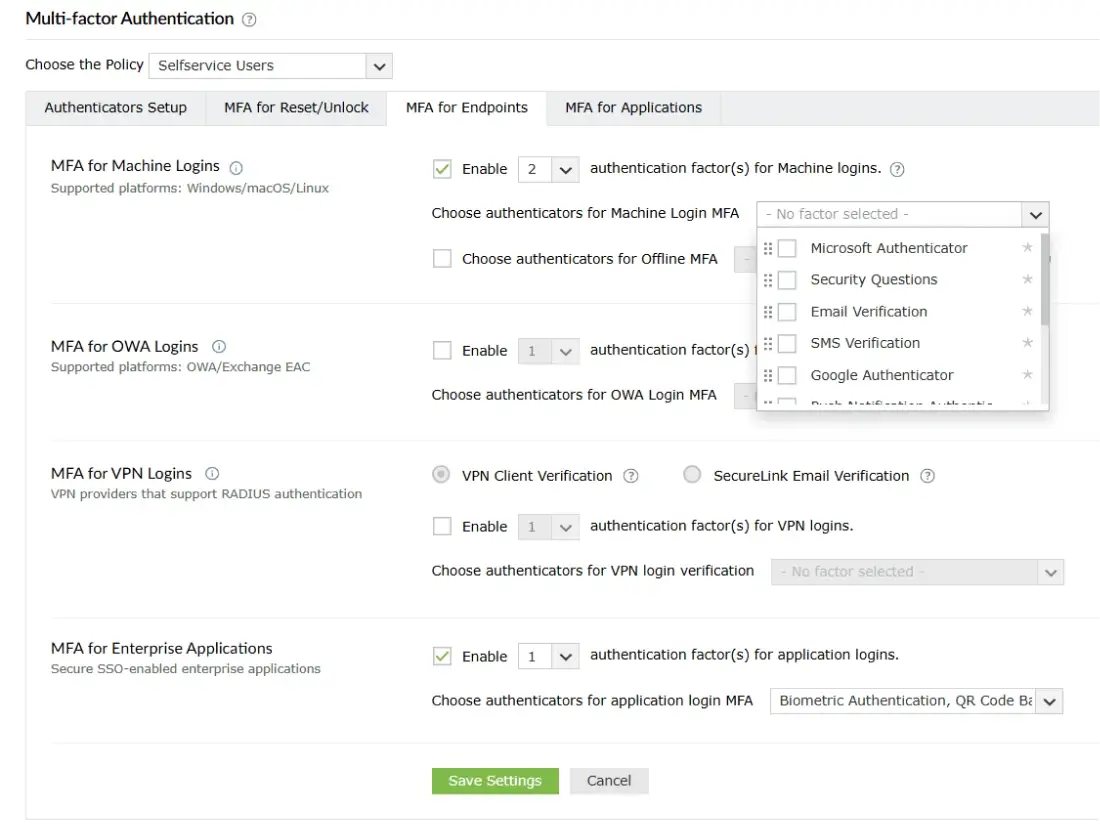
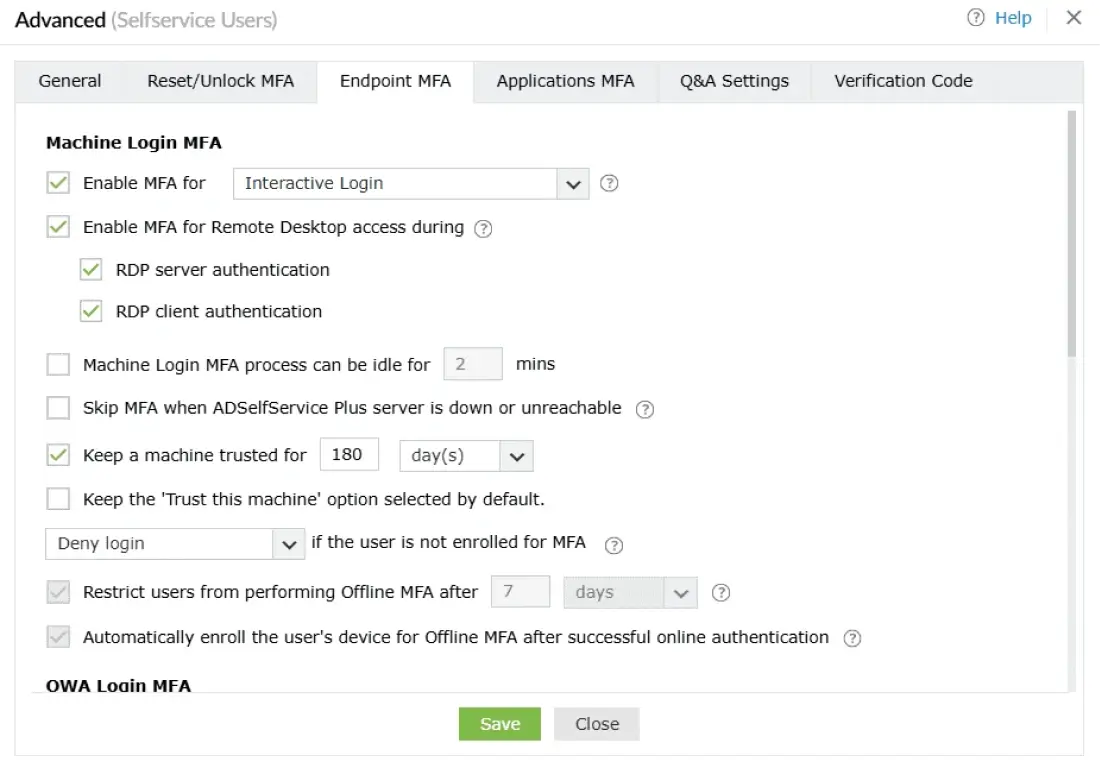
  • MFA for Windows RDP & RD Gateway

    Apply MFA when users initiate RDP sessions to prevent lateral movement across the network.

    Learn more  
  • MFA for OWA logins

    Secure Outlook Web App and Exchange logins with MFA to protect email access.

    Learn more  
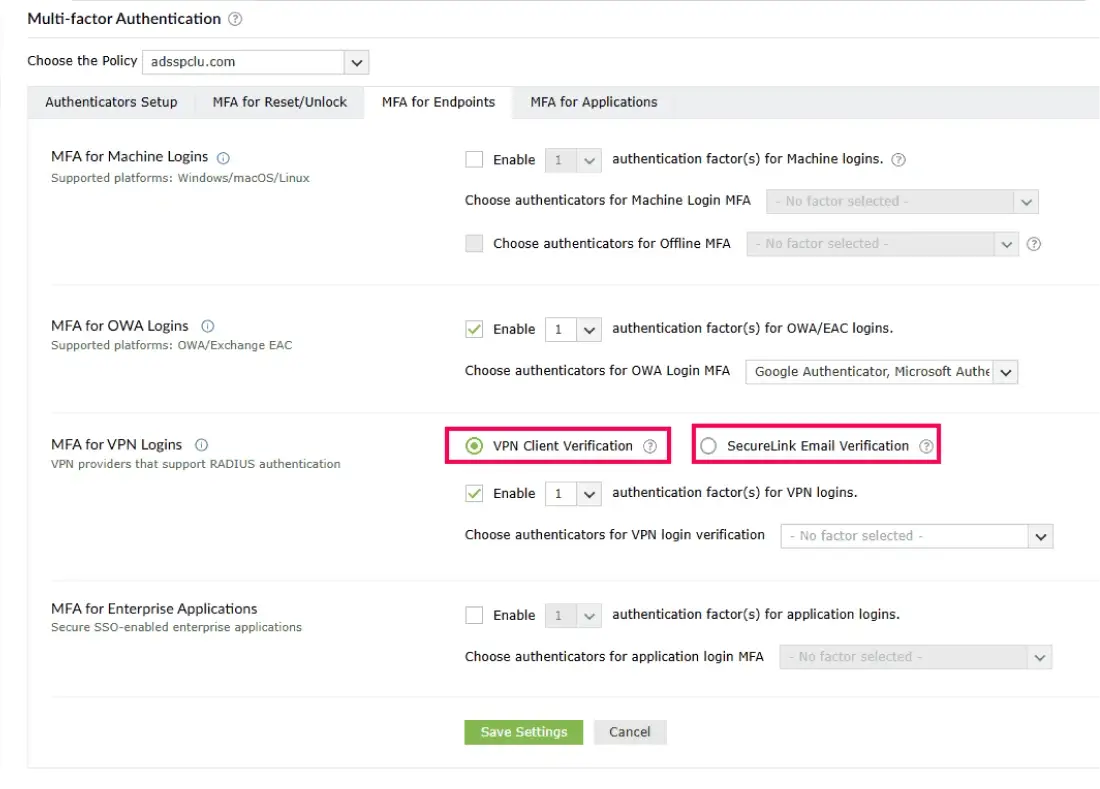
  • MFA for VPN Logins

    Add MFA to VPN logins by integrating with VPN clients like Cisco AnyConnect, Fortinet, and Palo Alto.

  • MFA for Windows UAC

    Prompt users for MFA during User Account Control elevation to secure privileged actions.

  • Windows server MFA

    Enforce MFA during local and remote Windows server logins to prevent administrator account takeover.

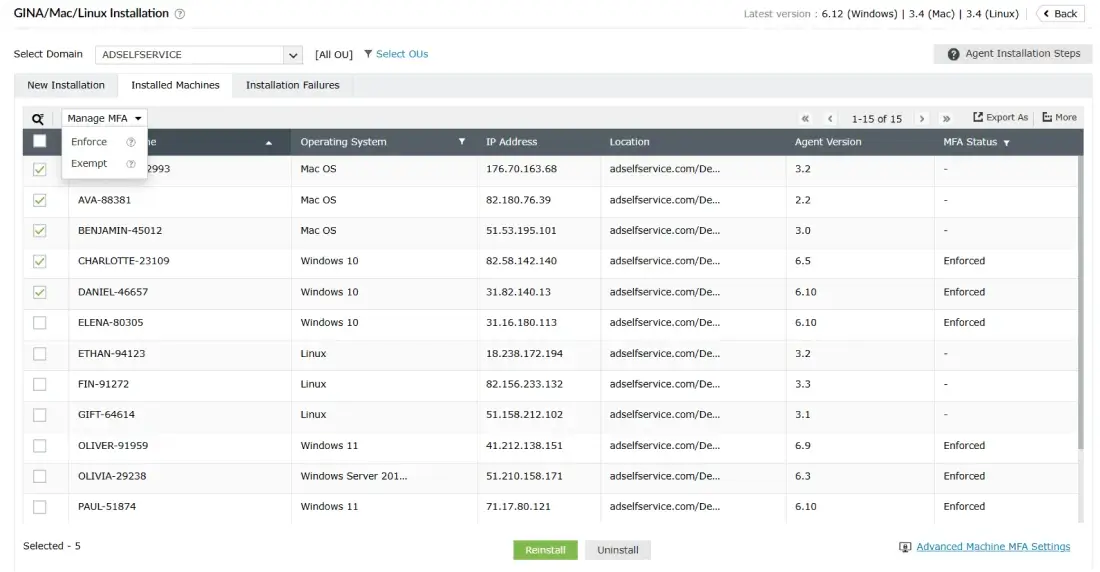
  • Machine-centric Windows MFA

    Enforce MFA at the machine level so that any user logging in must complete MFA, regardless of their account privilege or job role.

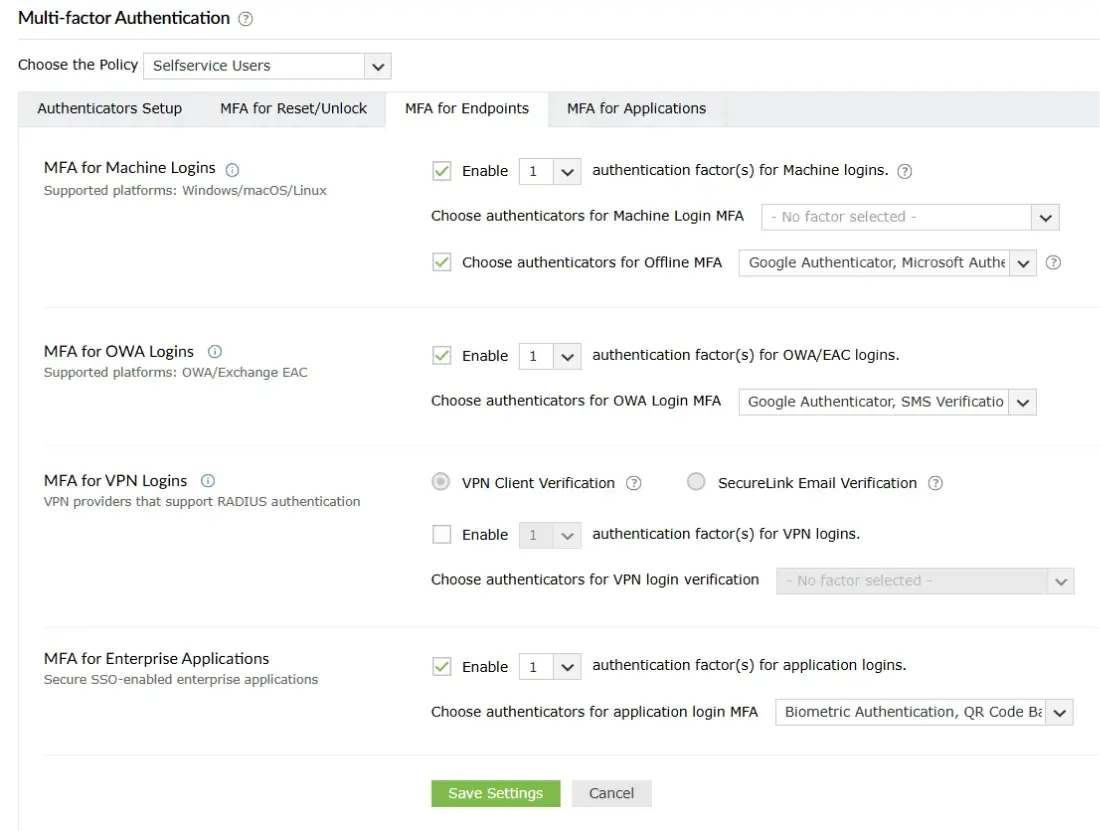
  • MFA for Windows offline logins

    Enforce MFA even when machines are disconnected from the internet or domain network.
ADSelfService Plus has
helped us become
Self-sufficient as users

  • I have used ManageEngine products before and was confident in getting a good working product. The deployment was simple and clean, and the instructions were clear. The technical support provided was prompt and helpful.
     
    Victor Palkaninec,
    IT Support Engineer, Time4Learning
  • Users have embraced the new system, and requests for password resets have almost vanished. Users are more aware their passwords are due to expire.
     
    David Earnshaw,
    IT operations, Cormar Carpets
Ratings

Still wondering what smarter security for Windows logins looks like? You’re just one step away.

Start free trial   Schedule Demo