✕
Workflows
Design, visualize, and automate ITSM processes for your customers with powerful, intelligent workflows.
Workflows establish a standardized, auditable, and scalable path for ticket lifecycle management, from creation to closure. These workflows precisely define ticket statuses, govern transition logic based on predefined conditions, and automate key actions to ensure consistency, compliance, and operational efficiency. By replacing ad hoc, inconsistent handling with a repeatable, traceable process.
When managing multiple customers, inconsistent processes—such as different ticket handling, missed approvals, or uneven service responses—can damage customer trust and expose the business to reputational and operational risks. Clear, standardized workflows ensure every client receives the same high-quality experience. By defining and enforcing consistent procedures, MSPs reduce errors, improve service predictability, and build stronger, more reliable client relationships.
Build highly programmable, multi-path workflows on a no-code canvas and automate a variety of actions, including approvals, sending notifications, and executing custom functions. Maintain fine-grained control to guide technicians through seamless process execution. Embed single-touch workflows to orchestrate processes across enterprise systems effortlessly.
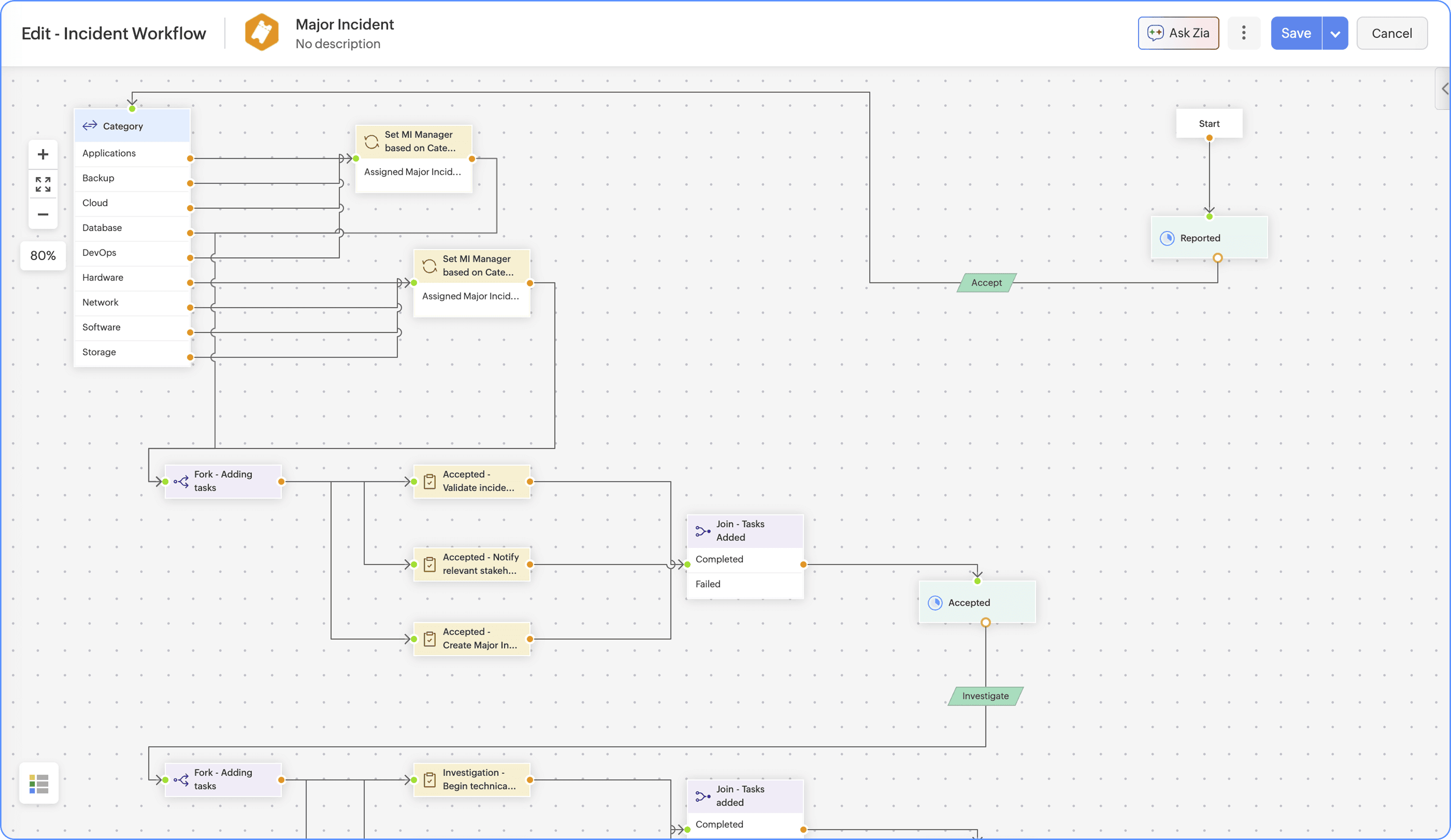
Visual workflow editor in ServiceDesk Plus MSP
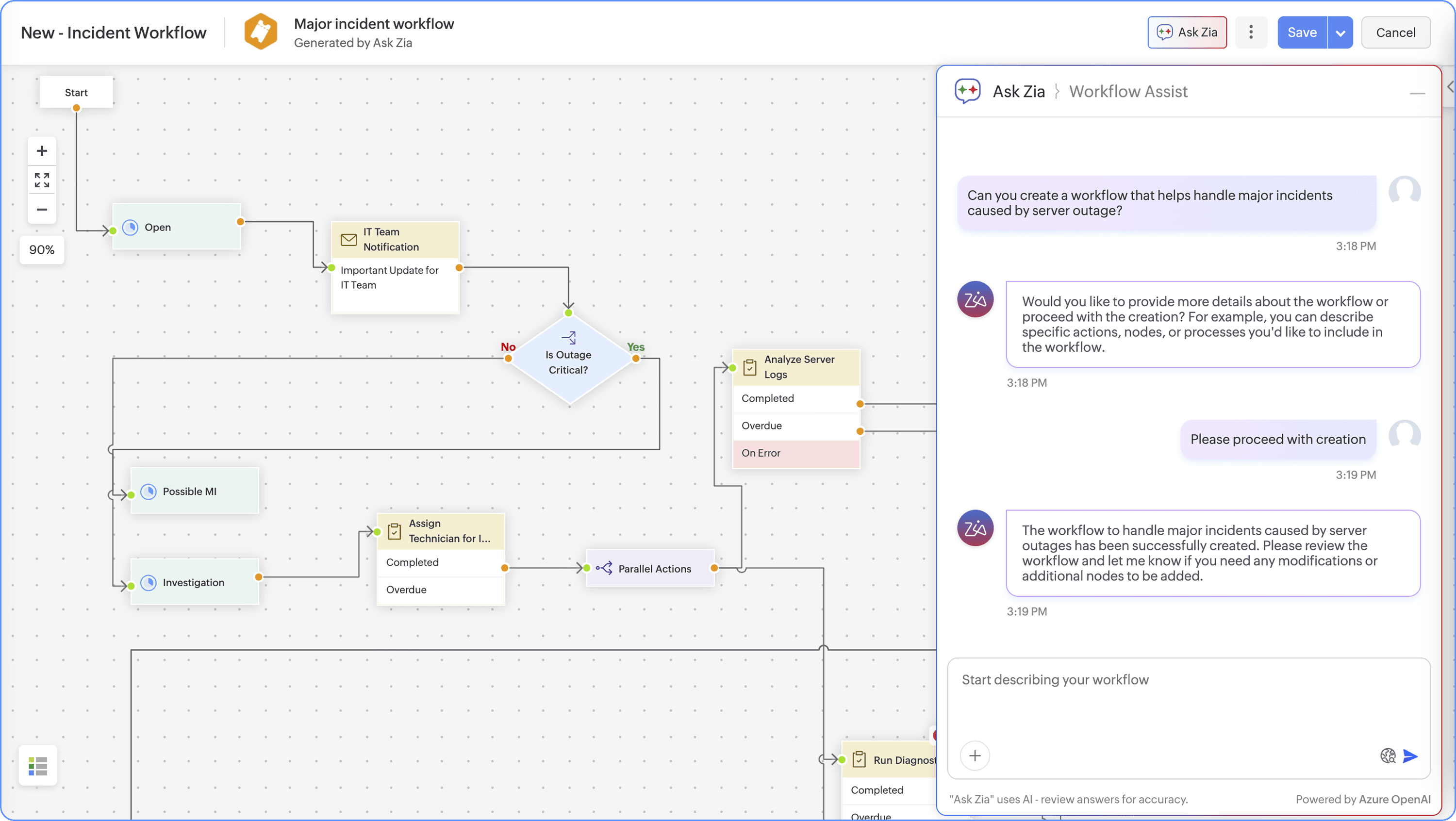
Workflow Assist powered by Ask Zia
Note: The workflow editor and Workflow Assist shown in the above screenshots are only available in the Cloud version of ServiceDesk Plus MSP.
