Life cycles

Guide your technicians through every stage of a request, problem, or asset to ensure consistent service delivery and minimal human errors.
$ Contact salesplay-blk-icon Book a demo

What are life cycles in a PSA tool?

Life cycles define the structured path a ticket or an asset follows from its initial state to closure. They provide guidance for technicians at every step. Unlike open-ended status management by technicians, life cycles limit what a technician can do next.

Why are life cycles important in a PSA tool?

Life cycles provide MSP service desk managers with a reliable way to standardize work, reduce human error, and ensure that every technician follows the same best-practice process, no matter which account they are working on.

Life cycles in ServiceDesk Plus MSP.

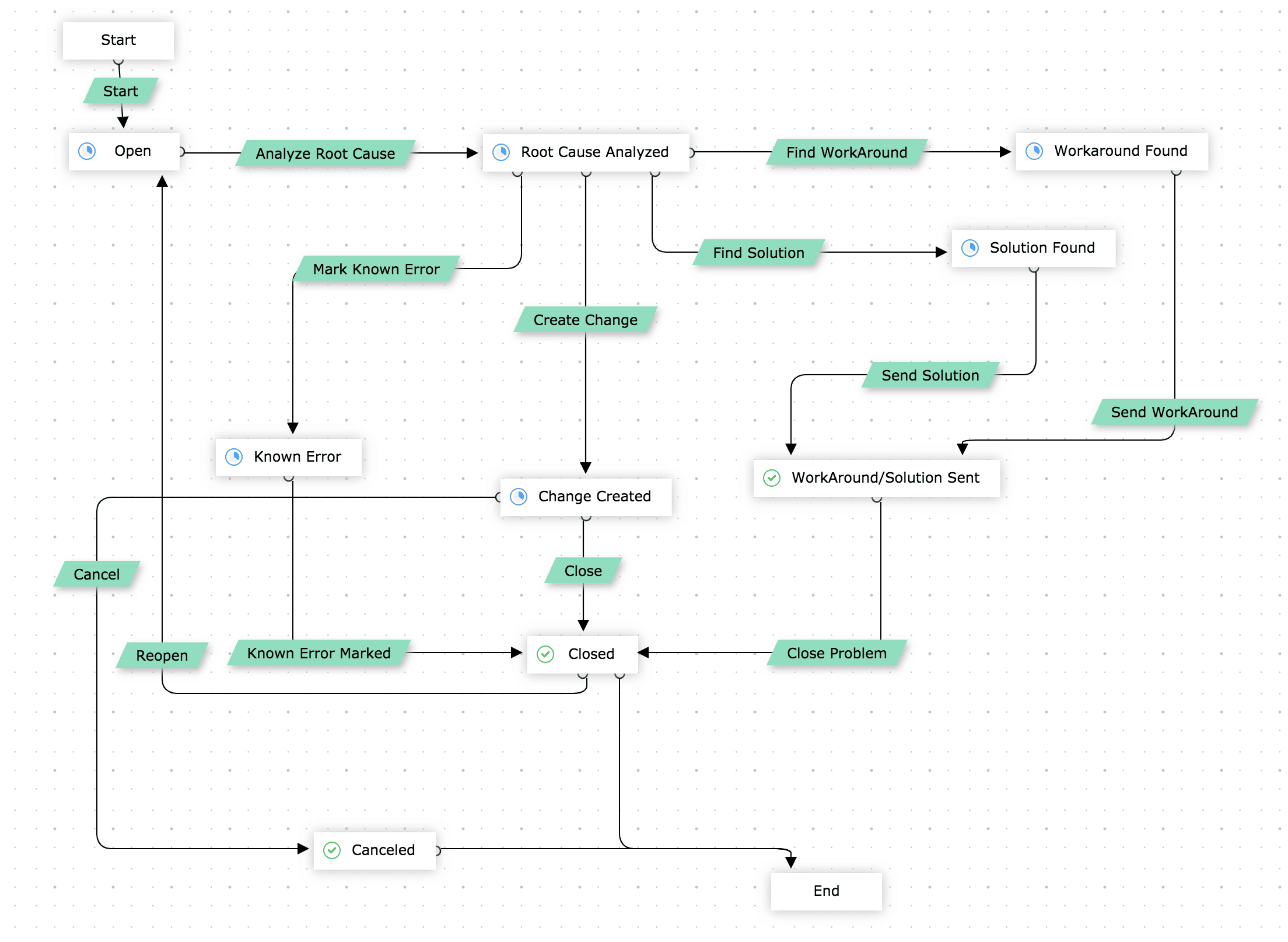
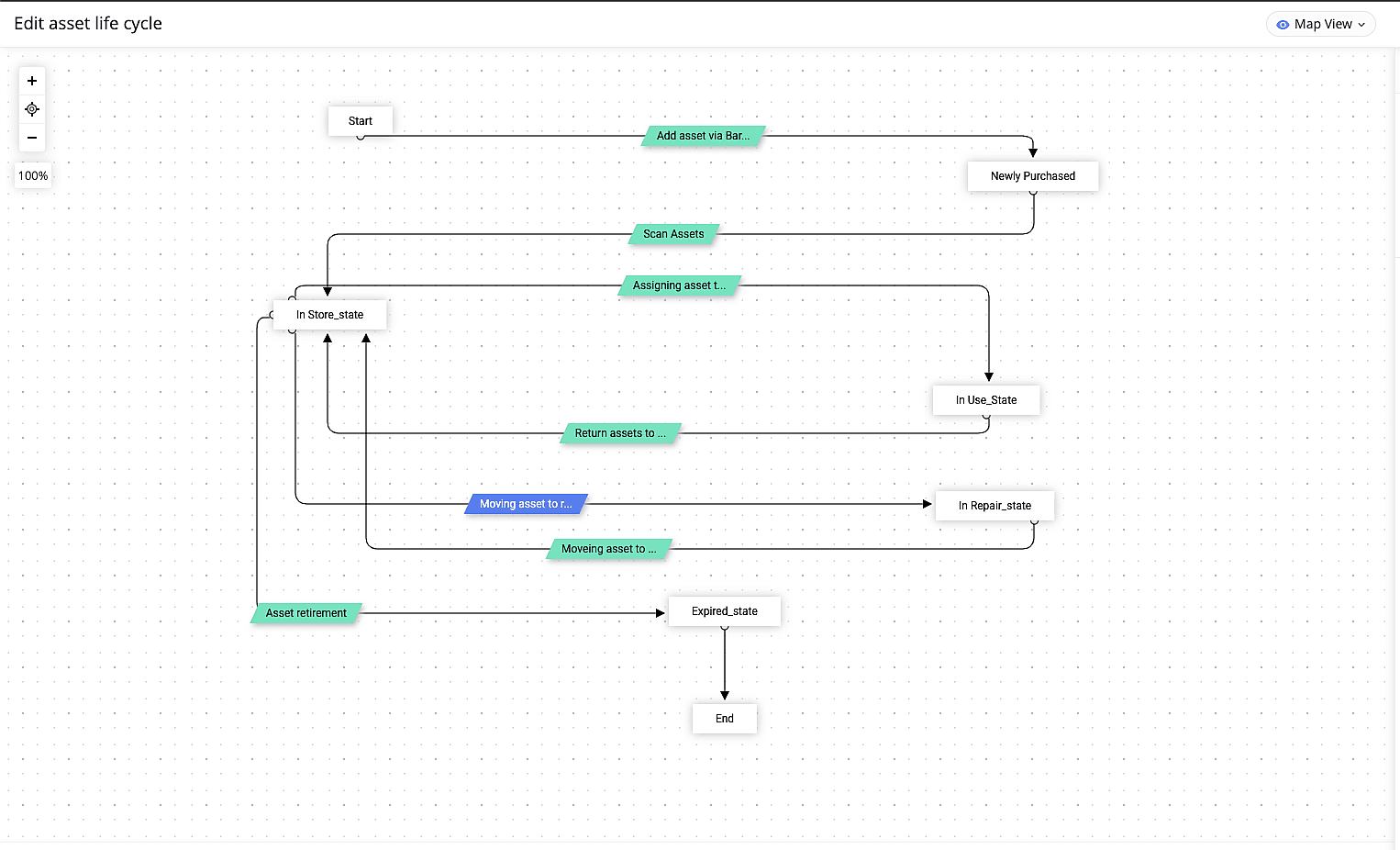
ServiceDesk Plus MSP includes a drag-and-drop life cycle builder for requests, problems, and assets. MSPs can design life cycles on a visual canvas, map out the allowed status transitions, and set up what happens before, during, and after each transition. This includes mandatory fields, access restrictions, automated actions, and notifications for stakeholders.
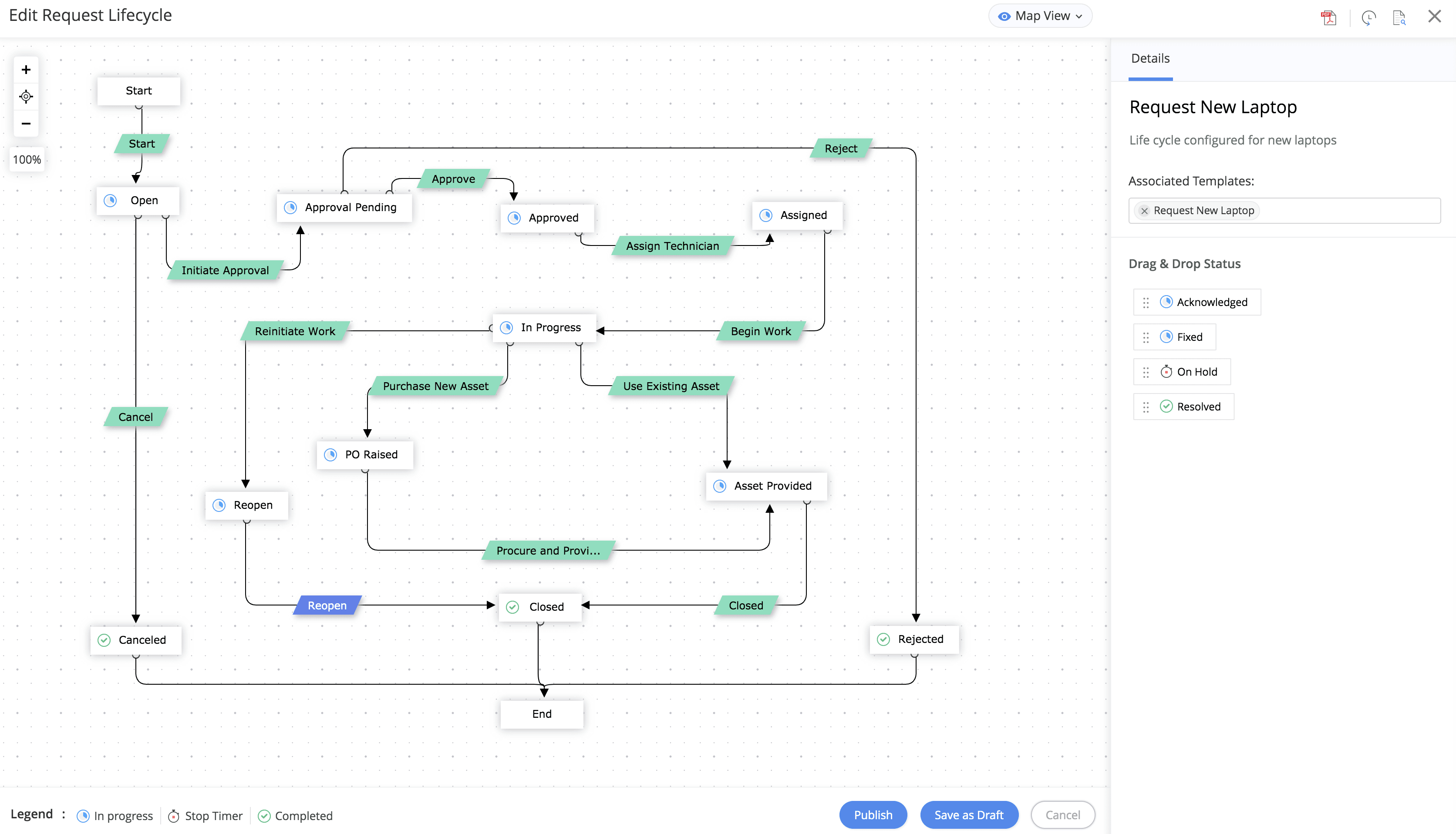
Request life cycle in ServiceDesk Plus MSP
Request life cycle in ServiceDesk Plus MSP

Problem life cycle in ServiceDesk Plus MSP
Problem life cycle in ServiceDesk Plus MSP

Asset life cycle in ServiceDesk Plus MSP
Asset life cycle in ServiceDesk Plus MSP

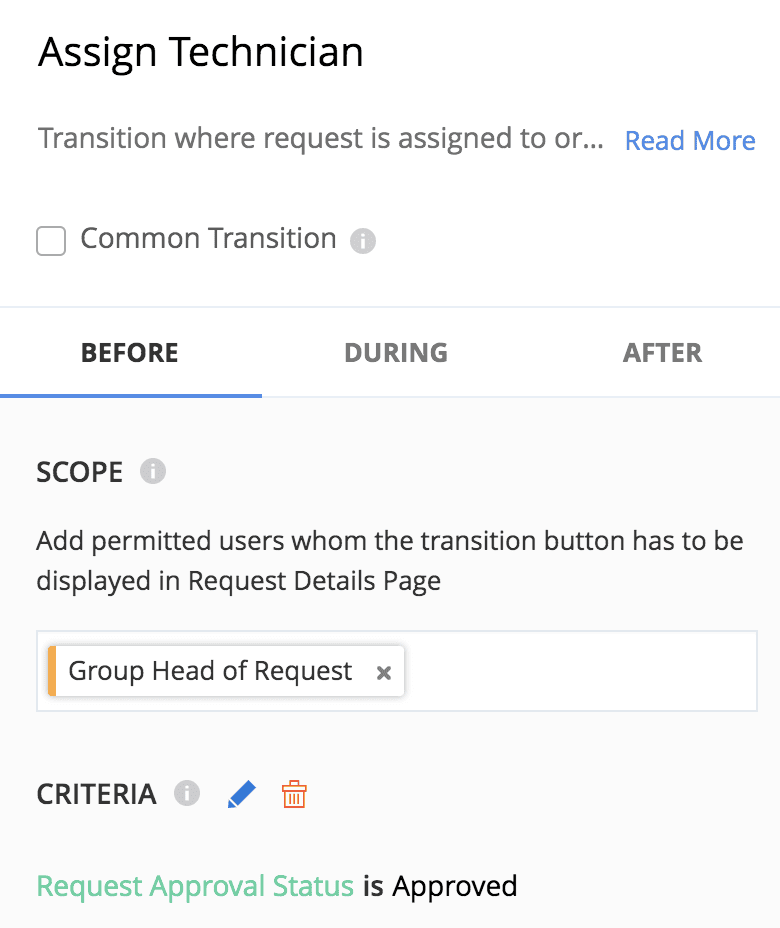
Before transition configuration settings in a life cycle
Before transition configuration settings in a life cycle

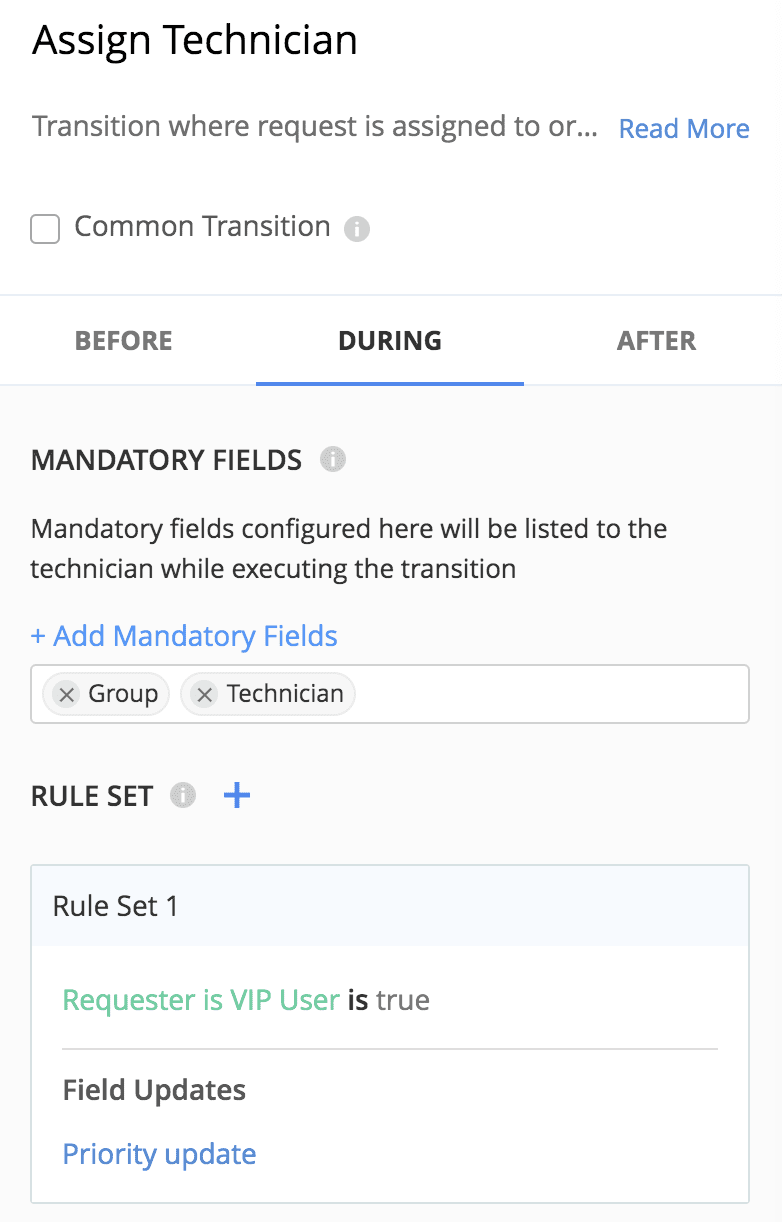
During transition in a life cycle
During transition in a life cycle

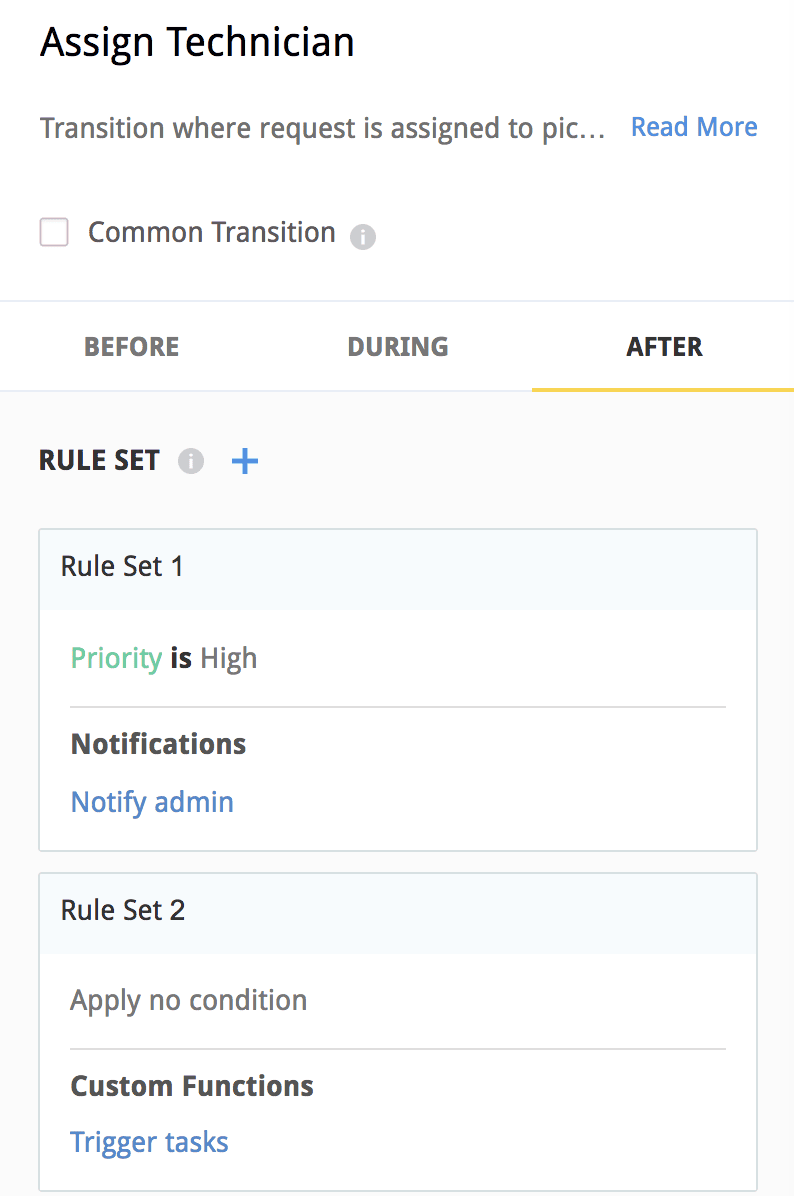
After transition in a service life cycle

After transition in a service life cycle


Ensure every technician follows the right process, every time.

  • Build life cycles visually on a drag-and-drop canvas and associate them with request or problem templates, or product type of assets for automatic enforcement.
  • Restrict status transitions by role and criteria, so only required technicians see the next valid step—eliminating incorrect status updates and the client communication errors that follow.
  • Mandate fields and validation rules at each transition, ensuring critical information is captured before a record can progress to the next stage.
  • Execute actions like update fields, trigger notifications, add tasks, or call webhooks at every transition phase, reducing manual follow-up and keeping stakeholders informed.
  • Use common transitions to handle scenarios like reopening from multiple statuses without duplicating configuration, keeping life cycle management clean and scalable.
  • Save life cycles as drafts to review and refine before publishing, so process changes are deliberate and tested before they go live.

Note: The life cycles feature is only available for requests in the on-premises version of ServiceDesk Plus MSP. Support for problems and assets is available exclusively in the cloud version.