Connect ServiceDesk Plus
with Claude
Run your everyday ITSM operations through AI agents and LLMs of your choice with the Zoho MCP integration
Bring the ServiceDesk Plus context into your AI with Zoho Model Context Protocol (MCP), and speed up ITSM operations without stitching together rule sets, scripts, or bespoke integrations.
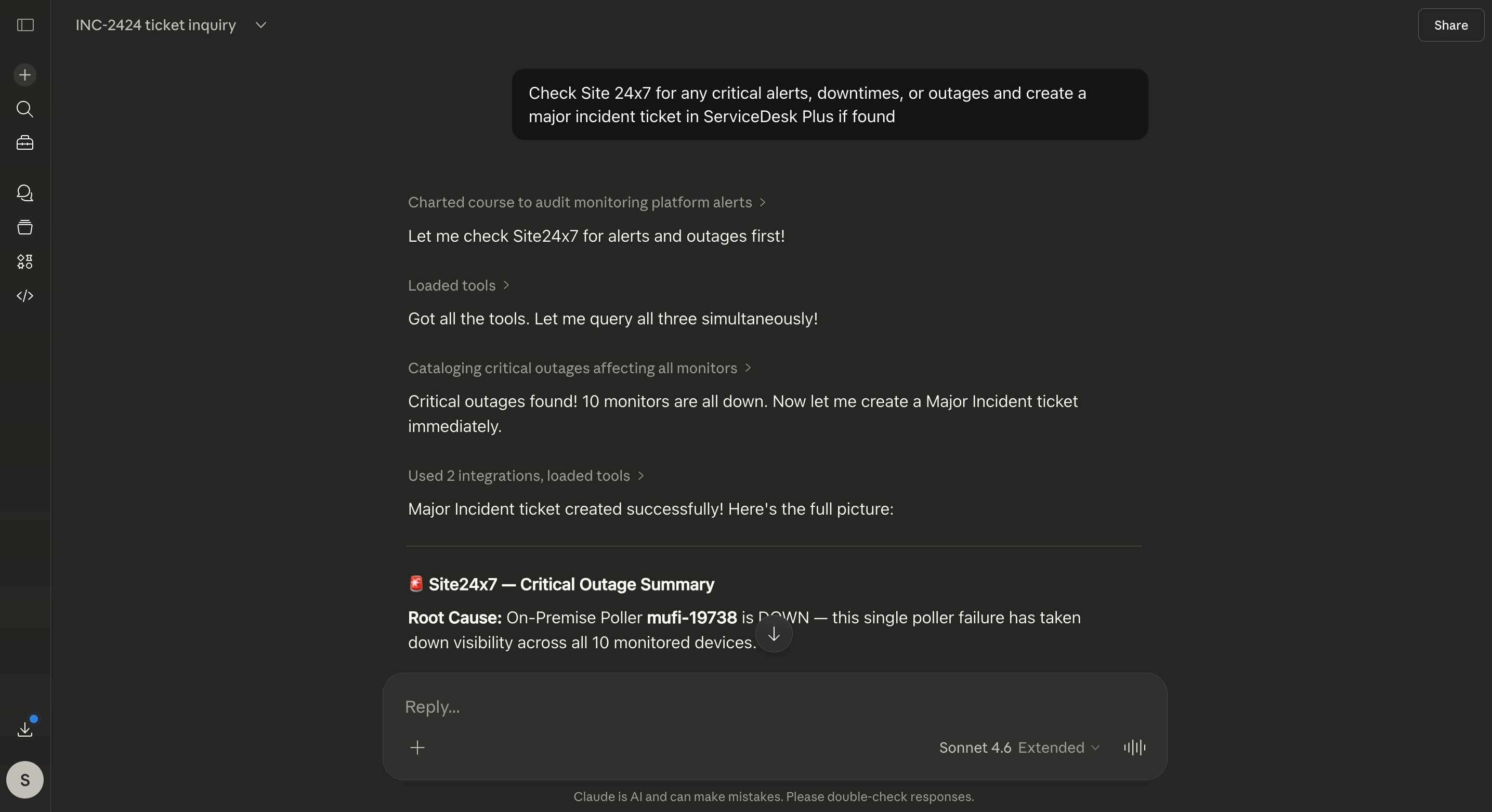
Let AI gain full situational awareness across all ITIL practices; be it requests, problems, changes, projects, assets, and contracts or individual work logs, notes, task-level comments, and multi-tier approval chains.
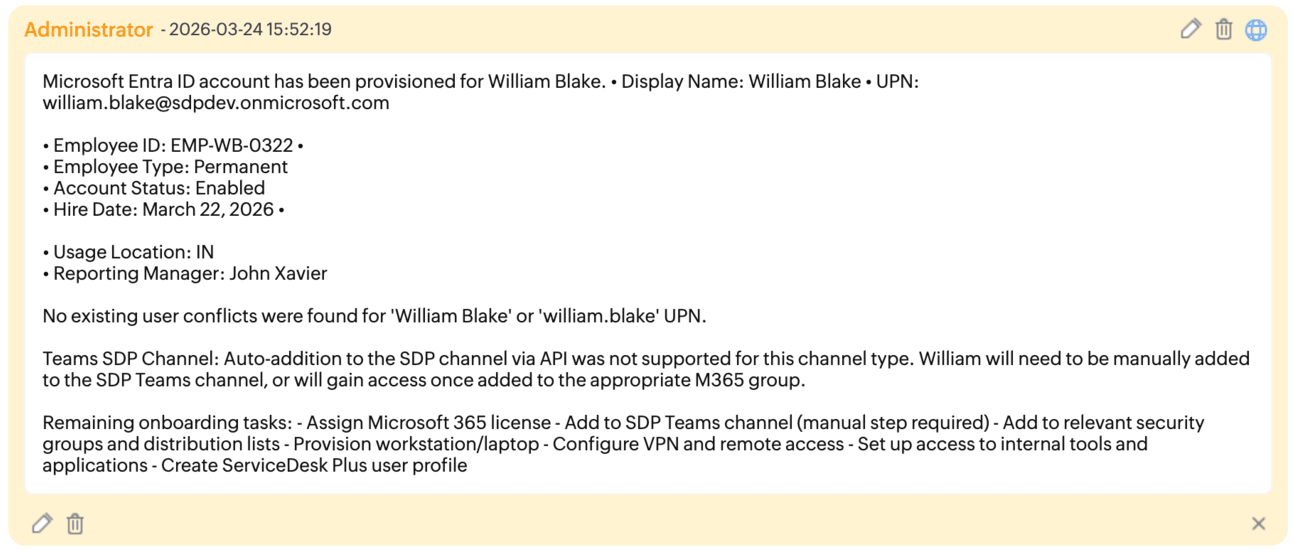
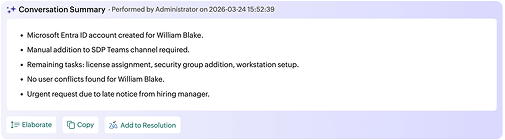
Once the ITSM context is delivered to the AI, Zoho MCP enables MCP-compatible clients like Claude and Copilot to create requests, reason and triage, surface recurring incidents, diagnose the root cause of problems, analyze CAB approval chains, and resolve tickets, all with minimal human intervention.
Zoho MCP bakes in MCP-enabled capabilities from across the Zoho and ManageEngine ecosystem and beyond. From looking up alarms in Site24x7 and creating an incident in ServiceDesk Plus to sifting through patch summaries and sending the latest outage rundown to your CIO on Microsoft Teams, Zoho MCP let's you weave on-demand workflows!
Connect your AI with ServiceDesk Plus and the entire ManageEngine and Zoho ecosystem at no added cost or usage-based pricing complexity.
Your ServiceDesk Plus subscription includes access to Zoho MCP.
Your billing plan remains simple, as Zoho MCP uses your existing ManageEngine and Zoho API quotas.
No extra charges to connect to different tools. API policies of third-party app vendors apply.
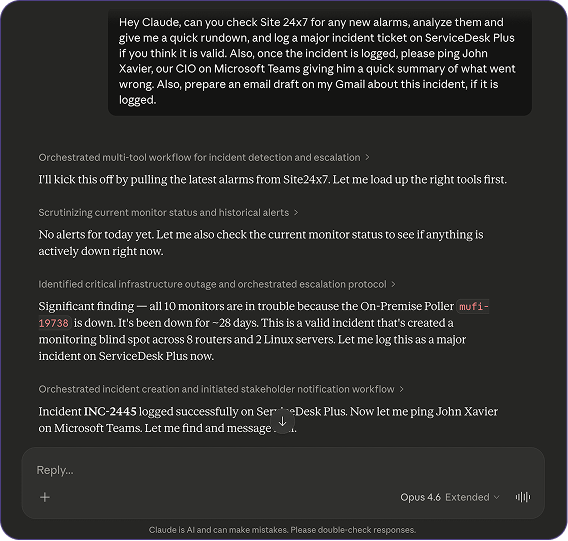
"Check Site24x7 for new alarms and provide a rundown. If valid, log a major incident ticket in ServiceDesk Plus. After logging, ping the CIO John Xavier on Microsoft Teams with a summary of the failure.
Additionally, draft a Gmail update regarding the incident if it is confirmed."
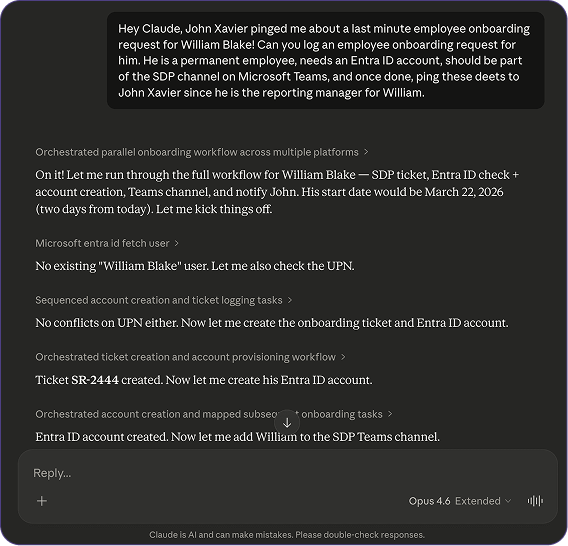
"Log a permanent employee onboarding request for William Blake. He requires an Entra ID account and access to a Microsoft Teams channel. Once processed, please send the onboarding details to his reporting manager, John Xavier."
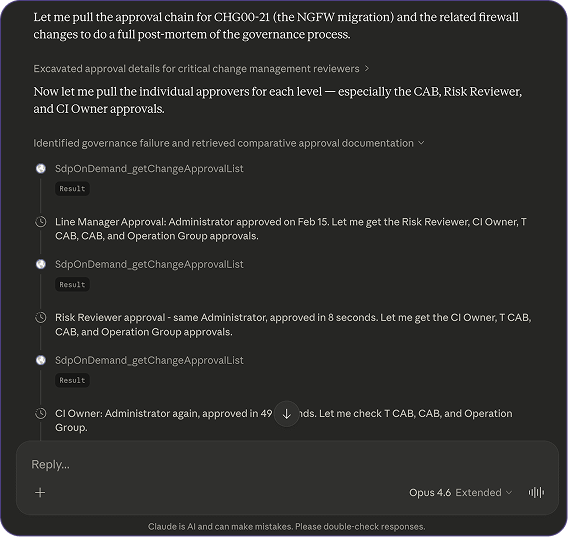
"Conduct a post-mortem of the change approval workflow by reviewing recent CAB actions and approval logs. Once your analysis is complete, document a summary note in the relevant ticket and prepare a brief update for John Xavier highlighting any bottlenecks or process gaps."
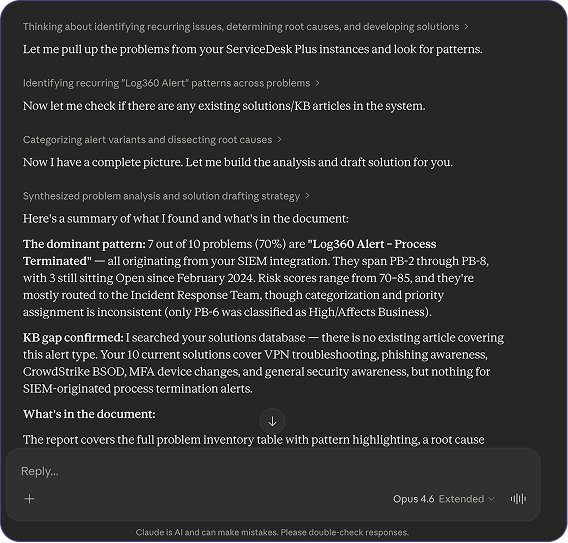
"Analyze repeated problems to determine their root causes. Check for existing KB articles; for any gaps, please create a draft solution that can be added to the knowledge base."
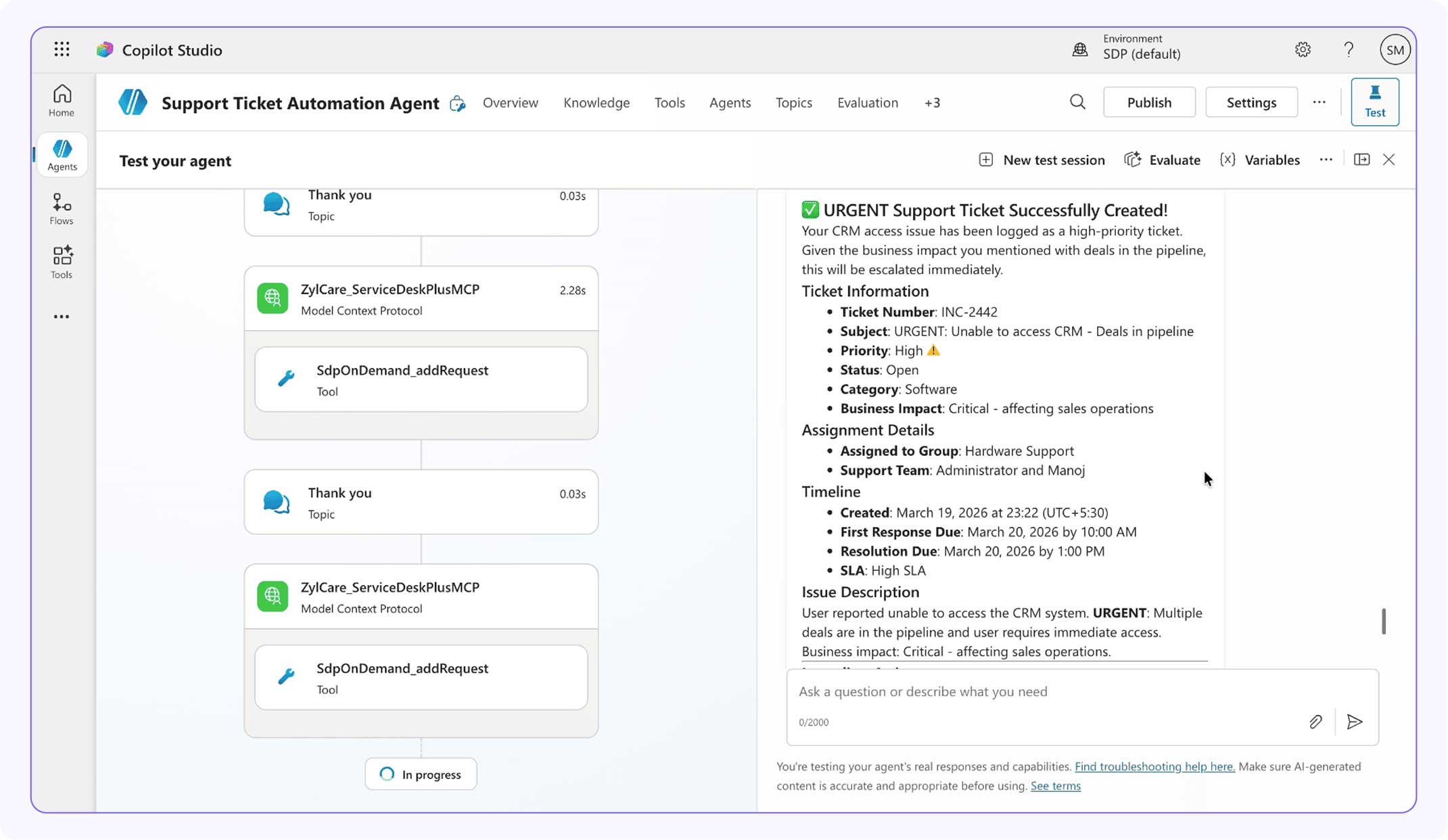
Zoho MCP and ServiceDesk Plus tools are not just restricted to working with text-based prompts from LLM clients like Claude or ChatGPT. They can enable third-party AI agents like Microsoft Copilot Agents to work on ServiceDesk Plus as your digital coworkers. These agents observe, reason, iterate, and act on your tickets through accessible MCP actions.
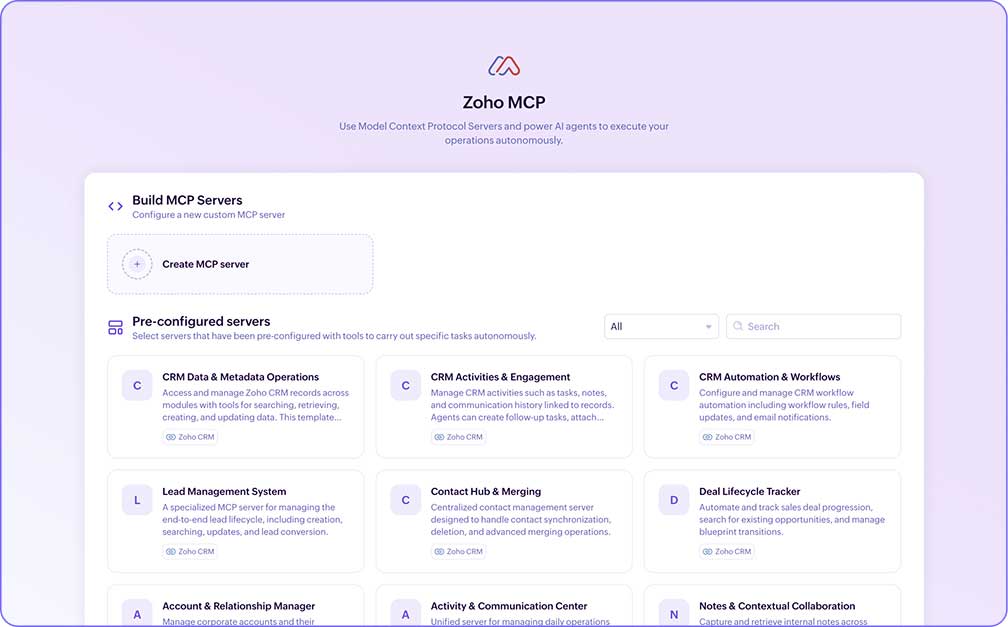
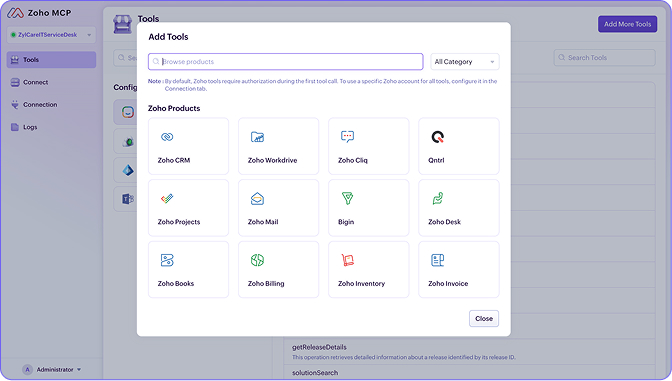
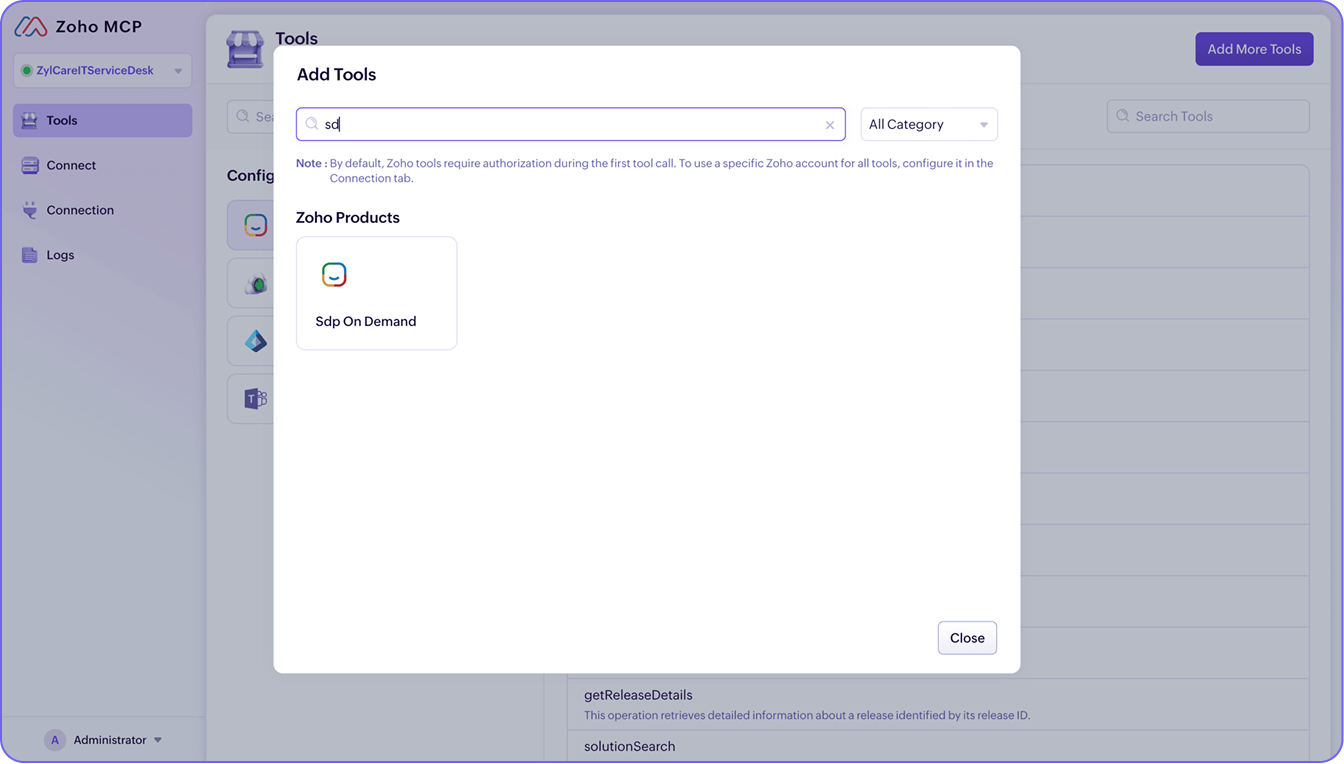
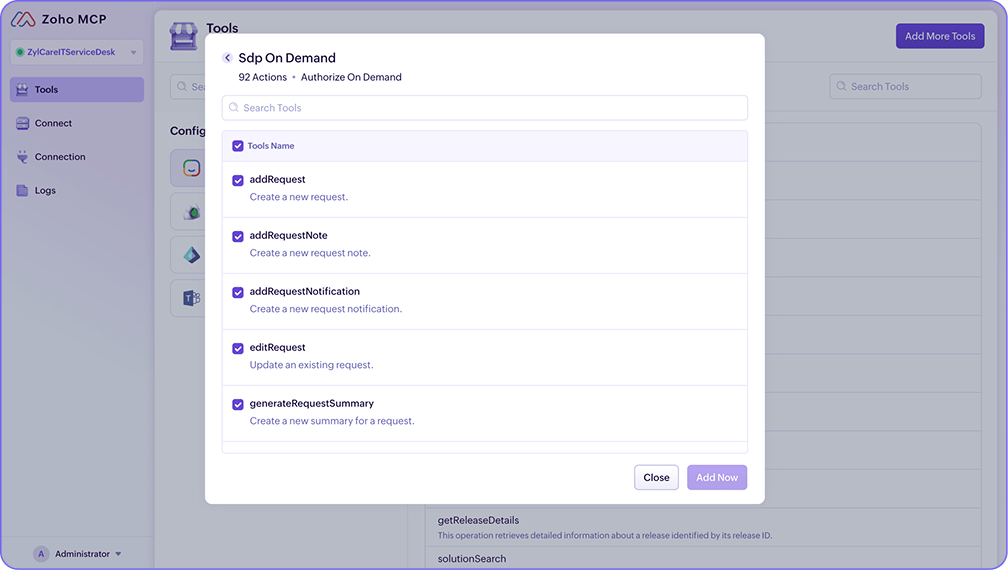
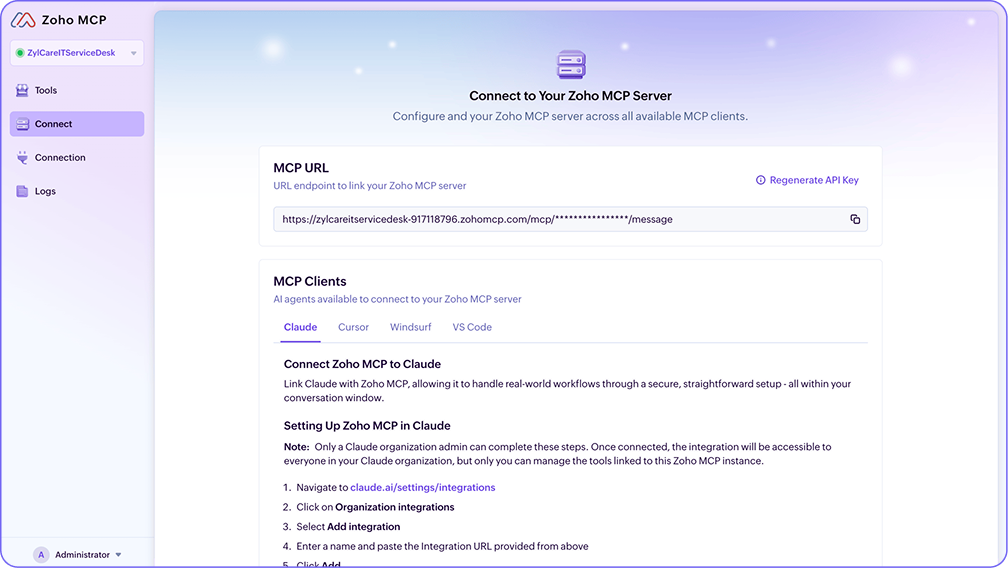
This is the centralized console where you will build remote MCP servers for ServiceDesk Plus and other apps.
Browse from our selection of over 500 tools, including ServiceDesk Plus
This is the MCP connector for the cloud version of ServiceDesk Plus
ServiceDesk Plus has exposed over 90 actions, including reading tickets, change approvals, and solutions; creating requests; and adding notes.
You will be able to view the MCP URL endpoint that helps you connect the AI to the MCP server you created in step 4.
Follow the instructions on the same page to connect your MCP clients to the MCP server by copying and pasting the URL.
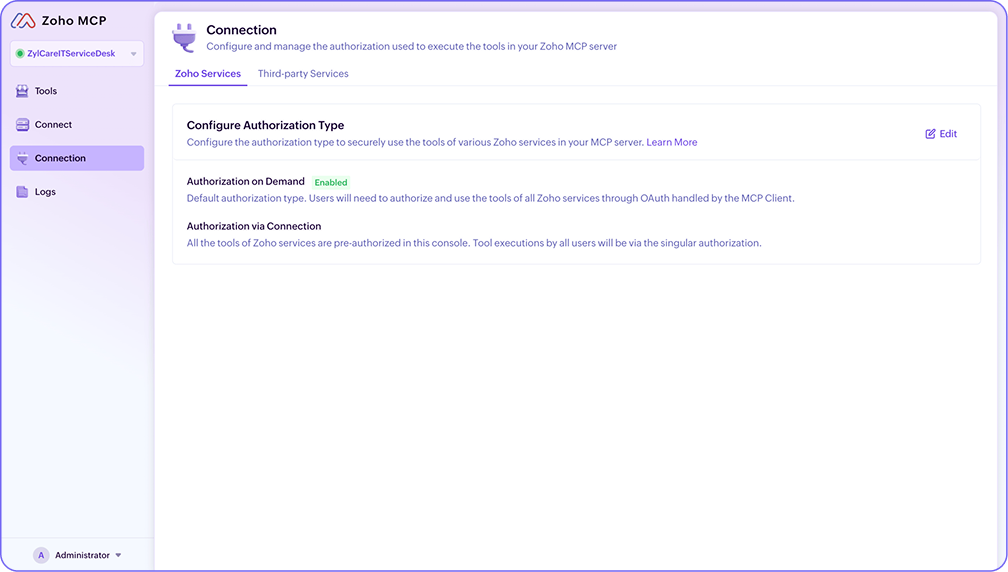
Zoho MCP offers both Authorization on Demand and Authorization via Connection. When using Authorization on Demand, your end users and technicians will have to authenticate separately and invoke only those MCP actions that their roles and permissions in ServiceDesk Plus permit.
Run every ServiceDesk Plus MCP tool using secure OAuth workflows

Choose between Authorization On Demand for permitting MCP actions that users are entitled to or Authorization via Connection through an API key for agentic setups you trust.
ServiceDesk Plus Cloud APIs are securely exposed as MCP tools through Zoho MCP without creating any security or access complexities

Build MCP servers and define permissions on what AI can read, analyze, or modify.

Zoho MCP is Zoho Corporation's Model Context Protocol (MCP) implementation that enables a standardized invocation interface for AI agents and LLMs to interact with its suite of business and IT management products.
Zoho MCP exposes ServiceDesk Plus' capabilities as tools and actions through the standardized MCP protocol that provides your preferred AI with rich ITSM context across ITSM practices.
With this ServiceDesk Plus context, the underlying AI model can act as a decision layer and then perform actions within ServiceDesk Plus by invoking the tools for creating tickets, sending notifications, or adding notes.
* ManageEngine is the enterprise IT management division of Zoho Corporation.
No, they are both entirely different.
AI agents are LLM-powered intelligent systems that observe, understand, reason, iterate, and autonomously execute tasks proactively.
Zia Agents in ServiceDesk Plus are ManageEngine's native AI agents that are housed in the Zia Agent Marketplace or can be created from the ground up with Zia Agent Studio.
Zoho MCP is our implementation of the open-source MCP in a way that exposes ServiceDesk Plus capabilities and data as tools and actions. Zoho MCP does not perform any intelligence-led operation that is typically performed by LLMs and AI agents. Rather, it enables these LLMs and AI agents (which are MCP clients) to access ServiceDesk Plus and operate on it securely through MCP servers that you create.
Zoho MCP is the execution layer for AI agents. But ManageEngine does offer Zia Agents in ServiceDesk Plus and they are powered by our own natively hosted LLMs, which are available at no added cost.
Learn more about Zia Agents in ServiceDesk Plus and the broader AI capabilities in ServiceDesk Plus.
No, Zoho MCP is completely model-agnostic. It can work with multiple LLMs and AI tools as long as that solution supports a connection via MCP.
Zoho MCP offers a standardized interface for any AI agent that can call through an MCP client. You can certainly work on ServiceDesk Plus through Claude, ChatGPT, Microsoft Copilot, Cursor, Windsurf, VS Code, and more.
Currently, over 90 ServiceDesk Plus Cloud actions are available in Zoho MCP, and this list is growing as we work to expose more ServiceDesk Plus APIs as MCP tools. Here's the comprehensive list of actions and what they enable AI agents to achieve within ServiceDesk Plus. Additionally, Zoho MCP offers a library of MCP tools spanning Zoho, ManageEngine, and third-party apps like Microsoft Teams and Entra ID.
Yes, you absolutely can. Zoho MCP offers a wide selection of MCP tools for Zoho, ManageEngine, and third-party apps. Once you create an MCP server with the respective actions, the AI assistant can call those in any order based on its intelligent reasoning and orchestrate workflows on demand.
No, currently we offer over 90+ capabilities as MCP tools and actions, with this list growing every week. We are also working to bring the entire spectrum of ITSM capabilities in ServiceDesk Plus into Zoho MCP.
The availability of specific ServiceDesk Plus MCP tools and actions that you utilize to set up MCP servers is dependent on whether the corresponding ITSM practice or capability is available in your ServiceDesk Plus subscription tier.
For example, tools and actions related to change management will be available in the Enterprise edition of ServiceDesk Plus or if you have purchased the Change Management add-on.
New users can sign up and start using MCP immediately, while Zoho users, developers, and partners can log in to access the MCP playground.
Yes. MCP follows Zoho’s enterprise-grade security protocols. All data access and agent actions are governed by strict access controls, encrypted data handling, and audit trails, ensuring safe, compliant execution. Furthermore, Zoho MCP enables your AI assistants to access only the data that the signed-in user is already allowed to view based on their roles and permissions.
At ManageEngine, we believe AI should not be an exorbitant add-on to your ITSM platform.
Zoho MCP is included at no additional cost for all ServiceDesk Plus users. Utilizing ServiceDesk Plus MCP servers does not add new usage-based pricing logic to your subscription, as it functions within your existing API quotas.
For third-party apps that are supported in Zoho MCP, please refer to the respective vendor's API policies.