
- Automating complex processes?
- Onboarding employee?
- Responding to outages?
- Implementing IT changes?
Make the switch today!
Schedule a free, personalized demo with our experts
Single-touch workflows are event-driven workflow automations that complete a set of IT tasks sequentially, in parallel, or as a batch, without requiring human intervention between different states.
Enterprise service teams can now translate their unique business logic, connect disparate systems and services, and automate complex processes end to end.
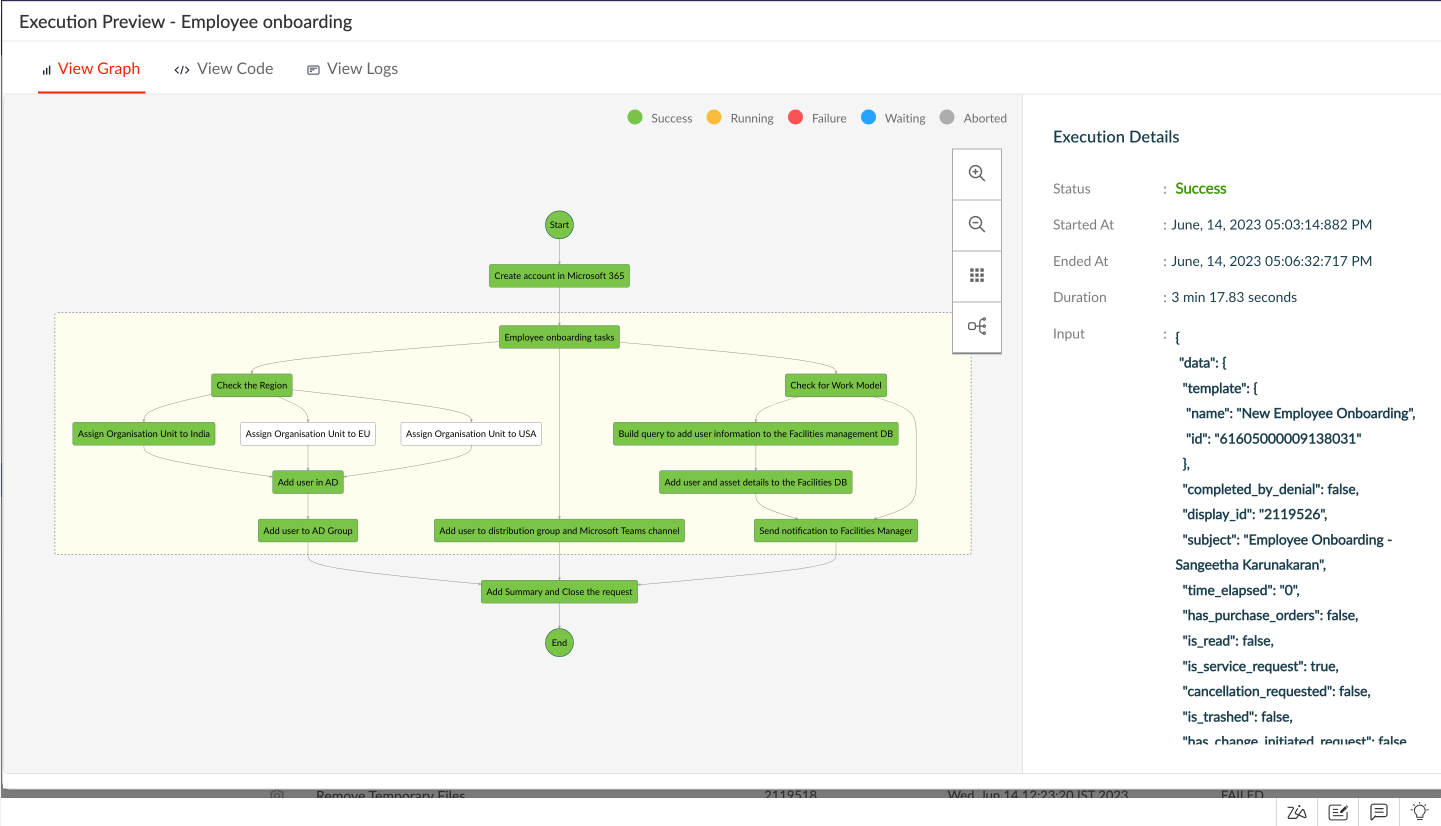
Where can I leverage single-touch workflows, you ask?
- Onboarding Employees
- Auto-remediating Incidents
- Automating Changes
- Provisioning Software
Onboarding Employees
IT service desks typically need to perform multiple tasks spanning the Active Directory (AD), workstation, and internal systems for onboarding new employees. Such tasks could be executed automatically after a single event, for example an approval. Take a look at this time-lapse video showcasing how single-touch workflow automation could power your employee onboarding.
Auto-remediating Incidents
Employees often face IT issues such as slow workstations, the inability to access internal resources, or intermittent connectivity issues. These issues can be resolved with the help of single-touch workflows that run remediation scripts on the affected endpoints. Large cache files are the usual suspects when it comes to slow workstations. In this video, see how single-touch workflow automation can help auto-remediate workstation slowness caused by large, temporary files. The single-touch point here is the creation of the ticket through the chatbot.
Automating Changes
Standard changes, while being routine, still involve manual steps during implementation. With single-touch workflow automation, IT teams will now be able to run standard change implementations like backing up data from a server automatically without requiring a technician's oversight or efforts. See how it's done with ServiceDesk Plus in the video below. Adding the source and the destination paths of the backup is the single touch that triggers the corresponding Circuit.
Provisioning Software
IT teams deal with a multitude of software access requests from employees. They may require access to both SaaS and on-premises software. In such scenarios, single-touch workflows help simplify the process by automating the service fulfillment end to end, minimizing human interventions and maximizing the service desk's productivity. Here's a time-lapse video of single-touch workflow automation for installing Microsoft Power BI in a workstation. In this scenario, the single-touch point is the creation of the service request from the service catalog.
Behind the scenes of single-touch workflow automation: Zoho Circuit
Single-touch workflow automation in ServiceDesk Plus Cloud is powered by Zoho Circuit, a no-code/low-code workflow automation platform from Zoho. It helps enterprise teams visualize their IT and business processes, define fine-grained flow of data, execute actions on local systems and cloud services, and manage Shell scripts within ServiceDesk Plus Cloud.
Build and automate sophisticated workflows
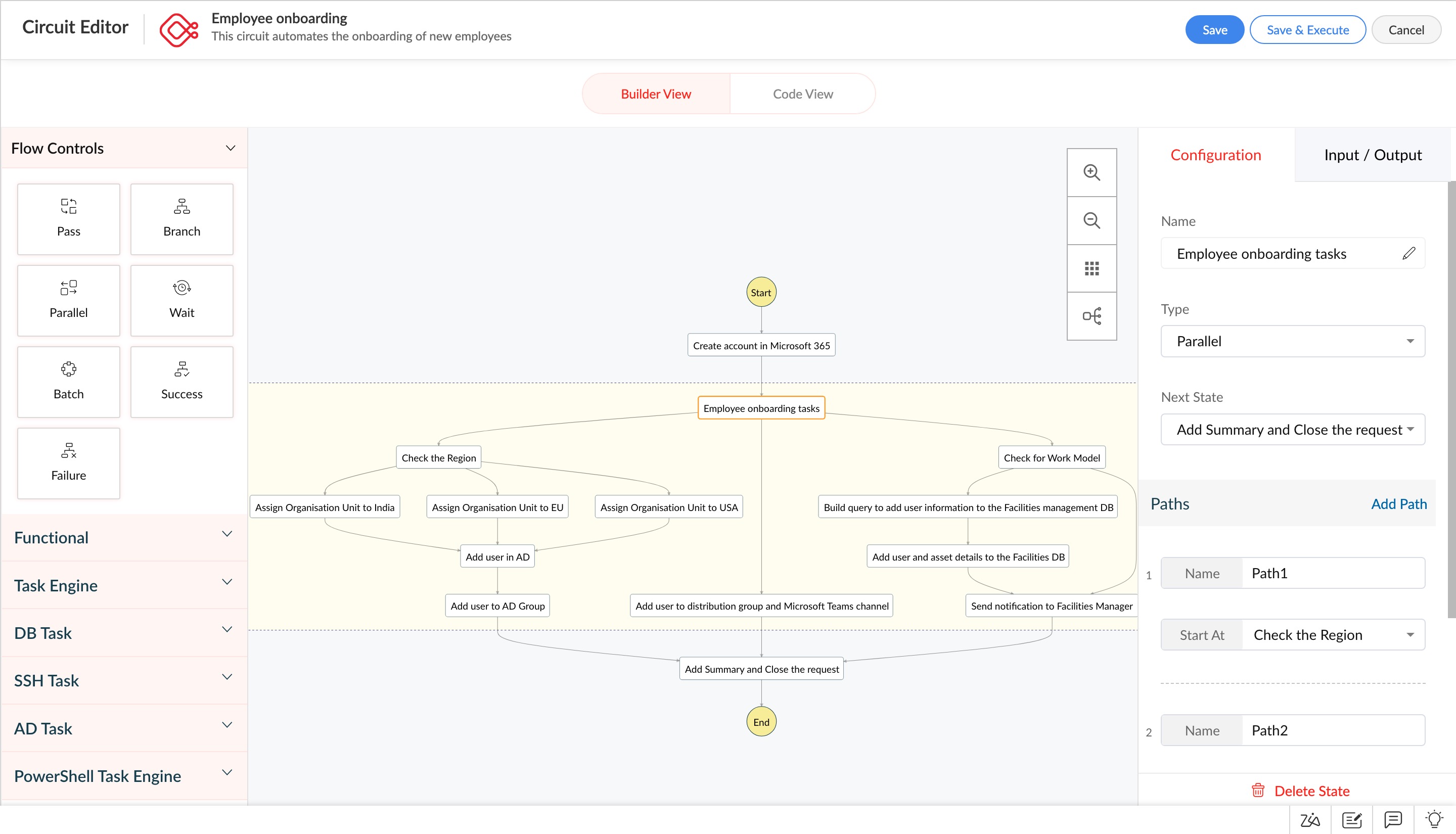
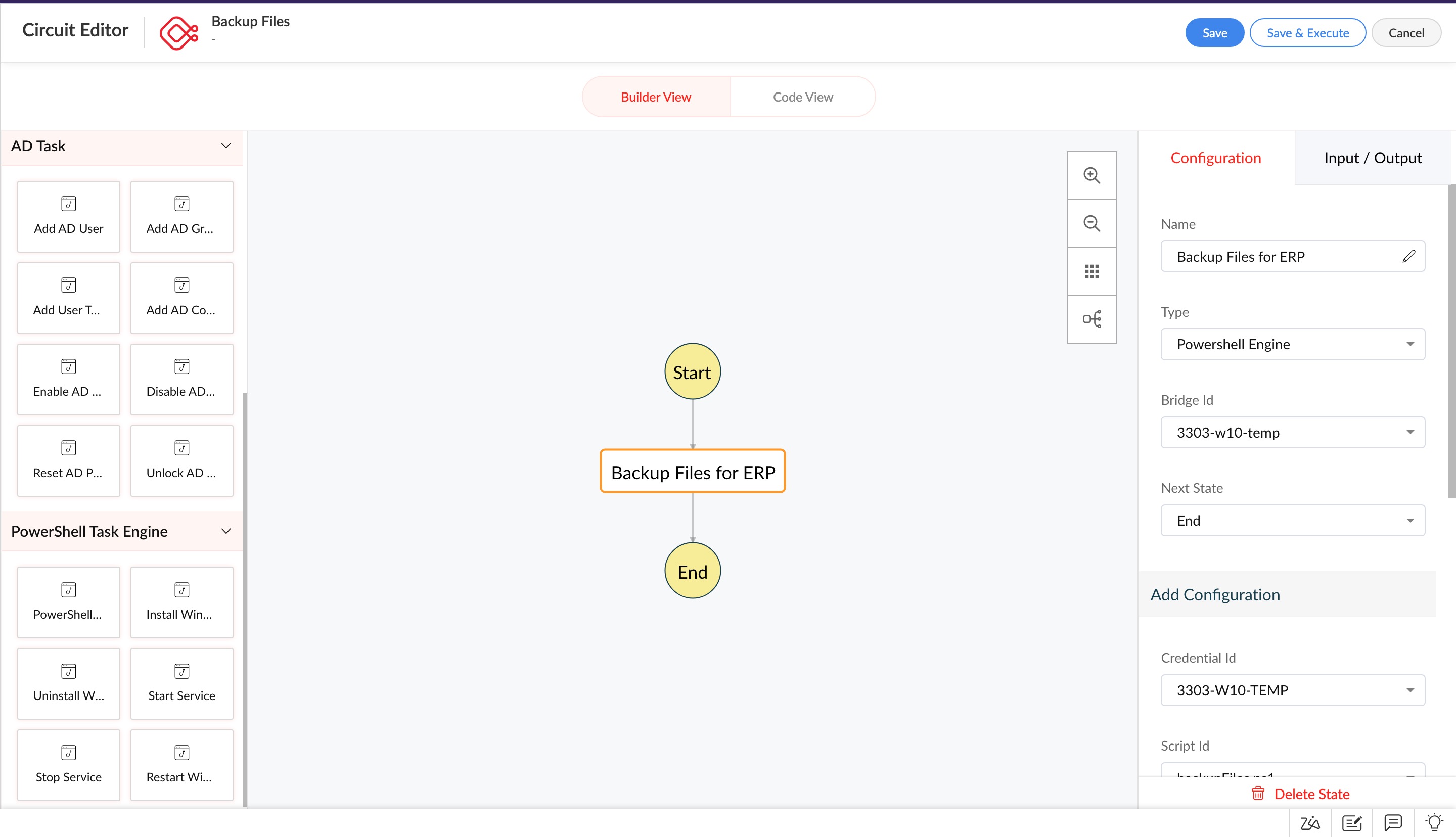
Draw up IT and enterprise workflows on a drag-and-drop canvas or define them using a JSON code editor while using predefined states. States are the building blocks of a circuit and define the process or task to be executed at that stage of the circuit.
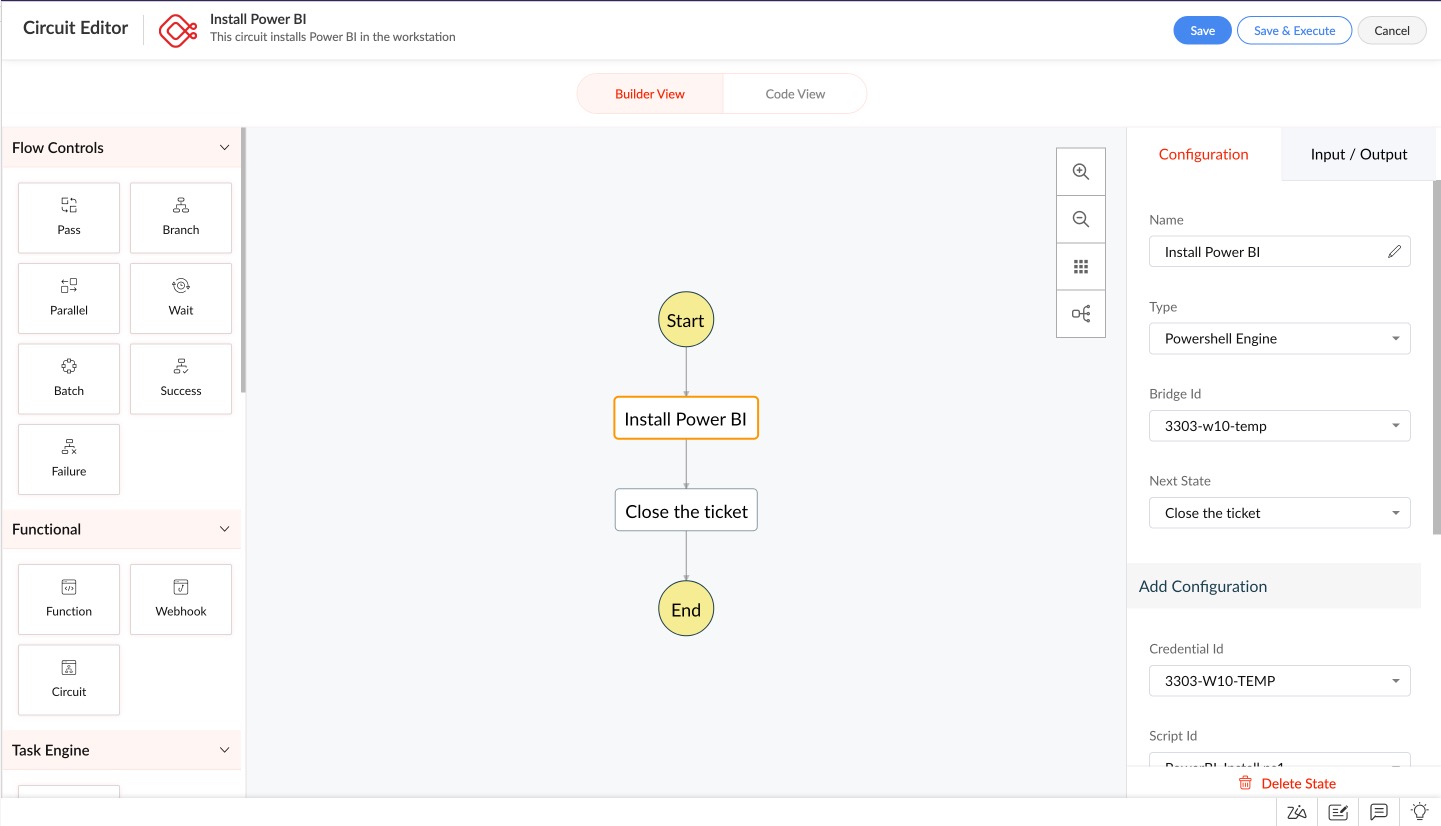
Control the flow of data and tasks across the workflow
Visualize your unique, complex business logic in Zoho Circuit and define the flow of tasks and data, whether you need them to run sequentially, in parallel, or as a batch. Circuits can scale according to dynamic workloads and provide error-handling and fault tolerance capabilities that empower teams to define customized retry and fallback policies.
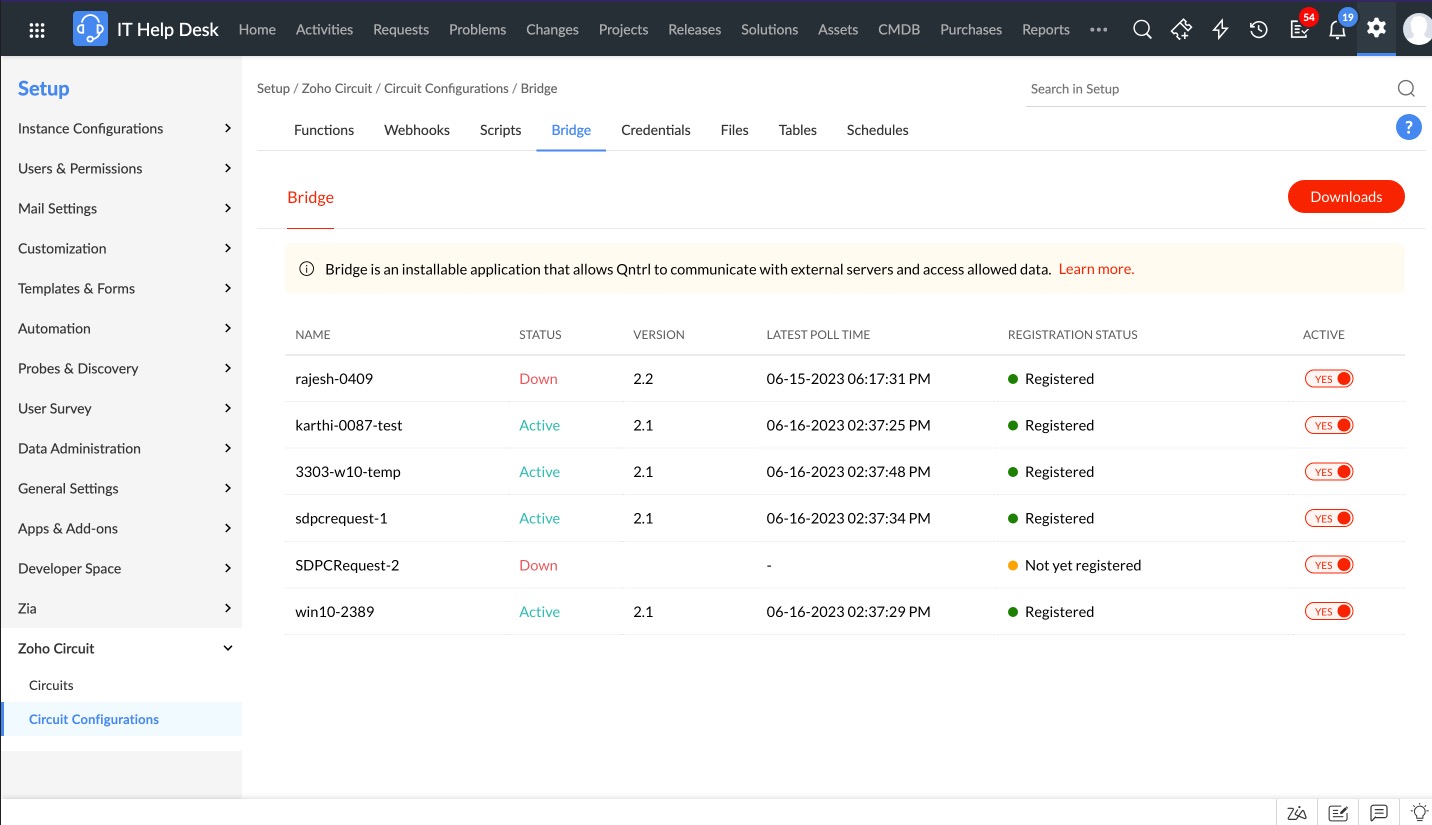
Connect your hybrid IT infrastructure on a single platform
Build automated workflows that execute tasks across both cloud and on-premises systems. A lightweight agent called a Bridge will act as an interface between ServiceDesk Plus Cloud and your local systems and databases.
Minimize time to implementation with predefined circuit states
Leverage predefined states for executing repetitive tasks such as creating users in AD, resetting passwords, installing Windows software, managing legacy databases, or running PowerShell scripts to configure workstations.
Go beyond and integrate your workflows with third-party apps and services
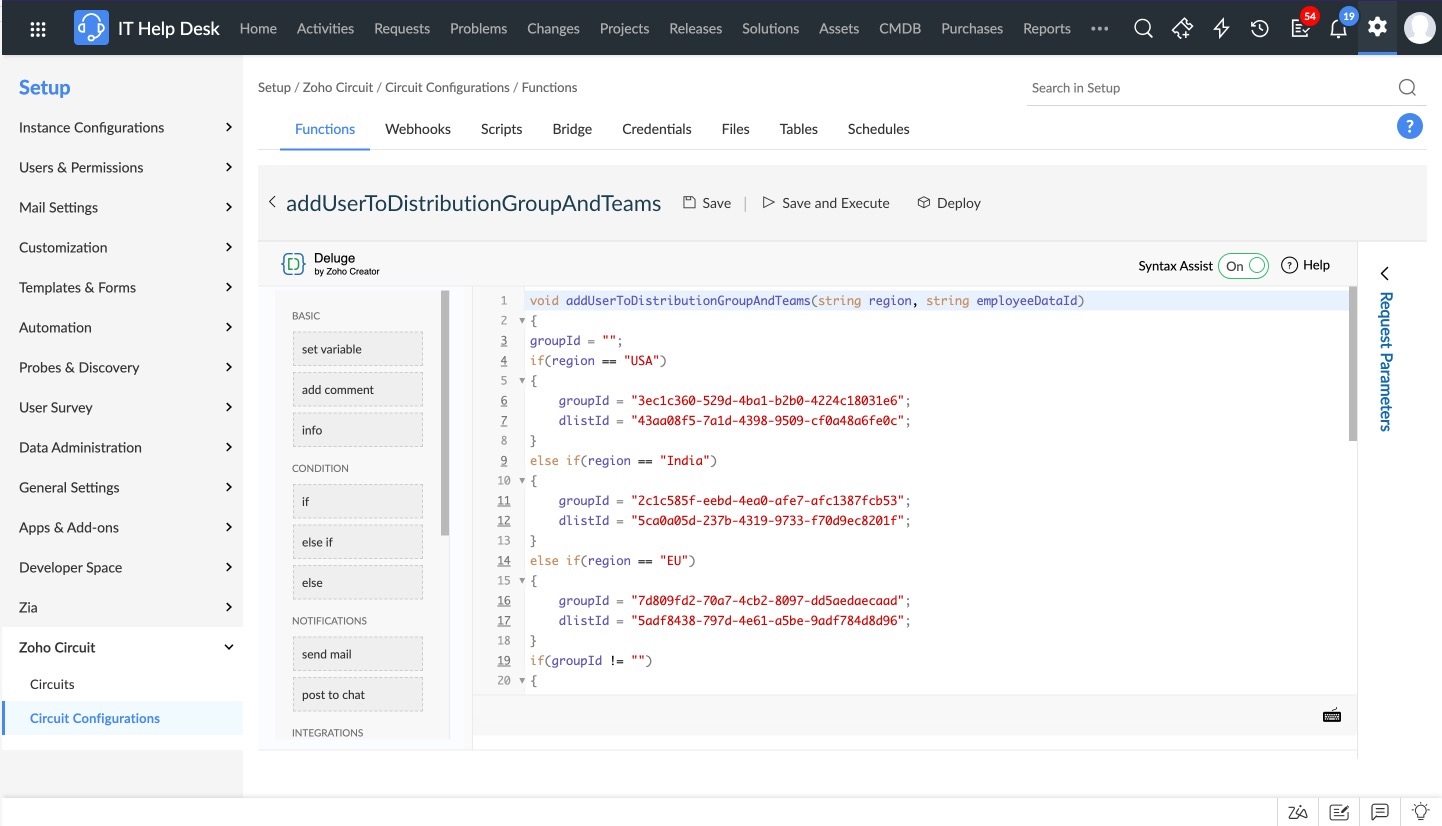
Integrate with third-party and native apps and services by setting up webhooks and embedding them within circuits. Write serverless functions in Zoho Deluge, Node.js, Java, and Python, and run operations without resource dependencies.
Now that you've seen what's possible, learn how to build a circuit in ServiceDesk Plus Cloud
Frequently asked questions
1. Do I need to purchase Zoho Circuit separately?
Zoho Circuit is currently available only in the enterprise edition of ServiceDesk Plus Cloud and for instances in the AU, EU, India, and US data centers. It does not require a separate subscription or a license.
2. Do I need to code or write programming scripts for building a circuit?
Zoho Circuit provides several task states out of the box, which include performing operations in AD, installing and uninstalling Windows software, or starting or stopping services. Apart from these predefined capabilities, you can choose to code your own custom logic using serverless functions written in Zoho Deluge, Node.js, Python, or Java. However, if you face any difficulty setting one up, feel free to drop an email to servicedeskplus-cloud-support@manageengine.com and our product experts would be happy to help you.
3. Can I connect with external apps using REST API and perform operations through Zoho Circuit?
Yes, you can configure webhooks to perform operations on other apps; alternatively, you can leverage the Task Engine to connect to third-party apps and APIs. We are also expanding our gallery of predefined states that will enable you to execute tasks in popular third-party apps.
4. Do I need to integrate with other ManageEngine applications to use Zoho Circuit?
Zoho Circuit is an independent integration in ServiceDesk Plus Cloud and does not require an integration with other ManageEngine or Zoho apps to use its predefined task states.
5. I may need some of the custom functions, webhooks, and scripts showcased by your experts. Where can I obtain them?
If you are an existing customer of ServiceDesk Plus Cloud, please drop an email to servicedeskplus-cloud-support@manageengine.com and we will have our technical support execs contact you. If you are actively evaluating ServiceDesk Plus Cloud, please contact us at eval@manageengine.com and our product experts will help you out.