
End-user feedback survey software for ITSM

Bridge the gap between what you deliver and what users actually experience

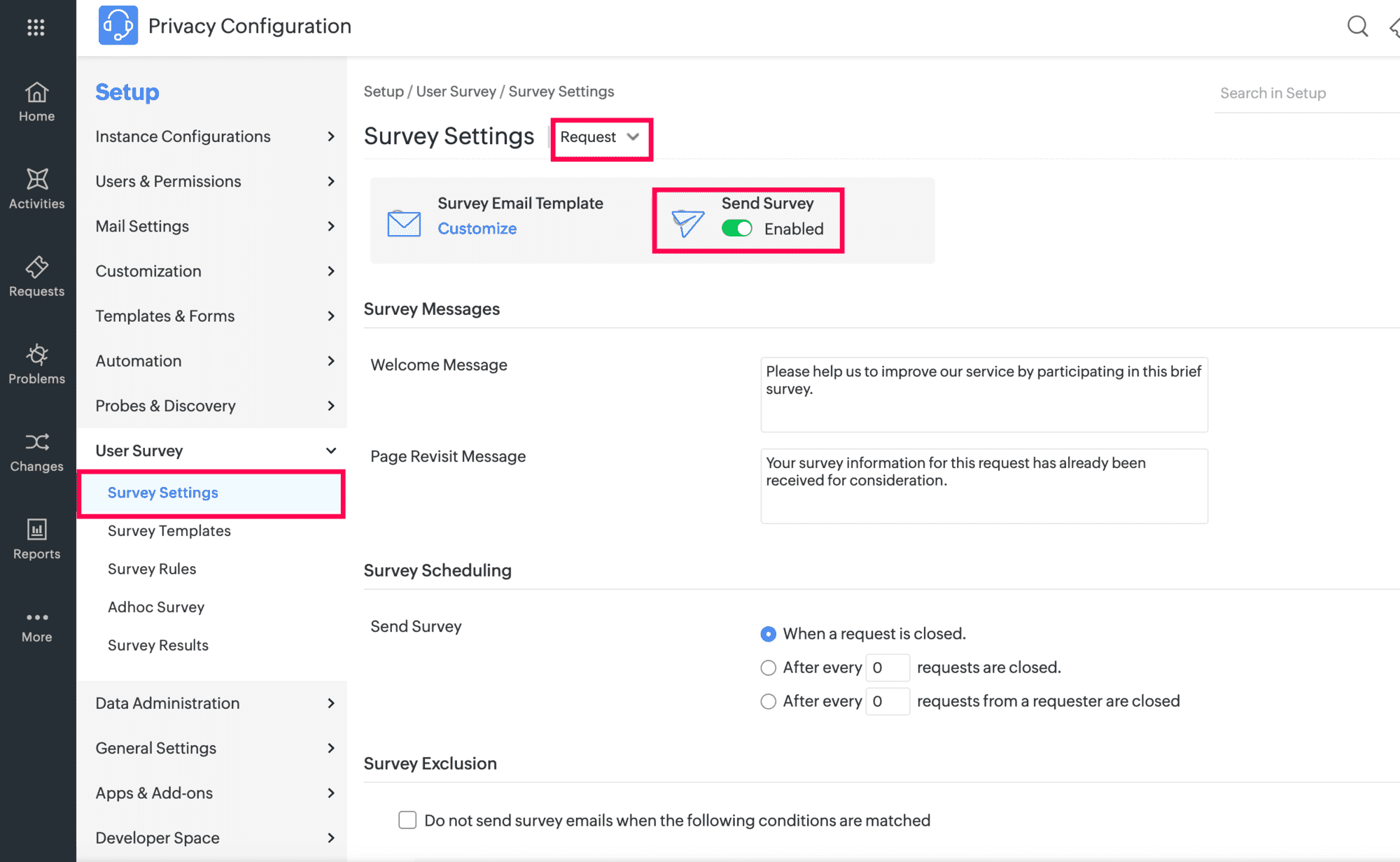
  • Trigger surveys automatically based on request criteria and closure conditions.
  • Extend feedback collection across IT, HR, Finance, and Facilities.
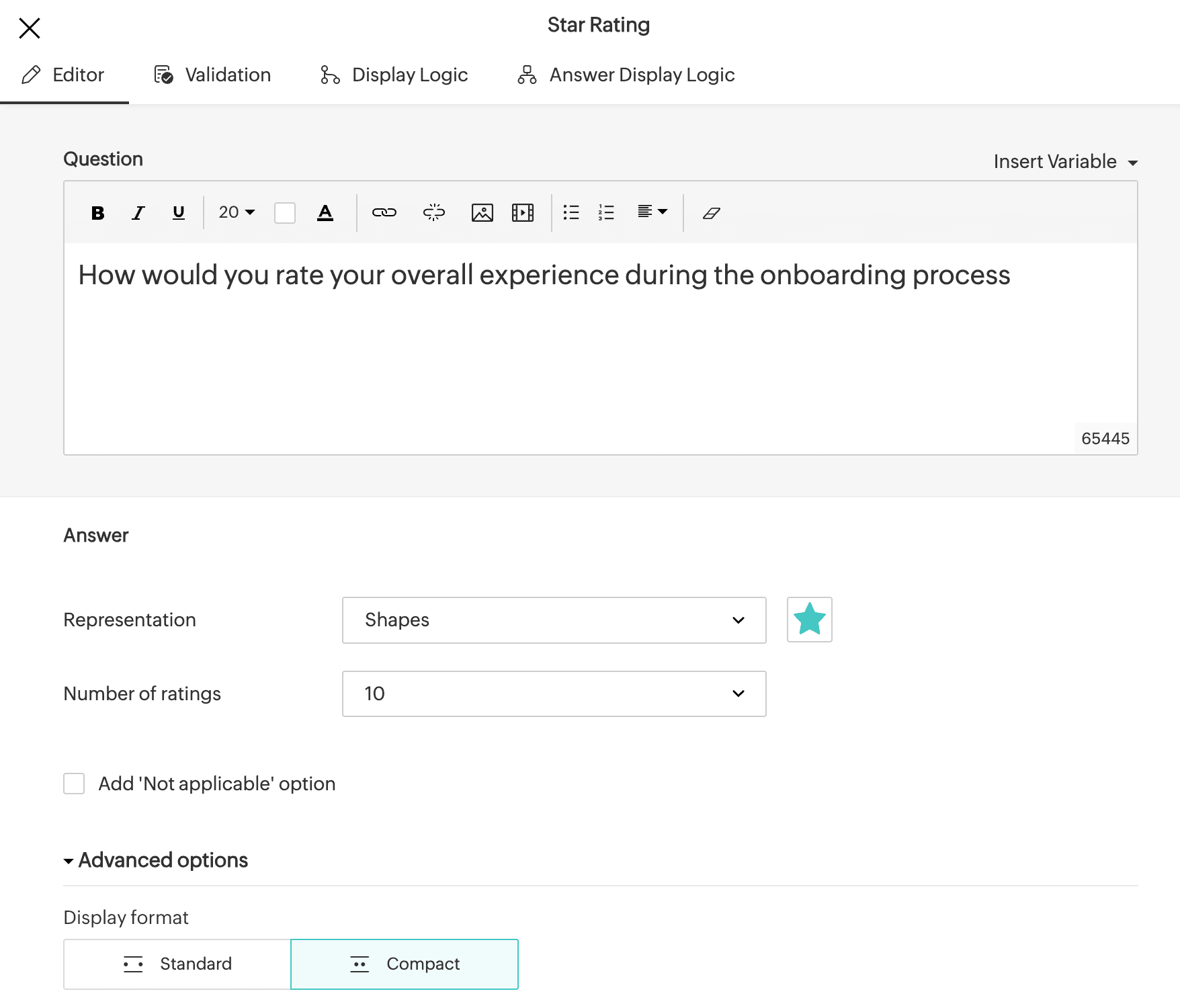
  • Build rich surveys with conditional logic and multiple question types.
  • Run adhoc surveys for organization-wide feedback programs.
  • Generate real-time reports with role-based access to survey responses.

Measure service quality at every touchpoint, across every department in your enterprise

Service delivery doesn't end at ticket closure. It is measured by what end users actually experienced. ManageEngine ServiceDesk Plus embeds a powerful survey engine into your ITSM workflows, enabling IT, HR, Finance, and Facilities teams to systematically capture satisfaction signals at scale, without leaving the platform.

Automate feedback collection with an event-driven survey dispatch engine

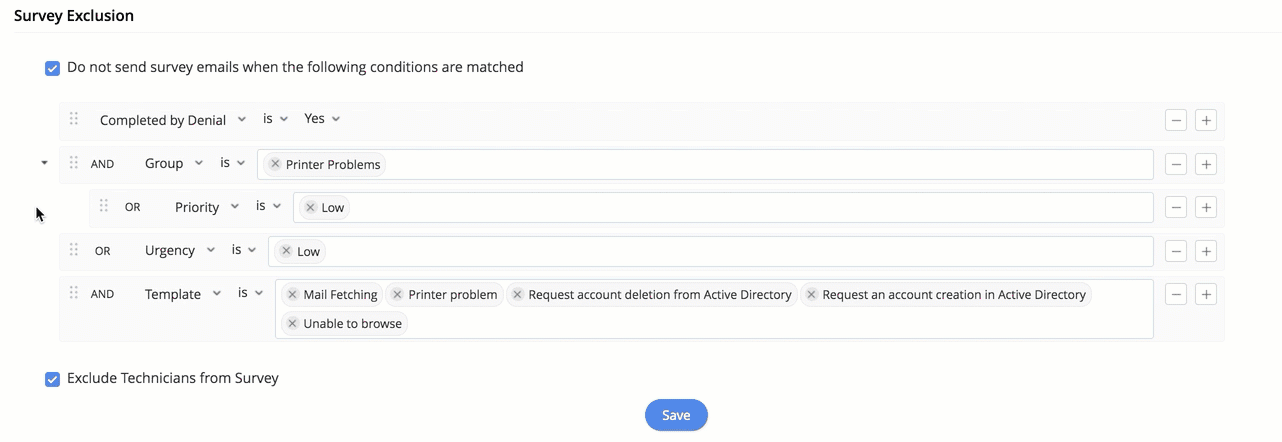
Configure condition-based survey rules per module, control execution order by reordering rules, and set frequency controls to manage how often individual requesters receive surveys. Apply exclusion conditions to suppress surveys for specific request types, categories, or internal technician accounts.

Build survey templates with rich question types

Enable administrators to build surveys using diverse question types such as rating scales, multiple-choice, and free-text, with support for custom and prebuilt templates, with Zoho Surveys. Conditional branching logic guides respondents through relevant questions based on their answers, keeping surveys concise and contextual for each service interaction.

Measure satisfaction across your enterprise including IT, HR, Finance, and Facilities

Whether measuring CSAT after incident resolutions, onboarding completions, or maintenance closures, every department configures its own rules and templates by extending the survey capabilities to HR, Facilities, and Finance.

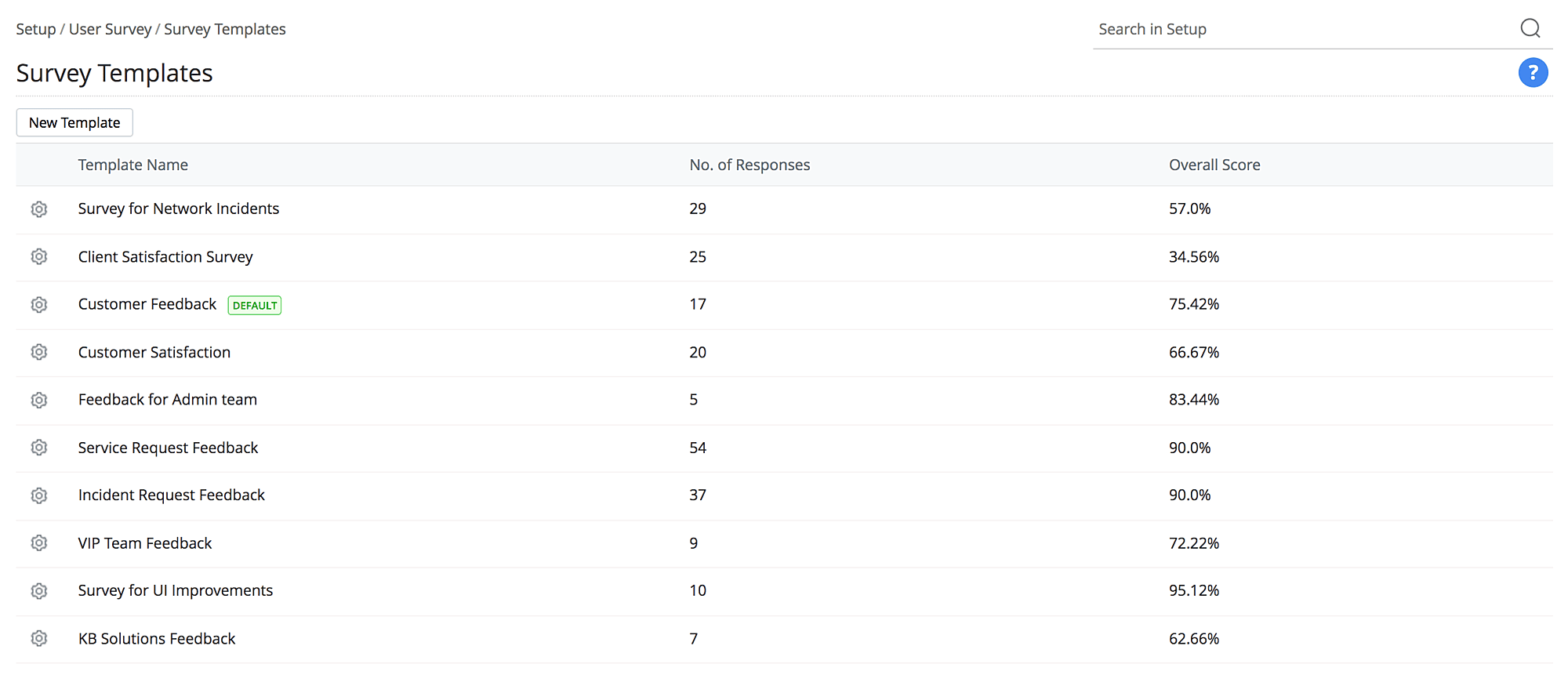
End-user survey templates for IT, HR, Finance, and Facilities in ServiceDesk Plus
Survey templates for IT and non-IT departments

Run adhoc surveys beyond individual ticket interactions

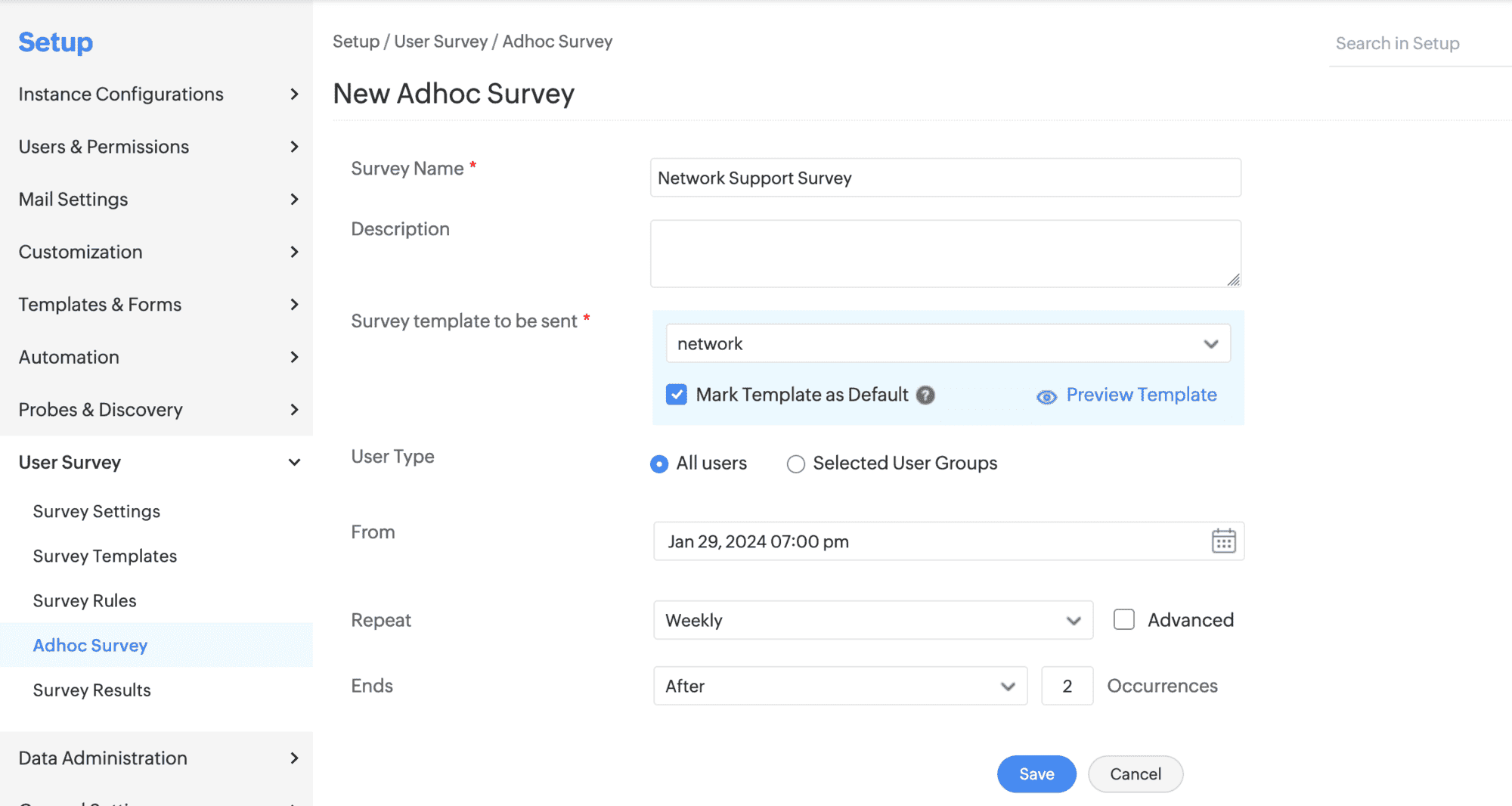
Go beyond module-based feedback with adhoc surveys that reach all users or specific groups on a scheduled or recurring time interval. Associate saved templates to run broader organizational feedback and satisfaction reviews.

Adhoc end-user survey dispatch settings and scheduling in ServiceDesk Plus
Configure Adhoc Survey settings

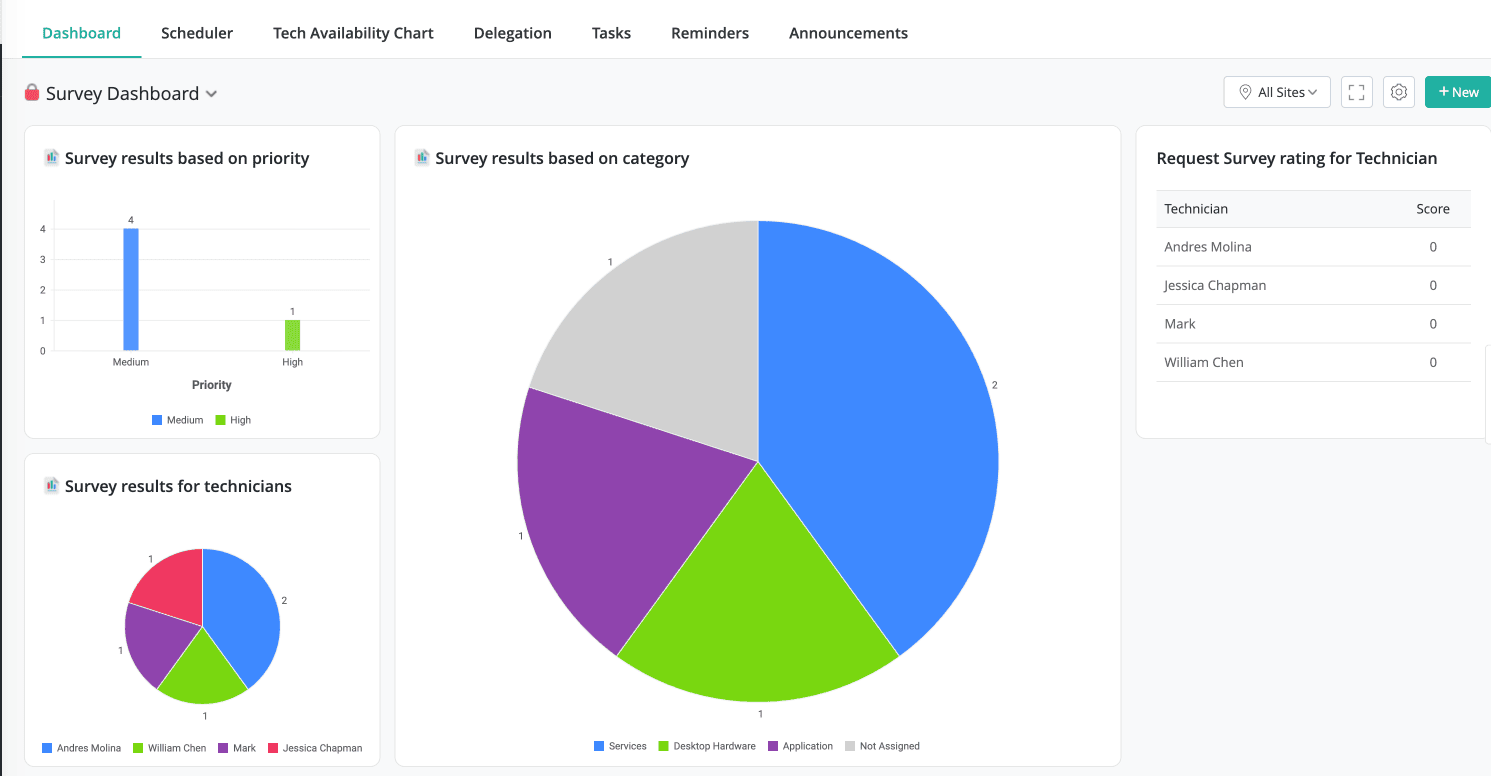
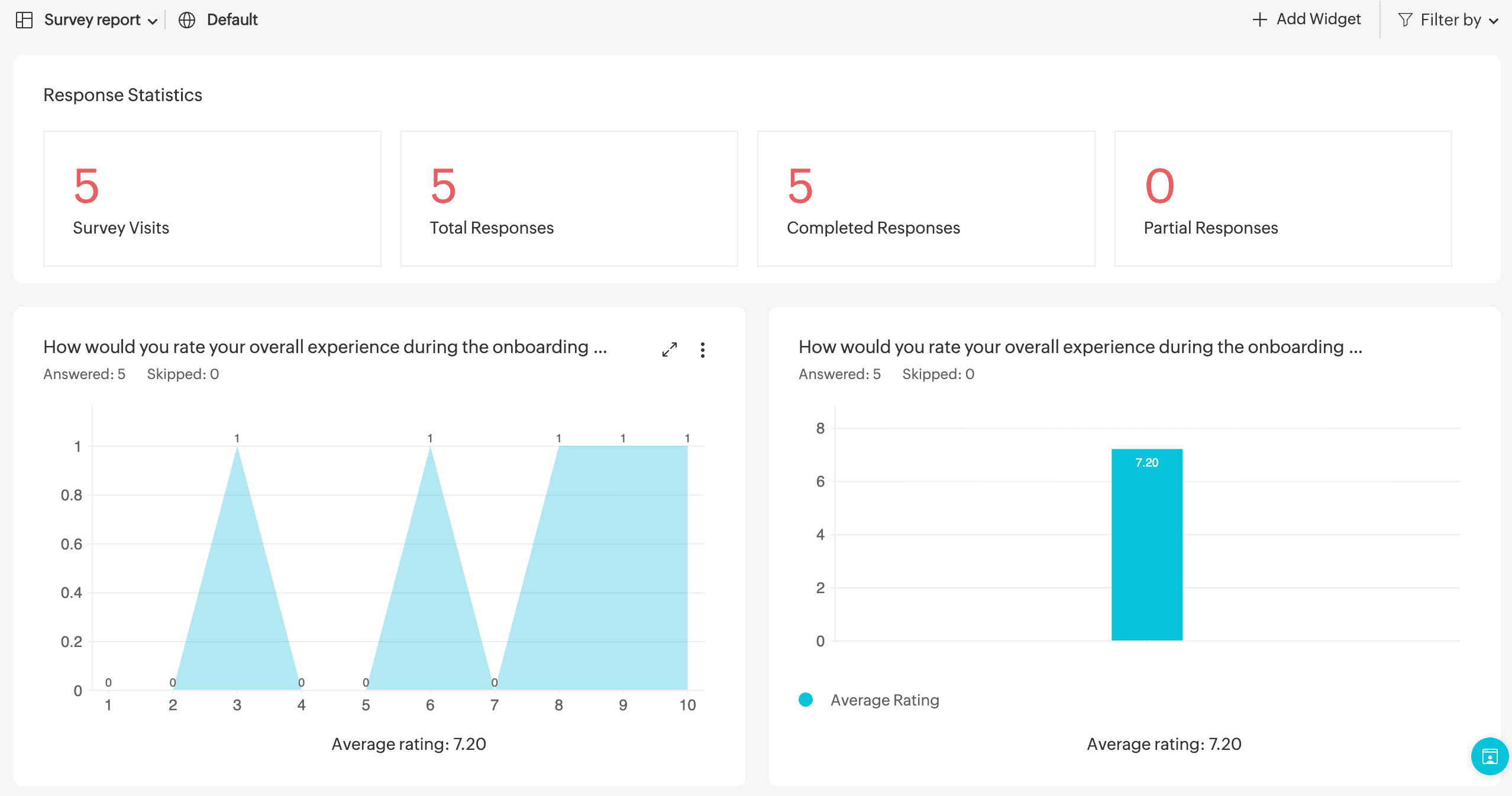
Track response trends and act on survey data with built-in reports

Generate survey reports that aggregates Zoho Survey responses and overall satisfaction scores, giving service desks the visibility they need to evaluate service quality over time and implement actionable improvements.

Frequently asked questions

Expand all

1. How does ServiceDesk Plus trigger surveys automatically?

ServiceDesk Plus uses a rule engine that evaluates configured conditions when a request, problem, change, or release record is closed. When a record matches a rule's criteria, the associated survey template is dispatched to the requester automatically. Administrators can define up to 40 rules per module, set their execution order, and configure frequency settings to control how often individual users receive surveys.

2. Who can access survey reports in ServiceDesk Plus?

3. What is the difference between rule-based surveys and adhoc surveys?

Let's support faster, easier, and together