Registering SupportCenter Plus
Once your trial evaluation period is over or the registration period has expired, you need to apply a new license file to continue SupportCenter Plus application. To purchase the application, please contact sales@manageengine.com
To register SupportCenter Plus,
- Log in to the SupportCenter Plus application using the user name and password of an admin user.
- Click the License link available at the top right of the application. The License window is opened as shown,
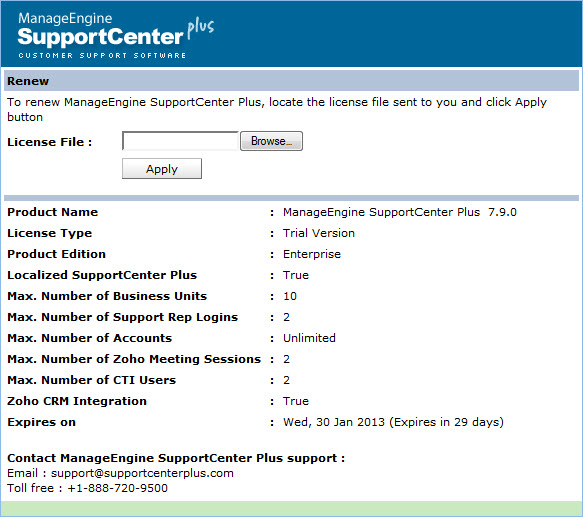
- Click Browse to locate the license file sent to you when you purchased the application.
- From the file chooser window, select the license file and click Open.
- Click Apply.
To apply the license file on expiry of the registration period,
-
Save the license file in the directories of the server machine.
-
Start the application server as service. (refer Start Application as service)
[OR]
Start the application from the command prompt. (refer Start Application from command prompt)
-
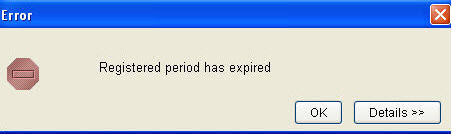
If the registration period of the license has expired then the system prompts an error message. Click Ok to proceed.
-
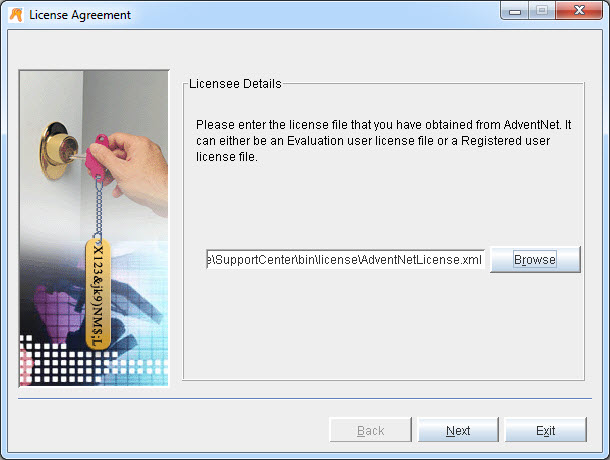
Browse the license file from the License Agreement page and click Next.
-
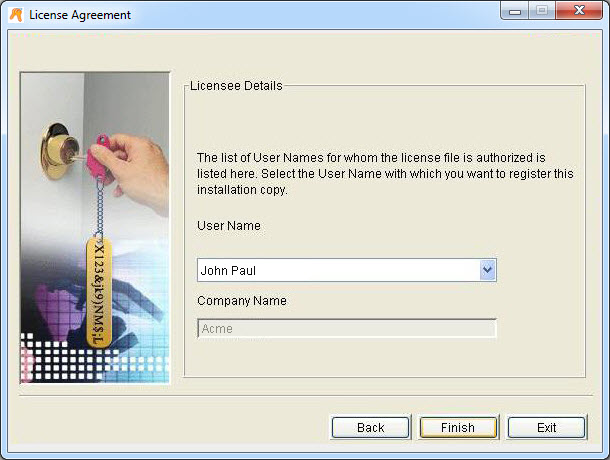
Select the User Name from the from the list with which you wish to register the installation copy.
-
Click Finish to complete the registration and start the server.