SaaS has become the backbone of modern businesses—from CRM and finance tools to collaboration and analytics platforms. But as adoption grows, so does uncontrolled spending, duplicate tools, and wasted licenses.
SaaS budgeting helps organizations plan, track, and optimize software spend so every dollar contributes to business value.
This guide explains how SaaS budgeting works, common challenges, step-by-step processes, and best practices to help you stay in control of your SaaS costs.
SaaS budgeting is the process of planning, allocating, and managing spending on SaaS applications across an organization.
It involves:
Unlike traditional IT budgeting, SaaS budgeting is dynamic. Subscriptions renew frequently, usage fluctuates, and new tools are constantly introduced.
SaaS spending continues to rise across organizations, often without centralized control.
Key reasons it matters
Companies now use dozens or even hundreds of SaaS applications, making cost tracking complex.
Teams often buy tools independently, leading to fragmented budgets and duplicate spend.
SaaS vendors are increasing pricing tiers, making uncontrolled renewals expensive.
Finance and IT teams often don't have a real-time view of SaaS usage and costs. Without proper budgeting, SaaS quickly becomes one of the largest and least optimized expense categories in an organization.
SaaS budgeting is not just about setting limits. It requires managing a constantly evolving ecosystem of tools, users, and costs.
Common challenges
Organizations struggle to track all SaaS tools and their associated costs.
Auto-renewing subscriptions lead to surprise expenses.
Many companies pay for licenses that are rarely used.
Different teams often use overlapping tools with similar functionalities.
Without usage data, predicting future SaaS costs becomes inaccurate.
These challenges often make SaaS budgeting reactive instead of strategic.
A structured approach ensures your SaaS budget is accurate, scalable, and optimized.
Start by identifying all SaaS applications used across the organization. Include:
This creates a baseline for budgeting and optimization.
SaaS budgeting is not just an IT responsibility.
Key stakeholders include:
Clear ownership ensures accountability for SaaS spend.
Define budget caps for:
Budget limits should align with business goals and expected return on investment.
Estimate future SaaS needs based on:
Accurate forecasting helps avoid over-provisioning or under-budgeting.
Identify overlapping tools and eliminate unnecessary subscriptions.
For example:
Consolidation reduces tool sprawl and overall costs.
Monitor all renewal dates and contract terms.
Set alerts for:
This ensures tools are reviewed before committing to another billing cycle.
Managing SaaS spend effectively requires consistent processes, clear ownership, and continuous optimization. The following best practices help organizations stay in control while maximizing the value of their software investments.
Maintain a single source of truth for all SaaS applications and costs. This ensures every team works with the same data and eliminates blind spots in tracking tools and expenses.
Analyze usage data monthly or quarterly to identify waste. Regular reviews help detect inactive users and underutilized tools before they turn into long-term unnecessary costs.
Ensure all new SaaS purchases go through a defined process. This prevents duplicate tools and ensures every purchase aligns with business needs and budget constraints.
Use usage data to secure better pricing and contract terms. Having real usage insights strengthens your position during renewals and helps avoid overpaying for unused capacity.
Focus spending on tools that directly impact productivity and growth. This ensures SaaS investments contribute to measurable outcomes rather than becoming operational overhead.
Even with a defined budget, organizations often lose control due to common but avoidable mistakes. Recognizing these pitfalls is key to improving cost efficiency and maintaining financial discipline.
Hidden or unmanaged tools increase overall spend. Without full visibility, organizations continue paying for tools they may not even be aware of.
Auto-renewals often lead to unnecessary expenses. Missing renewal deadlines removes the opportunity to evaluate usage or renegotiate contracts.
Buying more licenses than needed results in waste. Over-provisioning often happens due to poor forecasting or assumptions about team growth.
Lack of financial oversight leads to poor budget control. Collaboration between IT and finance ensures spending aligns with overall financial planning.
Budgeting requires ongoing monitoring and adjustment. Without regular optimization, SaaS costs gradually increase and become harder to control over time.
These terms are related but not identical.
| Aspect | SaaS budgeting | SaaS spend management |
|---|---|---|
| Focus | Planning and allocation | Tracking and optimization |
| Timeline | Proactive | Ongoing and reactive |
| Goal | Define spending limits | Control and reduce costs |
| Scope | Future-oriented | Current and past spend |
SaaS budgeting sets the plan, while SaaS spend management ensures spending stays aligned and optimized.
Choosing the right SaaS budgeting software is critical for gaining control over costs, improving visibility, and scaling operations efficiently. The following features ensure your budgeting process is both accurate and actionable.
View all SaaS applications, costs, and usage in one place. This eliminates the need to switch between tools and provides a single, reliable view of your entire SaaS ecosystem.
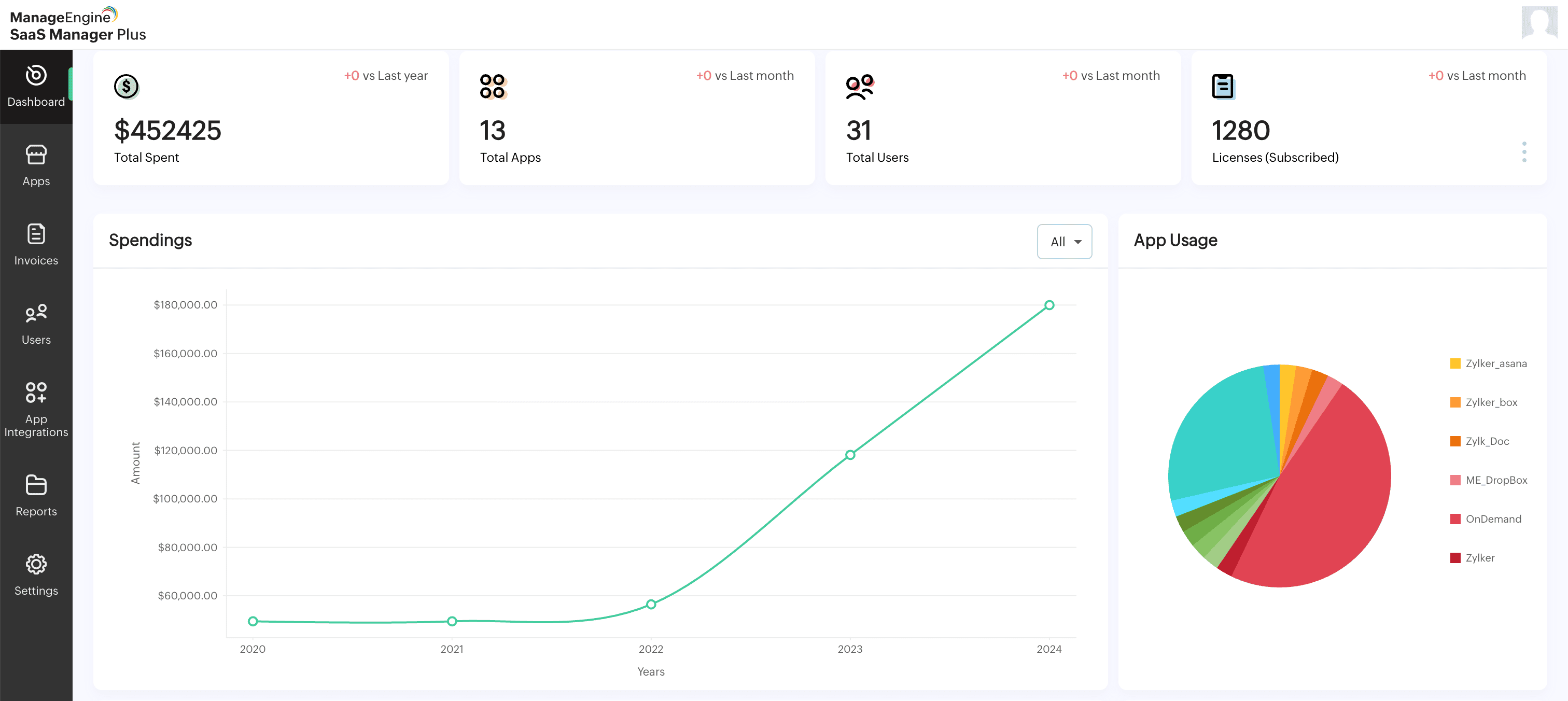
Monitor real-time spending across teams and tools. Real-time insights help teams quickly identify budget overruns and take corrective action before costs escalate.
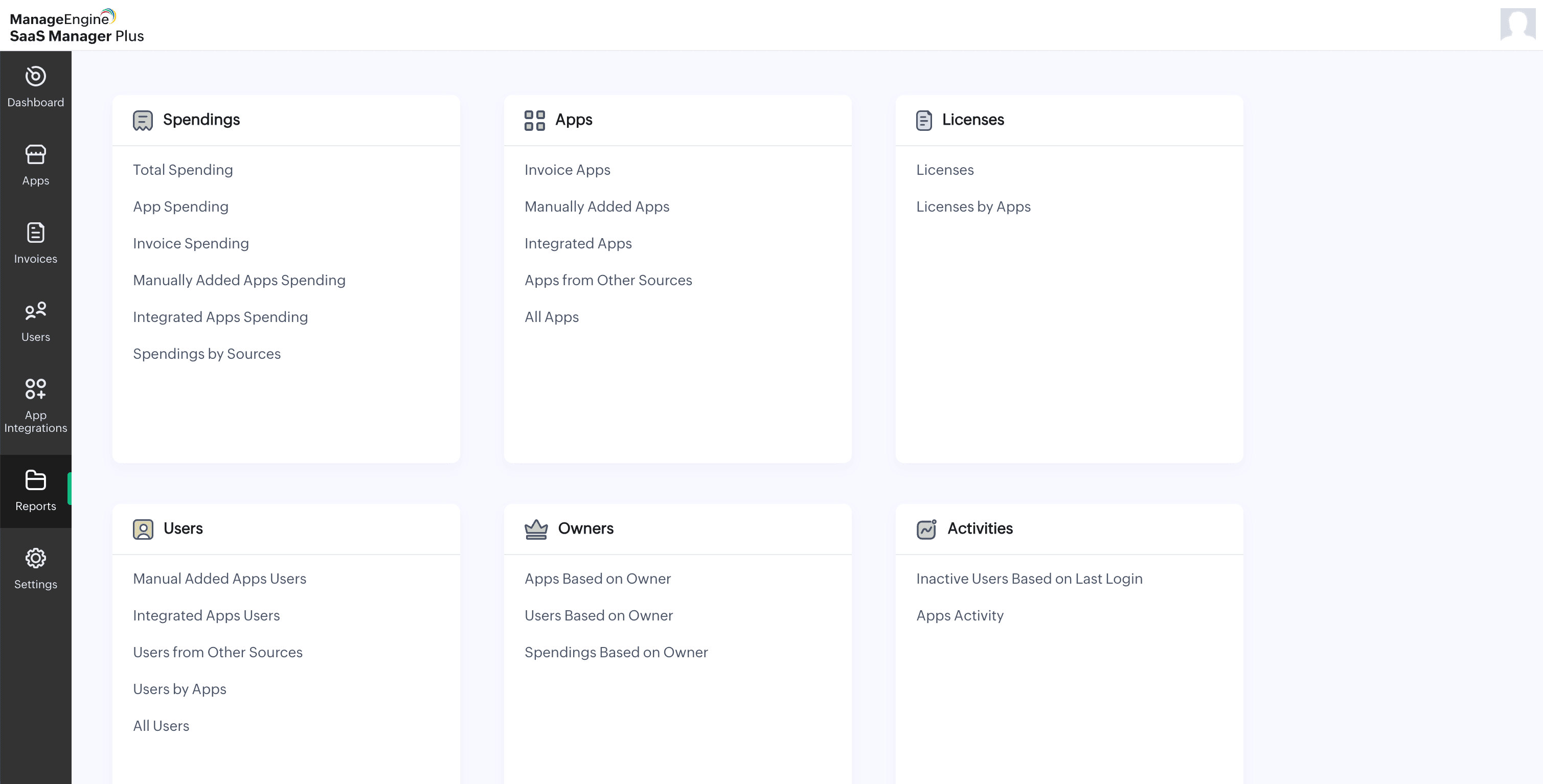
Identify underutilized licenses and inactive users. This allows organizations to optimize licenses and ensure they only pay for what is actively being used.
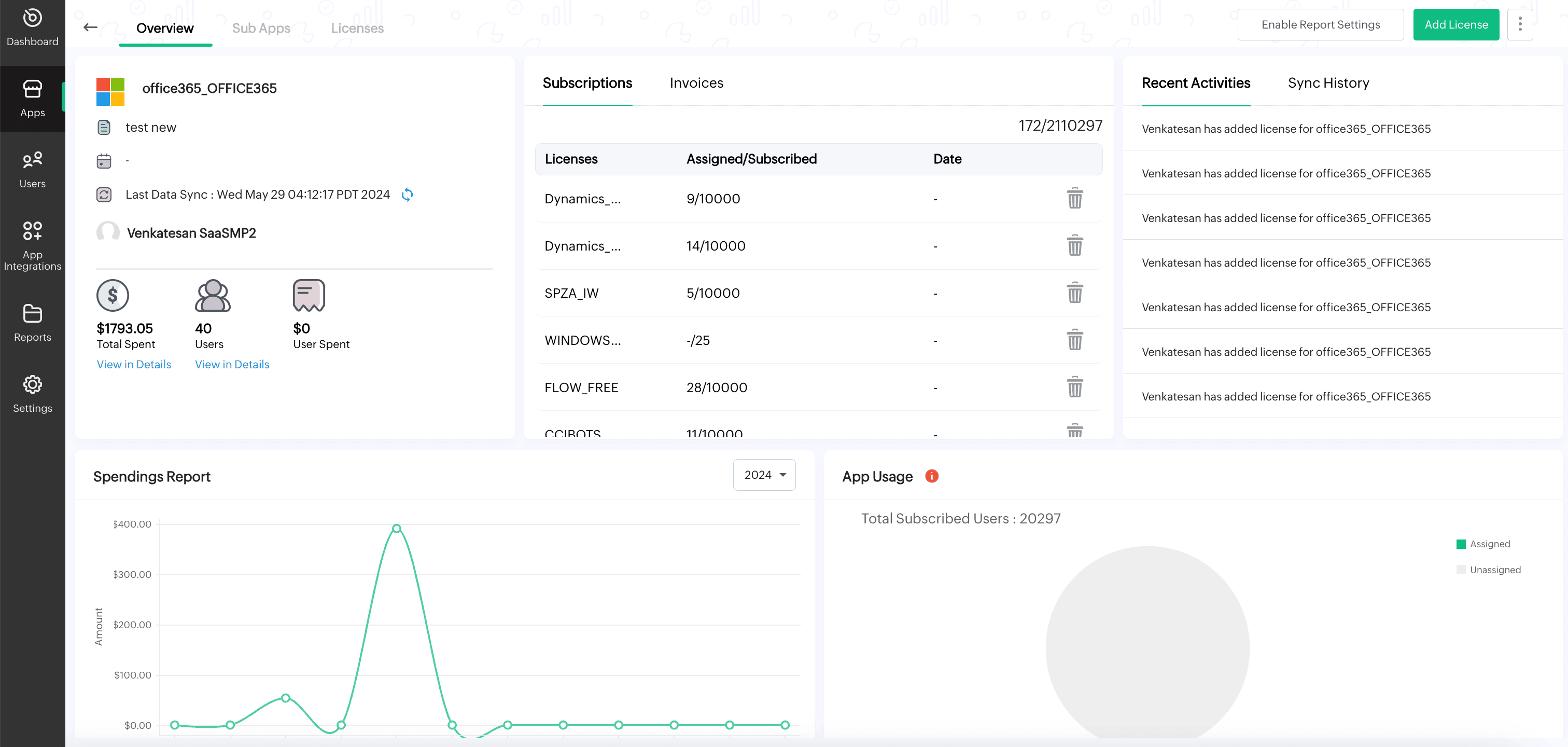
Track contract dates and avoid surprise renewals. Timely alerts give teams enough time to evaluate tools, renegotiate contracts, or cancel unnecessary subscriptions.
Set and manage budgets for departments or projects. This creates accountability and ensures each team operates within defined spending limits.
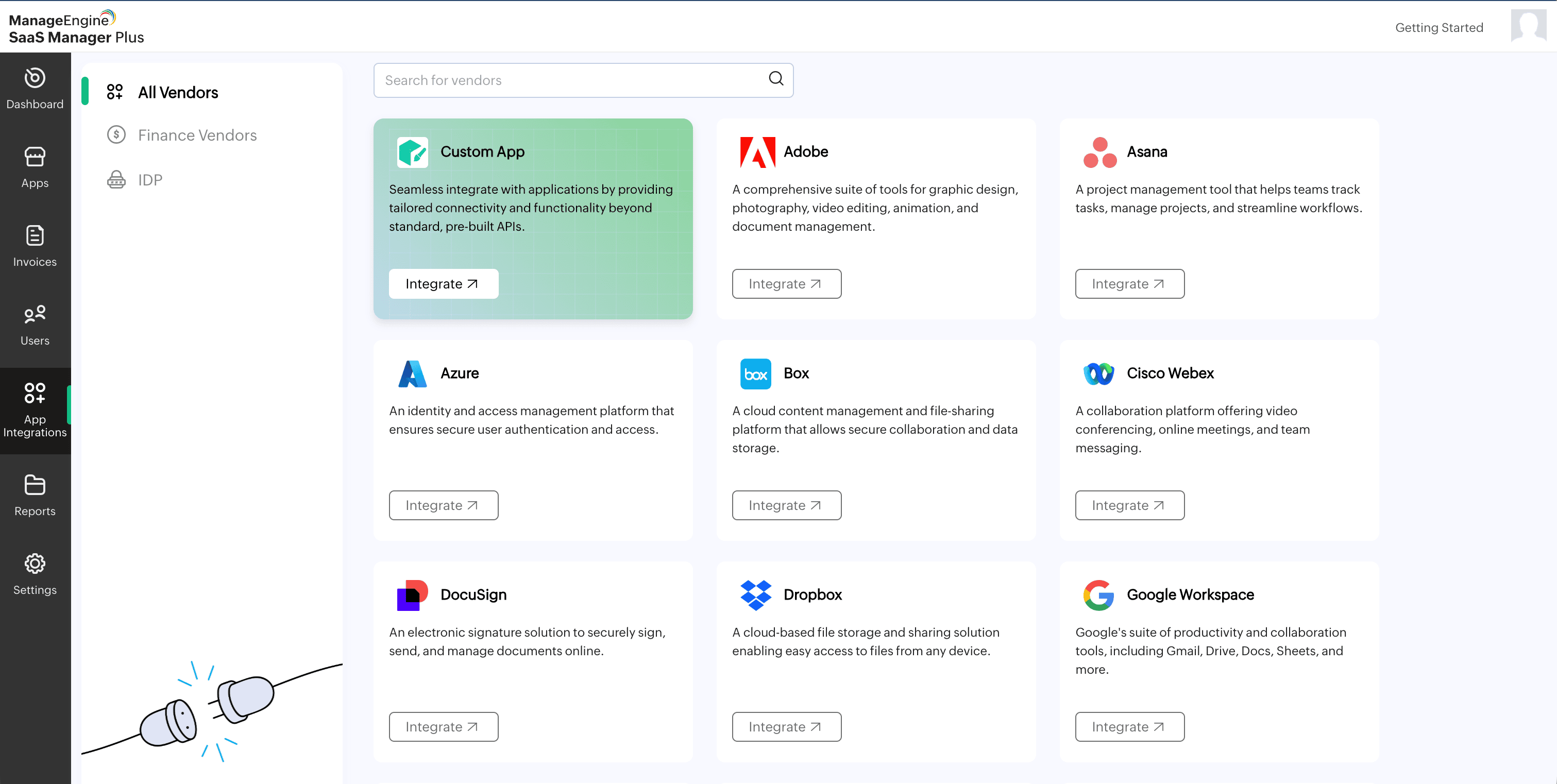
Connect with finance, HR, and identity systems. Seamless integrations enable automated data flow, improving accuracy and reducing manual effort.
Managing SaaS budgets manually becomes increasingly inefficient as the number of tools being tracked grows. Dedicated software simplifies this process and provides measurable business value.
Track and reduce unnecessary SaaS spending. Organizations can identify waste, eliminate redundant tools, and optimize licenses more effectively.
Get a complete view of SaaS usage and expenses. This transparency helps teams understand where money is being spent and who is using each tool.
Use insights to optimize tool usage and investments. Accurate data enables smarter decisions about renewals, upgrades, and vendor selection.
Automate tracking, reporting, and monitoring processes. Automation reduces manual work and allows teams to focus on strategic initiatives instead of administrative tasks.
Avoid unexpected renewals and hidden costs. Proactive monitoring ensures organizations stay ahead of expenses and maintain better financial control.
Choosing the right tool depends on your organization's needs and scale.
Step-by-step evaluation checklist
Determine the number of SaaS apps, users, and budget complexity.
Ensure compatibility with your existing tools such as finance systems, HR platforms, and SSO.
Look for detailed insights into usage and spending.
Choose tools that automate discovery, tracking, and optimization.
Select a solution that delivers value without adding unnecessary cost.
The platform should be easy for IT, finance, and business teams to use.
SaaS budgeting is no longer optional. As SaaS adoption grows, organizations need a structured, data-driven approach to plan, track, and optimize spending.
With the right processes and tools in place, SaaS budgeting helps reduce waste, improve efficiency, and maximize the value of every software investment.
A SaaS budget is calculated by analyzing current software spend, estimating future usage, and allocating budgets based on team needs.
A simple approach includes:
This ensures your budget reflects both current usage and future expansion.
There is no fixed percentage, but many organizations allocate a significant portion of their IT budget to SaaS due to its growing importance.
The ideal allocation depends on:
The focus should be on value and efficiency rather than a fixed percentage.
Companies can reduce SaaS costs by:
Regular monitoring and optimization play a key role in controlling costs.
SaaS budgeting is typically managed using:
Dedicated SaaS budgeting tools provide better visibility, automation, and control compared to manual tracking.
SaaS budgets should be reviewed regularly to stay accurate and optimized.
Recommended frequency:
Frequent reviews help prevent overspending and ensure alignment with business needs.
