The good news: Effective SaaS management doesn't require enterprise-grade complexity. With focused strategies and the right approach, even resource-constrained teams can eliminate waste, tighten security, and build sustainable software practices from day one.
Why SaaS management matters for your startup
Most founders believe SaaS management is a problem for later. It's not. Here's why it matters now:
- Financial reality: Gartner® predicts that 30% of SaaS spend is waste; that is software spend on unused licenses and duplicate tools. For a growing team, that's thousands of dollars monthly disappearing into products nobody uses. Every dollar counts when runway is measured in quarters, not years.
- Security risk: Shadow IT creates compliance headaches and exposes sensitive data. If even one employee is using unsecured file sharing, you've got a potential compliance violation or data breach that can sink the company.
- Operational efficiency: As teams grow from five people to 50, managing software manually becomes impossible. Forgotten licenses, duplicate purchases, and chaotic offboarding processes multiply costs and create security gaps.
- Competitive advantage: Lean, well-managed SaaS environments give you more budget for product development and hiring. This means better tools, better processes, and better outcomes.
How SaaS management can help you
Step 1: Take inventory of your SaaS ecosystem
You can't optimize what you don't see. Start by understanding exactly what your team uses.
- Conduct a SaaS audit: List every application your team uses. Check credit card statements, search email inboxes for receipts, and ask team leads what tools they depend on. Most founders discover that 51% of SaaS apps still remain as shadow IT. That's your shadow IT problem.
- Categorize by department: Organize applications by function—such as marketing, sales, engineering, and finance. This reveals patterns. If you have three project management tools across different teams, that's a consolidation opportunity. If the marketing department's per-employee SaaS spend is three times higher than the engineering department's, that warrants investigation.
- Track annual costs: Calculate total spend per application and multiply monthly spend by 12. Seeing $50/month feels different than seeing $600/year. This context matters when making cuts.
- Assess utilization: For each tool, count active users and assigned licenses. If you're paying for 50 seats but only 15 are active, you've found waste.
Step 2: Eliminate shadow IT and duplicates
Shadow IT kills budgets and creates security risks. Without approval processes, employees buy overlapping solutions that multiply costs and create chaos.
- Establish a clear procurement process: Create a simple one-page policy. When someone needs new software, they submit a request with the business case. The IT and finance departments evaluate it against existing tools. If a suitable alternative exists, use it. If not, evaluate the new tool.
- Don't block, provide: Shadow IT thrives when employees can't get what they need through official channels. When the approved tool doesn't meet needs, employees go rogue. Instead of saying "no," find solutions. Maybe you're not using Asana effectively, so employees bought Monday.com. Invest in better onboarding and training for the existing tool, or replace it if it truly doesn't fit.
- Consolidate overlapping tools: You don't need three communication platforms or four file storage solutions. Consolidation simplifies IT, reduces costs, and eliminates integration headaches. Ruthlessly eliminate redundancy.
- Communicate the "why": Explain why shadow IT is problematic for security, compliance, and cost, and thank team members for following new processes. People care about security; they just need context.
Step 3: Right-size licenses and manage renewals
Unused licenses represent pure waste. This is low-hanging fruit for cost savings.
- Monitor actual usage: Weekly active users reveal which applications matter. Tools with sporadic usage might be eliminated or downsized. Identify the trend—is usage declining over time? That's a signal to cancel.
- Harvest unused licenses: If you have 20 total licenses but only 12 active users, reduce it to 12-15 seats with room for growth. Vendors understand this; most offer mid-year adjustments.
- Track renewal dates obsessively: Missed cancellation deadlines cost money.
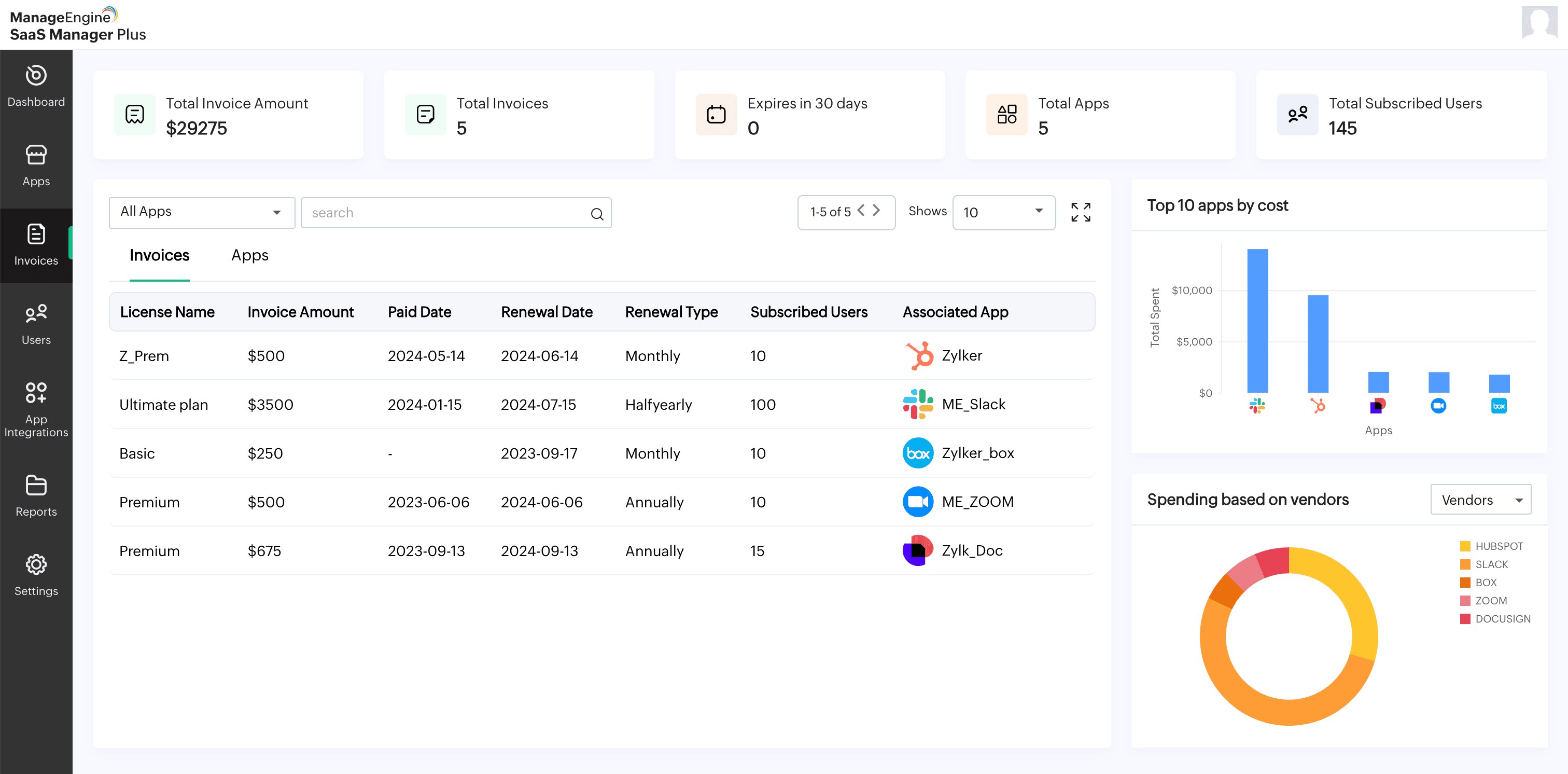
- Create a simple spreadsheet: Include details like application name, renewal date, annual cost, and decision (renew, renegotiate, or cancel). Set calendar reminders 60 days before renewals. This simple practice catches thousands in unnecessary spending.
- Negotiate aggressively: Many SaaS vendors offer 10-30% discounts to avoid churn. If you're canceling, don't leave without asking for a better rate. Annual prepayment usually gets discounts versus monthly billing. If you've committed to growth, use that in negotiations.
Step 4: Implement basic SaaS management for startups
You don't need expensive enterprise platforms. Start simple.
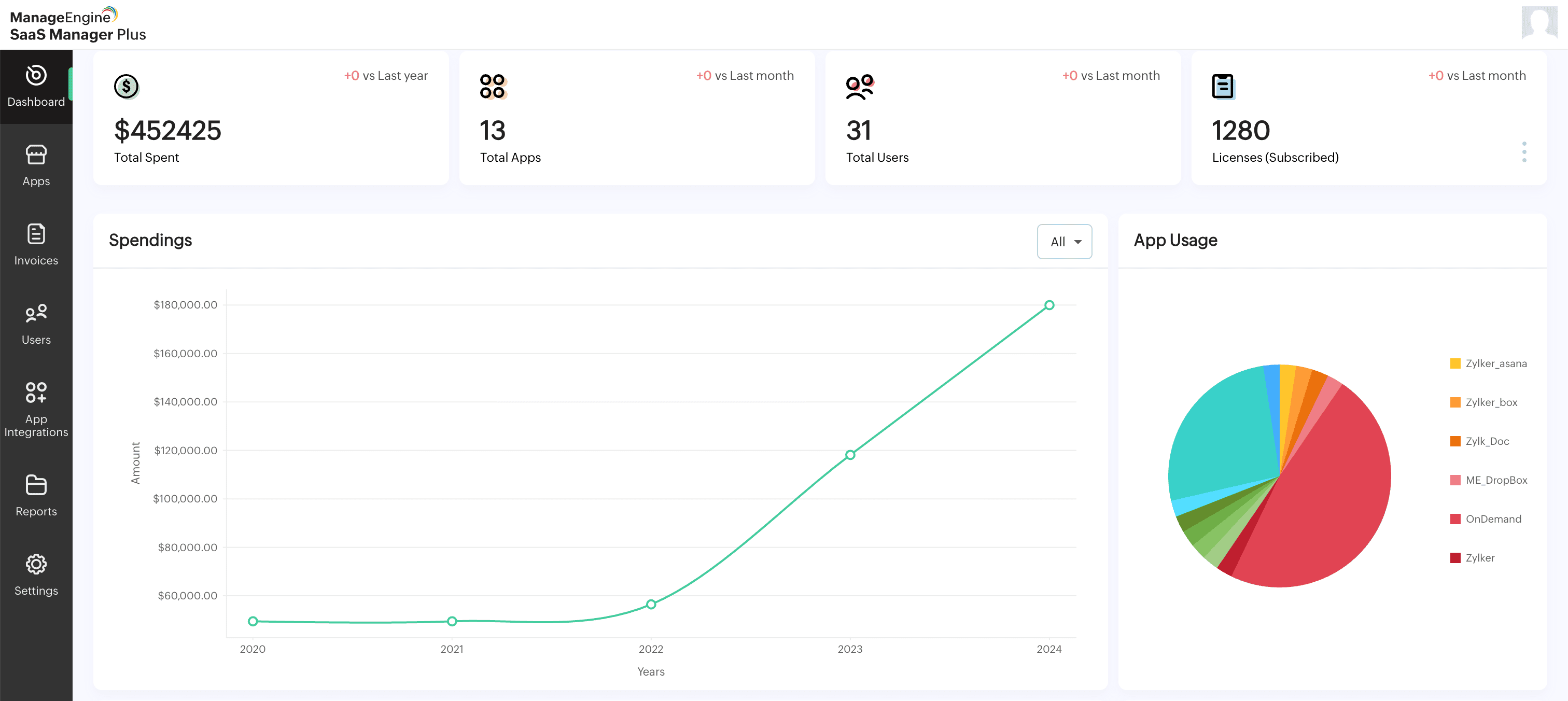
- Use a centralized tracker: A Zoho Sheet or Airtable database works for startups under 50 people. Track application name, vendor, cost per month, number of licenses, renewal date, owner, and business justification. Updates take 30 minutes monthly but save hours of scattered searches.
- Set up reminders: Use calendar alerts for renewal dates, license review cycles, and quarterly SaaS audits. Automation prevents surprises.
- Document who needs what: Maintain a simple access matrix showing which departments and roles use which tools. During onboarding, you know exactly which accounts to create. During offboarding, you know exactly which to disable.
- Choose free or low-cost tools: As you grow, consider lightweight SaaS management platforms designed for small businesses. Many offer affordable tiers for 10–100 users. These automate discovery, track spending, and flag unused licenses without enterprise complexity.
Step 5: Automate onboarding and offboarding
Employee transitions are your highest risk periods. A departing employee with lingering access is a compliance and security nightmare. New employees waiting for access waste days of productivity.
- Create a SaaS onboarding checklist: List every application a new hire needs. Assign a point person to provision access in parallel, not sequentially. This takes hours instead of days.
- Define offboarding protocols: On departure day, disable all access immediately. Create a checklist and actually complete it—don't just "get to it later." Many startups discover months later that departed employees still had access to sensitive systems.
- Use SSO where possible: Single sign-on (SSO) through Google Workspace or Microsoft 365 simplifies user management. With one login, you get centralized access control. As you grow, this becomes invaluable.
Step 6: Security and compliance from day one
Don't defer security. It's harder to retrofit than to build in from the start.
- Evaluate before adopting: Before approving new tools, verify they meet minimum security standards. Do they encrypt data? Where's data stored? What's their backup policy? A 10-minute evaluation prevents security headaches.
- Use strong authentication: Require multi-factor authentication (MFA) on all important tools, including email, cloud storage, and financial systems. MFA defeats 99.9% of account takeover attempts.
- Implement basic access controls: Users should only access tools they need for their role. When someone changes teams, revoke old access. When they leave, revoke every access and document it.
- Know your compliance needs: If you handle healthcare data, understand HIPAA. If you have customers in the European Union, understand the GDPR. Some startups don't need intensive compliance; others do. Understand your requirements and choose tools accordingly.
Step 7: Measure what matters
Track metrics that inform decisions.
- Total SaaS spend: Know your monthly and annual total. Compare to headcount growth and revenue. Is spend growing faster than the business? That's a problem.
- Cost per employee: Divide total SaaS spend by headcount. As you scale, this should stabilize or improve, not grow linearly.
- License utilization rate: What percentage of purchased licenses are actively used? Target: 80% or more. Below 70% signals optimization opportunity.
- Renewal costs: Track upcoming renewals. Know which apps are essential (must renew and plan budget) and which are negotiable (evaluate alternatives).
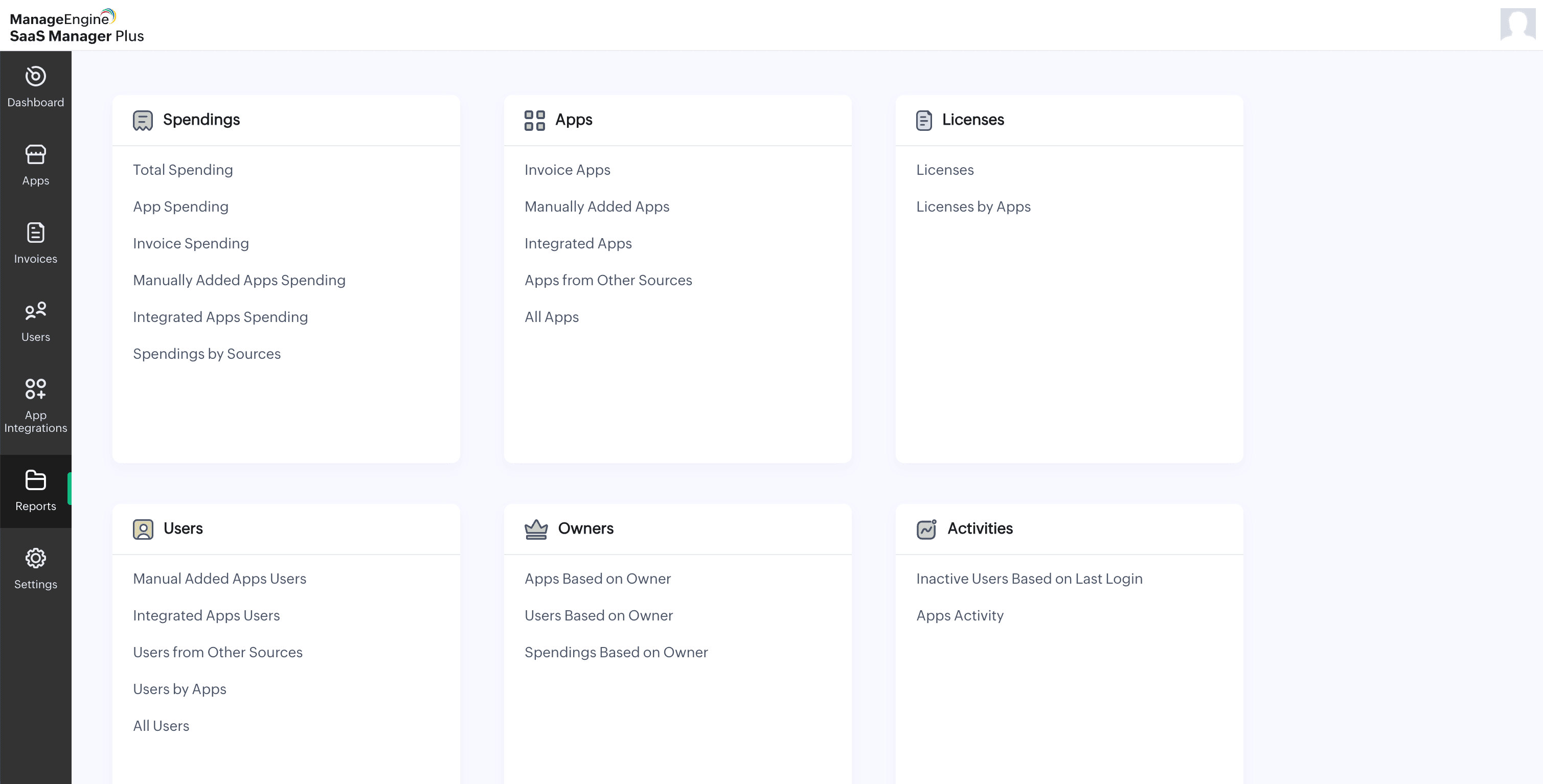
How SaaS Manager Plus solves the biggest startup SaaS challenges
| Pain points |
What startups and small businesses struggle with |
How SaaS Manager Plus helps |
| SaaS sprawl and shadow IT |
Untracked apps, rogue tool adoption, and redundant or hidden spending |
Instantly discovers all SaaS apps across the company and departments, giving you a real-time inventory and enabling you to identify shadow IT. |
| Unused licenses and wasted budget |
Paying for software no one uses, and renewals for dormant tools |
Monitors app and license usage, identifies inactive users, and detects underused subscriptions so you can right-size spend and eliminate immediate waste. |
| Manual license and renewal management |
Missed cancellations, surprise renewals, and duplicate tools |
Centralizes all renewal dates, sends proactive reminders, and helps detect duplicates so you never get caught off guard or overpay for overlapping tools. |
| Security and compliance gaps |
Inconsistent user access, and overwhelm from compliance tasks |
Role-based access controls ensure users only see what they should, while detailed app audits and logs simplify security reviews and keep your environment compliance-ready. |
| No visibility for founders |
Difficulty tracking spend as team grows and scattered tracking |
The unified dashboard shows all SaaS usage, costs, user activity, and renewal status, making it simple for founders to keep control (without extra headcounts or IT burden). |
SaaS Manager Plus gives founders and small teams the clarity, automation, and cost control major enterprises crave without the complexity or big budget. Manage your SaaS stack proactively, stay secure, and turn software chaos into a competitive advantage.
Starting simple: The three-month plan
Feeling overwhelmed? Start here:
Month 1: Conduct your SaaS audit. List every tool, every cost, and every user. Identify shadow IT. Surprise yourself with the waste.
Month 2: Consolidate duplicates. Cut the worst unused licenses. Recover the low-hanging fruit. Set up a simple tracking spreadsheet. Establish procurement guidelines.
Month 3: Implement onboarding and offboarding checklists. Add MFA to critical tools. Evaluate remaining tools for security. Set renewal calendar reminders.
Three months of focused effort eliminates significant SaaS waste for most startups; recovers thousands in annual spend; and builds foundations for secure, scalable SaaS management.
Moving forward
Effective SaaS management for startups isn't complex. It requires discipline, not sophistication. A simple tracking system, clear procurement process, disciplined offboarding, and quarterly reviews compound into massive value.
As your startup grows, you can layer in more sophisticated tools and processes. But the fundamentals—knowing what you own, eliminating waste, managing access, and staying security-conscious—apply at every stage.
The time to start is now. Not when you hit 100 employees. Not when you hit Series A. The waste you tolerate today multiplies as you scale. Fix it while you're small.
Start this week: Audit your SaaS spending. You'll find money you didn't know existed. That's your competitive advantage.
