Ask Zia
Zia is a virtual assistant integrated with DEX Manager Plus that helps users interact with the product using natural language. It provides product-related assistance, generates Sensors, Remote Actions, and Workflows, summarizes device timelines, provides diagnostic insights, and retrieves live device data through DEX Live Telemetry.
This guide walks you through how to enable Zia, explore its capabilities, and get the most out of it.
Enabling Zia
- Zia can be enabled by individual users who have at least Sensor Write, Workflow Write, or Endpoint Intelligence Write permission in DEX.
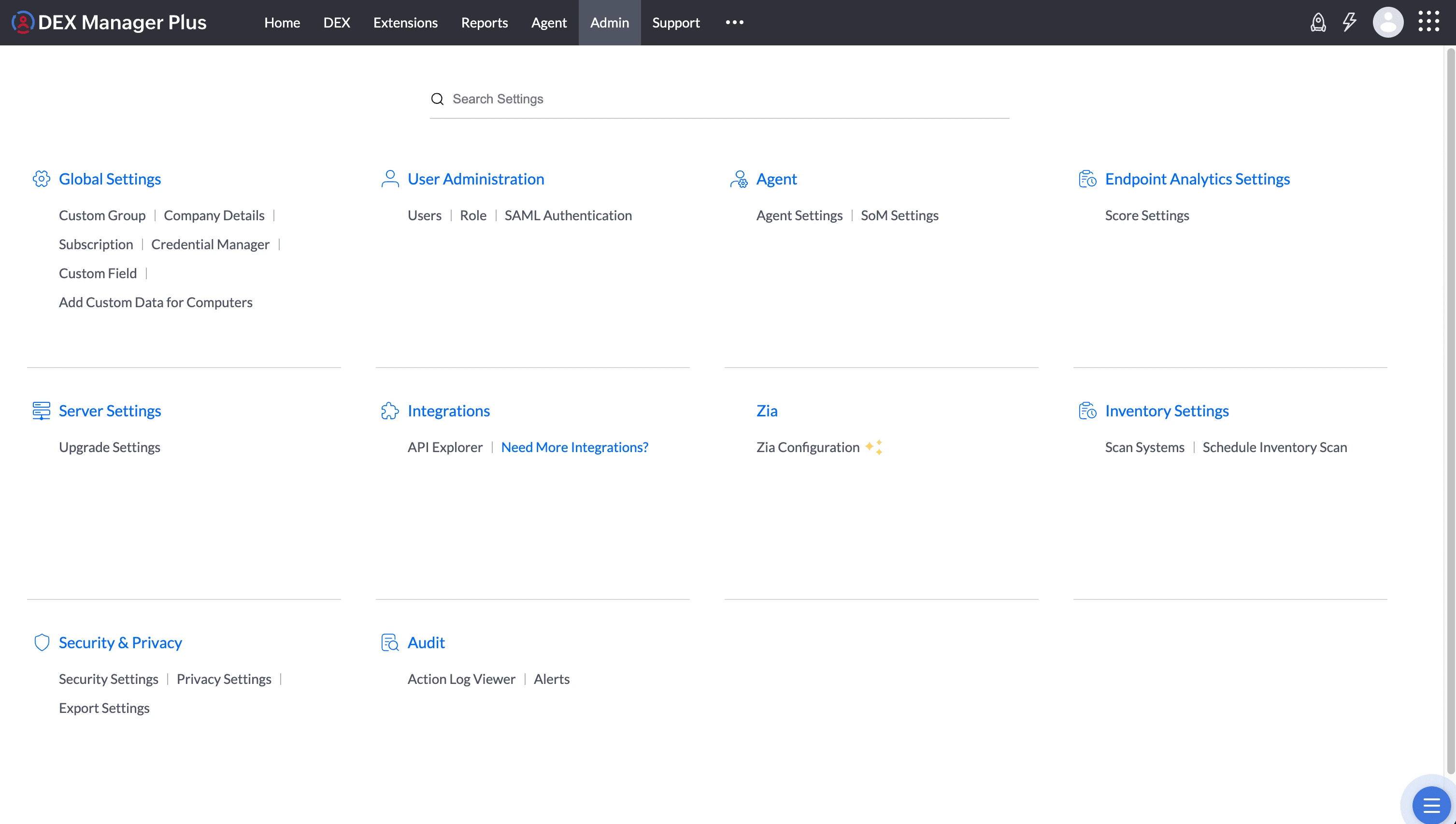
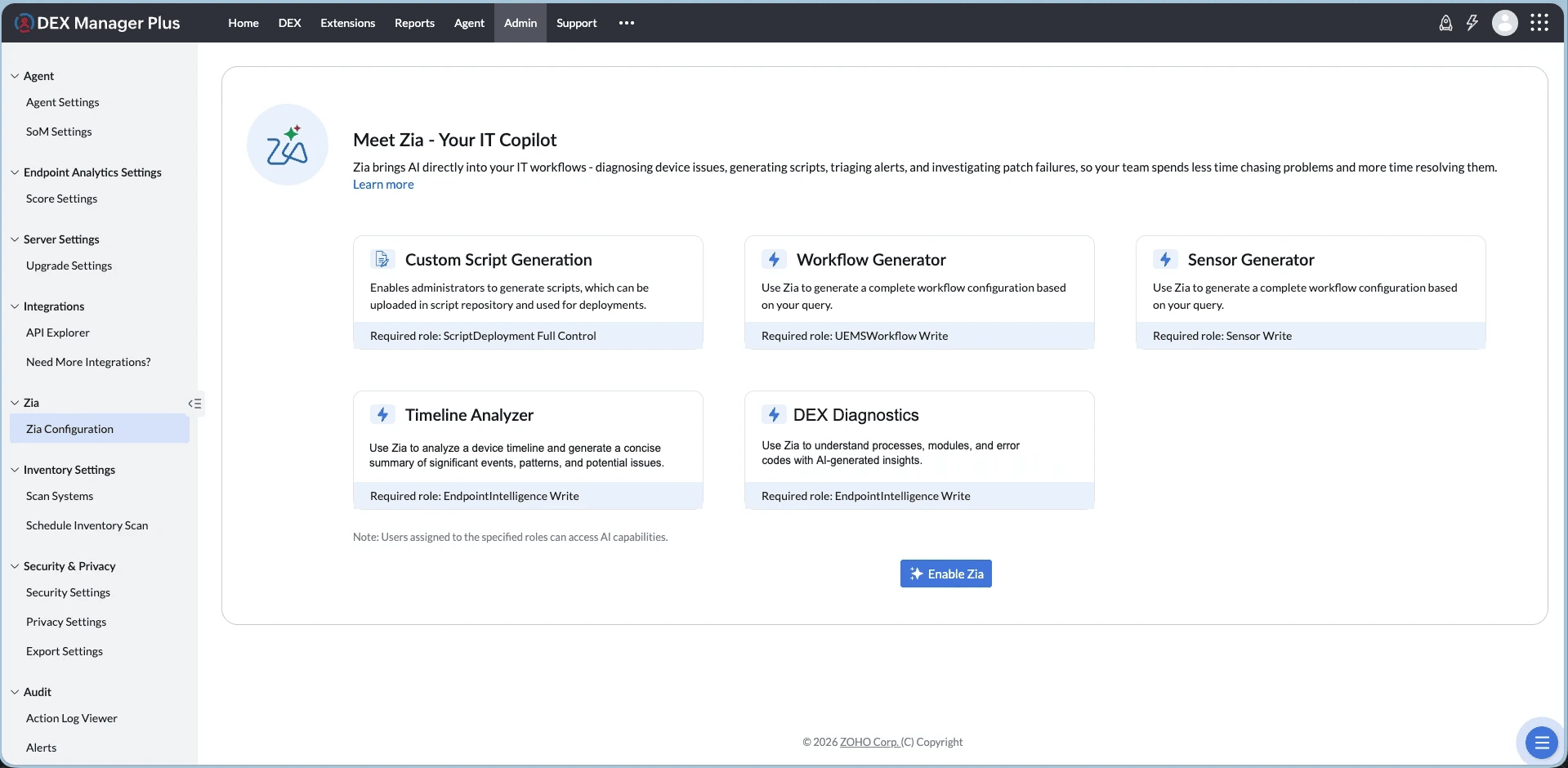
- Navigate to Admin > Zia Configuration and click Enable Zia on the welcome page.
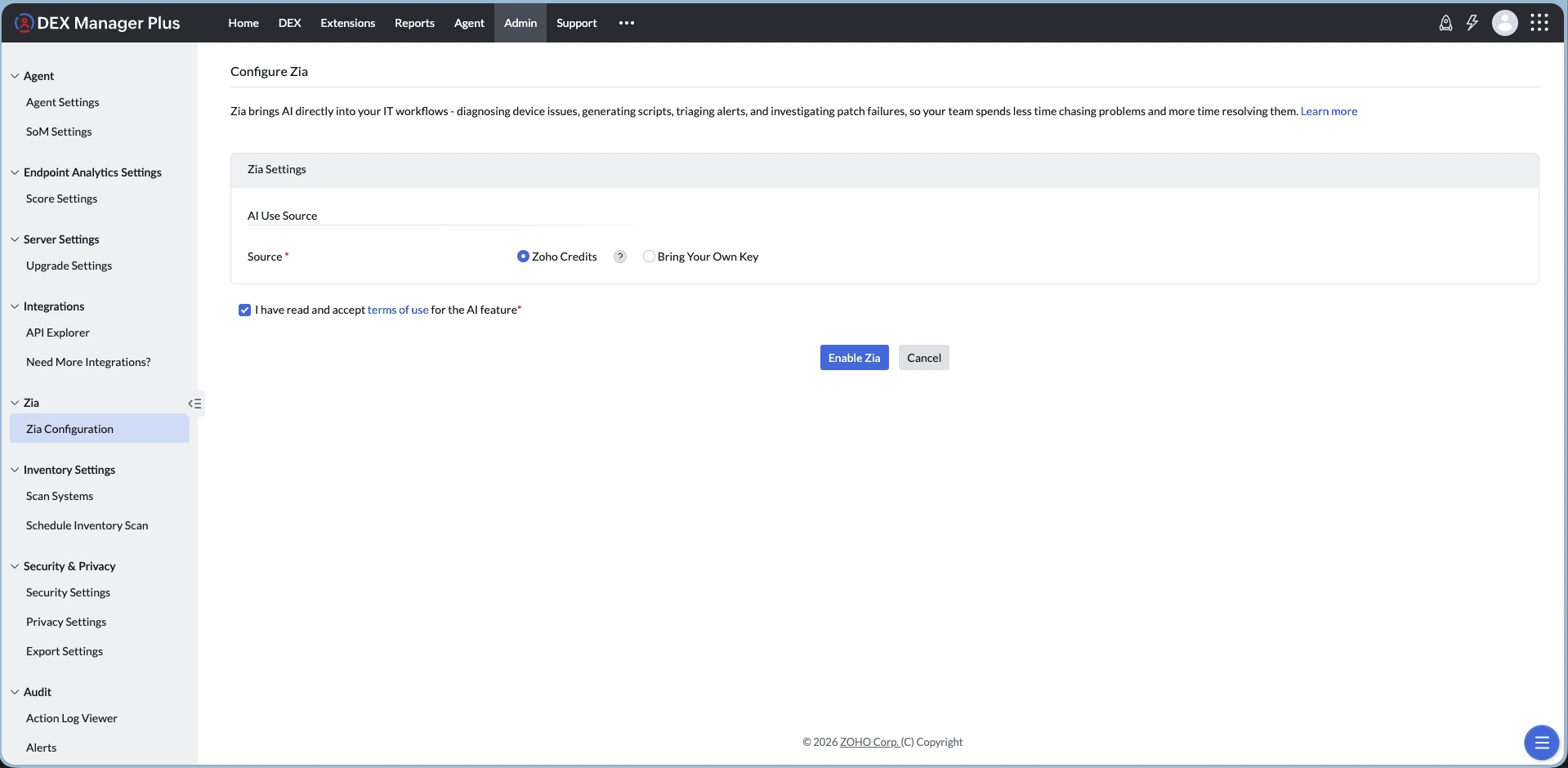
- On the Configure Zia page, choose Zoho Credits or Bring Your Own Key (BYOK) and accept the Terms of Use.
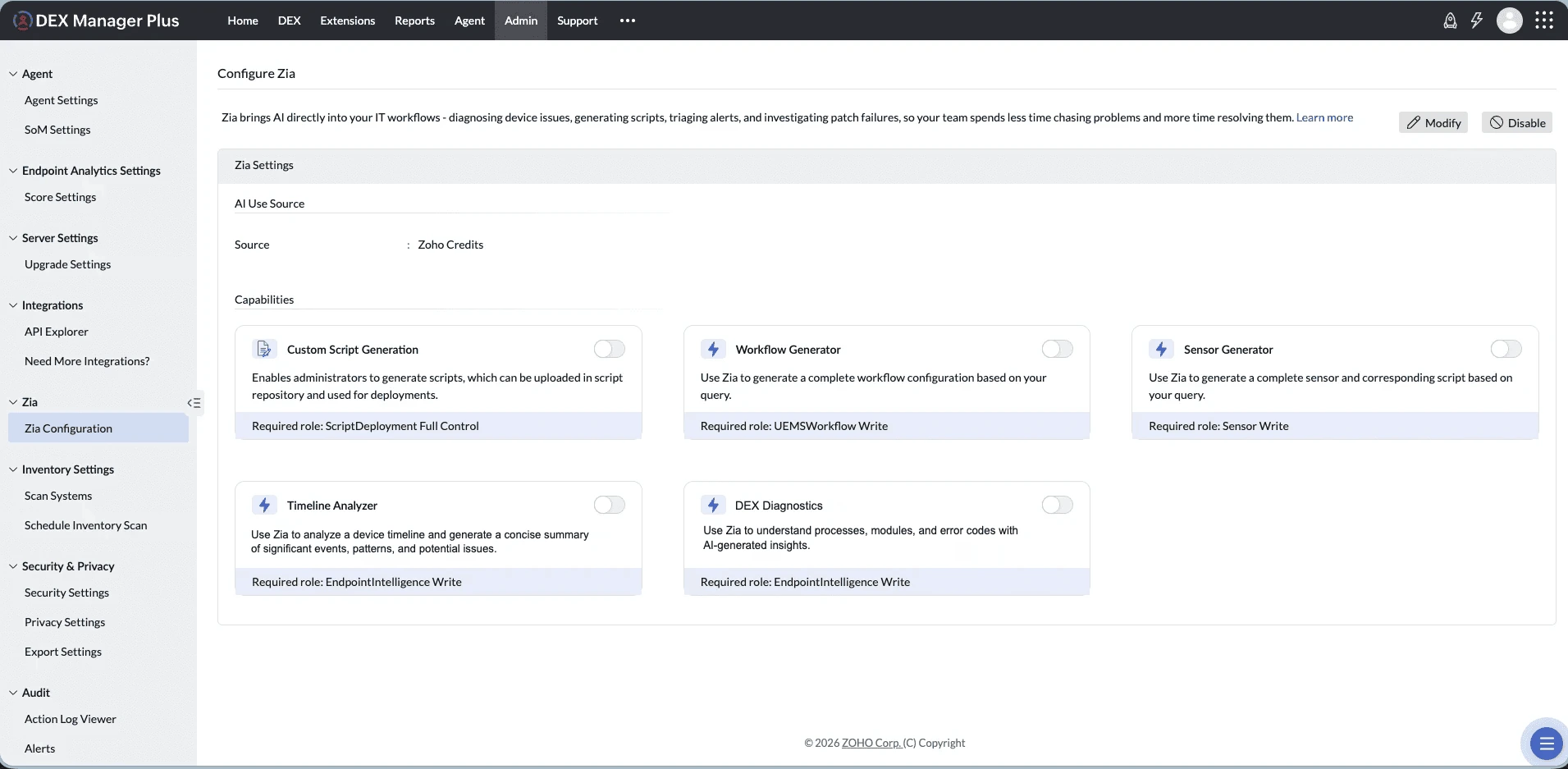
- On the next page, configure the available Zia features, such as Workflow Generator, Sensor Generator, Timeline Analyzer, and DEX Diagnostics.
- Once configuration is complete, access Zia across supported DEX modules to generate automation artifacts, analyze device timelines, obtain diagnostic insights, retrieve live device data, and obtain product-related assistance.
AI Features in DEX Manager Plus
Managing endpoints involves navigating across multiple areas, and manual tasks can be time-consuming and error-prone. Once Zia is enabled, it provides intelligent assistance across the following areas. These capabilities are available based on the user's role permissions.
- Sensor Generator (Required Role: Sensor Write): Create new sensors from scratch using natural language prompts, eliminating the need to configure data collection parameters manually.
- Custom Script Generation (Required Role: Script Deployment Full Control): Generate ready-to-deploy custom endpoint management scripts instantly using natural language prompts, reducing manual scripting effort.
- Workflow Generator: Create automation workflows effortlessly using simple natural language prompts, without manual configuration.
- Alert Profile Creation Assistance: Create alert profiles in natural language by describing the issue conditions, thresholds, and device impact you want to monitor.
- Timeline Analyzer: Analyze device timeline events and receive AI-generated summaries, enabling IT teams to quickly understand the sequence of events leading to an issue and make informed decisions.
- DEX Diagnostics: Get AI-powered explanations for exception codes and faulting modules in DEX insights, helping IT teams understand application crashes and identify likely causes faster.
- Knowledge Assist: Ask product-related questions in natural language and receive accurate, context-aware responses from DEX documentation — without leaving the console.
- DEX Live Telemetry: Retrieve current data from managed devices on demand using natural-language queries across more than 50 battery, network, storage, boot, and performance variables.
Sample Queries
Here are some example prompts you can try with Ask Zia:
- Create an alert when CPU or memory usage is high
- Create an alert when boot is slow or too many apps start up
Zia Knowledge Assist
Zia Knowledge Assist is an AI-powered assistant that helps IT teams quickly find answers to product-related questions using DEX documentation.
Instead of manually searching through documentation, users can ask questions in natural language and receive accurate, context-aware responses about DEX features, configurations, workflows, sensors, scripts, and related capabilities.
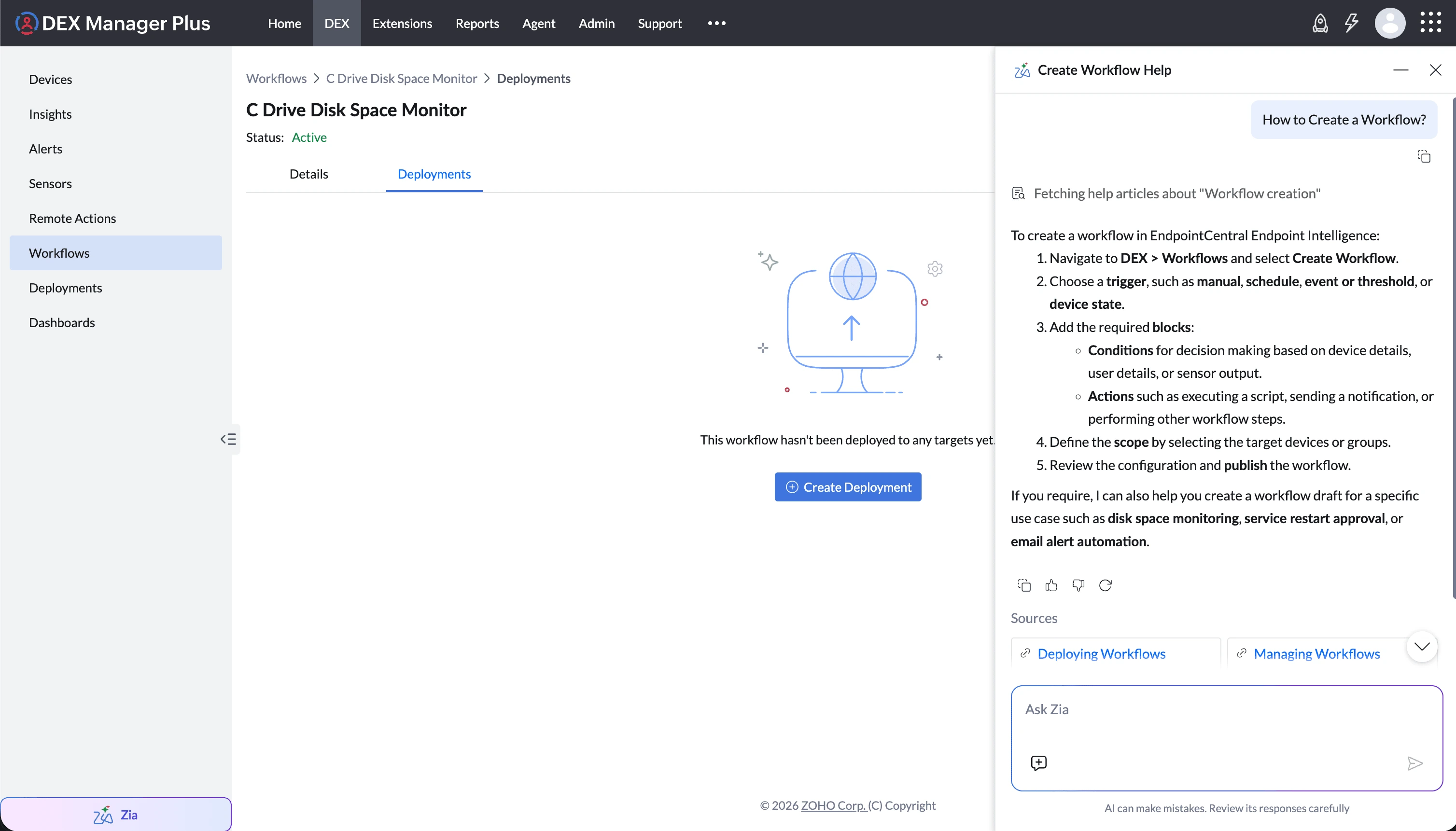
Here are some example questions you can ask Zia Knowledge Assist:
- "How do I create a sensor to monitor disk space?"
- "What workflow stages are available in DEX?"
- "How do I deploy a workflow to a device group?"