Did you know that network outages and misconfigurations don’t just cause disruptions? They can drain thousands of dollars in downtime and hefty compliance penalties. In fact, research from Titania shows that misconfigurations alone eat up an average of 9% of a company’s annual revenue. One way to prevent these costly setbacks is with network backup software. It automatically saves copies of your device configurations, making it easy to restore them and get your network back on track when something goes wrong.
However, with numerous tools on the market, choosing the right one can be overwhelming. This guide highlights the most important factors to look for in a network backup solution and explains why ManageEngine Network Configuration Manager (NCM) is a leading choice for enterprises that need a powerful, multi-vendor network backup solution.
Key factors to consider when choosing network backup software:
Setting recovery goals before choosing a network backup software
Before you even compare tools, define your
- Recovery Time Objective (RTO), which refers to how quickly you must restore network functionality after an issue, and
- Recovery Point Objective (RPO), which indicates how recent your last backup must be.
For critical infrastructure such as firewalls and core switches, you might aim for near-instant recovery and minimal data loss, which requires real-time or change-triggered backups. For less critical devices, daily backups might suffice. Setting these goals upfront helps you filter out solutions that cannot meet your organization’s tolerance for downtime or compliance risk.
Look for instant and scheduled configuration backup features
Manual backups are prone to human error and missed tasks. The best network backup software should offer:
- Scheduled backups (hourly, daily, weekly) to cover routine operations.
- Change-triggered backups so any configuration modification is automatically saved.
- Bulk backups for multiple devices, reducing repetitive work.
Leveraging these capabilities not only improves consistency but also ensures that you always have the latest version of configurations available, which is critical during outages or security attacks.
Top 5 must-have features to look out for in a network backup software
Modern enterprise networks are rarely limited to a single vendor. If your backup tool doesn’t support all your devices, you’ll end up juggling multiple solutions and increasing complexity. To avoid that, look for these five essential features in a network backup solution:
- Automated remediation and rollbacks to fix violations in multi-vendor devices without manual intervention.
- Compliance checks with out-of-the-box policies for industry standards and the ability to create custom rules.
- Role-based access control (RBAC) to restrict who can view, edit, or restore backups.
- Comprehensive audit trails to log every action for compliance and accountability.
- Reports for compliance, backup status, user activity, and EOL/EOS lifecycle.
These features make your backup process seamless, minimize compliance risks, and ensure your network is always audit-ready while offering wide vendor compatibility with leading brands like Cisco, Juniper, Fortinet/FortiGate, Palo Alto, HP/Aruba, F5, and more.
Why ManageEngine Network Configuration Manager is the right network backup software for your organization
ManageEngine Network Configuration Manager (NCM) gives you complete control over your network backups with features designed for speed, reliability, and security.
So how does Network Configuration Manager simplify network backups? It offers flexible options for every scenario, whether you need an
Let’s look at how each of these features works, along with additional capabilities like deploying stable baselines and maintaining a secure repository.
Instant backups when you need them most
Unexpected outages or faulty changes can happen anytime, and you can’t afford delays during recovery. Network Configuration Manager lets you perform on-demand backups in seconds, so the latest configuration is always available for quick restoration. This means less downtime and a faster return to normal operations.
Scheduled backups for continuous protection
Manual backups are time-consuming and prone to human error. With Network Configuration Manager, you can set up scheduled backups to run automatically at predefined intervals such as daily, weekly, or monthly, based on your network’s needs. This ensures every device is always up to date without constant monitoring.
Automated change-based backups
When changes are made to configurations, capturing those updates instantly is critical. Network Configuration Manager’s change-triggered backup feature automatically saves a copy whenever a modification occurs by listening for syslog messages such as logout events from devices or through SNMP traps if configured. This ensures a clear version history and the ability to roll back instantly if an issue arises.
Label and deploy stable baseline configurations
Backups aren’t just for recovery; they help maintain a secure and compliant network. With Network Configuration Manager, you can identify a known-good configuration, label it as a baseline, and deploy it across devices whenever required. This makes rollback faster and ensures that your network stays consistent, secure, and policy-compliant.
Centralized, encrypted repository for all backups
Security and accessibility are key to any backup strategy. Network Configuration Manager stores all configuration backups in a centralised, encrypted repository, preventing unauthorized access and ensuring quick retrieval. You get a single secure location for all your versions, simplifying audits and disaster recovery.
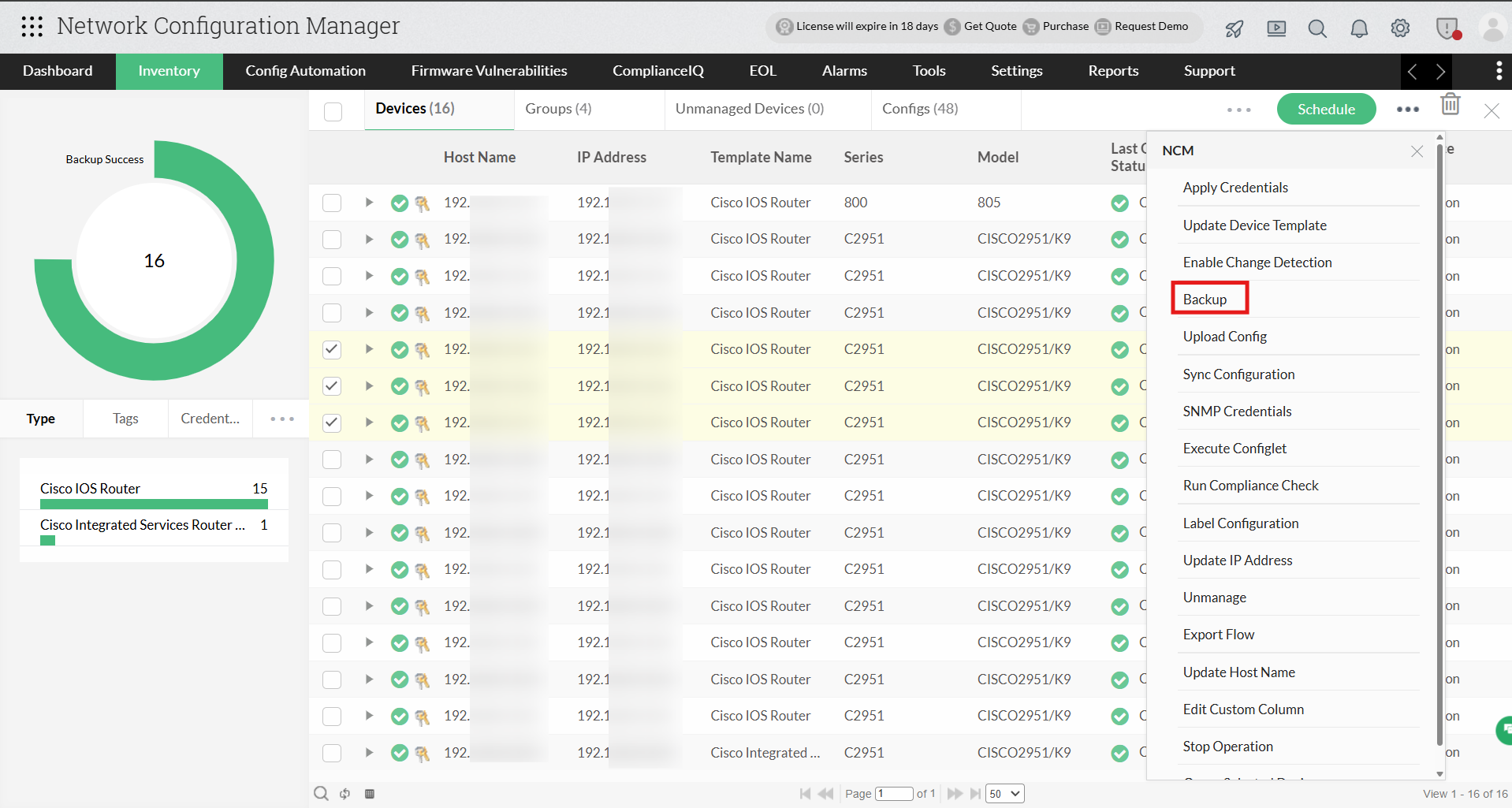
Instant backups when you need them most
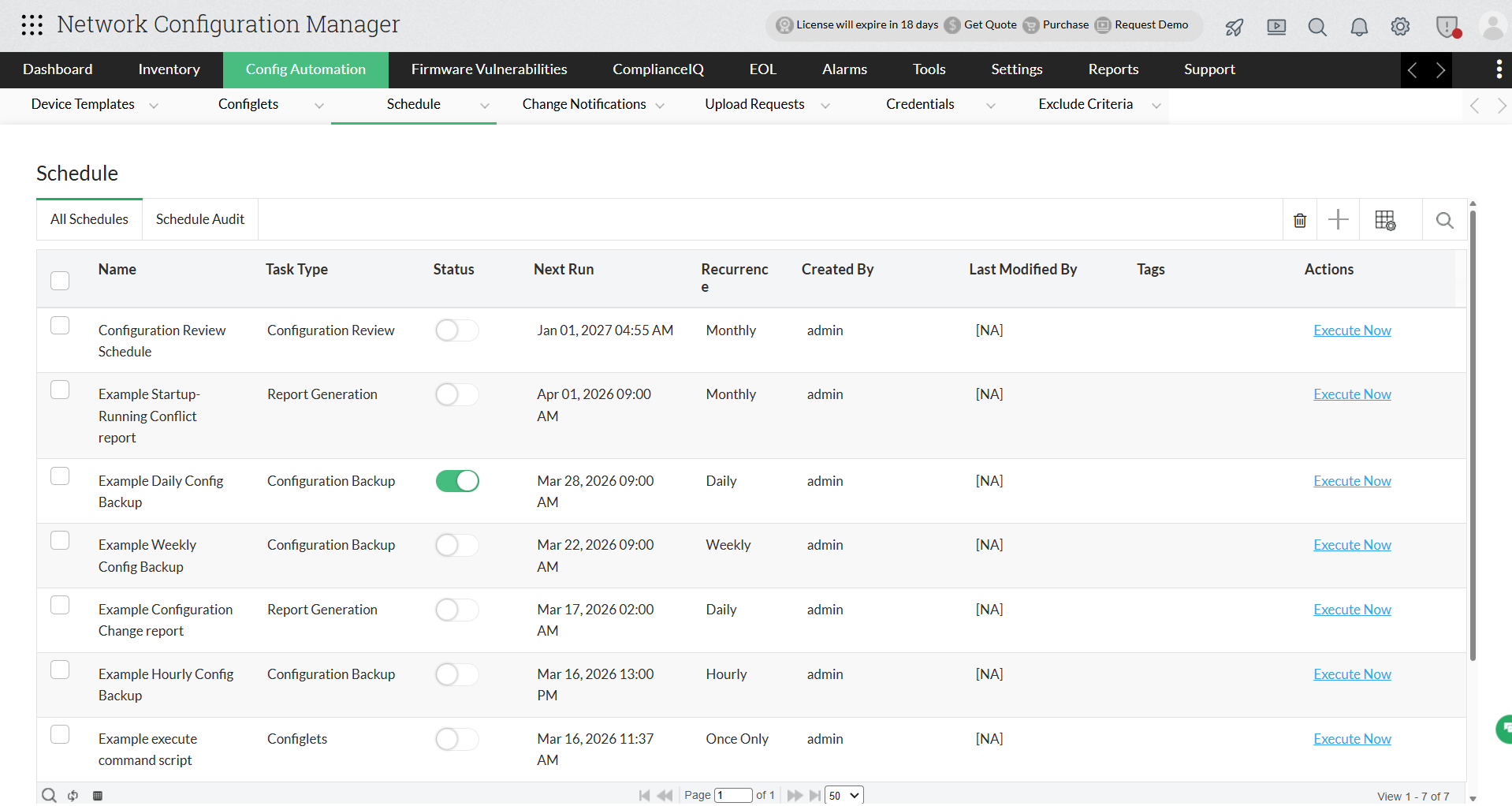
Scheduled backups for continuous protection
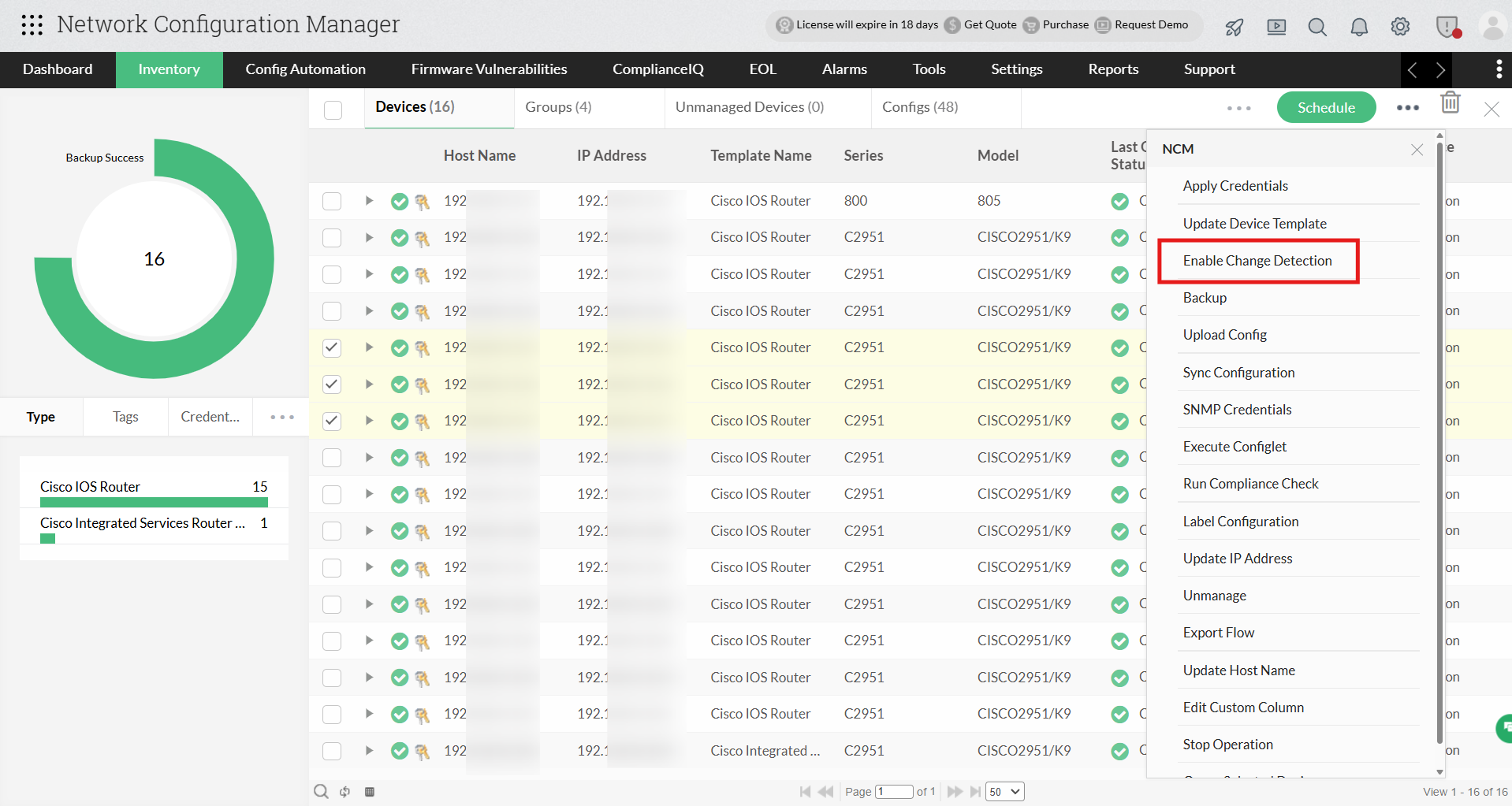
Automated change-based backups
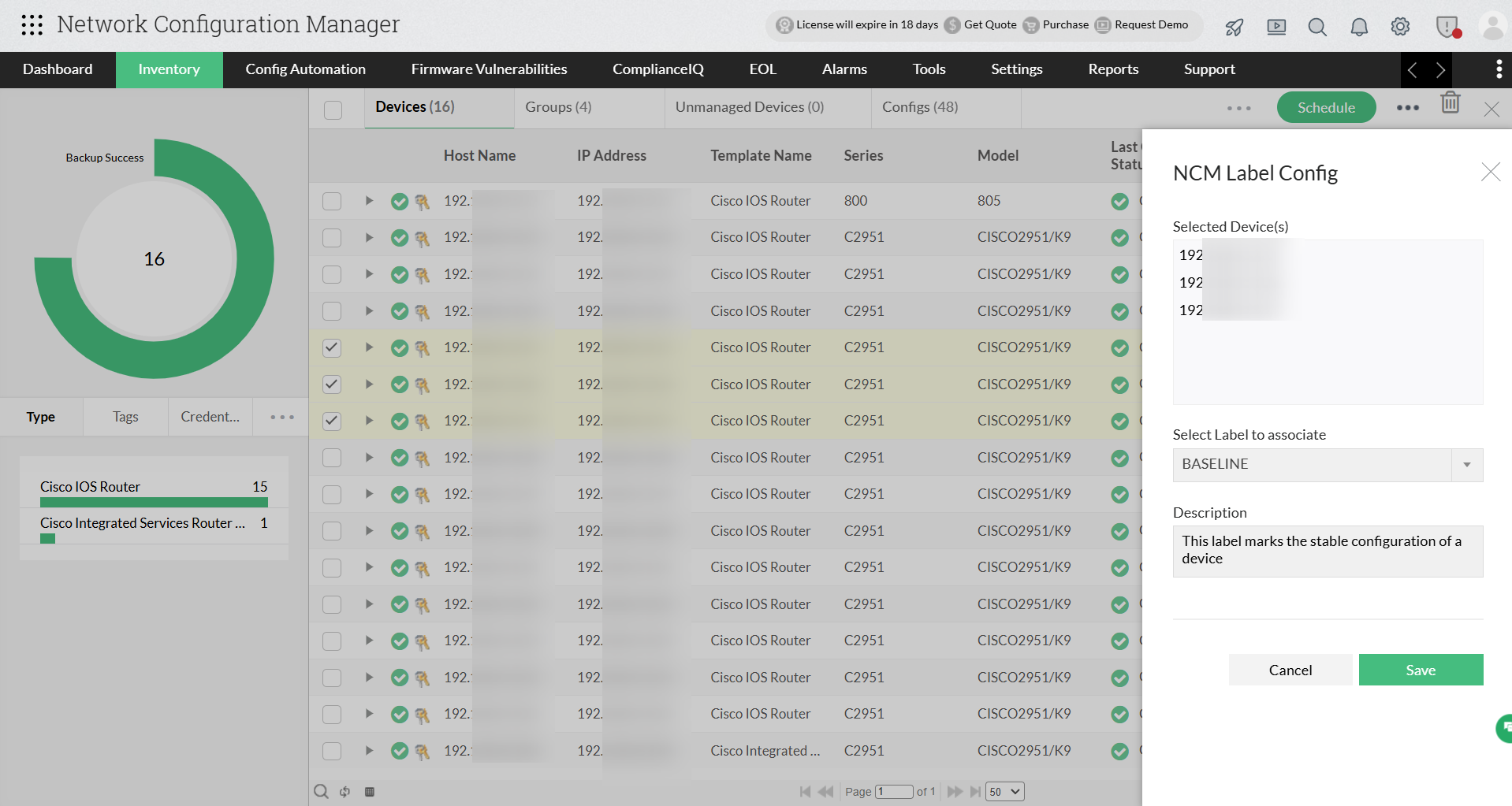
Label and deploy stable baseline configurations
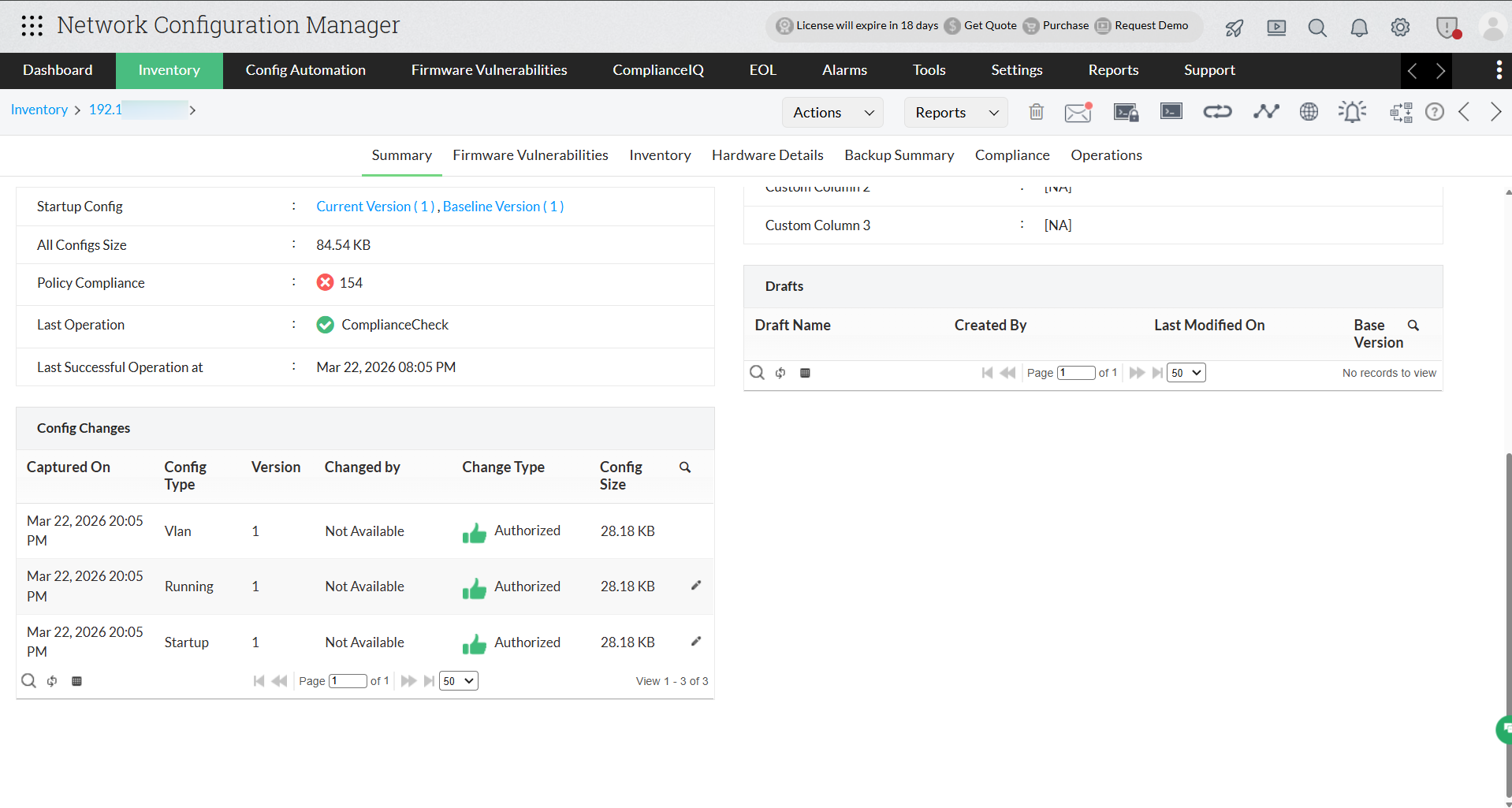
Centralized, encrypted repository for all backups
Ready to simplify your network backup management?
Imagine losing critical configurations in the middle of a busy workday. The scramble to recover, the mounting downtime costs, and the looming compliance risks can cripple operations faster than you think. The solution is a network backup strategy that never fails you.
ManageEngine Network Configuration Manager brings together instant recovery, automated scheduling, secure storage, and multi-vendor support to make backups effortless and foolproof.
Don’t wait for the next outage to test your resilience. Try Network Configuration Manager free for 30 days and see how easy it is to back up, restore, and safeguard your configurations. Ready to see it in action? Book your personalized demo today.
FAQs on network backup software
What is the golden backup rule?
+
Which one is the best backup software?
+
What would be the most suitable storage device for backing up a company network?
+