Network configuration is the foundation of efficient and secure communication between devices. Whether it's a small office network or a large-scale enterprise infrastructure, proper network configuration ensures seamless data flow, reduces downtime, improves security, and enhances performance.
But what exactly is network configuration, and why does it matter so much? This guide explores
Network configuration is the process of defining, managing, and maintaining the settings of network devices such as routers, switches, firewalls, and access points to ensure seamless communication and security. It involves assigning IP addresses, setting up routing protocols, configuring security policies, and automating configuration updates and backups.
A properly configured network enhances security, efficiency, and compliance, preventing downtime and vulnerabilities caused by misconfigurations. In today's IT environments, where networks span cloud, on-premises, and hybrid infrastructures, automated network configuration management has become essential to keep pace with evolving security threats and operational demands.
Why is network configuration important?
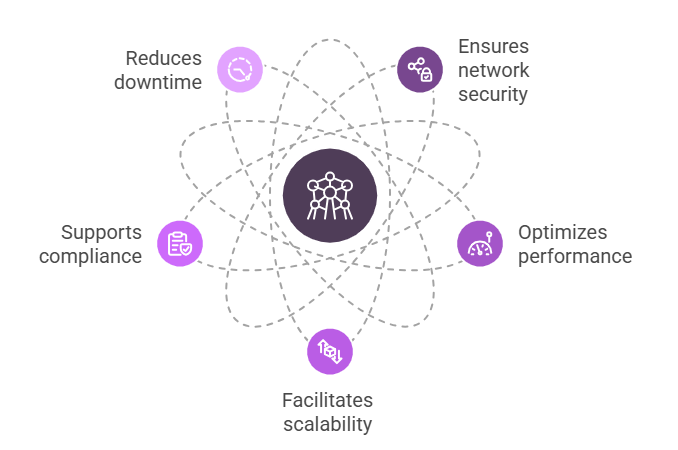
A misconfigured network can lead to performance issues, security breaches, and compliance violations. Here’s why network configuration is critical:
Ensures network security: Proper configuration prevents unauthorized access, data breaches, and cyber threats. Firewalls, access control lists (ACLs), and encryption settings must be precisely configured.
Optimizes performance: Efficiently configured routing and switching improve bandwidth utilization, reducing latency and congestion.
Ensures network security: Proper configuration prevents unauthorized access, data breaches, and cyber threats. Firewalls, access control lists (ACLs), and encryption settings must be precisely configured.
Facilitates scalability: As organizations expand, networks must be reconfigured to support new devices, users, and workloads.
Supports compliance: Industry regulations (e.g., CIS, NIST, HIPAA) mandate secure configurations. A well-maintained network prevents compliance violations.
Reduces downtime: Configuration backups and automated rollbacks minimize disruptions caused by accidental or malicious changes.
Key areas of network configuration and how to manage them
A well-structured network configuration relies on multiple interconnected elements to ensure security, efficiency, and reliability. Let’s break them down:
Discovering and managing network devices
Before configuring a network, IT teams need visibility into all connected devices. Device discovery scans the network to detect and list all routers, switches, firewalls, and access points. A centralized device inventory helps admins:
Identify unauthorized or rogue devices
Ensure all devices have up-to-date configurations
Monitor device health and availability
Without proper network device and inventory management, tracking configuration changes and security risks becomes a challenge.
Tracking and managing configuration changes
One of the biggest risks in network configuration management is unauthorized or accidental configuration changes. Even a minor change in firewall rules or an incorrect access control setting can expose the network to cyber threats.
To prevent this, IT teams use change management solutions that:
Track real-time changes across all network devices
Send alerts for unauthorized modifications
Enable role-based access control (RBAC) to limit who can make changes
Log every configuration update for audit and compliance purposes
A strong change management strategy helps IT teams enforce consistency and quickly revert unintended changes.
Securing network firmware and patching vulnerabilities
Most cyberattacks exploit outdated firmware and unpatched vulnerabilities in network devices. Many organizations fail to update firmware regularly, leaving devices exposed to known security flaws.
Firmware vulnerability scans help identify outdated software versions.
Automated patching applies security fixes without manual intervention.
Security advisories provide insights into critical vulnerabilities affecting network devices.
By keeping firmware updated, IT teams can prevent zero-day attacks and security breaches.
Enforcing compliance with policy management and audits
Industry regulations like CIS, NIST, and HIPAA mandate strict security configurations to protect sensitive data. Non-compliance can result in hefty fines, security risks, and legal consequences. Policy management and compliance auditing help organizations:
Enforce standardized security policies across all devices
Continuously audit configurations against compliance benchmarks
Generate compliance reports for regulatory assessments
Detect policy violations and automatically remediate misconfigurations
Without compliance enforcement, networks remain vulnerable to unauthorized access, data leaks, and cyberattacks.
Automating network configuration tasks
Manually configuring network devices is time-consuming and prone to errors. Automation eliminates repetitive tasks, reduces human errors, and improves efficiency.
Bulk configuration updates allow admins to push changes across hundreds of devices simultaneously.
Automated rollback mechanisms restore previous configurations if an update causes an issue.
Self-healing networks apply predefined rules to fix misconfigurations instantly.
By integrating automation into network configuration management, IT teams can focus on strategic tasks instead of troubleshooting avoidable issues.
More on network configurations:
Detailed network protocol configuration
Network configuration involves meticulous setup of various protocols. For example, TCP/IP, the backbone of internet communication, requires precise IP addressing, subnet masking, and gateway configurations. In Cisco routers, this can be achieved using the ip address command, while ensuring proper routing with commands like ip route.
DNS configuration, essential for domain name resolution, involves setting up forwarders and zones. Understanding DHCP server configurations, including scope options and lease times, is critical for dynamic IP address assignment.
For security, configuring Access Control Lists (ACLs) on routers and firewalls requires a deep understanding of traffic patterns and security policies. Example: access-list 101 permit TCP any host 192.168.1.1 eq 80 to allow HTTP traffic to a specific server.
Modern networking includes software defined networking. SDN configuration through controllers and API's is also a large part of modern network configuration.
Securing your network configurations
Implement strong access control policies using Role-Based Access Control (RBAC) to limit who can make configuration changes.
Regularly update firmware and patch vulnerabilities to prevent zero-day attacks.
Use network segmentation and firewalls to isolate sensitive data and prevent lateral movement.
Encrypt network traffic using protocols like HTTPS and VPNs.
Implement a zero trust network configuration.
Network configuration as code
Network configuration as code, or infrastructure as code (IaC) is a method of managing and provisioning network infrastructure through machine-readable definition files, rather than physical hardware configuration or interactive1 configuration tools.
Tools such as Terraform, Ansible, and Puppet are used to automate network configuration.
Benefits of network configuration as code include increased speed, reduced errors, and better version control.
Challenges in network configuration
Even with best practices, network misconfigurations remain a major risk. Common challenges include:
Manual errors: A single misconfiguration can cause network downtime or security breaches.
Lack of visibility: Monitoring changes across multiple devices is complex without centralized management.
Compliance risks: Regulations require strict security configurations that must be continuously enforced.
Inconsistent policies: Large networks often have outdated or conflicting settings.
How to automate network configurations?
To overcome the complexities of managing network configurations manually, organizations must adopt automation-driven solutions that enhance efficiency, security, and compliance.
Eliminating manual backups: Automates configuration backups and restores to prevent data loss.
Providing real-time visibility: Tracks changes across all devices and alerts admins to unauthorized modifications.
Enforcing security and compliance: Continuously audits configurations and applies fixes to meet regulatory standards.
Streamlining bulk updates: Enables centralized deployment of configuration changes across multiple devices.
Detect and secure your enterprise network from firmware vulnerabilities by viewing links related to CVE IDs, and automate firmware patch fixing across your distributed network.
Upload multiple configurations at the same time and reduce manual workload.
With ManageEngine Network Configuration Manager, IT teams can reduce misconfigurations, improve security, and ensure compliance effortlessly. Want to learn more about this? Schedule a free personalized demo with our product experts or avail a free 30-day trial to get started today!
FAQs - Network Configuration
Prioritize security with strong passwords and firewalls. Regularly back up configurations to prevent data loss and minimize downtime. Simplify management by standardizing device configurations and using automation tools where possible.
Utilize AWS CloudFormation for infrastructure as code, automating the setup of VPCs, subnets, and security groups. Employ AWS Systems Manager to automate configuration tasks across EC2 instances and other AWS resources.
These tools automate security policy enforcement, detect configuration drifts, and ensure compliance with industry standards like CIS and NIST. They provide real-time monitoring and alerting for unauthorized changes, reducing security risks and improving incident response.
Verify IP addressing and subnet settings, check VLAN assignments, and ensure proper routing and firewall rules are in place. Review logs for specific error messages to diagnose faster.
Glossary - Network configuration
ACL (Access Control List): A set of rules used to filter network traffic based on criteria like IP addresses and ports, controlling access to network resources.
RBAC (Role-Based Access Control): A method of restricting network access based on user roles, ensuring only authorized personnel can make configuration changes.
RFC (Request for Comments): A formal document from the Internet Engineering Task Force (IETF) that specifies standards, protocols, and best practices for the internet.
SDN (Software-Defined Networking): A network architecture that separates the control plane from the data plane, enabling centralized and programmable network management.
VPC (Virtual Private Cloud): A virtual network within a cloud environment, providing isolated and configurable network resources for cloud-based applications.