Executing Workflows

OpManager's IT workflow automation allows you to automate repetitive tasks and processes efficiently. By leveraging a simple drag-and-drop interface, you can easily create a workflow tailored to your specific needs and configure the criteria for its execution. This documentation will guide you through the steps to execute a workflow in OpManager.
To execute a workflow
Before executing a workflow, ensure that you have associated the workflow to the respective devices.
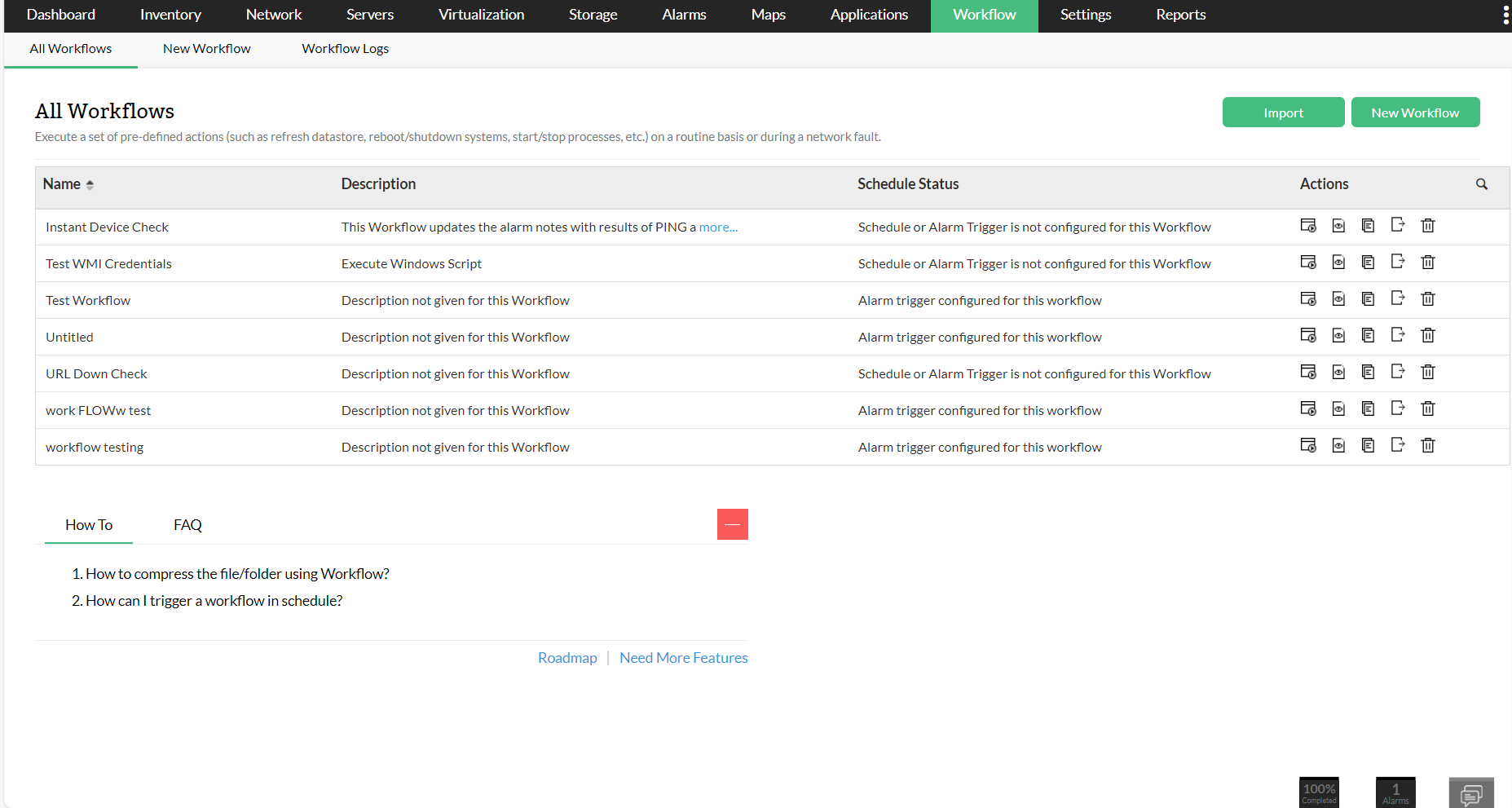
- Click on the Workflow tab. Here, all the created workflows will be listed.
Click against the "Execute" icon on the respective workflow, and then select the devices in which the workflows must be executed.
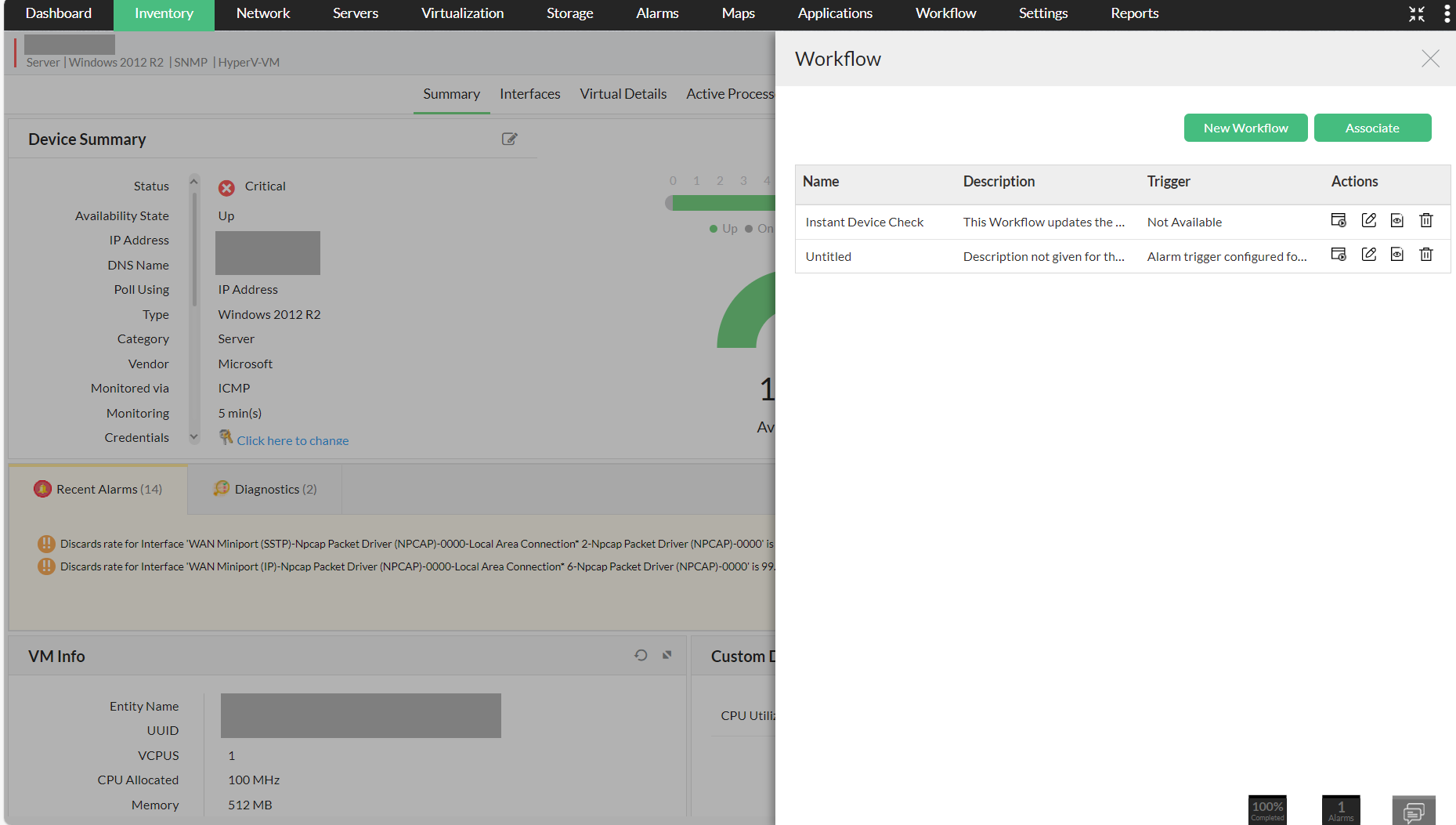
There is also an option to execute the workflow from the respective device's snapshot page. Go to the Device snapshot page, and then click on the "Workflow" icon at the top-right corner of the page, and then click on the "Execute" option of the respective workflow.
How can I run a PowerShell script using Execute Windows Script task in Workflow?
Go to Workflow > New Workflow > External Actions > Execute Windows Script.
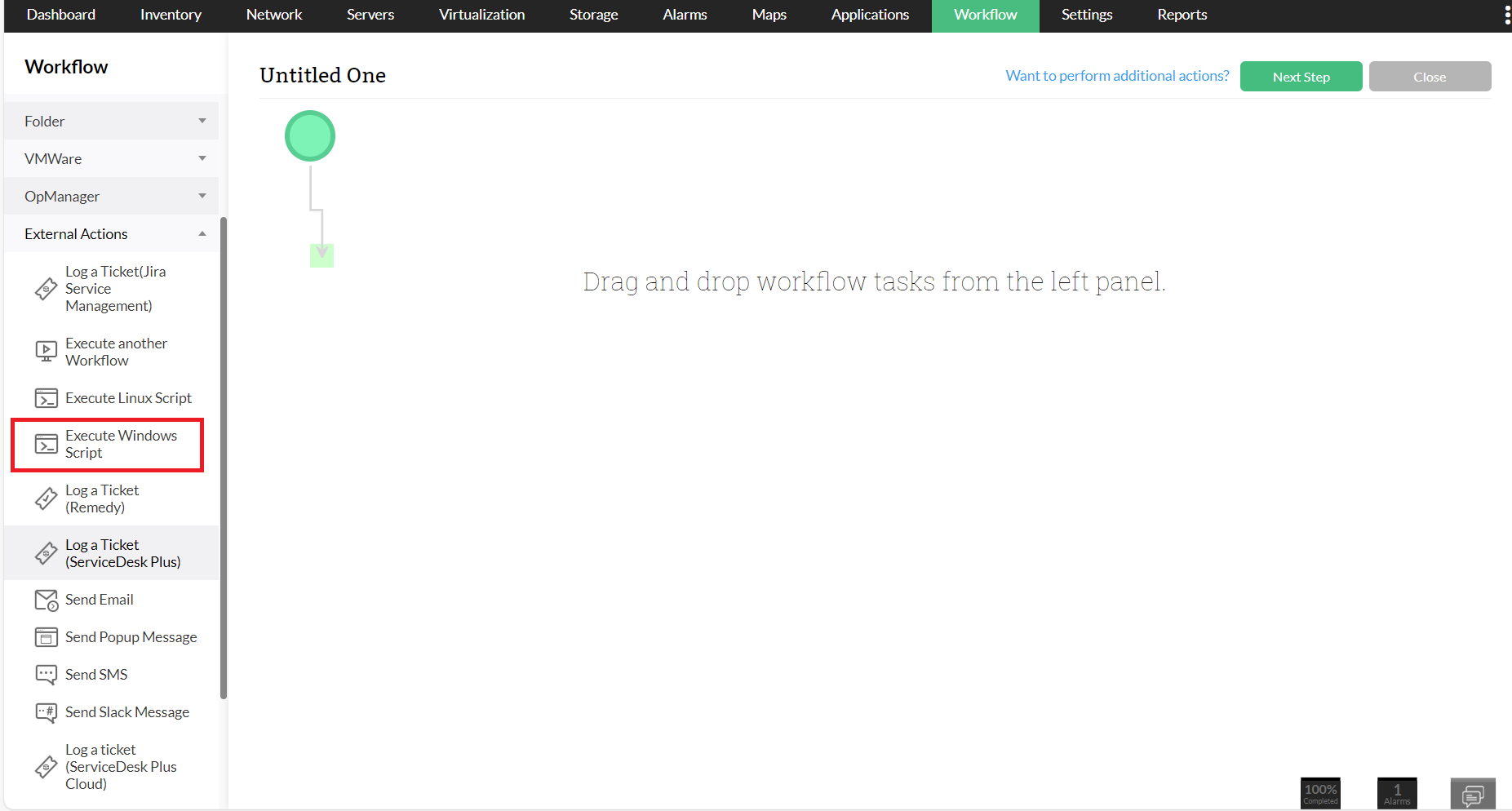
- Drag and drop the Execute Windows Script action into the workspace. In the pop-up, configure the Name, Destination Device and Command Line.
In Script Body, enter the PowerShell script shown below:
Set objShell = CreateObject("Wscript.Shell")
objShell.Run("powershell.exe -noexit c:\scripts\test.ps1")
- Click OK.
To gain in-depth insights into OpManager's automated workflows, explore the following help documents.