Integrating OpManager with SIEM
OpManager integrates with SIEM tools to forward critical network events, audits, access logs, and alerts in real-time to the SIEM platform, where they are pushed as syslogs. This integration enables OpManager to function as a centralized solution that collects, analyses, and correlates the security and event data to detect threats, support incident response and maintain network reliability.
Configure OpManager - SIEM integration
This integration allow OpManager to integrate with SIEM tool for better security event monitoring. Follow the steps below to set up and configure the integration.
- Steps to integrate OpManager with SIEM
- Configure Notification Profiles
- Configuring Notification Templates
Steps to integrate OpManager with SIEM :
- Go to Settings → General Settings → Integrations → SIEM.
- Click Configure.
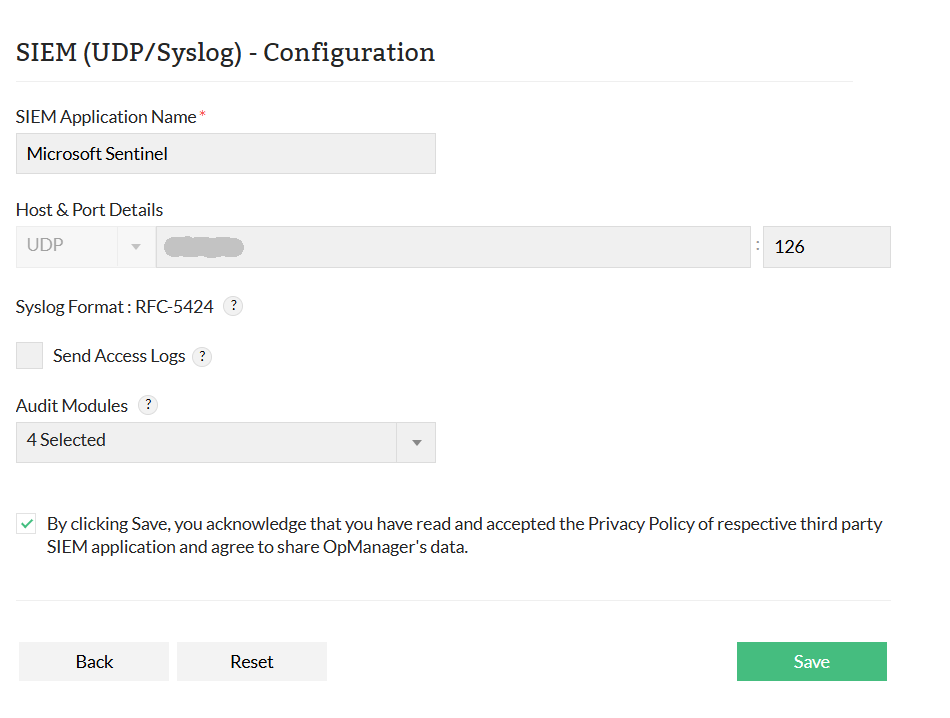
- Enter SIEM Application Name.
- Enter the Host and Port details, including the Hostname/IP Address and Port Number.
- Note: The syslogs format RFC-5424 is used to forward data.
- Check the Send Access Logs checkbox to forward access log files to SIEM.
- Select the required audit modules to forward their logs to SIEM.
- Accept SIEM’s privacy policy and click Save to complete the integration with OpManager.
Note:
- UDP/syslog protocol is used for forwarding the logs.
- Ensure the third-party SIEM tool is configured to listen on the specified UDP port
Configuring Notification profile
You can set up a notification profile to forward alarms to your SIEM platform automatically, based on defined criteria.
Follow the steps to configure:
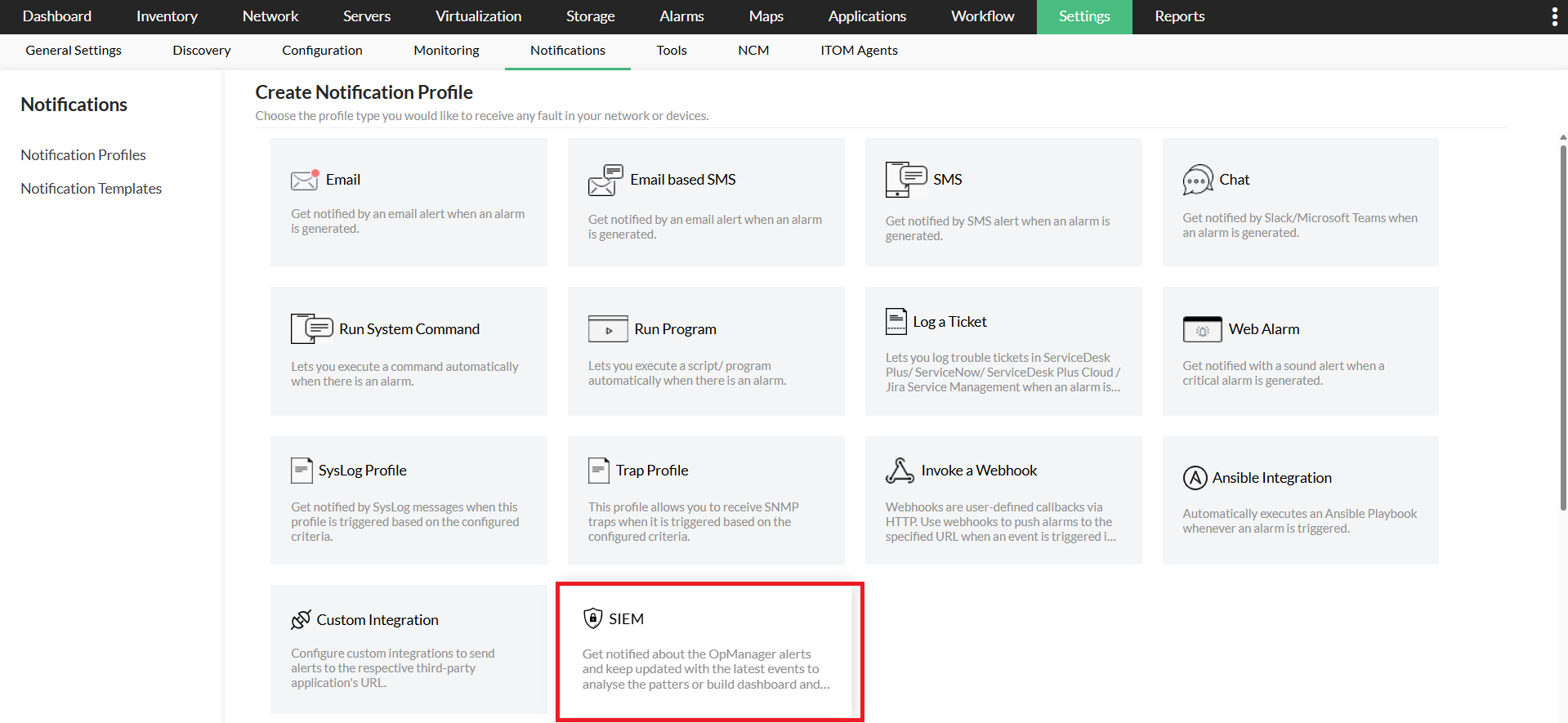
- Go to Settings -> Notifications-> Notification profiles
- Click Add on the top right corner to add a new notification profile, and select on SIEM -> SIEM(UDP/Syslog)
- Provide inputs for the required parameters, such as Format, Severity, Facility, Description, and variables.
- If you enable the Structured message option, provide the required inputs as key value pair.
- You can use the Test Action option to send a sample syslog message to the configured host and port to verify the configuration.
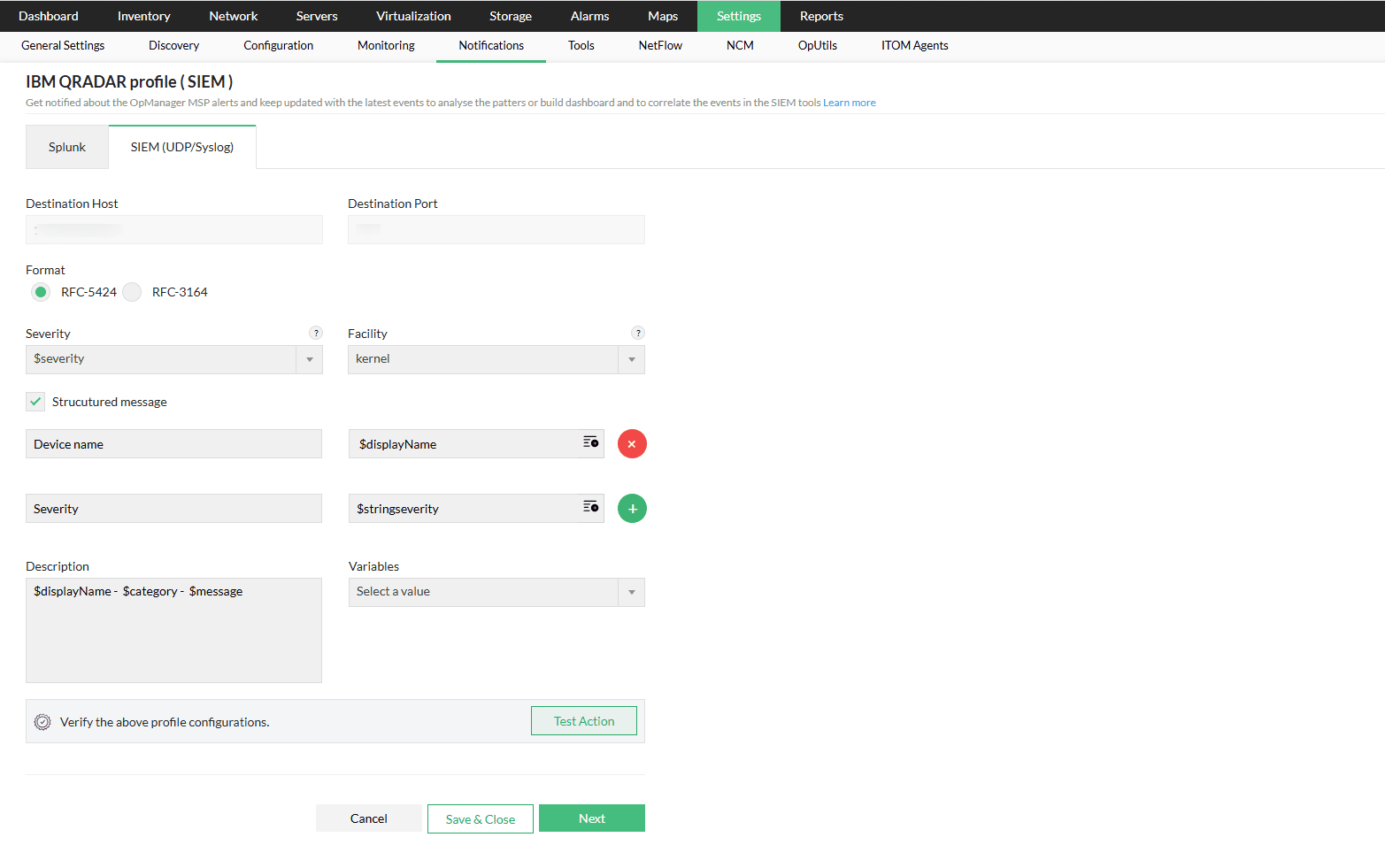
- Click Next to select the criteria,device, and configuration time window.
- Click Save
Configuring Notification Templates
You can create notification templates in OpManager to define how alerts are sent, when alarms are triggered and use them in alarm correlation rules to get notified when specific patterns of events occur.
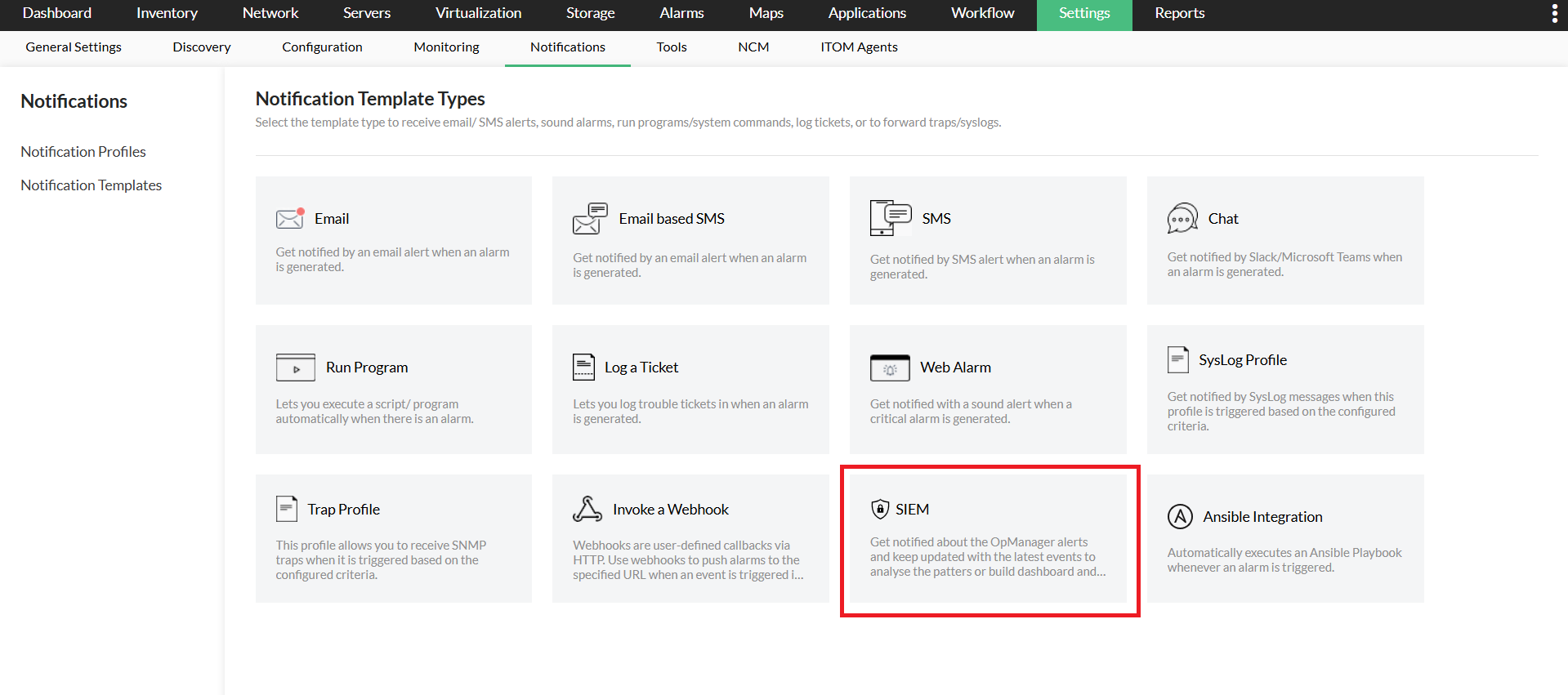
- Go to Settings -> Notifications-> Notification templates
- Click on Add -> SIEM -> SIEM(UDP/Syslog) to create a notification template.
- Enter the required parameters, including Template Name, Format, Severity, Facility, Description, and relevant Variables.
- If you enable the Structured Message option, make sure to provide the required key-value pair inputs.
- To verify the template, click on Test Action.
- Click on Save.