Support
 
Phone Get Quote
 
Support
 
US: +1 888 720 9500
US: +1 888 791 1189
Intl: +1 925 924 9500
Aus: +1 800 631 268
UK: 0800 028 6590
CN: +86 400 660 8680

Direct Inward Dialing: +1 408 916 9892

Service Pack

Service pack installation for ADAudit Plus

Update Path Finder


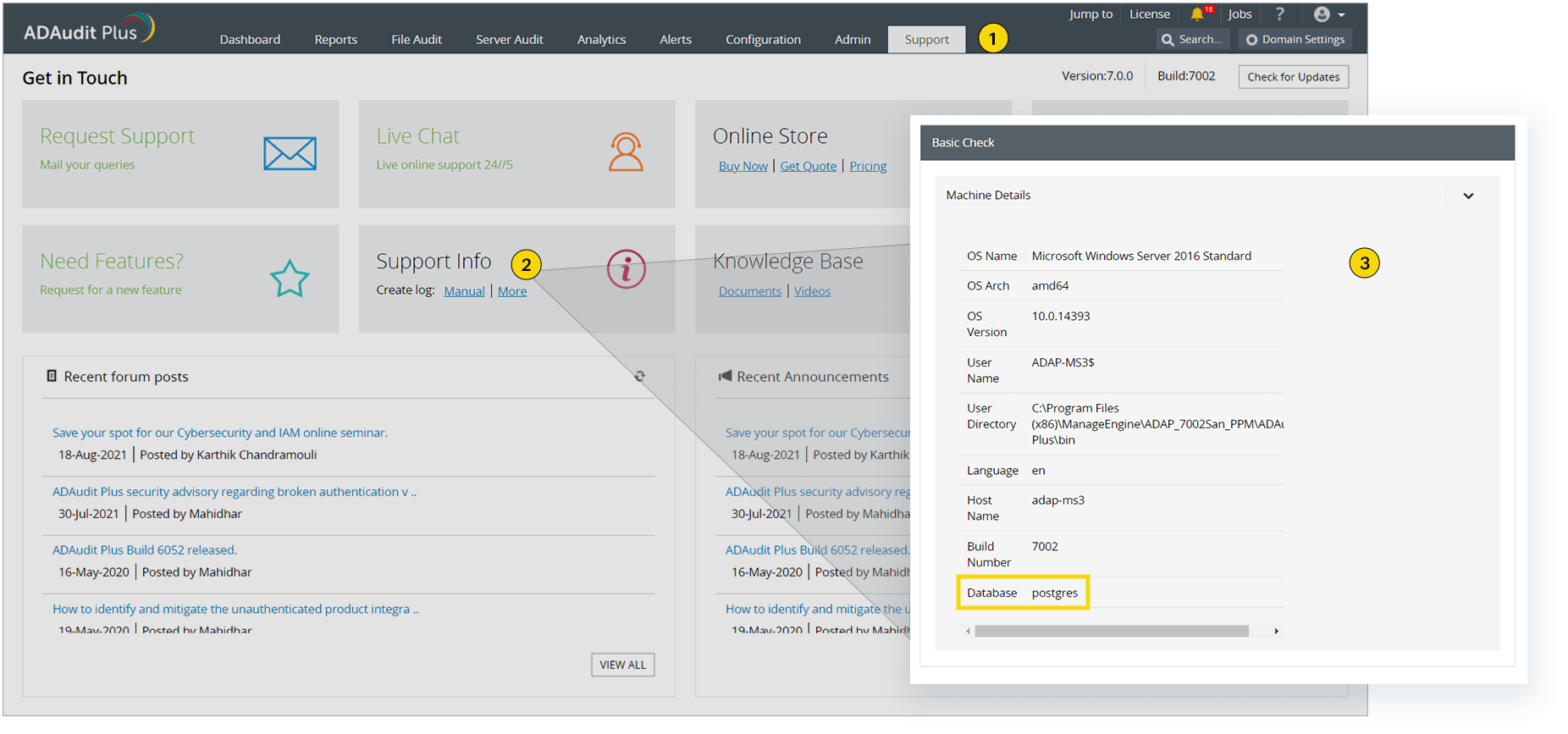
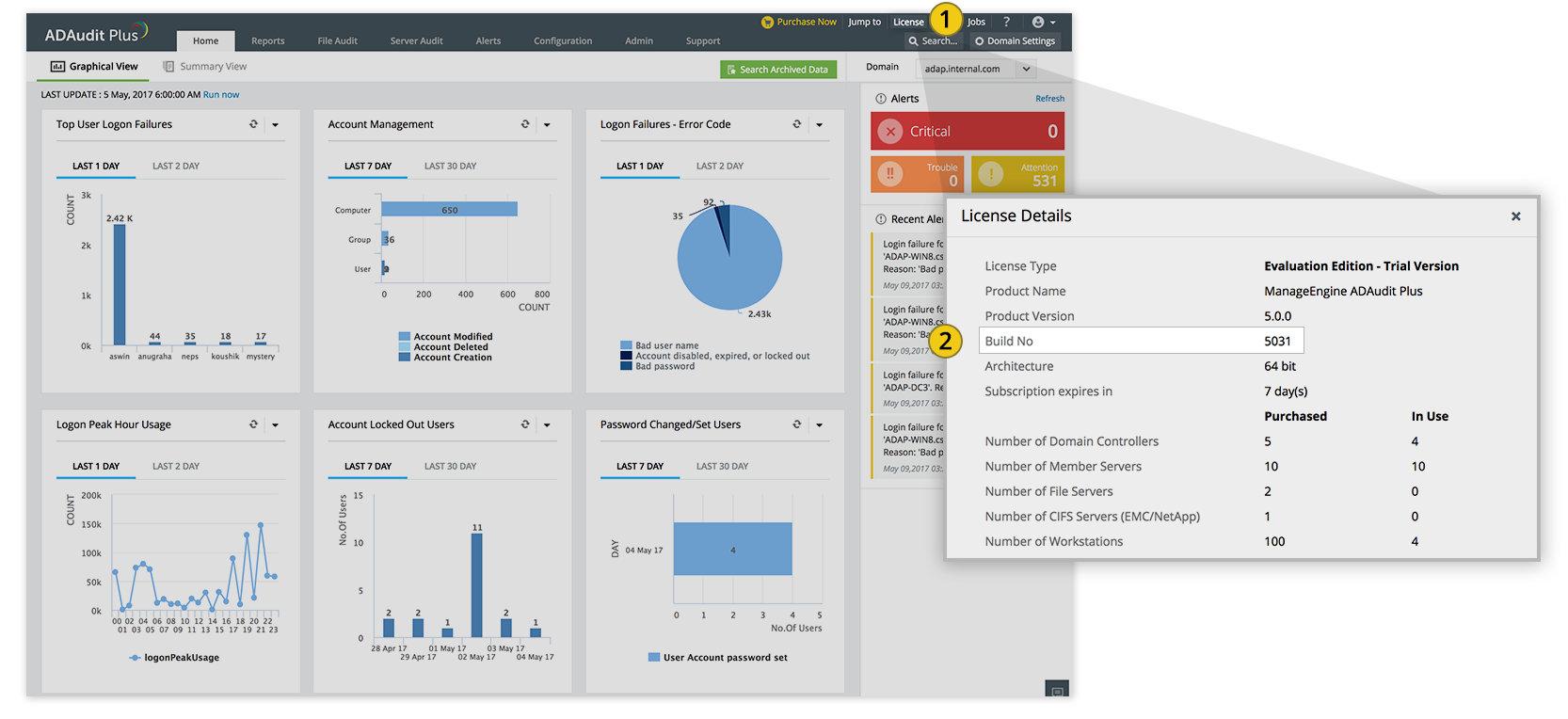
How do I find my current build number?

Important: We recommend users move to the latest version, ADAudit Plus 8.7 build 8710 (released in Jul 2026). We also recommend that you back up the existing ADAudit Plus installation before upgrading as this helps prevent accidental loss of data. Depending on your current build number, you may need to apply a series of service packs before you can upgrade to the latest build. If you have to install more than one service pack, exit the Update Manager after every installation. Steps to apply the service pack

Service packs

If your build number is Update to build number SHA256 Checksum hash value
8701 to 8703
8710Latest
Readme
Download
7C3A3A0B1ADEDB420318DAB61F9F258635BA5E5BE01ACC040F5F17A1CCC57079
8500 to 8700
66E018965516DBFB562CCBABDA736F9F254EC7F6B320771422E9E913EC009A7A
7260 to 8124
55357B848FB53A2A7AF839C65C387793972CA547B234ABAB2EEF94A2981B3231
7000 to 7251
38408ADFAA2F50C7541CDB8C7F9B425BCCCC5FD5431145A6501329FDDC3780C4
6000 to 6077
f20cfaf11b671e2b314b3e8ca94108e5bc913e1e13cae8a8004edfd64e34b75d
5100 to 5121
c81bdf2f4b828b2c68b5241f235f9dfddebbe537eef33bb84c2393983b77bd99

Service pack installation steps

How do I find my database type?
  1. Stop the ADAudit Plus server (Start > Run. Type services.msc and stop ManageEngine ADAudit Plus).

  2. Back up the existing ADAudit Plus installation by following any one of the three methods given below:

    • Take a snapshot of the computer on which ADAudit Plus is installed.

    • Zip the entire product installation folder, i.e.: <Installation_folder>\ManageEngine\ADAudit Plus

    • Make a backup of the database: Go to <Installation_folder>\ManageEngine\ADAudit Plus\bin and execute backupDB.bat in the Command Prompt.

  1. Go to <Installation_folder>\ManageEngine\ADAudit Plus\bin, open the Command Prompt using Run as administrator, and then execute UpdateManager.bat.

  2. Click Browse and select the downloaded PPM file.

  3. Click Install to start the installation process. If you are upgrading to version 7051 or above, the Import Certificate dialog box appears as shown below:
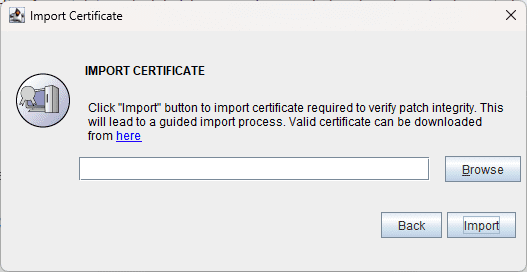
    ADAudit Plus Import Certificate dialog
    • If you are applying the service pack to upgrade to build 7260, click here to download the certificate.
    • If you are applying the service pack to upgrade to build 7270 or above, click here to download the certificate.
  4. Click Browse and locate the certificate.
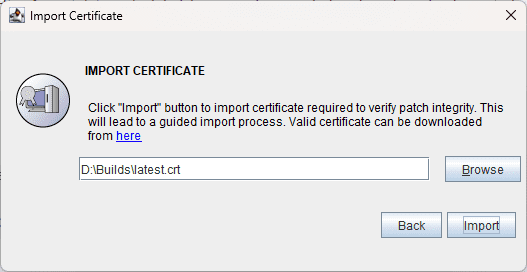
    ADAudit Plus Import Certificate dialog
  5. Click Import. Follow the on-screen instructions and continue the upgrade process.
ADAudit Plus Trusted By