Schedule demo
 
 
 Schedule demo

Modern Application Stacks Require AI-Driven Monitoring

Leverage Applications Manager's AIOps capabilities to detect anomalies proactively, cut MTTR, and drive faster remediation.

Feature screenshot 6

Overview

Applications Manager uses AI and machine learning to analyze large volumes of operational data across infrastructure, applications, services, databases, and cloud environments. With Applications Manager, enterprise IT teams can shift from reactive to proactive, anticipating potential issues before they impact end users.

Generative AI features

Integration with a GenAI LLM is a prerequisite to activate the following AI features.

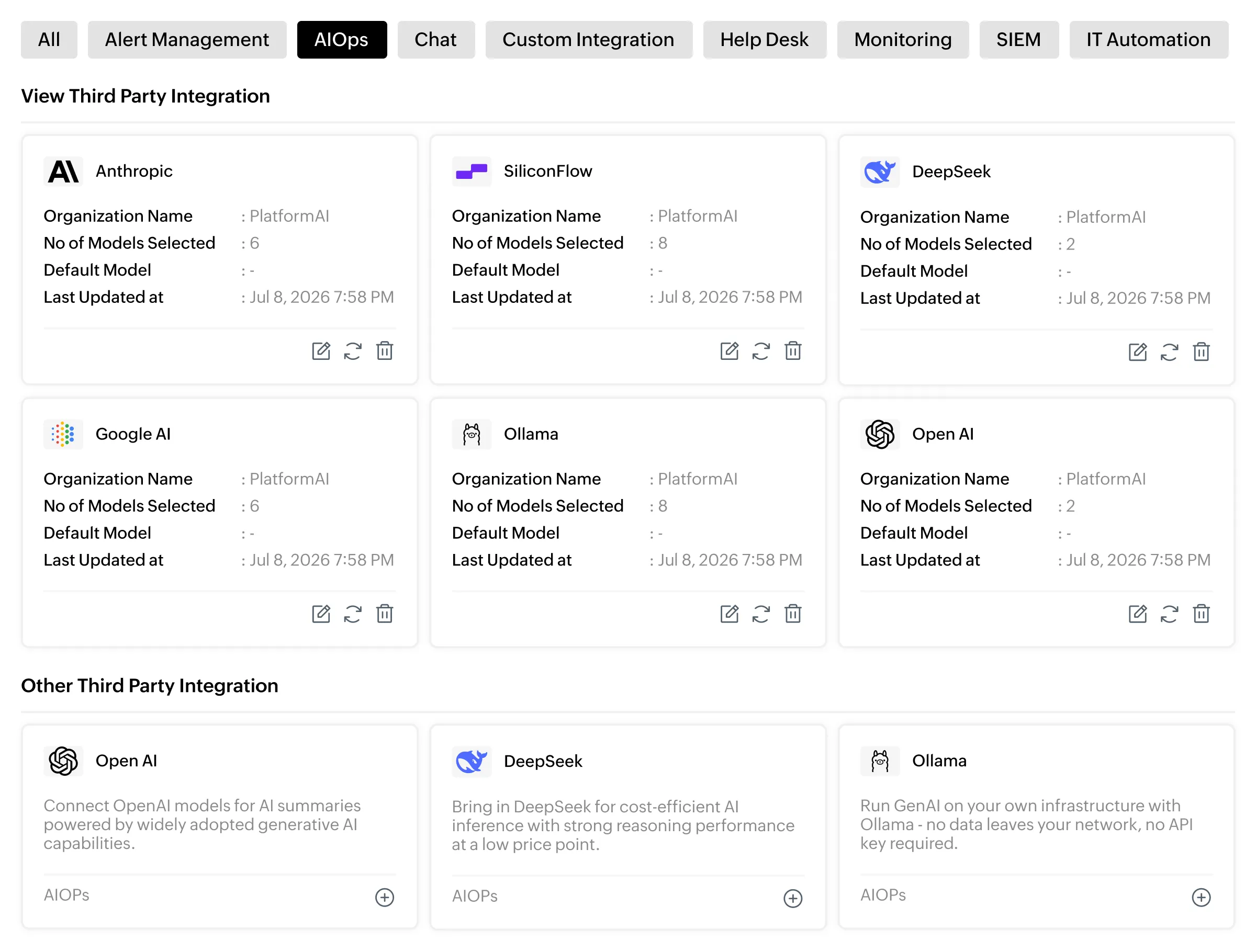
Integrate with the LLM of your choice

  • Seamlessly integrate your preferred LLM and Applications Manager starts turning raw monitoring data into plain-language summaries, helping you accelerate troubleshooting.
  • Supports 38 languages and gives you the flexibility to switch models on the fly — across all GenAI-powered features in Applications Manager.
  • Configure alert rules with granular aggregates, threshold timelines, and rearm values to keep every alert precise and actionable.

Keep all monitoring data within your own servers

To ensure data doesn't leave your environment a full local LLM integration via Ollama is available. Built for teams in regulated industries where data residency and vendor independence aren't optional.

Learn more
Feature screenshot 1

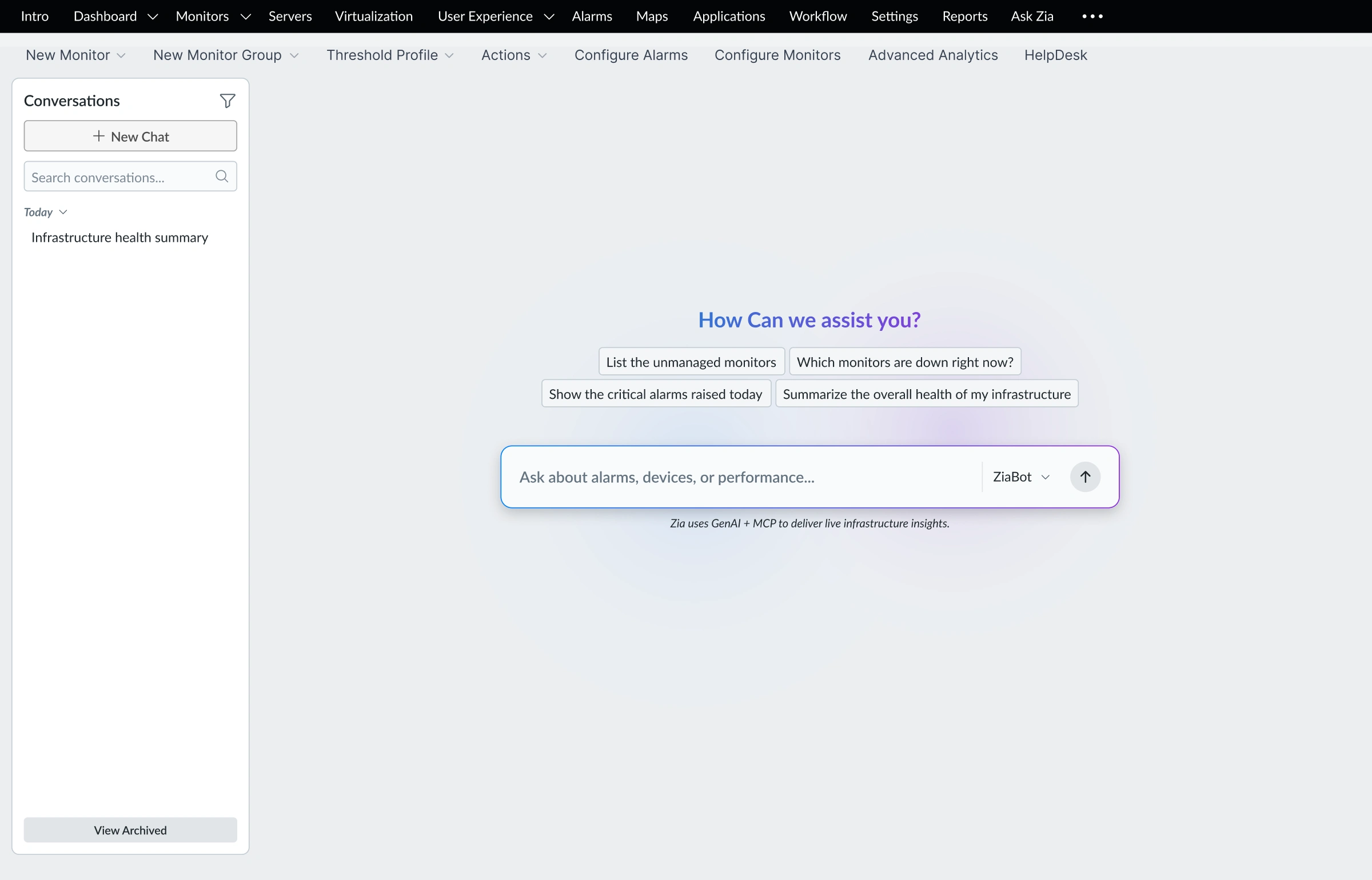
Ask Zia, your AI assistant powered by MCP

  • Applications Manager's MCP (Model Context Protocol) integration enables Zia to securely work with your live monitoring data—monitors, alarms, and metrics—making monitoring intelligence accessible to every team member, not just senior engineers who know the stack.
  • Ask questions about your application stack in plain language, such as: "What's down right now?", "Why is checkout slow?", "What's going to run out of space this month?", and get direct answers with recommended next steps.
  • Go deeper with built-in specialist agents, each one an expert in its own domain. Whether it's infrastructure, databases, or application performance, pick the agent that fits the job and get context-aware answers for that specific area.
Feature screenshot 2

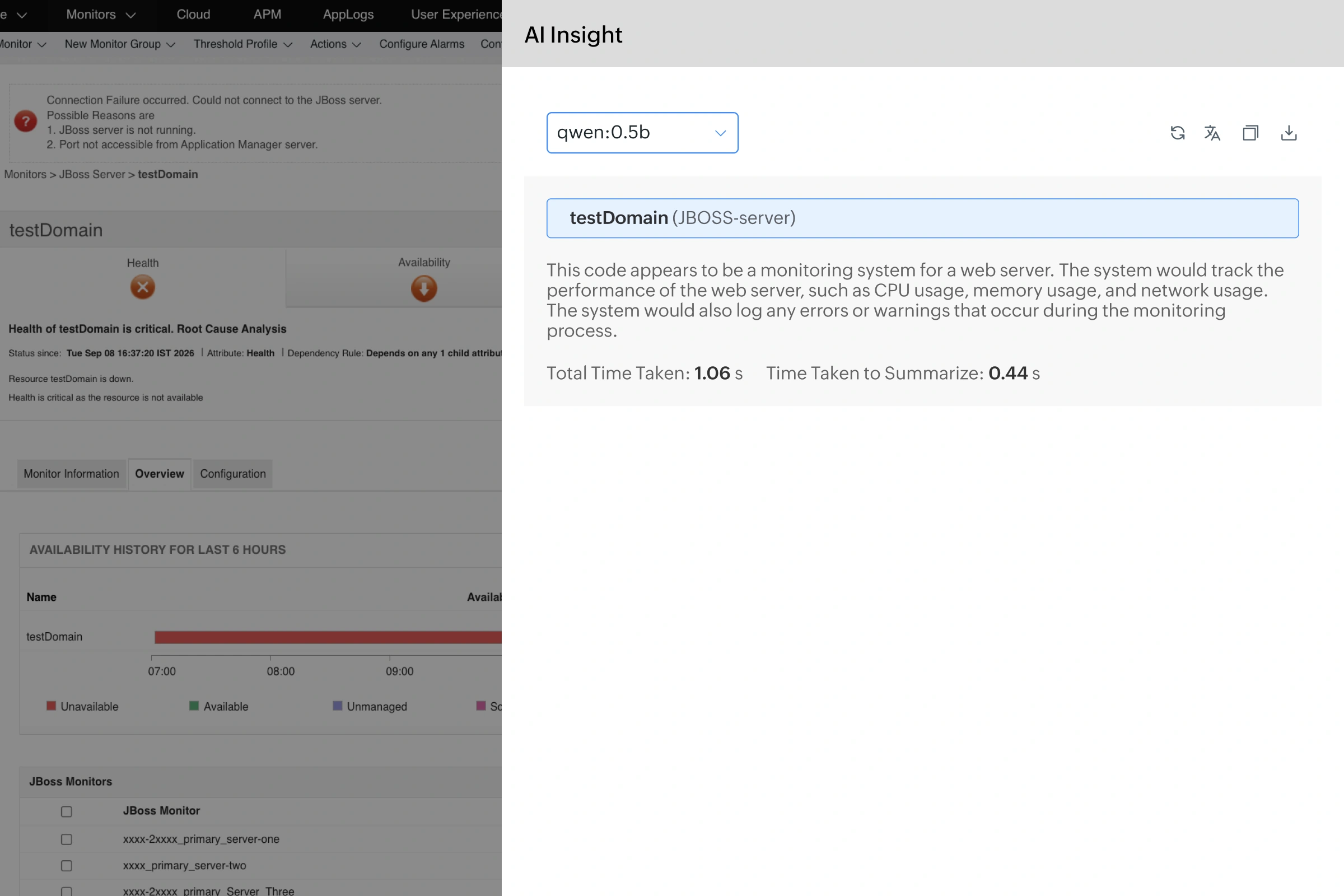
Leverage GenAI powered contextual insights

  • Get a structured AI-generated analysis of any monitor — on demand, from any monitor's detail page.
  • Goes beyond a plain summary by evaluating configured thresholds and active alarms alongside recent metric data, so you get a complete picture of current health and risk.
  • The AI Insight panel delivers a health summary, active alarm correlation, operational risk assessment, probable root cause, and prioritized actions — all in one view.
Learn more
Feature screenshot 3

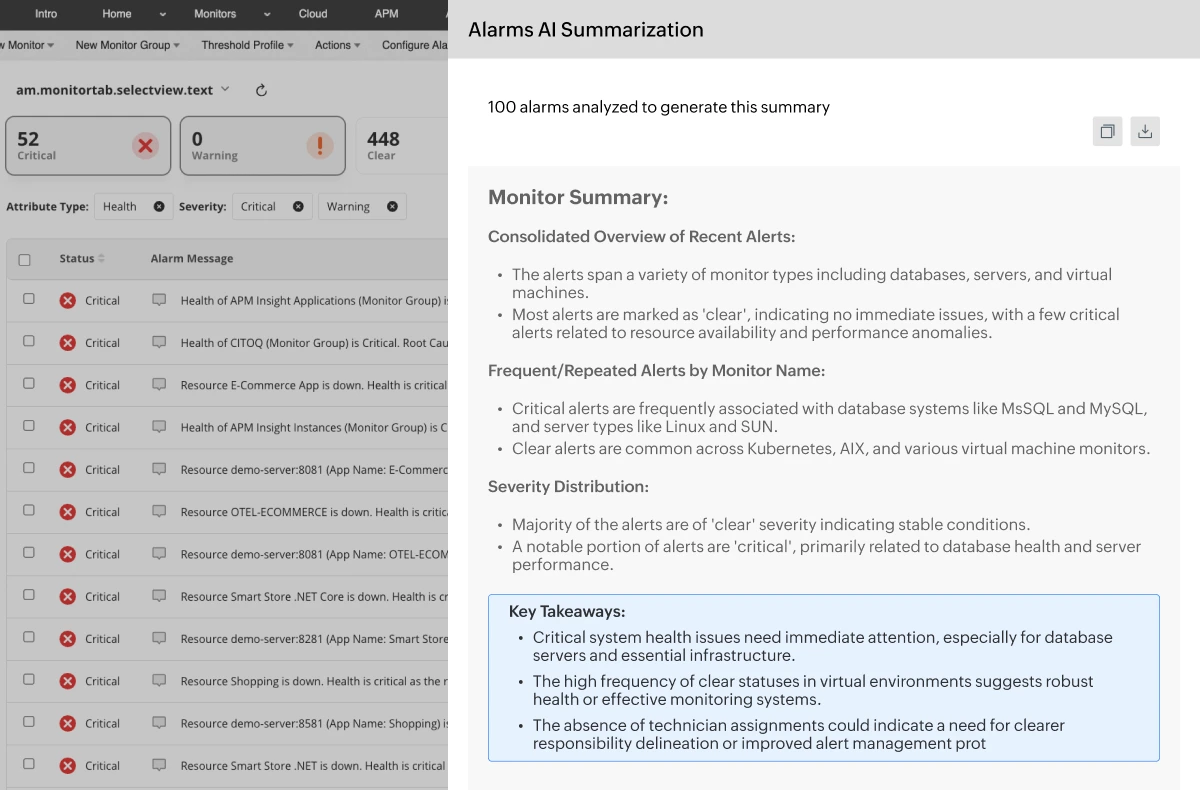
Reduce alert fatigue with AI Alarms Summary

  • When hundreds of alarms fire at once, AI Alarms Summary analyzes them together—across applications, servers, databases, and infrastructure—and tells you where the problem actually started.
  • Related alarms are automatically grouped and correlated, so your on-call engineer sees a coherent incident story instead of an overwhelming list. No more dashboard-hopping under pressure.
  • Recurring failures, time-based anomalies, and patterns you'd only catch if you had time to dig through weeks of alarm history are flagged automatically, before they escalate into outages.
Learn more
Feature screenshot 4

Machine learning features

Works out of the box - no Gen AI integration required.

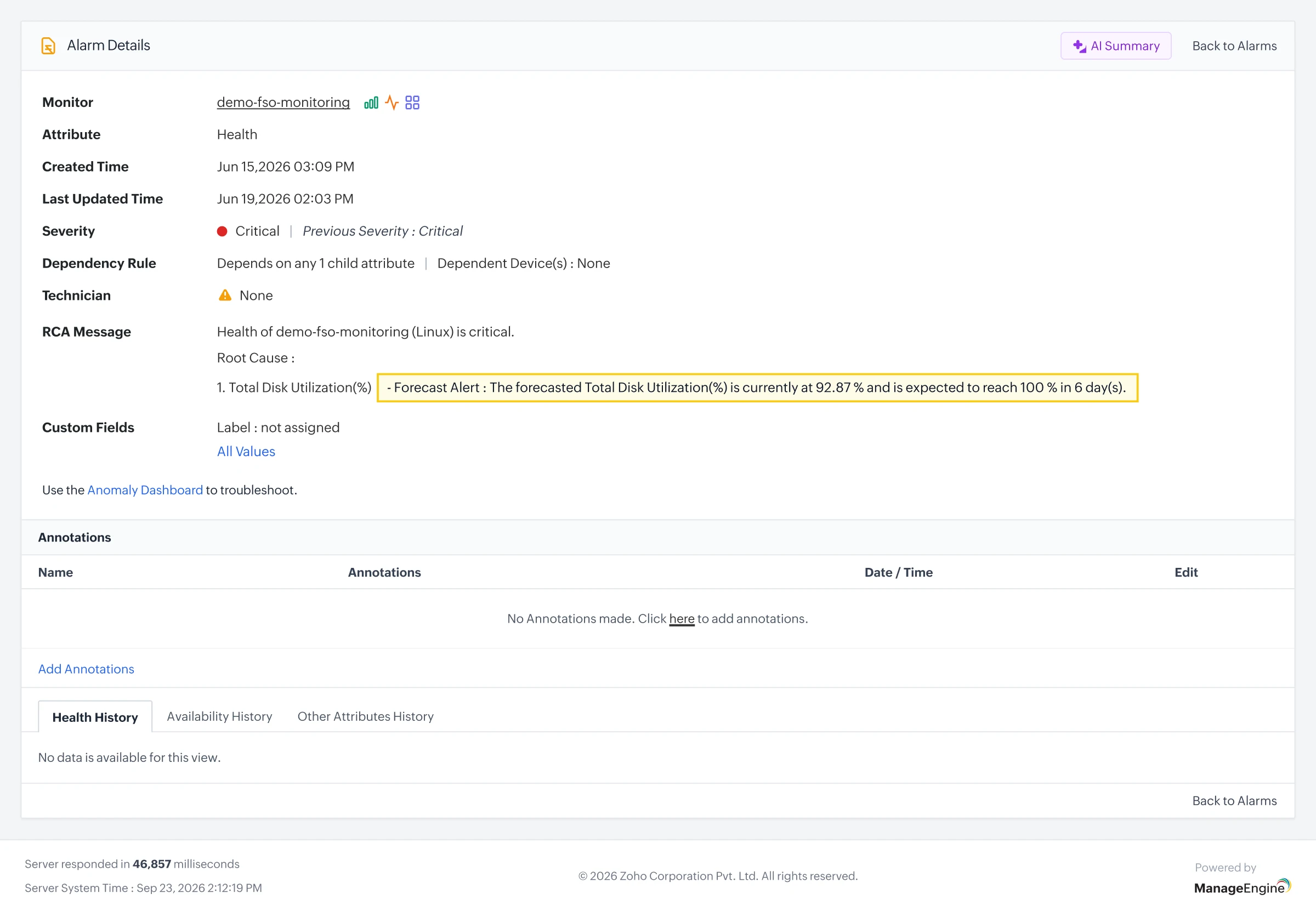
Predict issues before they escalate with Forecast alerts

  • Analyzes historical trends to predict future performance behavior and trigger alerts before thresholds are breached.
  • Detects gradual degradation early—growing storage, creeping memory—so your team acts before service delivery is impacted.
  • Configurable alert rules with aggregates, threshold timelines, and rearm values for fine-tuned forecast accuracy.
Learn more
Feature screenshot 5

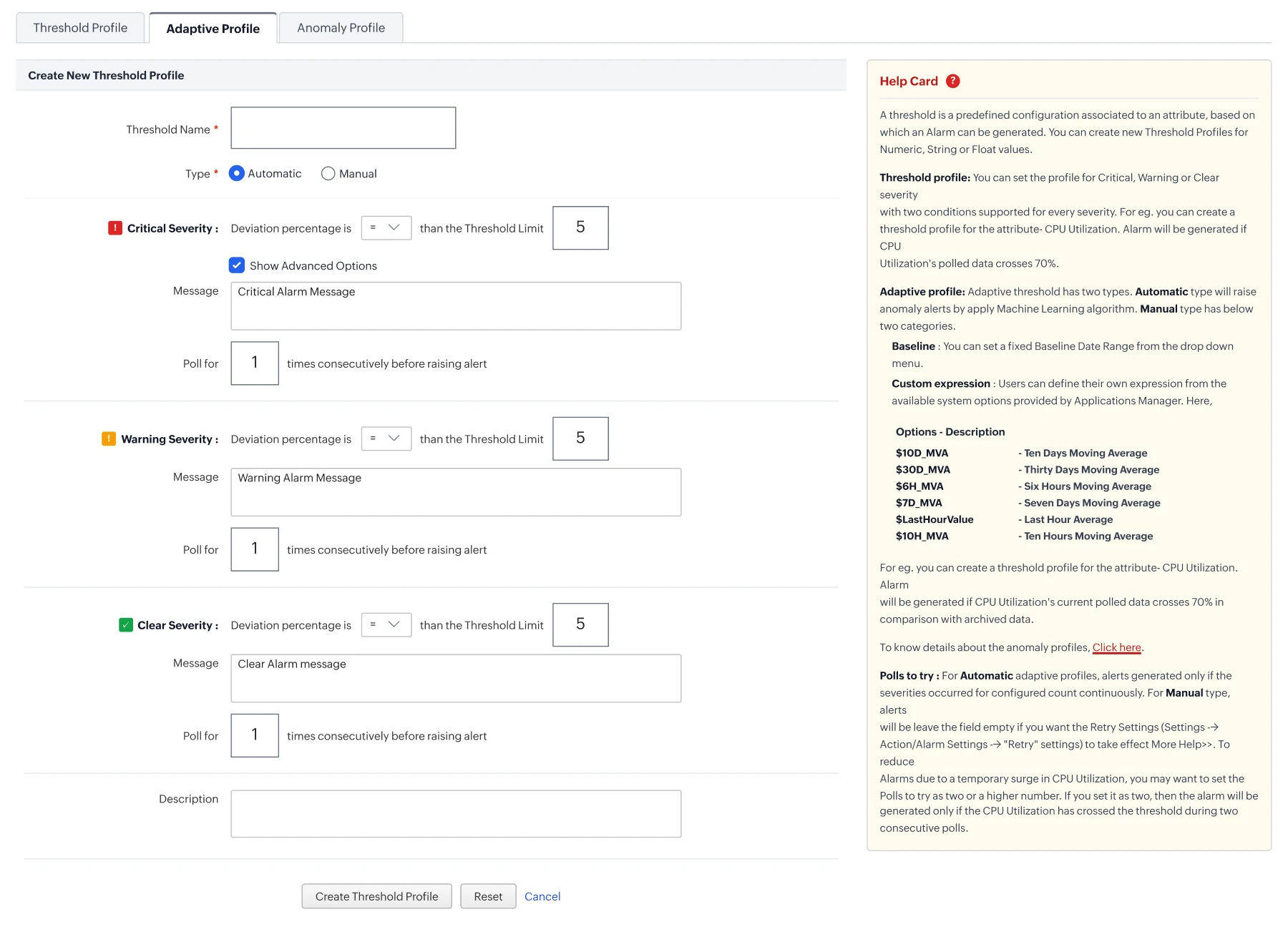
Ensure monitoring accuracy with adaptive thresholds

  • Dynamically calculates acceptable performance limits based on historical behavior, so alerts are triggered only for genuine deviations.
  • ML-powered anomaly detection identifies sudden spikes immediately, reducing false positives and alert fatigue.
  • Combines standard and anomaly-based thresholds with automatic and manual modes for full flexibility.
Learn more
Feature screenshot 6

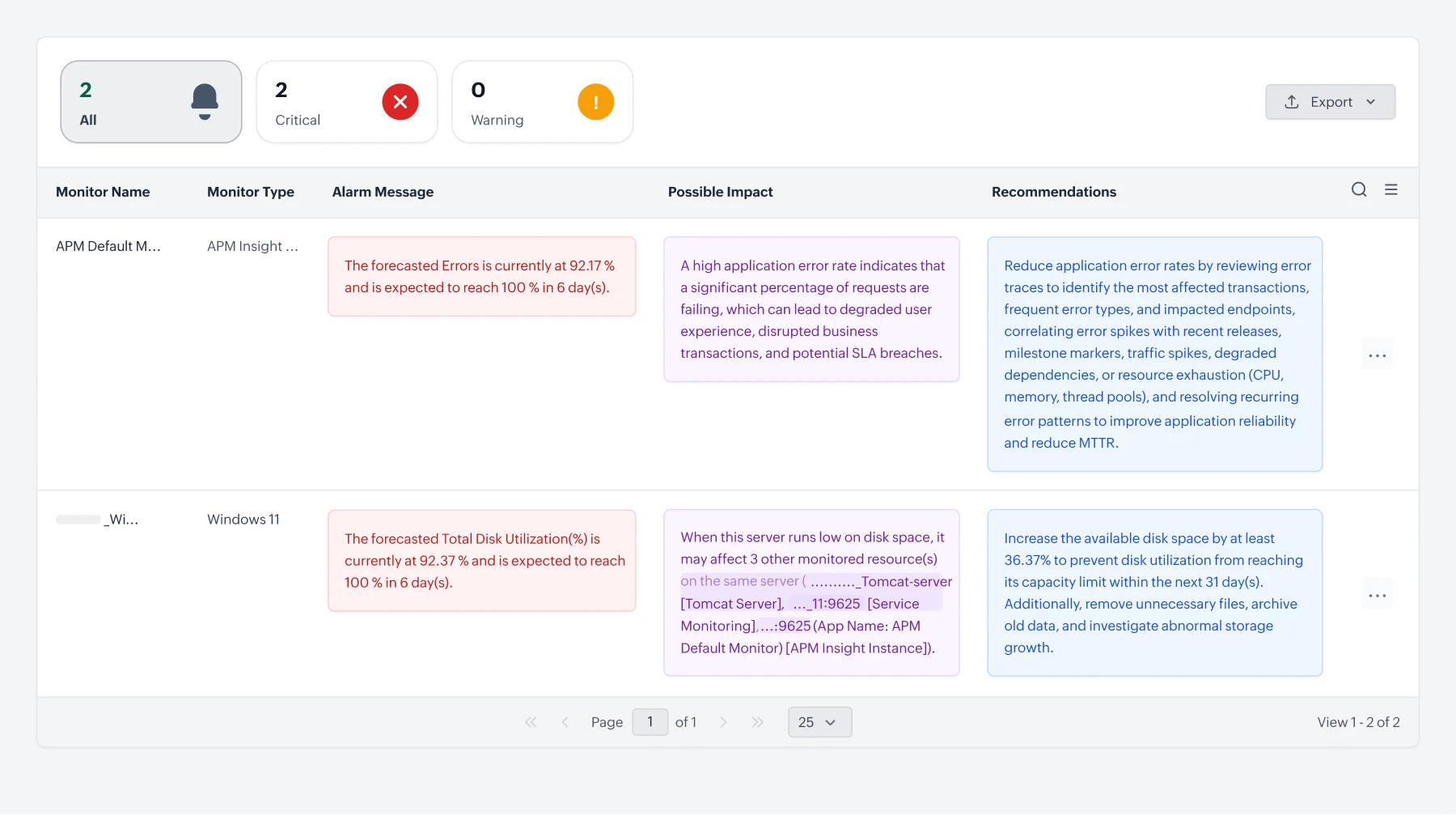
Leverage Zia for actionable insights

  • Consolidates predictive alert data into a single intelligent dashboard—a clear, at-a-glance view of upcoming performance risks.
  • Turns foresight into action with precise, Zia-generated recommendations for your IT team.
  • Correlates forecast trends across your app stack for smarter, proactive planning.
Feature screenshot 7

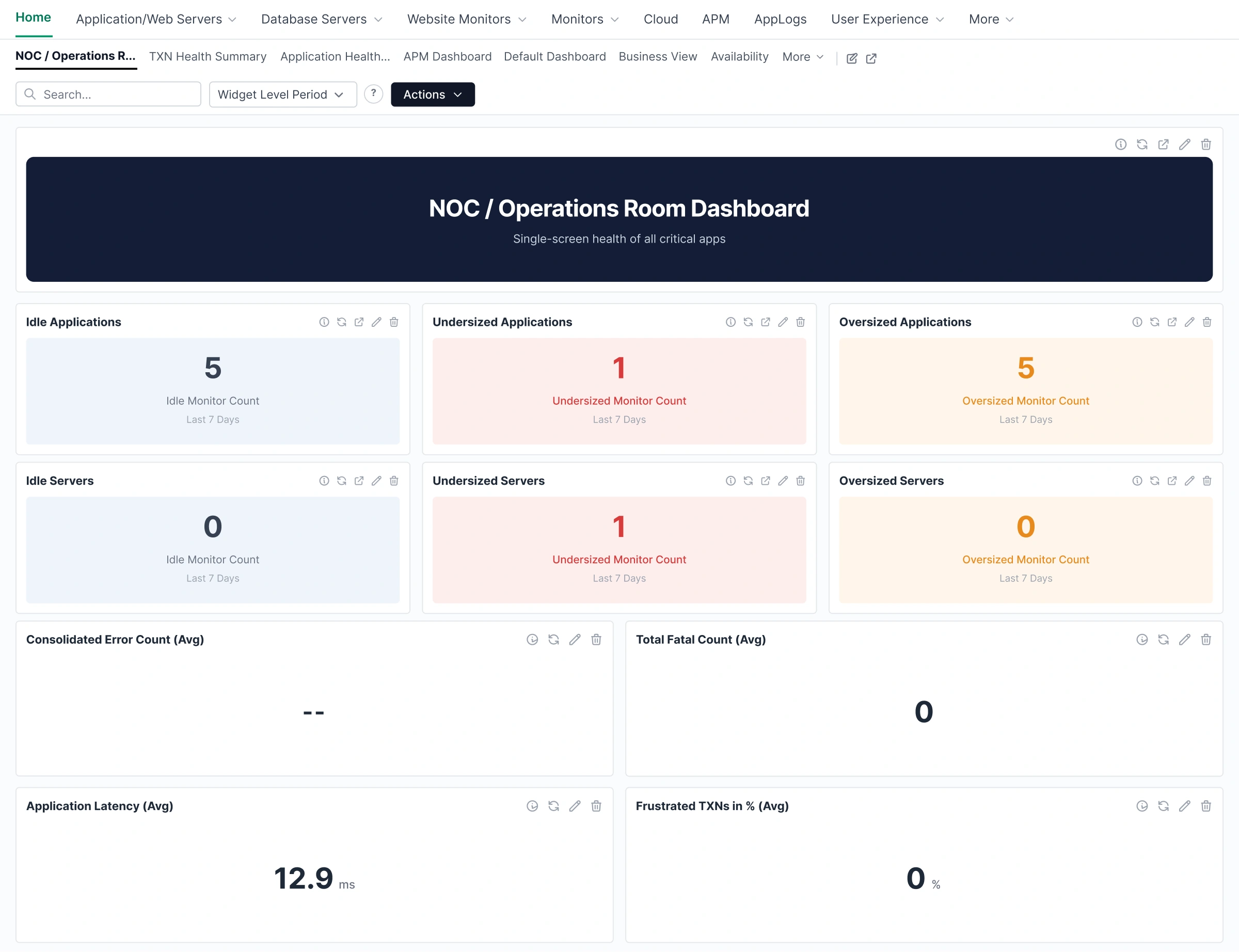
Scale with confidence with ML based capacity planning dashboard

  • Visualizes long-term resource consumption trends across applications, databases, and servers.
  • Delivers predictive insights into storage, memory, and compute growth—preventing resource exhaustion before it causes downtime.
  • Empowers data-driven infrastructure scaling decisions rather than reacting to capacity gaps after the fact.
Feature screenshot 8

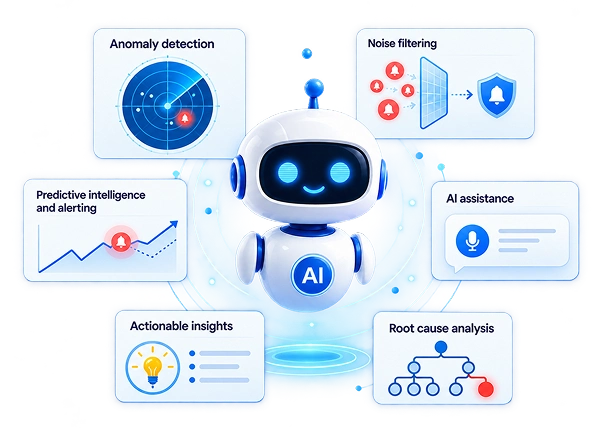
Applications Manager AIOps — built for every stage of an incident

Predictive intelligence
Anomaly detection
Alarm correlation
Contextual AI insights
Proactive recommendations
ML-powered
Know before it breaks
Predict resource exhaustion, threshold breaches, and performance degradation — giving your team lead time to act before users are impacted.
Forecast alertsCapacity planning dashboard
ML-powered
Spot deviations the moment they occur
Dynamic baselines adapt to each monitor's unique behavior patterns. Genuine anomalies are flagged instantly while routine fluctuations are filtered out — reducing alert fatigue significantly.
Adaptive thresholds
AI-powered
Cut through alarm noise with AI correlation
When cascading failures trigger hundreds of alerts, AI Alarms Summary automatically groups and correlates them — surfacing the root cause so your team resolves the actual issue instead of chasing downstream noise.
AI alarms summary
AI-powered
Understand every monitor in plain language
Turn raw metrics and alarms into health summaries, risk assessments, root cause analysis, and prioritized actions — instantly, for any monitor.
Gen AI integrationMonitor AI insightsAsk Zia (MCP)
ML-powered
Turn foresight into action
Consolidate forecast risks across your entire stack and get precise recommendations — so your team plans ahead instead of reacting after the fact.
Zia dashboard
Use case scenarios

See how Applications Manager's AI and ML capabilities solve real operational challenges.

GenAI Integration

The Scenario

A critical application server goes down. Your team has access to alarm history, device metrics, and dependency data — but it's spread across screens and takes time to interpret, delaying the path to resolution.

How Applications Manager Helps
  • GenAI integration harnesses the power of LLMs, including OpenAI's GPT, Google AI, and Anthropic's Claude, to interpret complex monitoring data and generate human-readable summaries, recommendations, and remediation steps instantly.
  • Teams can review alarm history, assess impact, and set AI-generated recommendations as notes for technicians to make faster decisions.

AI Alarms Summary

The Scenario

When a database cluster degrades, it can trigger a cascade of alarms within minutes, spanning databases, dependent microservices, and load balancers. The on-call engineer is flooded with alerts, making it hard to distinguish the root cause from the noise.

How Applications Manager Helps
  • Instead of clicking through individual alarms one by one, AI Alarms Summary analyzes all triggered alarms together and pinpoints the originating issue, such as a degraded database cluster, in seconds.
  • Cascading alarms from dependent microservices and load balancers are automatically grouped and contextualized, so engineers see a coherent story rather than an overwhelming list of disconnected alerts.

Forecast alerts

The Scenario

Your application servers are showing steady memory and disk growth as user traffic scales. With static thresholds, your team only gets alerted when limits are already breached.

How Applications Manager Helps
  • With Forecast alerts, IT teams can identify gradual resource growth early, whether it's an expanding database or increasing storage, and schedule remediation before service delivery is impacted.
  • Configurable alert rules with threshold timelines and rearm values ensure alerts are precise and actionable, eliminating noise while keeping your team ahead of potential failures.

Zia dashboard

The Scenario

Your IT team manages dozens of applications across a complex stack. Forecast data flags potential risks, but without visibility into their impact or a clear path to resolution, teams are left reacting to incidents instead of preventing them.

How Applications Manager Helps
  • The Zia Dashboard consolidates predictive alert data into one intelligent view, giving teams a clear picture of upcoming performance risks across the entire app stack.
  • Zia takes forecasting beyond alerting. For example, when a Apache Tomcat server is trending toward memory exhaustion, it surfaces the projected impact on application performance and delivers precise recommendations to resolve it, well before the incident occurs.

Frequently asked questions

How is my data kept secure when using GenAI integration in Applications Manager?

Applications Manager's GenAI integration is designed with deep focus on data privacy. When using public LLMs such as OpenAI's GPT, Google AI, or Anthropic's Claude, only the relevant monitoring context — such as alarm summaries or metric snippets — is shared via secure, API-based connections.

For organizations with stricter data residency requirements, Applications Manager also supports local LLM integration through Ollama, keeping all data processing entirely within your network premises.

What is the difference between Forecast Alerts and Adaptive Thresholds — aren't they both predictive?

Both features use historical data, but they serve different purposes. Forecast Alerts look ahead and analyze past trends to predict when a metric will breach a threshold in the future, alerting your team days in advance. Adaptive Thresholds work in the present — they dynamically adjust what "normal" looks like for each monitor based on historical behavior, so alerts only fire when there is a genuine, significant deviation.

Can the AI Assistant help team members who are not familiar with the application stack during an incident?

Yes — that is one of its key strengths. The AI Assistant's conversational interface allows anyone on the team to query application health, recent anomalies, and alarm status in plain language, without needing to know where to look across dashboards.

It guides responders through troubleshooting steps in real time, making it especially valuable for less experienced team members handling incidents during off-hours or when senior engineers are unavailable.

How does AI Alarms Summary handle a situation where hundreds of alerts fire at the same time?

During a large-scale incident, the AI Alarms Summary automatically correlates alarms across applications, servers, databases, and infrastructure components to distinguish root causes from cascading downstream alerts. Instead of reviewing hundreds of individual alarms, your team gets a consolidated incident view that surfaces severity distribution, recurring patterns, and impacted components — so they can focus on resolving the actual issue rather than filtering through noise.

Get started with
Applications Manager

Start your free 30-day trial of Applications Manager and centralize observability for distributed environments.

Start your free trial
Feature preview

Loved by customers all over the world

"Standout Tool With Extensive Monitoring Capabilities"

★★★★★

It allows us to track crucial metrics such as response times, resource utilization, error rates, and transaction performance. The real-time monitoring alerts promptly notify us of any issues or anomalies, enabling us to take immediate action.

Reviewer Role: Research and Development

carlos-rivero
"I like Applications Manager because it helps us to detect issues present in our servers and SQL databases."
Carlos Rivero

Tech Support Manager, Lexmark

Trusted by thousands of leading businesses globally