AIOps Integrations
Applications Manager supports Generative AI (GenAI) integrations that connect the product with supported AI service providers. Generative AI refers to AI models that can understand text and generate human-readable content, such as summaries and recommendations. These integrations provide the foundation for AI-assisted features across Applications Manager, allowing teams to use their preferred provider for summaries, explanations, and operational insights.
With these integrations, administrators can configure an AI provider once and make it available to supported GenAI-powered features. This helps teams adopt AI-assisted workflows in a controlled way while continuing to use Applications Manager as the central place for monitoring, analysis, and incident response.
Prerequisites
- Configure supported GenAI providers from Applications Manager.
- Choose the AI service that matches your organization's requirements.
- Enable AI-assisted capabilities for supported product features.
- Use provider-based GenAI features without switching away from Applications Manager.
- Manage GenAI access and configuration from a centralized integration page.
GenAI-powered features
The following Applications Manager features use GenAI integrations:
| Feature | Description |
|---|---|
| AI Alarm Summary | Uses the configured GenAI provider to generate AI-assisted alarm summaries in Applications Manager. |
| AI Insight for Monitors | Uses a configured GenAI provider to generate a structured, AI-generated analysis of a single monitor. |
| Ask Zia | Uses the configured GenAI provider to answer questions about your monitoring data in natural language, with responses that include text, tables, and charts, through AI agents and the tools they can access. |
Configuring AIOps integration
Follow the steps below to configure AIOps integration in Applications Manager.
- Go to Settings → Product Settings → Integrations (Add-On Settings).
- Select the required GenAI provider under the AIOps (AI for IT Operations) category. View supported integrations
- Specify the required configuration details for the selected GenAI provider and click Save.
After you configure the integration, relevant AI-supported features in Applications Manager can use the capabilities of the corresponding GenAI provider.
Note:
- GenAI-powered features are intended to help users analyze and make decisions. Review AI-generated content before taking action.
- Availability of each GenAI provider may depend on the Applications Manager build, edition, and integration configuration.
- The quality and response time of AI-generated output may vary based on the selected provider and model.
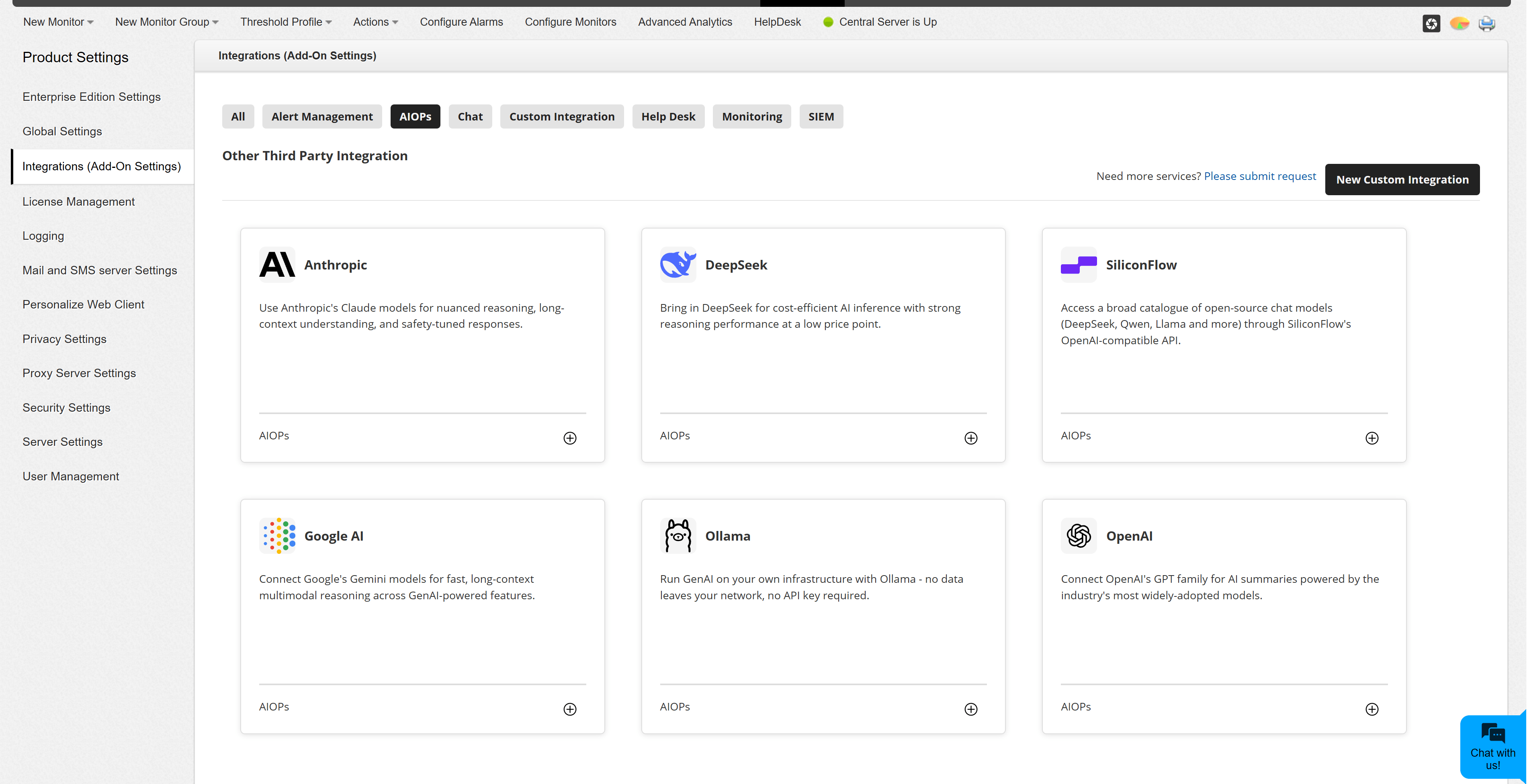
Supported integrations
Applications Manager supports the following GenAI providers for AIOps integration. Select a provider to view its configuration steps.
Loved by customers all over the world

"Standout Tool With Extensive Monitoring Capabilities"
It allows us to track crucial metrics such as response times, resource utilization, error rates, and transaction performance. The real-time monitoring alerts promptly notify us of any issues or anomalies, enabling us to take immediate action.
Reviewer Role: Research and Development

"I like Applications Manager because it helps us to detect issues present in our servers and SQL databases."
Carlos Rivero
Tech Support Manager, Lexmark