Configuring DHCP in Fortigate Firewall
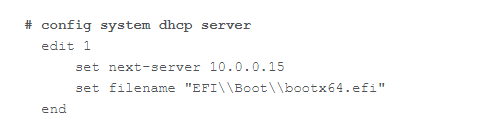
To configure the filename and next-server details for DHCP in Fortigate firewall for IPv4 BOOTP/PXE, follow the steps given below:
- From your Fortigate firewall interface, navigate to Interfaces.
- Open Command Line Interface (CLI) and enter the following command:
- The next-server IP refers to the IP address of the computer where the central server or distribution server is installed.
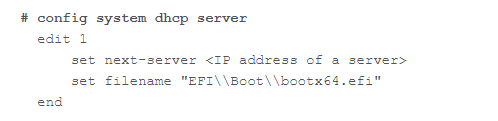
- The filename must be set as EFI\\Boot\\bootx64.efi for UEFI 64-bit machines or boot\\pxeboot.n12 for legacy BIOS machines.
- For example: