November 12, 2026
Improved Workflow Execution Performance
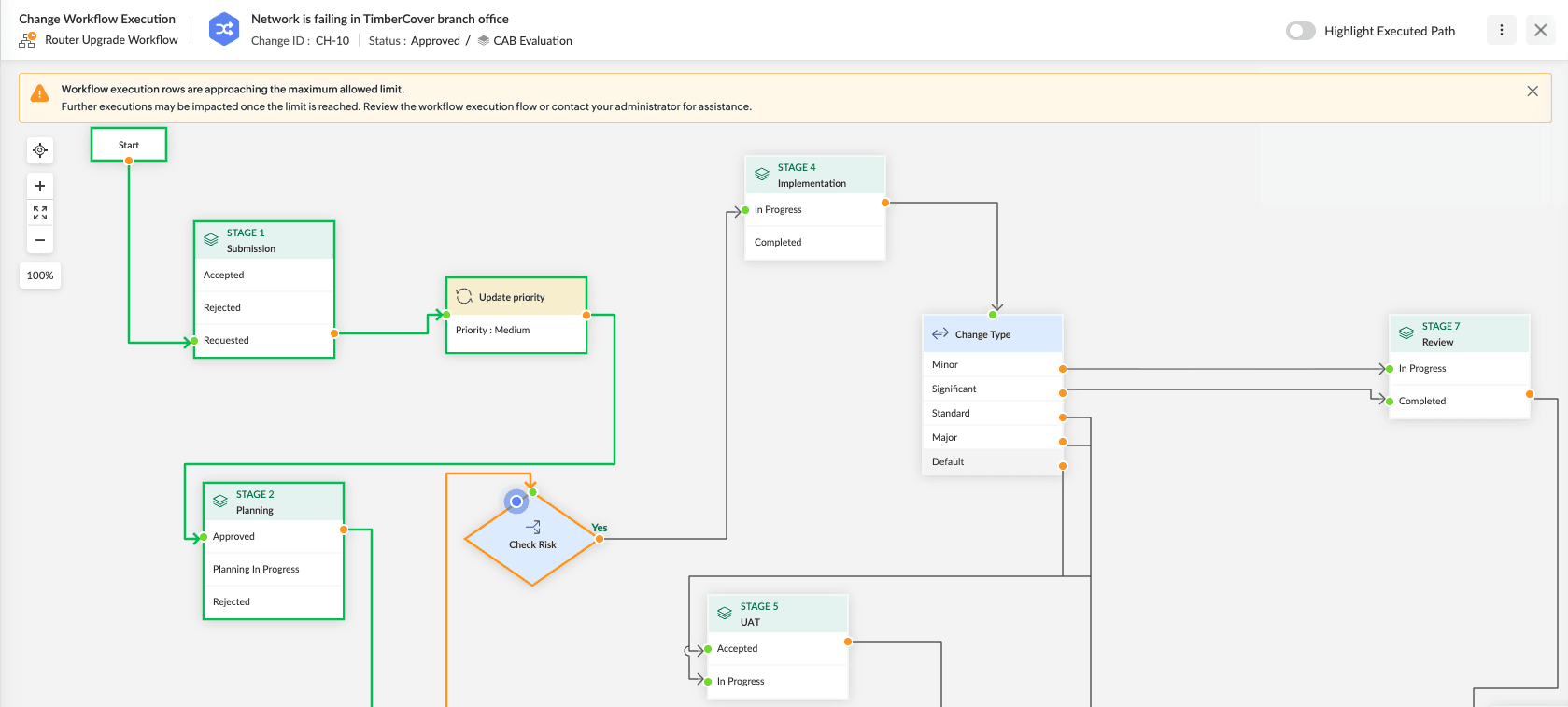
Workflow execution is optimized for better performance and memory usage, especially for workflows with a large number of executions.
What’s Improved
- Workflow execution details now load on demand, instead of all executions at once, making Workflow Execution and Workflow Execution Log pages faster and more responsive for large execution histories.
- Search and sort in the Workflow Execution Log viewer now apply only to executions on the current page.
Workflow Execution Limit
A configurable limit on workflow executions is now enforced to prevent excessive resource usage.
- A warning banner appears when executions reach 75% of the limit, giving administrators time to act.
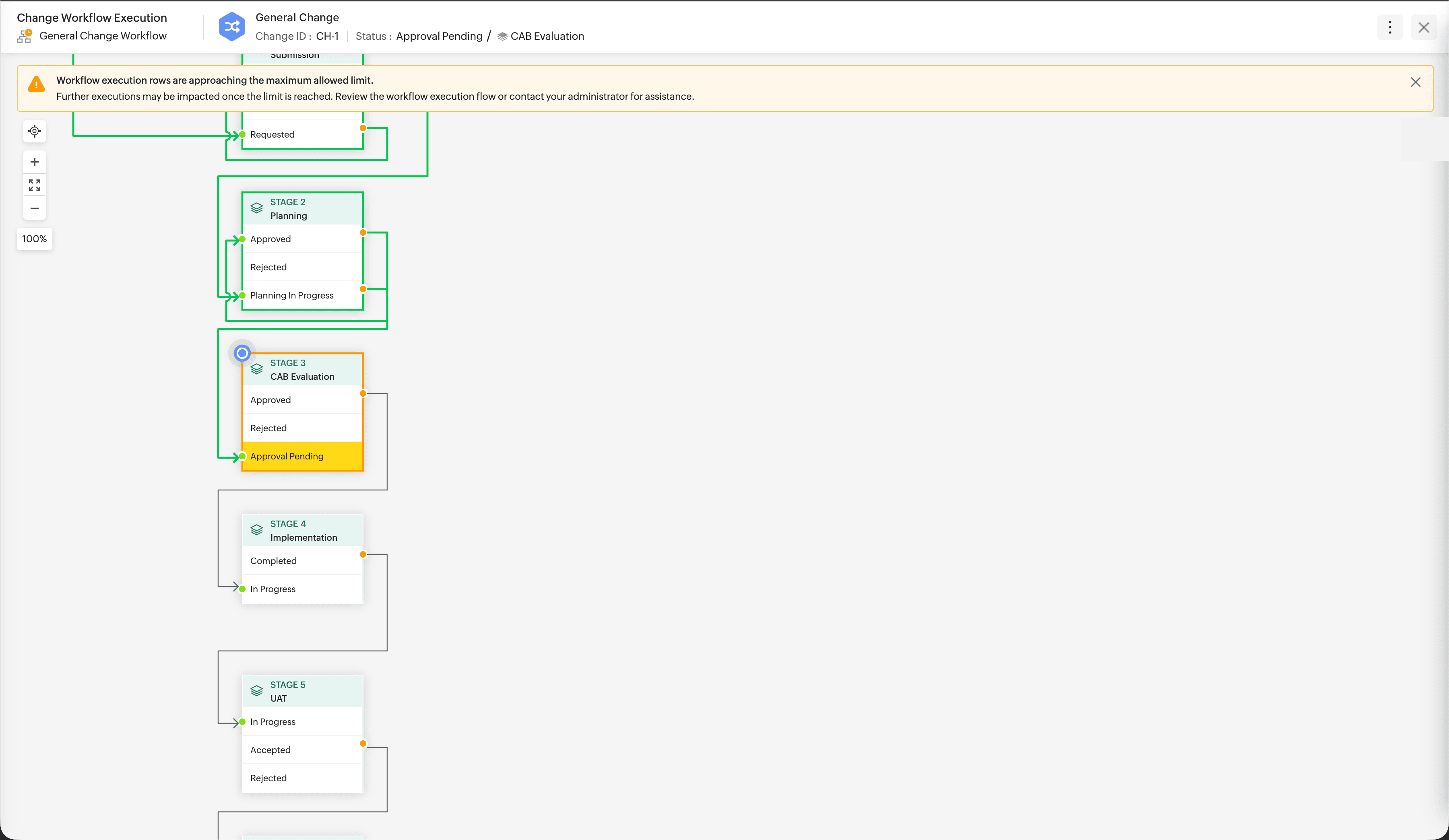
- When the limit is reached, further workflow executions stop. Contact support to resume workflow executions.
Capture UUID Details For Computers and Virtual Machines
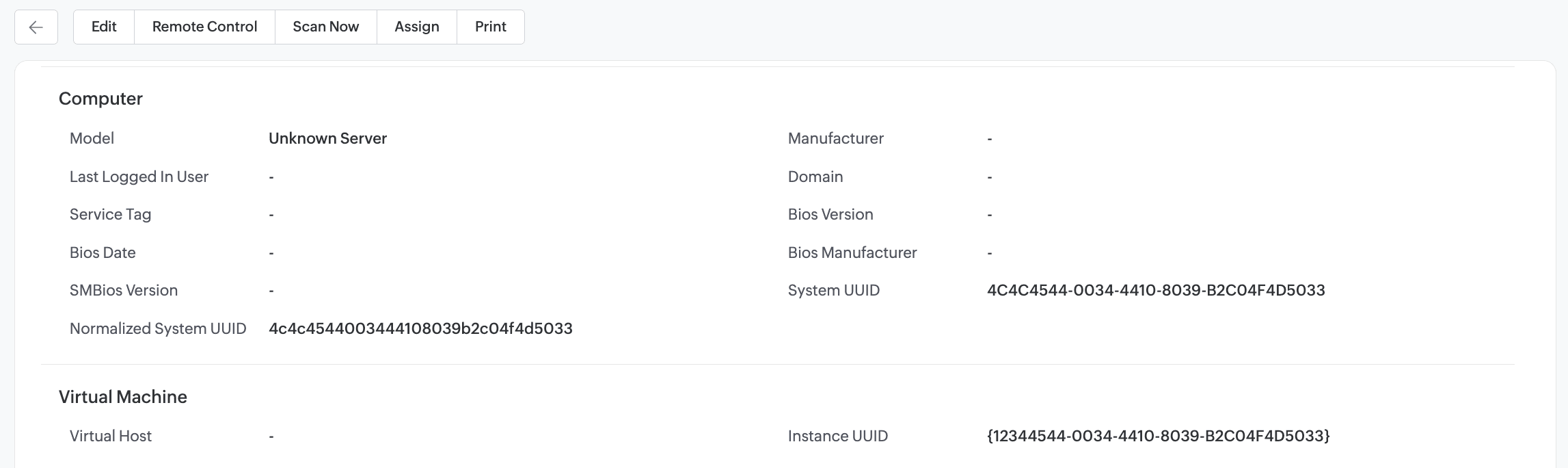
- Asset scans now capture universally unique identifier (UUID) details for Computer and Virtual Machine product types.
- To view the UUID details on the asset details page, go to the corresponding product type template and drag the following fields from the Available tab on the right pane of the template configuration page.
| Product Type | Field |
|---|---|
| Computer |
|
| Virtual Machine |
|
Department Names in SalesIQ
The SalesIQ chat widget and settings pages now display department names instead of IDs. These departments represent technician groups in ServiceDesk Plus Cloud.
Issues Fixed
- Unable to access product type templates if dynamic translation is enabled.
- Workflows execute unintended updates on records if the current stage/state/status of the record is removed from the workflow.
- In Hungarian language setups, the words Published (in Solutions module) and Change Template are mistranslated.
November 04, 2026
Enhancements
System Error Notifications
- System error notifications for skipped and filtered emails now include the corresponding email content as plain text.
Behavior Change
Zoho Directory User Sync
- ServiceDesk Plus Cloud login will now be disabled for users who are deactivated or deleted in Zoho Directory. The corresponding sync setting is set by default under Setup > General Settings > Advanced Portal Settings > Zoho Directory Sync Settings.
- Such users will be deleted only if Zoho Directory Sync Settings is set to Delete User.
Issues Fixed
Requests
- Adding attachment to resolution fails if the request status is updated from the Resolution tab.
- In workflow-triggered request notifications, request ID prefix is not shown.
- In service request duplicates, fields values auto-set by On Form Load form rules are not retained.
- In Japanese language setups, the From field in request conversations is mistranslated.
- Completed Time is not set for requests imported with Closed status. This includes new requests and existing requests closed via import.
Setup
- Option removed from a checkbox or multi-select additional field (under Setup > Additional Fields) is not removed from the template if the option is set as default field value.
Zoho Analytics/Analytics Plus
- Analytics sync jobs that process a large volume of data may fail to complete if the application server is restarted while the sync is in progress.
- In Analytics, only one request is shown in the Changes Initiated Due to a Request table even if multiple requests are associated.
Purchases
- In Outlook actionable messages of purchase orders, the Total Price field is not formatted properly.
Contracts
- Technicians with permissions to view contracts of their associated sites cannot associate software license with contracts.
Requester Portal
- In the requester portal, the New Incident tab in the Raise a request panel (accessed via New Request in the header) displays all request templates instead of only incident templates. This occurs when Do not show default request template to requesters is enabled under Setup > General Settings > Advanced Portal Settings.
- In the requester portal, while searching for solutions, clicking Show More does not load remaining search results. This occurs if Search Settings (under Setup > Requester Portal Settings) is enabled only for Solution module.
General
- The Setup icon is not displayed when split-screen mode is used on the desktop.
- In the Pending Approvals slide-out, the order of the Approve and Reject buttons is not consistent.
September 16, 2026
Custom Module Workflow Enhancements
Workflow Automation for Custom Modules
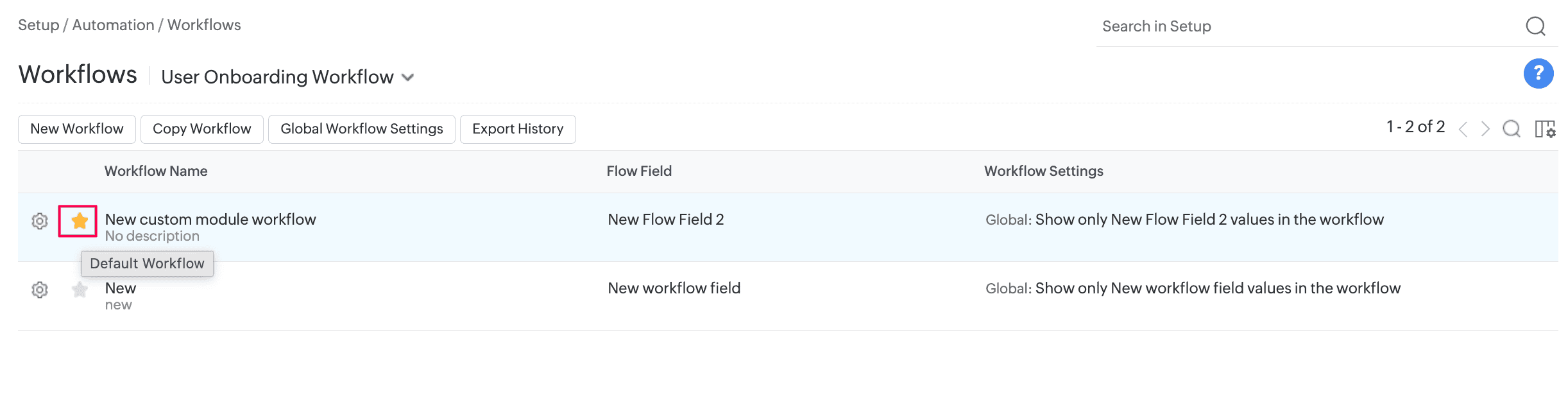
- Workflow automation is now supported for custom modules. You can apply a workflow through a custom module template, mark it as default in the workflow list view, or apply it through business rules.
- You can configure up to 10 workflows for each custom module. The existing limits for nodes and connectors remain unchanged.
Focus Mode in Workflows
- You can now focus on the connections of a selected node. Focus mode highlights its source and target nodes or connectors and fades the rest of the workflow, making complex workflow paths easier to trace and understand.
- Focus mode is available across all supported workflow modules.
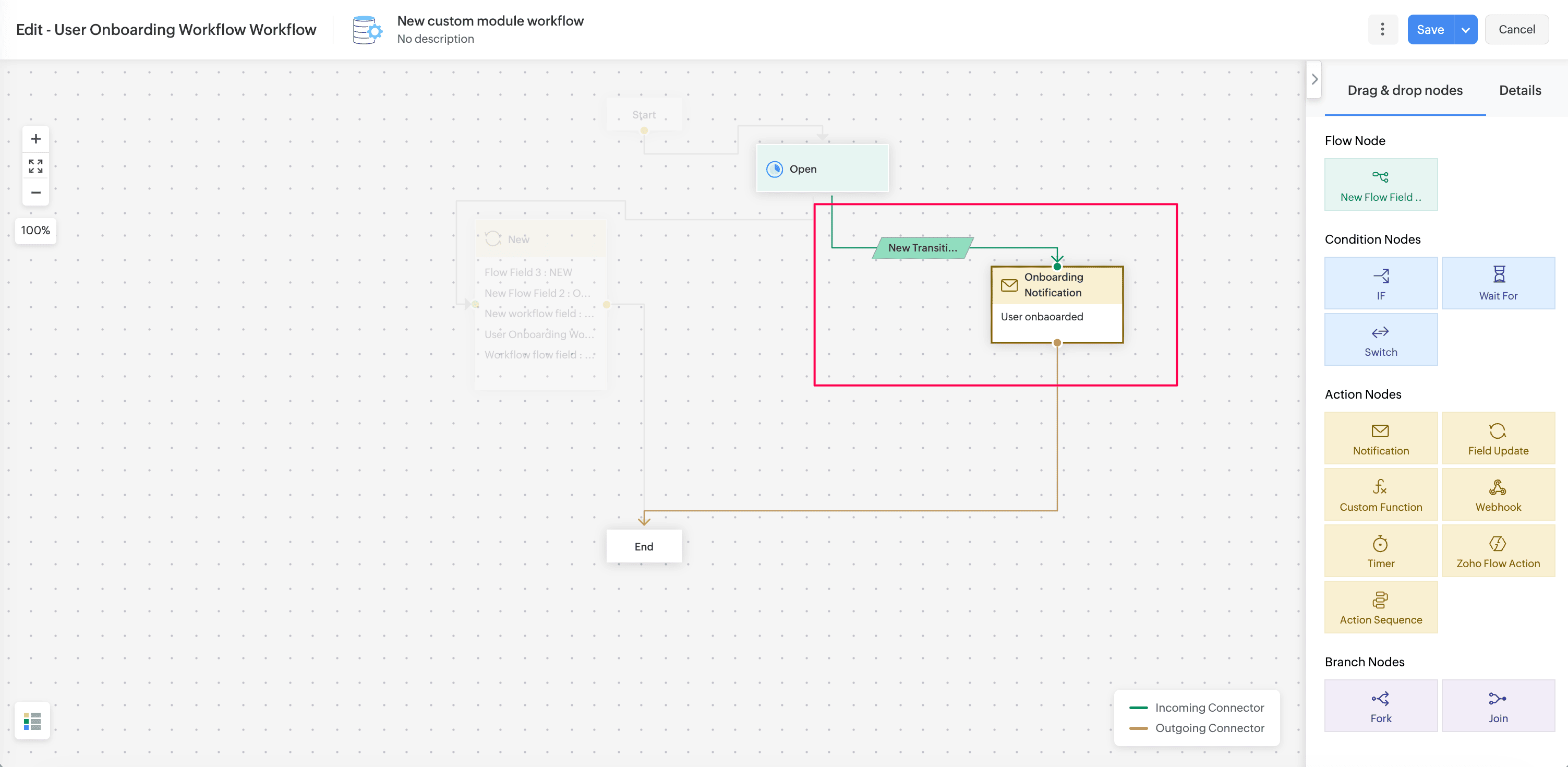
Custom Module Action Nodes Enhancements
Custom modules now support Field Update, Action Sequence, Zoho Circuit, and Zoho Flow actions in triggers and workflows.
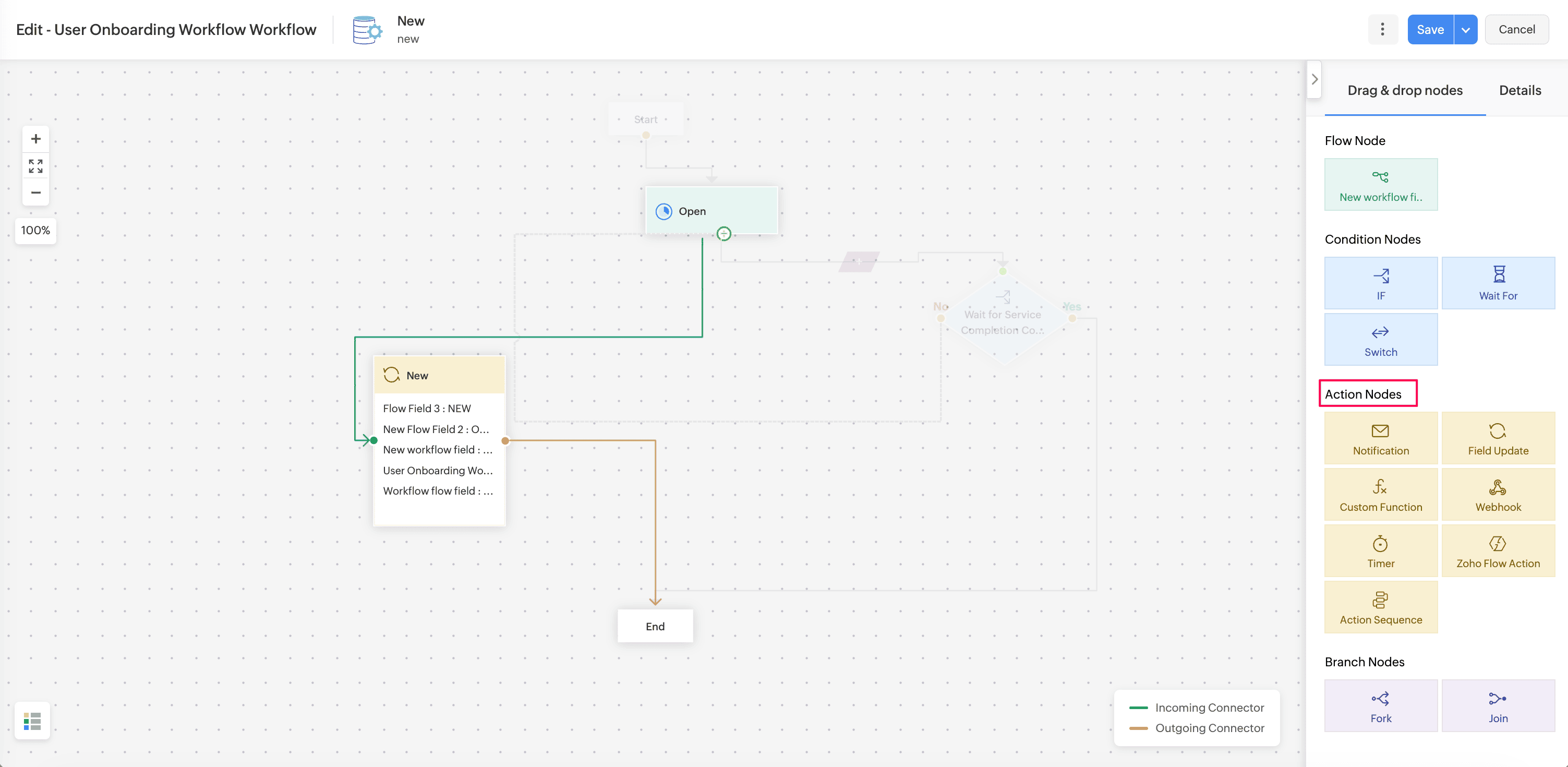
Field Update
- You can configure field update actions to update fields in custom module records.
Action Sequence
- You can configure Action Sequences for custom modules. Custom modules are also available in the Action Sequence list view.
Zoho Circuit
- You can configure Zoho Circuit actions for custom modules. Custom module support is also available in the Zoho Circuit list view and execution list view.
- To configure the integration, go to Setup > Apps & Add-ons > Integrations > Third Party Integrations > Zoho Circuit. Know more.
Zoho Flow Action
- You can configure Zoho Flow actions for custom modules. Custom modules are also available in the Zoho Flow action list view and in module selection for supported custom actions such as notifications and webhooks.
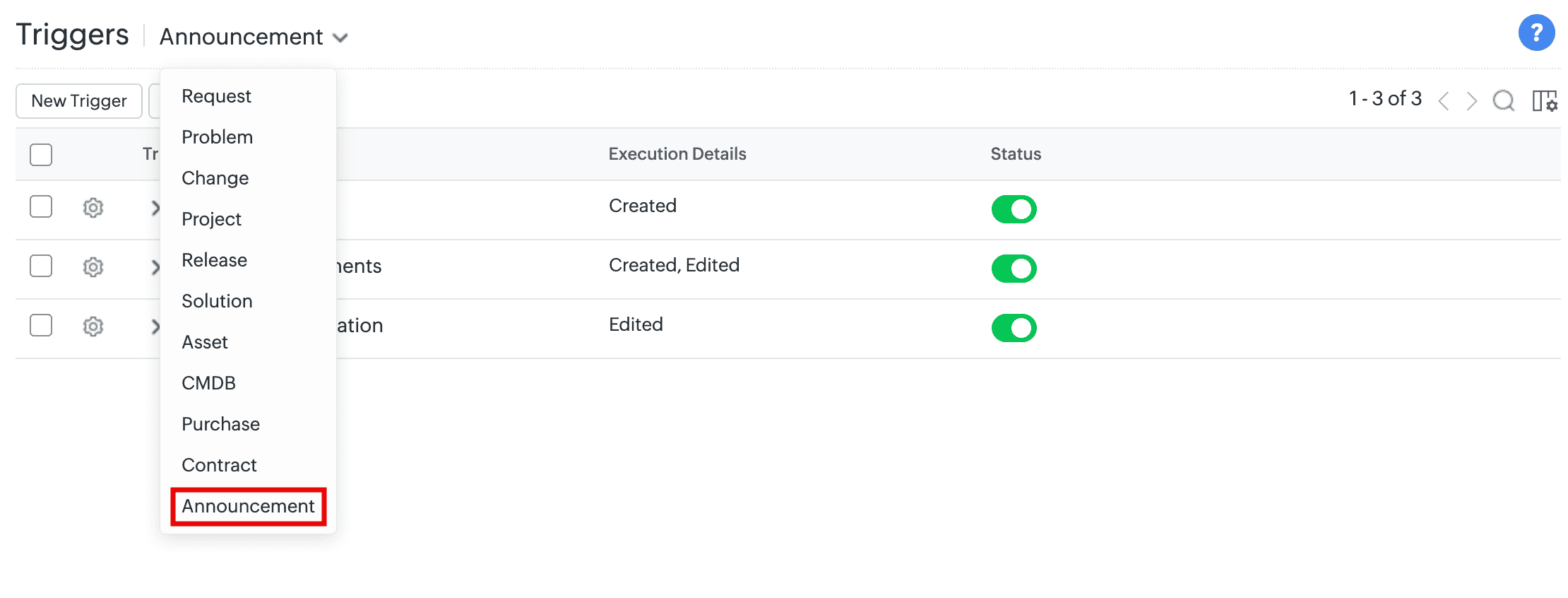
Triggers for Announcements
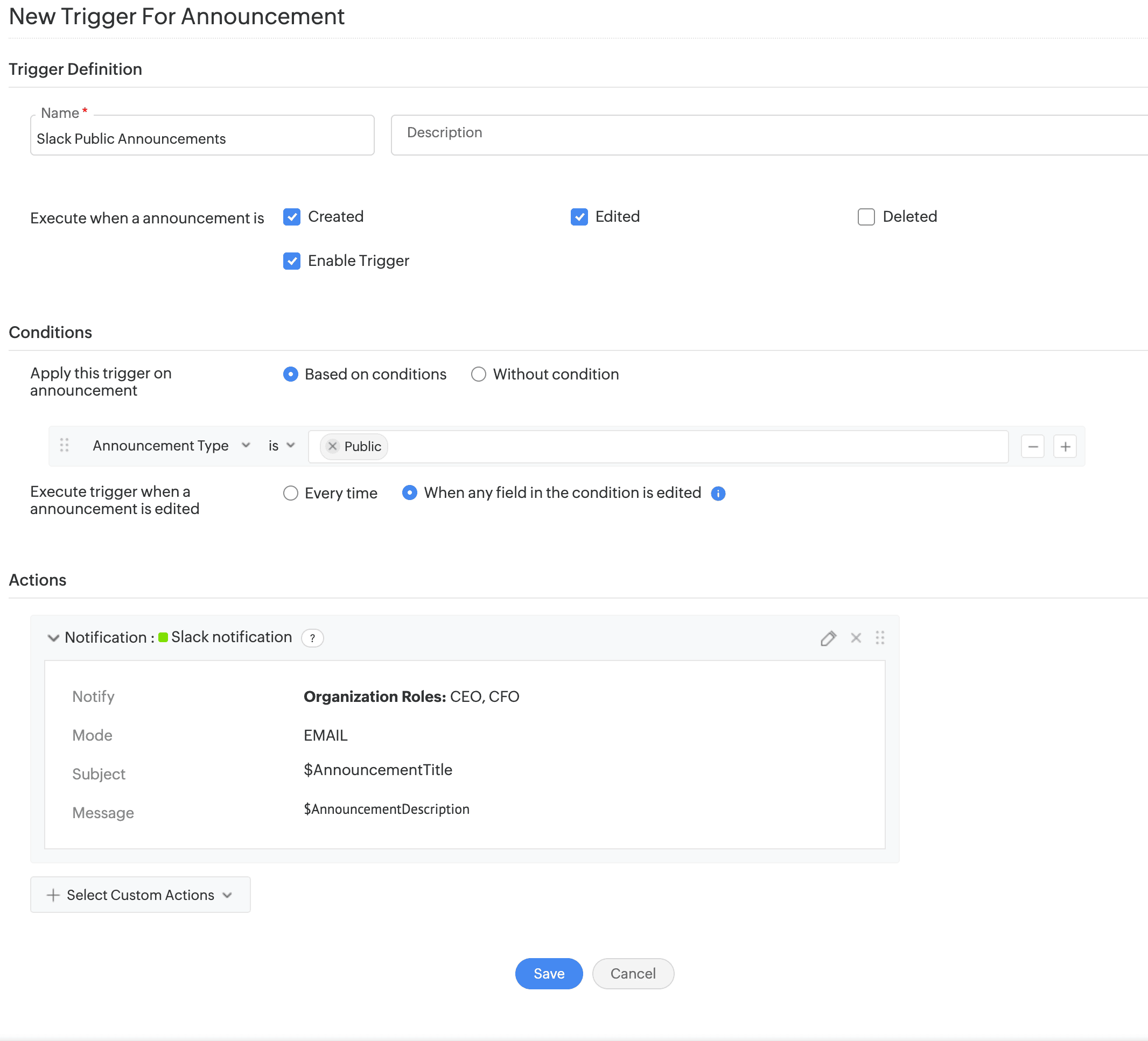
- Configure triggers to execute automated actions across ServiceDesk Plus Cloud and third-party applications when announcements are created, edited, or deleted.
- Supported actions include notifications, custom functions, and webhooks.
- You can do this under Setup > Automation > Triggers > Announcement.
Announcement Settings
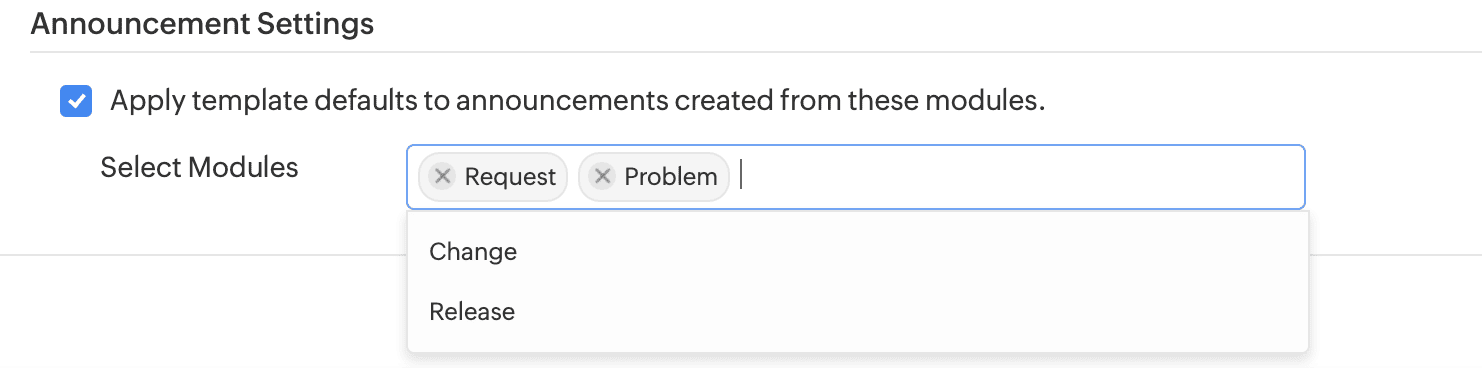
- Choose pre-filled values in announcements created from a request, problem, change, or release details page. Enable the Apply template defaults for announcements created from selected modules option under Setup > General Settings > Advanced Portal Settings > Announcement Settings.
- When this option is enabled, the announcement template's defaults are shown. Otherwise, the defaults are replaced with the record's default field values (such as title and ID).
Zoho Flow Actions Enhancements
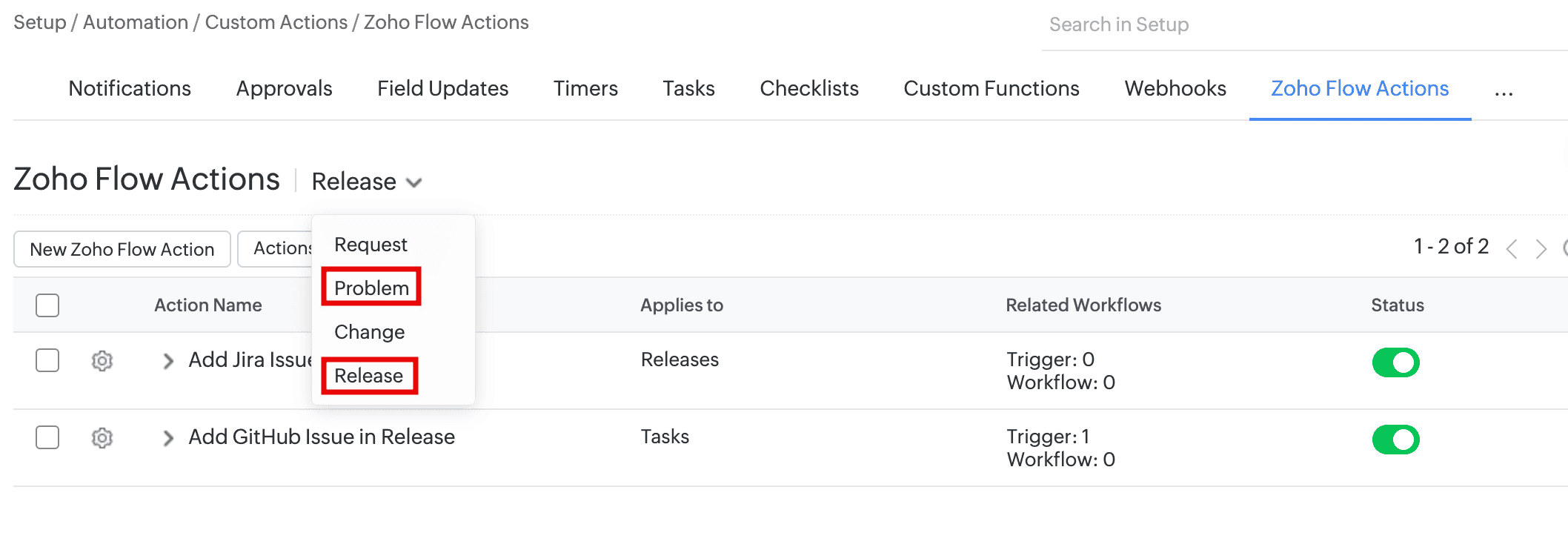
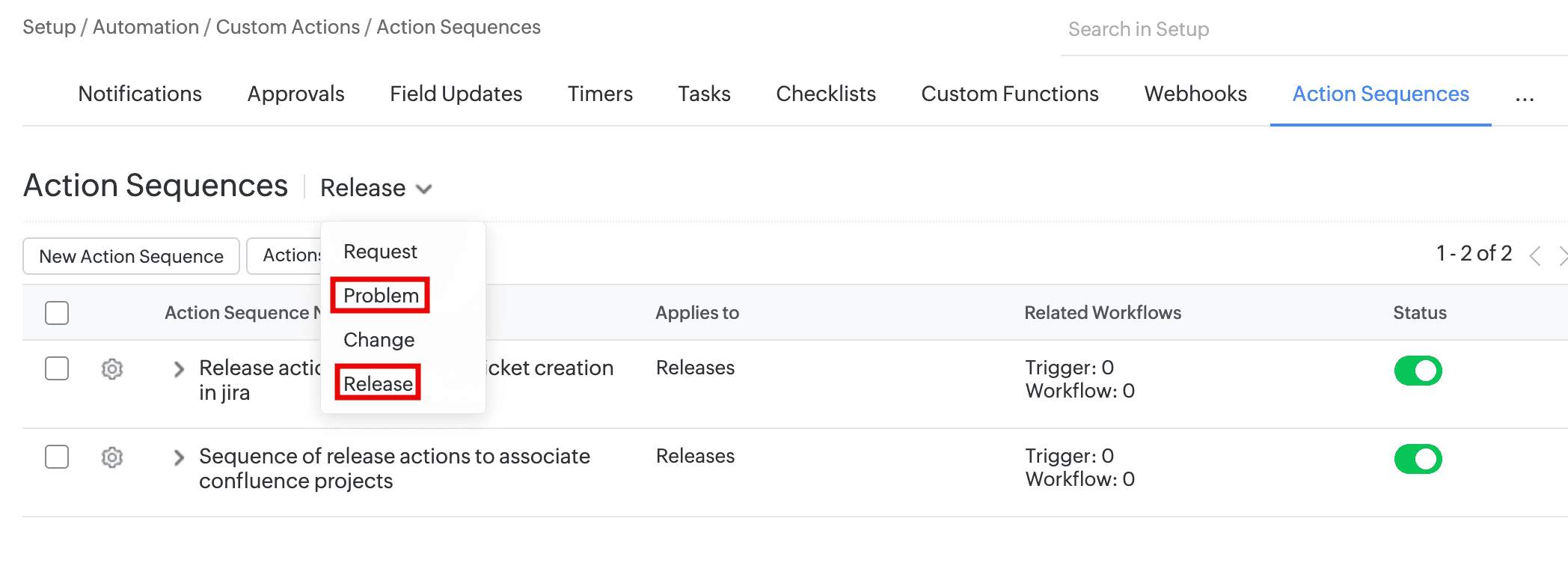
- You can now configure Zoho Flow actions and action sequences for the Problem and Release modules, and use them in corresponding triggers and workflows.
Insert Solution in Request Reply
Insert Solutions in Request Replies
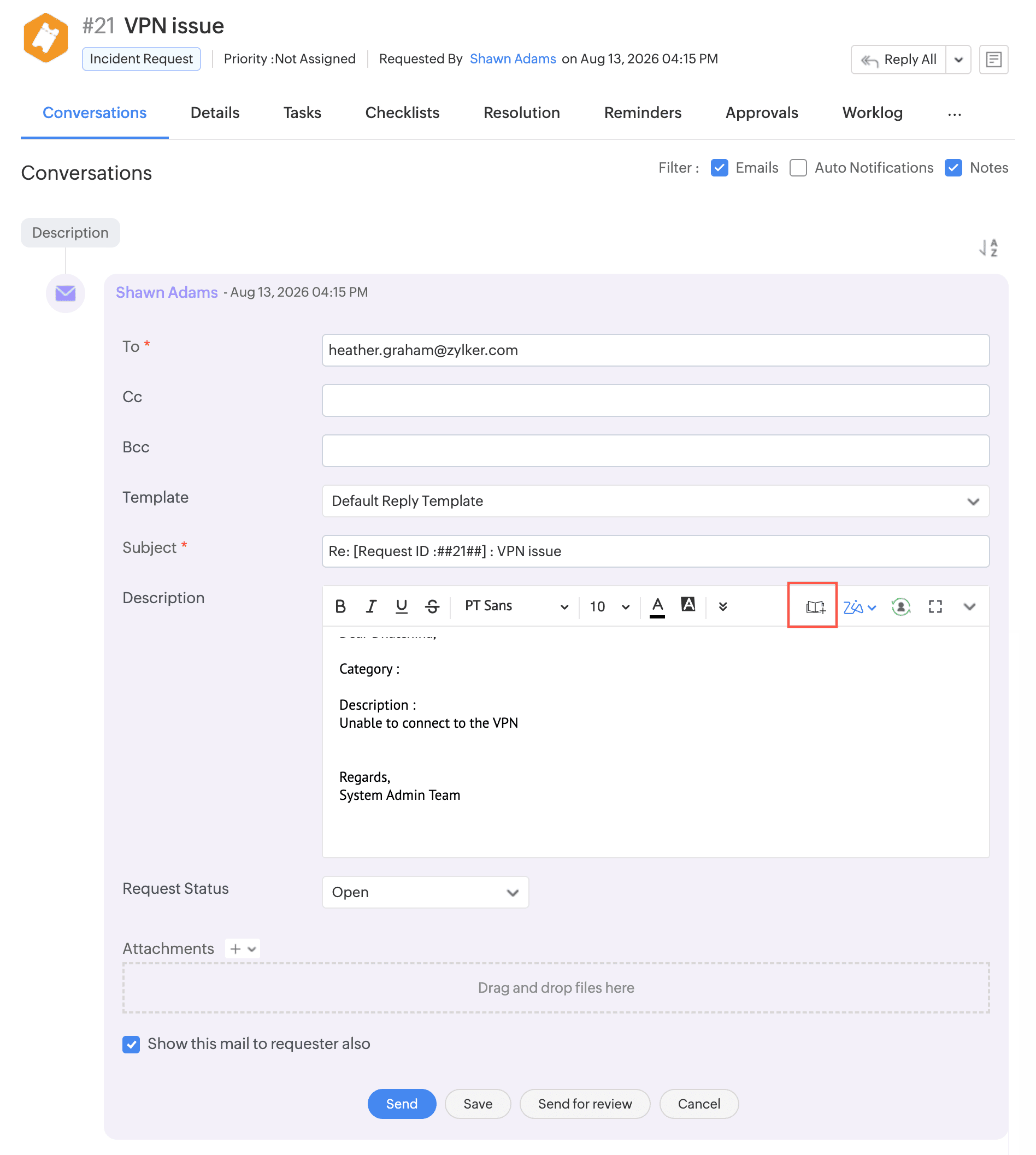
- Technicians can now insert one or more solutions directly while replying to requests, allowing them to quickly reuse relevant knowledge base content without leaving the reply editor.
- Use Insert Solution to add solution manually from the knowledge base or use Zia to receive solution suggestions.
Referred Solutions in Archived Requests
- Archived request conversations and resolutions will now retain the referred solutions.
- The Referred in Requests section on the solution details page now lists archived requests in which the solution was referenced in the Resolution. Use the Archived Requests filter to view them.
Rich Text Additional Field Support
- Rich text additional fields are now supported in custom modules. You can create up to two rich text fields.
- In Custom Modules, form rule actions (show, hide, enable, disable, mandate, or non-mandate) are now supported for Attachment and Rich Text additional fields.
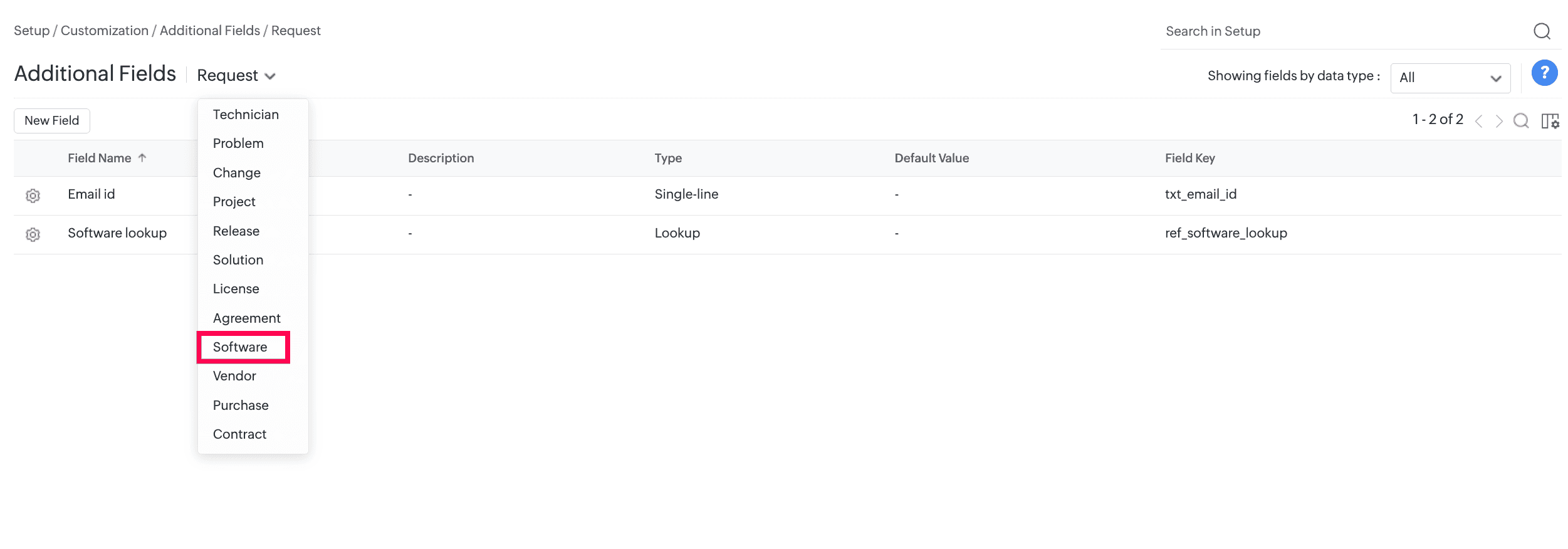
Software Additional Fields
- SDAdmin and AssetConfig roles can now create additional fields for software under Setup > Customization > Additional Fields.
- Supported field types are Single-line, Multi-line, Numeric, Pick List, Multi-Select, Date/Time, Date, Email, Phone, Currency, Web URL, Lookup, and Multi-Lookup.
- These fields are displayed in the software add form.
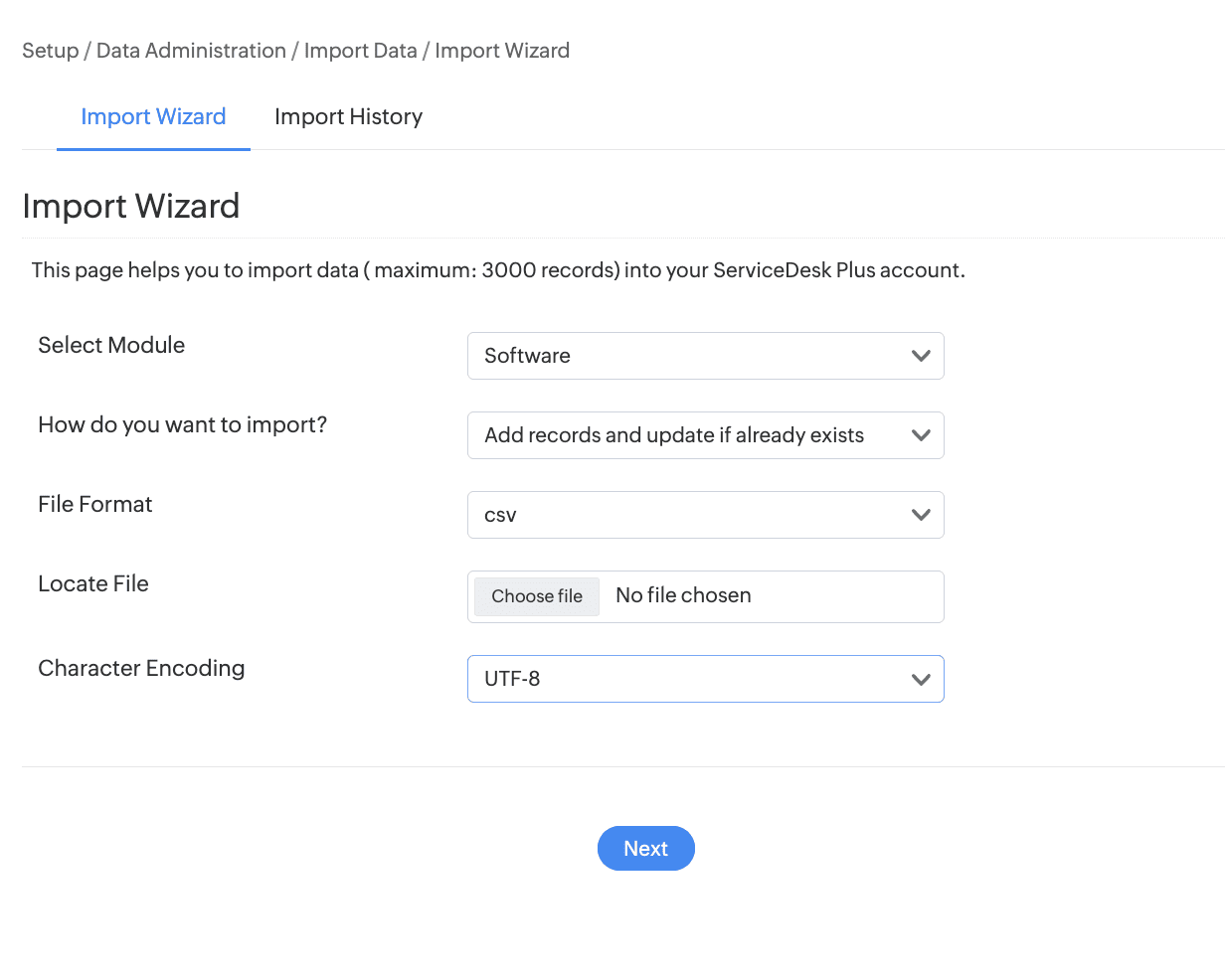
- Import software from Setup > Data Administration > Import Data.
- Generate custom tabular reports based on software additional fields.
Technician Group Support for Change Roles
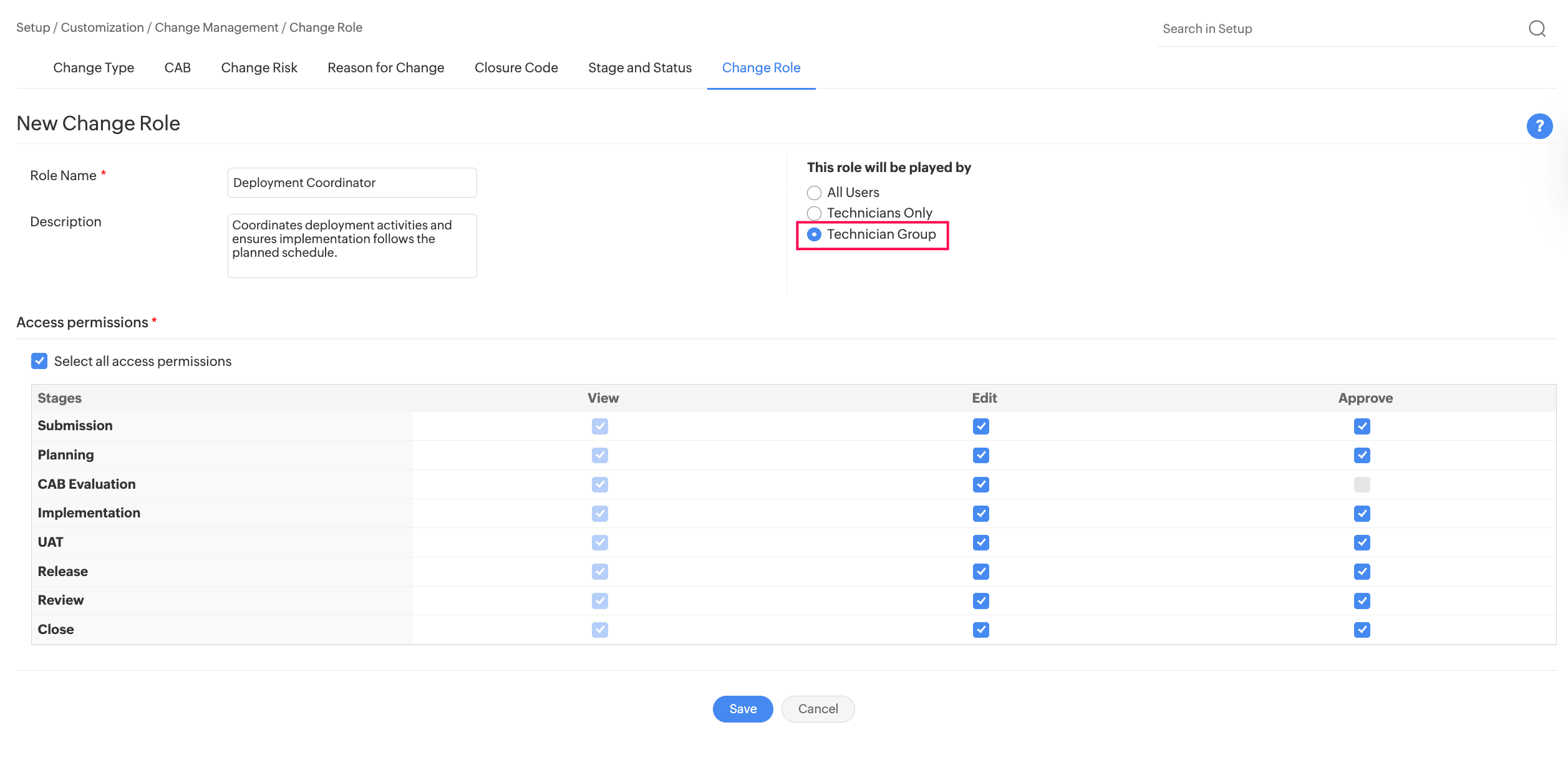
- You can now assign a technician group to a change role, besides users and technicians.
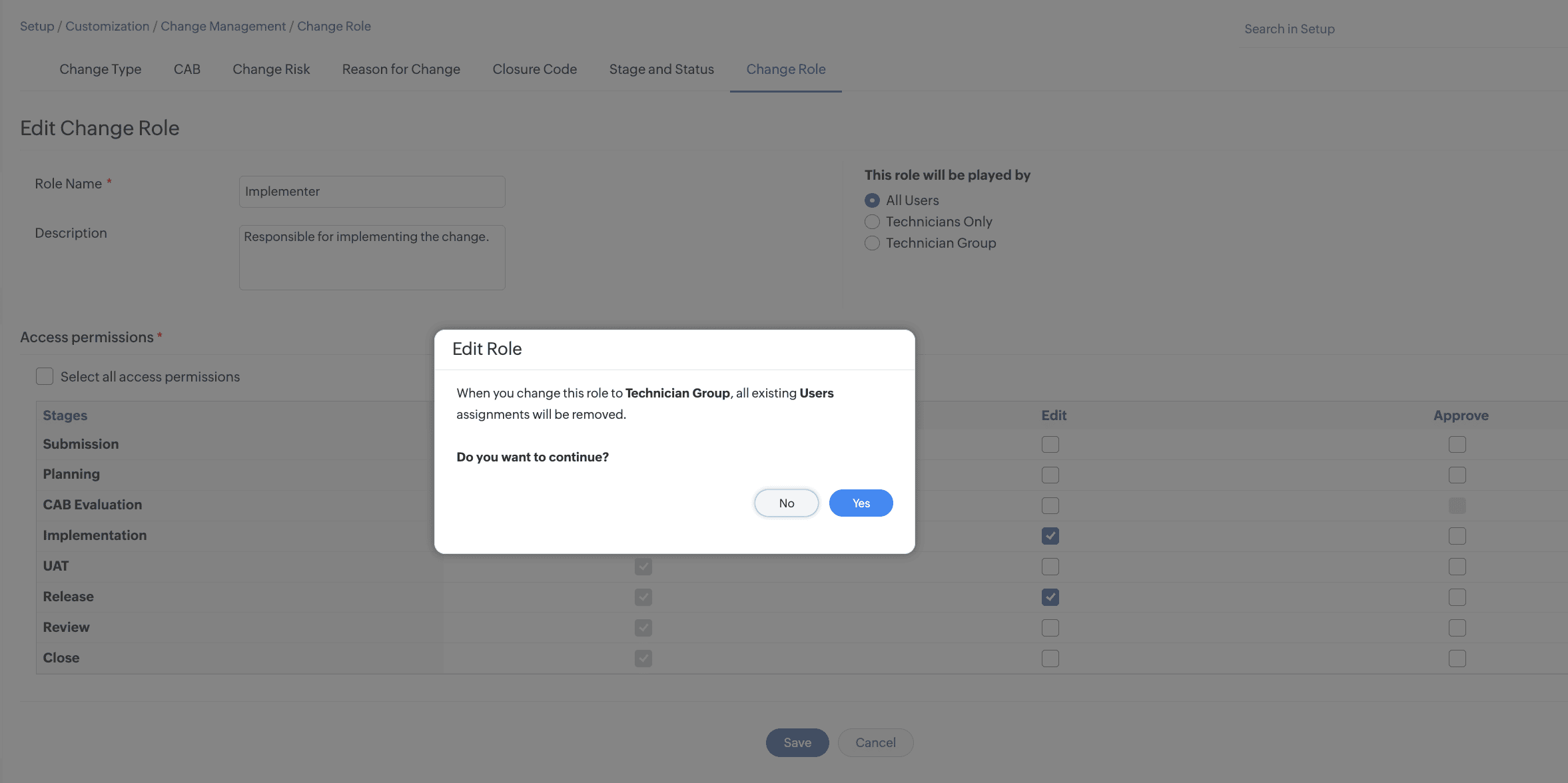
- To configure a technician group for a change role, go to Setup > Customization > Change Management > Change Role. Create or edit a role and select Technician Group as the user type.
- For an existing change role, changing the user type to Technician Group removes all existing role assignments in Changes that are in the Submission stage.
Assign Technician Groups to Change Roles
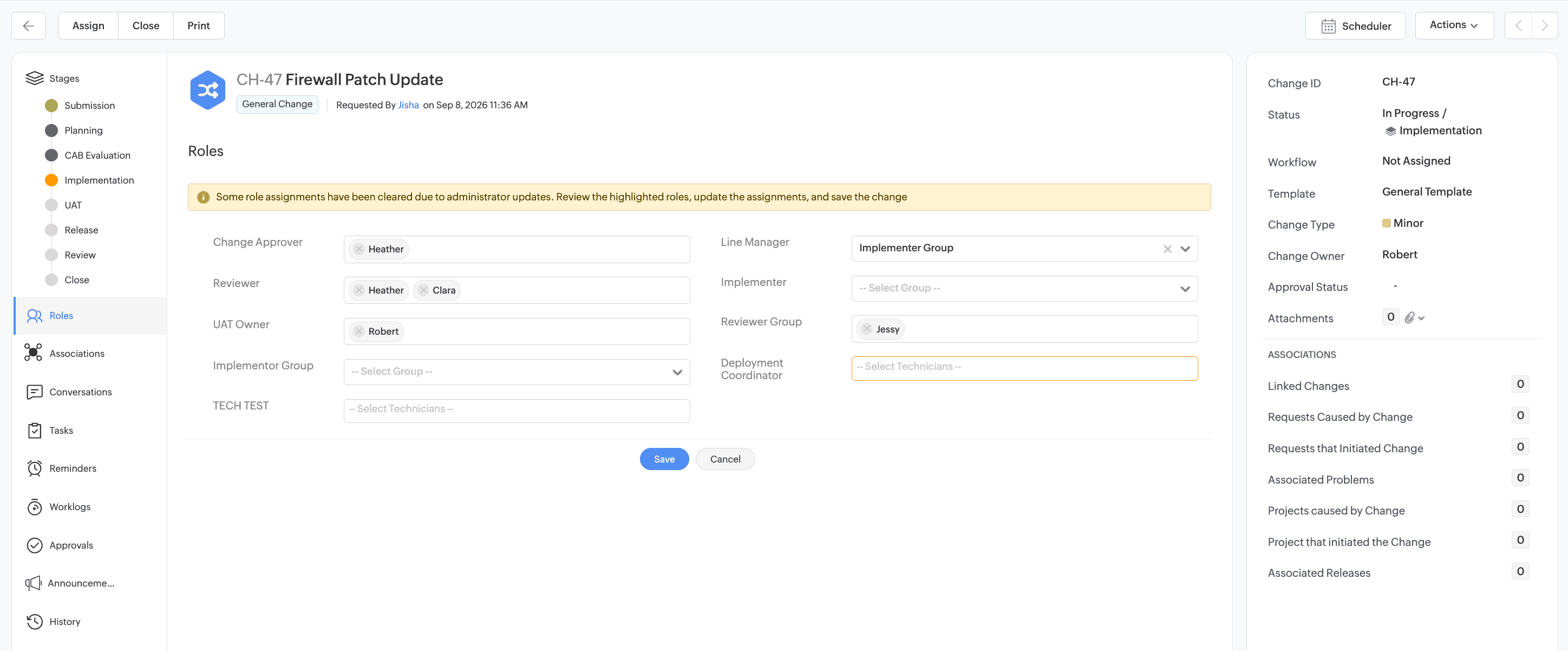
- After associating a change role with a change template, you can assign a technician group to the role from the change details page.
- The available technician groups are based on the site associated with the change. Only one technician group can be assigned to each change role.
- When a user attempts to update an assignment associated with a modified change role, a message indicates that the existing assignment has been cleared, and the corresponding role field is highlighted to prompt reassignment.
- Changes made to role assignments are recorded in the change history.
Technician Group Roles in Automations
Technician group change roles can be:
- Updated by using the Field Update action.
- Used as criteria across automation rules.
- Used in Form Rule actions to set, clear, add, or remove field values and options dynamically.
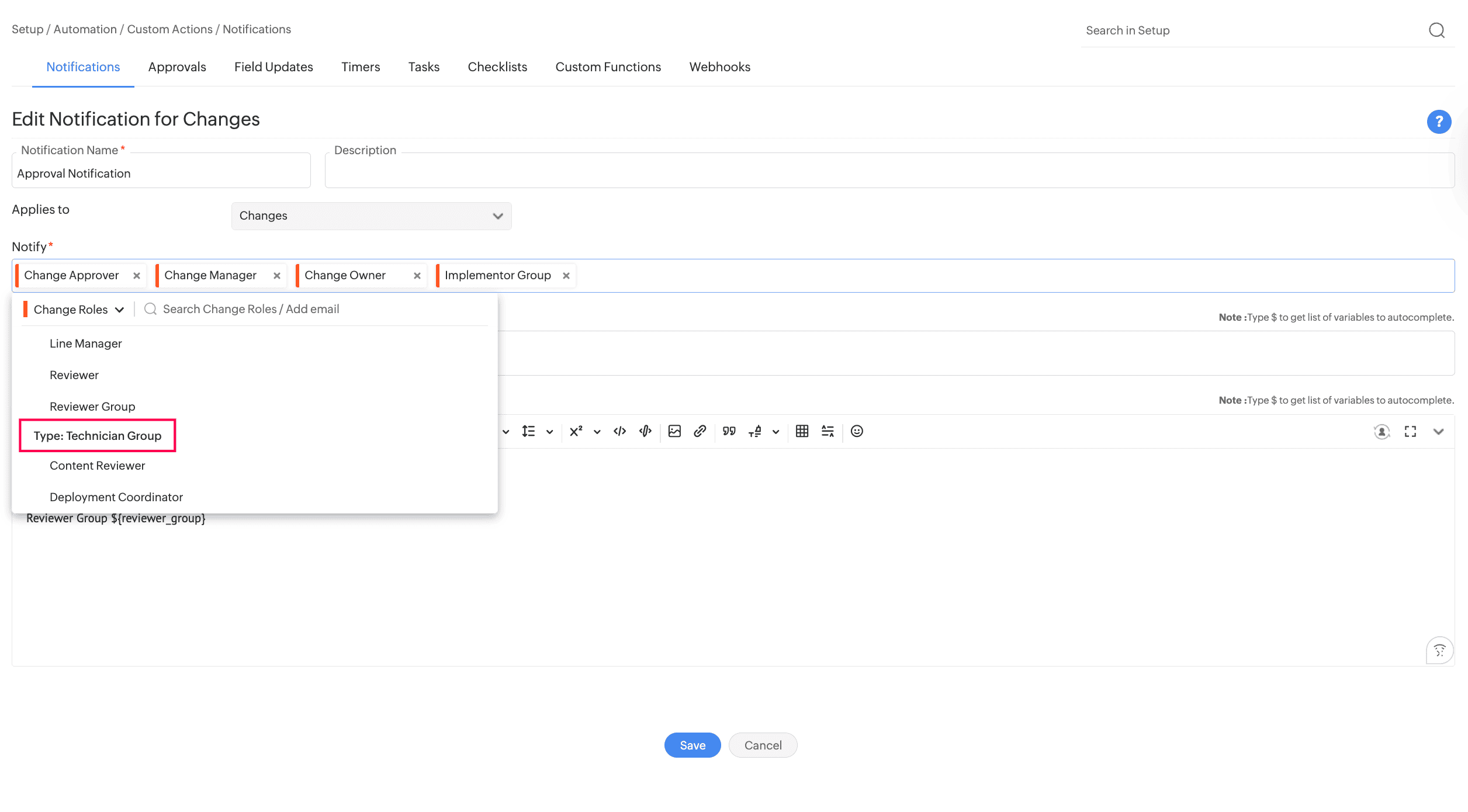
- Technician groups can be configured in notifications and approvals.
Let's support faster, easier, and together