Autonomous network configuration rollback software
Restore routers, switches, firewalls, and other network devices to a known-good configuration after a failed or unauthorized change with ManageEngine Network Configuration Manager.
- Roll back to the previous, baseline, or any archived version, and review the diff before you upload.
- Undo unauthorized changes automatically the moment real-time change detection catches them.
- Roll back whole device groups at once with shared labels, with approvals and an audit trail for every rollback.
Why do you need a network configuration rollback tool?
A single incorrect change, such as a mistyped ACL, faulty route-map edit, or direct device modification, can take a link or site offline. A configuration rollback tool lets you quickly restore the last working configuration without manually locating backup files, recalling vendor-specific commands, or redeploying configurations. This reduces recovery time and minimizes network downtime.
Robust configuration roll back features of Network Configuration Manager
Rollback to the previous, baseline, or any archived version
When a change breaks something, the fastest fix is usually the configuration that worked before it. Network Configuration Manager keeps every version, so you can pick the right one and revert in a few clicks.
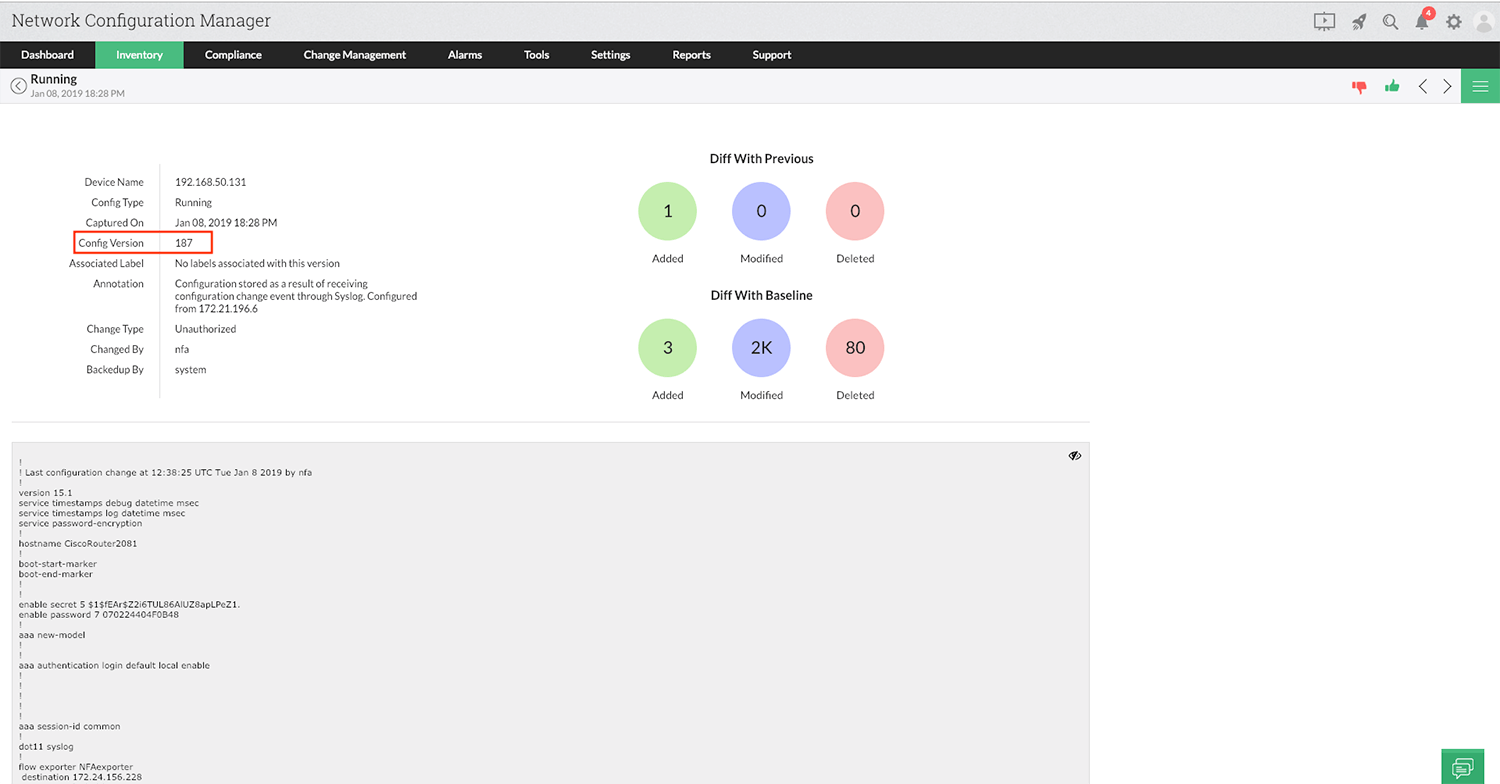
- Every backup of running and startup configurations is kept as a version, stamped with the time and the user behind the change.
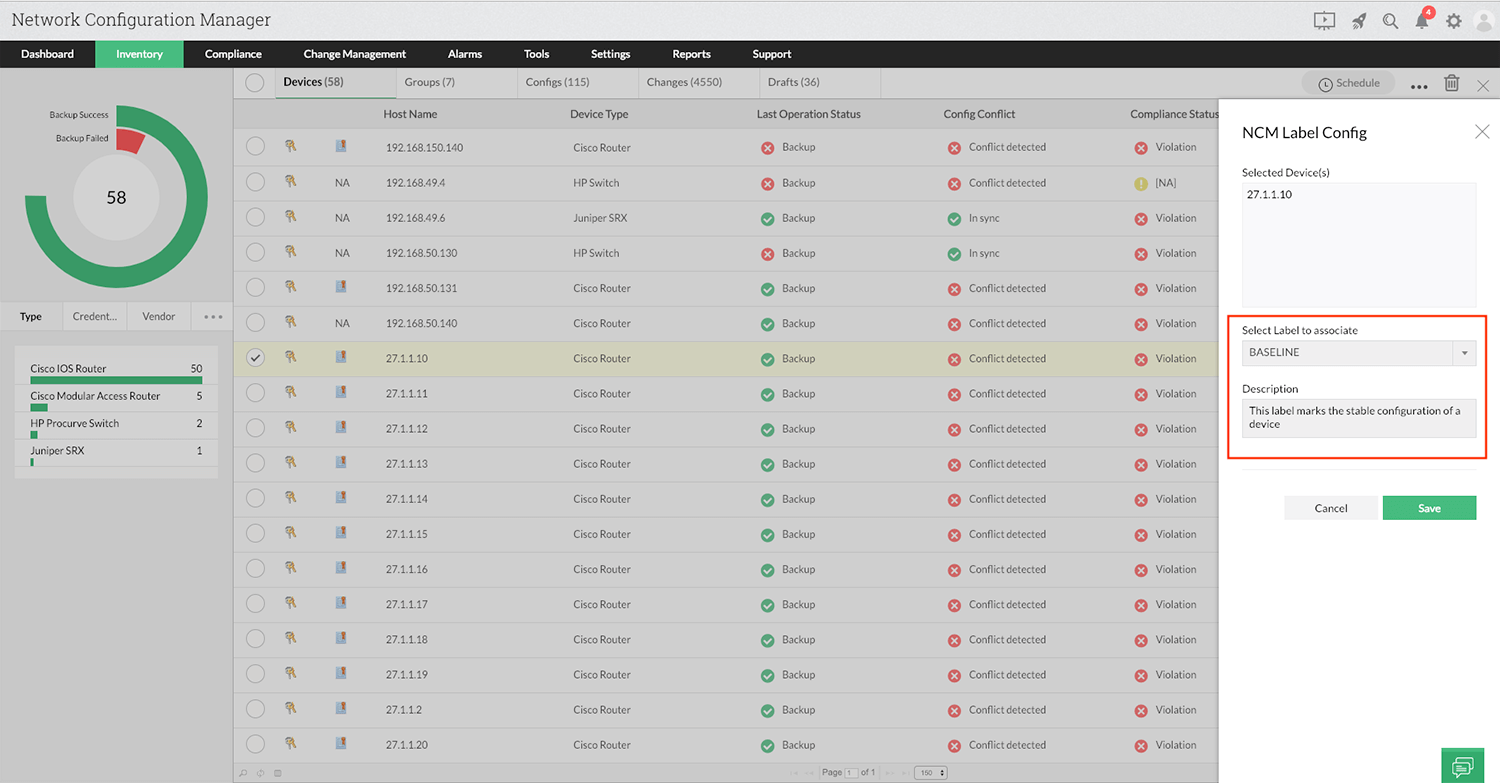
- Label stable configurations as BASELINE or assign custom labels to keep important versions available for future rollbacks.
- Compare the target version with the current configuration in the diff view, with changed blocks highlighted, before you roll back.
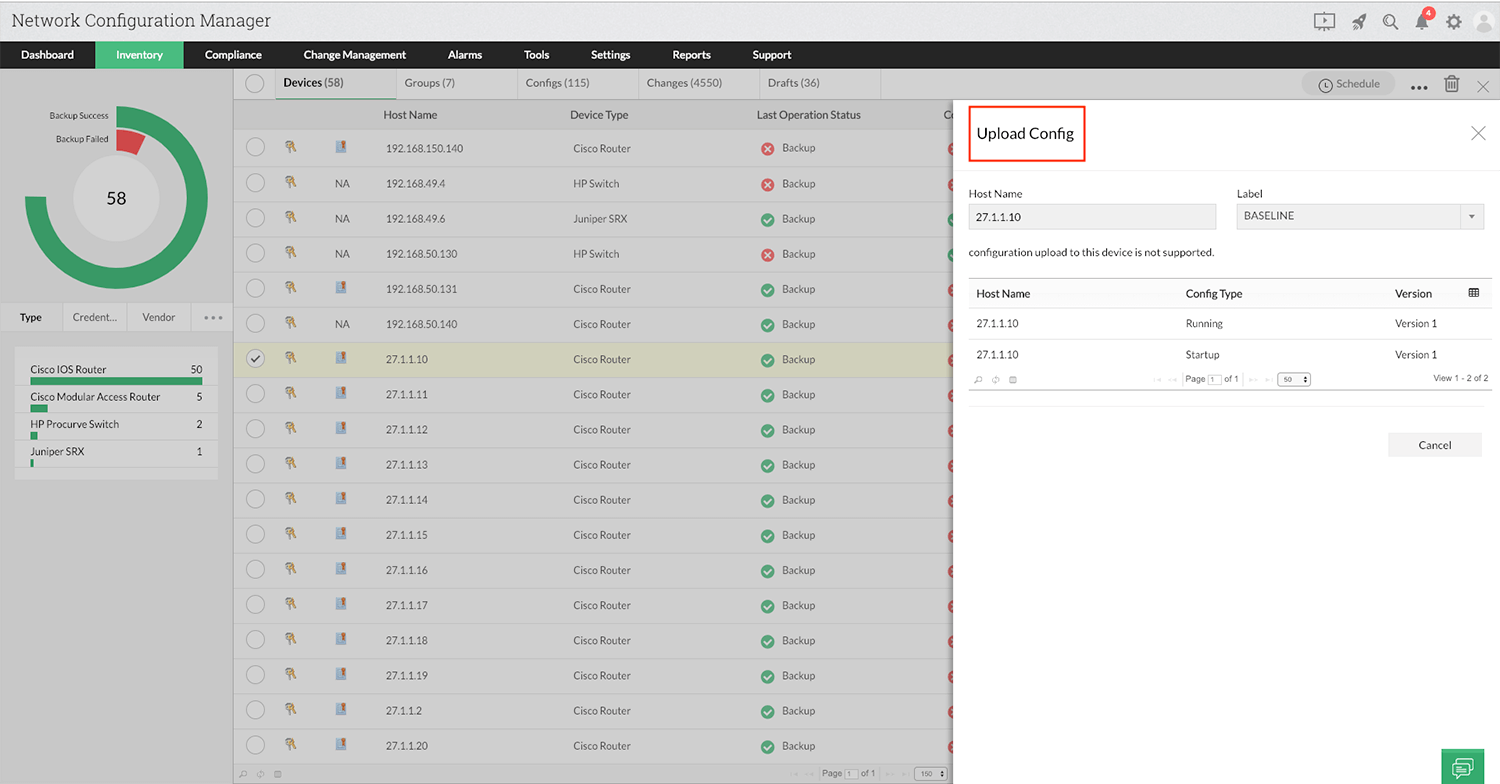
- Upload the chosen version to the running or startup configuration. After a running configuration upload, sync it to startup to retain the rollback after a reboot.
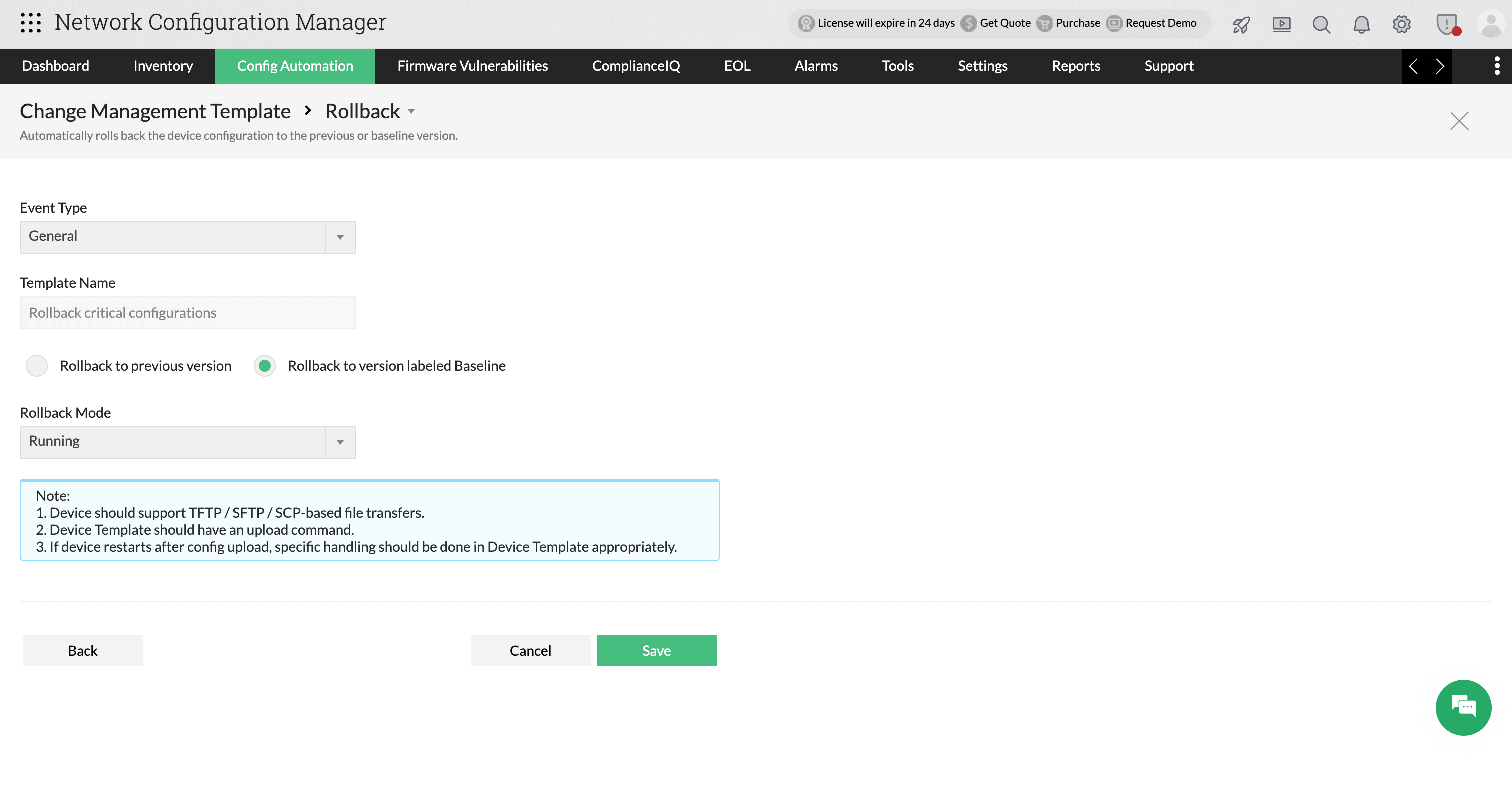
Undo unauthorized changes automatically
Changes made directly on a device, outside your change process, are hard to spot and slow to undo manually. Automatic rollback reverses them as soon as they’re detected.
- Syslog-based change detection backs up the device as soon as it reports a change, and records who made it.
- Add a rollback action to a Change Management profile to revert the device to its previous version or the version labeled baseline.
- Limit rollbacks with conditions such as change type (authorized or unauthorized) and configuration type, and apply each profile only to the devices it should protect.
- Combine the rollback with email, SMS, syslog, SNMP trap, webhook, SIEM, or ticket actions so the team knows what was reverted.
Roll back only the lines that broke
Not every rollback needs a full overwrite. Revert only the block that caused the problem, and keep the rest of the device’s current configuration in place.
- Upload a draft to the running configuration to merge its differences with the existing configuration. Uploading the same draft to startup replaces the entire startup configuration with the draft contents.
- Edit any earlier configuration version as a draft, or create a new draft containing only the corrective commands for an ACL, SNMP setting, or interface configuration.
- Compare the draft with a labelled baseline using Diff View, or compare configuration versions to review changes before uploading.
- Push the same partial rollback to many devices with a configlet, using variables and per-device values for settings that differ.
Control who can roll back, and record every rollback
A rollback is a change too. Role-based access and approvals make sure the right version reaches the right device, with a record of who did it.
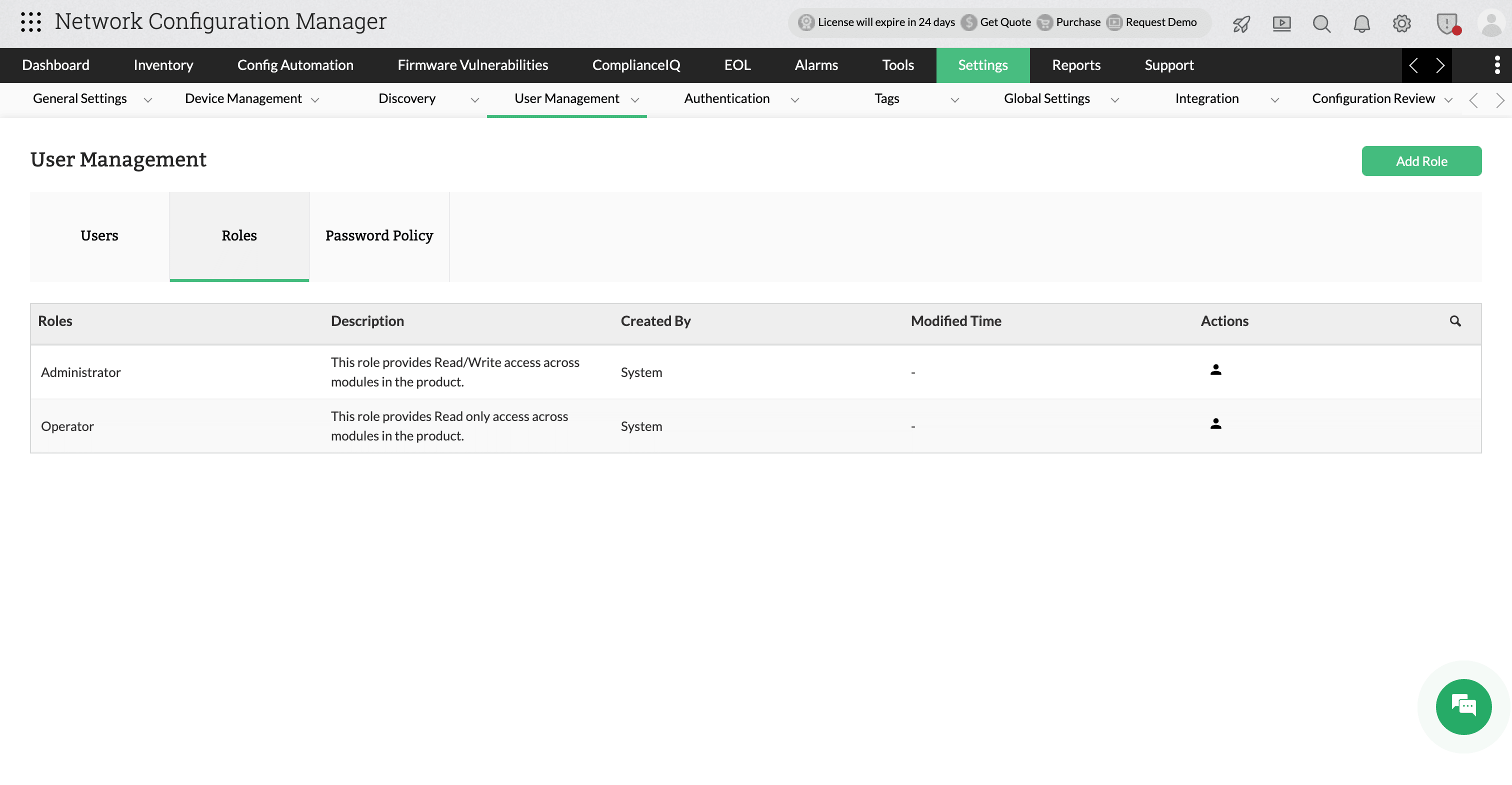
- Roles separate administrators, power users, and operators, and an operator’s upload becomes a request that only an administrator can approve.
- Approvers review the proposed configuration, compare drafts against the baseline, and either approve and execute now or approve for later.
- User audit, device audit, and configuration upload request reports show who rolled back which device, and when.
Multi-vendor support for network confi
Built-in support for 120+ vendors, 400+ device templates, and 7000+ models
Switch
- IBM
- Avaya
- Cisco
- Dell
Router
- Hitachi
- Brocade
- Huawei
- Microtik
Firewall
- CheckPoint
- Citrix
- Fortinet
- PaloAlto
Frequently asked questions (FAQ) about configuration rollback
Explore the common questions users ask about rolling back network configuration changes
Resources to dig deeper
How to automate network compliance management using ComplianceIQ
Learn how ComplianceIQ uses a visual, flow-based rule engine to automate compliance validation across multi-vendor network devices.
- » Network Configuration Manager Overview
- » Network Configuration Manager Features
- » 30-Day Free Trial
- » Release Notes
- » Upgrade Packs
- » Online Store
- » Get Quote
- » Live Demo
- » User Manual
- » Flyer
- » System Requirements
- » Supported Device Models
- » Blogs
- » White Paper Request
- » Best Practices
- » Customers
- » Testimonials
- » Contact Us
- » Schedule Configuration Backup
- » Configuration Versions
- » Firmware Upgrade
- » Configuration Change Tracking
- » Change Management Rules
- » User Activity Tracking
- » Compliance Monitoring
- » Intuitive Reports