Integrate OpManager with Azure OpenAI
Connect OpManager to your own Azure OpenAI deployment to generate alarm, device, and problem summaries, scripts, and SNMP OID suggestions, with data processed in your Azure subscription. You will need an Azure OpenAI resource with a model deployment, its hosted URL, and an API key.
Privacy: To safeguard sensitive data, OpManager applies a PII masking layer before any information is sent to Azure OpenAI. Device and user identifiers (including IP addresses, hostnames, and serial numbers) are masked prior to transmission and automatically restored in the response, ensuring generated summaries and scripts remain accurate without exposing sensitive details.
- Configuration in OpManager
- AI Settings: assigning vendors per feature
- AI-generated summaries in OpManager
Configuration in OpManager
To enable AI-generated summaries in OpManager, you must first configure the Azure OpenAI integration. This requires the hosted URL of your Azure OpenAI resource and an API key, both available from the Azure portal.
- Go to Settings → General Settings → Integrations → GenAI → Azure OpenAI.
- Enter your Organization Name (optional).
- In the Azure Hosted URL field, enter your resource endpoint in the following format:
https://<resource>.openai.azure.com - In the API Key field, paste the key from your Azure OpenAI resource.
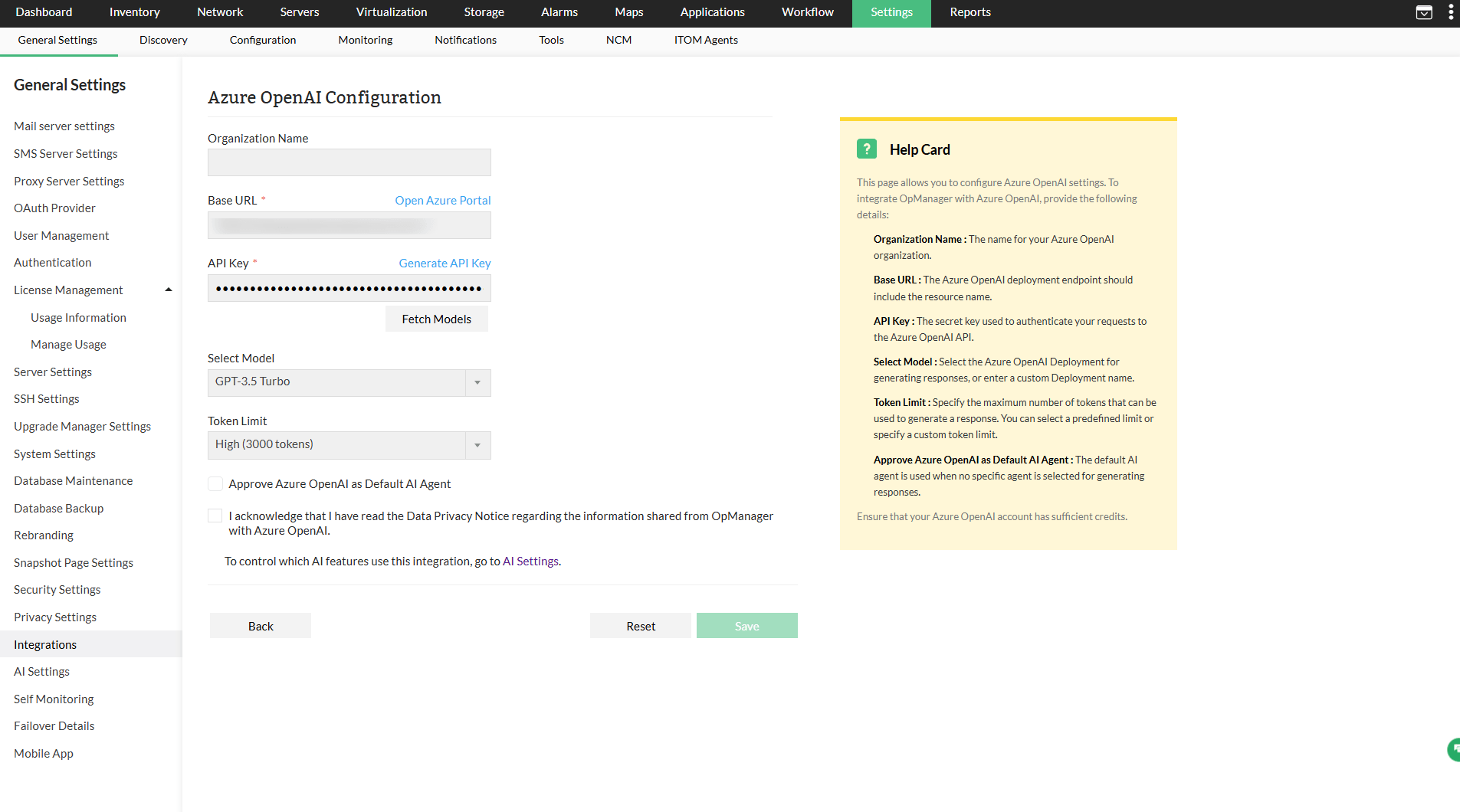
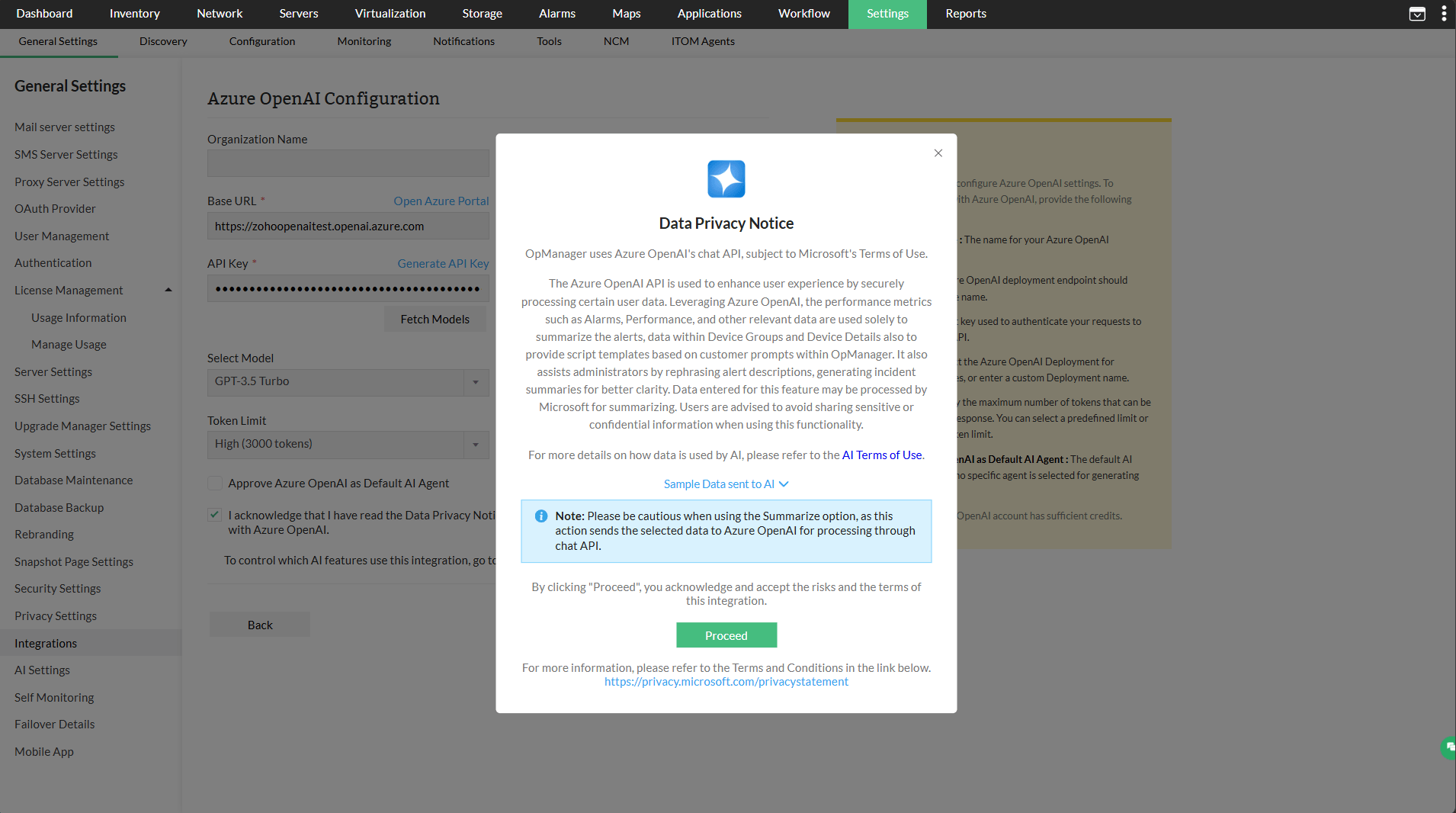
- Click Fetch Model to load the globally accessible deployments into the Model dropdown. Deployment details cannot be retrieved directly from your Azure hosted URL, so deployments that are available only in your region may not be listed.
- Select the desired deployment from the Model dropdown. A deployment name is defined by you in Azure when you create the deployment and can differ from the name of the underlying model, so make sure the name you select or enter matches the deployment exactly.
- If your deployment isn't listed, select Custom at the end of the dropdown and enter the deployment name exactly as it appears in Azure.
- Tip: To find the exact deployment name, log in to Azure OpenAI Studio and navigate to Deployments under your resource.
- Set the Token Count as required for your environment. Use the following guidance:
- What it controls: Token Count sets the ceiling on the number of tokens the model can use to generate a response. A higher value helps accommodate more detailed summaries and scripts, if the model generates them.
- Recommended range: 1,000 to 2,000 tokens for Device Summary, Device Group Summary, All Alarms Summary, and SNMP OID generation; 2,000 to 3,000 tokens for Individual Alarm Summary, Problem Summary, and Script Generation. Do not exceed the maximum output limit of the selected model.
- Treat these values as a starting point rather than a fixed rule. The tokens needed depend on the model and how much reasoning it applies. One model may produce a summary in under 1,000 tokens, while a more reasoning-heavy model may need 4,000 to 5,000 tokens for a basic device summary. In general, the ranges above work well.
- Trade-offs: Higher values increase Azure OpenAI usage cost and response time. Values that are too low can truncate the response, especially for features that use more tokens, such as Problem Summary and Script Generation.
- Acknowledge the data privacy notice and click Proceed.
- Click Save.
Azure OpenAI has successfully been integrated with OpManager.
AI Settings
After completing the integration, navigate to the AI Settings page to control which vendor and model powers each AI feature in OpManager.
Navigate to Settings → General Settings → AI Settings.From this page, you can:
- Enable or disable individual AI features using their toggle.
- Assign a vendor and model independently for each feature using the Vendor and Model dropdowns.
- Apply a single vendor and model to all features at once by enabling the Apply to all features checkbox.
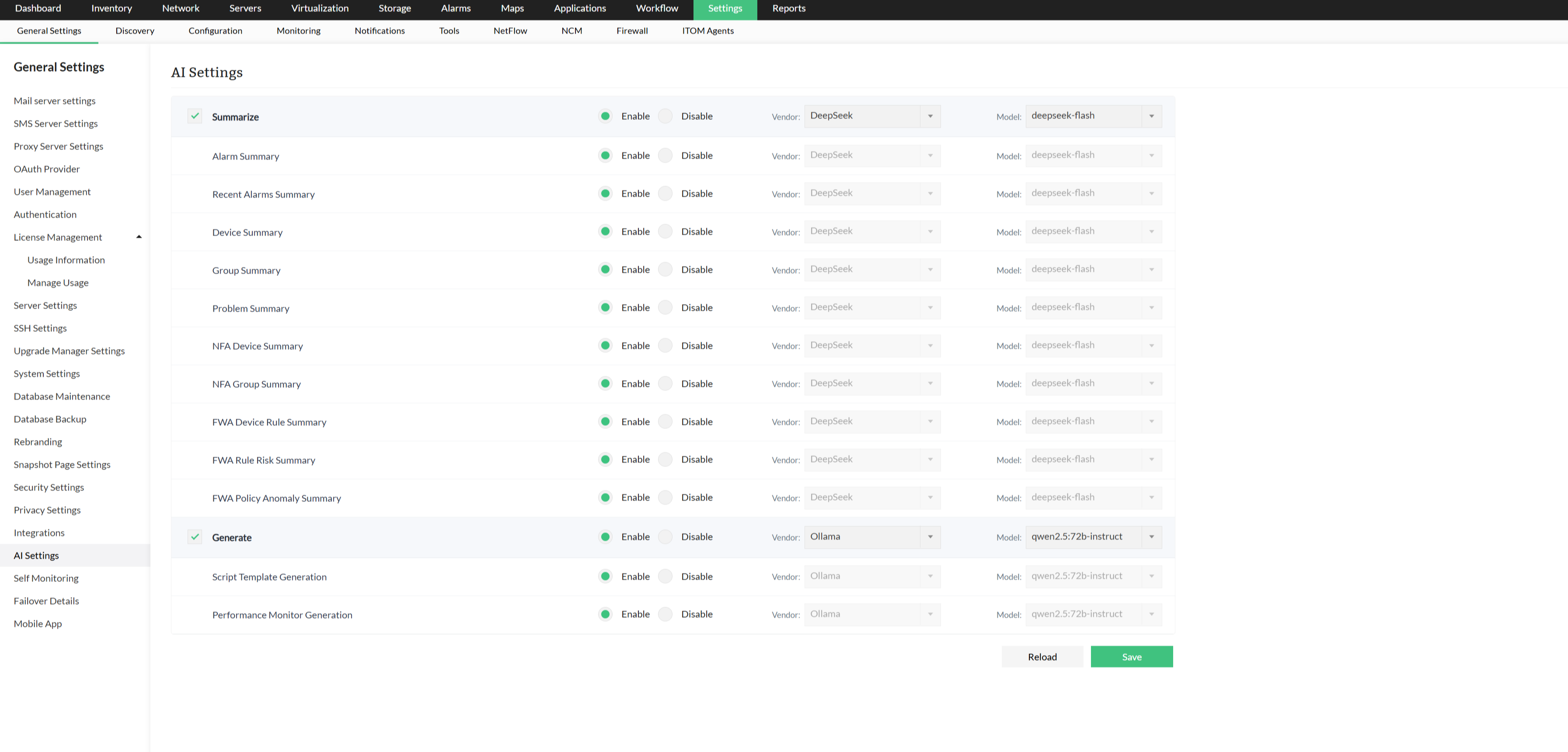
The following features can be configured independently:
| Feature | Description |
|---|---|
| All Alarms Summary | Consolidates all active alarms into a single prioritized summary |
| Individual Alarm Summary | Analyzes a single alarm for probable cause and remediation steps |
| Device Group Summary | Summarizes health and performance trends across a device group |
| Device Summary | Generates a focused health overview for a single device |
| Problem Summary | Analyzes correlated alarms and identifies the probable root cause |
| Script Generation | Produces script templates from a natural-language description |
| SNMP OIDs for Performance Monitors | Fetches relevant SNMP OIDs based on a plain-language description (available from OpManager version 12.9.120 onward) |
When multiple AI vendors (such as OpenAI, DeepSeek, or SiliconFlow) are configured, each feature can be assigned a different vendor. For example, alarm summaries can run on Azure OpenAI while script generation uses a locally deployed Ollama instance.
AI-generated summaries in OpManager
With the Azure OpenAI integration configured and enabled in AI Settings, the following features become available:
- All alarms summary
- Individual alarm summary
- Device group summary
- Device summary
- Problem summary
- Script generation
- SNMP OIDs for Performance Monitors
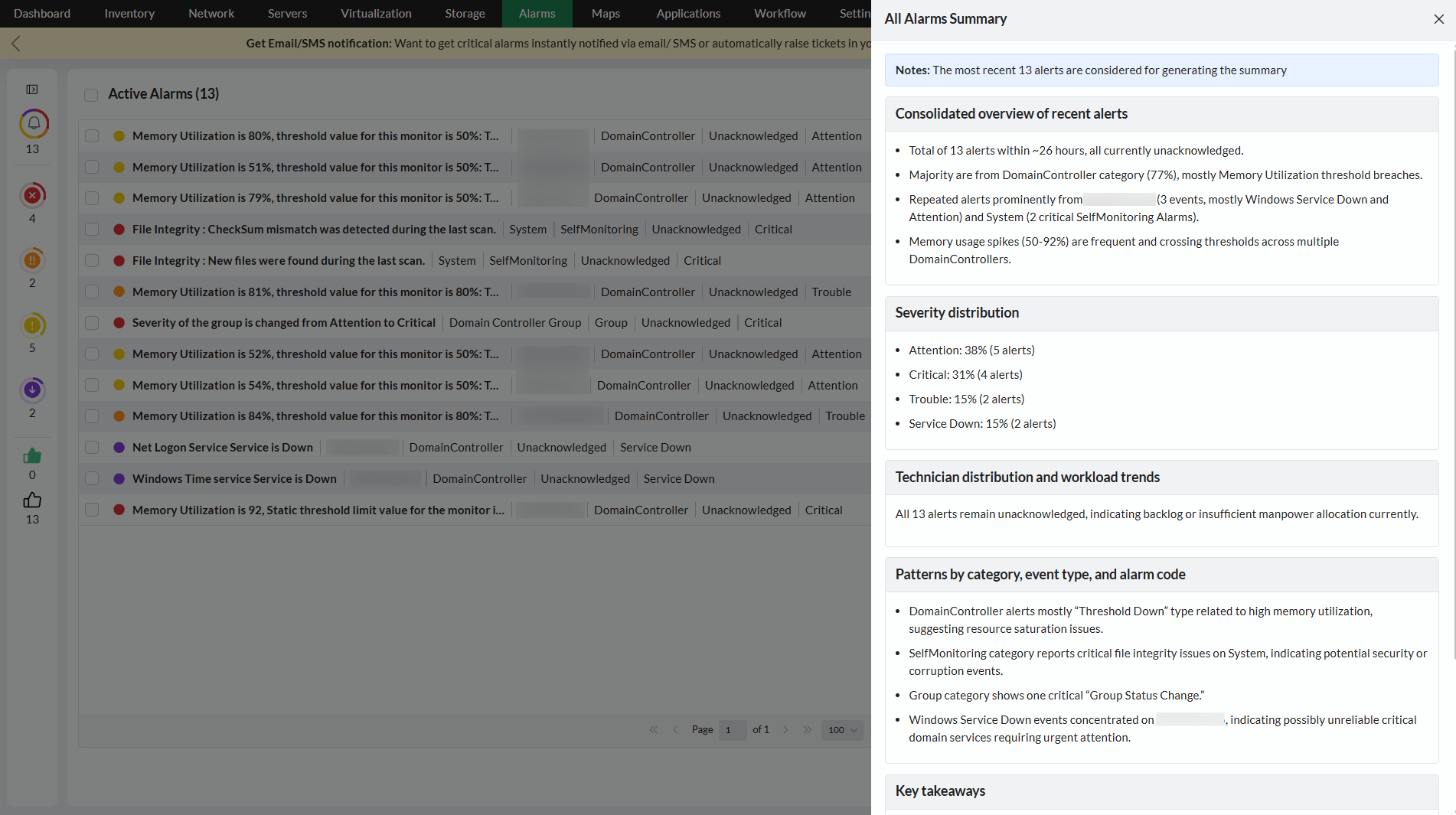
All Alarms Summary
OpManager can consolidate all active alarms into a single, easy-to-read summary highlighting the most critical details across your monitored infrastructure.
- Navigate to Alarms and select the Summarize tab in the top-right corner. OpManager will instantly generate the summary without any additional input.
Individual Alarm Summary
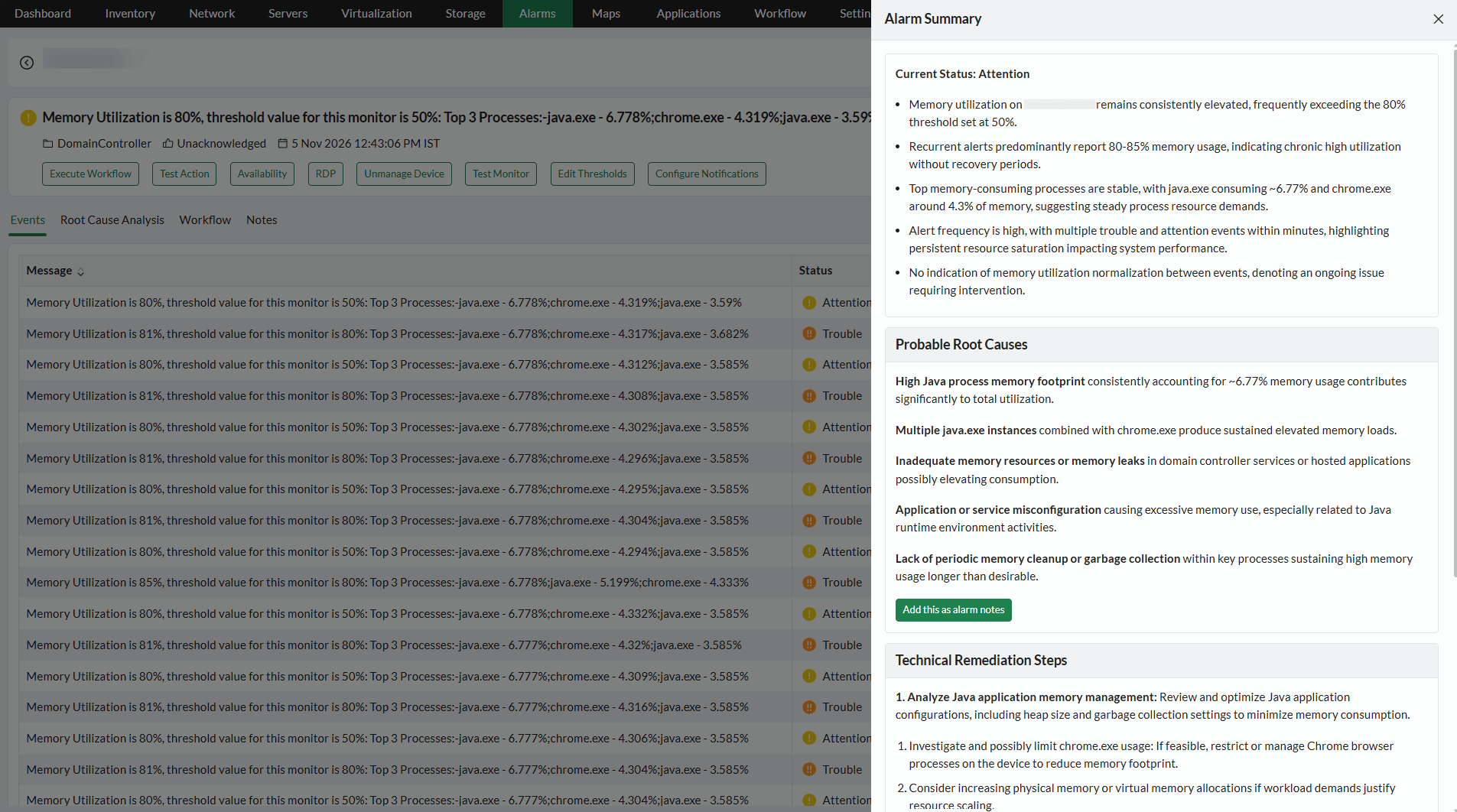
OpManager's Azure OpenAI integration can analyze individual alarms in detail, identifying the alarm type, listing probable causes, and generating a detailed, actionable summary for that specific alarm.
- Navigate to Alarms and open any alarm of your choice, and select the Summarize tab to generate a detailed summary for that alarm.
Device Group Summary
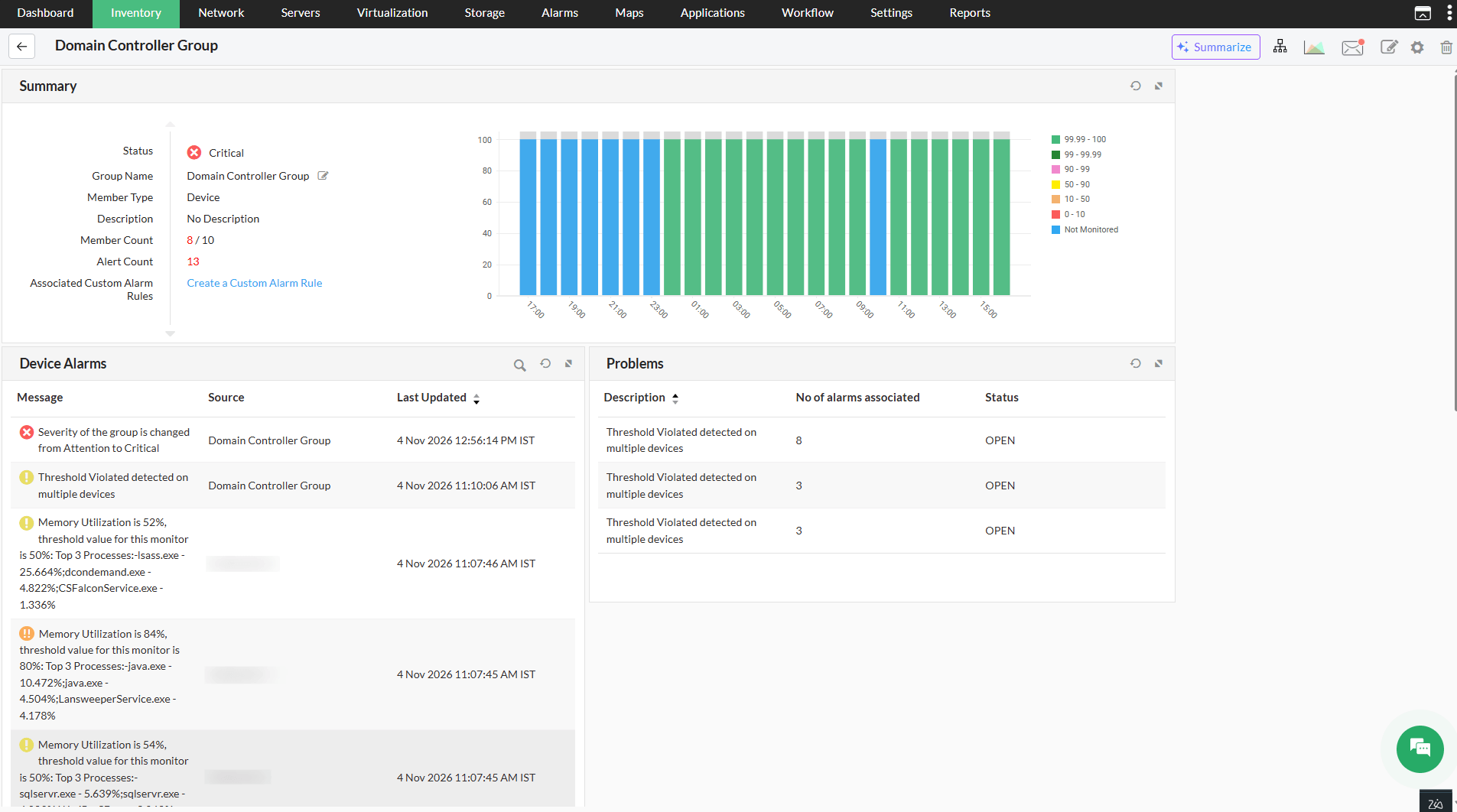
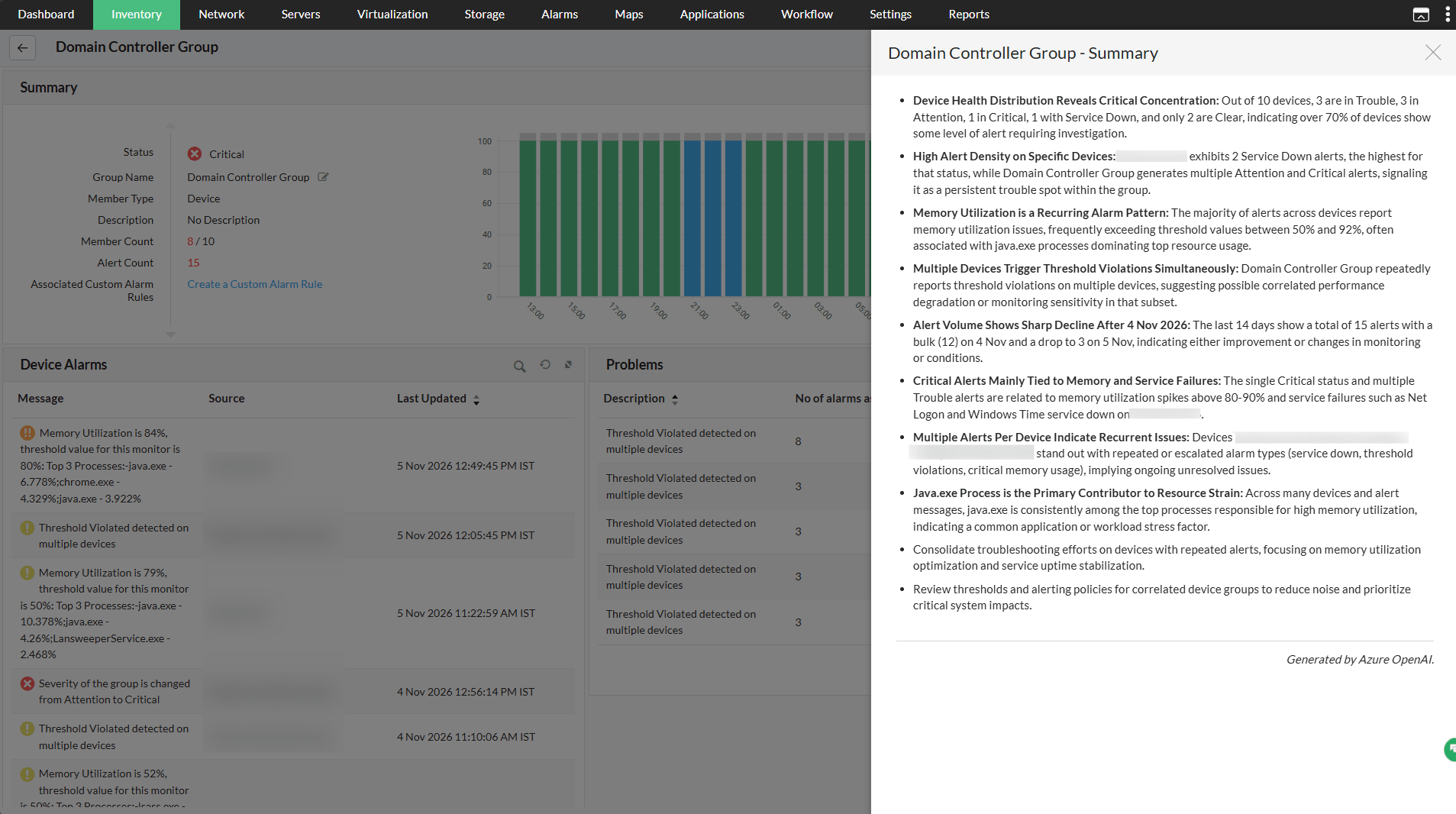
The Azure OpenAI integration enables AI-generated summaries for device groups in OpManager, providing a consolidated snapshot of device conditions, key performance metrics, and actionable recommendations across all devices within the group. Unlike individual device summaries — which focus on the health and performance of a single device — group-level summaries are better suited for monitoring large network segments, offering a broader view that helps identify patterns and issues across multiple devices at once.
- Go to Settings → Configurations → Groups. Device groups can also be accessed directly from Inventory.
- Select a device group and click the Summarize tab to generate the AI-powered summary.
Device Summary
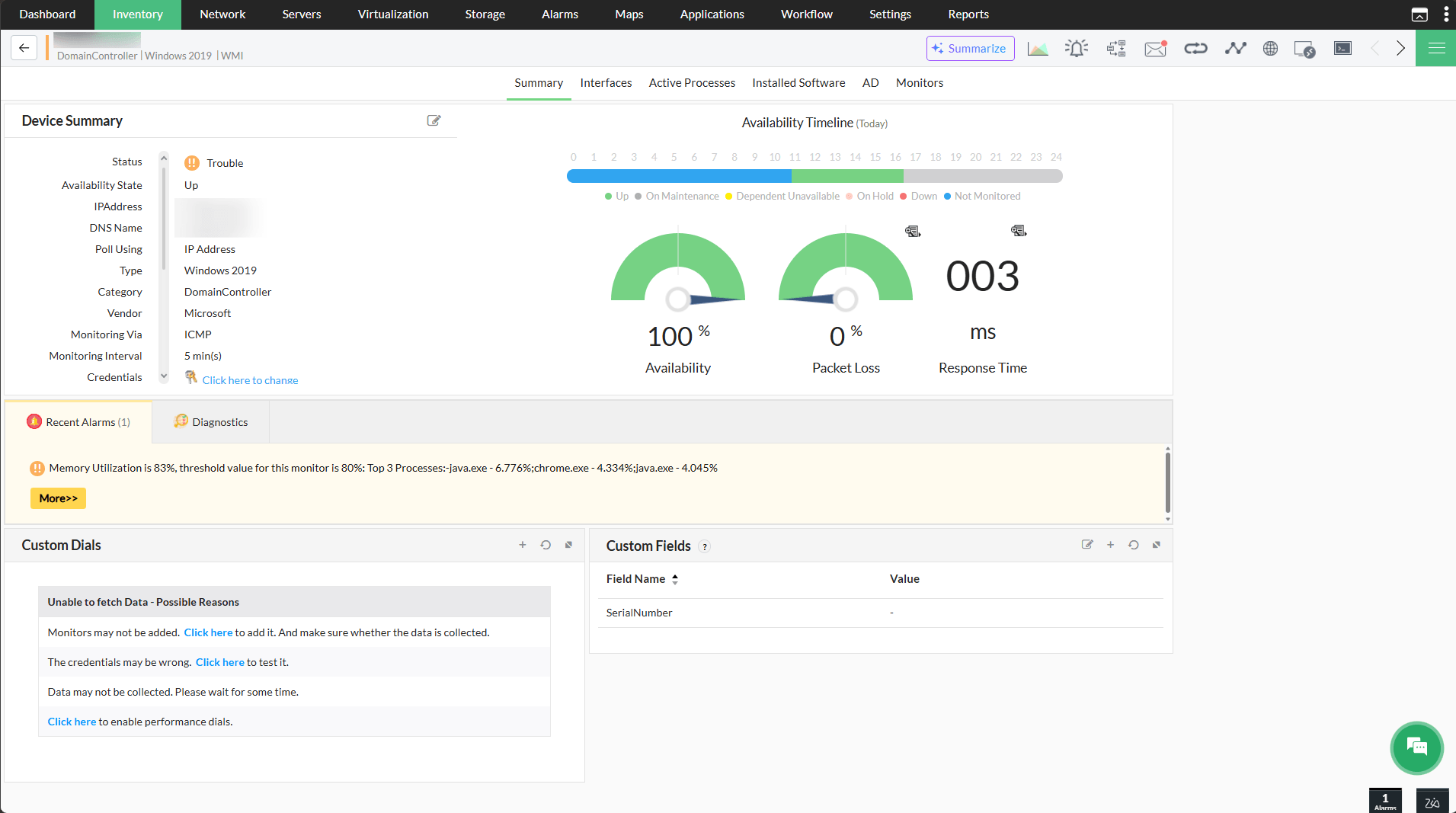
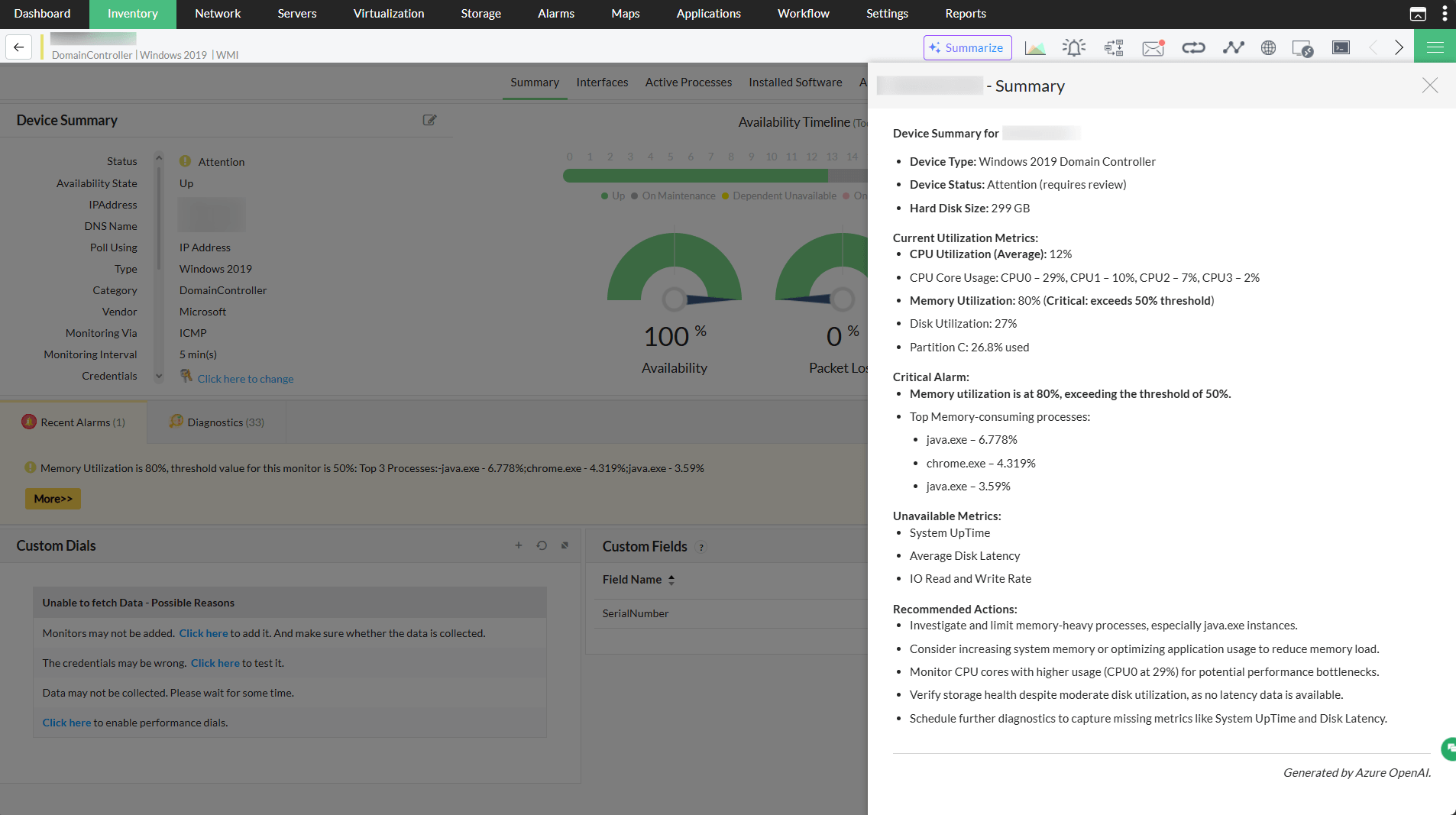
OpManager's Azure OpenAI integration can generate a focused summary for any individual device, covering its overall health status and key performance metrics in a single consolidated view.
- Navigate to Inventory and select a device to open its snapshot page.
- Click the Summarize tab within the snapshot page to trigger the AI-generated summary.
Problem Summary
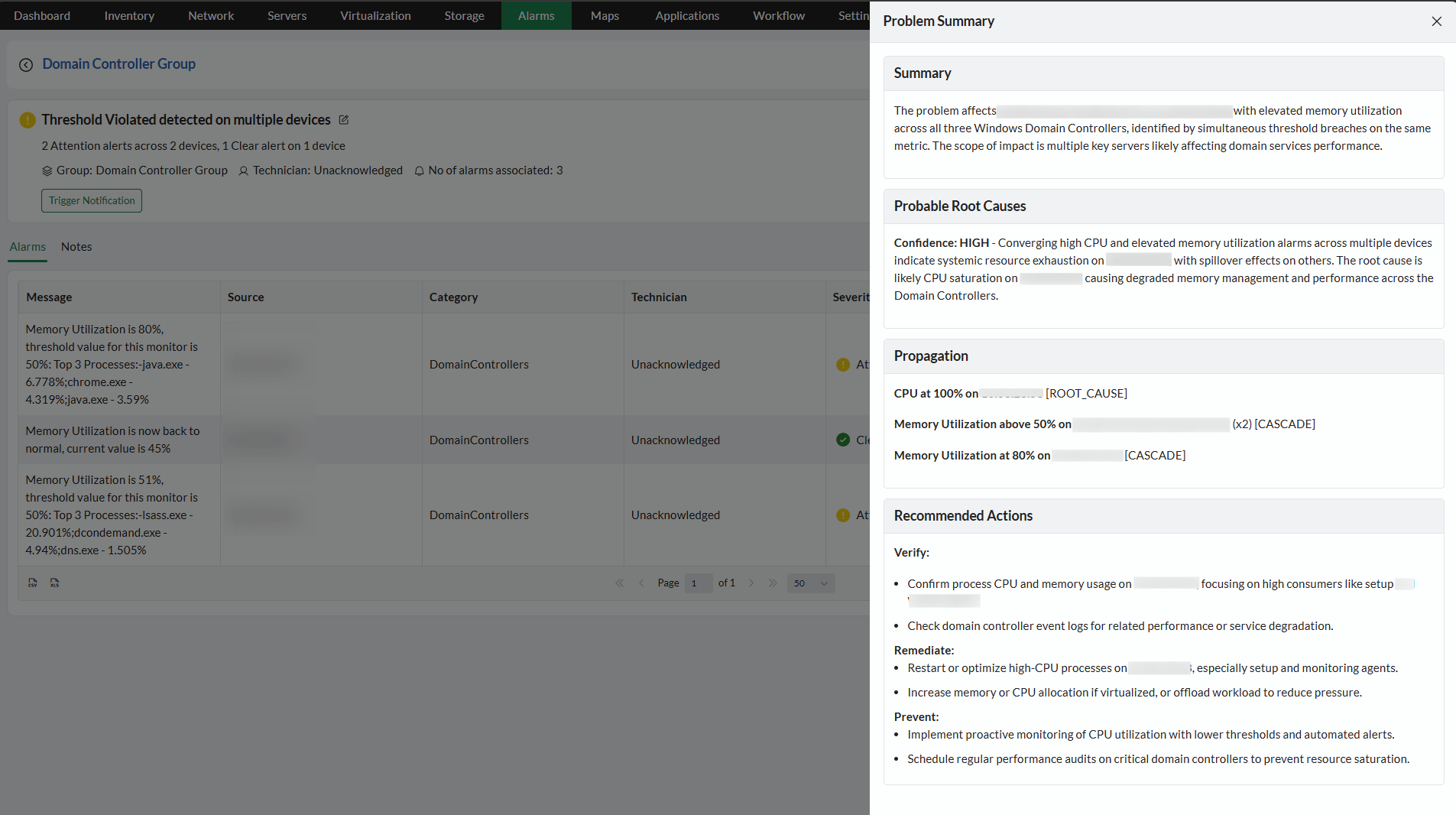
OpManager's Azure OpenAI integration extends AI analysis to correlated Problems. When related alarms are grouped into a single Problem through Event Correlation, Azure OpenAI analyzes the associated alarms and identifies the probable root cause, tagged with a high or medium confidence level, along with suggested remediation steps.
- Navigate to Alarms → Problems and open the Problem you want to analyze.
- Click Analyze with AI to generate the summary.
Script Generation
OpManager's script monitoring supports the execution of custom scripts — including PowerShell, Shell, VBScript, Perl, and Python — to monitor devices and capture script outputs as metrics. The Azure OpenAI integration extends this capability by allowing script templates to be generated automatically using AI. Instead of writing scripts manually, a plain-language prompt can be entered and Azure OpenAI will produce the required script instantly.
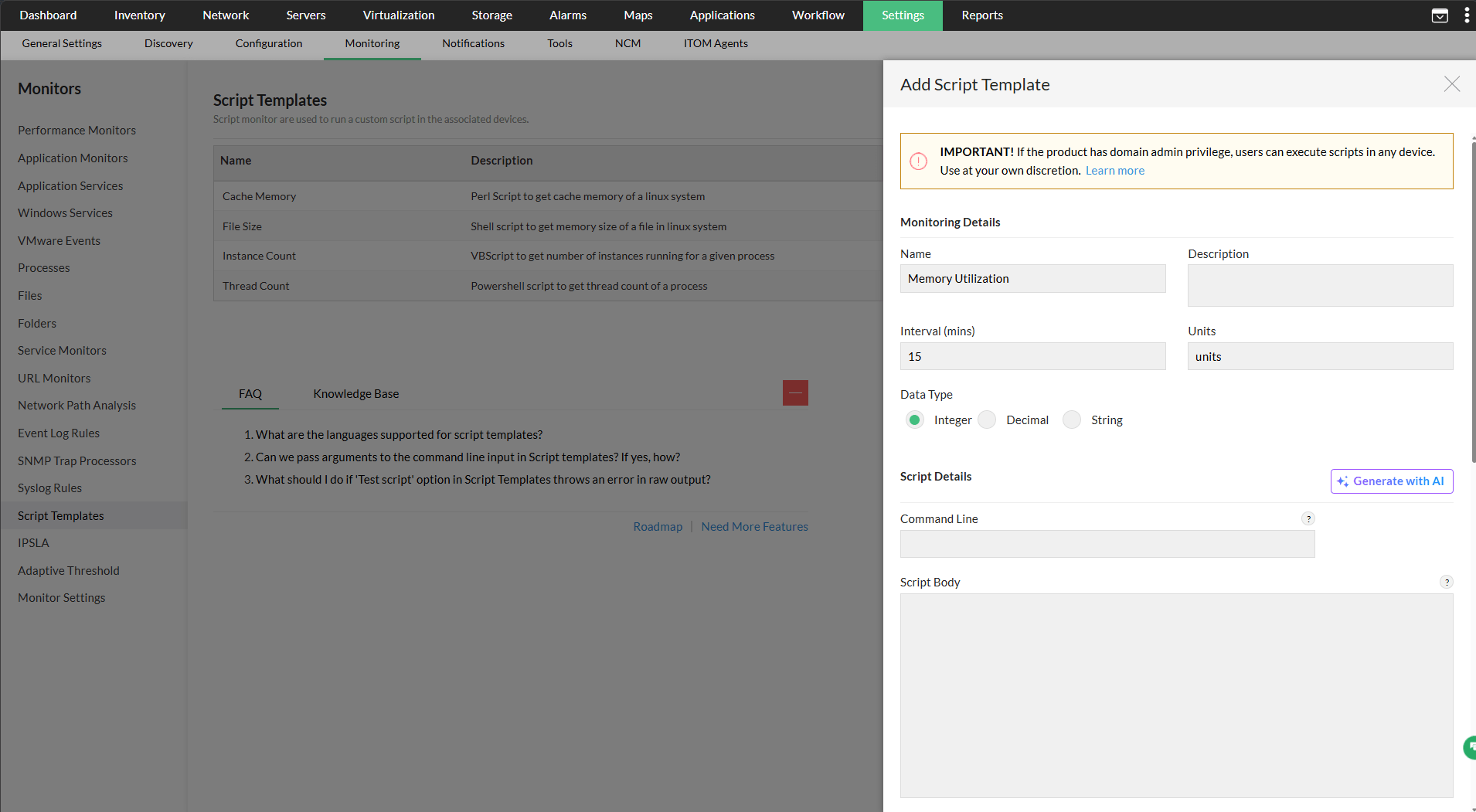
- Go to Settings → Monitoring → Script Templates.
- Click Add and fill in the required monitoring details.
- Under the Script Details section, click Generate with AI to open the Azure OpenAI prompt interface.
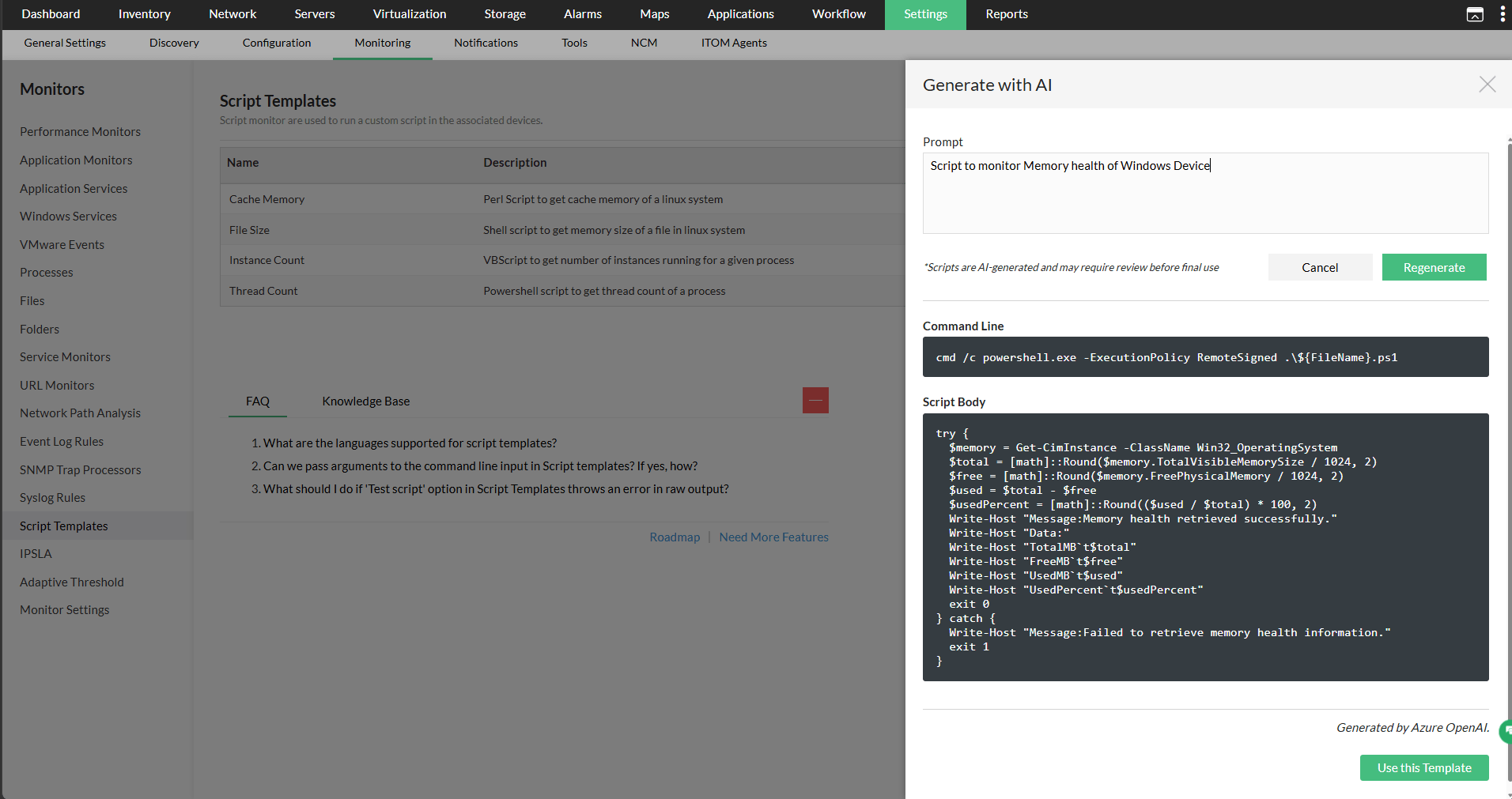
- In the prompt window, enter a description of the script to be generated (for example: PowerShell script that returns free space percentage on C: as a number).
- Click Generate — Azure OpenAI will process the prompt and produce the script automatically.
- Review the generated script and save it as a template to use for device monitoring.
Caution: AI-generated scripts can contain errors or unintended commands. Always review the generated script, and test it on a non-production device, before saving it as a template and deploying it for monitoring.
SNMP OIDs for Performance Monitors
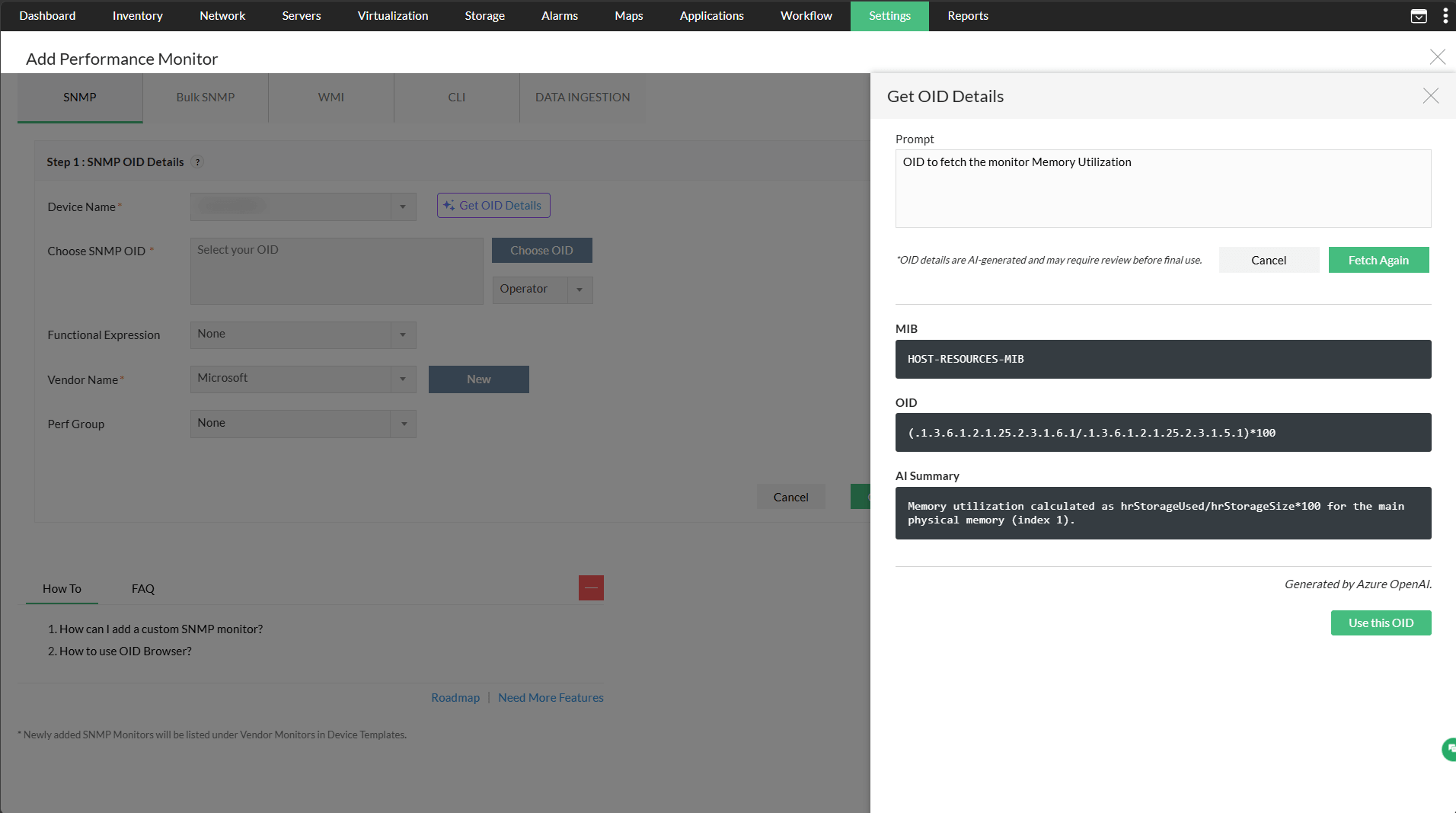
From OpManager version 12.9.120 onward, Azure OpenAI can fetch relevant SNMP OIDs based on a plain-language description of the metric you want to monitor, eliminating the need to look up OIDs manually.
- Navigate to Settings → Monitoring → Performance Monitors and open or create a performance monitor.
- Enter a description of the metric you want to capture (for example: Interface input error rate on a Cisco Catalyst 9300).
- Click Fetch OIDs with AI — Azure OpenAI will return the relevant OIDs automatically.
The OpManager—Azure OpenAI integration consolidates AI-powered summaries, real-time insights, automated script generation, and SNMP OID lookup into a unified workflow — significantly reducing the need for manual analysis and enabling faster, more informed decision-making across network operations.