Discover and Monitor Linux Devices with OpManager
OpManager’s SNMP-, CLI-, and agent-based Linux monitoring helps you understand the state of your network, the devices within it, and their peripherals at any given time, enabling you to maintain and improve your quality of service (QoS).
To better understand the state of your Linux network, an IT admin must:
- Maintain an inventory of all your Linux devices.
- Know the real-time state of your Linux devices.
- Identify traffic congestion in the interfaces.
- Get insightful reports on the performance of Linux devices.
You can view the supported operating systems and prerequisites for agent-based monitoring and set up agents for your Linux network monitoring using this document.
Let us discuss how to accomplish the above with a Linux network monitor like ManageEngine OpManager.
Linux discovery
OpManager makes it fairly simple to discover Linux devices in your network.
Discovering individual Linux devices in OpManager
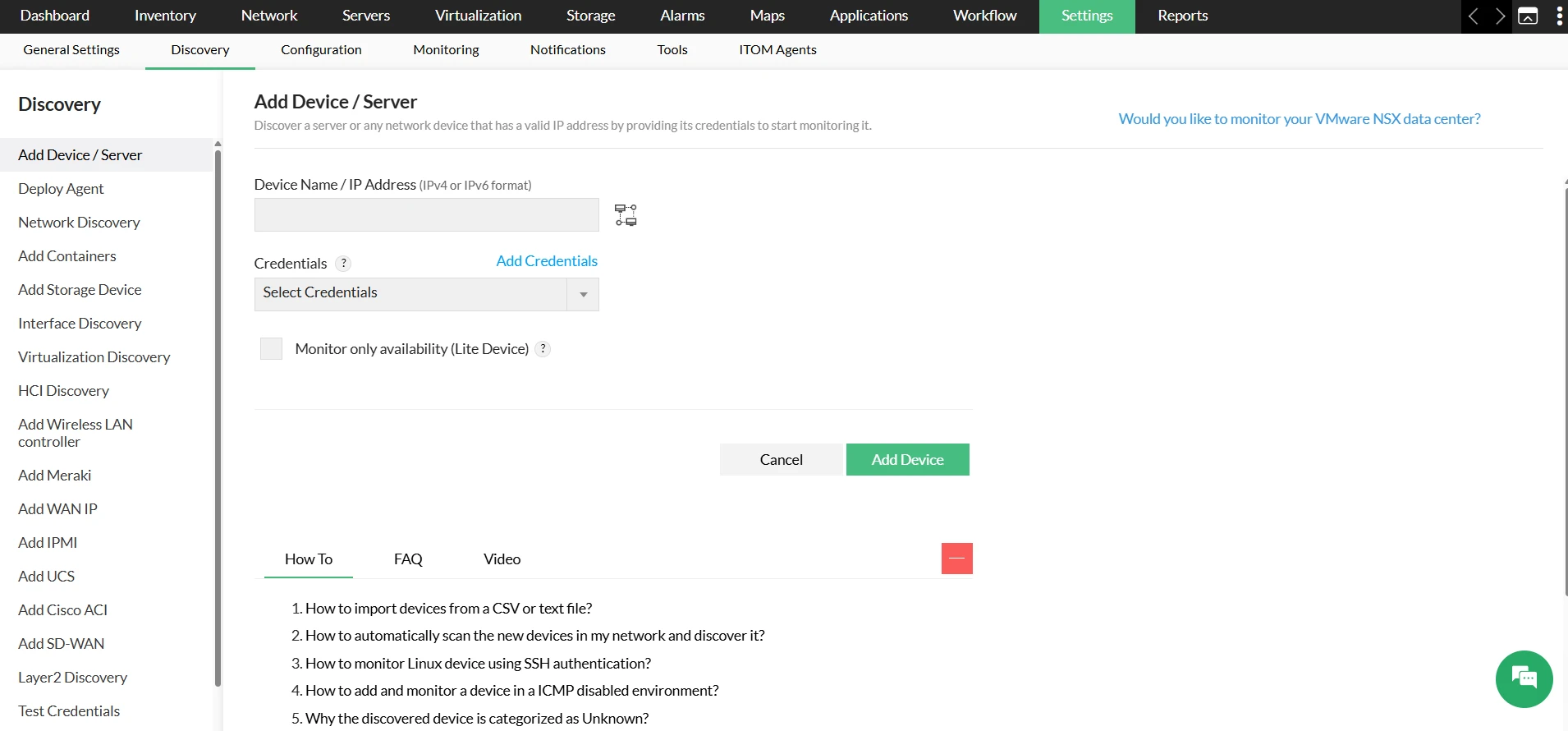
- Go to Settings → Discovery → Add Device/Server.
- In the Add Device / Server page, enter the IP address of the Linux device to be discovered.
- Select the required credentials for the device or add new credentials.
Discovering Linux network with an IP range
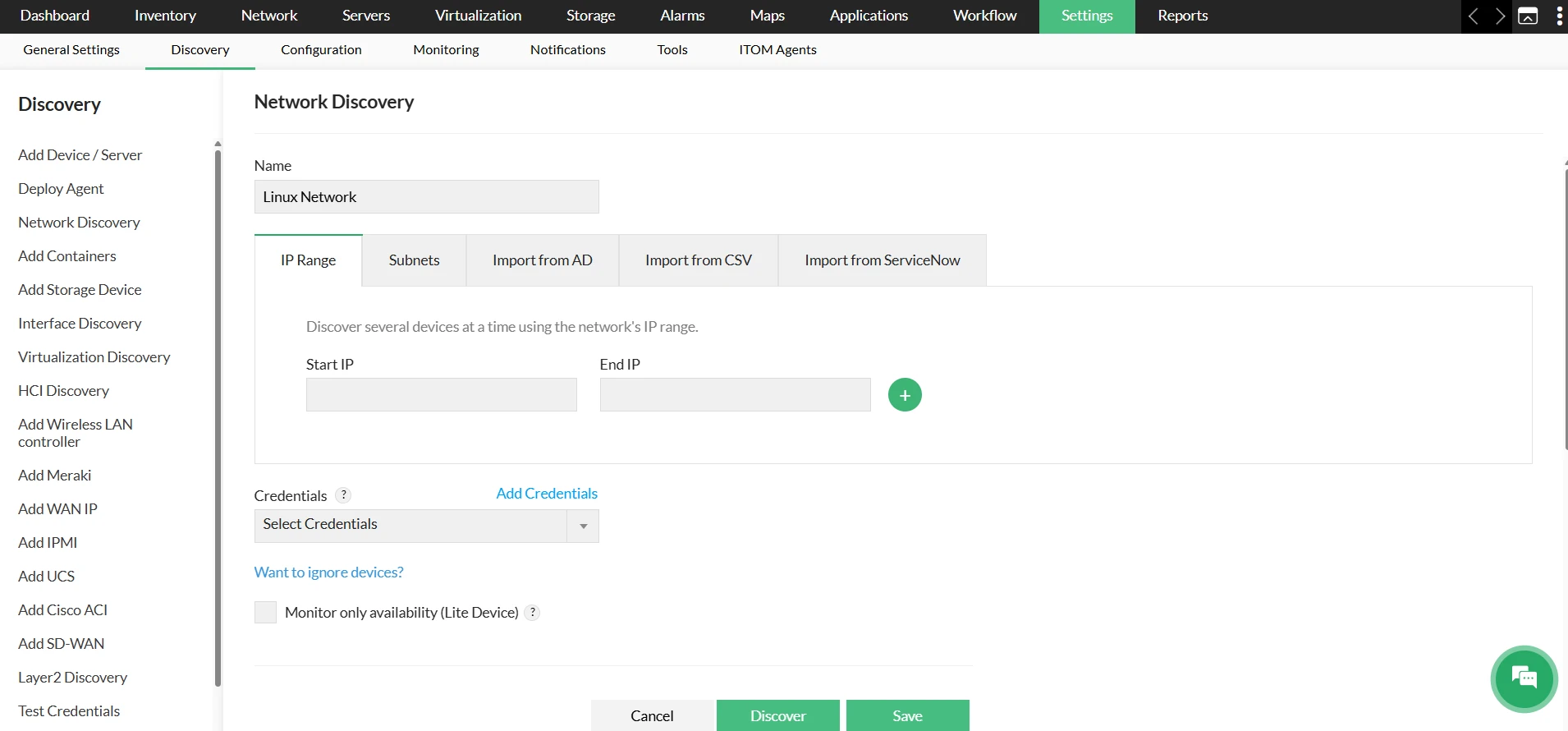
- Go to Settings → Discovery → Network Discovery.
- In the Network Discovery page, click on New Discovery.
- Provide a name for the Linux network and specify the IP range in the text boxes.
- Select the required credentials from the list available or add a new credential.
- Click Discover.
Linux server inventory
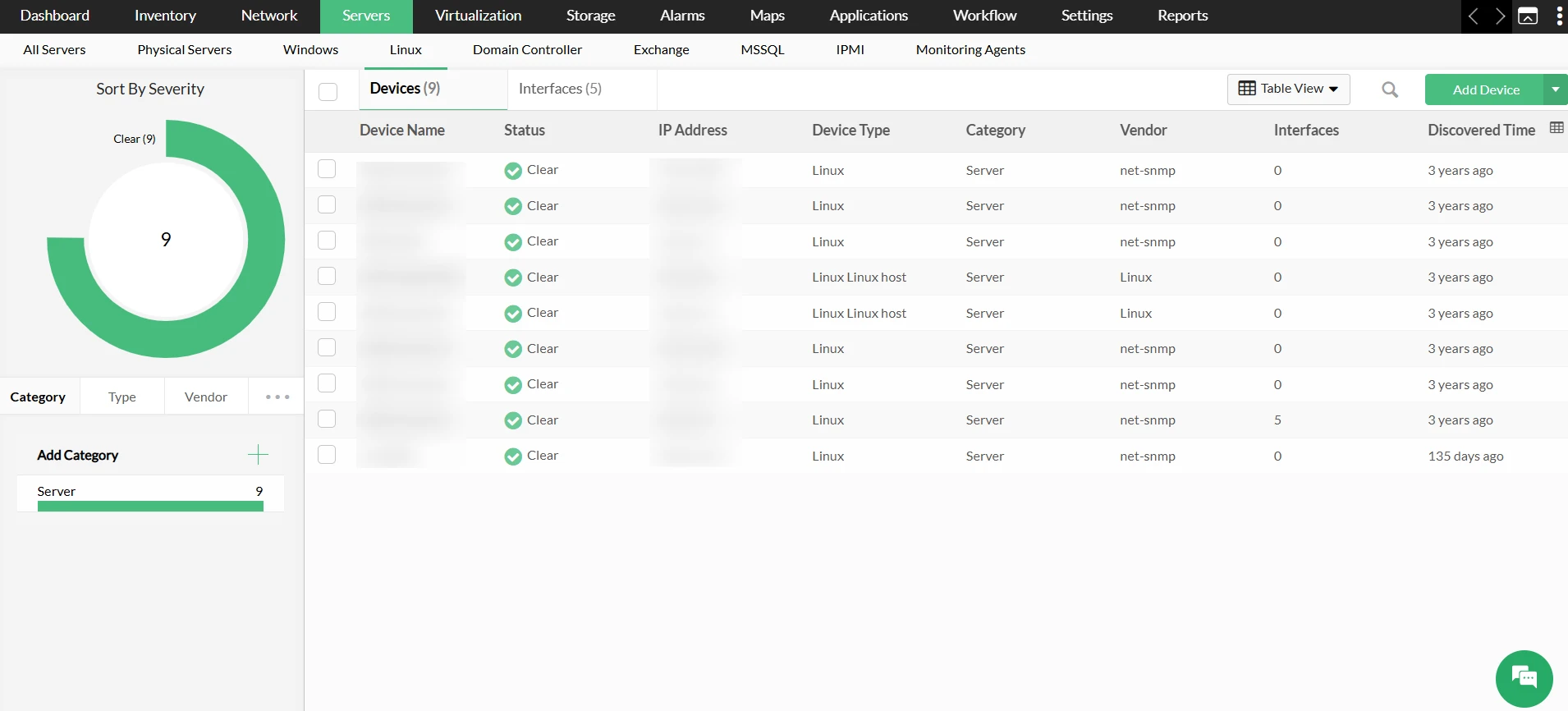
OpManager maintains an inventory of all your Linux servers. To view the list, simply go to Servers → Linux. This displays the server status, IP address, interfaces, and more details of all the available Linux servers.
Linux server performance monitoring
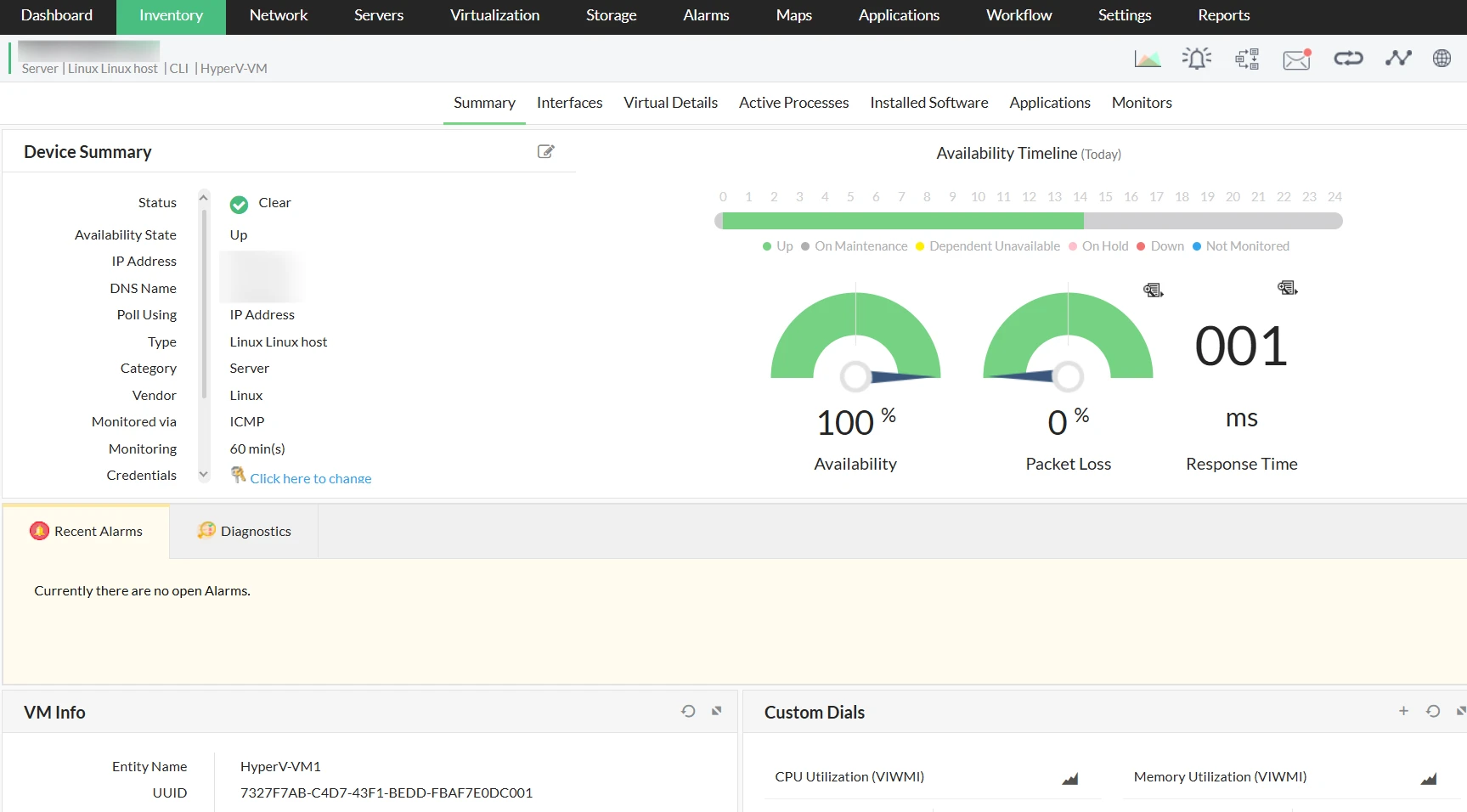
From the Linux server list, click on the required Linux server. This opens the snapshot page of the required Linux server. On this page, you can check the availability, performance, and other critical aspects of your Linux server.
You can monitor your Linux devices by configuring thresholds for the relevant monitors and associating a notification profile to them. You can also configure workflows, to automate preliminary fault remediation measures.