1 Million and Counting

Saint Gobain
NASA
Time Warner Cable
Loreal Paris
Siemens
DHL

What is network mapping?

Network mapping is a process used to discover new devices, interfaces and visualize physical and virtual network connectivity. Map your network with confidence and stay in control as OpManager helps you discover, and optimize every connection.

Network mapping with OpManager: A quick walkthrough

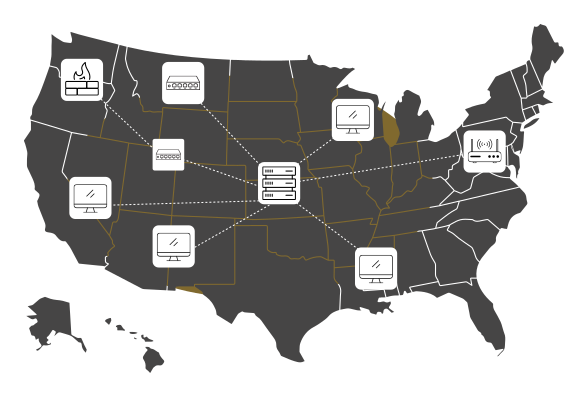
Discovery

  • OpManager automatically discovers devices across your network using protocols like SNMP, ICMP, and WMI.
  • Whether it’s a small branch setup or a complex data center environment, discovery is the first step toward complete visibility. Devices are identified, classified, and organized- ready to be visualized.
Discovery
Visualization

Visualization

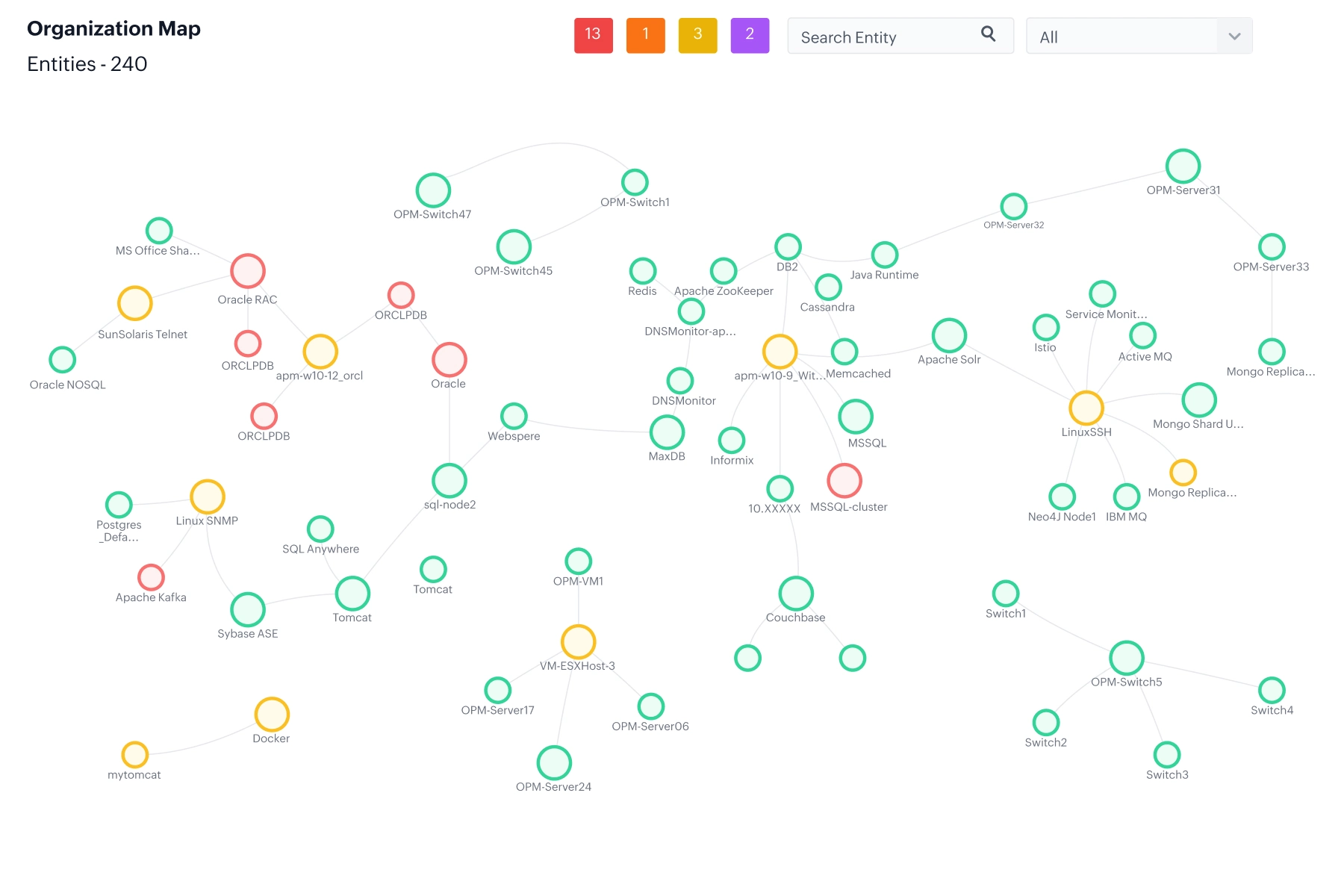
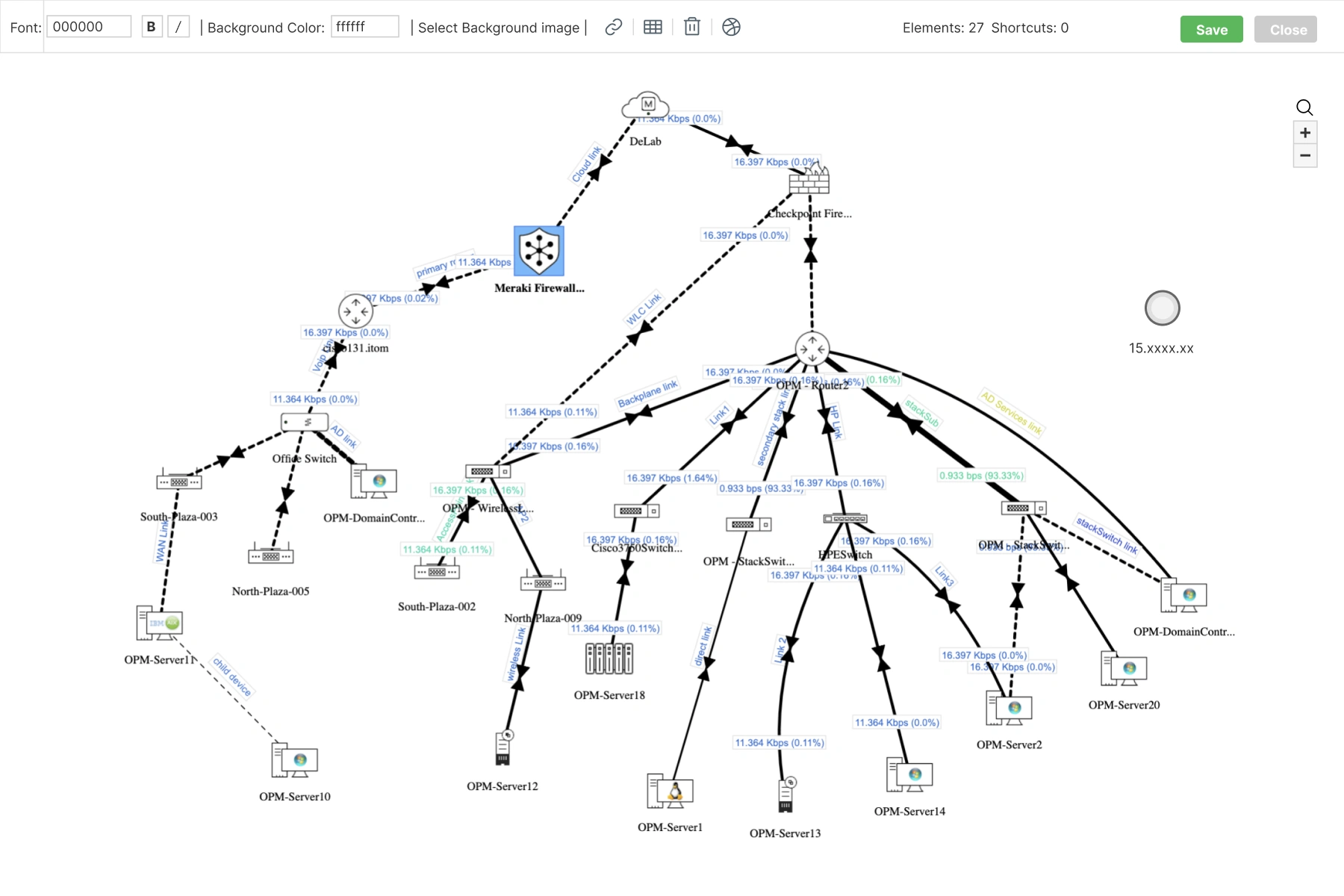
  • Each discovered device is plotted onto dynamic, interactive maps that reflect real-world connectivity.
  • OpManager visualizes routers, switches, servers, and interfaces as graphical nodes, allowing you to navigate between layers and view live performance metrics from a single pane.

Topology

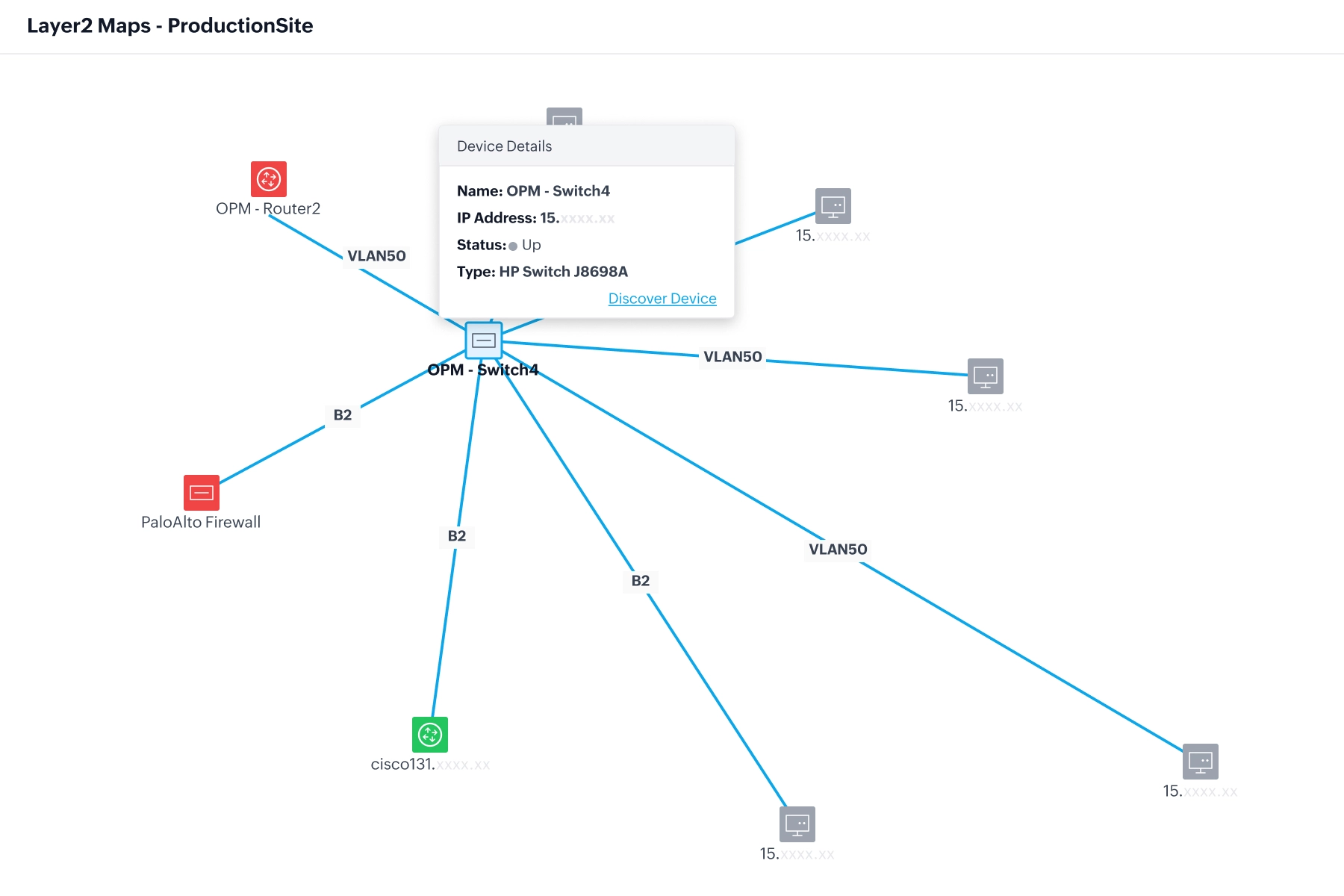
  • Layer2 maps automatically represent the physical topology of your network, showing exactly how switches, routers, and endpoints interconnect.
  • The auto-refreshing topology view eliminates manual documentation and ensures your visual map always matches the current network state.
Topology
Dependencies

Dependencies

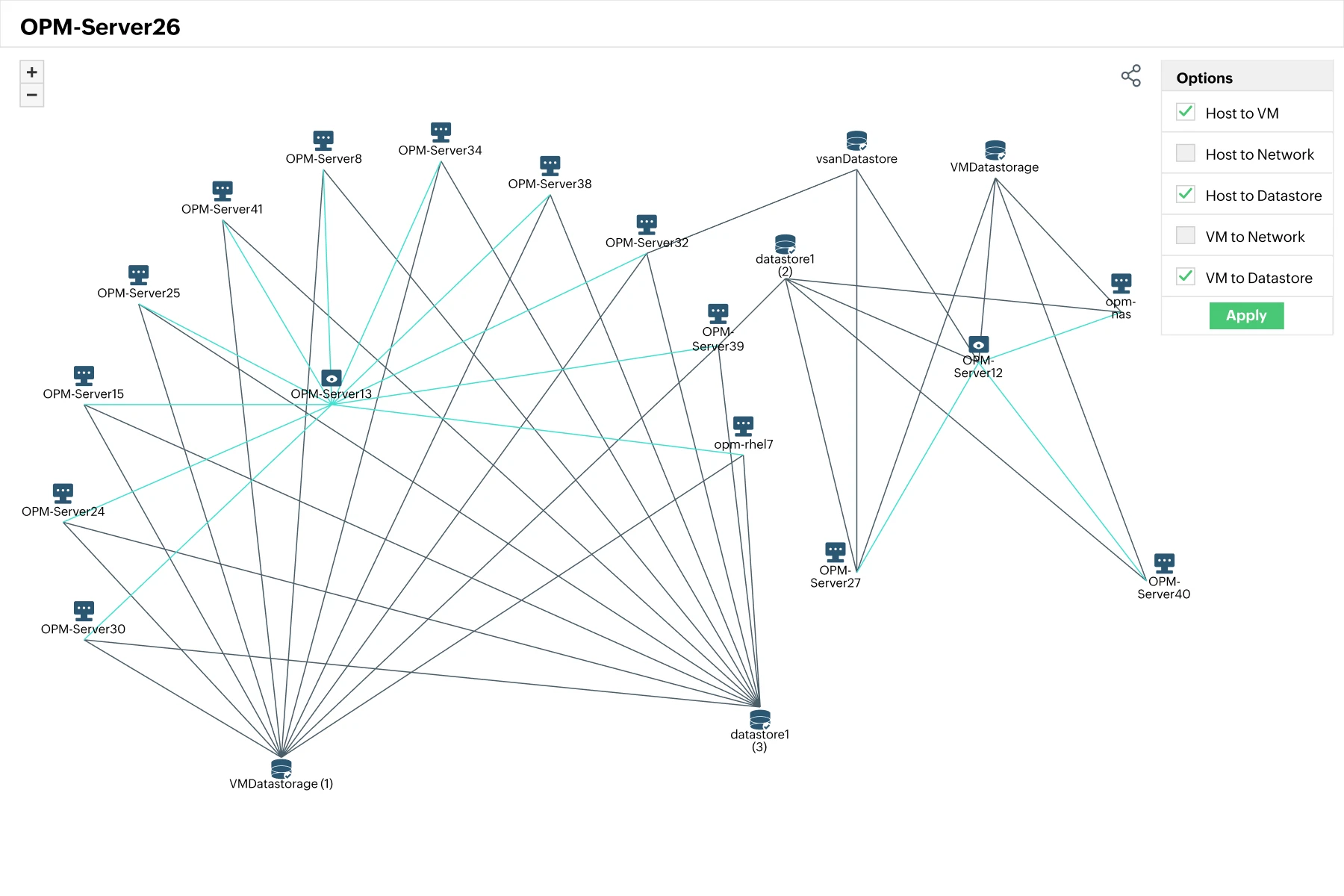
  • Beyond connections, OpManager identifies logical dependencies- showing which services rely on specific devices or interfaces.
  • This relationship mapping is crucial for root cause analysis; when an outage occurs, admins can instantly trace the dependency chain to isolate the true source.

Maps

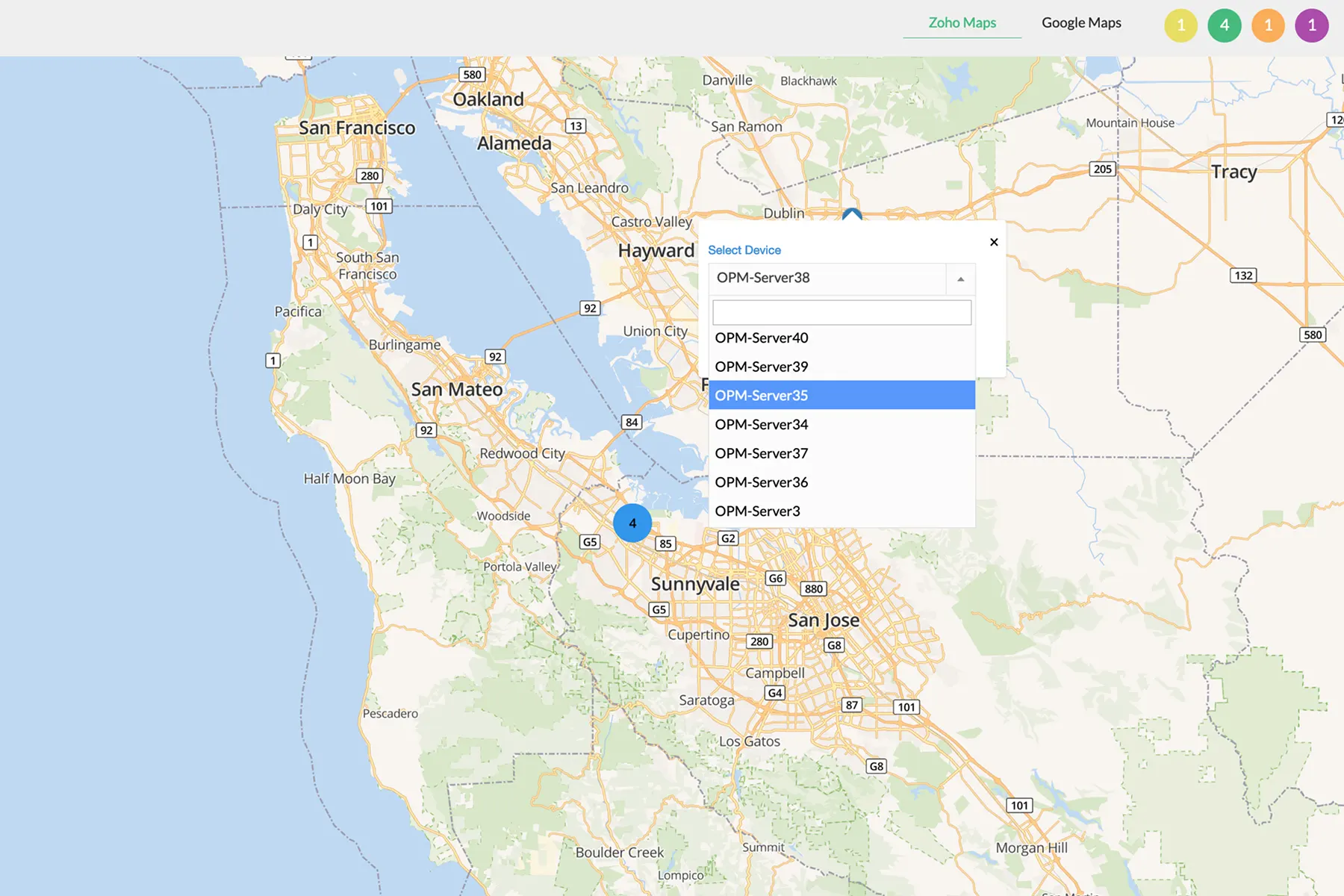
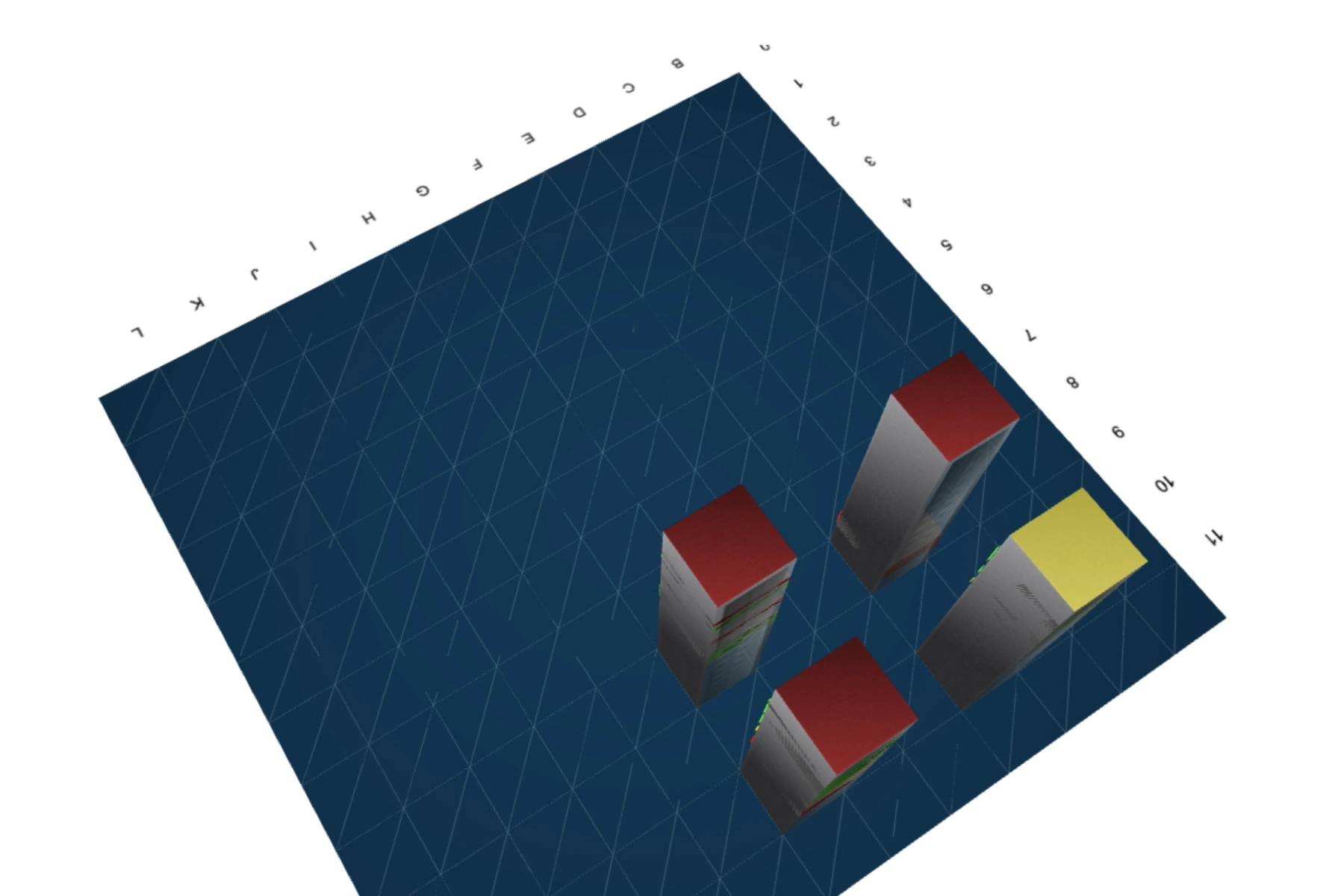
  • Custom maps let you model your network the way you see it. Create business or geographical maps for branches, departments, or data centers.
  • Drag-and-drop visual editing, background floor plans, and color-coded device statuses make it easy to manage network sprawl visually.
Maps
Alerts

Alerts

  • With topology-aware alerting, OpManager correlates faults with the affected segments on the map.
  • When a device goes down, its dependent devices are automatically suppressed from triggering redundant alarms- helping admins focus on the real fault instead of alert noise.

Reports

  • Mapping insights are actionable when backed by data. OpManager generates reports on network structure, discovered devices, and topology changes.
  • These reports help verify compliance, capacity planning, and infrastructure growth over time.
Reports

Managing network visibility with OpManager

Constant topology synchronization

  • OpManager automatically keeps your topology maps in sync with real-time network changes. As devices are added, removed, or reconfigured, the maps update instantly- ensuring admins never rely on outdated diagrams.
  • This continuous sync helps maintain accurate visibility during expansions or maintenance cycles.

Accelerated root cause analysis

  • Topology-aware fault correlation pinpoints the true source of network outages. When a router or switch fails, OpManager suppresses dependent alerts and highlights the affected path visually on the map.
  • This shortens troubleshooting time, prevents redundant alarms, and accelerates mean time to repair (MTTR).

Compliance and audit readiness

  • Network maps double as compliance artifacts. With historical topology reports and configuration versioning, OpManager helps admins verify connectivity, identify unauthorized changes, and maintain audit trails of how network layouts evolved over time. This simplifies both internal reviews and external audits.

Managing network visibility with OpManager

Managing network visibility with OpManager


OpManager's extensive mapping suite works together with its incident detection and remediation capabilities

Topology-aware fault correlation

OpManager’s network mapping engine isn’t just visual- it’s intelligent. By understanding device interdependencies, it correlates alarms with topology data to isolate the true root cause. When a core router fails, dependent switches and endpoints are automatically marked as impacted rather than triggering redundant alerts. This reduces alert noise and helps admins focus on the originating fault instantly.

Learn more

Automated response through workflows

With OpManager’s drag-and-drop workflow automation, IT teams can design rule-based actions that respond to network incidents without manual intervention. For example, a workflow can be triggered when a device goes down- automatically pinging the dependent nodes, restarting an interface, or updating the topology map. This closed-loop automation minimizes downtime and standardizes first-level remediation.

Learn more

Root cause visualization

Root cause analysis is simplified when topology and performance data coexist. OpManager allows admins to open relevant performance graphs for affected devices side by side within the same visual map. This makes it easier to correlate bandwidth spikes, interface errors, or configuration changes with the device that triggered the event.

Learn more

Seamless ITSM integration

Network incidents can be instantly escalated through OpManager’s ITSM integrations with ServiceDesk Plus, ServiceNow, Freshservice, and Jira. When an alert is raised, it can be auto-converted into a ticket containing contextual data- including topology position, dependency impact, and historical performance- so IT teams can collaborate effectively and maintain up-to-date CMDB entries.

Learn more

Benefits of comprehensive network mapping with OpManager

Scalable network visualization for any environment

From small office setups to complex, multi-site enterprise networks, OpManager’s network mapping adapts seamlessly. It can automatically discover and visualize thousands of devices across LANs, WANs, and hybrid infrastructures, maintaining accuracy even as your network grows or restructures.

Always up-to-date and topology-aware

Unlike static diagrams, OpManager’s maps auto-refresh whenever devices, interfaces, or configurations change. This ensures topology accuracy at all times- eliminating manual updates, broken links, or outdated documentation that often lead to troubleshooting errors.

Unified view of your entire network ecosystem

OpManager consolidates routers, switches, firewalls, and servers into interactive maps that reveal physical and logical connectivity. You can zoom in to inspect an individual device or zoom out for a macro view of your global network—all from a single console.

Faster fault isolation and response

With topology-aware alerting and dependency mapping, OpManager helps admins identify the true root cause of outages in seconds. When a core device fails, its dependent systems are visually flagged, reducing mean time to detect (MTTD) and repair (MTTR).

Automated discovery and map generation

OpManager removes manual effort from network documentation through scheduled discovery and dynamic map generation. IT teams save hours of routine mapping work while ensuring visual accuracy, freeing them to focus on proactive maintenance and optimization.

Lower operational overhead, higher ROI

By combining discovery, visualization, fault correlation, and reporting in one unified platform, OpManager eliminates the need for separate topology tools or manual mapping software. This integrated approach reduces tool sprawl and offers long-term savings on both time and licensing.

See your network the way it really works

Auto-discover topologies, surface blind spots, and troubleshoot faster.

Loved by customers all over the world


“Easy Implementation, Excellent support & Lower Cost Tool - Team Lead, IT Services Industry”

Reviewer Role: Infrastructure and Operations

Company size: 500M - 1B USD

We have been using OpManager since 2011 and our overall experience has been excellent. The tool plays a vital role in providing the value to our organization and to the customers we are supporting. The support is excellent and staff takes full responsibilities in resolving the issues. Innovation is never stopping and clearly visible with newer versions.

“OpManager - 10 steps ahead of the competition, one step away from being unequaled - Network Services Manager, Government Organization”

Reviewer Role: Infrastructure and Operations

Company size: 5,000 - 50,000 Employees

I have a long standing relationship with ManageEngine. OpManager has always missed one or two features that would make it truly the best tool on the market, but over it is the most comprehensive and easy to use the product on the market.

“Easy Implementation with a feature rich catalogue, support has some room for improvement - NOC Manager, IT Services Industry”

Reviewer Role: Program and Portfolio Management

Company size: 500M - 1B USD

The vendor has been supportive during the implementation & POC phases providing trial licenses. Feature requests and feedbacks is usually acted upon swiftly. There was sufficient vendor support during the implementation phase. After deployment, the support is more than adequate, where the vendor could make some improvements.

“Great Monitoring tool - CIO in Finance Industry”

Reviewer Role: CIO

Company size: 1B - 3B USD

ManageEngine provides a suite of tools that have made improvements to the availability of our internal applications. From monitoring, management and alerting, we have been able to peak performance within our data center.

“Simple Implementation, Easy To Use. Very Intuitive. - Principle Engineer in IT Services”

Reviewer Role: Enterprise Architecture and Technology Innovation

Company size: 250M - 500M USD


ManageEngine support was responsive to all our queries.

Capterra
Getapp
Software Advice
G2
Altaleb Alshenqiti

“OpManager helps me monitor all aspects of the data-center and equipment like servers, switches and routers. It is fast, intuitive and centralized and you do not need to be an expert to deal with OpManager.”

Altaleb Alshenqiti

NGHA

Donald Stewart

“Donald Stewart, IT Manager of Crest Industries is happy with ManageEngine OpManager for its end-to-end network monitoring software. It is easy-to-use and offers fault and performance management for router.”

Donald Stewart

IT Manager, Crest Industries

John Rosser

“John Rosser, MIS Manager of Yale Chase talks about the proactive nature of ManageEngine OpManager & how his organisation gained value from it.”

John Rosser

MIS Manager


 Pricing  Get Quote