Install APM Insight Java Agent
For seamless onboarding, you can use the APM Insight AutoProfiler to automatically discover and instrument Java applications running on your server.
To add a new Java Agent monitor in Applications Manager, go to the APM tab → Add New Monitor → Java.

Based on the version of the build you are using, follow the steps given below to add a Java Agent monitor:
Add a new Java Agent monitor - Guided Installation (Build version 172100 & above)
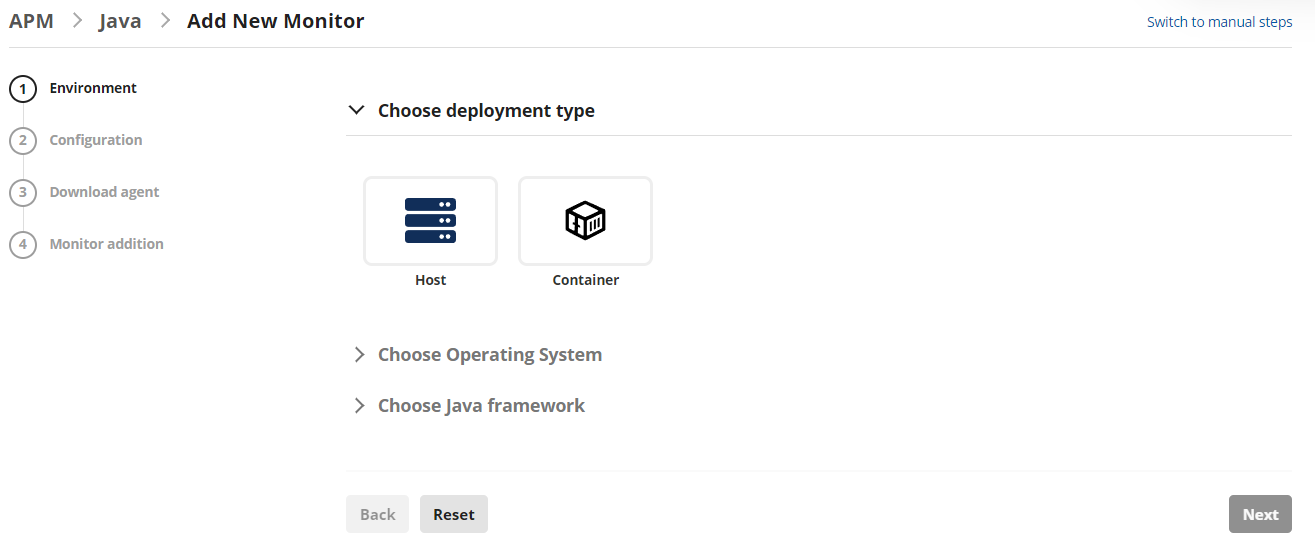
- Choose your preferred deployment type (Host/Container), Operating System (UNIX/Windows), and Java framework (Apache Tomcat, etc.,) based on your JAVA Application and click NEXT.
- Enter the configuration details of your JAVA application to be monitored including the Application name, Application running port, and the Java version used by your application. The 'Advanced Settings' dropdown displays Applications Manager details such as the protocol, host, port, and APM Insight license key.
Click on Next.Note: Ensure that the Applications Manager URL is reachable from the application server. If not, use the EDIT option given to provide the accessible IP address or hostname to connect to the Applications Manager for the agent to communicate.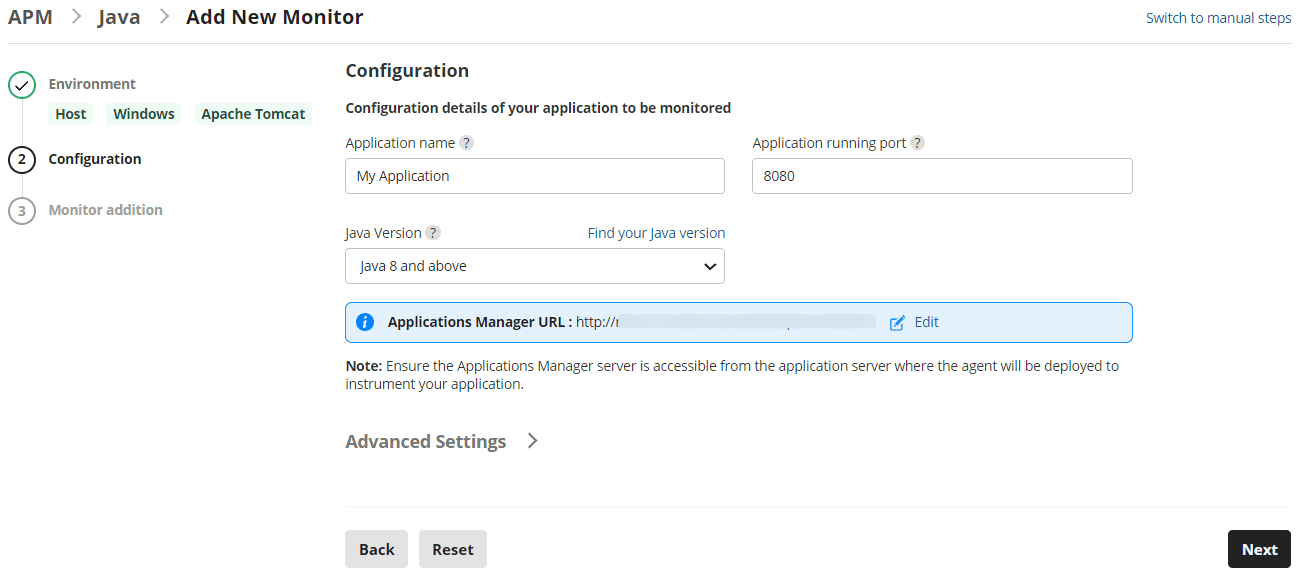
- Execute the command displayed in the UI as an Administrator and follow the given steps as displayed in the Monitor addition tab to complete the process:
- Go to Application installed server → Navigate to Application installed directory → Open Windows PowerShell / Terminal based on OS type (with administrator privilege) → Execute the command displayed in the 'Monitor Addition' view to complete the agent installation.Note: This command internally downloads the guided-installation script (to extract agent & configure APM host & license details) and JAVA Agent from Applications Manager to complete agent installation.
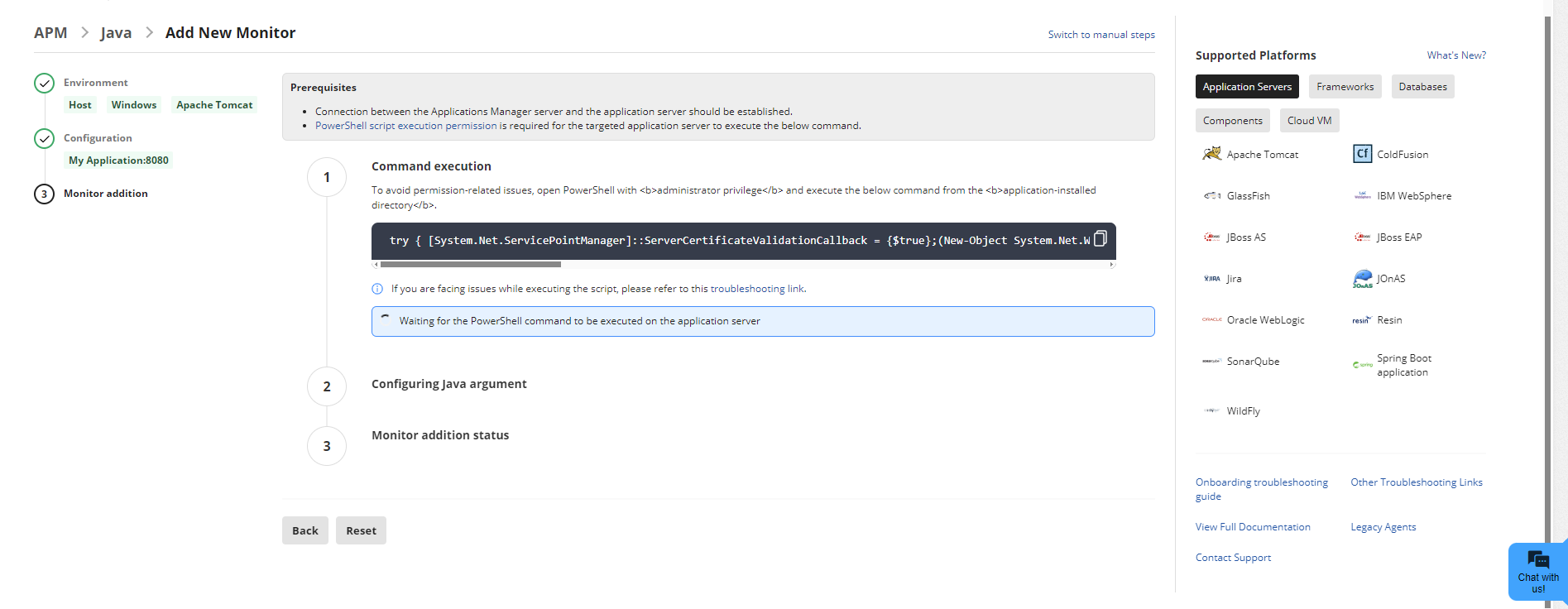 Note: Use the Switch to manual steps option in the Applications Manager UI if any environmental issues cause command execution failure, to follow the Manual Installation steps.
- Once the agent installation is successful, kindly follow the steps given to configure agent argumentin your JAVA application by performing framework steps shown in APM GUI & restart your application to start monitoring.Note:Restarting your application is mandatory to start the monitoring process. The purpose is to instrument your application with our agent.
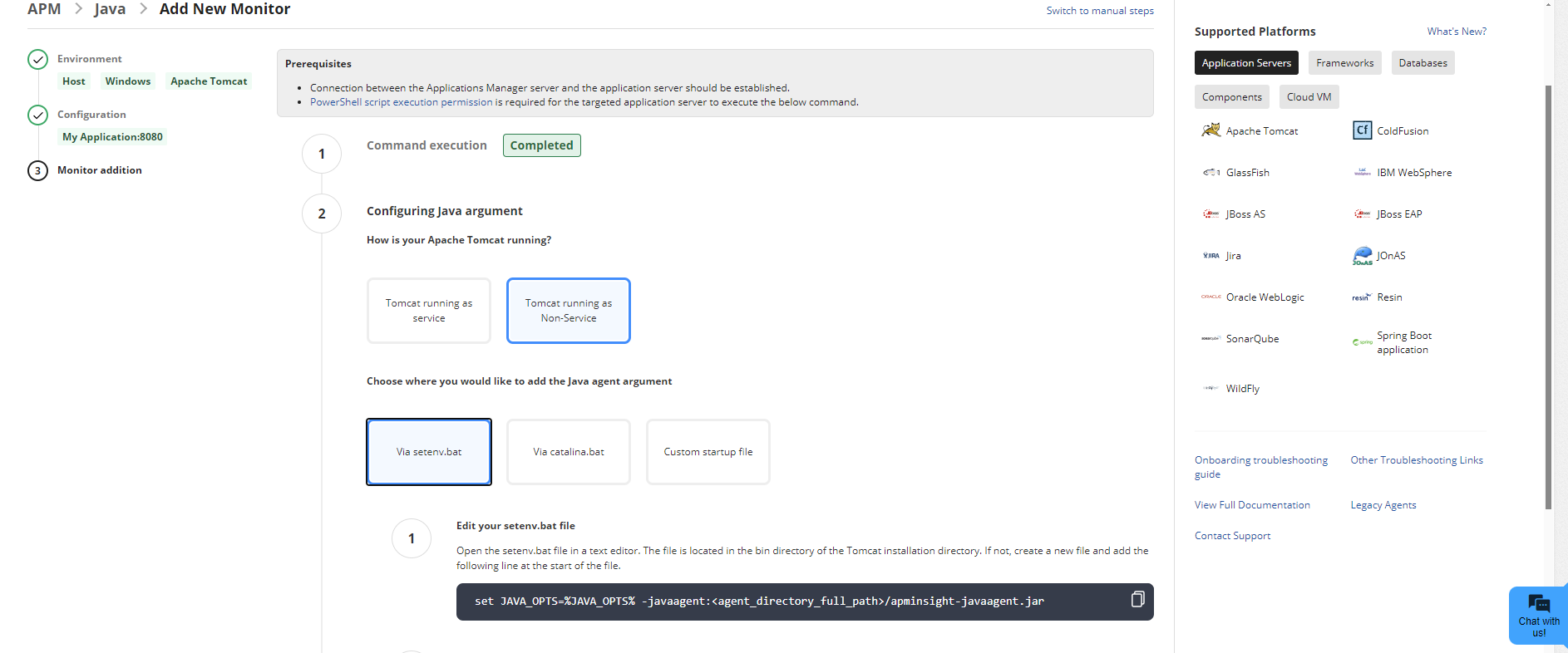
- Perform some transactions in your application to view the performance data in Applications Manager.
- Go to Application installed server → Navigate to Application installed directory → Open Windows PowerShell / Terminal based on OS type (with administrator privilege) → Execute the command displayed in the 'Monitor Addition' view to complete the agent installation.
- Once the monitor addition is successful, perform some transactions to start monitoring.
Add a new Java Agent monitor - Manual Installation (Build versions below 172100)
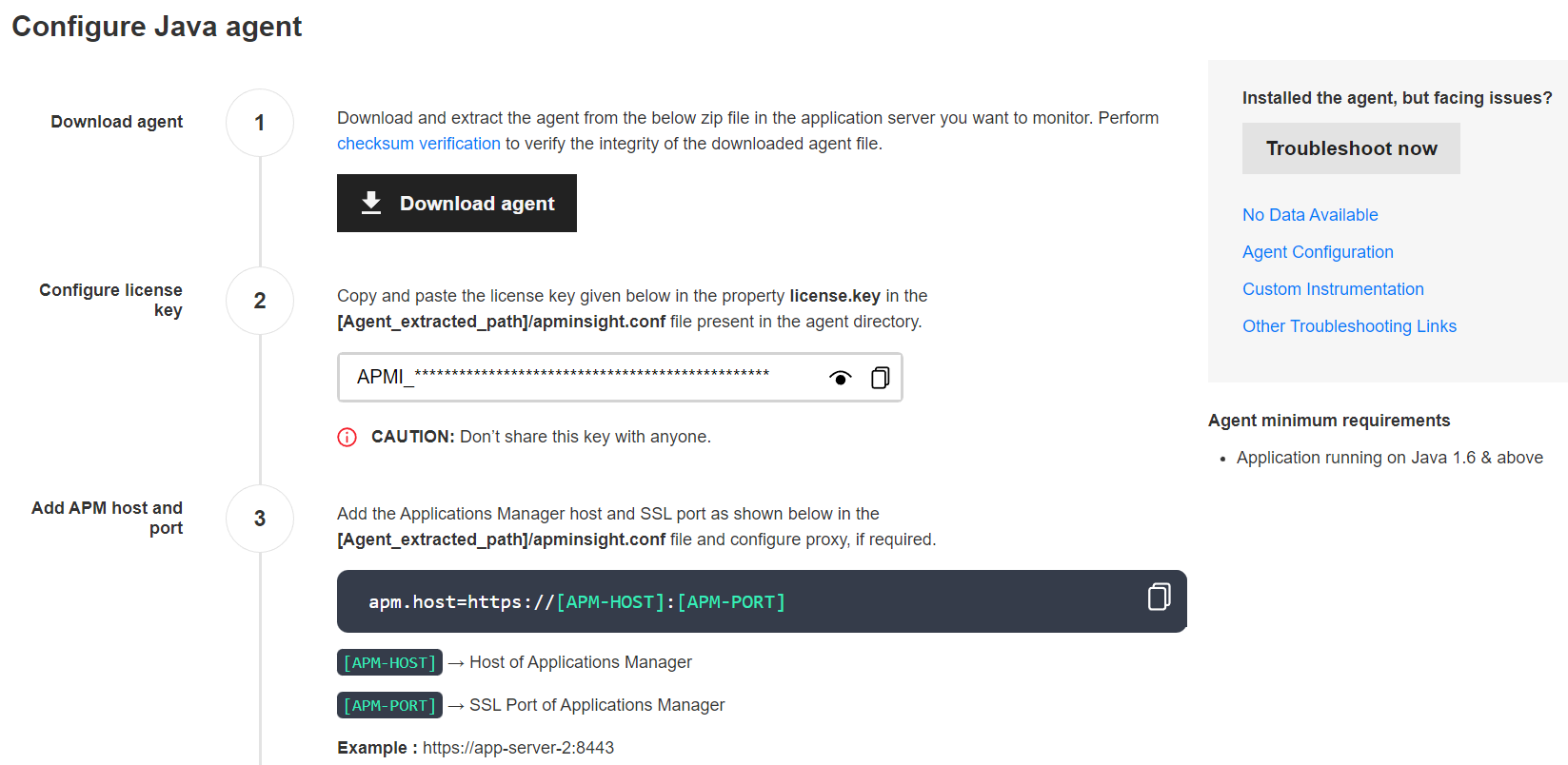
- Download the appropriate APM Insight Java Agent (apminsight-javaagent.zip) file.Note: Users can verify the authenticity of the downloaded file by performing checksum validation. Click here to learn more.
- The zip file contains apminsight-javaagent.jar, apminsight-javaagent-api.jarand its conf files. This file should be copied to your Application Server.Note: Please make sure that the Application server's User permission has been provided to the Agent Installed folder.
- To configure Java agent using system properties, click here.
- Click on the links below to learn how to install the APM Insight Java Agent in different Application Servers:
- Install APM Insight Java Agent in Apache Tomcat 6.x & above
- Install APM Insight Java Agent in AWS Elastic Beanstalk
- Install APM Insight Java Agent in Azure Web App
- Install APM Insight Java Agent in ColdFusion
- Install APM Insight Java Agent in Glassfish 3.x servers & above and clustered environments
- Install APM Insight Java Agent in IBM WebSphere (WAS) 7.x servers & above
- Install APM Insight Java Agent in JBoss AS 4.2.x & above
- Install APM Insight Java Agent in JBoss EAP 6.2.x & above
- Install APM Insight Java Agent in Jira Server
- Install APM Insight Java Agent in JOnAS 4.x & above
- Install APM Insight Java Agent in Oracle Weblogic 10.3.x servers & above
- Install APM Insight Java Agent in Resin 3.1.x servers & above
- Install APM Insight Java Agent in SonarQube
- Install APM Insight Java Agent in Spring Boot Application
- Install APM Insight Java Agent in WildFly 8.x servers & above
- Install APM Insight Java Agent in Docker
- Install APM Insight Java Agent in other servers
- Install APM Insight Java Agent via System environment
Note:
- For older versions of Java (v2.3 & below), data collection might not happen after upgrading Applications Manager to version 14440 & above. To enable, include the following keys in the apminsight.conf file after extracting the APM Insight Java agent zip (apminsight-javaagent.zip) file :
license.key=[LICENSE KEY]
apm.host=http://[HOST]:[PORT]
Example:
license.key=APMI_74447444b666d7ab5174cc3021a9b68dd4b3364d50f99c2969360810313e8fac
apm.host=http://apm-prod-server:9090 - After including the above keys, save the file and restart the application.
- You can also configure a secure APM URL. Ensure that the connection is stable and free from certificate-related issues.
Example: https://apm-prod-server:8443 - For an Applications Manager failover setup, you can specify multiple hosts in a comma-separated format (supported from Java Agent v6.8), as shown below:
apm.host=http://apm-prod-server-A:9090, http://apm-prod-server-B:9090
Troubleshooting:
For troubleshooting tips, go to our Support Portal

